





Trusted by 1,600+ marketing teams and agencies


Weekly report templates
Porter’s 20 weekly report templates are grouped by the part of marketing each one reports on. Filter by tool or use case and open a card for its preview and setup.
20 templates
Weekly SEO reports
 Claude


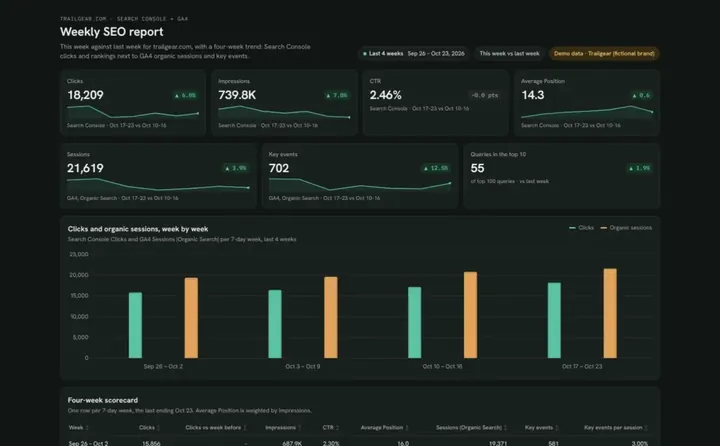
Weekly SEO report template
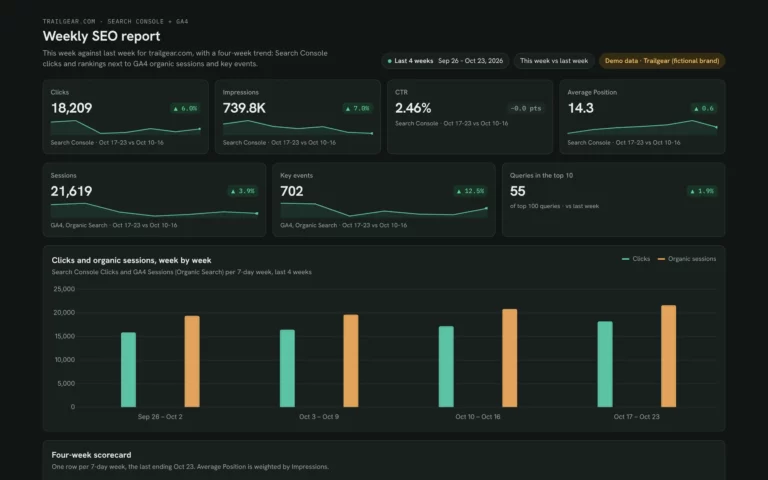
Run your Monday SEO check: this week vs last and the queries and pages that moved.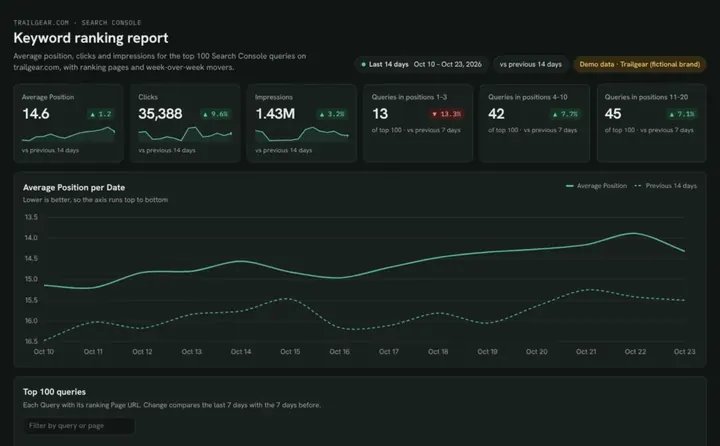 Claude
Keyword ranking dashboard template
Track which keywords reach page one and what moved this week.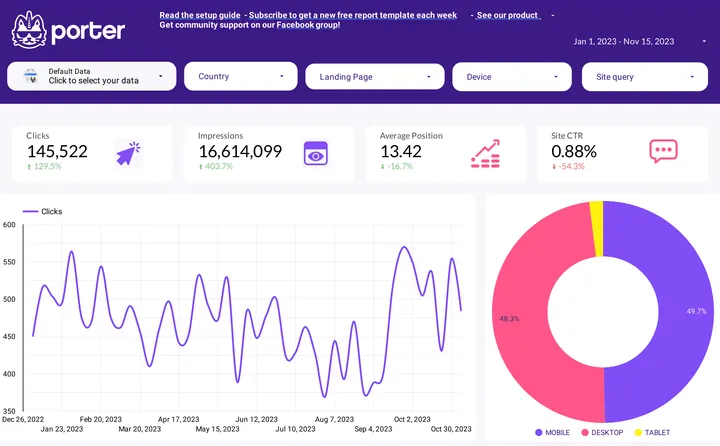
 Porter dashboard
SEO dashboard
Share Search Console clicks, rankings and pages with your team in one live link.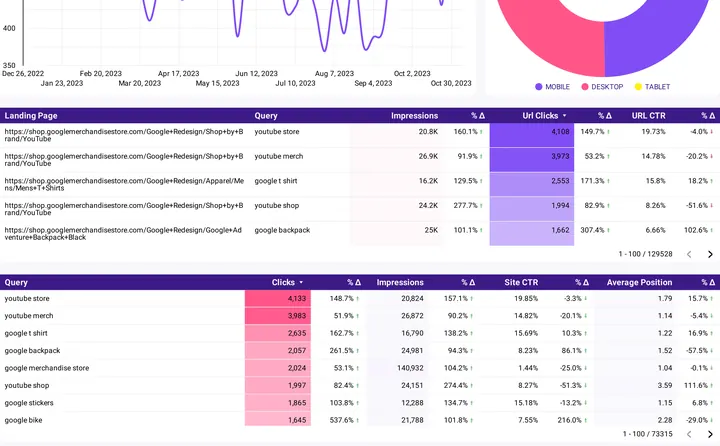
 Data Studio
SEO report template
Review organic traffic and keyword rankings each week, by channel or audience.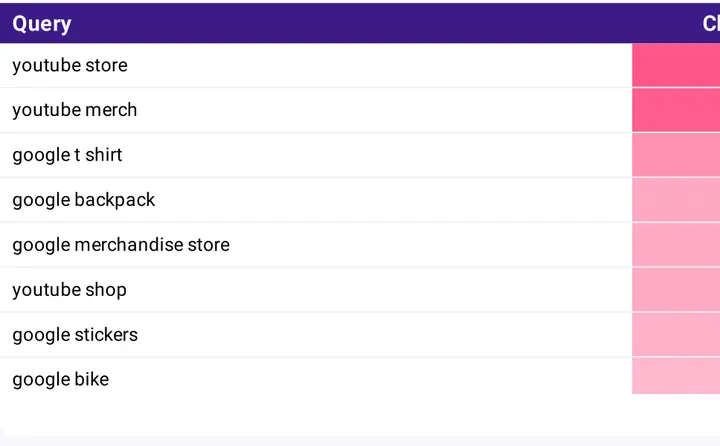 Data Studio
SEO keyword ranking tracker
Follow your keyword rankings over time and see which ones slipped this week.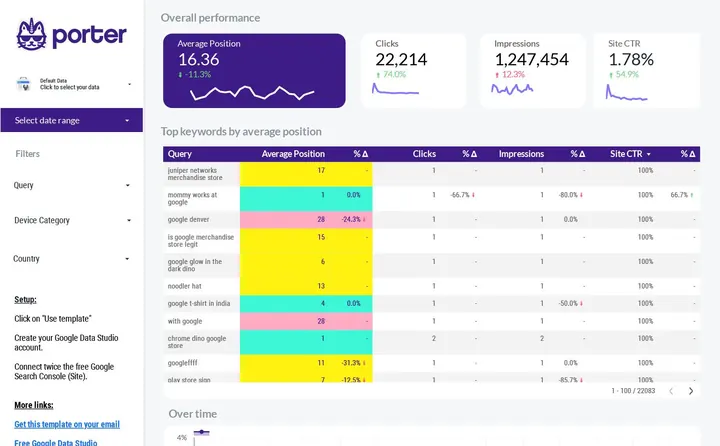 Data Studio
SEO SERP tracking
Follow position, clicks and CTR per query over time.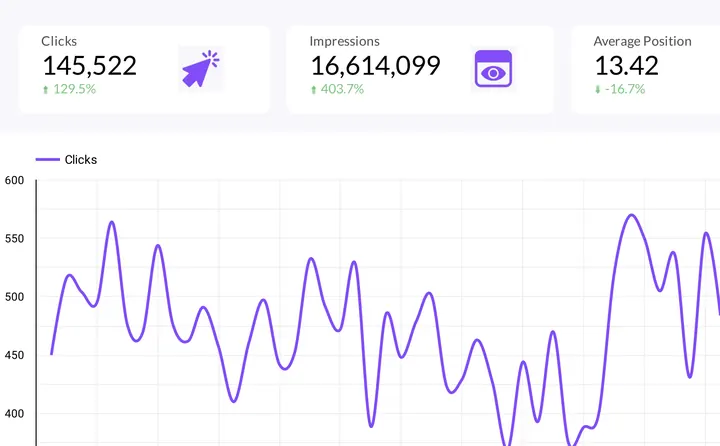 Data Studio
Google Search Console report template
Spot pages and queries gaining or losing clicks, by country and device.Weekly marketing and KPI reports
 Claude


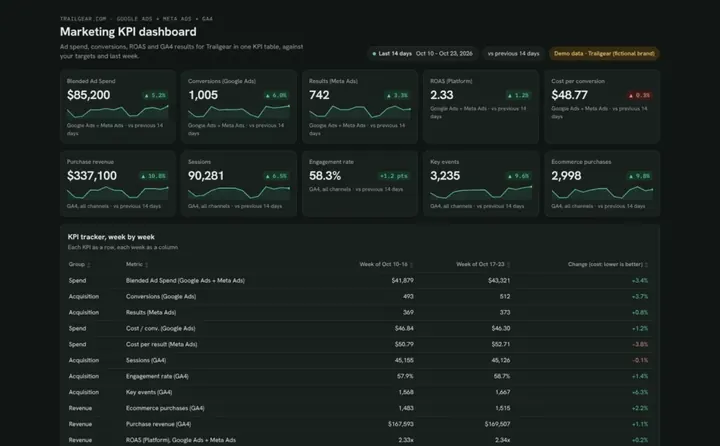
Marketing KPI dashboard template
Track ad spend, conversions and revenue week by week against your targets.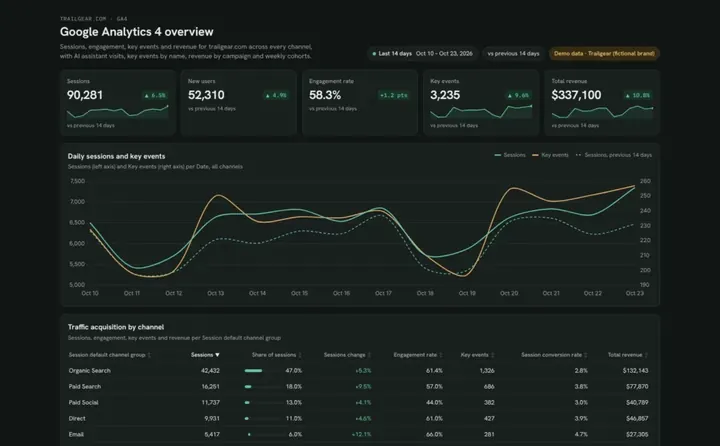 Claude
Google Analytics dashboard template
See which channels and AI assistants bring visitors, key events and revenue.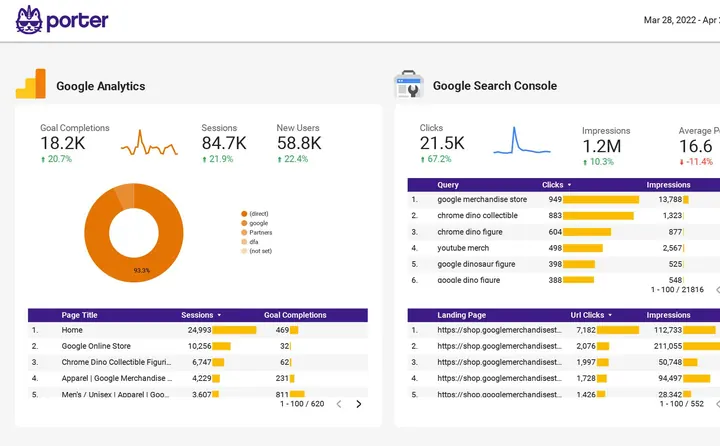 Porter dashboard

Multi-channel marketing performance
Put GA4, ads and social results on one page your team checks every week.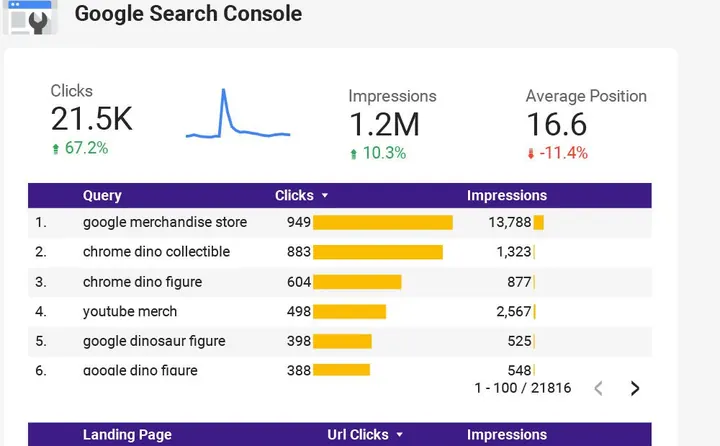 Data Studio
Multi-channel marketing performance
Compare CTR, ROI and engagement by channel, from SEO to Facebook Ads.Weekly PPC and paid ads reports
 Claude


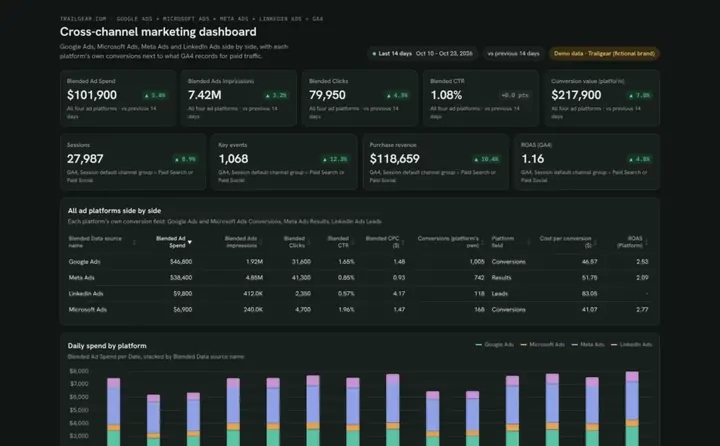
Cross-channel marketing dashboard template
Compare spend, CPA and ROAS across your ad platforms next to GA4.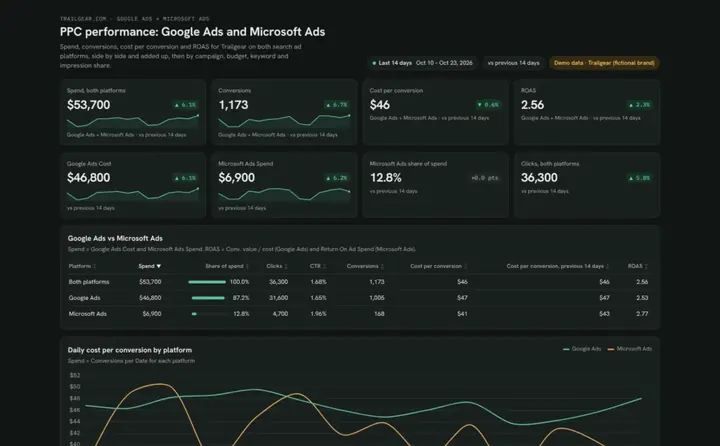 Claude
PPC dashboard template
Compare Google Ads and Microsoft Ads spend and cost per conversion side by side.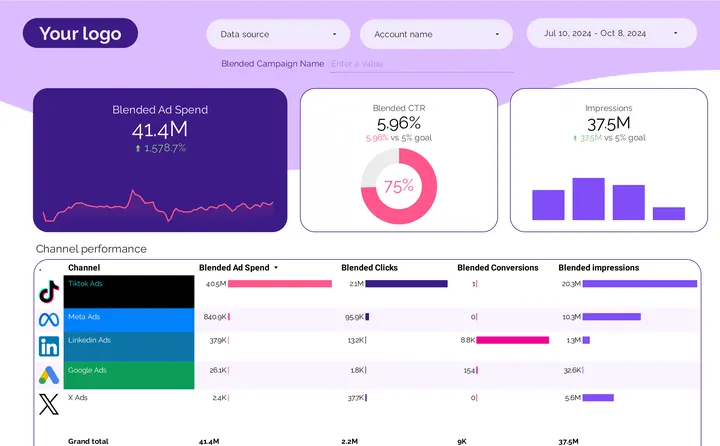 Porter dashboard

PPC dashboard
Check spend, clicks and conversions across Google, Meta, LinkedIn and TikTok Ads.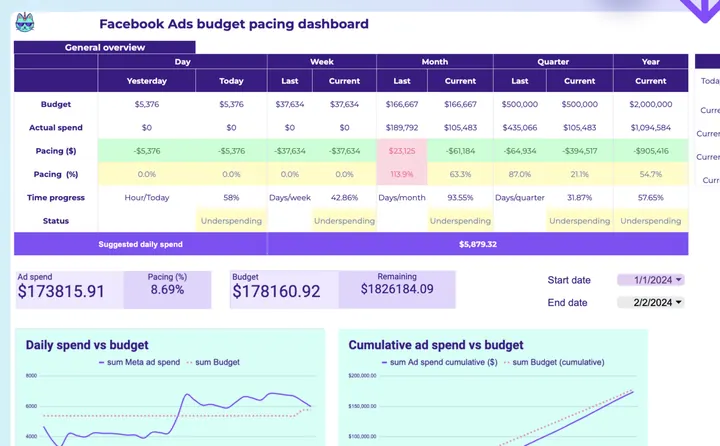
 Google Sheets
Facebook Ads budget tracking and pacing
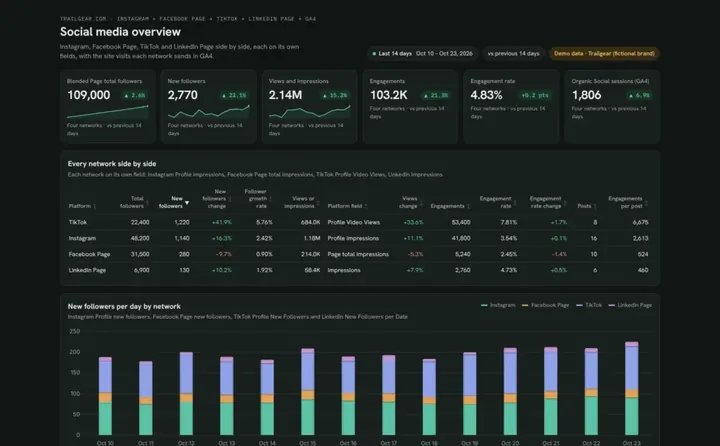
Get the daily spend that finishes the month on budget.Weekly social media reports

Weekly e-commerce reports
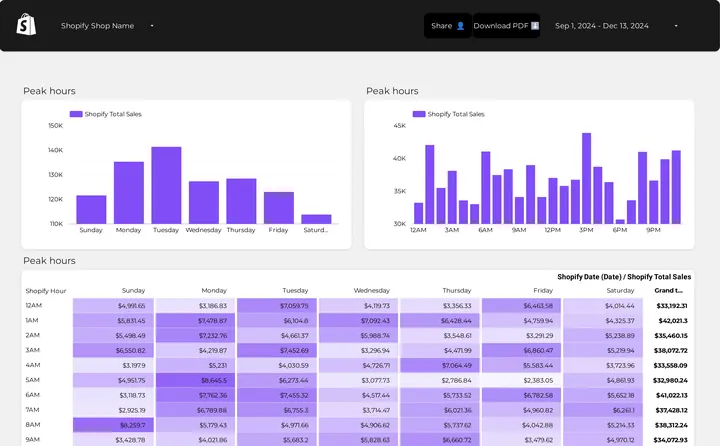 Porter dashboard

Shopify store performance
See revenue, orders and conversion rate with Google Ads and GA4 traffic.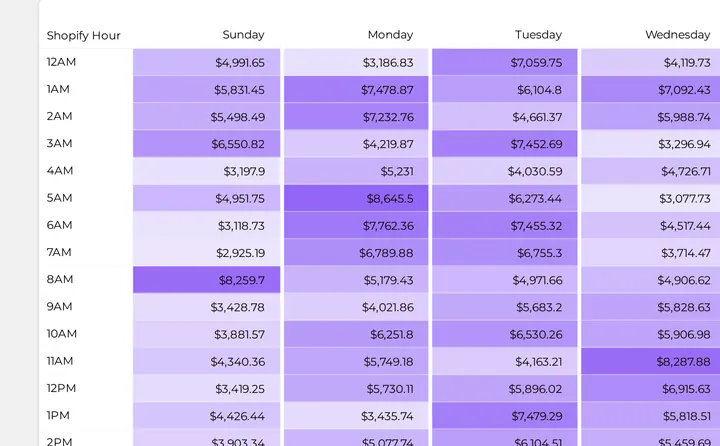 Data Studio
Shopify store performance
Break down revenue and conversion rate by traffic source and campaign.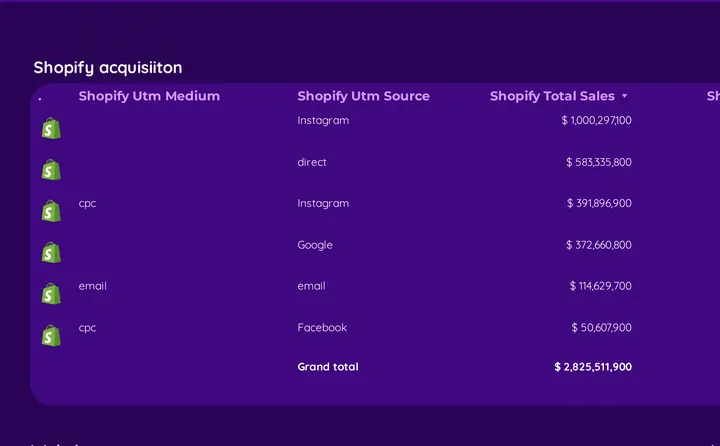 Data Studio
DTC report template
Put revenue and cost per acquisition from Shopify, Google Ads and Facebook Ads together.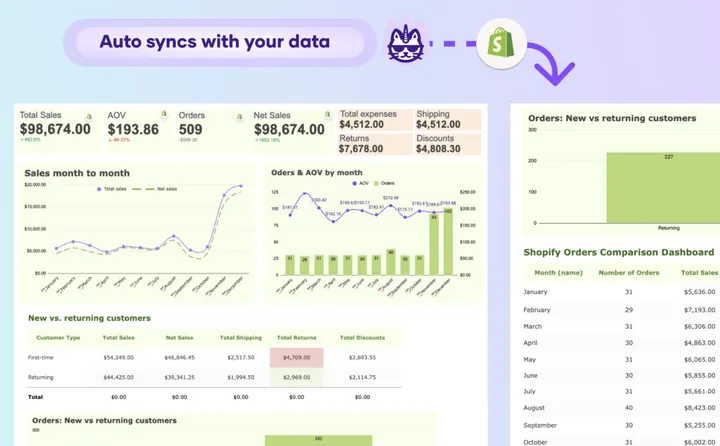 Google Sheets
Shopify sales and orders
Pull Shopify sales and orders into a sheet you can total by week.Weekly report example
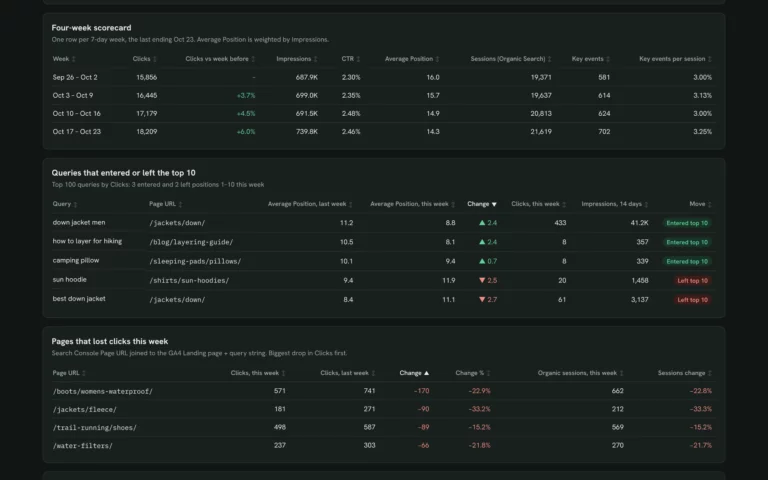
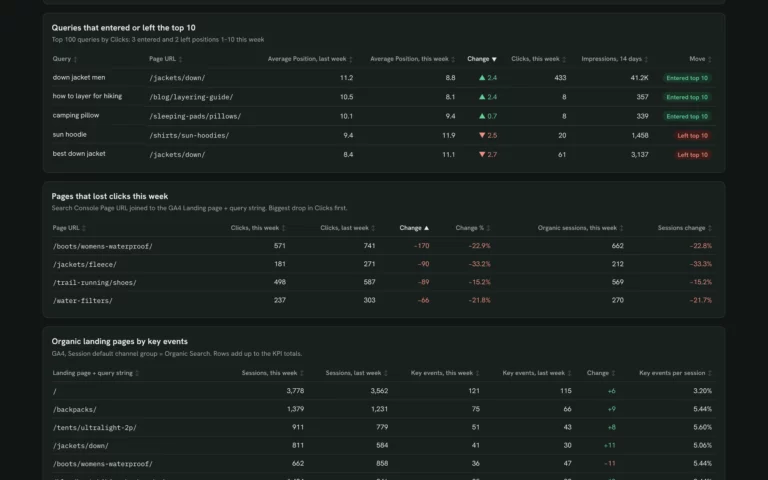
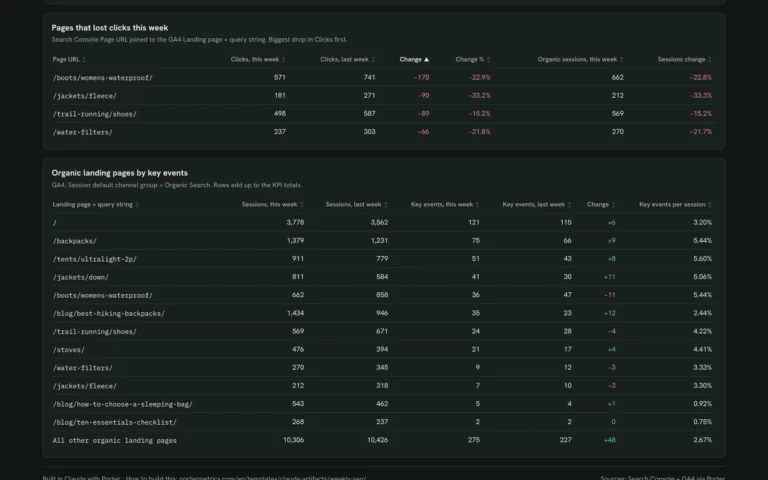
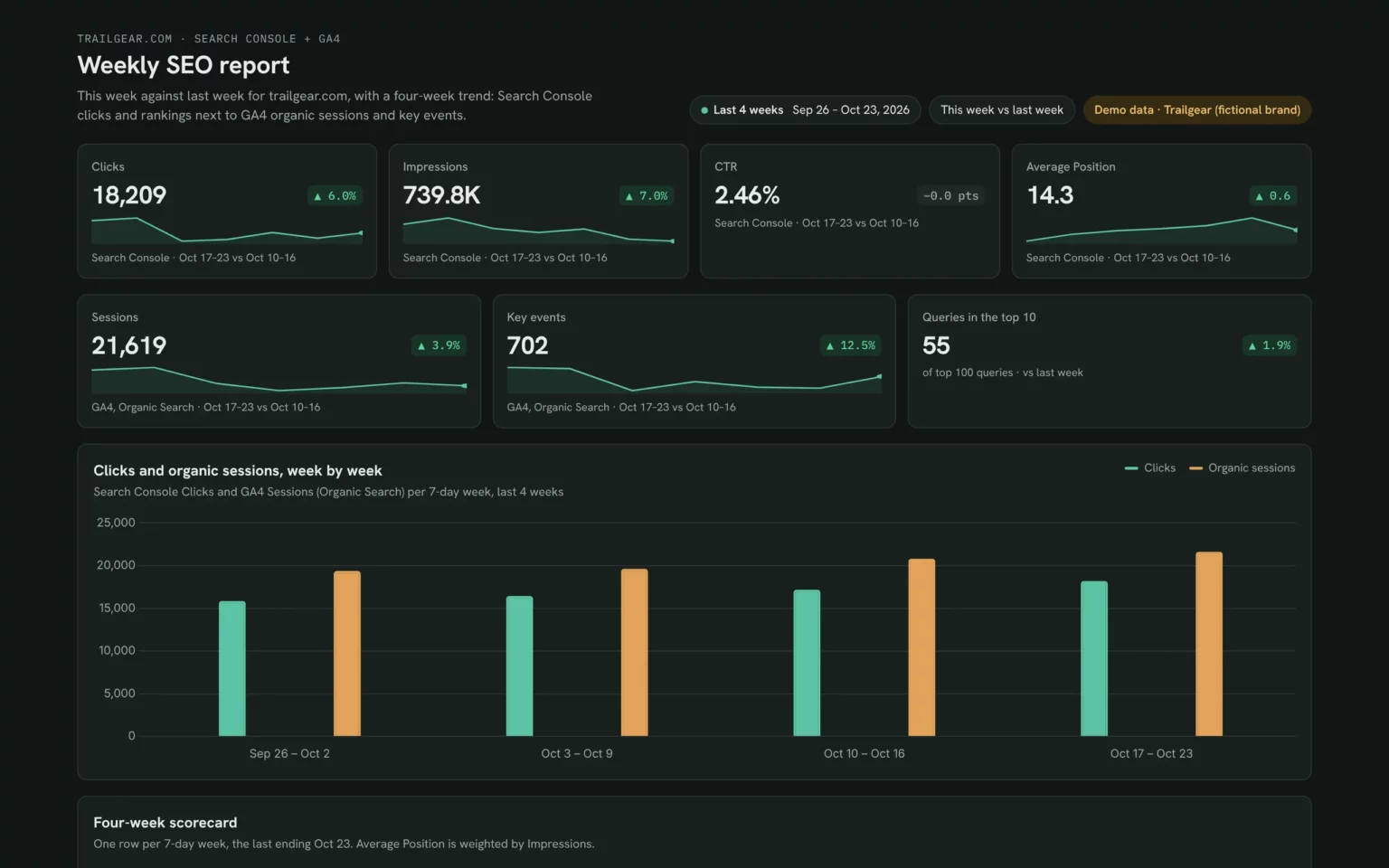
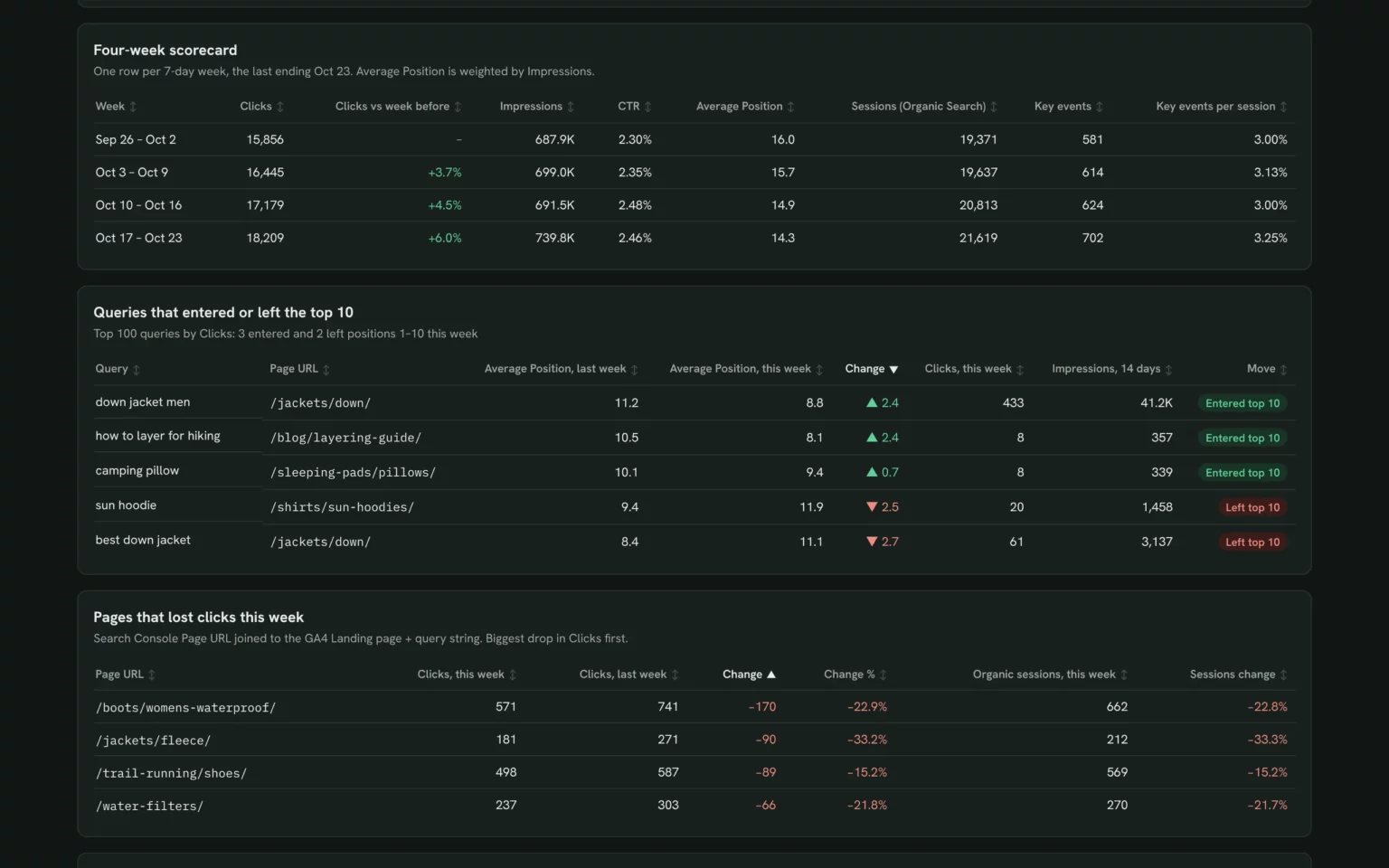
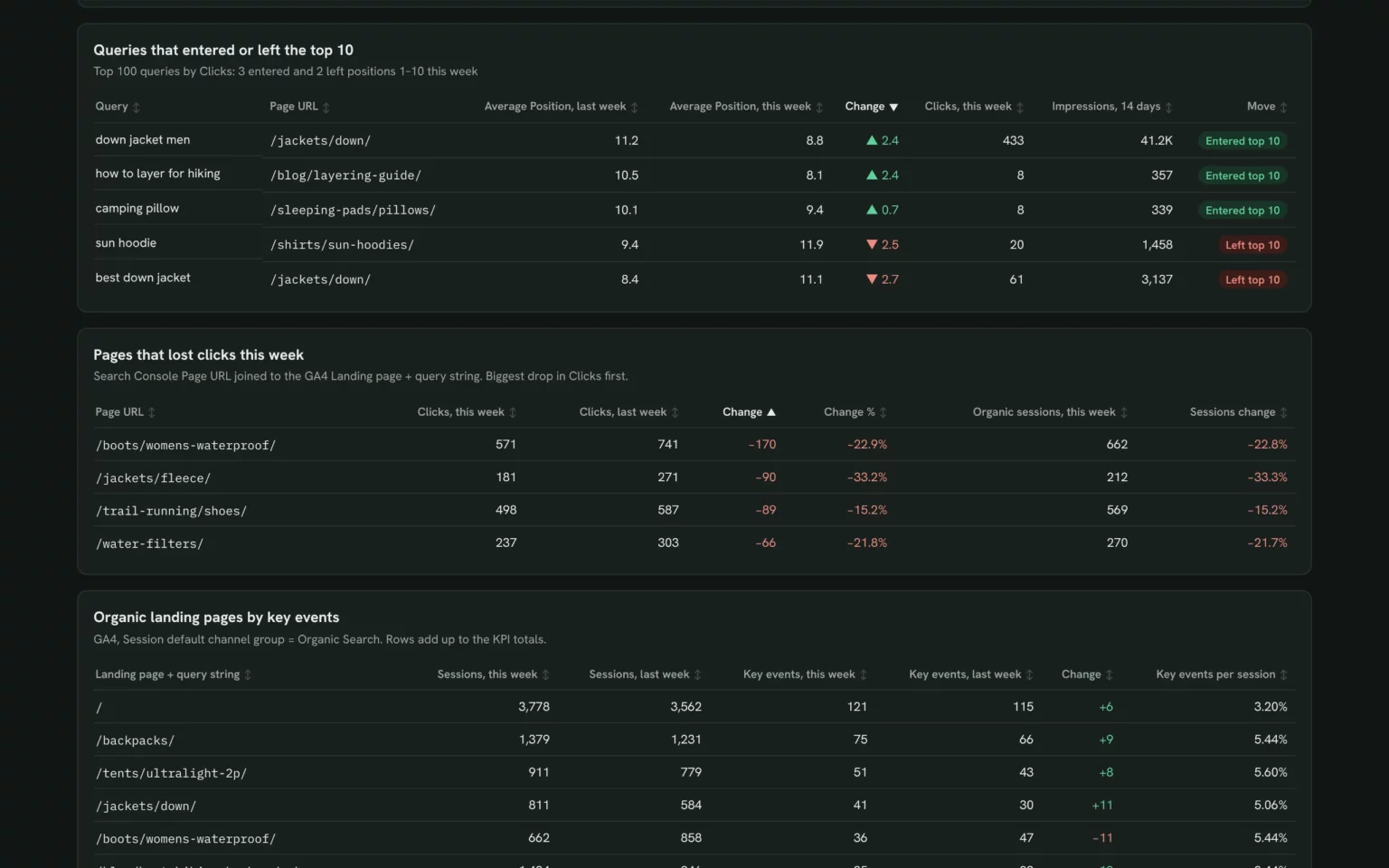
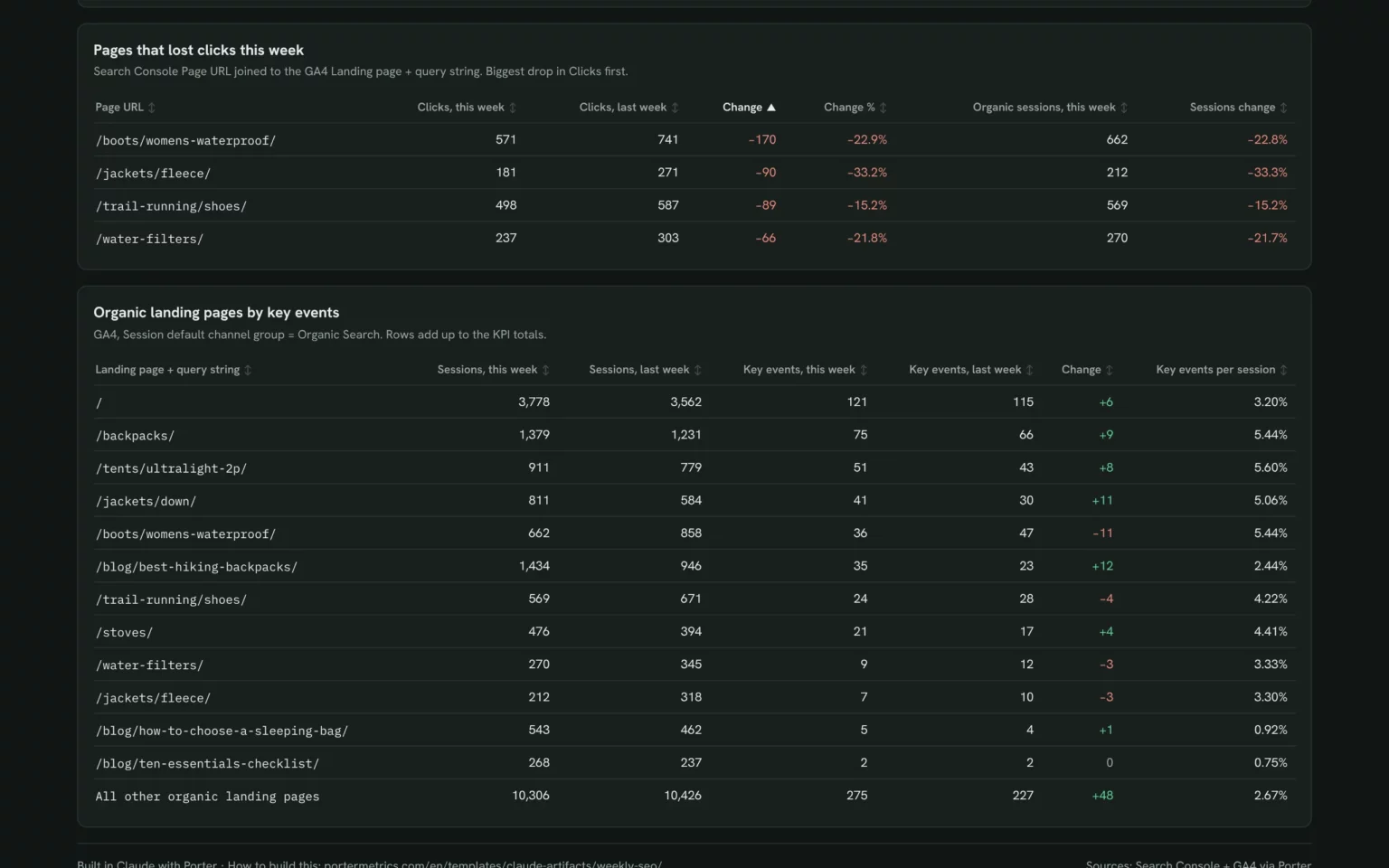
Porter’s weekly report example is the Claude weekly SEO report on Trailgear demo data: this week against last for Search Console and GA4. Click through its four views before connecting anything.
What to include in a weekly report
A weekly report built on Porter’s templates has six parts, in the order a team reads them on Monday, each covered by a template.
This week vs last
Your main KPIs against the week before, with the change in each: weekly SEO report and marketing KPI dashboard templates.
Four-week trend
One row per week for the last four weeks, so one odd week does not read as a trend.
Channels and campaigns
Spend, conversions and cost per conversion by channel: cross-channel marketing dashboard template.
What moved
Queries, pages, campaigns or posts that rose or fell most this week: keyword ranking dashboard template.
Next steps
Two or three actions for this week, with an owner for each.
Match the detail to the reader: leadership needs the first two parts and the results, managers add channels and campaigns, and analysts need what moved. For a longer view, use the monthly report templates; for a quick daily check, the daily report templates.
How to set up a weekly report template
Every Porter weekly report template starts with one free step: connect your data sources in Porter. Then set it up in your reporting tool.
On Porter’s Free plan, Claude reads the last 15 days, enough for this week against last, and Data Studio and Google Sheets up to 30 days. The 14-day trial has full access and needs no card (Porter pricing).
In Claude
Sign up free at Porter, open Data sources and connect the accounts your report needs, for example Search Console and GA4 for the weekly SEO report.
In Claude, go to Customize → Connectors → Add custom connector, paste
https://mcp.portermetrics.com/mcpand name it Porter Metrics. Click Continue, sign in to Porter and allow access.Open a new chat, paste the install prompt and put your site in place of the one in brackets (Search Console to Claude tutorial). Claude reads your data through Porter’s MCP (Model Context Protocol), an open standard that lets Claude read data from other tools.
Duplicate this Claude dashboard template and keep its layout, views and styling: https://claude.ai/artifact/PvcMqjyoS7pFe32RVgwZEo
Then rebuild it with my own data through Porter: a weekly SEO report for [site]: the last 7 days against the 7 days before for Search Console clicks, impressions, CTR and average position and GA4 organic sessions and key events; the queries from my top 100 that entered or left the top 10; pages that lost clicks with their organic sessions; and organic landing pages by sessions and key events. If my plan reads 28 days of data, add a week-by-week table and chart for the last 4 weeks.
Claude Dashboards is in beta on Pro, Max, Team and Enterprise (Anthropic’s guide to Claude Dashboards).
As a Porter dashboard
Open a Porter dashboard card and click Download template.
Sign in to Porter and pick your accounts.
Schedule it by email for Monday morning, or share it with viewer or editor access.
In Data Studio
Open a Data Studio card and click Download template.
Click the three-dot menu (⋮) in the top-right corner and select Make a copy.
Choose your Porter data sources, click Copy Report and set the date range to last week, compared with the previous period.
In Google Sheets
Open a Google Sheets card and make a copy.
Install the Porter extension, authorize it and choose your accounts.
Run the prebuilt queries and set the refresh to weekly.
Need Excel? In Google Sheets, choose File → Download → Microsoft Excel (.xlsx).
What makes these weekly report templates different
A weekly report is only useful if it is ready on Monday. Porter’s templates update themselves from each source, in the tool you report in.
See a live example before you sign up
Click through the Claude weekly SEO report without an account, then decide.
No Monday exports
The report refreshes itself, so the week starts with current numbers instead of a copy-paste.
One report, four tools
Explore it in Claude, send it as a Porter link, or keep it in Data Studio or Google Sheets.
Every channel on one page
Put SEO, ads, social and sales side by side in the multi-channel marketing and cross-channel templates.
Weekly email on your logo
Email the report every Monday with your client’s branding and no Porter badge on paid plans.
More report template galleries
Porter has a gallery for each reporting cadence, channel and tool.
Weekly report template FAQ
Are these weekly report templates free?
Yes. All 20 Porter weekly report templates and prompts are free to download, and the Free plan never expires. Longer date ranges need the 14-day trial or a paid plan from $12.50 per account a month, billed annually (Porter pricing).
What is a weekly report?
A weekly report shows the past seven days of your key numbers next to the week before, so a team can see what changed and decide what to do this week. In marketing it usually covers traffic, rankings, ad spend, conversions and revenue.
Is there a weekly report template for Excel?
Yes. Copy a Google Sheets template, refresh it with your data, then choose File, Download, Microsoft Excel (.xlsx). The Excel file is a snapshot; the Sheets copy keeps refreshing.
Can I email the weekly report automatically?
Yes. A Porter dashboard shares by link, PDF and scheduled email, so you can send it every Monday. In Data Studio, use Share, Schedule delivery.
Weekly or monthly report: which should I send?
Use a weekly report to catch problems while you can still fix them, and a monthly report to show clients and leadership the results. Many teams send both.
Claude, Porter dashboard, Data Studio or Google Sheets: which should I use?
Use Claude to build the report and ask follow-up questions, but anyone opening a shared Claude dashboard needs their own Claude access (Anthropic’s guide to sharing artifacts). Use a Porter dashboard for client links and scheduled email, Data Studio if your reports live there, and Google Sheets for formulas or Excel.
Get your free weekly report template
Pick a template, connect your data for free and send your first weekly report on your own numbers next Monday.
Free plan · 14-day trial · No card needed