




Facebook Public DataFacebook Public Data Anthropic ClaudeAnthropic Claude

FACEBOOK PUBLIC DATA connector for Claude (MCP)

Ask Anthropic Claude about your Facebook Public Data data using all available fields — without exporting a single CSV.

  • +156 Facebook Public Data fields plus calculated metrics — every dimension and breakdown Facebook Public Data reports.
  • Your Facebook Public Data data already lives in Porter. Enable MCP and start asking Claude — no new integrations, no tokens, no servers.
  • Cross your Facebook Public Data performance with Google Analytics 4 revenue in one Claude conversation to see real outcomes, not just clicks.

Free forever plan · 14-day full trial · No credit card

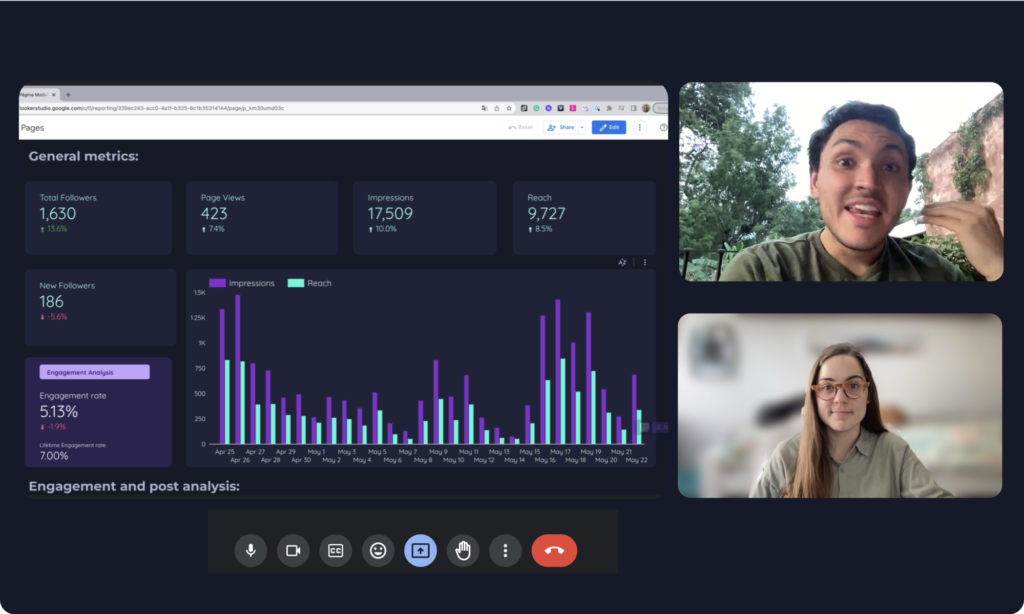
Facebook Public Data to Claude demo

Trusted by 1,600+ marketers and agencies in 60+ countries

G2 Momentum Leader badge G2 Best Estimated ROI badge G2 Best Relationship badge
Ogilvy Google Partner Loop Dapper Ture Vaulted
★★★★★   4.6 / 5 · 200+ reviews on G2
Tutorial

How to connect Facebook Public Data to Claude

Facebook Public Data × Claude demo
  1. Connect Facebook Public Data to Porter

    Log in to Porter with your Facebook Public Data account and grant read-only access. Takes 2 minutes — no engineering, no exports.

  2. Pick your ad account

    Select one or blend multiple pages into a single data source — useful for agencies managing several clients.

  3. Add Porter MCP to Claude

    In Claude, paste the URL https://mcp.portermetrics.com/mcp as a custom connector. No JSON-RPC, no local servers.

  4. Authorize Claude to read Porter

    One click. Claude now has read-only access to your Facebook Public Data data through Porter — same scope as your Porter account.

  5. Ask in plain English

    “Show me Facebook Public Data performance trends over the last 14 days.” Claude returns a filtered table in seconds.

Read the full tutorial →
Fields

+156 Facebook Public Data fields, ready for Anthropic Claude

Every field in Facebook Public Data Manager — plus calculated metrics, every attribution window, and creative preview URLs — accessible to Claude on demand.

All Ads Manager fields (and more)

156 fields total — every native Facebook Public Data field plus calculated metrics that aren’t offered natively.

Every breakdown

Segment by campaign, ad set, creative, audience, placement, device, region, hour, date — every breakdown Facebook Public Data supports.

Creative previews and assets

Ad preview URLs plus links to creative assets — Claude can reason over performance + creative in the same answer.

Marketer-friendly naming

Fields named exactly as in Facebook Public Data (e.g. “Cost” not cost_micros). Claude understands them natively.

Full granularity

Hour, day, week, month, year — plus every dimension Facebook Public Data reports.

Cross-channel blending

Same field naming standard across Porter’s connectors — Claude can join Facebook Public Data with GA4, BigQuery, or other sources in one prompt.

page
  • Page About
  • Page Affiliation
  • Artists we like (Page)
  • Page Attire
  • Page Awards
  • Band interests (Page)
posts
  • Post Application Category
  • Post Application Link
  • Post Application Name
  • Post Comments
  • Comments per post (Posts)
  • Post Content Source
See all 156 Facebook Public Data fields documentation →
Prompts

Copy-paste prompts for Facebook Public Data × Claude

Add Porter MCP to Claude (paste https://mcp.portermetrics.com/mcp), open a new conversation, and paste any prompt below.

Multi-Client Competitor Page Benchmark

Pull the last 30 days of Page Likes, Page Followers, Page Talking About Count, and Page Checkins for 5 competitor pages. Present results in a table with one row per page, sorted by Page Talking About Count descending. Flag any page where Page Followers grew more than 10% versus the prior 30-day period. Include the Page Username and Page Profile Name for reference. Output as a ranked table with a separate summary paragraph highlighting the fastest-growing page and likely cause based on public post frequency.

Post Type Fatigue Detector for Rivals

Analyze the last 60 days of posts from 3 competitor pages. For each page, group posts by Post Type and calculate average Post engagements, Post Comments, and Post Shares Count per Post Type. List the top 3 Post Types by average Post engagements. For each top Post Type, show the count of posts and flag any Post Type where average Post engagements dropped more than 20% in the last 14 days versus the previous 14 days. Output as a table with columns: Post Type, Posts count, Avg Post engagements, Avg Post Comments, Avg Post Shares Count, Trend.

Video Post Performance & Engagement Tracker

Review the last 45 days of posts from a competitor page. Filter for posts where Post Type is "video". For each video post, return Post Content Title, Post Message, Post Creation Date, Post engagements, Post Reactions Wow, Post Reactions Love, and Post Comments. Rank by Post engagements descending. Calculate the average Post engagements for video posts versus non-video posts in the same period. Output as a ranked table plus a one-sentence recommendation on whether video posts outperform other formats for this competitor.

Reaction Attribution Breakdown by Post Type

Analyze the last 90 days of posts from 2 competitor pages. Group by Post Type and calculate the sum of Post Reactions Love, Post Reactions Haha, Post Reactions Wow, Post Reactions Sad, Post Reactions Angry, Post Reactions Care, and Post Reactions Pride for each group. Also calculate average Likes per post (Posts), Comments per post (Posts), and Shares per post (Posts) per Post Type. Identify which Post Type generates the highest total positive reactions and which drives the most Post Shares Count. Output as a comparison table.

Competitor Content Pacing & Frequency Benchmark

Compare the last 30 days of posting frequency across 4 competitor pages. For each page, calculate Posts count, average Post engagements per post, and break down posts by Day of week (Mon - Sun) and Hour of day. Identify which competitor posts most frequently and which achieves the highest average Post engagements per post. Flag any day-hour combination where a competitor consistently publishes and receives above-average Post engagements. Output as a table plus a brief pacing recommendation for my own content calendar.

Competitor Metric Spike Detection

Monitor the last 12 weeks of Page Likes, Page Followers, Page Talking About Count, and Page Checkins for 3 competitor pages. Calculate week-over-week percentage change for each metric. Flag any week where Page Talking About Count jumped more than 25% or Page Followers grew more than 15%. For flagged weeks, list the posts published that week with Post Type, Post Message, and Post engagements. Output as an alert table with spike date, metric, percentage change, and suspected trigger post.

Category Prospect List with Audience Overlap

Build a prospect list of public Pages in the "Restaurant" category within a target city using Page City and Page State filters. Include Page Profile Name, Page Category, Price Range (Page), Page Verification Status, Page Phone, Page Website, and Page Likes. Filter for Pages with more than 1,000 Page Likes and Page Verification Status of "verified". Sort by Page Likes descending. Calculate what percentage of these Pages also have a Page Website listed. Output as a ranked table with a summary of total prospects and average Page Likes.

Cross-Channel Competitor Intelligence Blend

Pull the last 60 days of Page Likes, Page Followers, Page Talking About Count, and Post engagements for 3 competitor pages. For each page, also extract Page Website and Page Phone from page metadata. Correlate weeks with the highest Post engagements against any visible changes in Page Talking About Count. Cross-reference Page Website domains to identify whether competitors run separate service or e-commerce sites. Output as a blended intelligence brief with a table of weekly metrics and a narrative section on channel strategy patterns.

Agency Weekly Executive Summary for Clients

Generate a weekly executive summary for the last 7 days across 5 client-monitored competitor pages. For each page, report Page Likes, Page Followers, Page Talking About Count, total Post engagements, top Post Type by volume, and top post by Post engagements with its Post Message snippet. Compare each metric to the prior 7-day period and flag any competitor that gained more than 500 Page Followers or doubled their average Post engagements. Output as a client-ready summary with bullet highlights and a trend table.

Real-Time Competitor Alert & Threshold Monitor

Analyze the last 4 weeks of Page Likes, Page Talking About Count, Page Followers, Page Checkins, Page Were Here Count, and Page Rating Count for 5 competitor pages. Identify any week-over-week change exceeding 20% for any metric, any week where Page Rating Count increased by more than 10, or any period where Post engagements dropped more than 30% versus the prior period. For each trigger, list the page, metric, percentage change, and date. Output as an alert-ready table with severity ranking.
Security

Facebook Public Data MCP safety

Porter authenticates to Facebook Public Data with the read-only scope you already approved for your reports. Anthropic Claude queries Porter — not Facebook Public Data directly — so every conversation is rate-limited and cached at Porter side. No new permissions, no ban risk.

  • Caching. Porter caches recent query results for 15 minutes per (account, field set) so repeated Claude prompts don’t hit the API again.
  • Batching. Multiple field requests are merged into a single API call when possible (max 50 per batch call).
  • Backoff & retry. Exponential backoff on 429 responses (1s → 2s → 4s → 8s).
  • Per-account quotas. Porter tracks per-account daily usage and pauses queries before hitting 80% of the known hourly limit.
  • Read-only enforcement. Porter never requests write scopes from Facebook Public Data, so even compromised tokens cannot modify campaigns, budgets, or ad copy.
  • Audited tools. The MCP exposes 6 read-only methods: get_blend_id, list_accounts, list_categories, list_data_sources, list_fields, query_data.

GDPR compliant · 1,600+ marketers trust Porter with their Facebook Public Data data.

Pricing

Start free. Pay per data source account

  • +156 Facebook Public Data fieldsEvery native field plus calculated metrics — accessible to Claude in plain English.
  • All attribution windowsCompare 1d-click, 7d-click, 28d-click and 1d_click+1d_view side by side from one connection.
  • Same plan, every destinationSend to Anthropic Claude, ChatGPT, Looker Studio, Google Sheets, BigQuery and Slack — one subscription.
  • Unlimited usersNo extra cost per team member or seat.
Monthly Annual Save 17%

Number of Facebook Public Data pages

$12.5 /mo

Billed annually · /account

Destinations included
Claude
ChatGPT
Looker Studio
Google Sheets
Slack
Zapier
Power BI
Start for free →

Unlimited 14-day free trial + Free forever plan

Explore more

Other connectors & destinations

Porter supports 15+ data sources and 10+ destinations. Mix and match in one subscription — no extra seats or hidden per-destination fees.

FAQ

Questions about Facebook Public Data + Anthropic Claude

What is MCP and how does it connect Facebook Public Data to Claude?
MCP is an open protocol — Model Context Protocol — that lets Anthropic Claude talk to Porter’s API. Porter exposes Facebook Public Data data as read-only tools Claude can call. Paste one URL into Claude’s MCP settings and the connection is live.
Do I need technical skills or coding to set this up?
No. Paste one URL into Anthropic Claude’s MCP settings. No API tokens, no JSON-RPC, no local servers. If you can copy and paste, you can connect Facebook Public Data to Claude.
Will connecting my Facebook Public Data account get it banned?
No. Porter reads from its own already-authorized infrastructure. No new OAuth scopes, no third-party app reviews. Read-only access — Claude cannot modify campaigns, budgets, or settings.
What Facebook Public Data metrics can I analyze in Claude?
All 156 fields across 21 categories. Key metrics include Amount spent, Purchases, Purchase ROAS, and Cost per purchase. Plus creative fields like Hook rate, Hold rate, and Ad preview URLs; attribution windows including Purchases (1 day click), Purchases (7 days click), and Purchases (28 days click); and video play curves at 25%, 50%, 75%, and 95%.
Can I create or edit campaigns from Claude, or is this read-only?
Read-only. Anthropic Claude can query, analyze, and summarize. It cannot pause campaigns, change budgets, edit ad copy, or modify targeting. This is by design for safety.
I already use Porter for Facebook Public Data reporting — do I need to reconnect?
No. Your existing Facebook Public Data connection in Porter feeds Anthropic Claude automatically. Enable the MCP add-on in one click. Same data, new interface.
How much does the Facebook Public Data MCP integration cost?
Included in your Porter plan. No extra charge for Anthropic Claude, ChatGPT, or Slack AI access. Pay per ad account, not per destination.

Chat with your Facebook Public Data data in Claude

Your Facebook Public Data data already lives in Porter. Enable MCP and start asking Claude about campaigns, creatives, and ROAS — no new integrations, no tokens, no servers. Get live, conversational access to all 156 Facebook Public Data fields including creative previews, every attribution window, and multi-account blends.

Free forever plan · 14-day full trial · No credit card