Free Twitter Ads (now X Ads) report templates on Data Studio (formerly Looker Studio). Track spend, CPA, ROAS, CTR, and engagement by campaign, ad group, and audience — plus side-by-side views with Meta Ads, Google Ads, and TikTok. Used by +10,000 marketing teams and agencies in 60 countries.
 Get all X Ads templates for free →
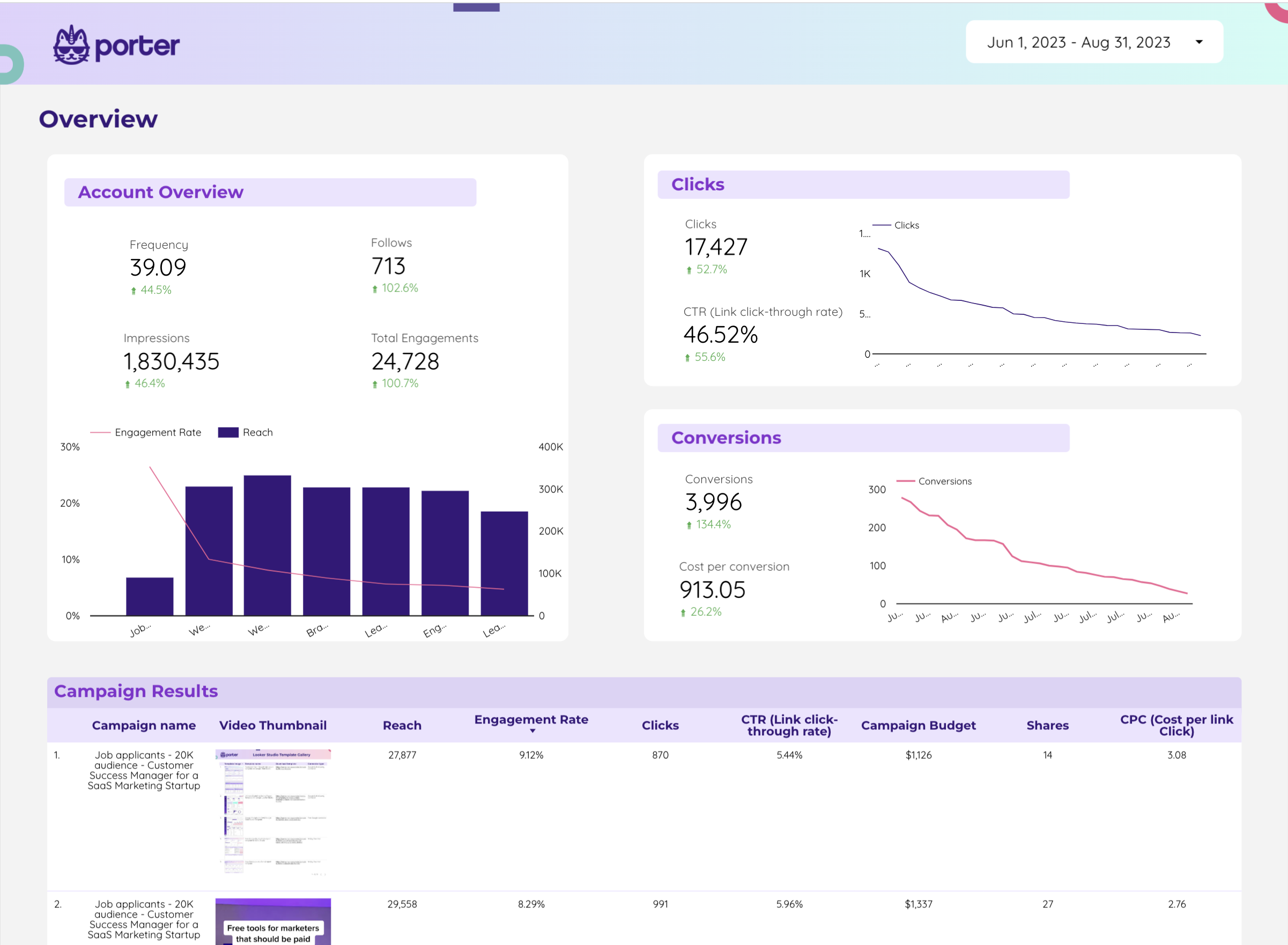
Twitter (X) Ads dashboard. Spend, clicks, engagements, conversions, CPA, and CPC by campaign, ad group, and audience. Period-over-period ready.
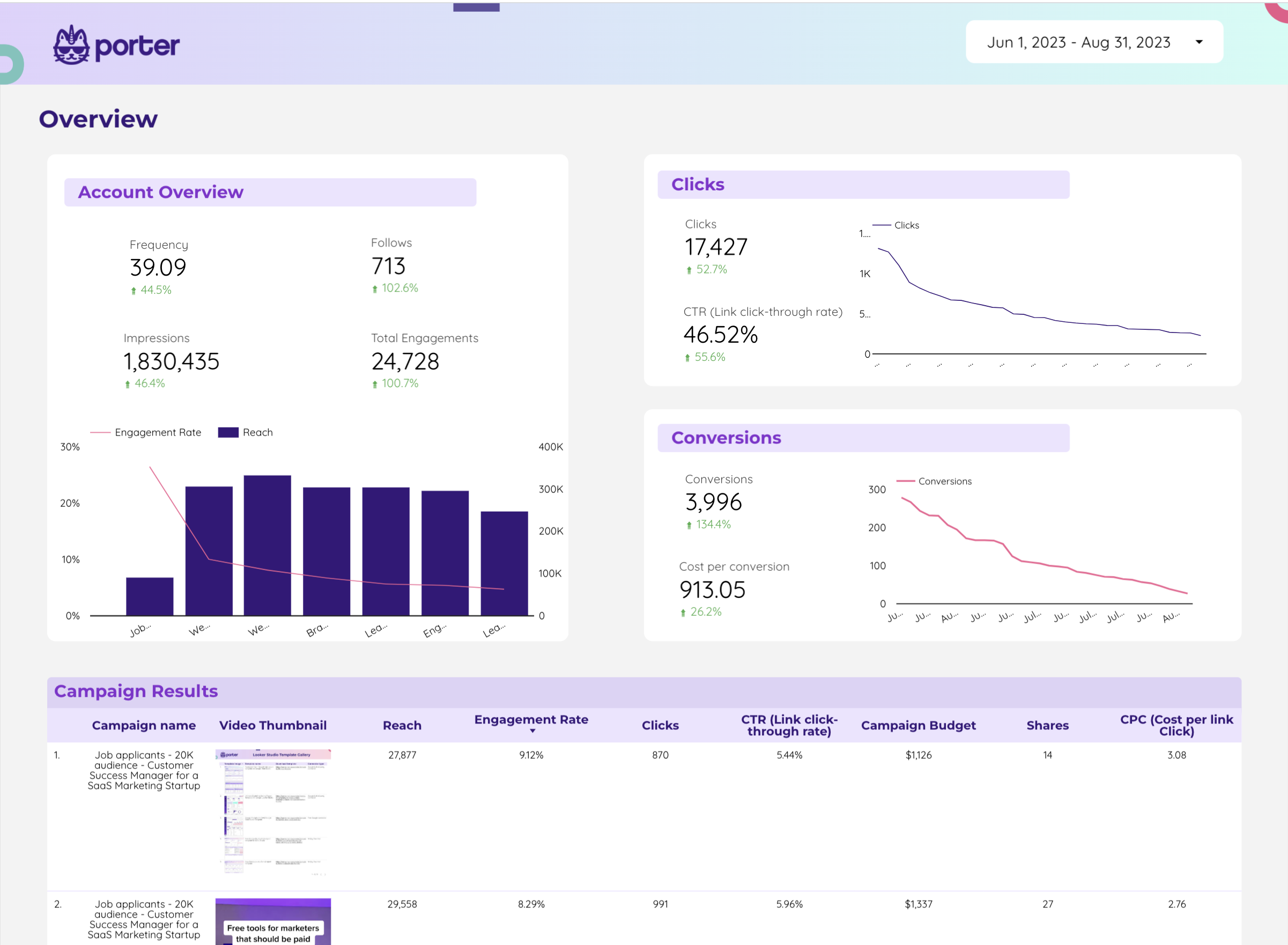
Free Twitter Ads dashboard template. Core paid metrics for X Ads — ideal starter report for small accounts or campaign tests.
Twitter Analytics dashboard. Organic engagement, impressions, followers, and top tweets — the complement to your paid X Ads reporting.
Twitter organic performance. Track impressions, engagement rate, follower growth, and top-performing tweets side by side with paid campaigns.
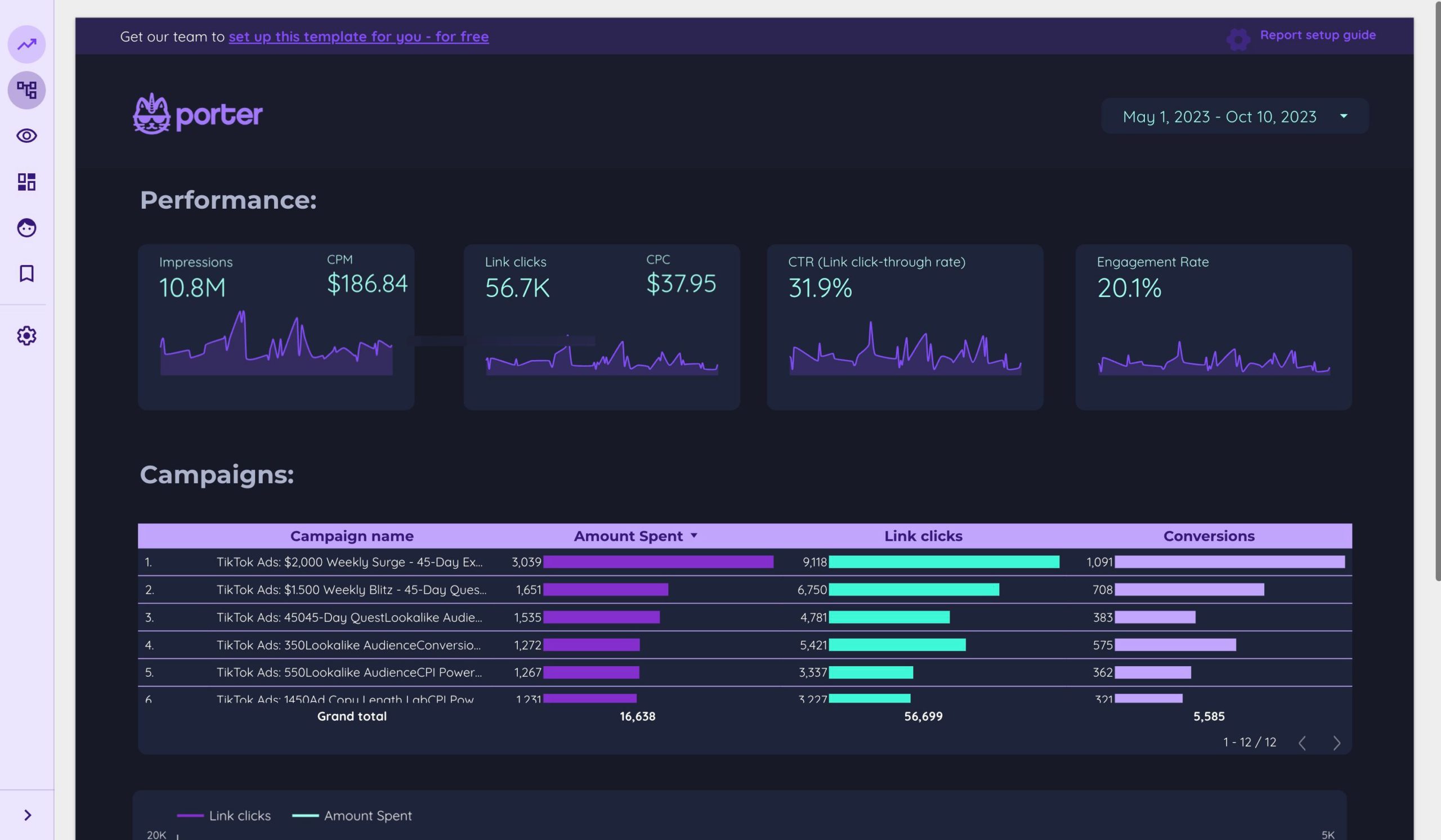
TikTok Ads report. Spend, CPA, ROAS, CTR, and creative-level performance — the other short-form paid channel brands pair with X Ads.
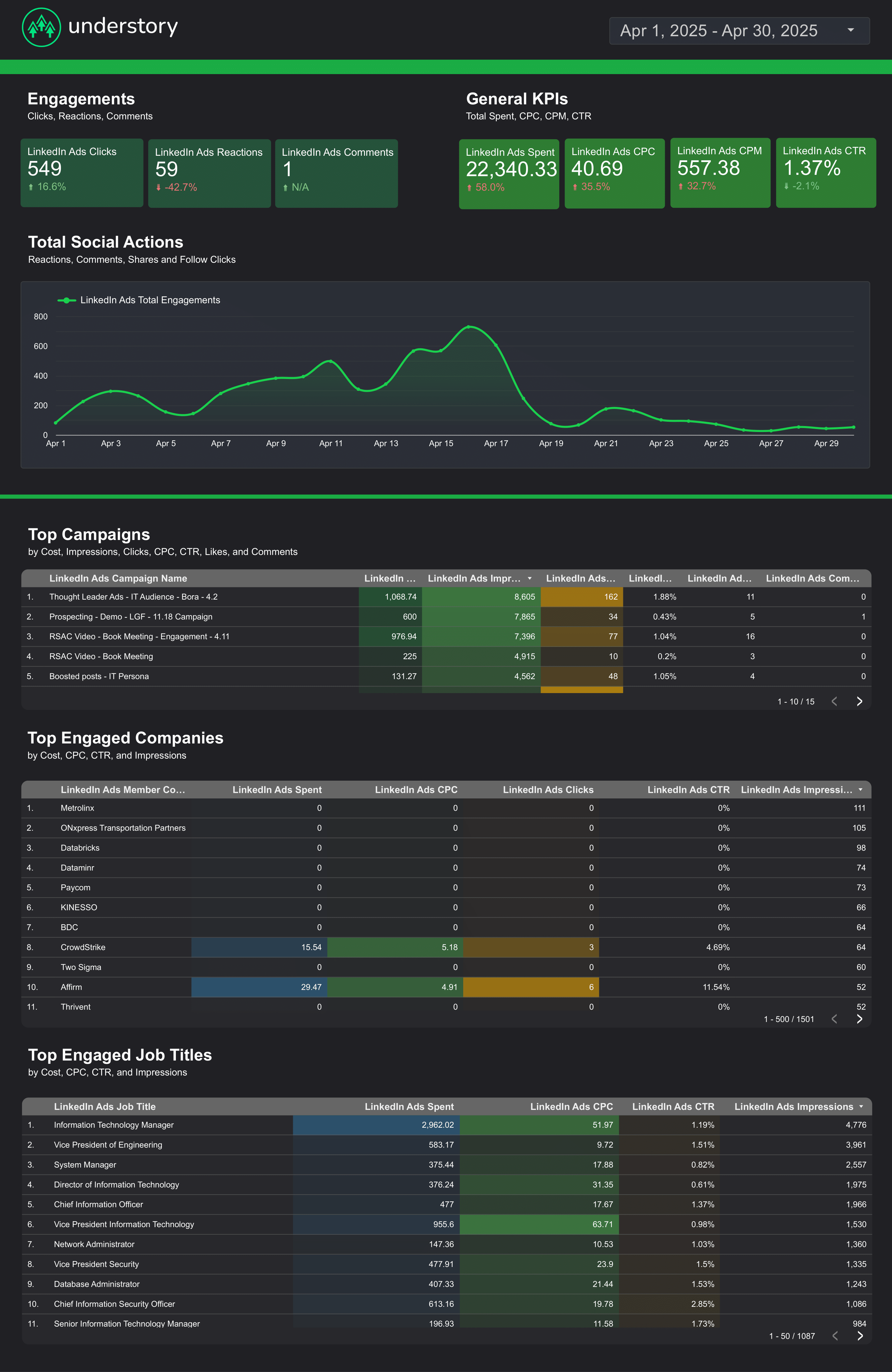
LinkedIn Ads template by Understory. Spend, CPC, CTR, conversions, and lead gen performance — B2B's paid social counterpart to X Ads.
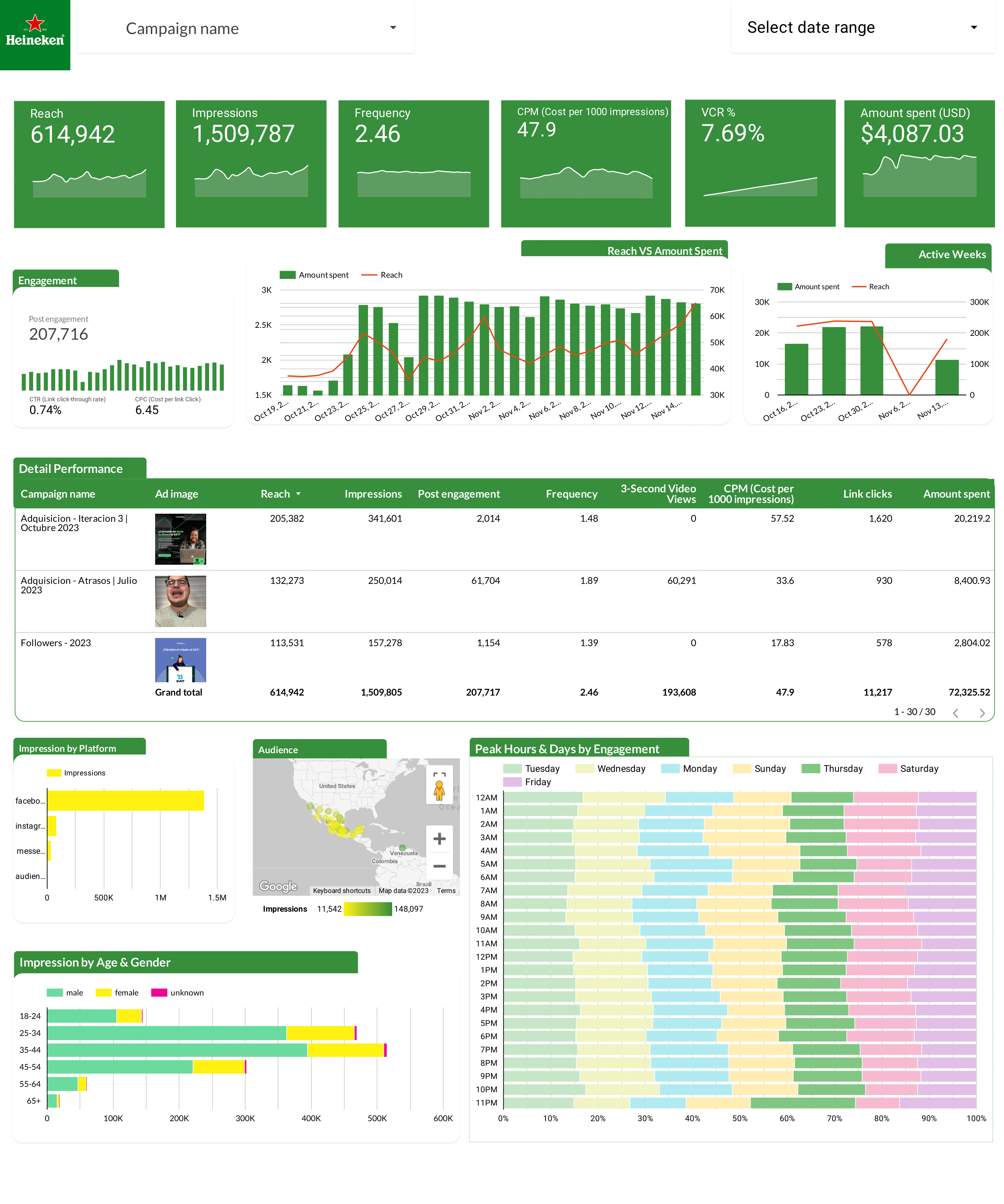
Facebook Ads dashboard used by Heineken. Spend, CPA, ROAS, CTR, and frequency by campaign, audience, and placement.
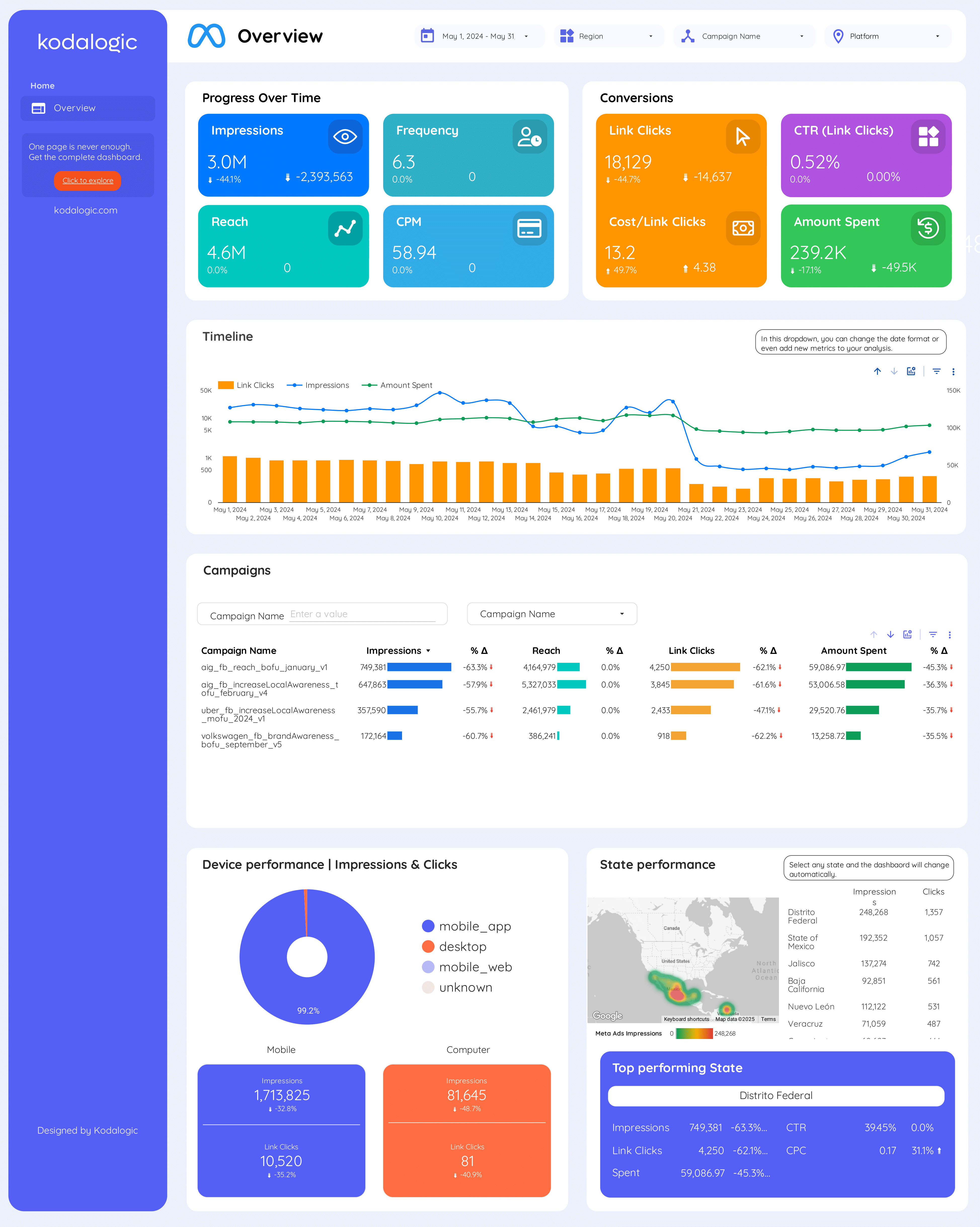
Meta Ads dashboard by Kodalogic. Spend, CPA, ROAS, reach, and frequency across Facebook and Instagram ads.
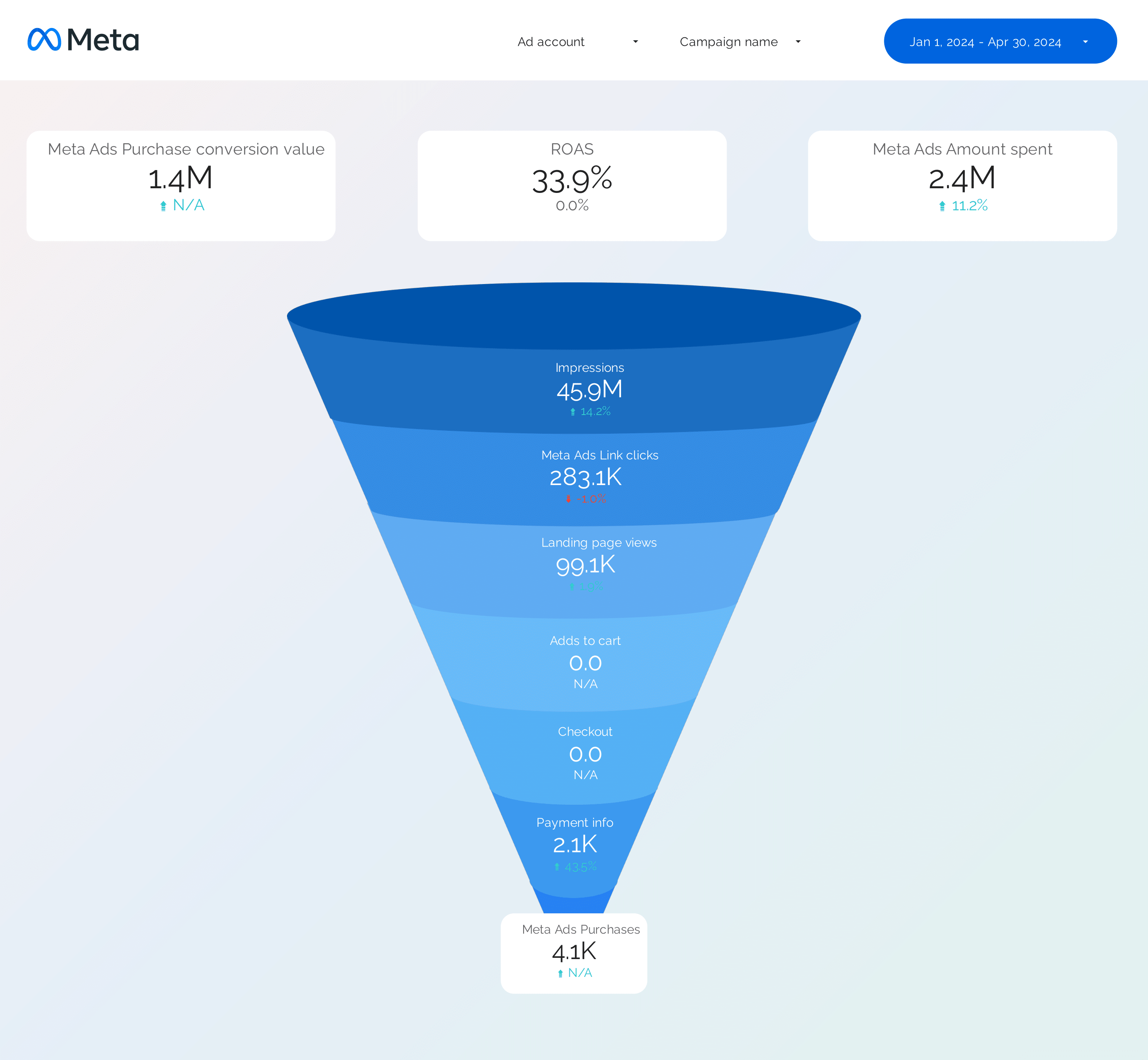
Facebook Ads funnel from impressions to purchases. Compare funnel shape against your Twitter/X Ads funnel.
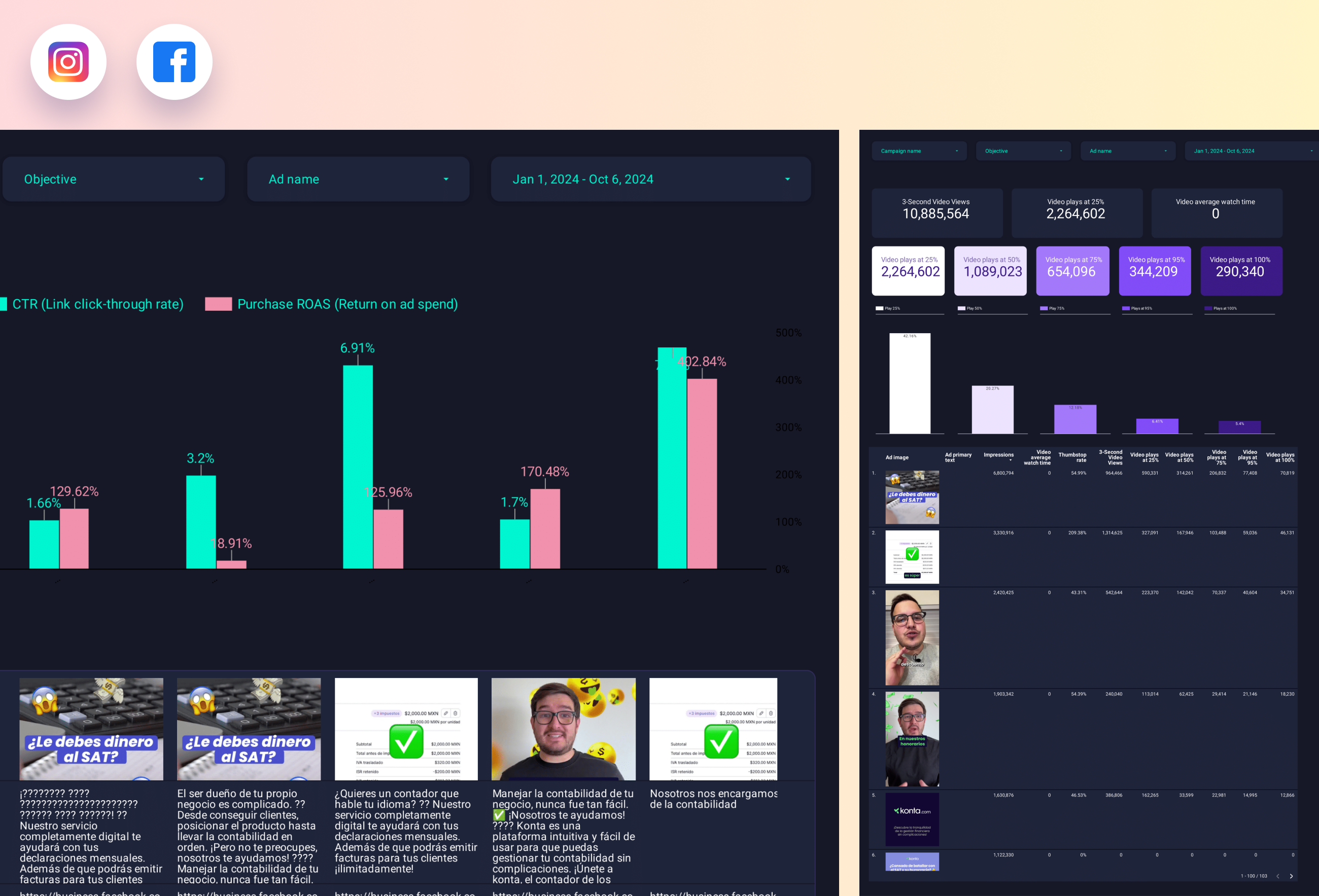
Ad-level performance ranked by CTR, CPA, and ROAS. Use the same creative angles that win on Meta and test them on X Ads.
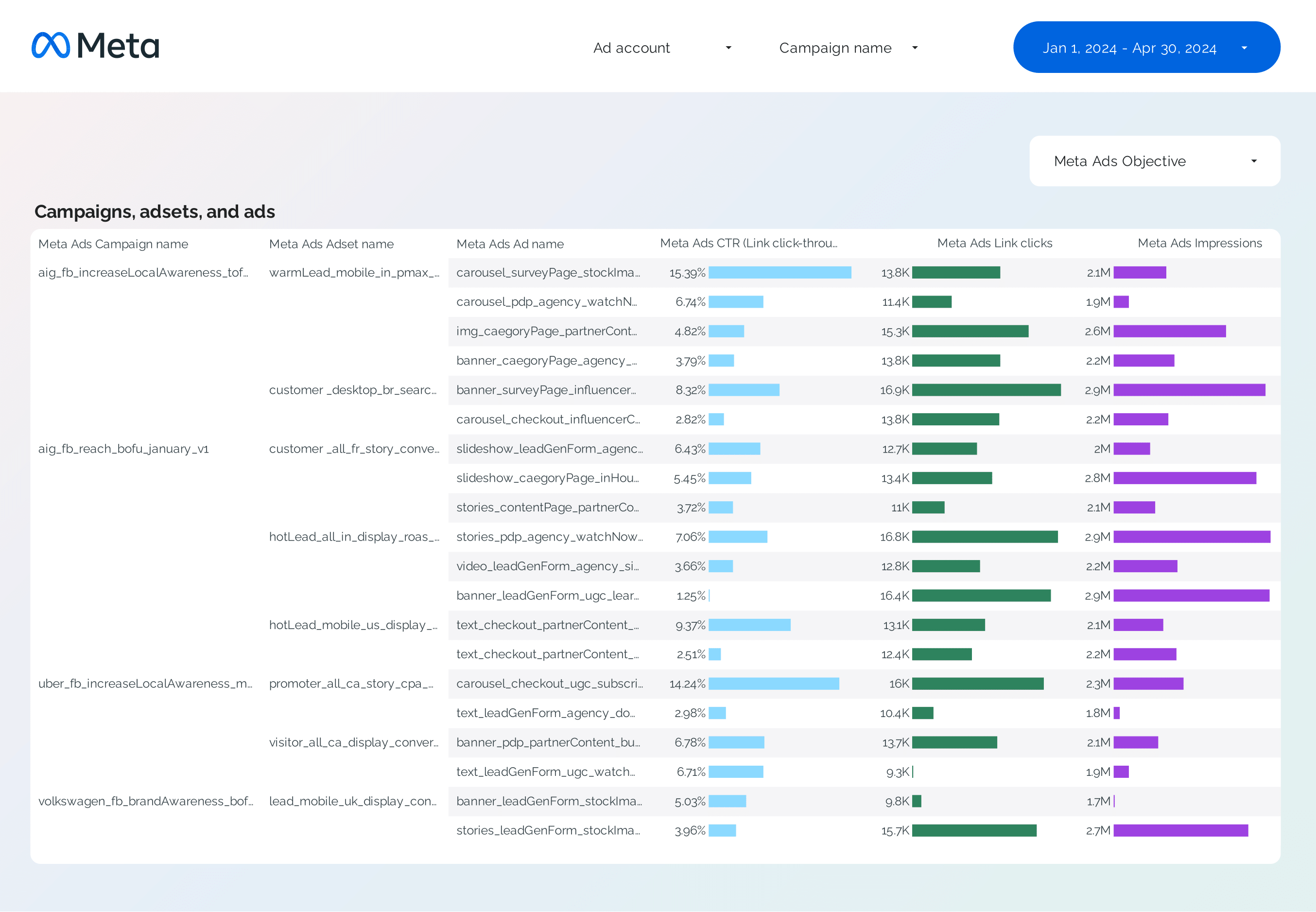
Campaign-level Facebook Ads breakdown with objective, spend, and conversions. Good benchmark for X Ads campaign performance.
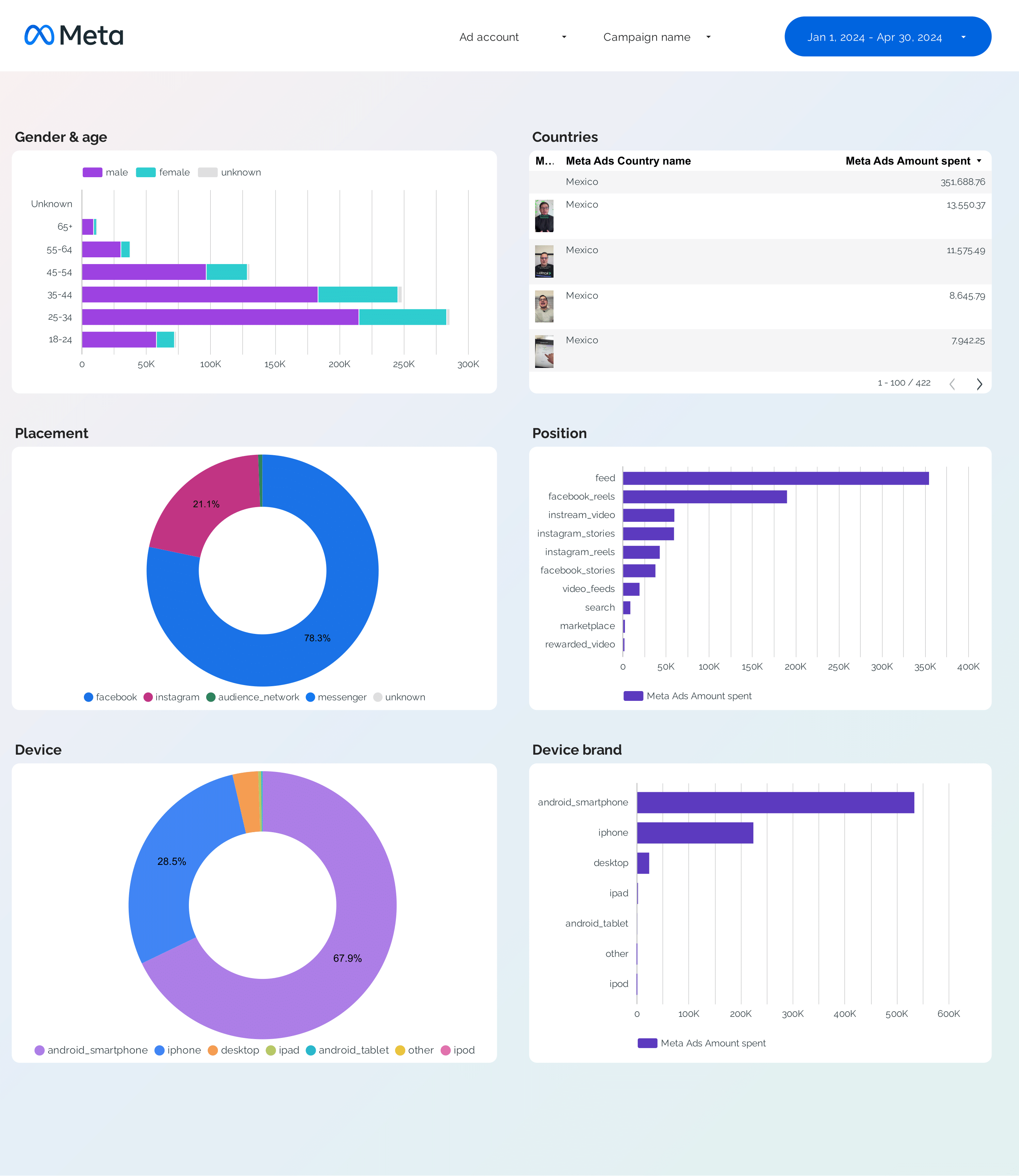
Facebook Ads audience breakdown. Age, gender, placement, and device — useful for mirroring audience strategy on X Ads.
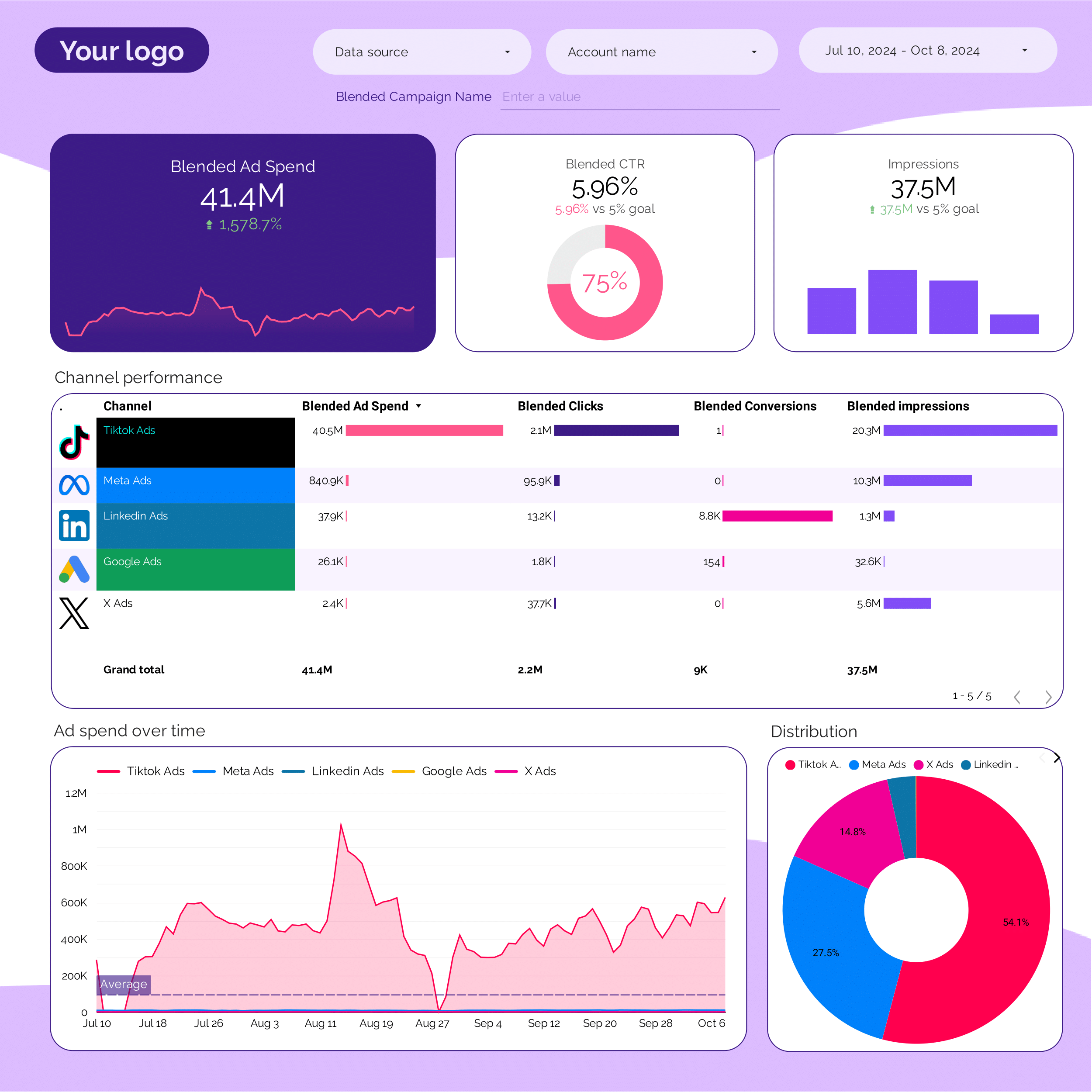
Unified PPC dashboard covering Google, Meta, LinkedIn, TikTok, and X Ads. Total paid spend, CPA, and ROAS in one view.
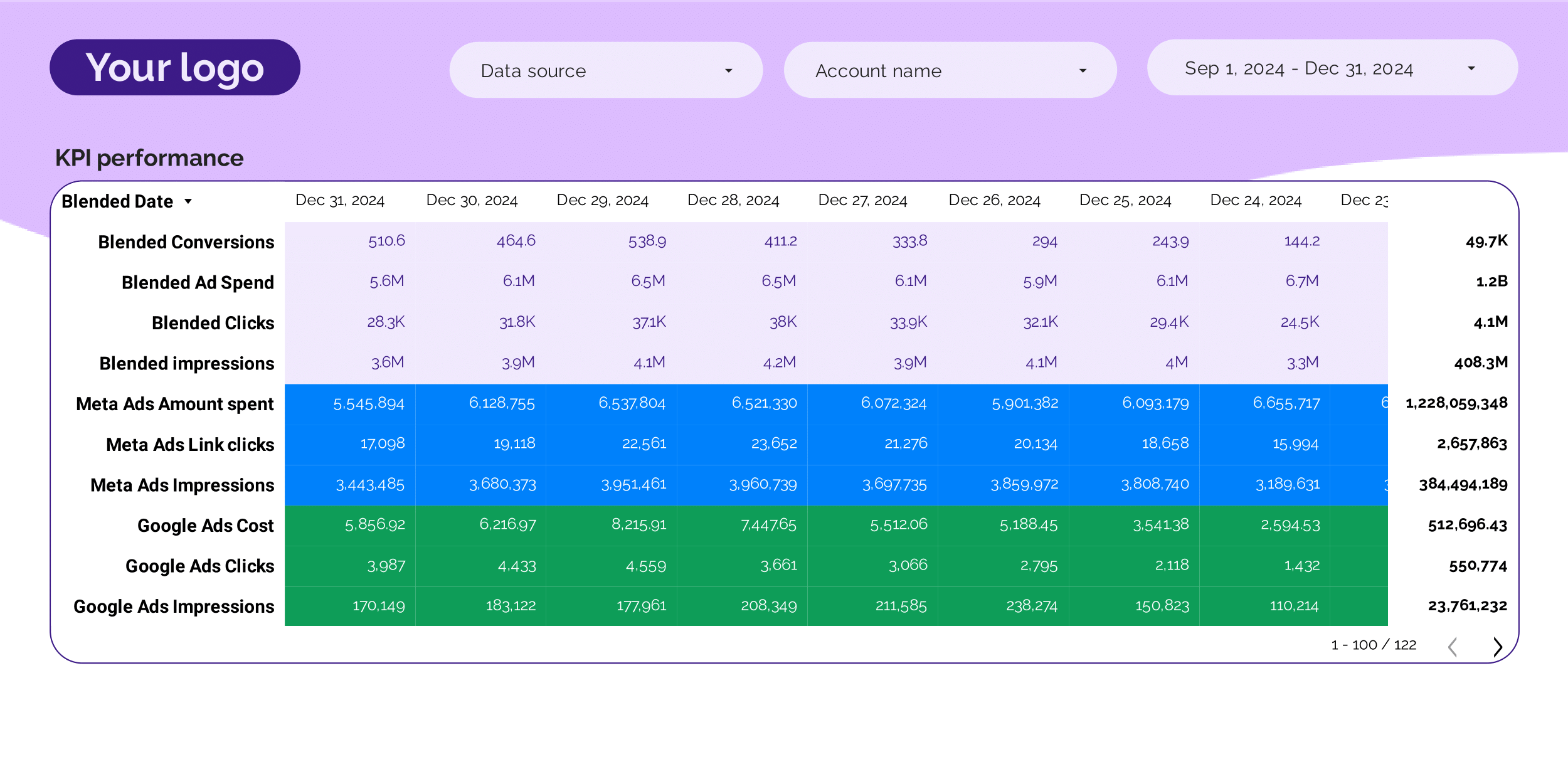
High-level PPC KPI tracker. Headline spend, conversions, CPA, ROAS, and pacing — includes X Ads when connected.
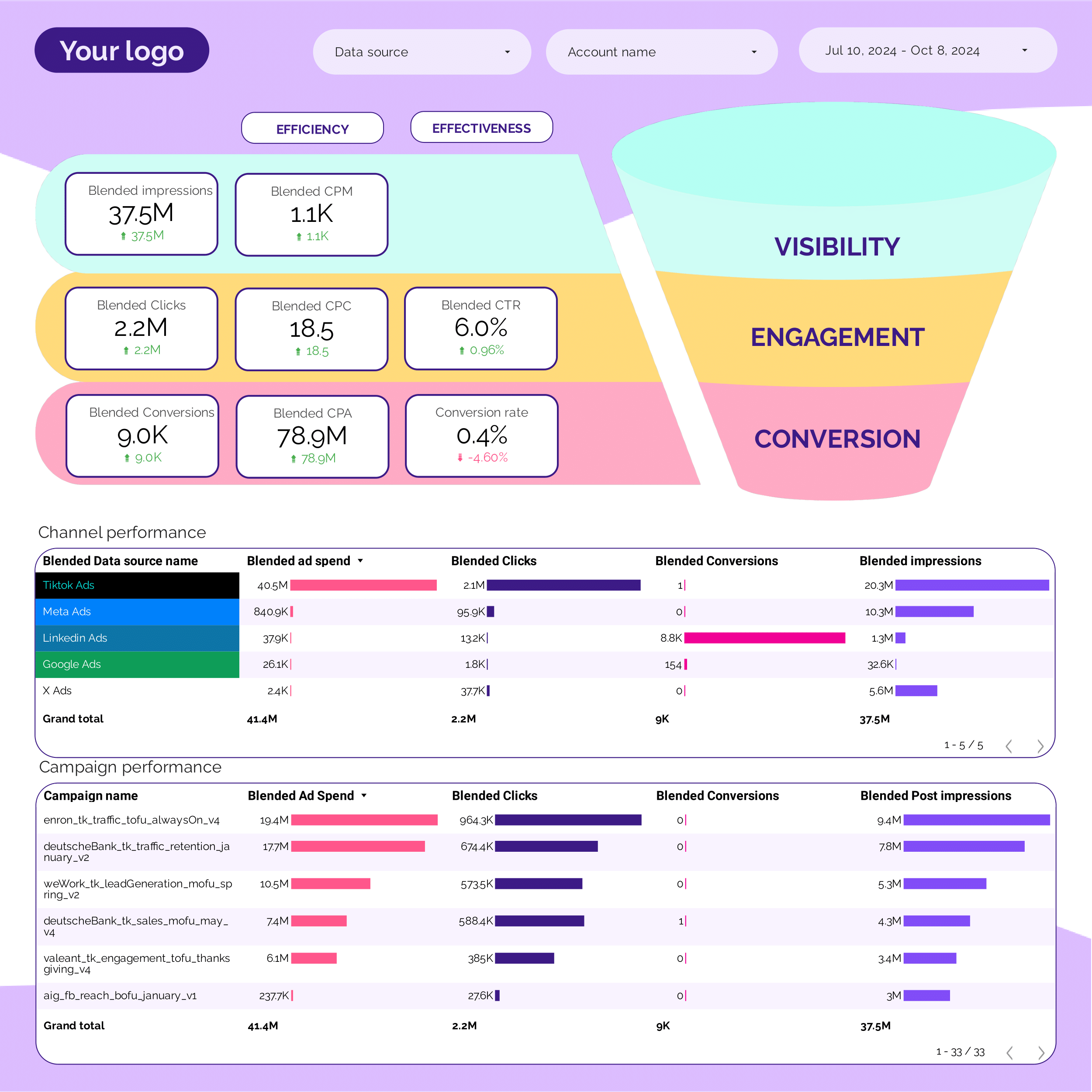
PPC funnel across paid channels. See X Ads' contribution to the overall funnel from impressions to conversions.
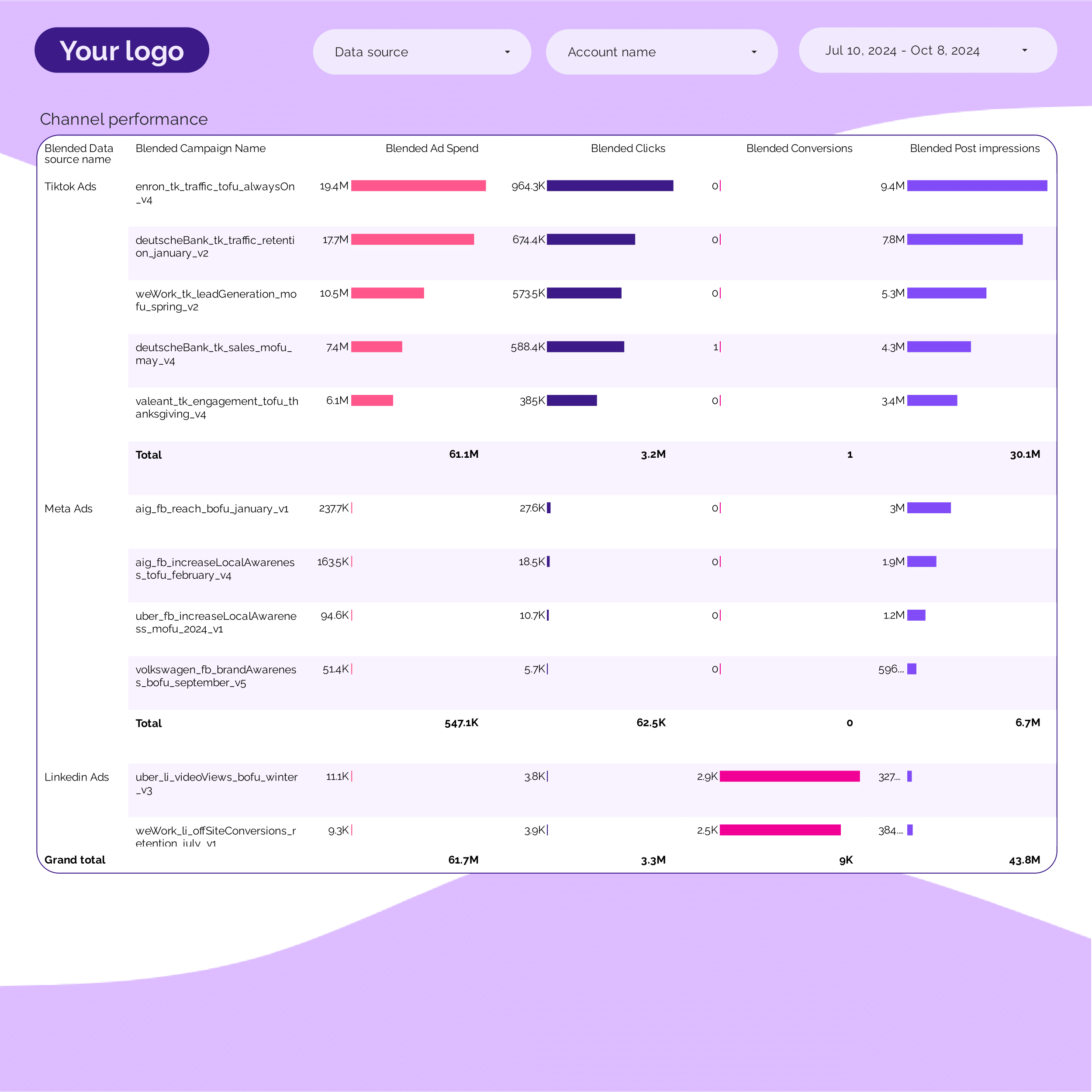
Cross-channel campaign performance. Rank all paid campaigns — including X Ads — by spend, CPA, and ROAS.
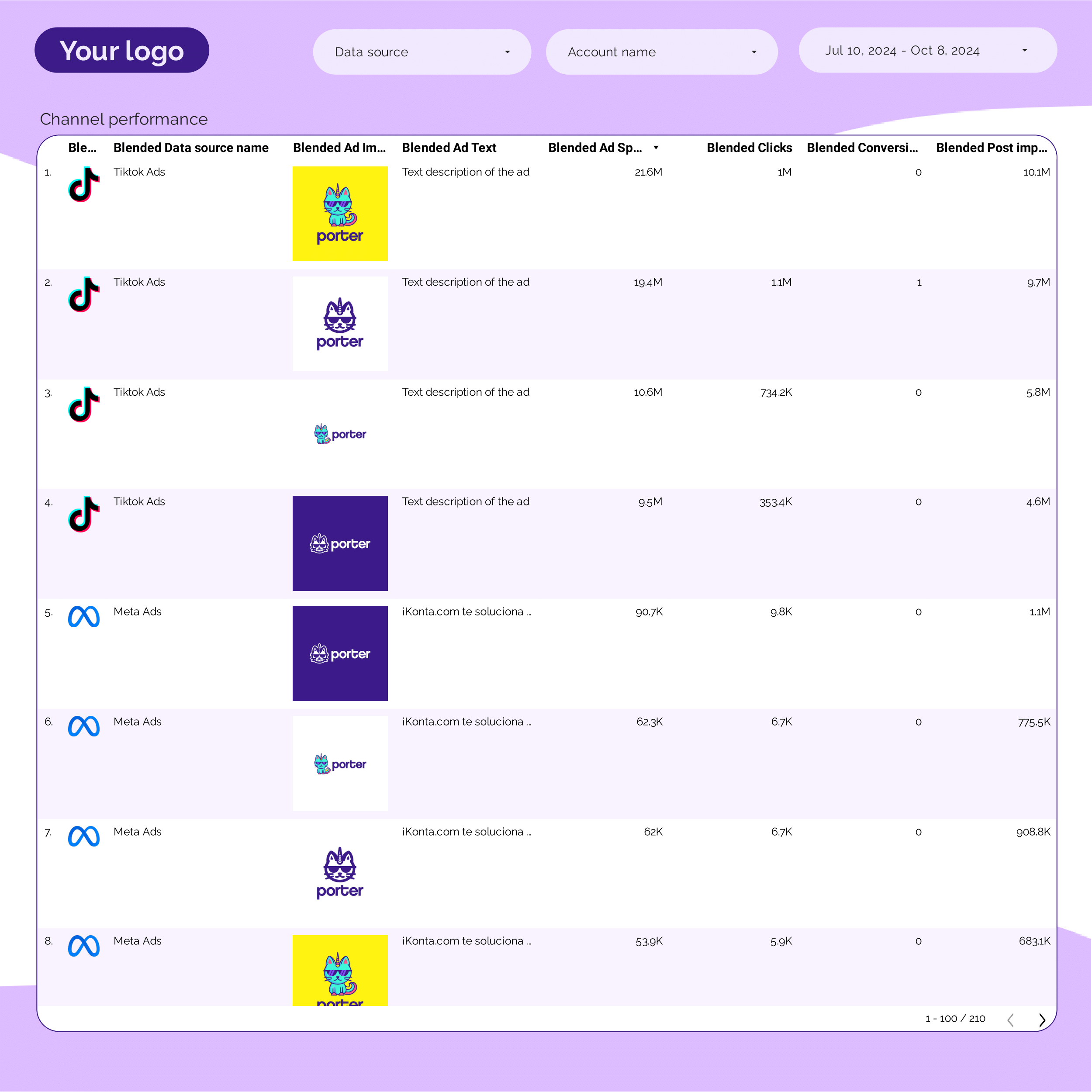
Creative-level analysis across paid channels. Find top-performing creatives on X Ads and adjacent platforms.
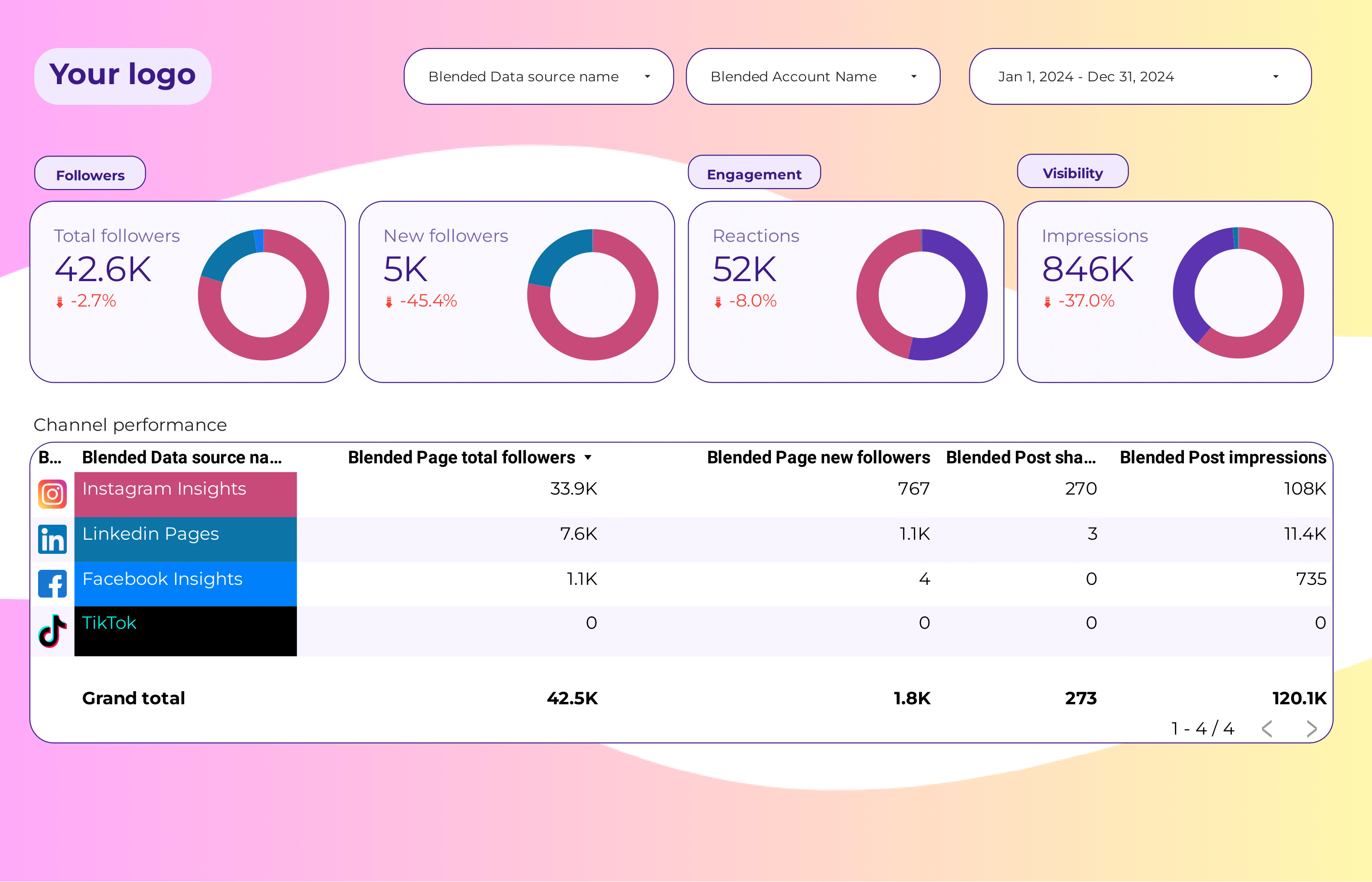
Social media performance across X, Facebook, Instagram, LinkedIn, and TikTok. Blend organic and paid for a full social view.
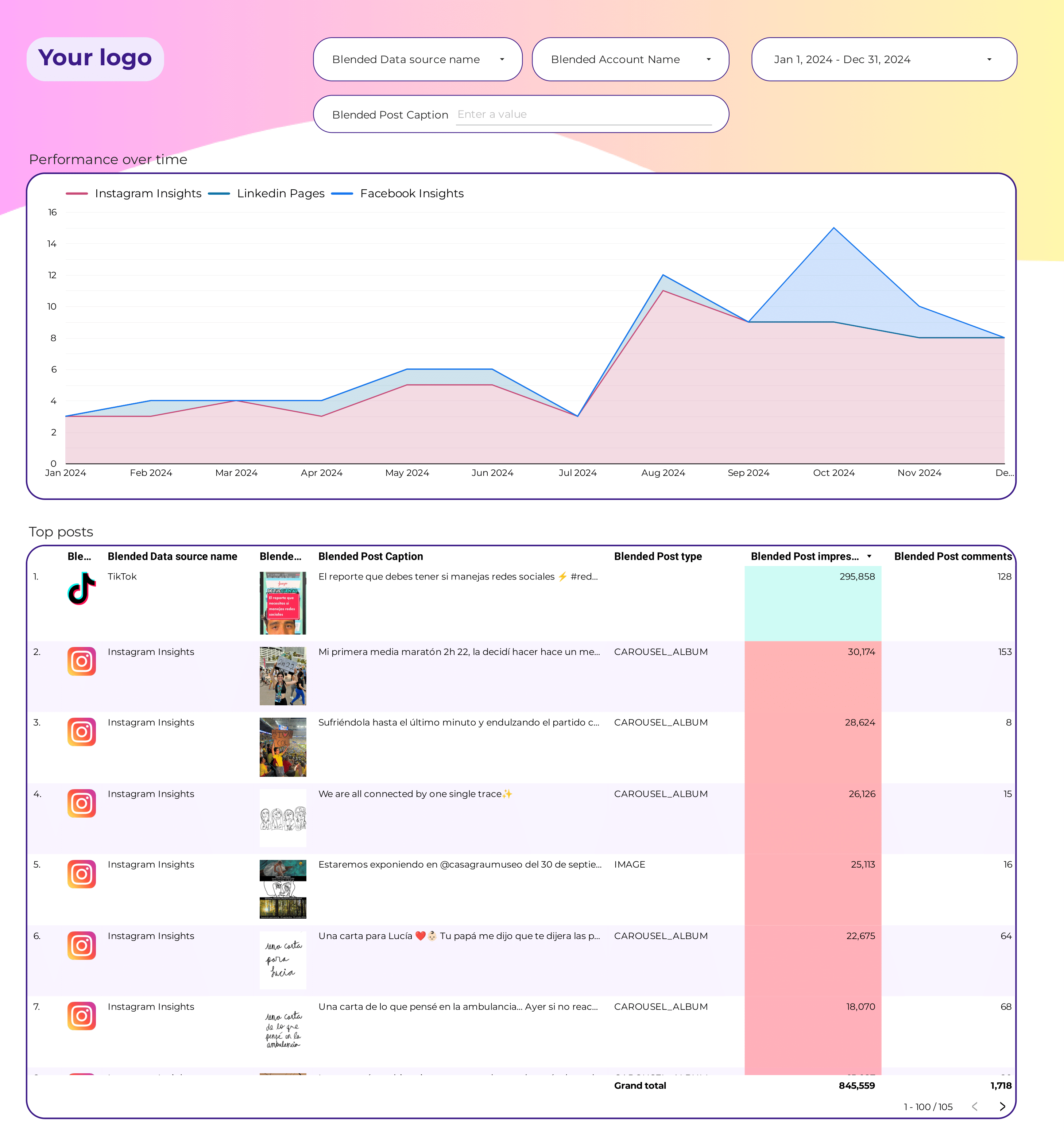
Engagement rate, interactions, and reach across X, Instagram, Facebook, LinkedIn, and TikTok. Compare content types and posting times.
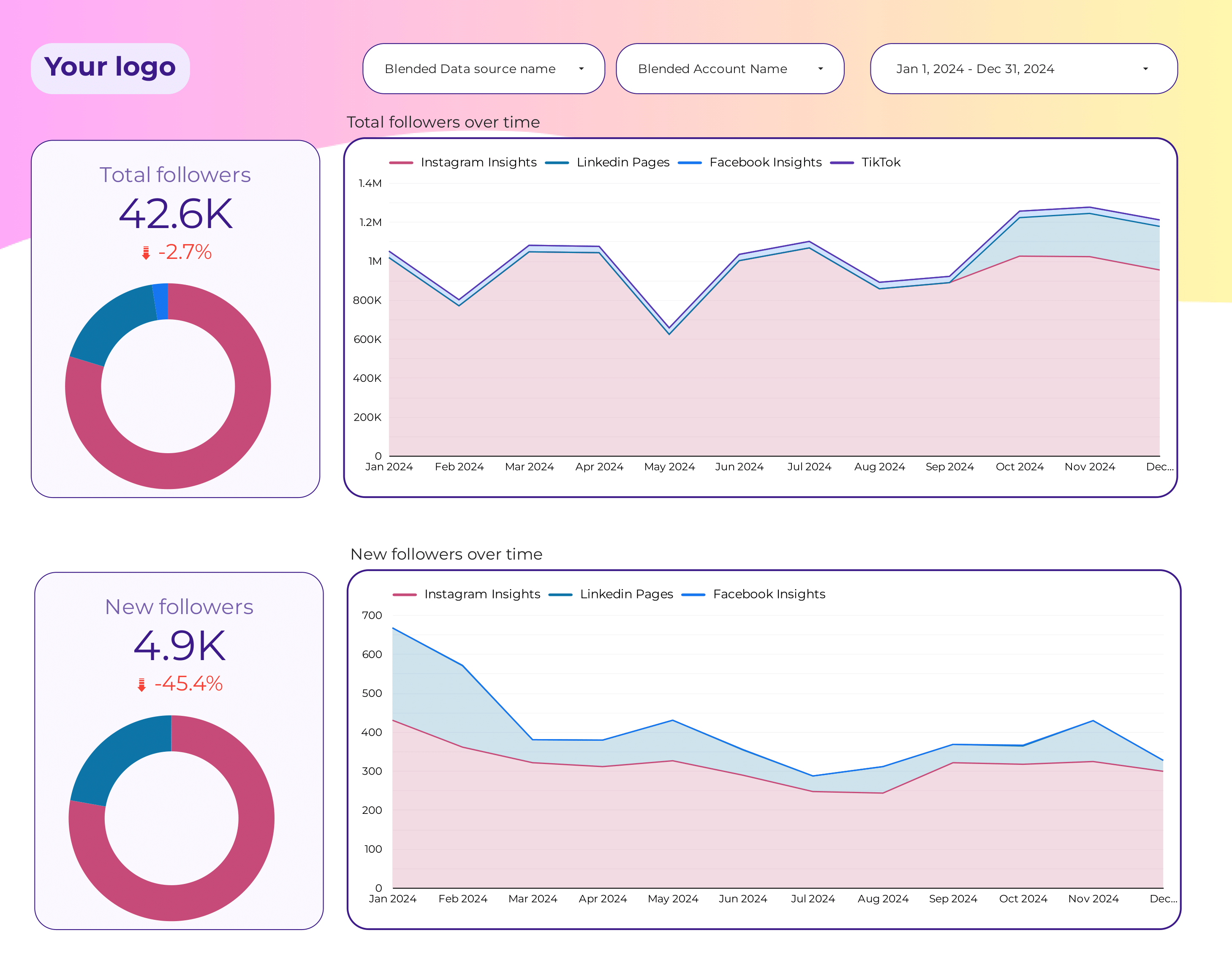
Follower and audience growth across platforms. Track X follower count alongside Instagram, TikTok, and LinkedIn.
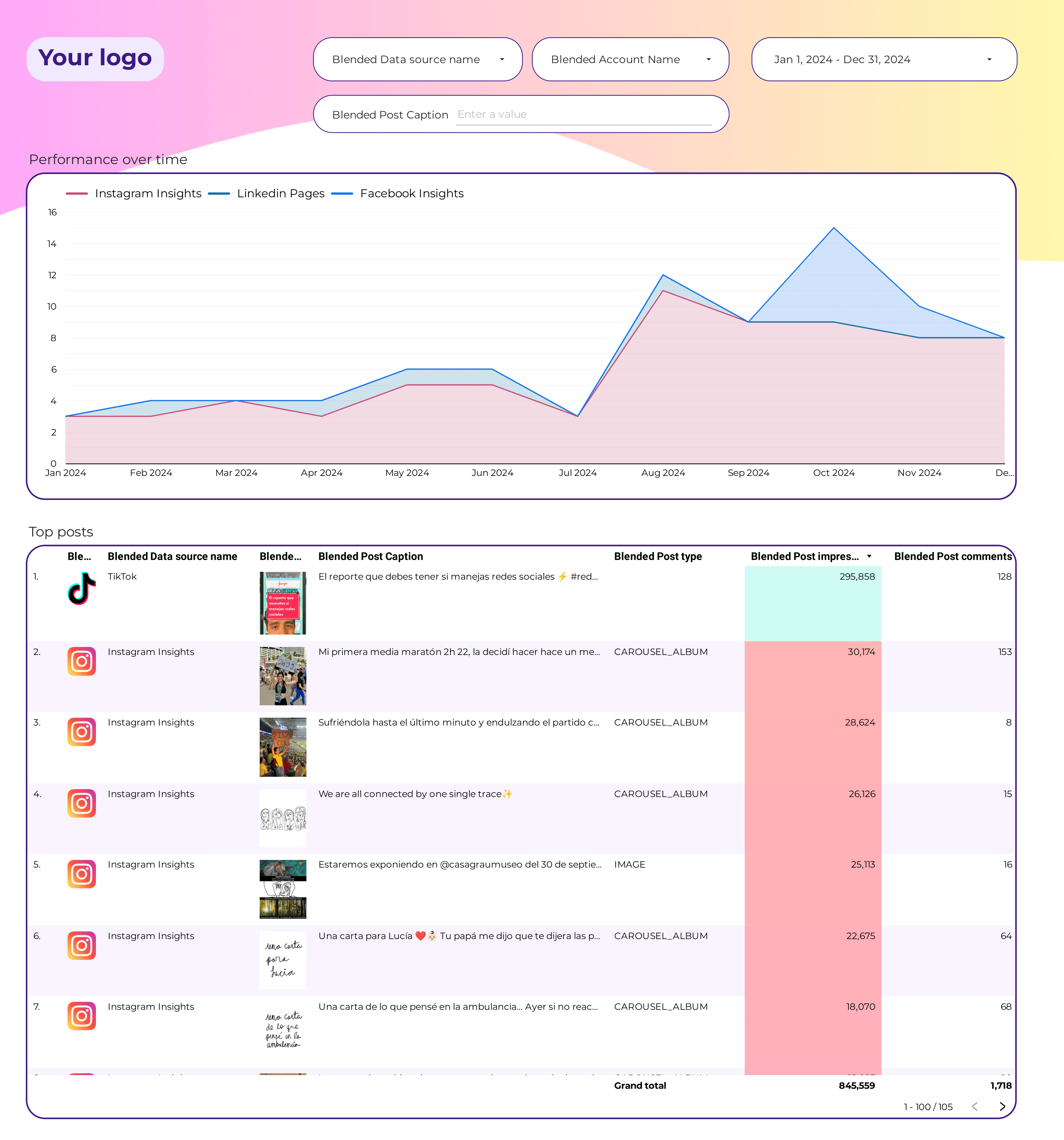
Post-level performance across social networks. Rank X posts by engagement and reach to identify what moves the needle.
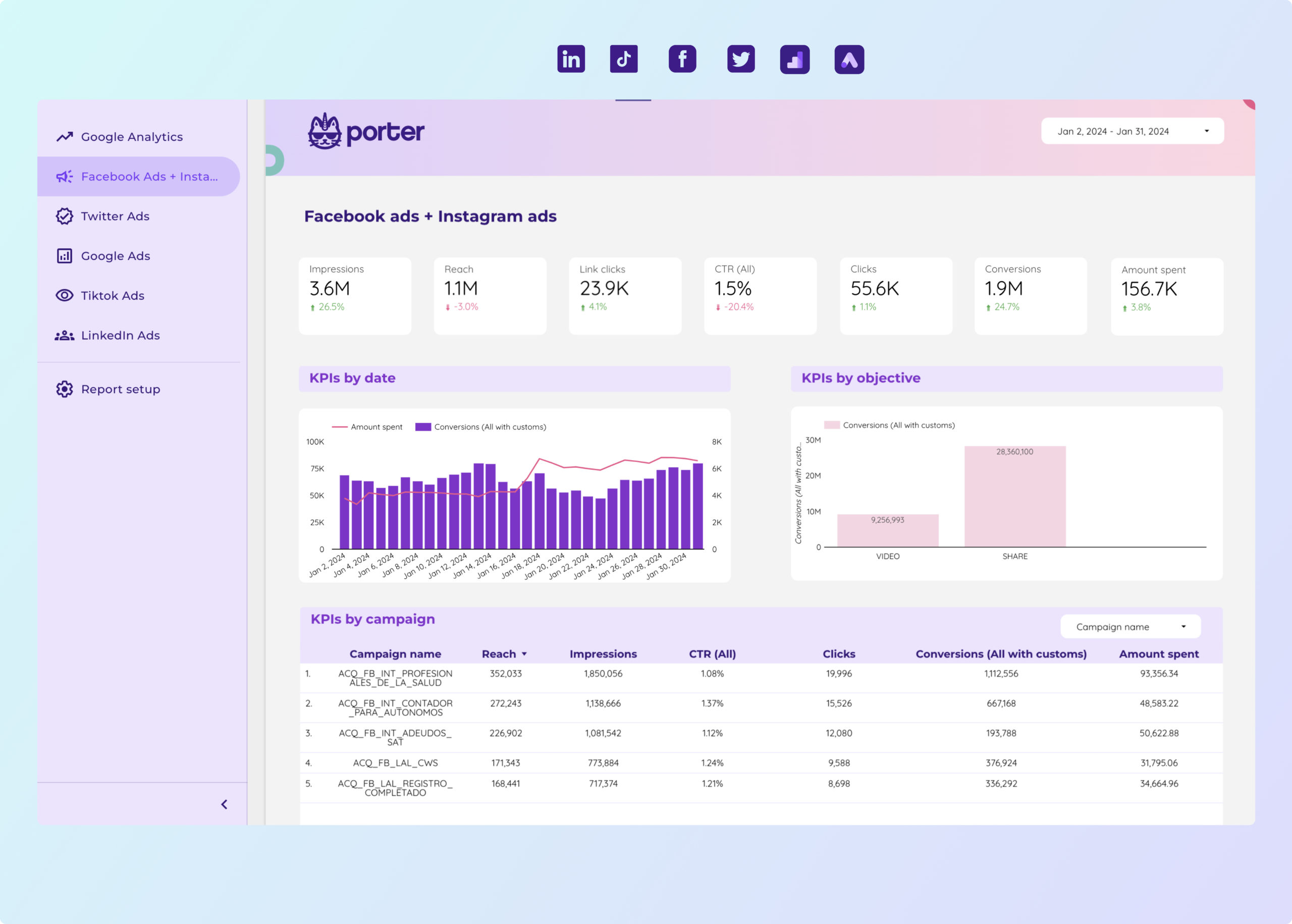
Full paid media overview including X Ads, Meta Ads, Google Ads, LinkedIn Ads, and TikTok. Spend, conversions, and ROAS in one dashboard.
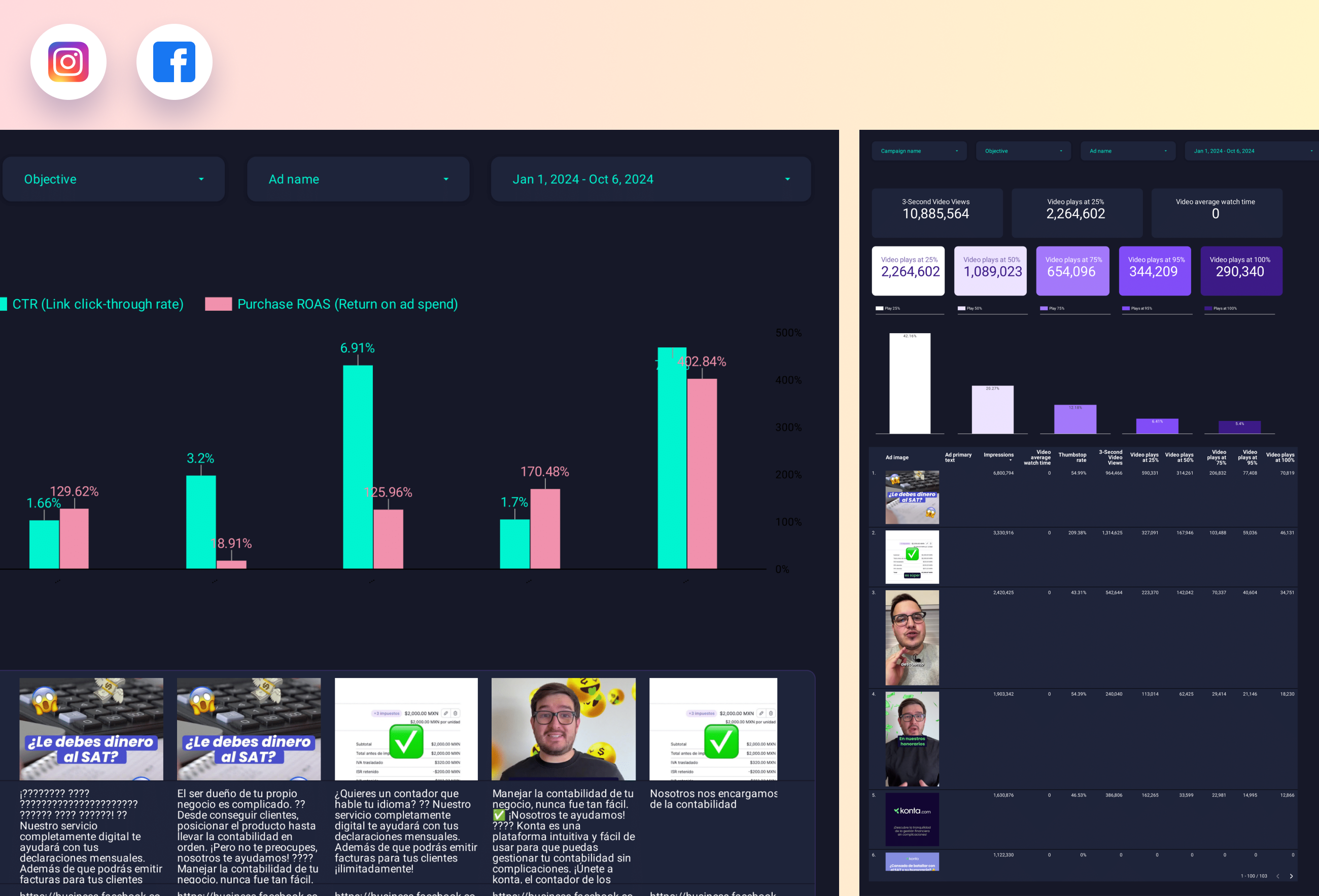
Creative performance across paid channels. Mirror winning X Ads creatives across Meta, TikTok, and LinkedIn.
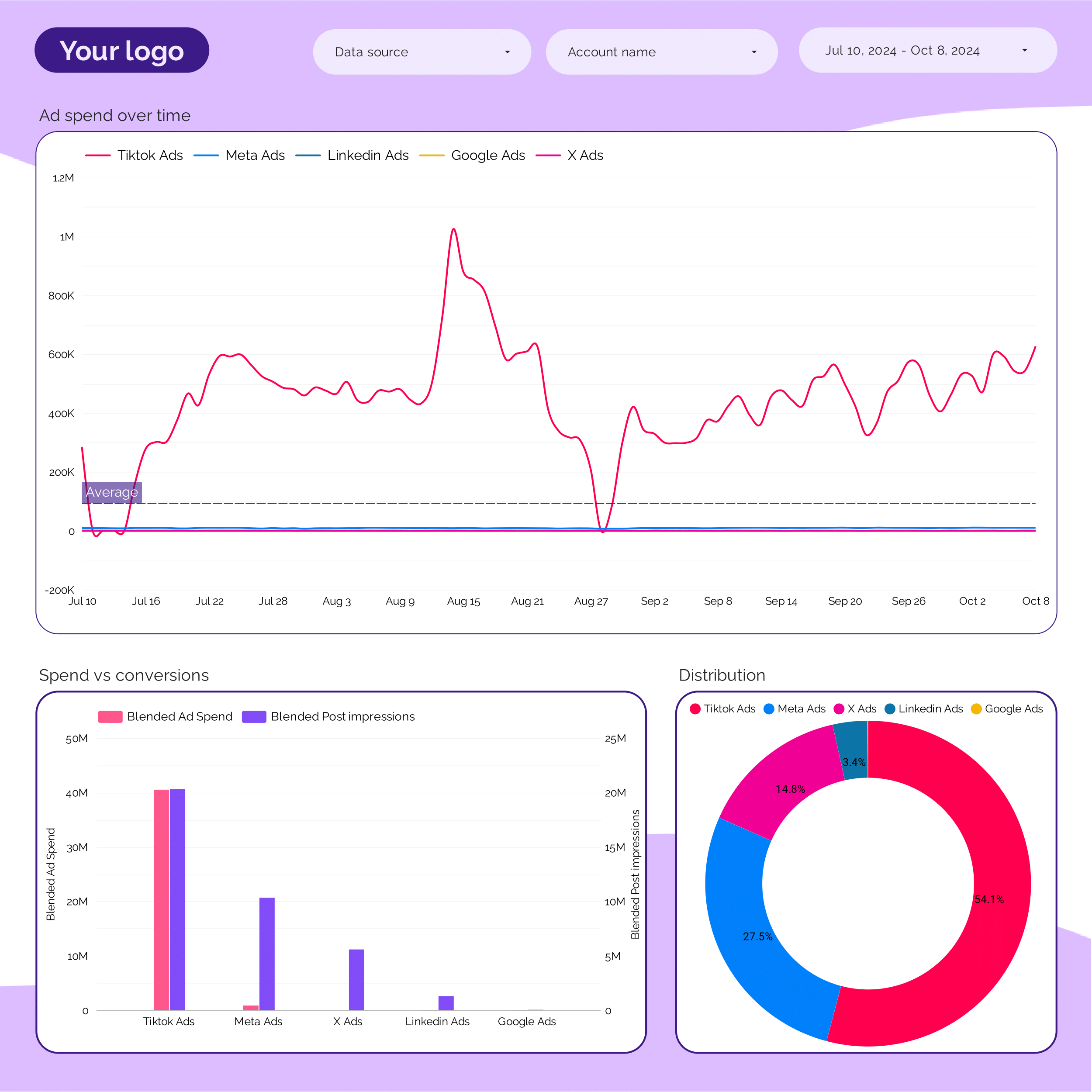
Consolidated ad spend tracker. Where the money goes by platform and campaign — X Ads included alongside other paid channels.
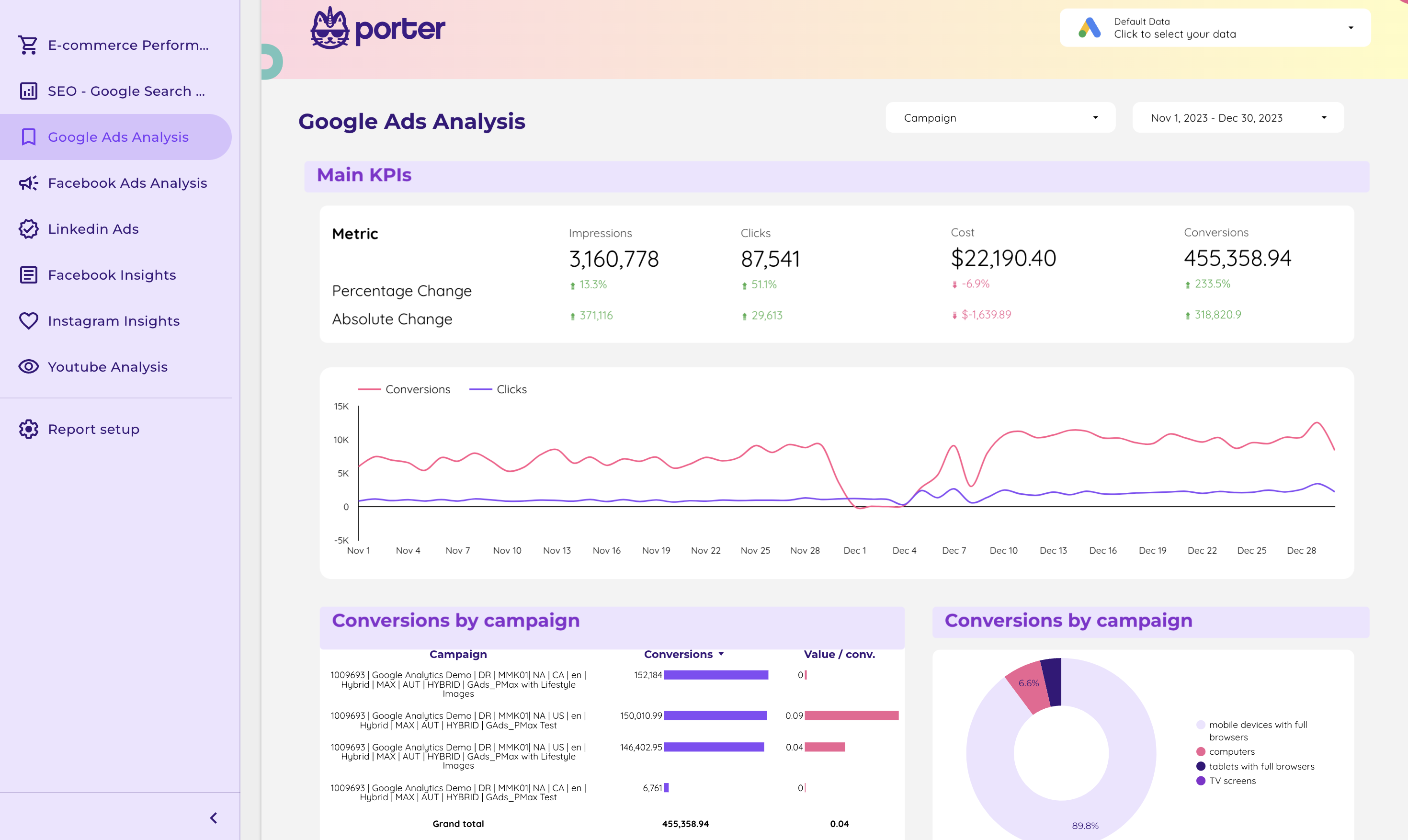
Cross-channel marketing performance. Blend X Ads, Meta Ads, Google Ads, and GA4 for a full-funnel, multi-channel view.
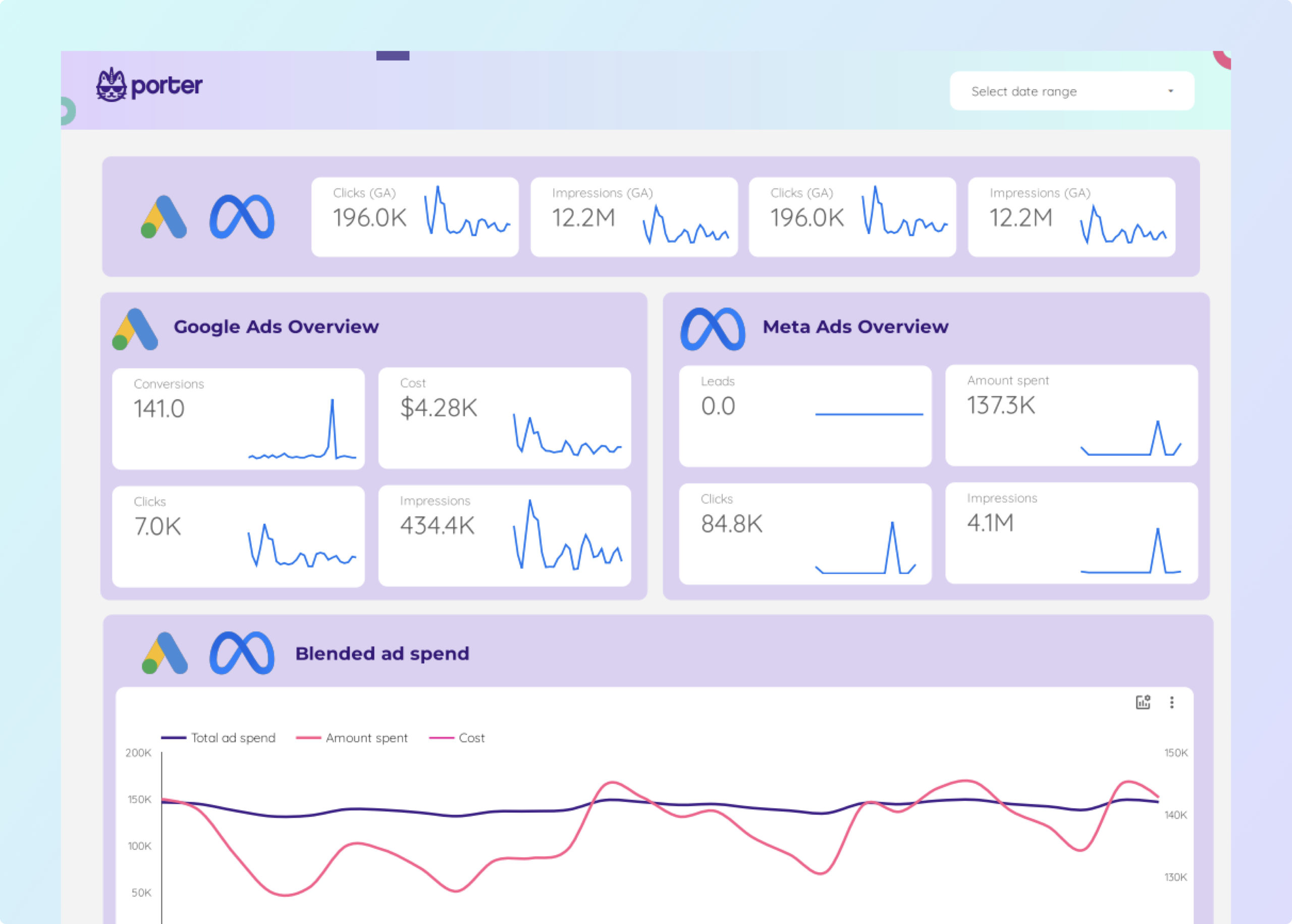
Facebook Ads + Google Ads combined dashboard. Use alongside the X Ads template to cover the three main paid channels.
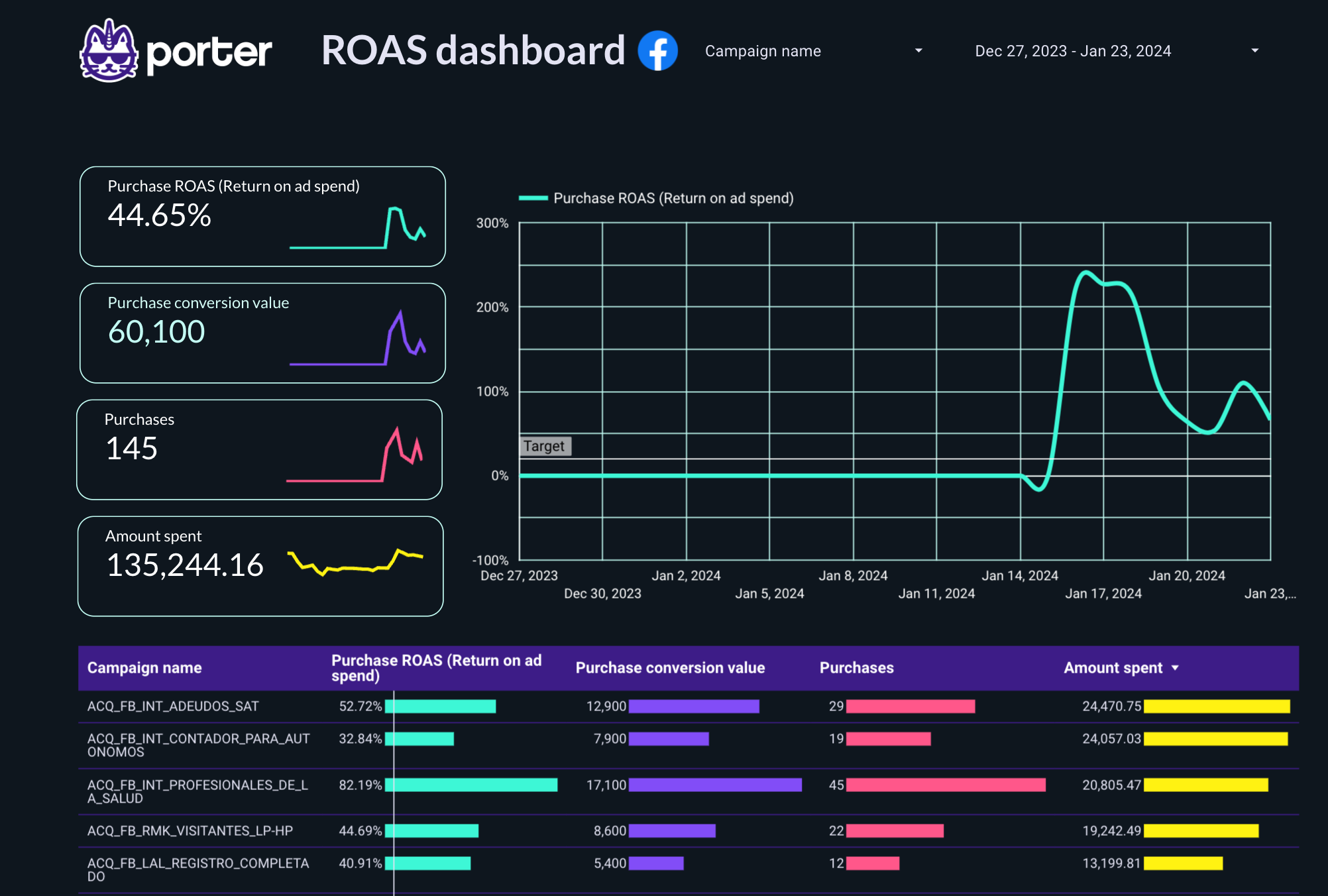
ROAS-focused dashboard across paid channels. Compare X Ads ROAS against Meta, Google, and LinkedIn.
From a blank Data Studio to a working Twitter Ads report in under 10 minutes:
Full tutorial: How to copy a Data Studio report template
Full tutorial: How to connect data sources to Data Studio
Revenue / Total Spend across X Ads + other paid channelsFull tutorial: How to share Data Studio reports
A solid X Ads dashboard organizes paid metrics by funnel stage so you can see spend efficiency, creative performance, and conversion outcomes on one screen:
Impressions, reach, frequency, CPM. How many X users saw your ad, how often, and what it cost to reach them. Frequency above 3-4x weekly is a fatigue signal.
CTR, CPC, engagements, ER%, profile visits. X is an engagement-first platform — watch reply rate and quote posts alongside standard CTR.
Conversions, CPA, ROAS, revenue. Break down by campaign objective, audience, and creative to know what to scale and what to pause.
Daily spend vs. target, projected monthly, days remaining. Prevents over-spending early and under-spending that leaves performance on the table.
A complete Twitter Ads dashboard also layers in:
Every template in this gallery includes these layers out of the box — just connect your X Ads account and Porter pulls in all the metrics automatically.
Built around the KPIs paid social teams report on — spend, CPA, ROAS, CTR, frequency, and engagement — organized by role:
Add your logo, brand colors, and fonts. Remove Porter branding. Deliver X Ads reports to clients as your own work.
Once connected, X Ads spend, conversions, and engagements refresh automatically. Schedule weekly PDFs — no more exports from X Ads Manager.
Combine X Ads with Meta Ads, Google Ads, LinkedIn Ads, TikTok, and GA4 — via Porter connectors. Blended CPA and ROAS out of the box.
Campaign, ad group, and creative-level breakdowns. Calculated fields for blended ROAS and custom conversion definitions — already pre-wired.
Step-by-step walkthroughs for connecting paid social channels to Data Studio:
Connect Meta Ads + Google Ads to Data Studio
Porter Metrics
Connect Meta Ads to Data Studio
Porter Metrics
Connect LinkedIn Ads to Data Studio
Porter Metrics

Connect TikTok to Data Studio
Porter Metrics
Connect Google Analytics 4 to Data Studio
Porter Metrics
Design marketing reports on Data Studio
Porter Metrics
Connect data sources to Data Studio
Porter Metrics

How to share Data Studio reports
Porter Metrics
More tutorials: Data Studio tutorial hub.
The core X Ads KPIs organized by funnel stage:
For brand and community accounts, also track quote posts, amplification rate, and follower growth tied to paid campaigns.
They’re the same product. Twitter was rebranded to X in July 2023, and “Twitter Ads” is now called “X Ads.” The ads platform, targeting, and data structure are unchanged. All templates in this gallery work with X Ads data — whether the connector label says Twitter or X, it pulls from the same API.
Yes. Use the Twitter Organic template alongside the X Ads template in the same Data Studio report. You’ll see paid spend and organic engagement side-by-side, which helps identify when paid amplifies organic wins (or the other way around).
Many community and brand teams report both on the same page so leadership sees the full social investment and return.
Use the PPC or Paid Media template. Both are pre-built to blend X Ads with Meta Ads, Google Ads, LinkedIn Ads, and TikTok. You’ll get blended CPA, ROAS, and channel-mix charts out of the box — no manual joins or BigQuery needed.
Alternatively, use Cross-channel marketing performance for a view that also includes GA4 alongside paid channels.
Yes, 100% free. Every template on this page is free to copy, use, and customize.
Porter’s X Ads connector works on a 14-day unlimited free trial followed by a Free Forever plan (3 connected accounts, 30 days of historical data, all templates). See pricing details.
X Ads Manager limits historical data exports to specific date ranges, and CSVs often cut off at a few months. Porter’s connector pulls X Ads data continuously and stores it in Data Studio (or BigQuery on higher tiers), so you can build year-over-year comparisons that X Ads Manager can’t produce natively.
Databox and Supermetrics are established connector tools — Porter’s difference is templates + connectors + data blending + AI fields in one product, with a Free Forever plan (3 accounts, all destinations) that most alternatives don’t offer.
For X Ads specifically: all three pull the same data. Porter adds cross-channel blending (X + Meta + Google Ads + GA4 joined automatically), AI-generated calculated fields, and Slack/email anomaly alerts. See Porter Metrics overview.
Yes. After copying, swap logos, change colors/fonts, and remove Porter branding. Share the dashboard via live link or scheduled branded PDF reports. Agencies typically use the same X Ads template across many clients by duplicating and swapping the connected account.




