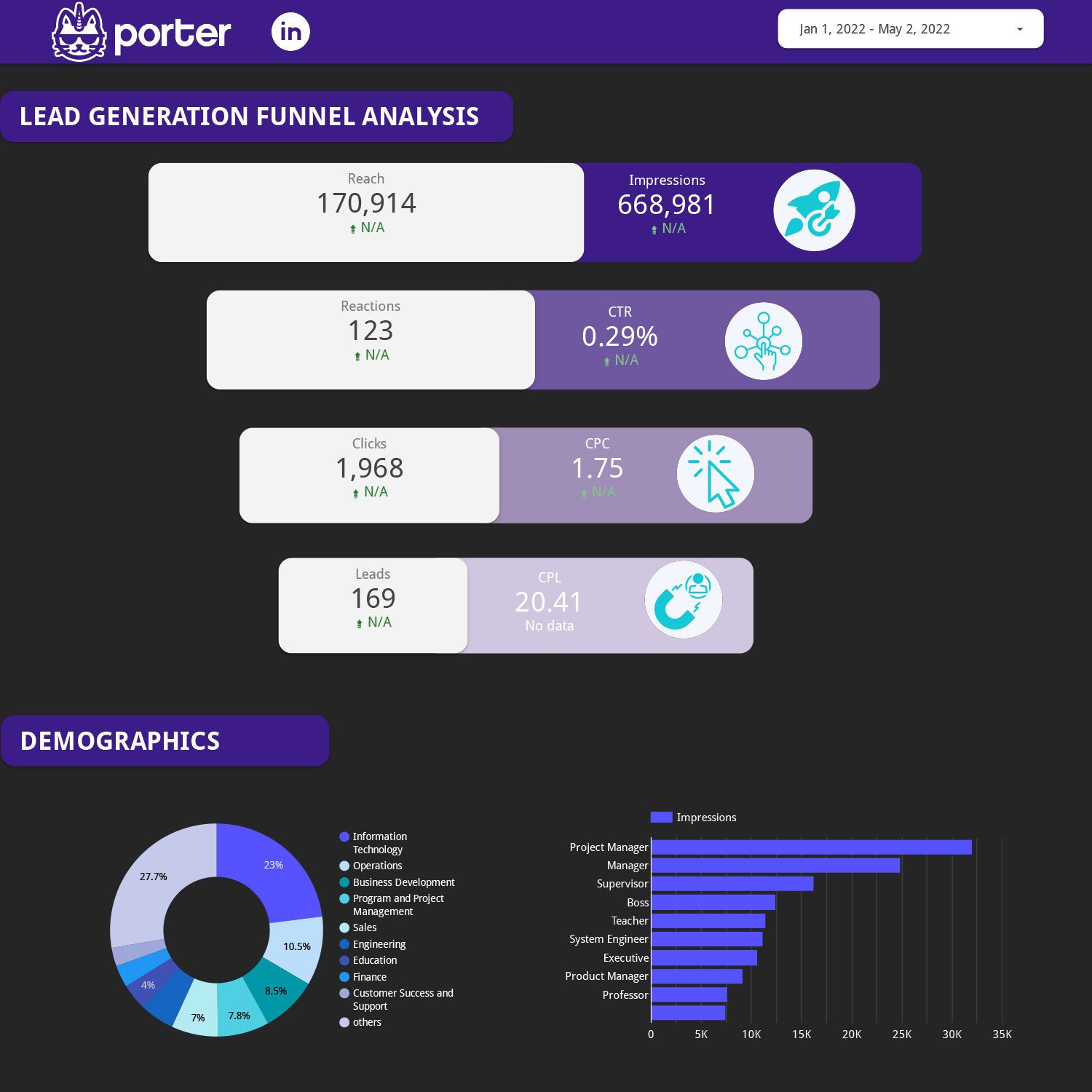
LinkedIn Ads Dashboard Example
Pre-built example dashboard for LinkedIn Ads performance overview.
View template → LinkedIn Ads
→
LinkedIn Ads
→
 Google Data Studio
Connect your LinkedIn Ads data to Google Data Studio (formerly Looker Studio) for free. Analyse Impressions, Clicks, CTR, Cost (Local Currency), with +799 fields, the only LinkedIn Ads connector for Data Studio that combines pre-built templates, native white-label reporting, and 100+ metrics at a transparent price—without manual CSV exports, and every LinkedIn Ads ad account field.
No credit card required · 14-day free trial
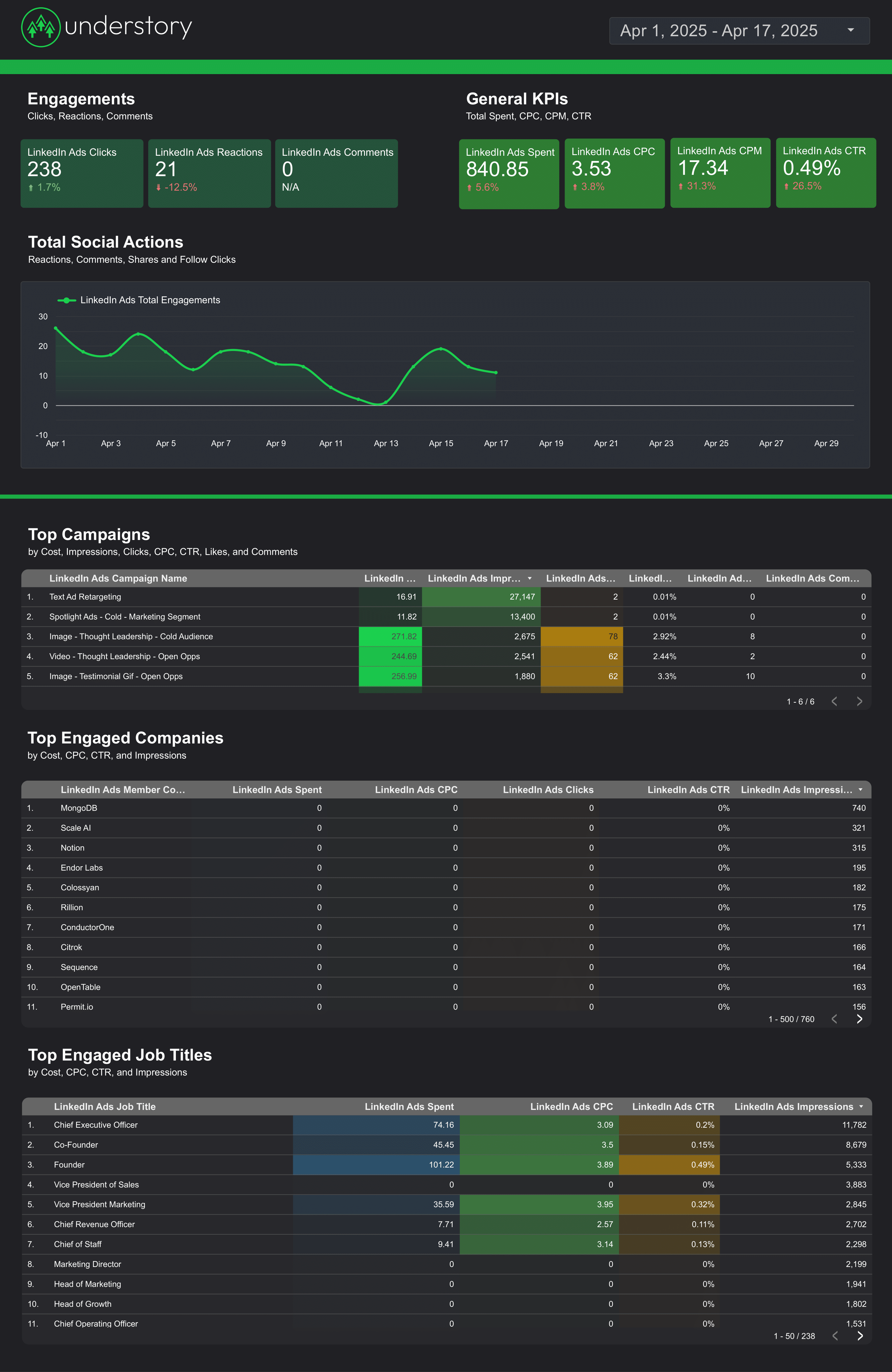
Choose from 8 pre-built LinkedIn Ads templates to launch client-ready dashboards in minutes. Each template includes calculated metrics, audience breakdowns, and white-label styling.
Pre-built example dashboard for LinkedIn Ads performance overview.
View template →Full LinkedIn Ads dashboard with campaign and creative breakdowns.
View template →Client-ready report template for LinkedIn Ads campaign analysis.
View template →Porter-branded LinkedIn Ads report template for stakeholder reviews.
View template →Step-by-step tutorial template for building LinkedIn Ads reports.
View template →Porter wins on data depth, price transparency, and agency workflow
| Feature | Porter No-code marketing data warehouse |
Others Connectors & ETL |
|---|---|---|
| Storage | Unlimited historical sync with cloud storage and automatic backfill | CSV exports or 90-day lookback windows |
| Data syncing | OAuth live sync with hourly automated refresh | Daily batch files or manual CSV uploads |
| Attribution | Blended attribution across LinkedIn, Google Ads, and Facebook Ads in one dashboard | Single-platform reporting with no cross-channel view |
| Data blending | Native multi-source blending inside Data Studio with no engineering overhead | Requires external ETL tools or manual spreadsheet joins |
| Destinations | One subscription covers Data Studio, Google Sheets, BigQuery, and Claude | Locked to a single BI tool or spreadsheet |
Everything you need to build professional LinkedIn Ads reports in Data Studio
Pull every campaign, ad, audience, and creative field including professional dimensions like Job Title, Company Size, and Seniority.
8 ready-made templates for lead generation, awareness, and cross-channel reporting—no design work required.
CTR, CPC, CPM, ROAS, and CPA are pre-calculated. No manual Data Studio formulas to write or maintain.
Break down performance by Member Job Title, Job Function, Industry, Company Size, and Seniority—data only LinkedIn can provide.
Token-based login with no password sharing. Your LinkedIn credentials stay private and revocable anytime.
Automated refresh keeps dashboards current. Stop waiting for daily batch files or manual exports.
Merge LinkedIn Ads with Google Ads, Facebook Ads, and Google Analytics 4 in a single Data Studio view.
Remove Porter branding and apply your agency logo and colors for client-ready stakeholder reviews.
LOVED BY 1,500+ MARKETERS
Sign up free. No credit card is required to start your 14-day trial.
Choose LinkedIn Ads from the 50+ available data sources in the Porter catalog.
Connect your LinkedIn Campaign Manager ad account via secure OAuth in one click.
Select from 799 fields including performance, cost, audience, and video metrics.
Launch a pre-built template or create a custom dashboard in minutes.
Porter exposes 799 LinkedIn Ads fields across 9 categories — from campaign structure and performance metrics to professional audience dimensions like Job Title and Company Size.
Every campaign, ad, audience, and creative field available via LinkedIn Campaign Manager API.
Job Title, Company Size, Industry, Seniority — data unique to LinkedIn’s professional graph.
CTR, CPC, CPM, ROAS, and CPA pre-calculated with no manual formulas.
Local currency and USD cost reporting with full budget pacing visibility.
Video views, completions, and quartile breakdowns for creative performance.
Onsite and offsite conversions, lead form submissions, and ROAS calculations.
Porter supports 15+ data sources and 10+ destinations. Mix and match in one subscription, no extra seats or hidden per-destination fees.
Quick fixes for the most common LinkedIn Ads + Data Studio connection problems
| Issue | Solution |
|---|---|
| My LinkedIn data stopped updating | Re-authenticate your connection in Porter. LinkedIn OAuth tokens expire periodically; a fresh login usually restores sync within one refresh cycle. |
| I see zero impressions or clicks in Data Studio | Verify your LinkedIn ad account has active campaigns and that you selected the correct account during setup. Viewer-level permissions cannot pull performance data. |
| Cost numbers look wrong or mismatched | Check that your Data Studio date range matches LinkedIn Campaign Manager. Currency is reported in your account’s local currency by default. |
| Calculated metrics like CTR show as null | Ensure both numerator (Clicks) and denominator (Impressions) are added to your Data Studio report. Porter calculates these automatically when both fields are present. |
| Audience dimensions like Job Title are missing | Audience breakdowns require campaign-level reporting. Switch from account-level to campaign-level granularity in your connector settings. |
| Connection fails during OAuth | Use a LinkedIn account with Campaign Manager or Account Manager role. Admin or Viewer roles do not have sufficient API permissions for reporting. |
LinkedIn Ads ad accounts
Billed annually · $12.5/account







Unlimited 14-day free trial + Free forever plan
Stop exporting CSV files forever. Build live, automated LinkedIn Ads dashboards in Data Studio with Porter’s free connector.