




Best Free SEA (Search Engine Advertising) Report Templates for Data Studio (2026)
Free SEA report templates for Google Data Studio. Acompanhe search engine advertising campaigns across Google Ads, Microsoft Ads, and more.
Conecte seus dados grátis →Última atualização: Abril 2026
Browse 30 SEA Report Templates for Data Studio
Escolha da nossa biblioteca de modelos gratuitos e white-label de sea templates. Cada modelo acompanha o funil completo: visibilidade (impressões, alcance), engajamento (CTR, interações) e conversão (leads, receita). Organizados seguindo o SUMAS framework com segmentação por canal, campanha, audiência e período.
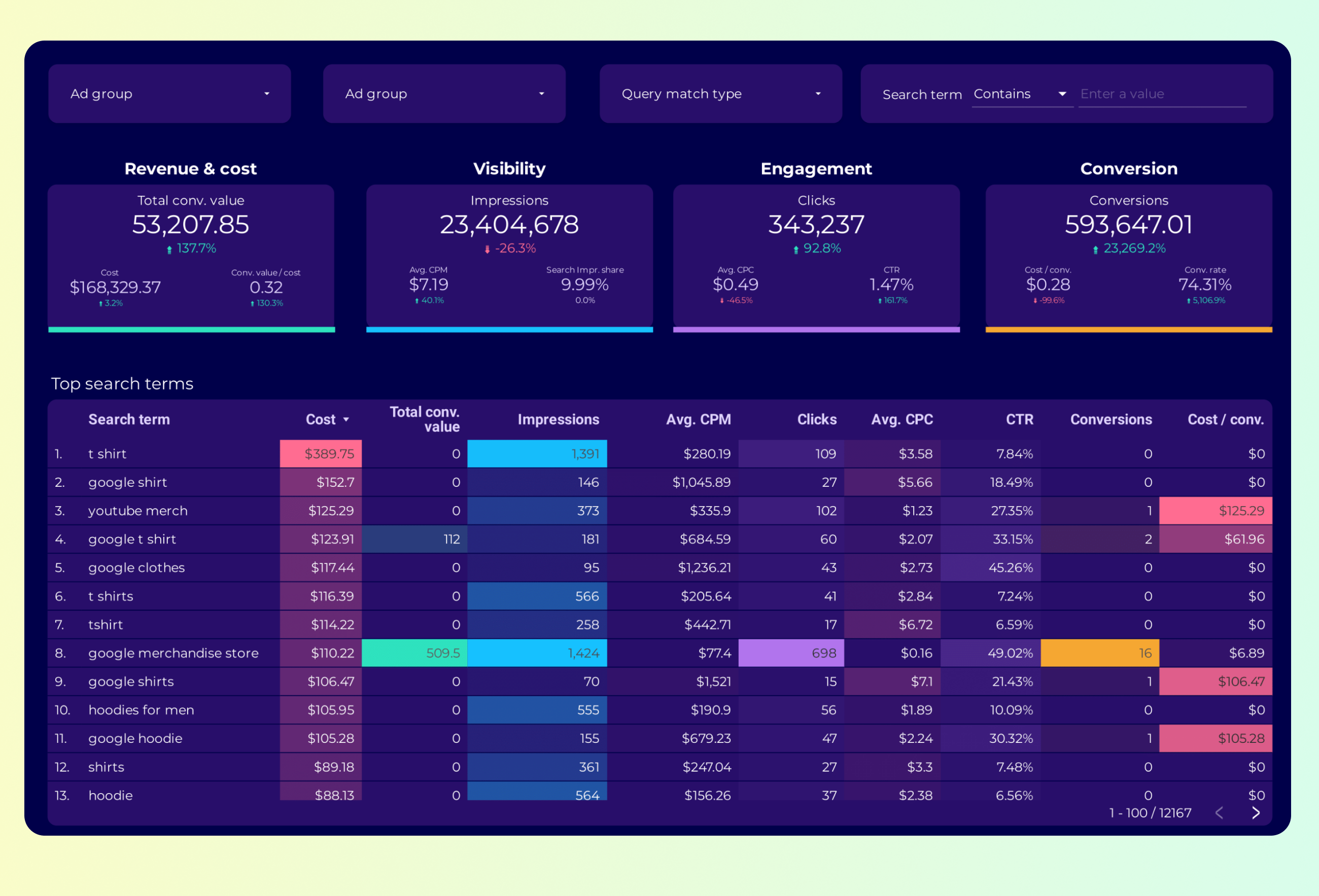
Google Ads Keyword analysis Report template for Data Studio by Porter
Acompanhe impression share, search volume → CTR by keyword, CPC trends → conversion rate, ROAS by keyword. Segmente por keyword, match type.

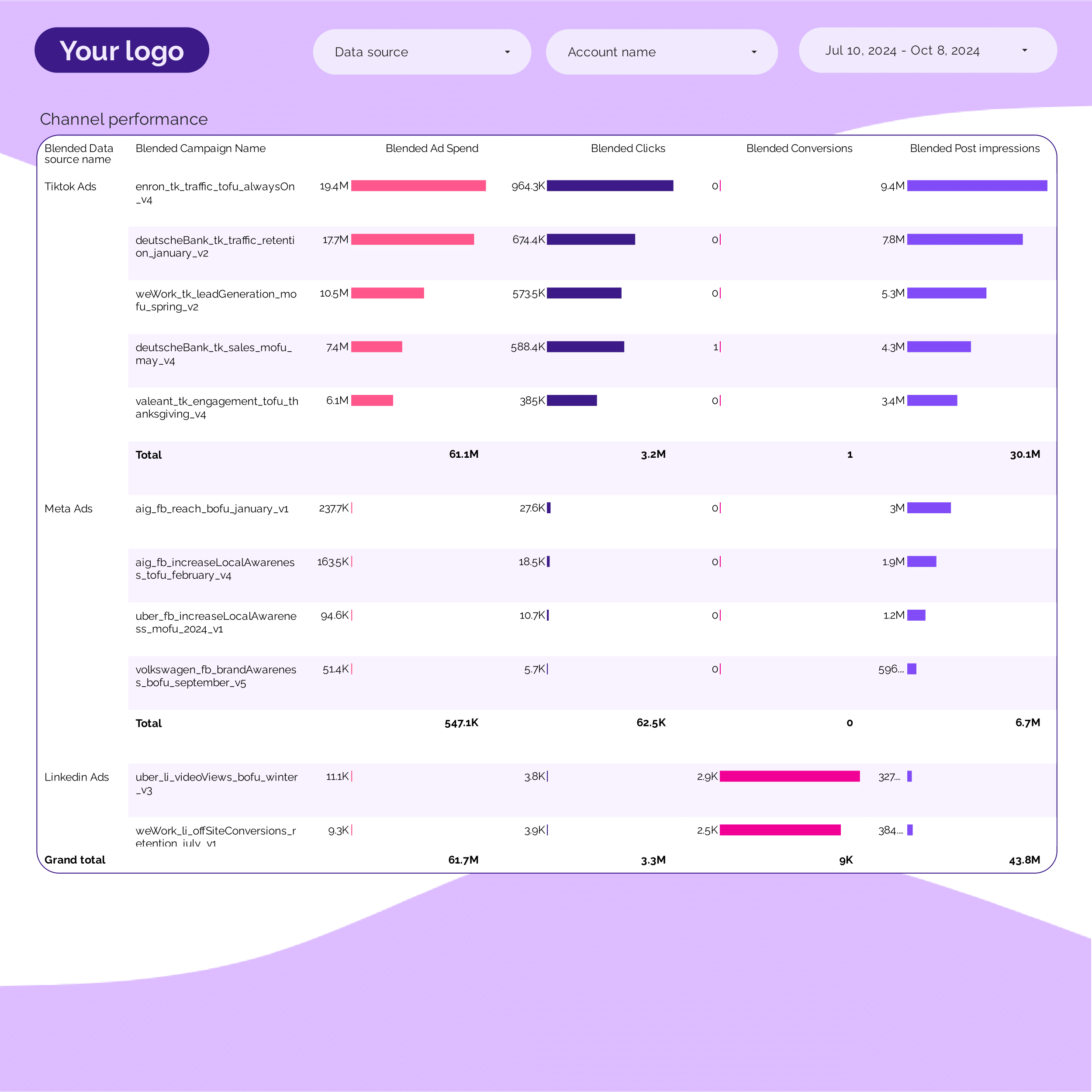
PPC Campaign performance Report template for Data Studio by Porter
Acompanhe campaign impressions, SOV → CTR, CPC per campaign → ROAS, conversions per campaign. Segmente por campaign, ad group, date.
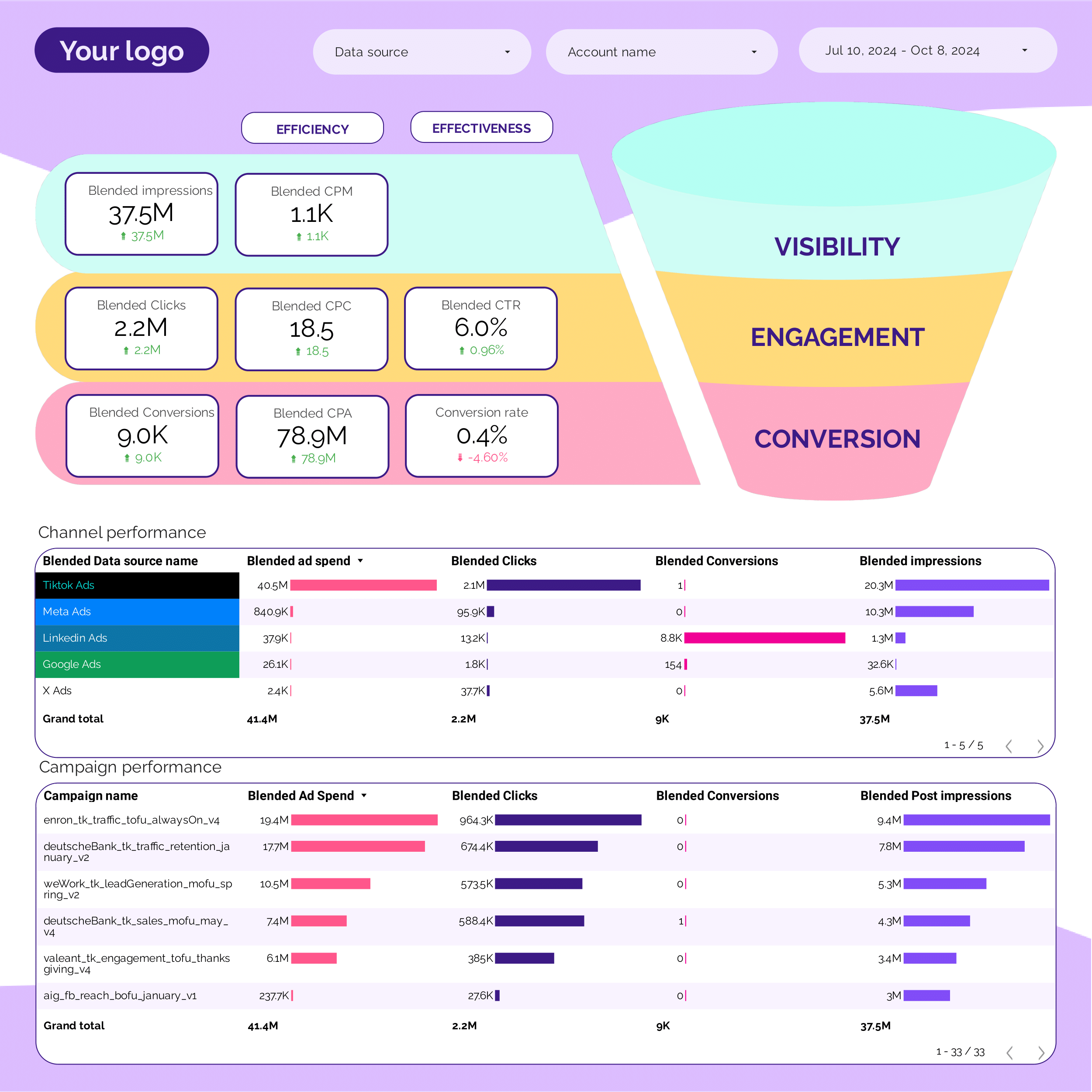
PPC Funnel Report template for Data Studio by Porter
Acompanhe top-funnel reach → mid-funnel engagement → bottom-funnel ROAS, CPA. Segmente por funnel stage, campaign.
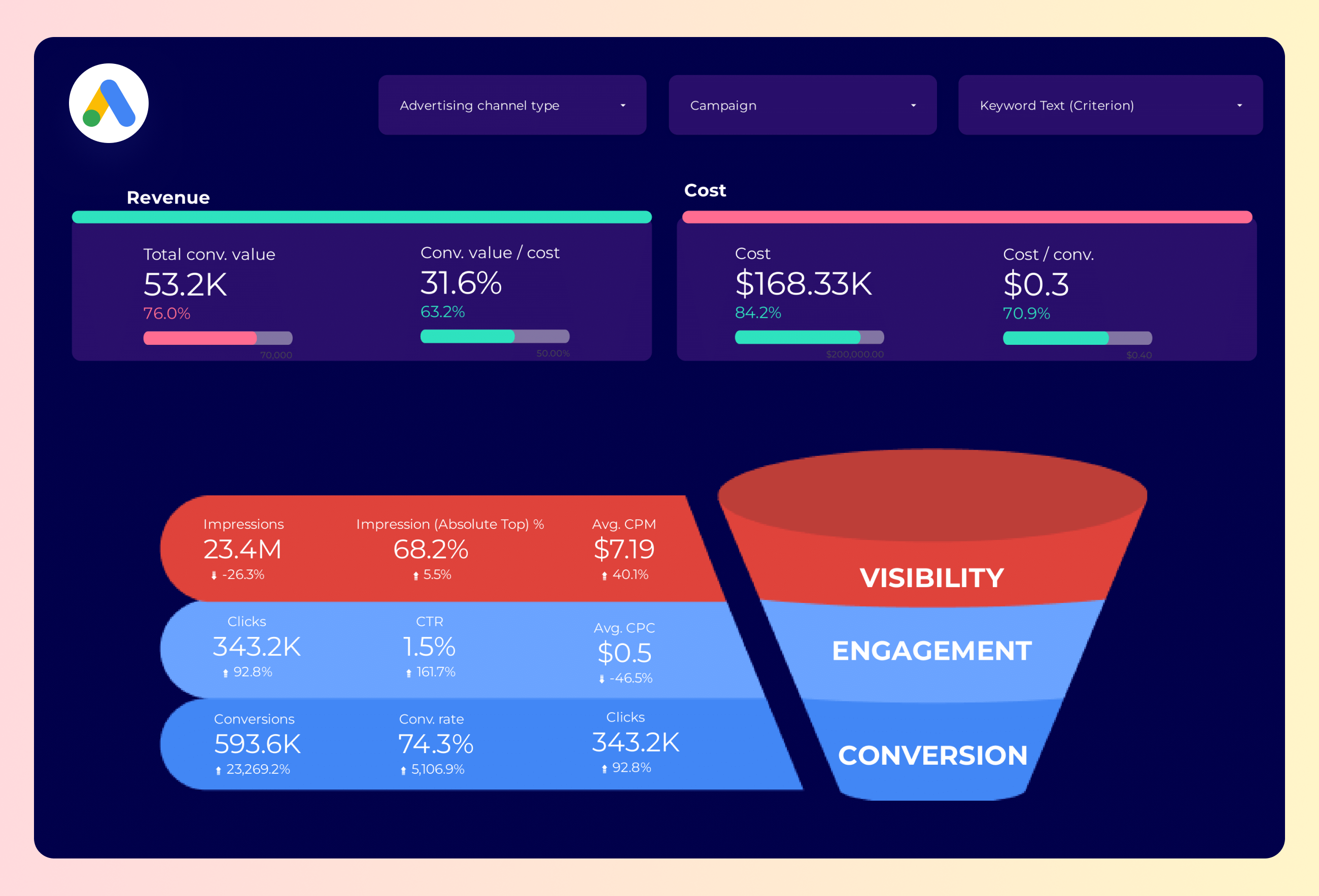
Google Ads Funnel Report template for Data Studio by Porter
Acompanhe top-funnel impressions → mid-funnel clicks → bottom-funnel conversions, ROAS. Segmente por funnel stage, campaign.
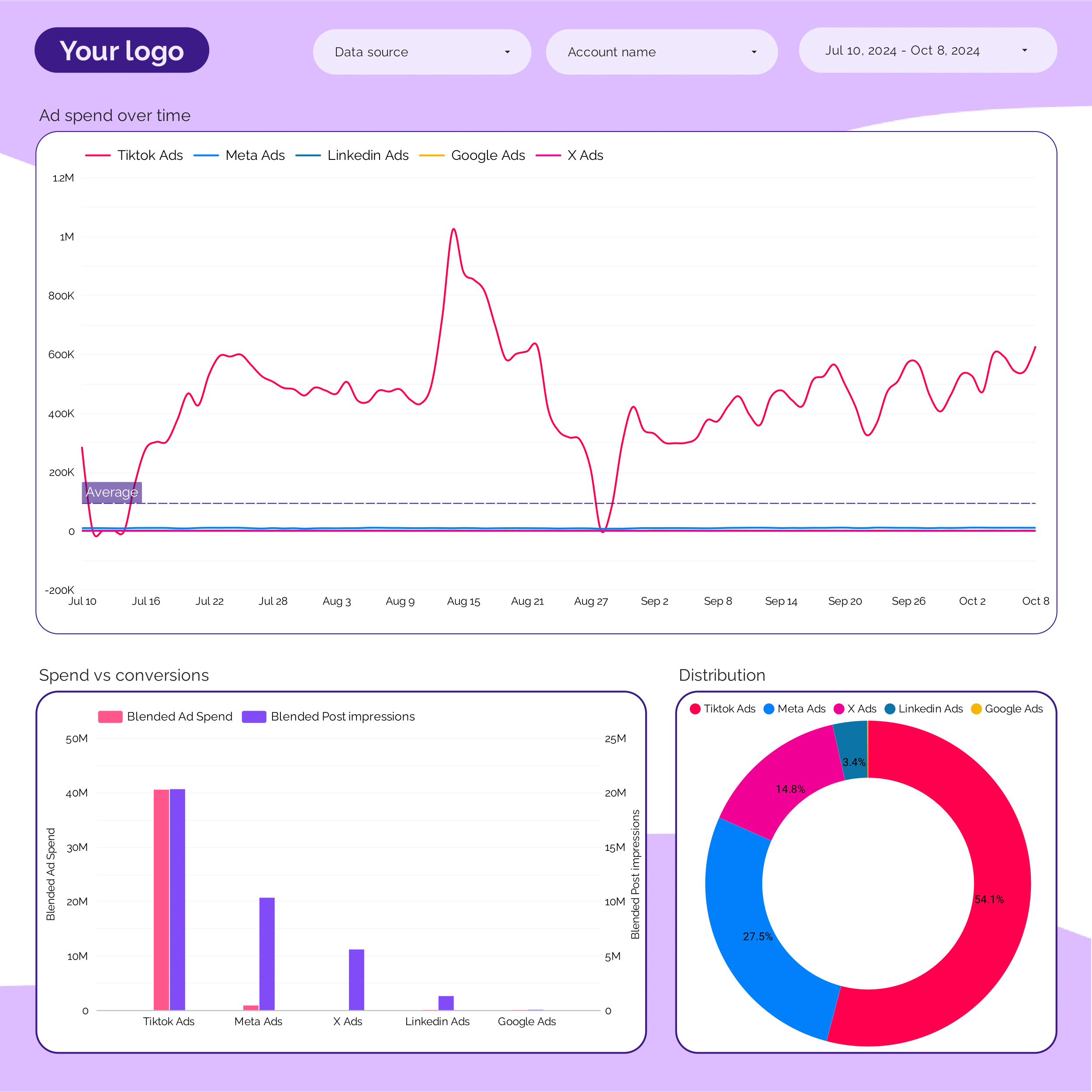
PPC budget tracking and pacing Report template for Data Studio by Porter
Acompanhe budget utilization, spend pacing → efficiency (CPC, CPM) → ROAS vs target, CPA pacing. Segmente por campaign, period, platform.
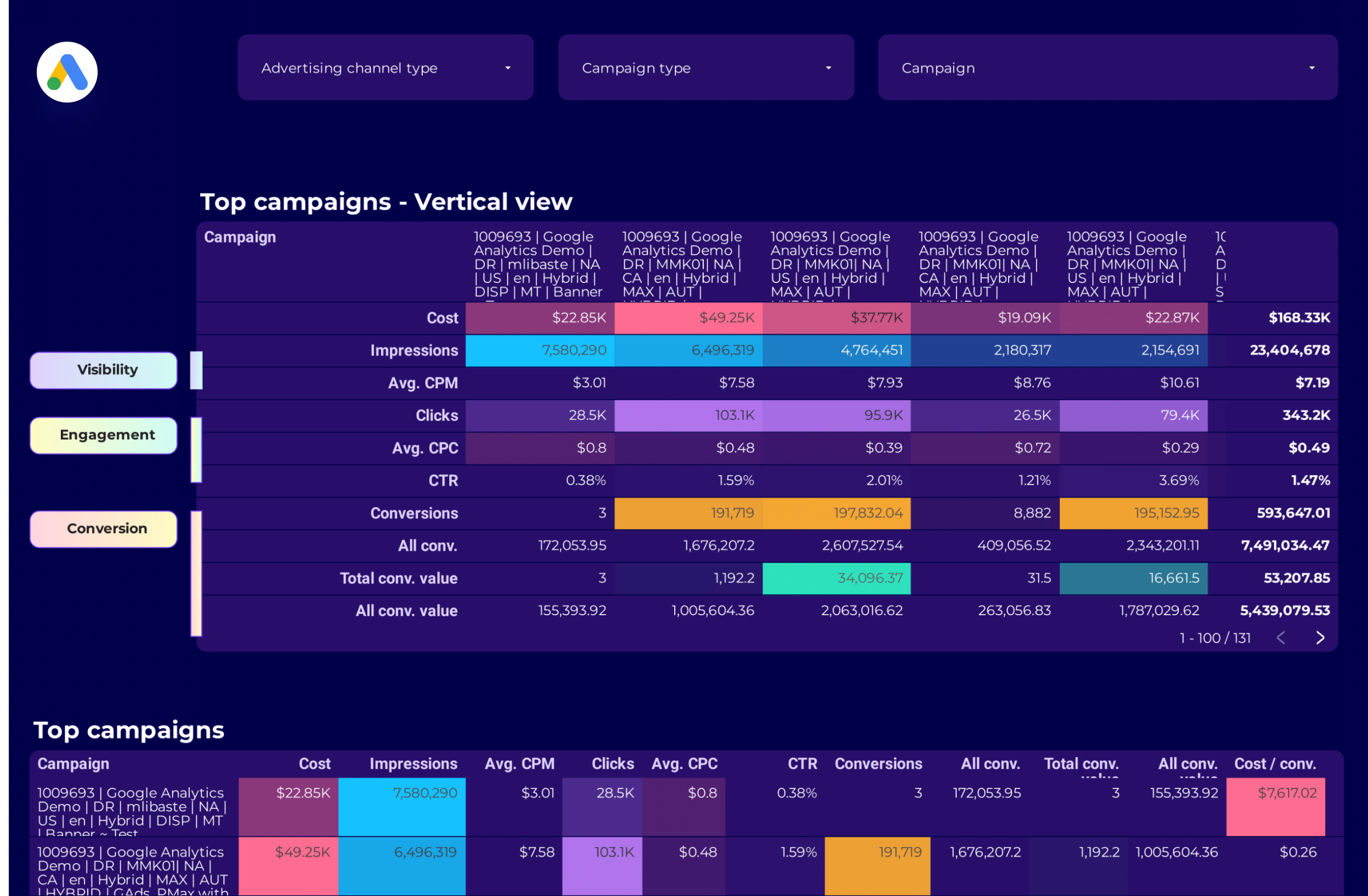
Google Ads Campaign performance Report template for Data Studio by Porter
Acompanhe campaign impressions, reach → CTR, CPC by campaign → ROAS, conversions per campaign. Segmente por campaign, network, device.
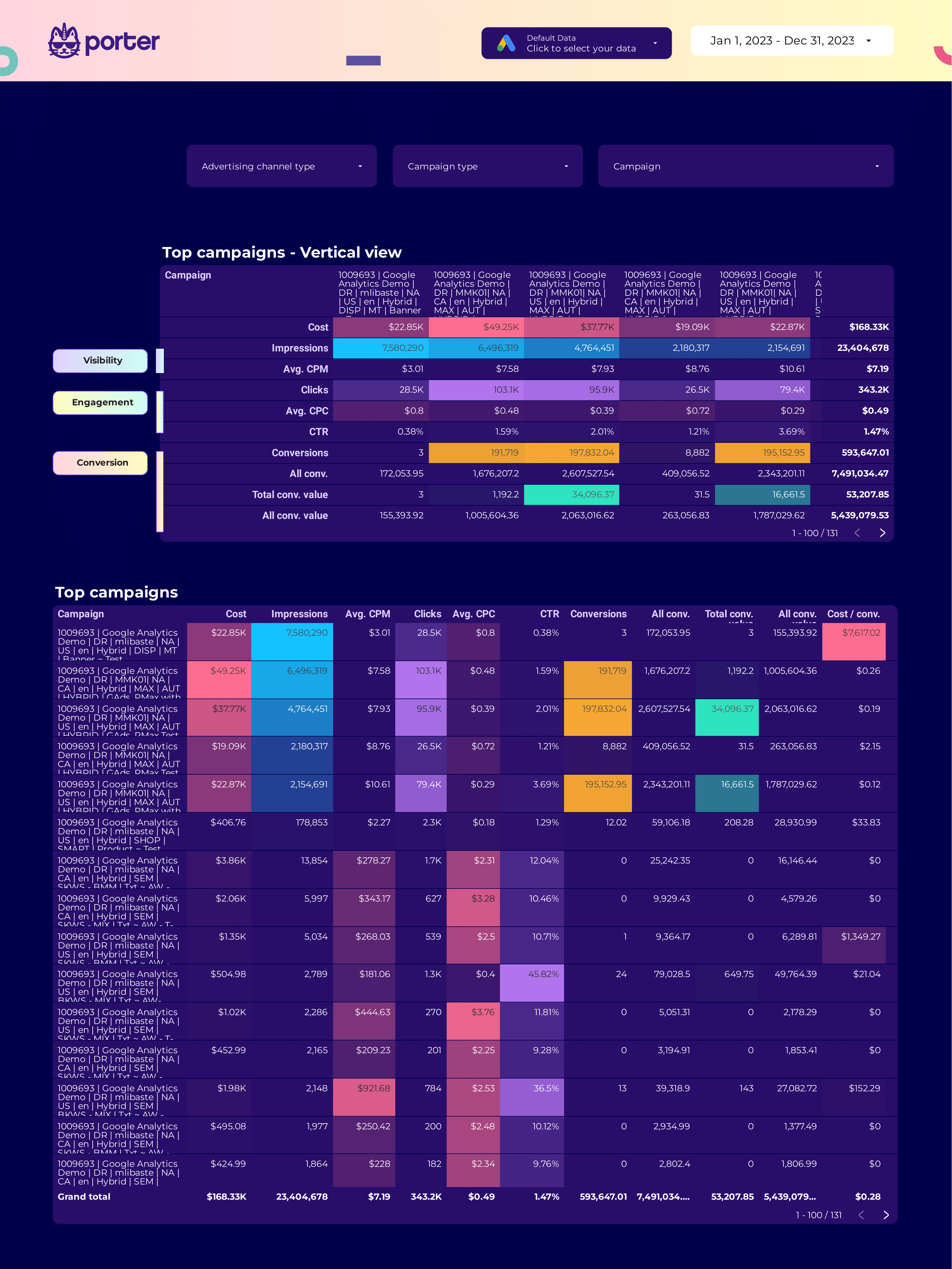
SEM Report template for Data Studio by Porter
Acompanhe search impression share, ad rank → CTR, CPC, quality score → conversions, ROAS, CPA. Segmente por keyword, match type, device.
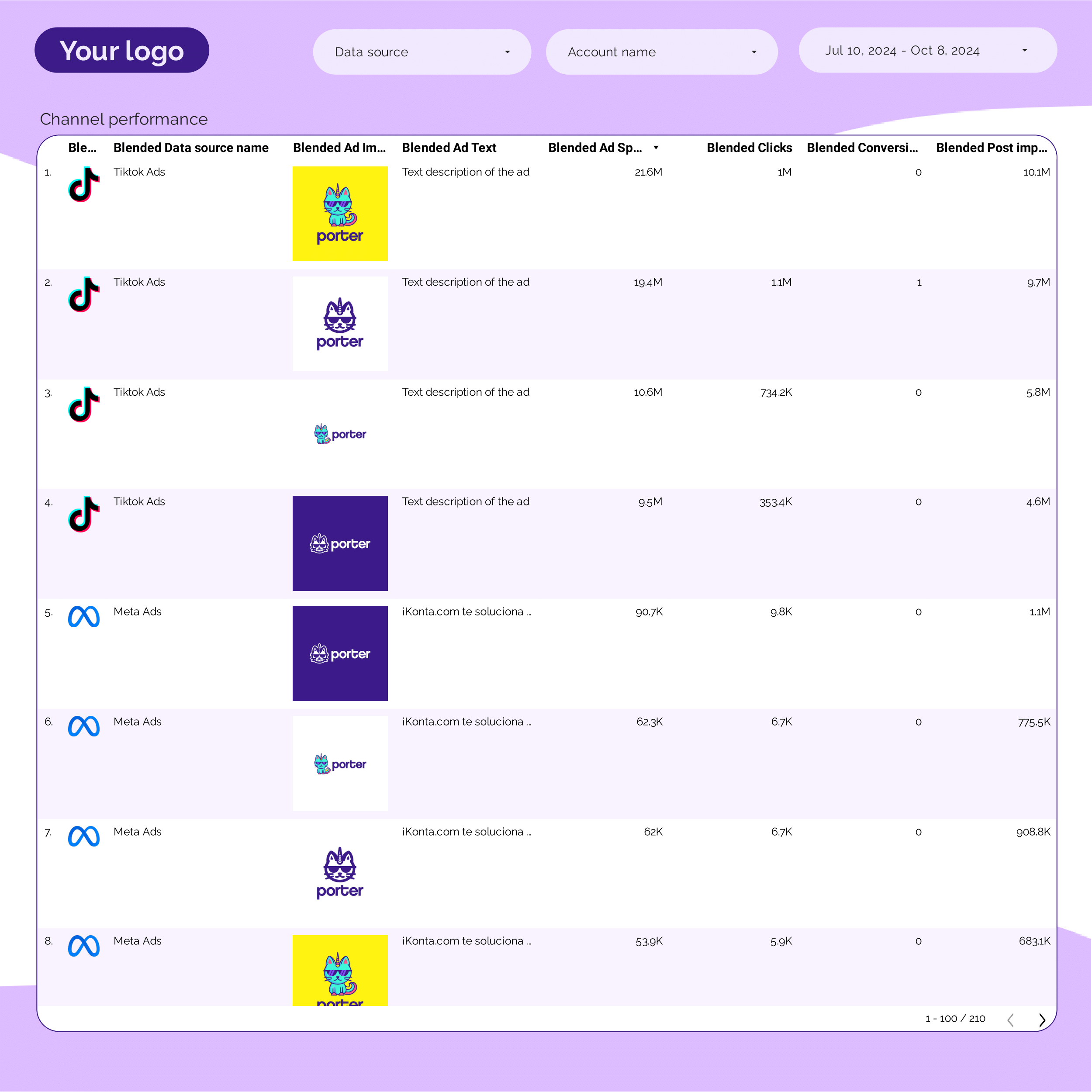
PPC Creative performance Report template for Data Studio by Porter
Acompanhe creative impressions, frequency → CTR by creative, hook rate → ROAS per creative variant. Segmente por creative, format, copy.

ROAS Report template for Data Studio by Porter
Acompanhe ad spend, impression volume → cost efficiency (CPC, CPM) → ROAS, revenue, profit margin. Segmente por campaign, platform, product.
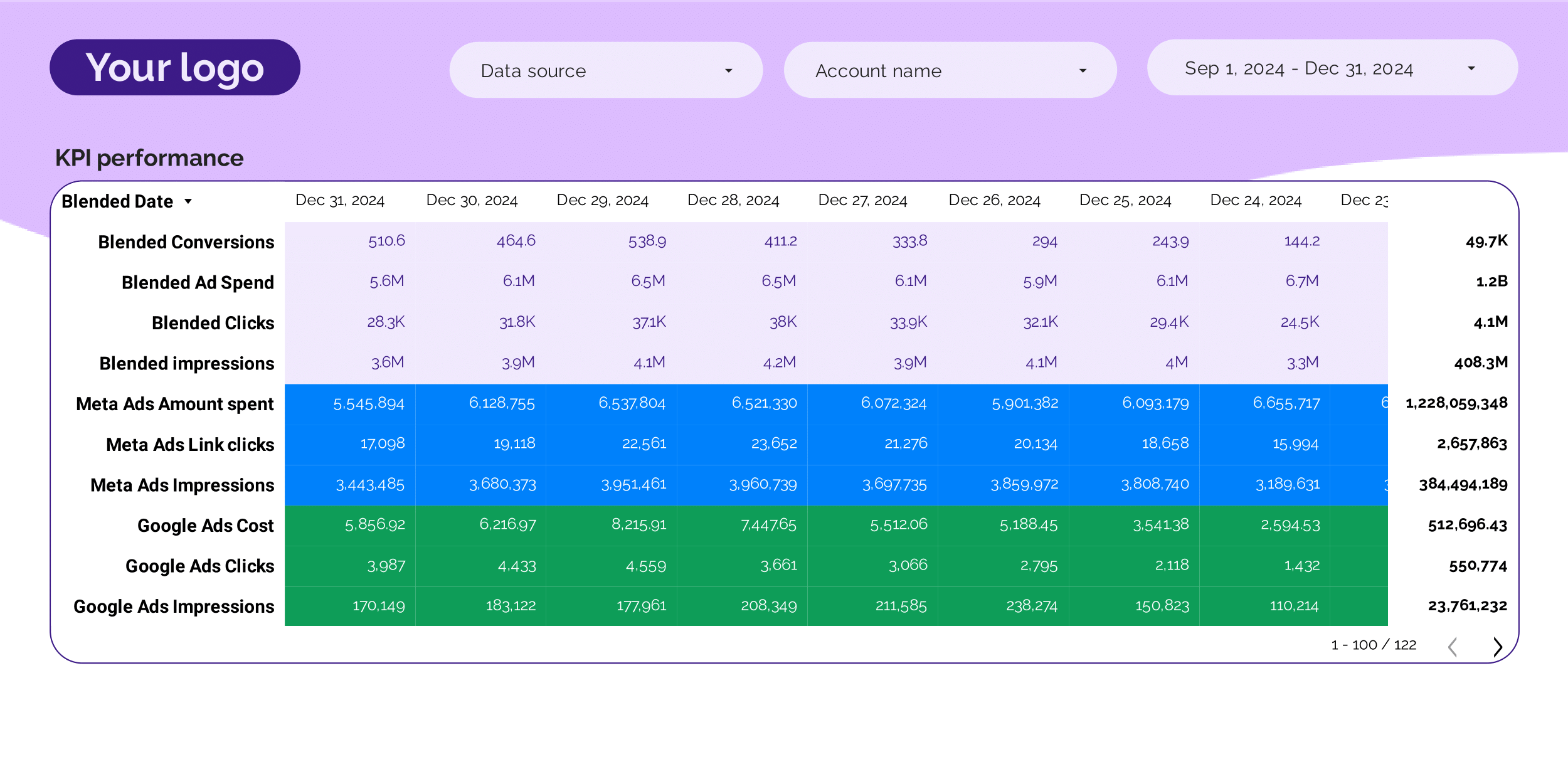
PPC KPIs Report template for Data Studio by Porter
Acompanhe impression trends vs target → CTR vs benchmark, CPC tracking → ROAS attainment, CPA vs target. Segmente por KPI, platform, campaign.
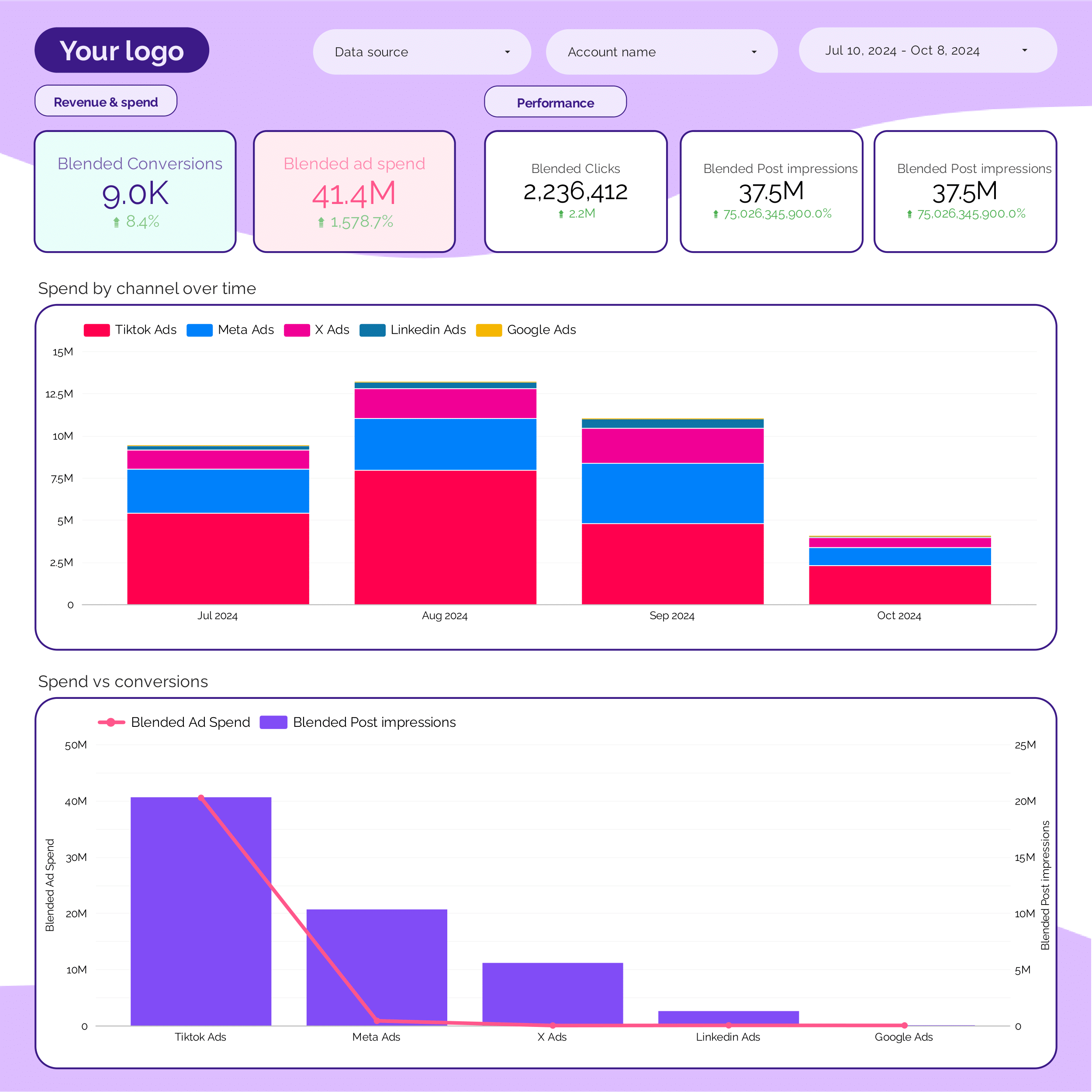
PPC monthly Report template for Data Studio by Porter
Acompanhe monthly impression trends → monthly CTR, CPC trends → monthly ROAS, CPA. Segmente por month, platform, campaign.
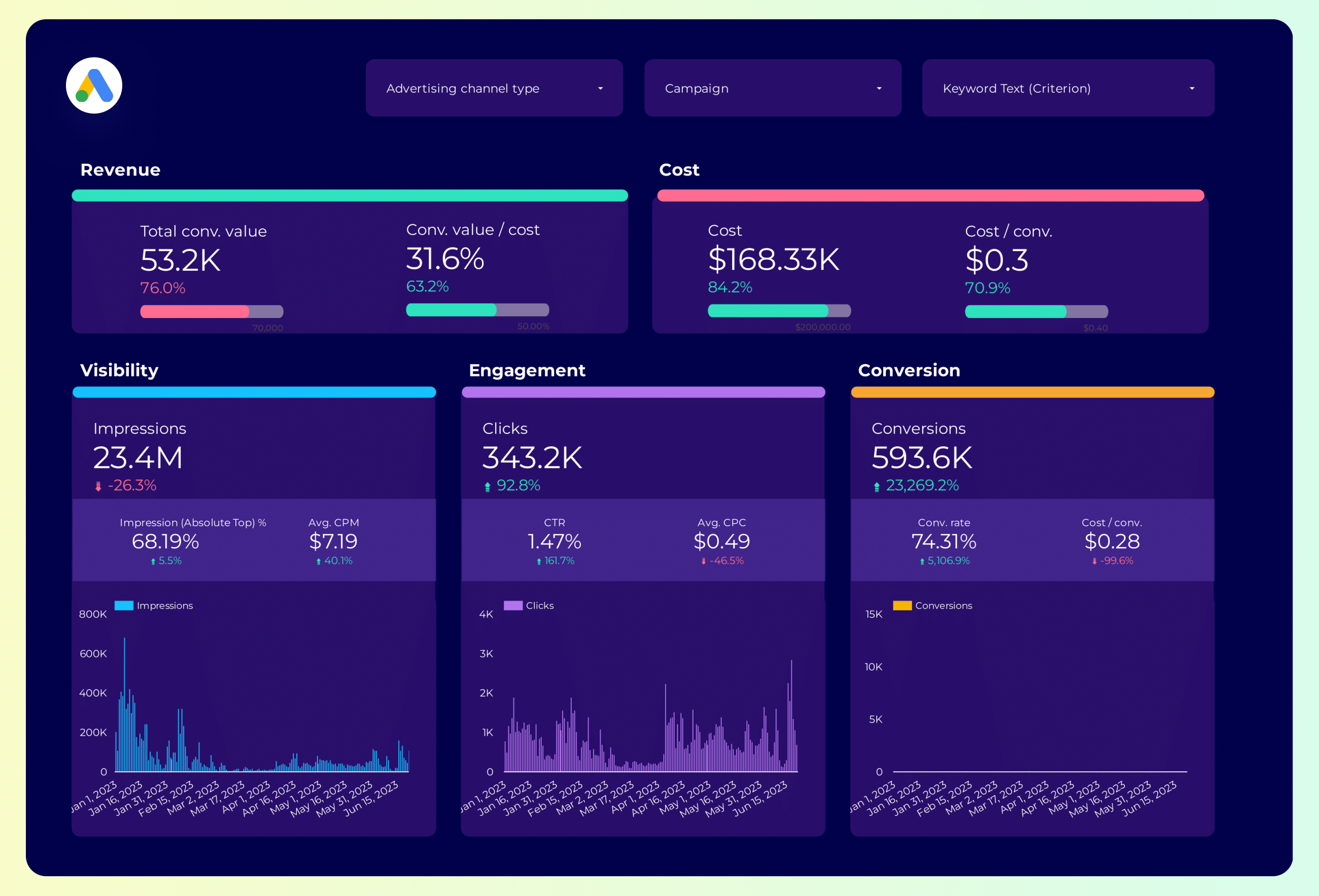
Google Ads Report template for Data Studio by Porter
Acompanhe impression share, search volume → CTR by keyword, CPC trends → conversion rate, ROAS by keyword. Segmente por keyword, match type.
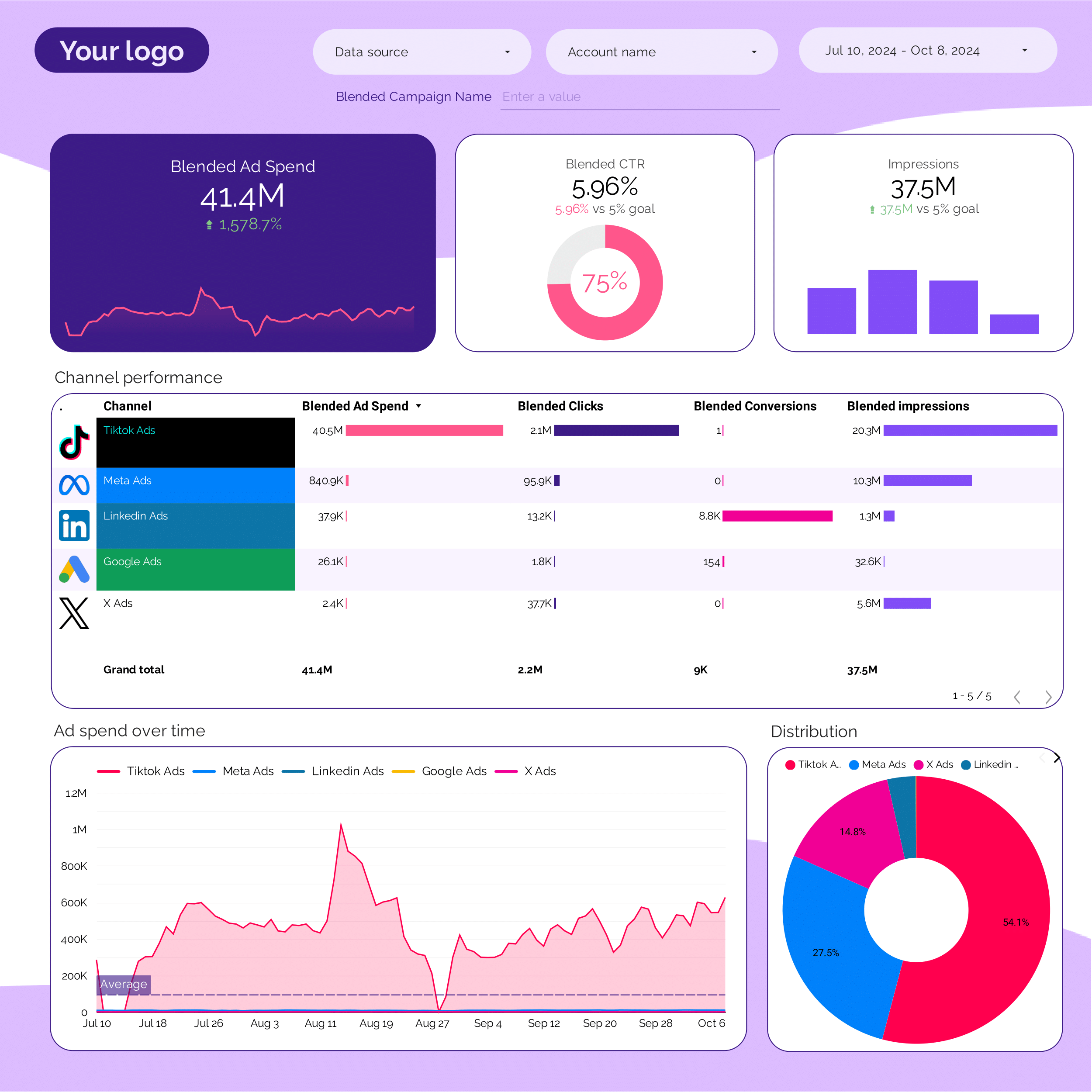
PPC Report template for Data Studio by Porter
Acompanhe impression trends vs target → CTR vs benchmark, CPC tracking → ROAS attainment, CPA vs target. Segmente por KPI, platform, campaign.
Google Ads Report template for Data Studio by Porter
Acompanhe impression share, search volume → CTR by keyword, CPC trends → conversion rate, ROAS by keyword. Segmente por keyword, match type.
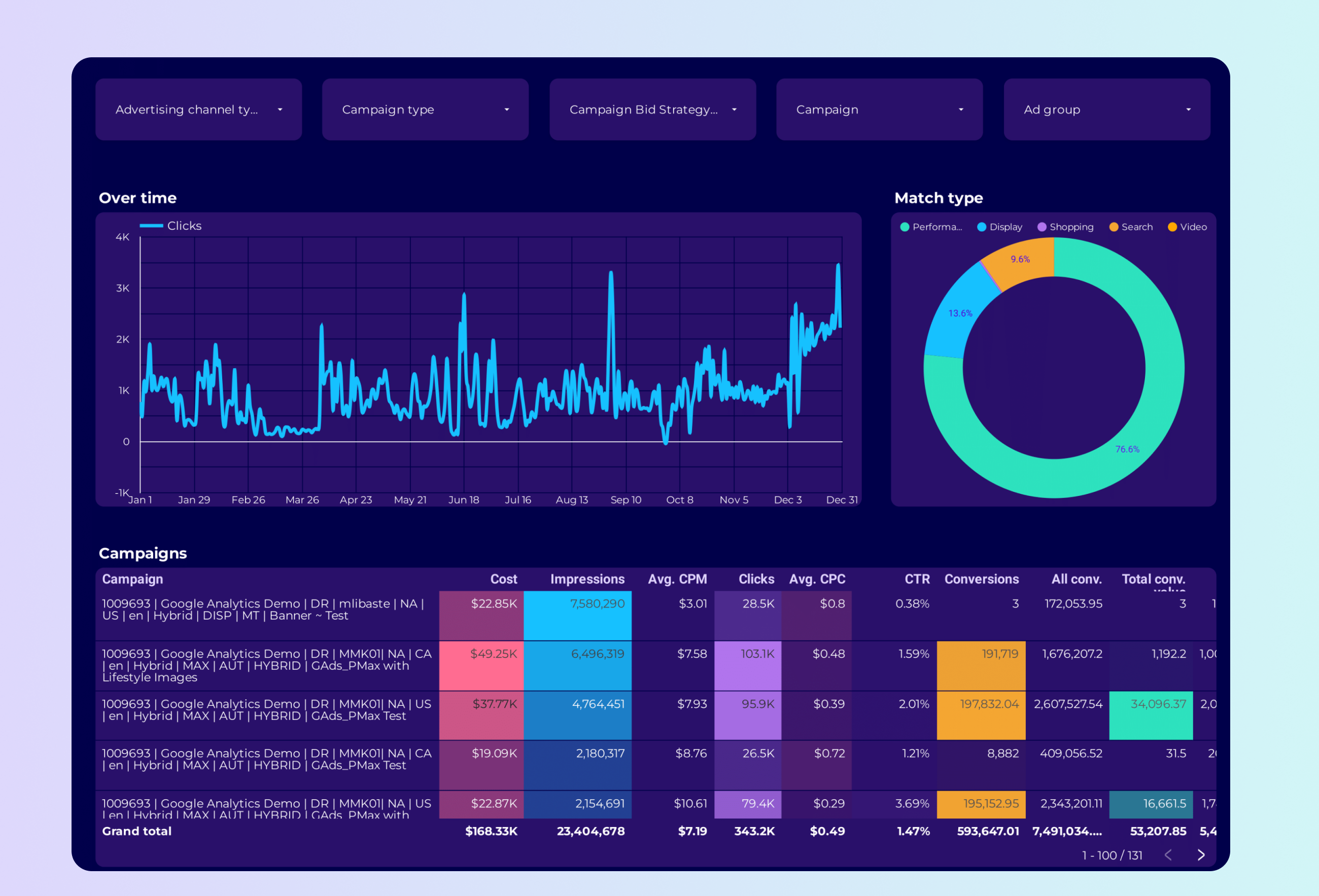
Google Ads PMax Report template for Data Studio by Porter
Acompanhe asset coverage, reach → CTR by asset type → conversions, ROAS by asset group. Segmente por asset group, audience signal.
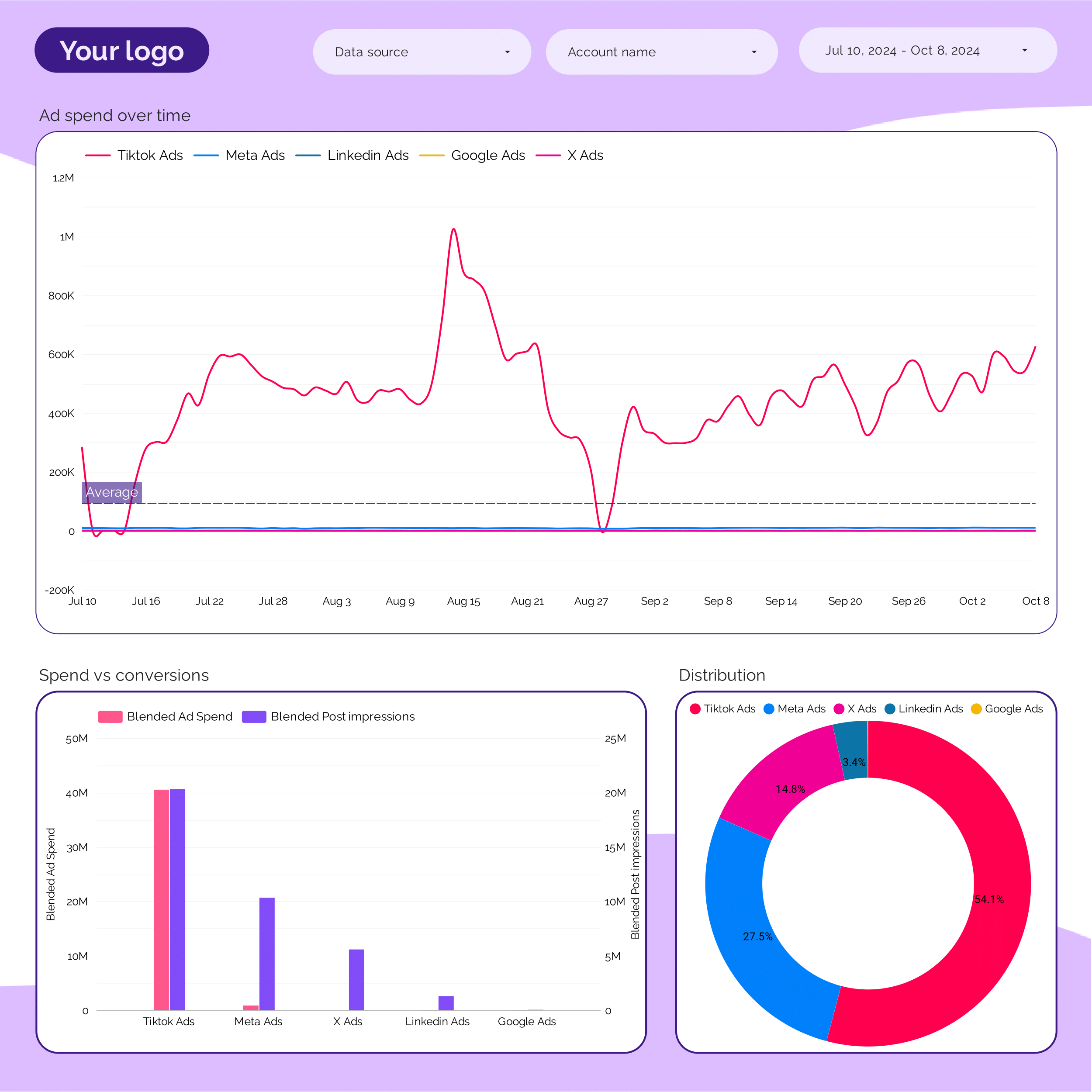
Marketing Ad spend Report template for Data Studio by Porter
Acompanhe spend distribution, budget allocation → efficiency (CPC, CPM by channel) → ROAS by channel, blended CPA. Segmente por channel, campaign, period.
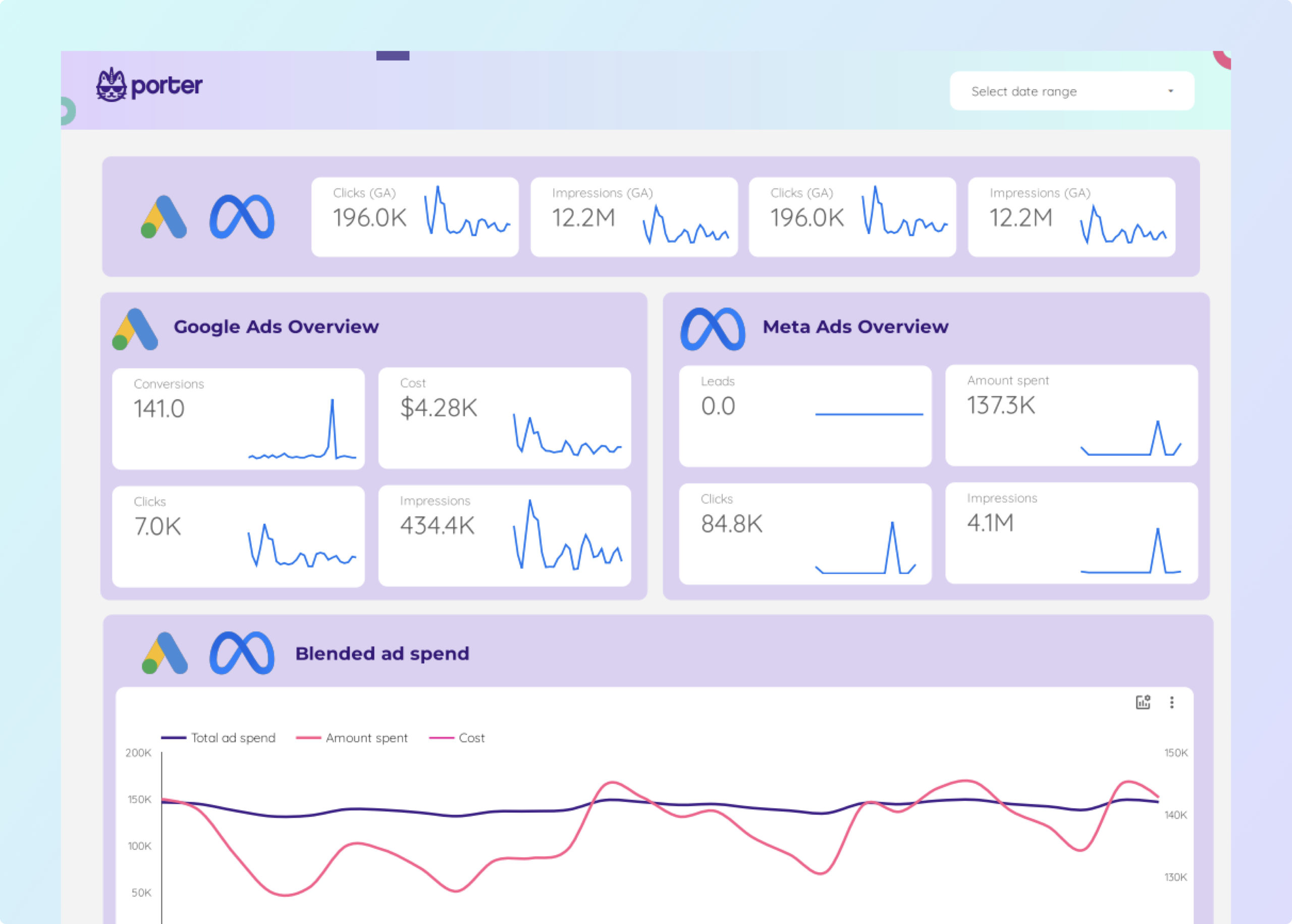
Facebook Ads + Google Ads Report template for Data Studio by Porter
Acompanhe impressions, impression share → CTR, CPC, quality score → conversions, ROAS, CPA. Segmente por campaign, ad group, keyword.
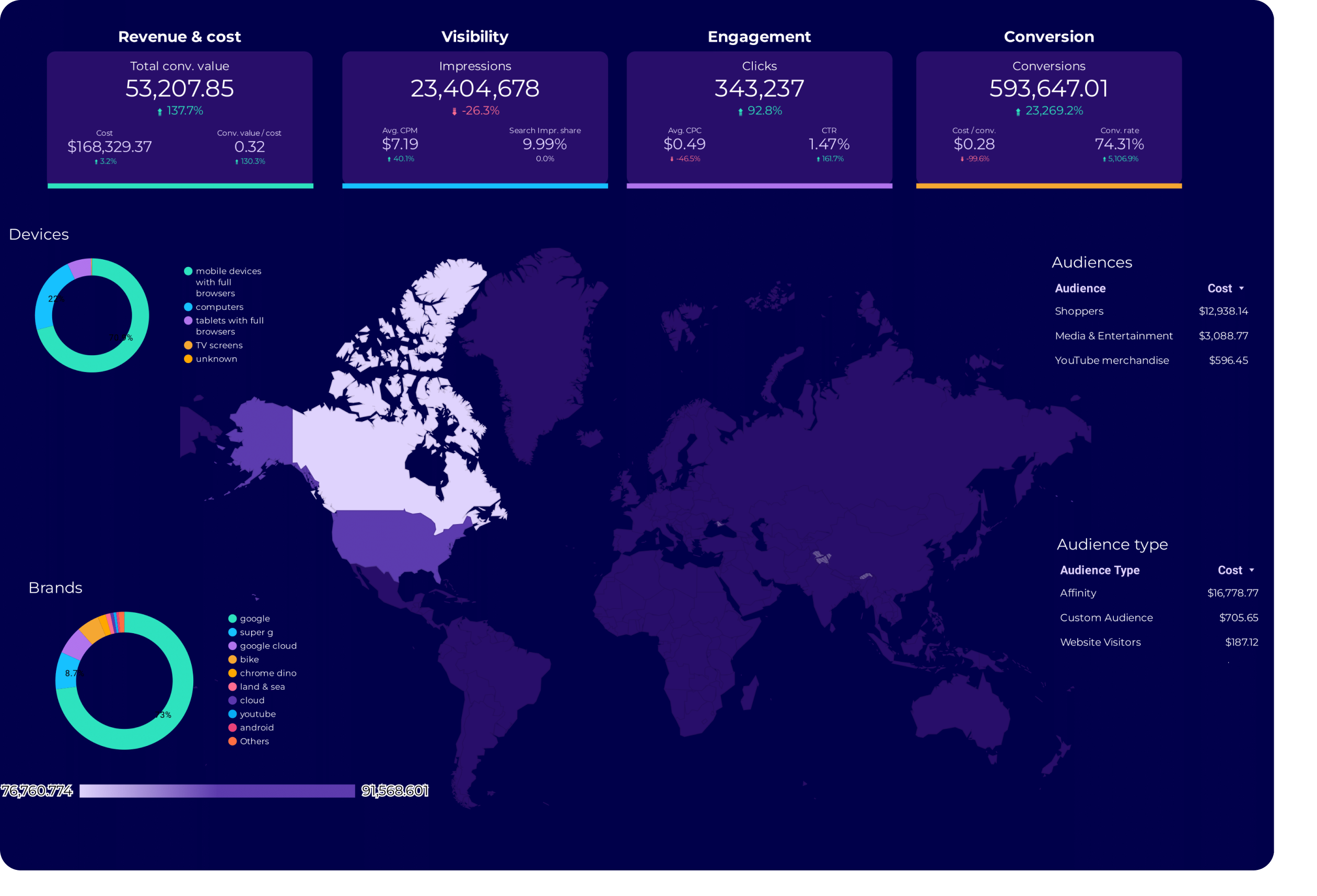
Google Ads Audience Report template for Data Studio by Porter
Acompanhe audience reach, impression share → CTR by audience segment → conversion rate by audience. Segmente por audience type, remarketing.
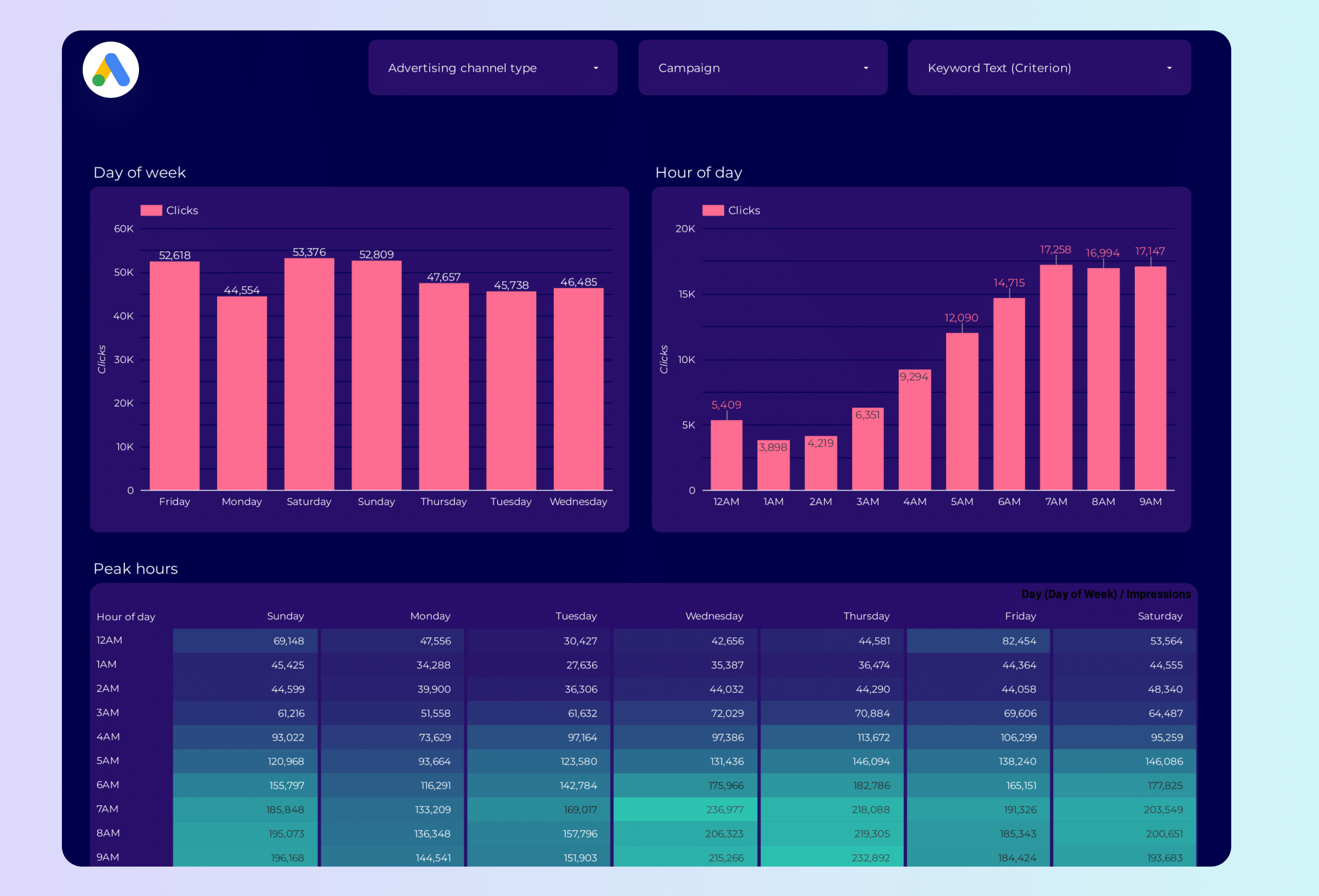
Google Ads Peak hours Report template for Data Studio by Porter
Acompanhe impression volume by hour → CTR by time of day → conversion rate by hour. Segmente por hour, day, device.
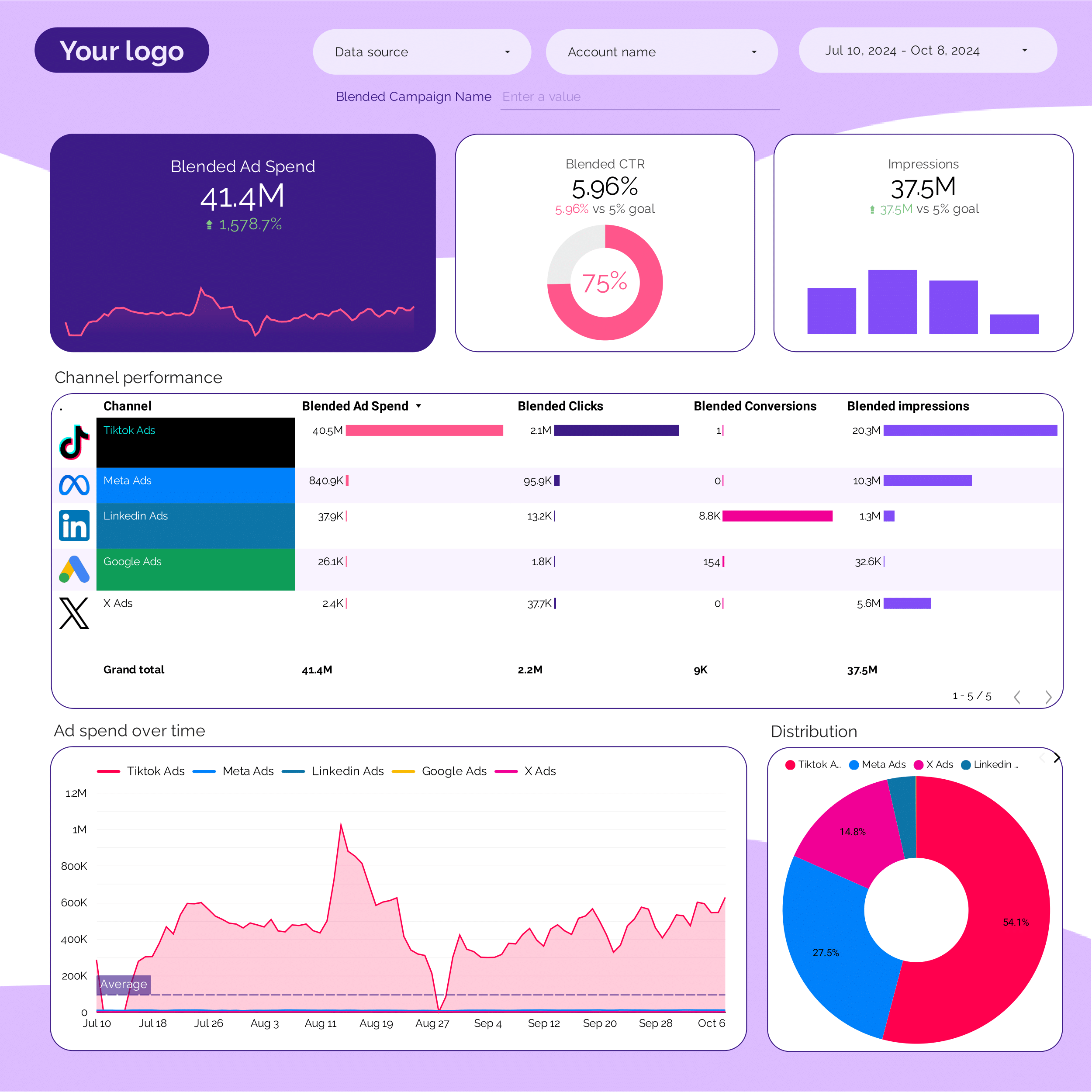
PPC multi-channel Report template for Data Studio by Porter
Acompanhe cross-platform impressions → CTR comparison by platform → blended ROAS, CPA by platform. Segmente por platform, campaign type.
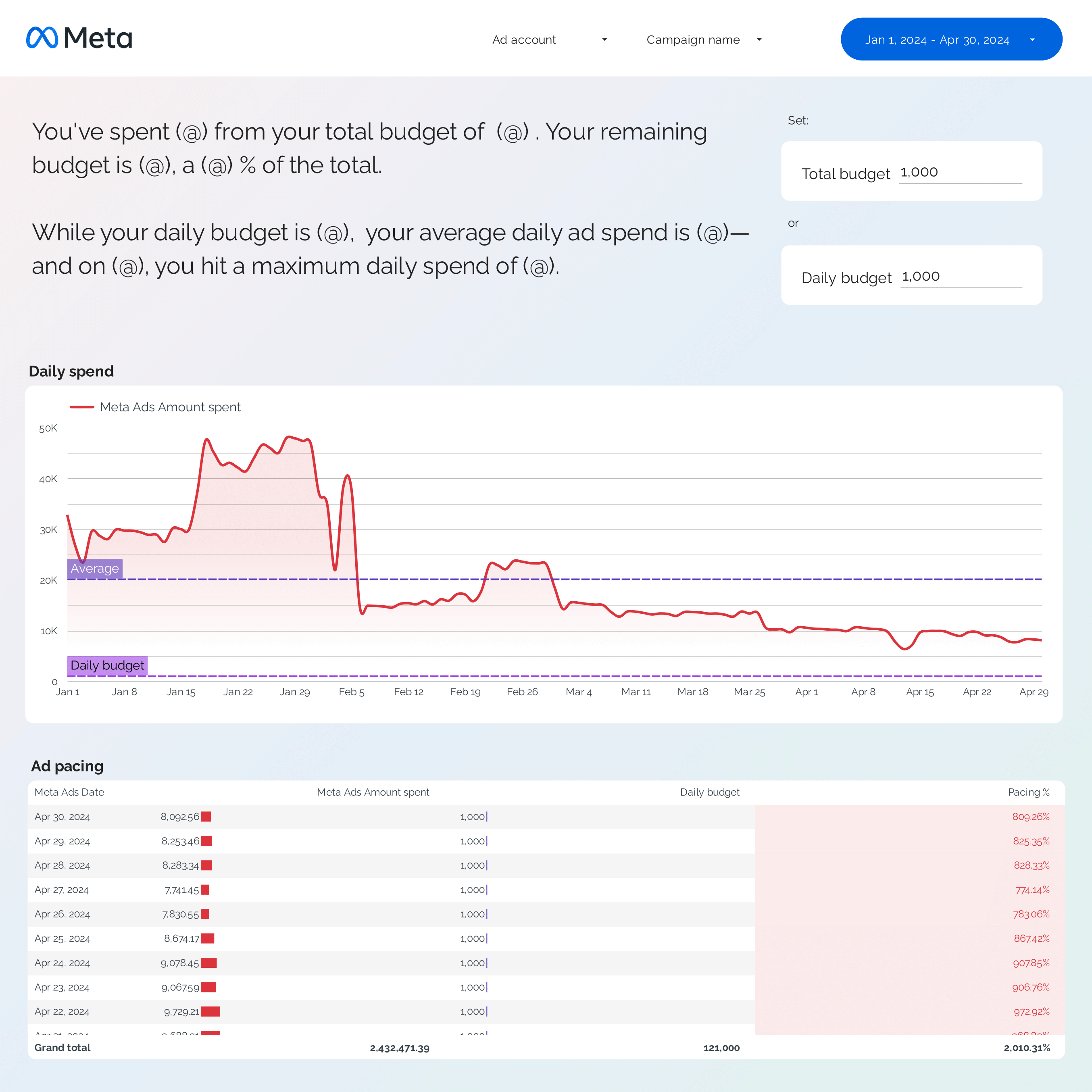
Facebook Ads budget tracking and pacing Report template for Data Studio by Porter
Acompanhe spend pacing, utilization → efficiency (CPC, CPM trends) → ROAS vs target, CPA pacing. Segmente por campaign, ad set, day.
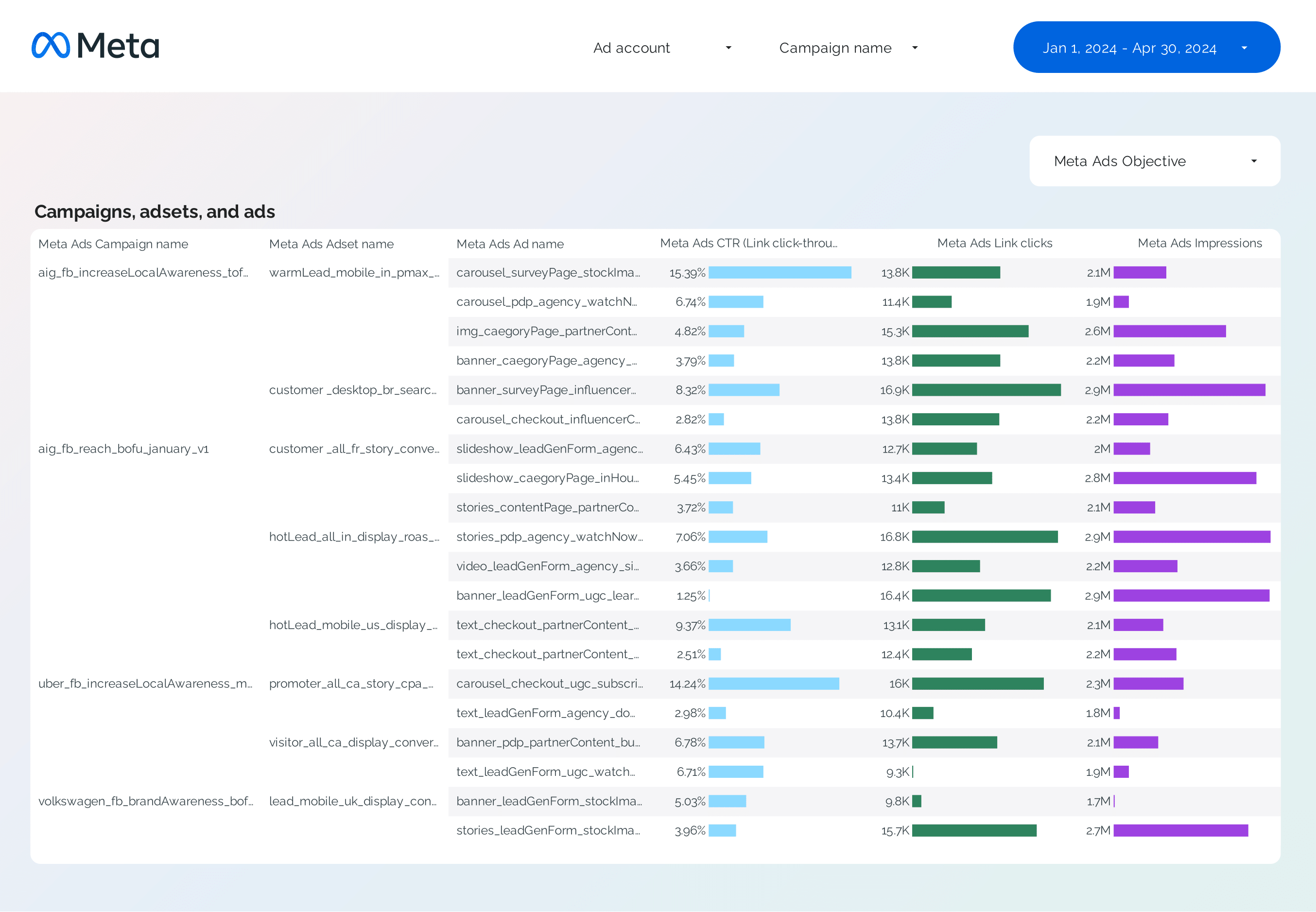
Facebook Ads Campaign performance Report template for Data Studio by Porter
Acompanhe campaign reach, impressions → CTR, CPC by campaign → ROAS, CPA per campaign. Segmente por campaign, objective, audience.
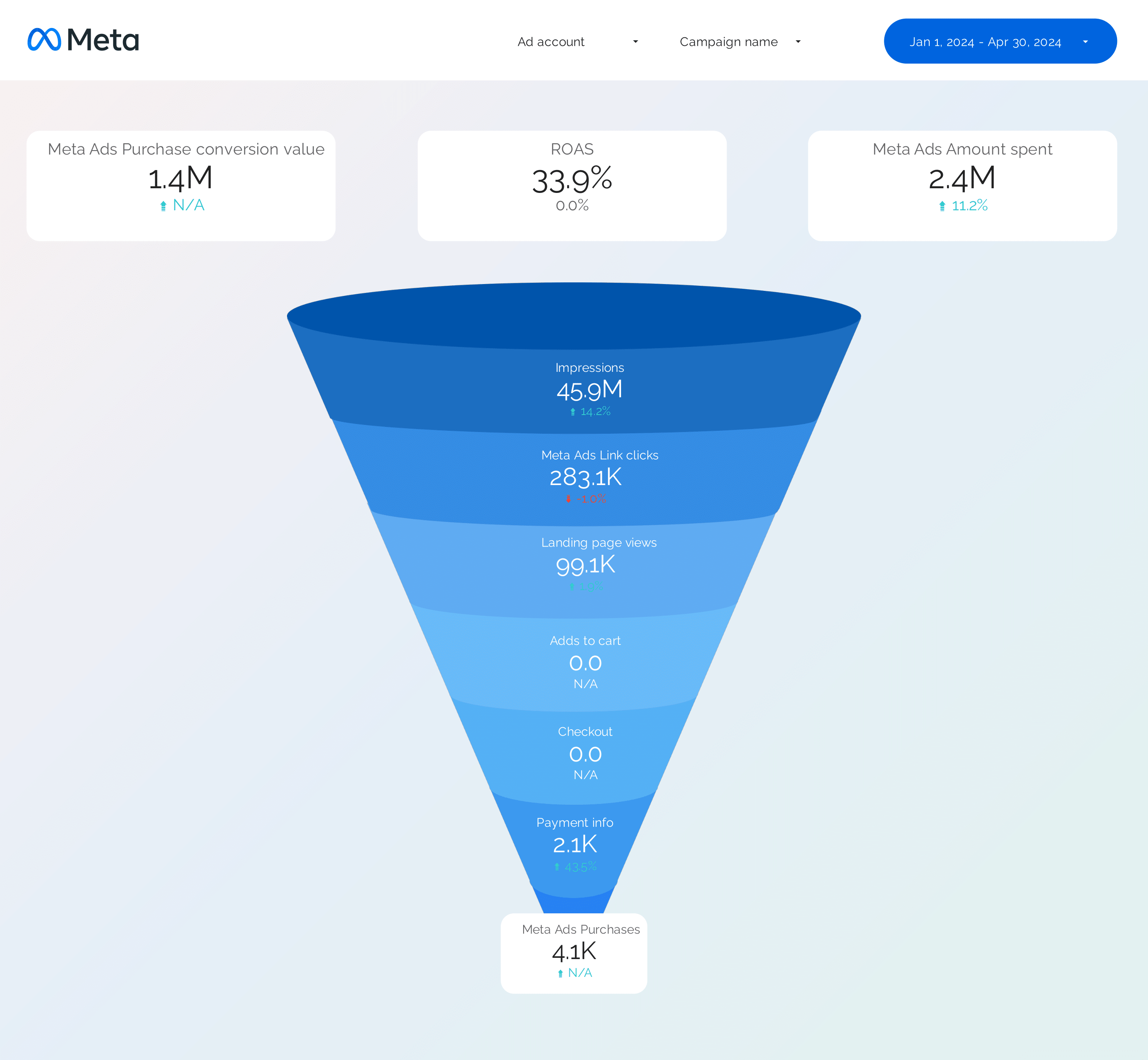
Facebook Ads Funnel Report template for Data Studio by Porter
Acompanhe awareness reach → consideration clicks → conversion ROAS by stage. Segmente por funnel stage, audience.
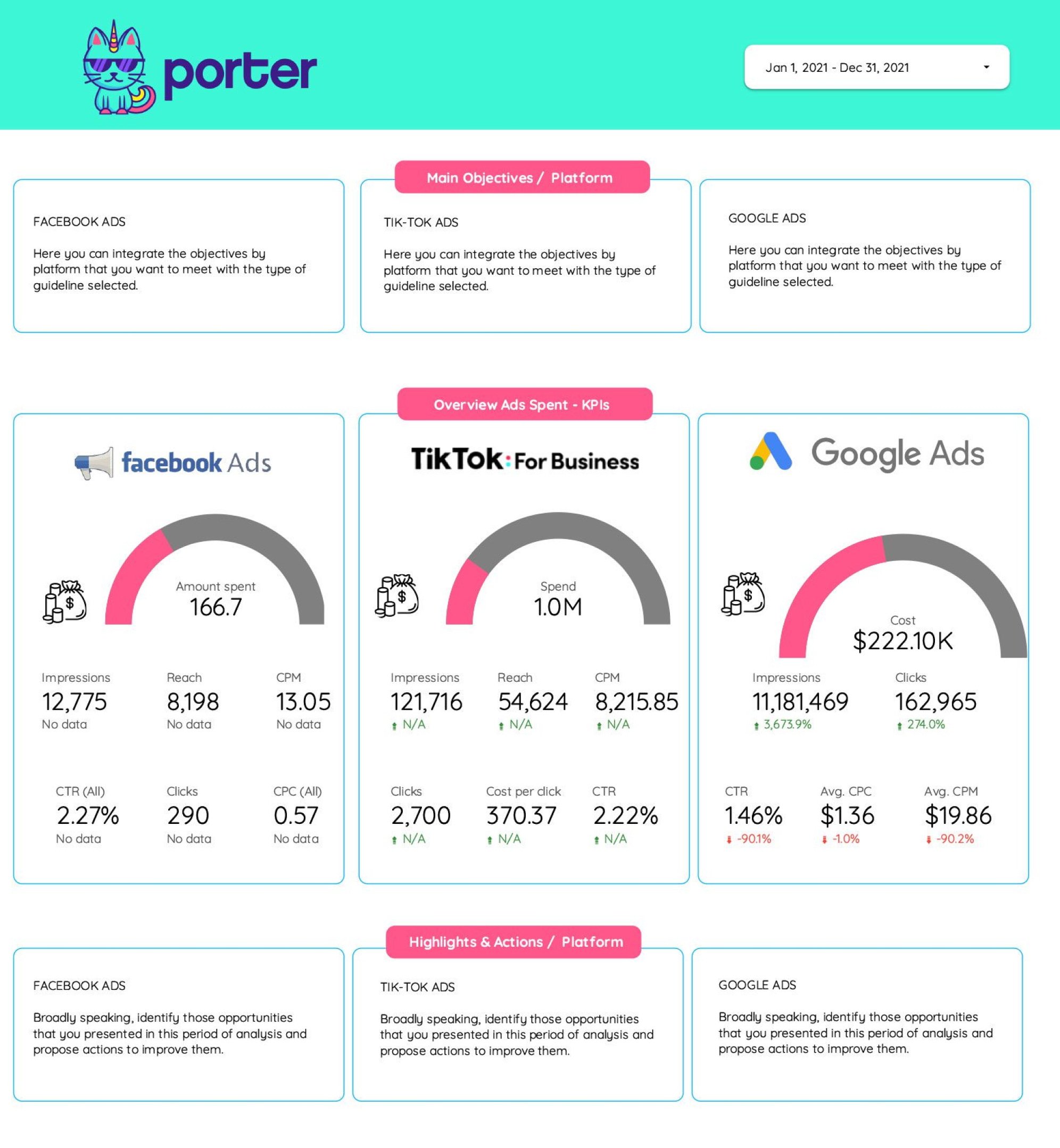
Frequency Report template for Data Studio by Porter
Acompanhe reach, frequency cap utilization → CTR at different frequencies → conversion rate by frequency. Segmente por platform, campaign, frequency.
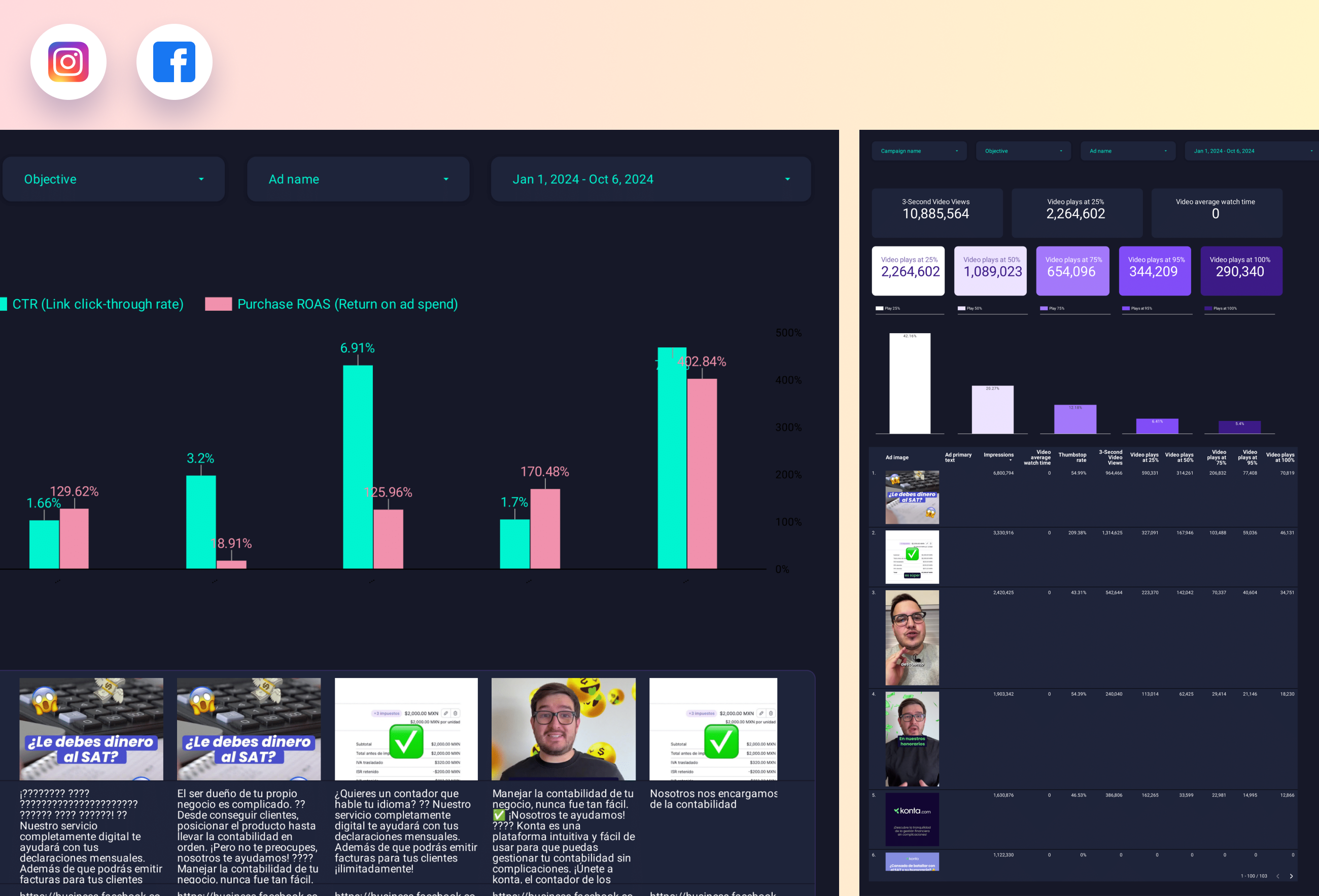
Paid media Creative performance Report template for Data Studio by Porter
Acompanhe creative reach, frequency → CTR, view rate by creative → ROAS per creative, CPA. Segmente por creative format, platform.
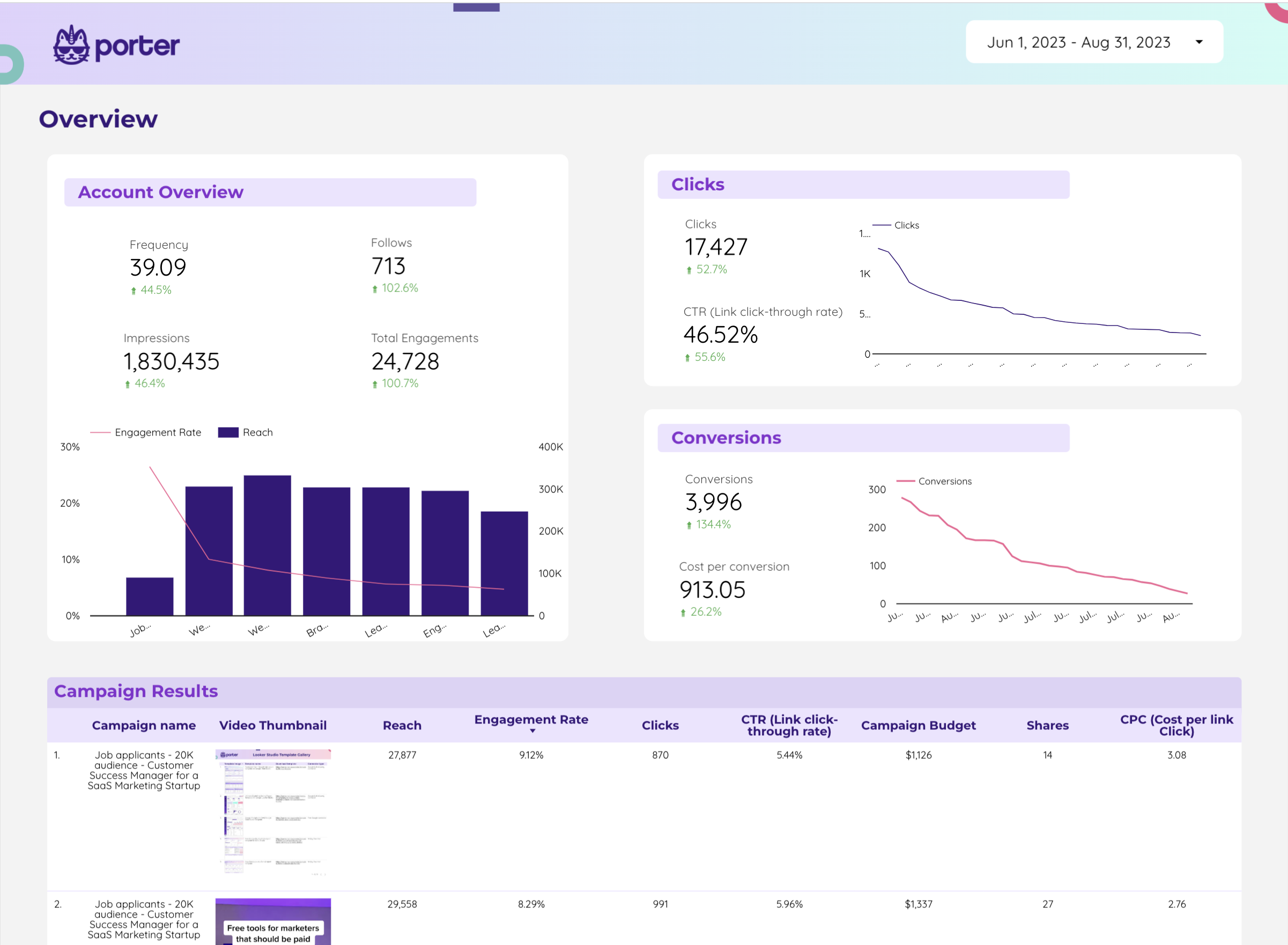
Twitter Ads Report template for Data Studio by Porter
Acompanhe impressions, reach → CTR, engagement rate, CPE → conversions, CPA. Segmente por campaign, creative, audience.
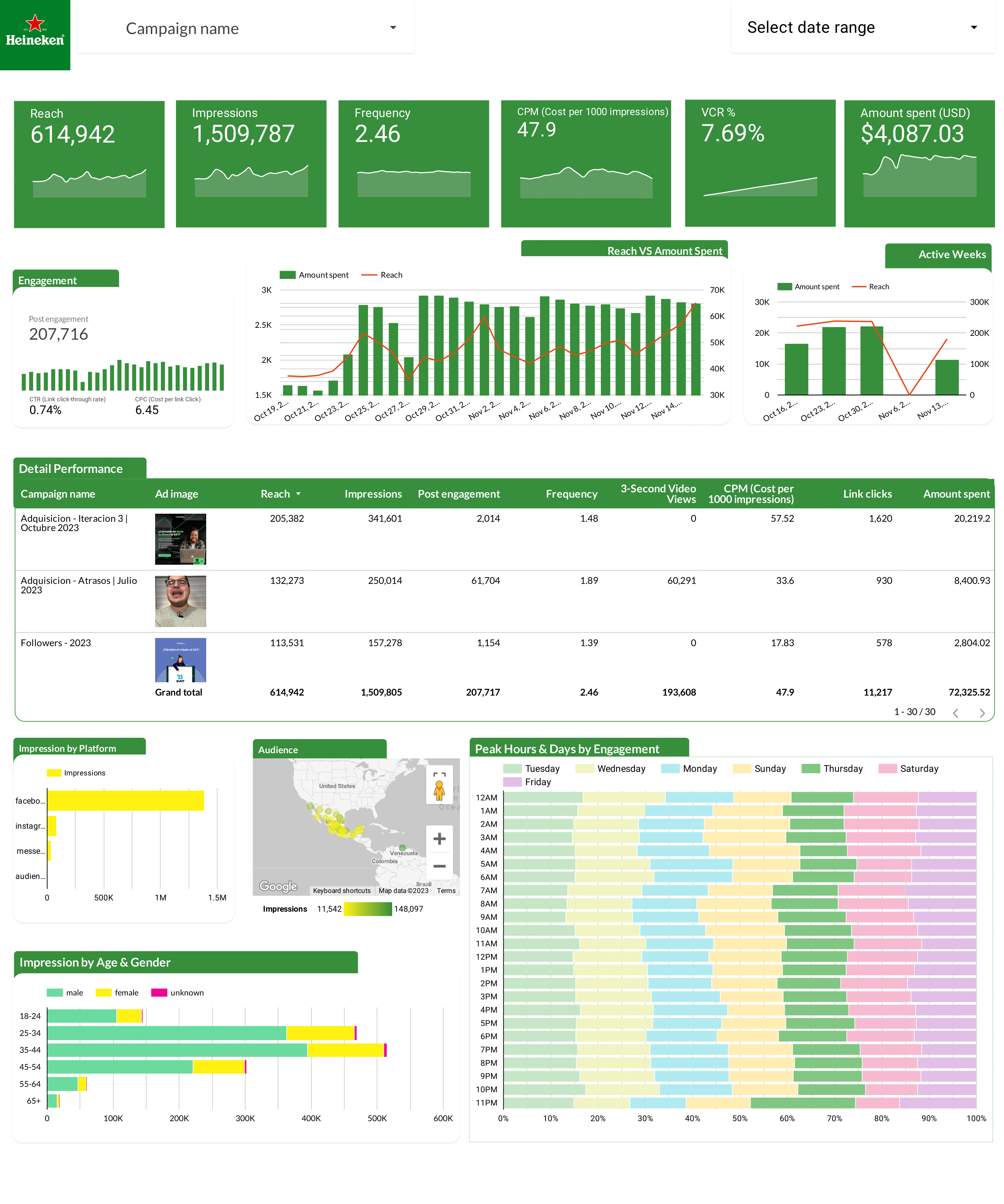
Facebook Ads Report template for Data Studio by Heineken
Acompanhe ad impressions by creative → CTR, hook rate, hold rate → ROAS per creative, CPA. Segmente por creative format, copy.
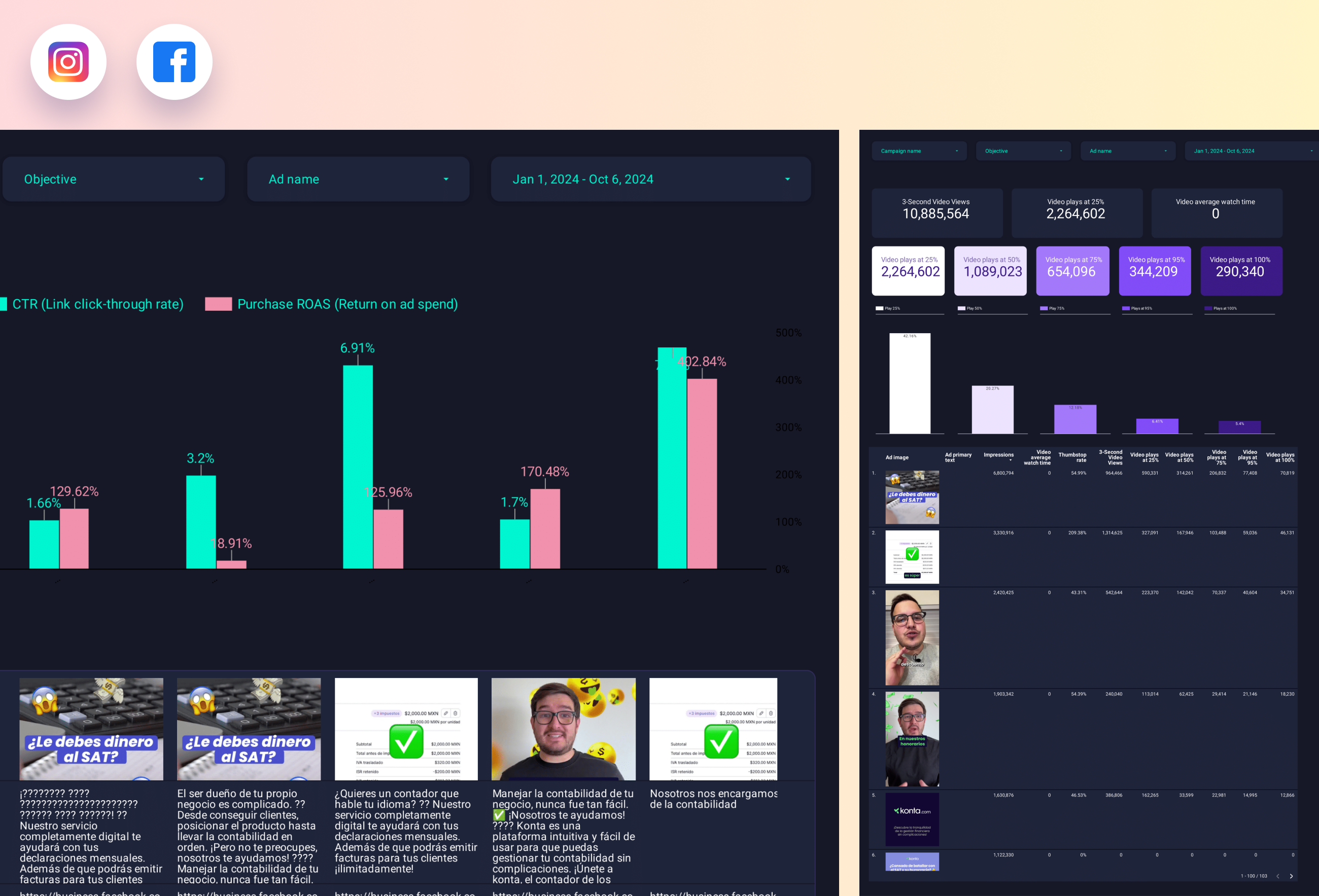
Facebook Ads Creative performance Report template for Data Studio by Porter
Acompanhe ad impressions by creative → CTR, hook rate, hold rate → ROAS per creative, CPA. Segmente por creative format, copy.
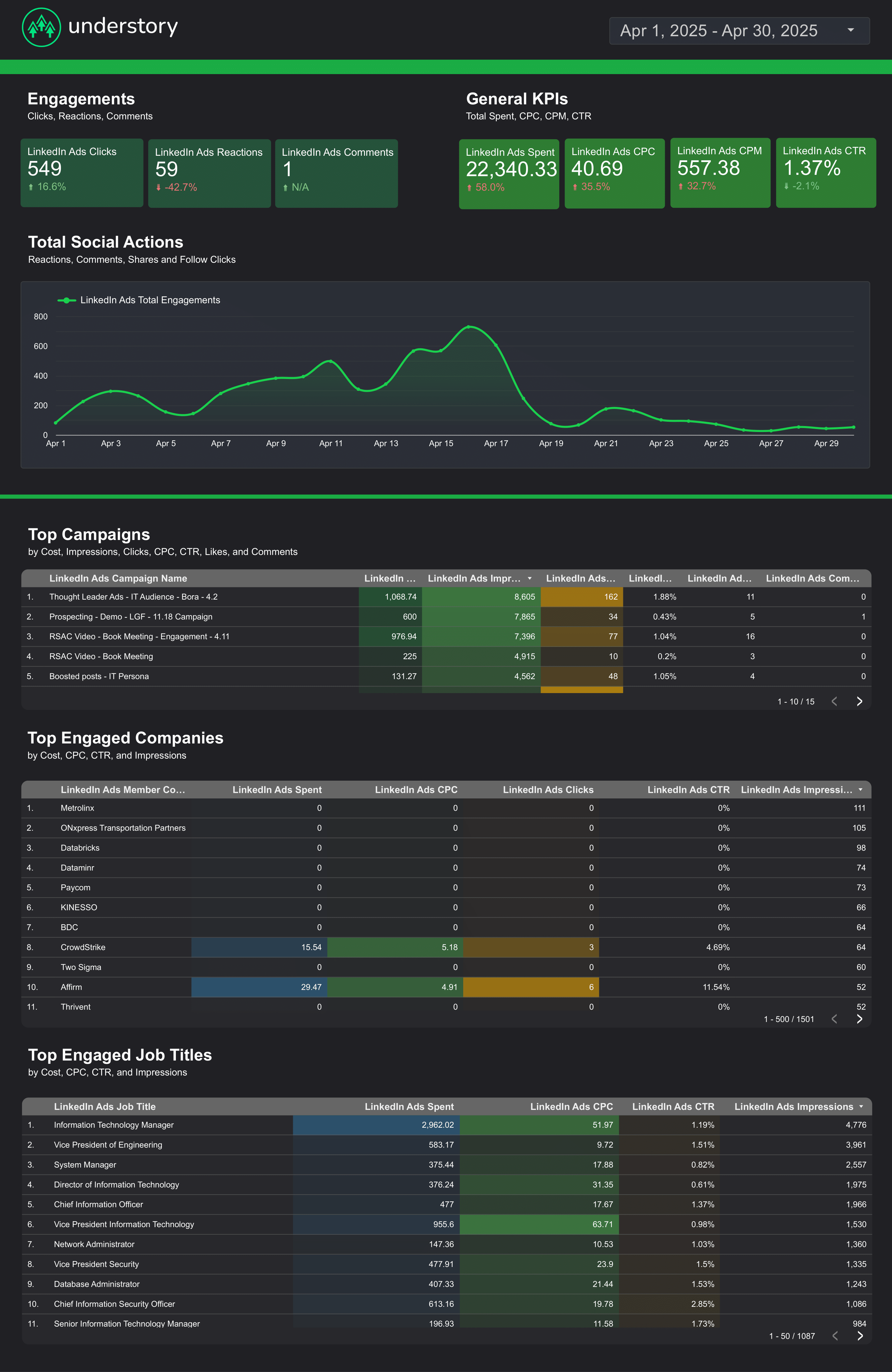
LinkedIn Ads Report template for Data Studio by Understory
Acompanhe impressions, unique reach → CTR, CPC, engagement rate → leads, CPL, conversion rate. Segmente por campaign, job title, company.
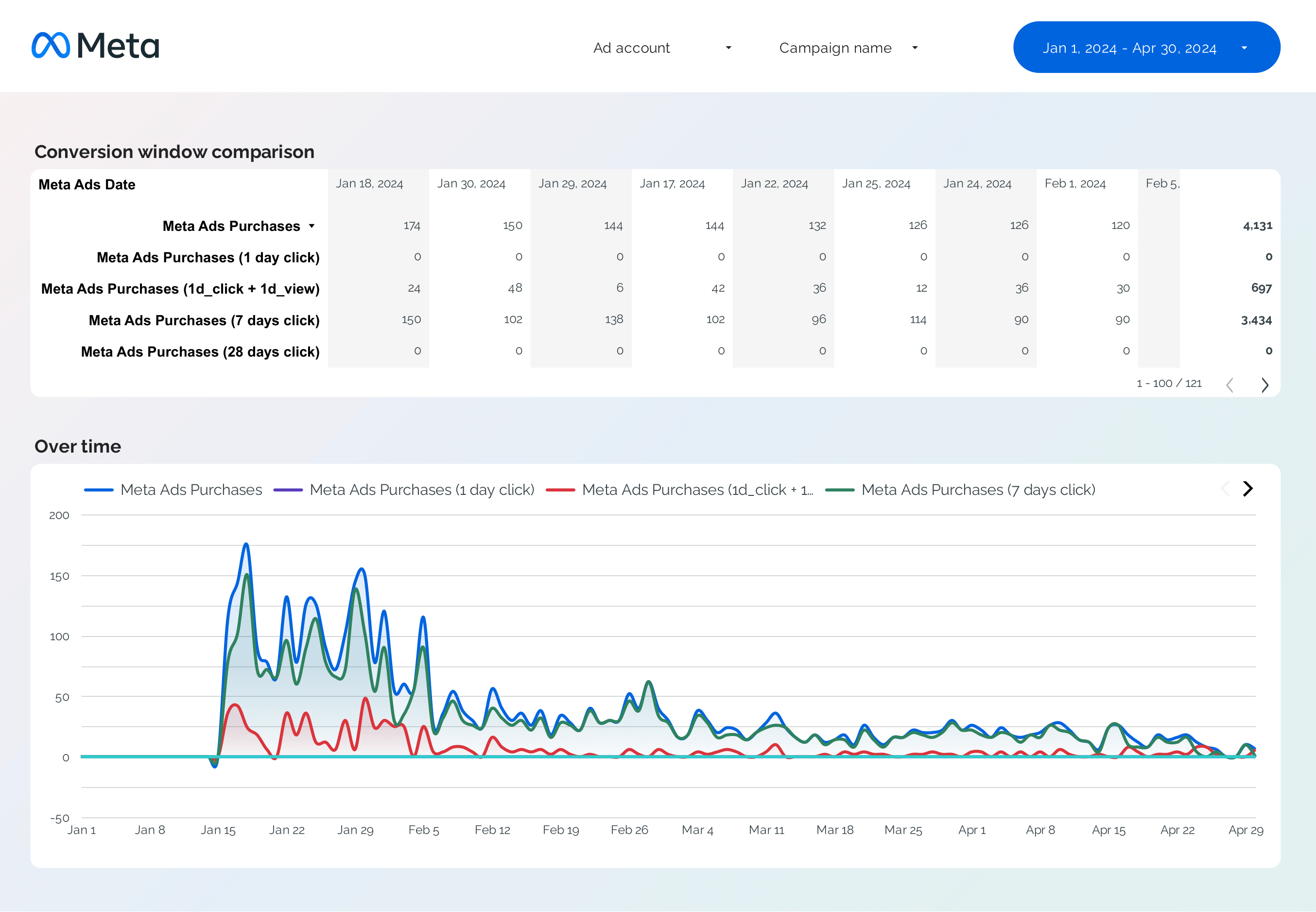
Facebook Ads Attribution Report template for Data Studio by Porter
Acompanhe attributed touchpoints → view-through vs click-through → attributed conversions by window. Segmente por attribution window, campaign.
What is a SEA dashboard on Data Studio?
A SEA (Search Engine Advertising) dashboard on Data Studio tracks your paid search campaigns across Google Ads and other search platforms. Monitor ad performance, keyword bidding, and ROI in one report.
These free sea dashboard templates for Data Studio connect to your data sources and update automatically. Customize any template with your branding, metrics, and filters to create professional sea reports in minutes.
All search ads in one view: With Porter Metrics, connect Google Ads and other platforms to track SEA performance on Data Studio.
Why use this dashboard?
Search campaign tracking
Monitor impressions, clicks, CTR, and conversions across all search campaigns.
Bid optimization
Acompanhe quality scores, CPC trends, and bid strategies to maximize ad efficiency.
Conversion tracking
Measure conversions, ROAS, and CPA to understand campaign profitability.
Automated reporting
Schedule automated SEA reports for stakeholders.
How to build this dashboard

Connect Meta Ads and Google Ads to Data Studio
Porter Metrics
How To Design Marketing Reports on Data Studio
Porter MetricsKey metrics and KPIs
Ad Performance
- Impressions — total ad views
- Clicks — ad clicks
- CTR — click-through rate
- CPC — cost per click
Keywords
- Quality Score — ad relevance
- Search terms — triggering queries
- Impression share — market share
- Keyword bids — bidding strategy
Conversion
- Conversions — goal completions
- ROAS — return on ad spend
- CPA — cost per acquisition
- Conv. value — revenue generated
Budget
- Ad spend — total investment
- Budget utilization — spent vs. planned
- Forecast — projected spend
- Efficiency — cost trends
SEA Dashboard Best Practices
Follow these proven practices to get the most from your sea dashboard on Data Studio:
- Focus on actionable metrics — Acompanhe leading indicators you can influence (like content published, ad spend, engagement rate) alongside lagging indicators (revenue, conversions) that show results.
- Segmente your data — Break down sea metrics by channel, campaign, audience, or time period. Aggregated data hides insights; segmented data reveals opportunities.
- Set up automated reporting — Schedule weekly or monthly reports to stakeholders. Consistent reporting builds trust and keeps teams aligned on sea goals.
- Compare time periods — Use month-over-month and year-over-year comparisons to account for seasonality and measure real growth in your sea performance.
- Keep it visual — Use charts for trends, scorecards for KPIs, and tables for detailed breakdowns. The right visualization makes complex sea data easy to understand.
Acompanhe your SEA performance today
Connect Google Ads in minutes and monitor search advertising across all campaigns. Get started for free →