




Best Free Paid Search Report Templates for Data Studio (2026)
Free paid search (SEM) report templates for Google Data Studio. Acompanhe Google Ads campaigns, keywords, quality scores, and conversion metrics.
Conecte seus dados grátis →Última atualização: Abril 2026
Browse 30 Paid Search Report Templates for Data Studio
Escolha da nossa biblioteca de modelos gratuitos e white-label de paid search templates. Cada modelo acompanha o funil completo: visibilidade (impressões, alcance), engajamento (CTR, interações) e conversão (leads, receita). Organizados seguindo o SUMAS framework com segmentação por canal, campanha, audiência e período.
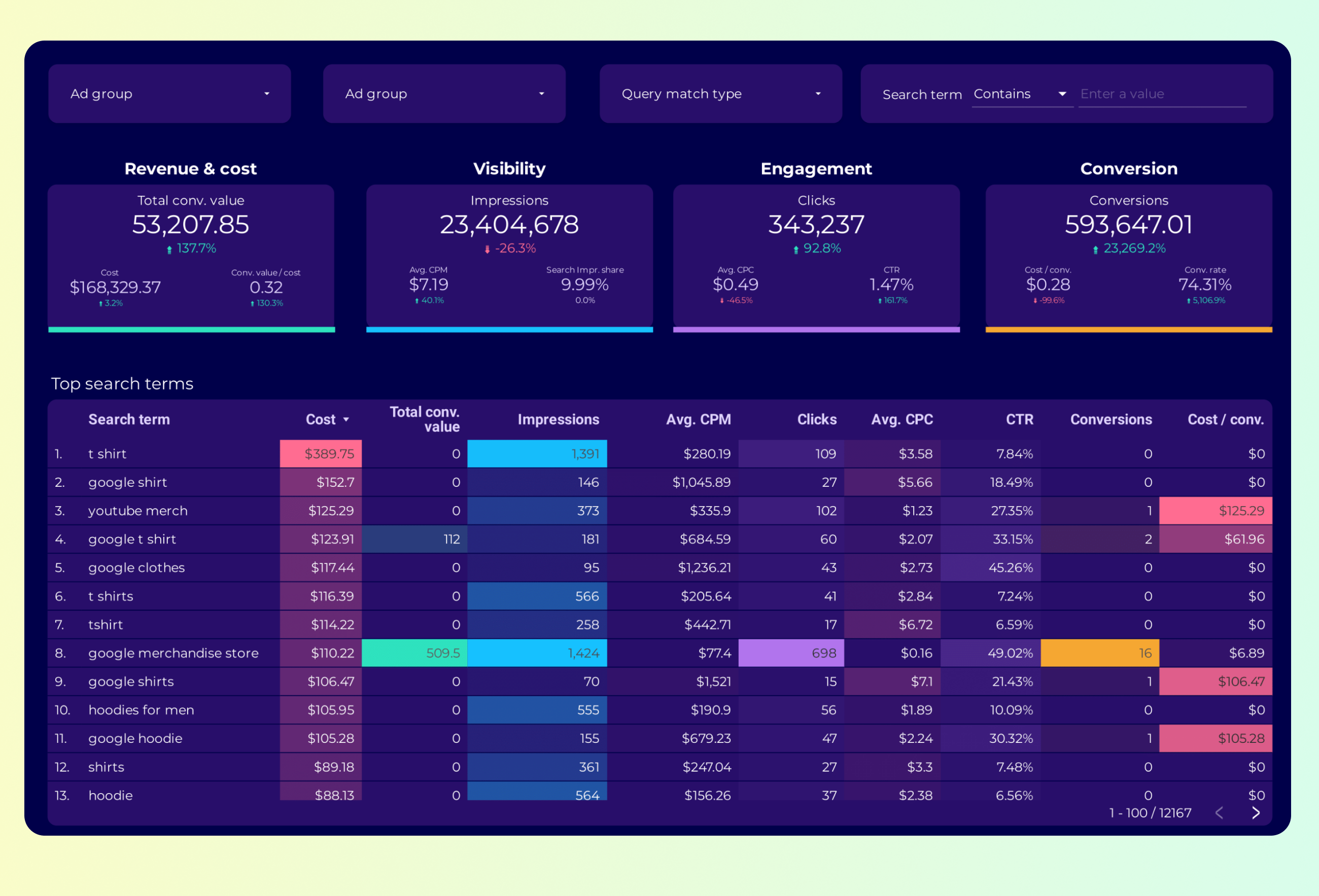
Google Ads Keyword analysis Report template for Data Studio by Porter
Acompanhe impression share, search volume → CTR by keyword, CPC trends → conversion rate, ROAS by keyword. Segmente por keyword, match type.

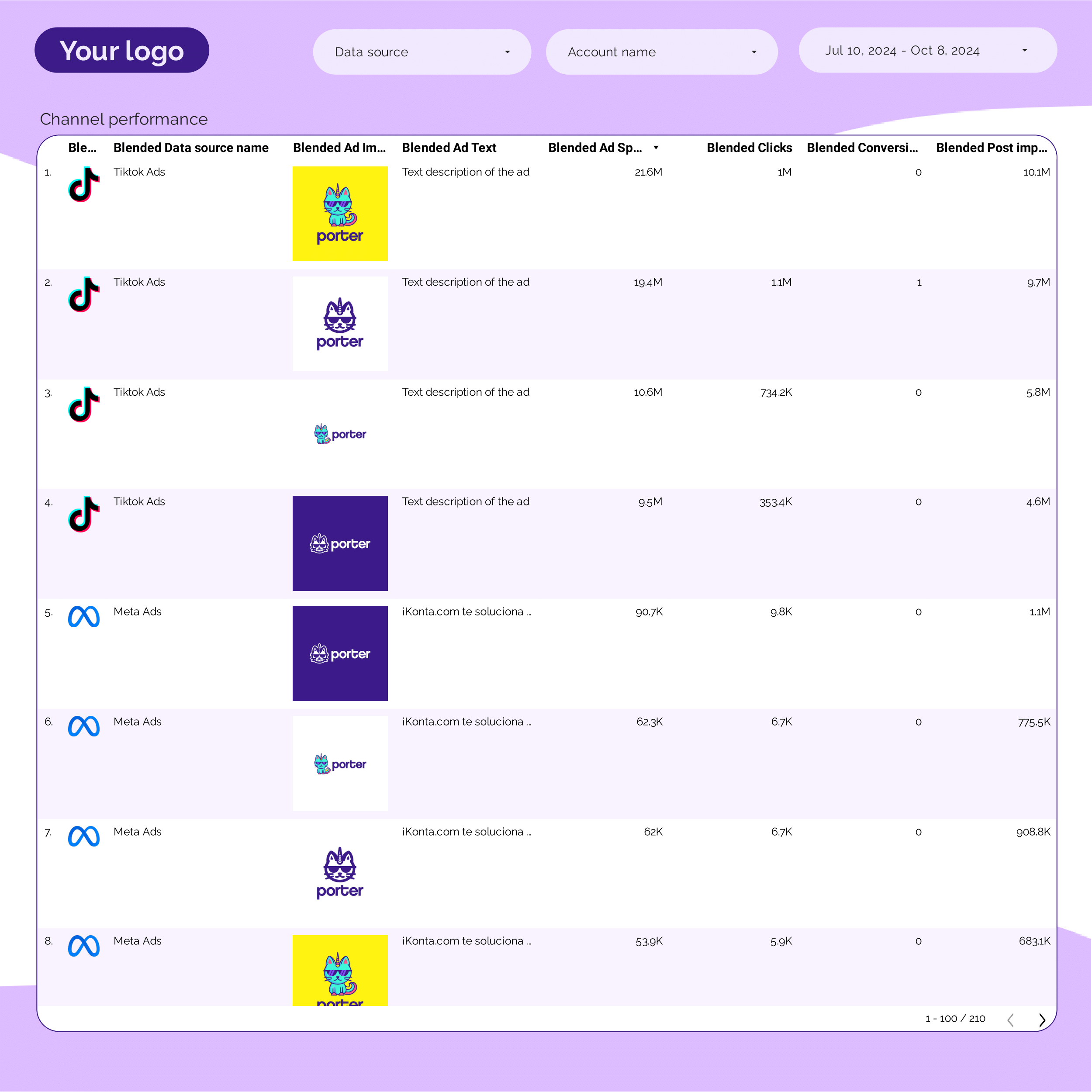
PPC Creative performance Report template for Data Studio by Porter
Acompanhe creative impressions, frequency → CTR by creative, hook rate → ROAS per creative variant. Segmente por creative, format, copy.
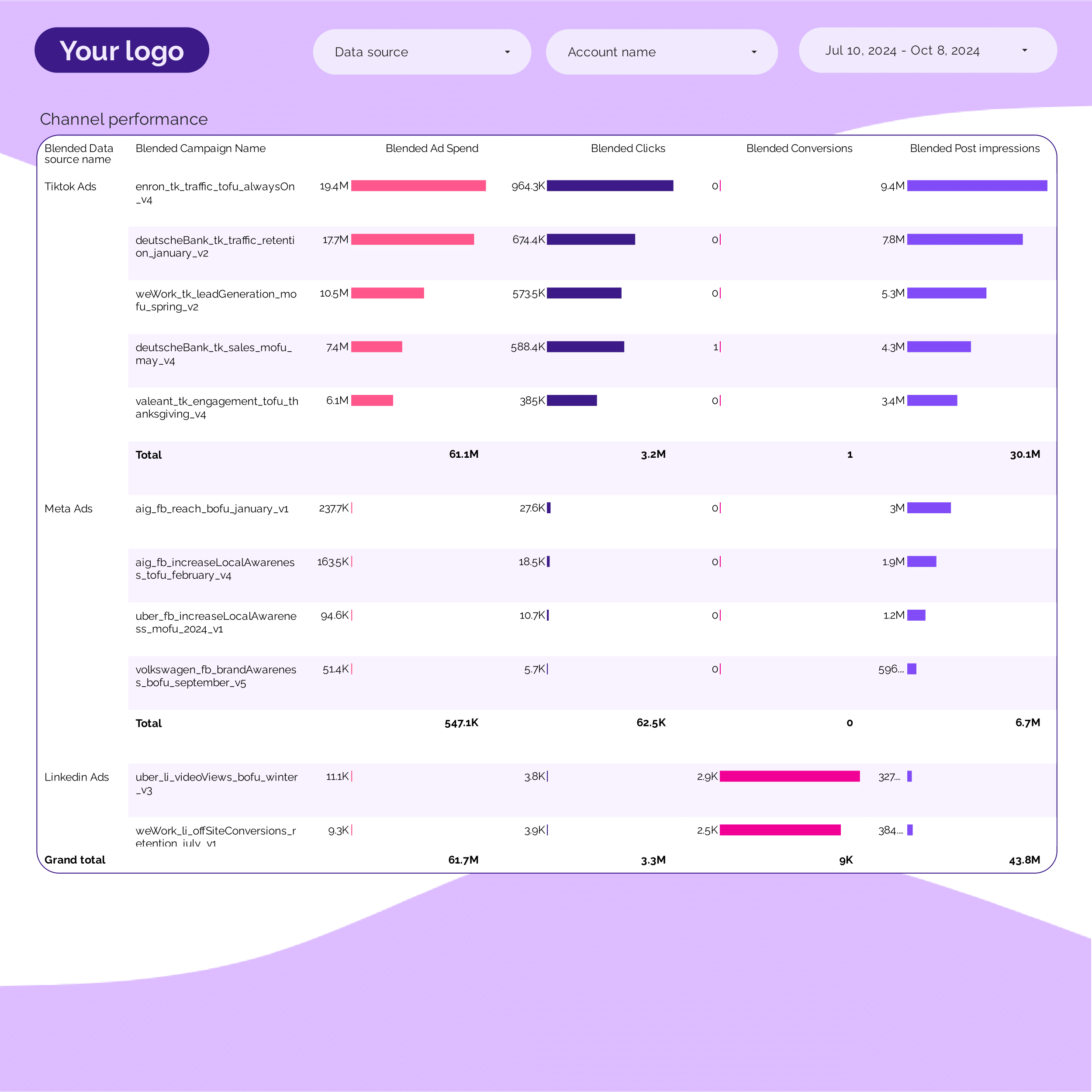
PPC Campaign performance Report template for Data Studio by Porter
Acompanhe campaign impressions, SOV → CTR, CPC per campaign → ROAS, conversions per campaign. Segmente por campaign, ad group, date.
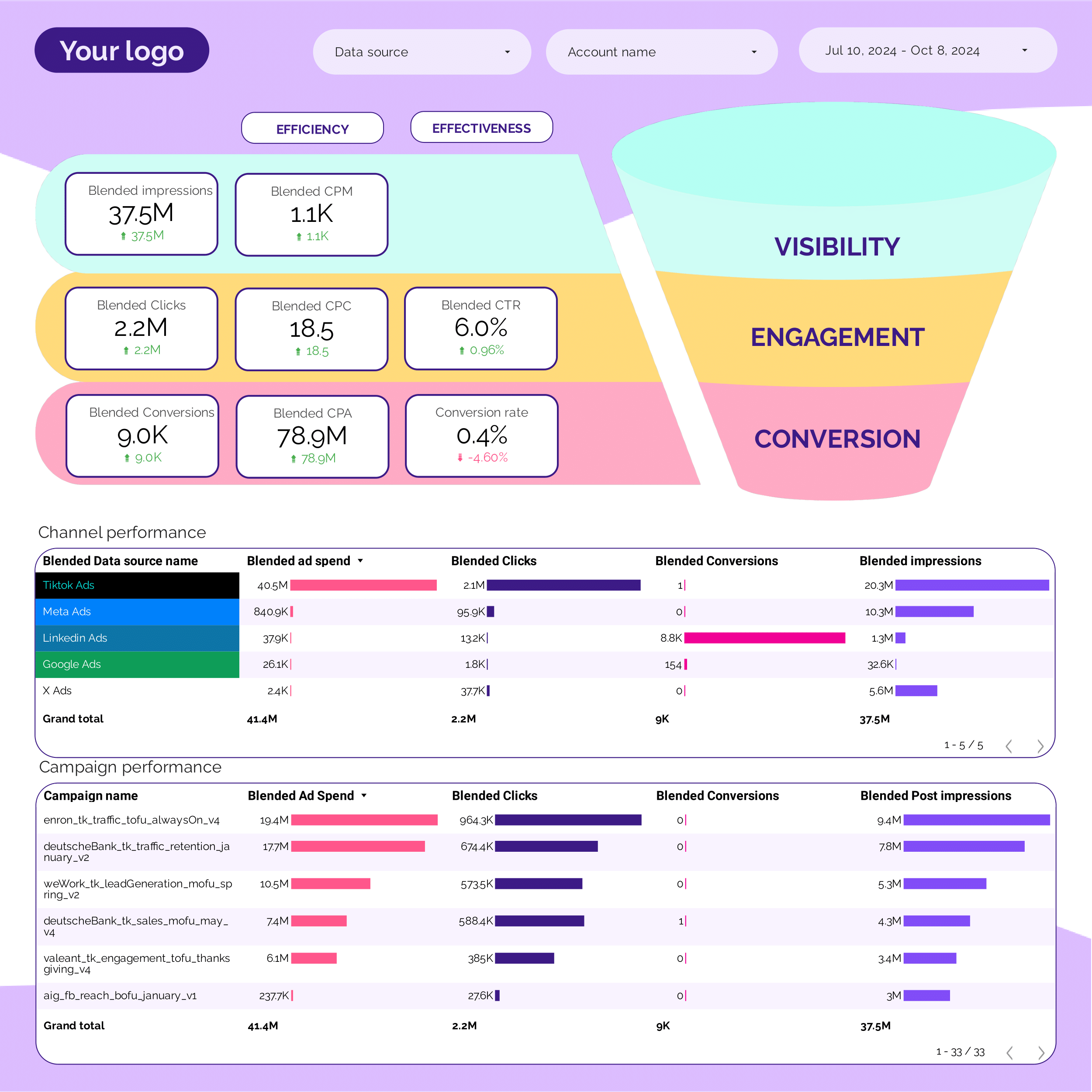
PPC Funnel Report template for Data Studio by Porter
Acompanhe top-funnel reach → mid-funnel engagement → bottom-funnel ROAS, CPA. Segmente por funnel stage, campaign.
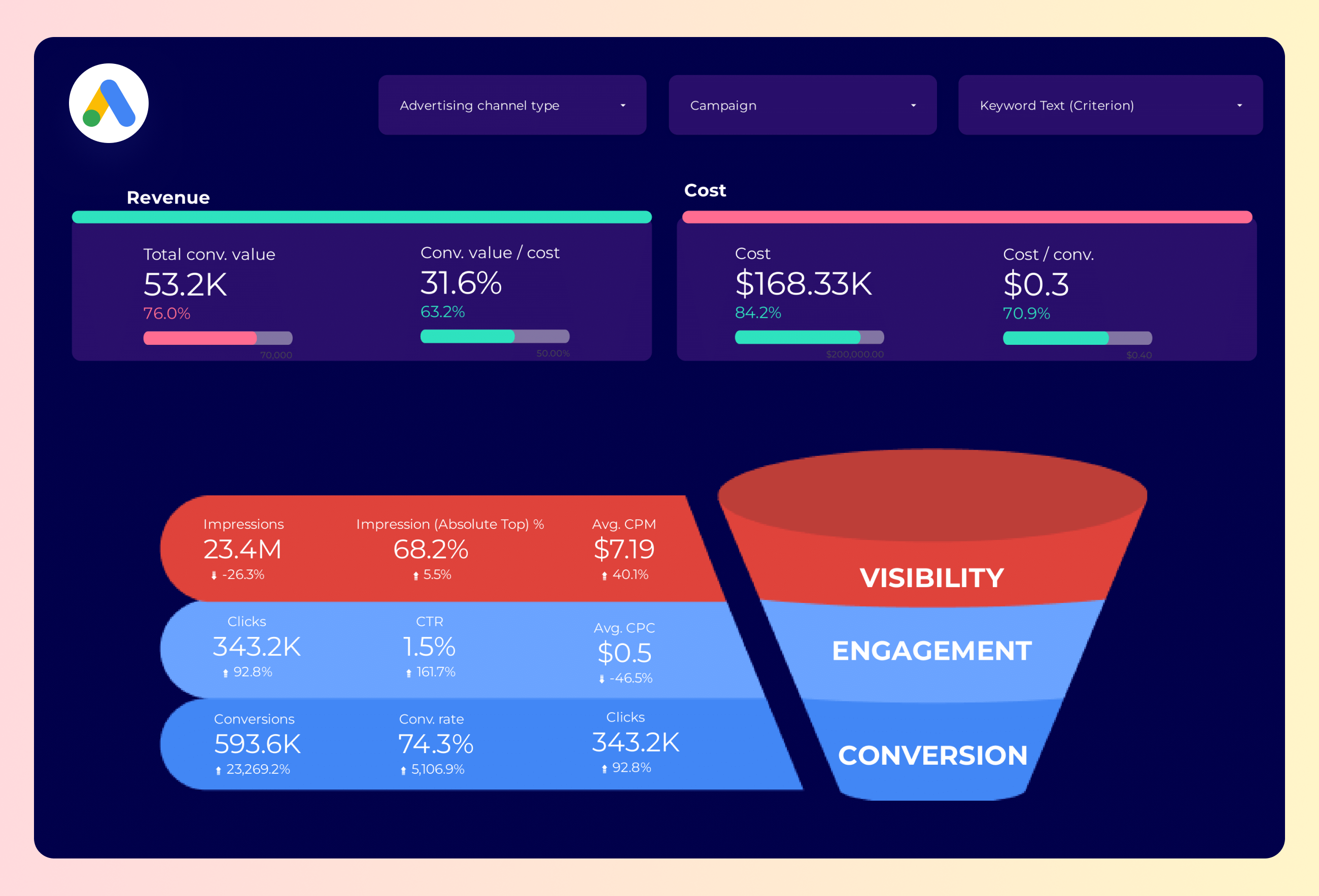
Google Ads Funnel Report template for Data Studio by Porter
Acompanhe top-funnel impressions → mid-funnel clicks → bottom-funnel conversions, ROAS. Segmente por funnel stage, campaign.
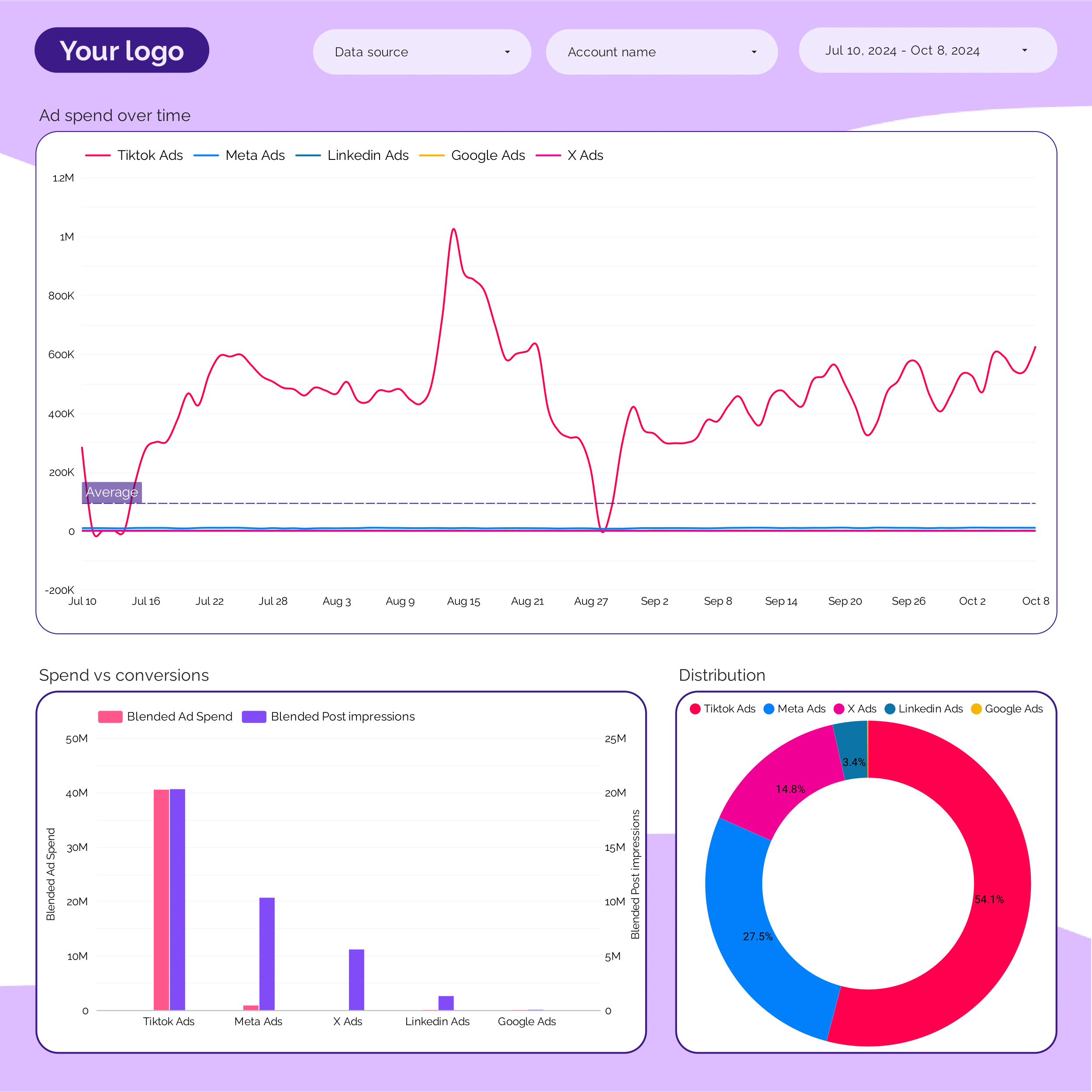
PPC budget tracking and pacing Report template for Data Studio by Porter
Acompanhe budget utilization, spend pacing → efficiency (CPC, CPM) → ROAS vs target, CPA pacing. Segmente por campaign, period, platform.
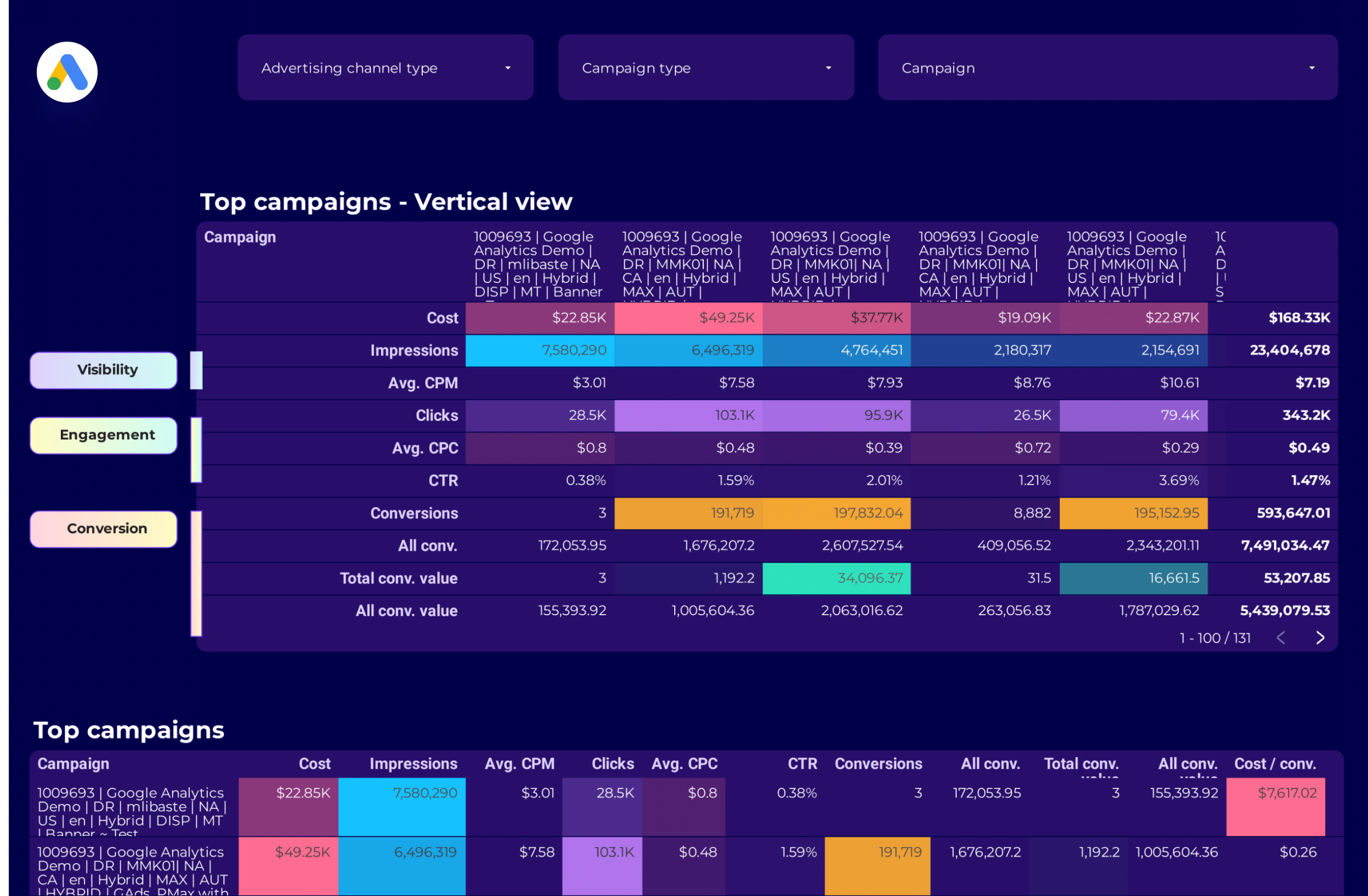
Google Ads Campaign performance Report template for Data Studio by Porter
Acompanhe campaign impressions, reach → CTR, CPC by campaign → ROAS, conversions per campaign. Segmente por campaign, network, device.
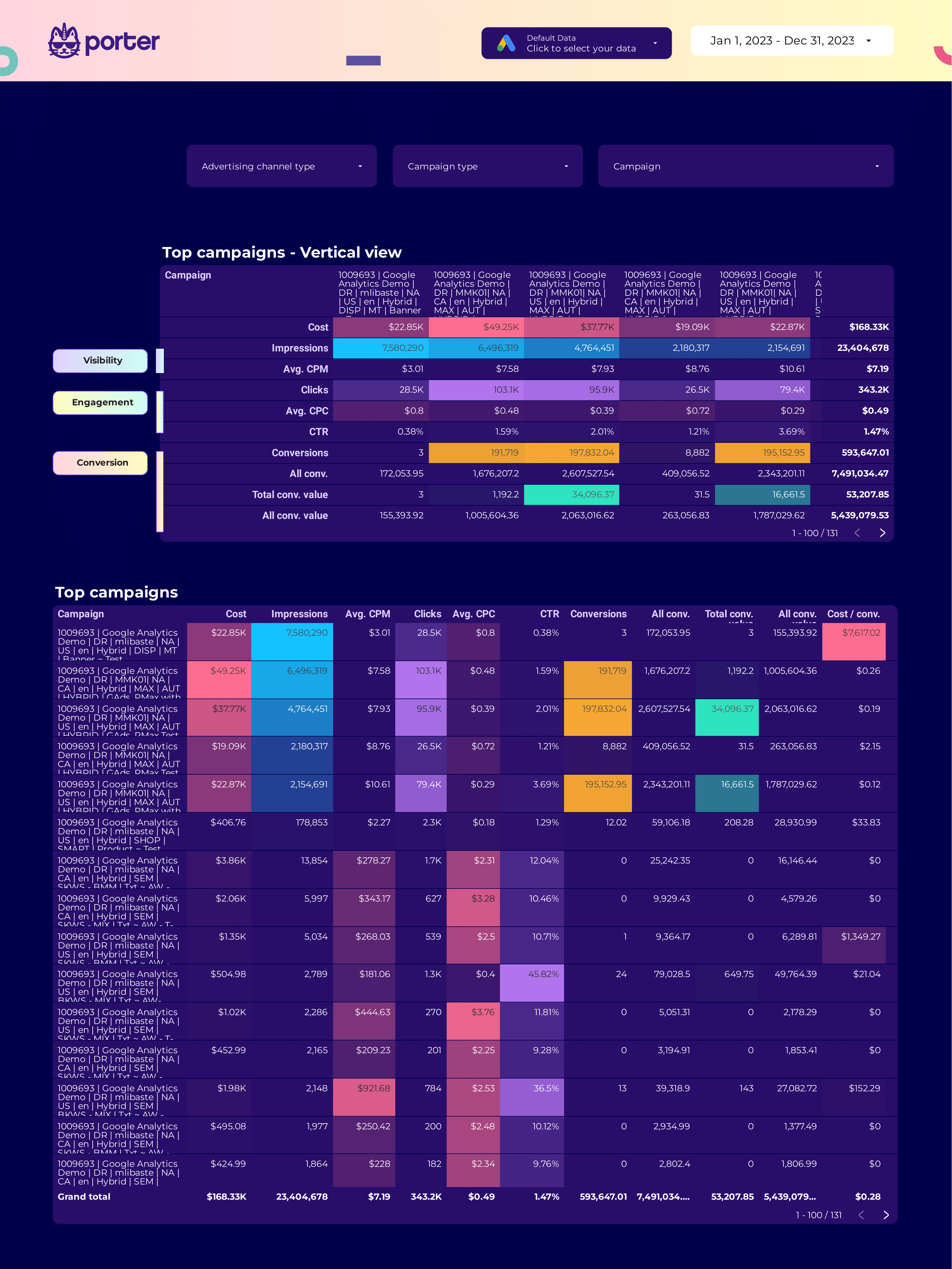
SEM Report template for Data Studio by Porter
Acompanhe search impression share, ad rank → CTR, CPC, quality score → conversions, ROAS, CPA. Segmente por keyword, match type, device.

ROAS Report template for Data Studio by Porter
Acompanhe ad spend, impression volume → cost efficiency (CPC, CPM) → ROAS, revenue, profit margin. Segmente por campaign, platform, product.
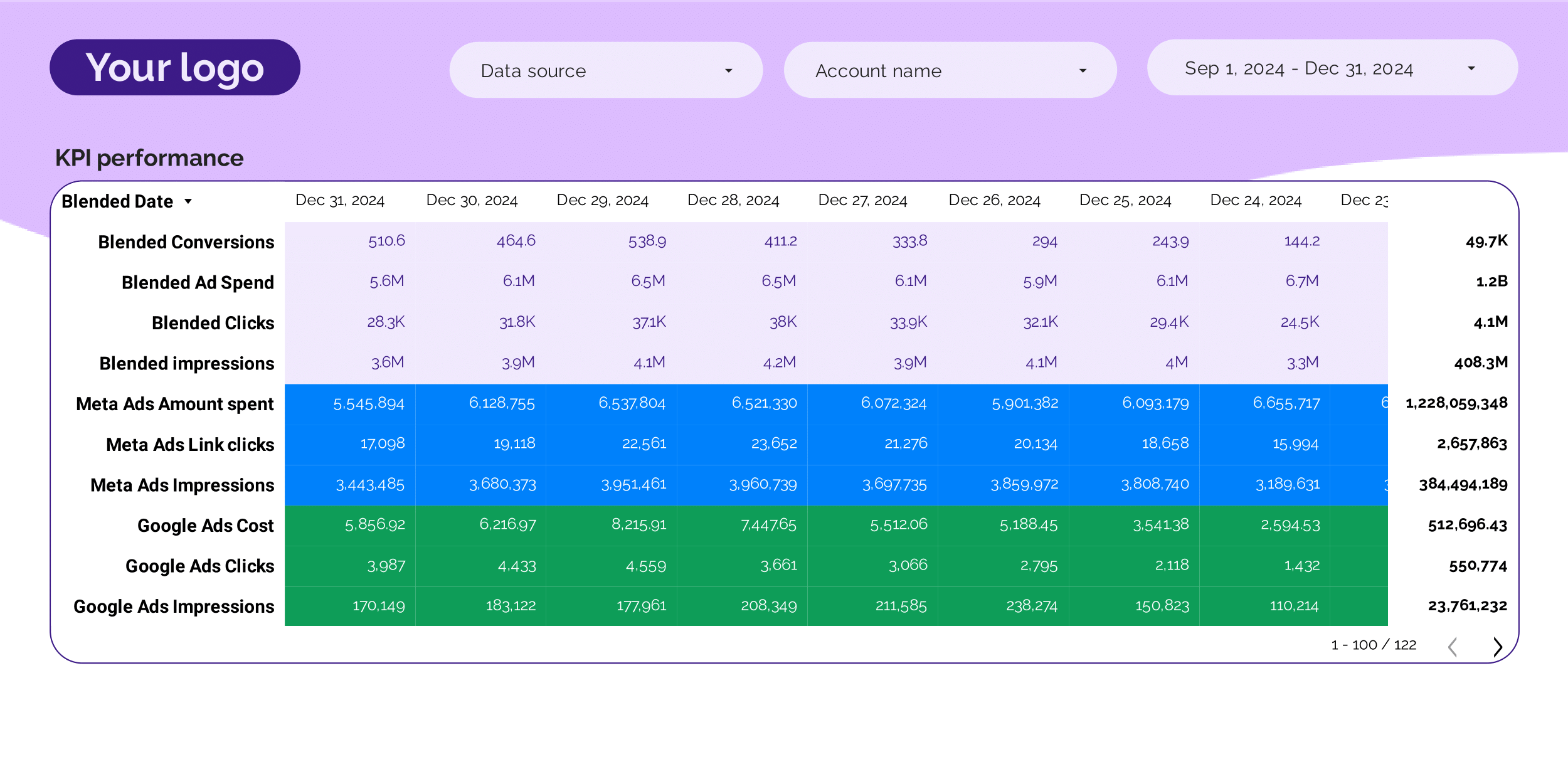
PPC KPIs Report template for Data Studio by Porter
Acompanhe impression trends vs target → CTR vs benchmark, CPC tracking → ROAS attainment, CPA vs target. Segmente por KPI, platform, campaign.
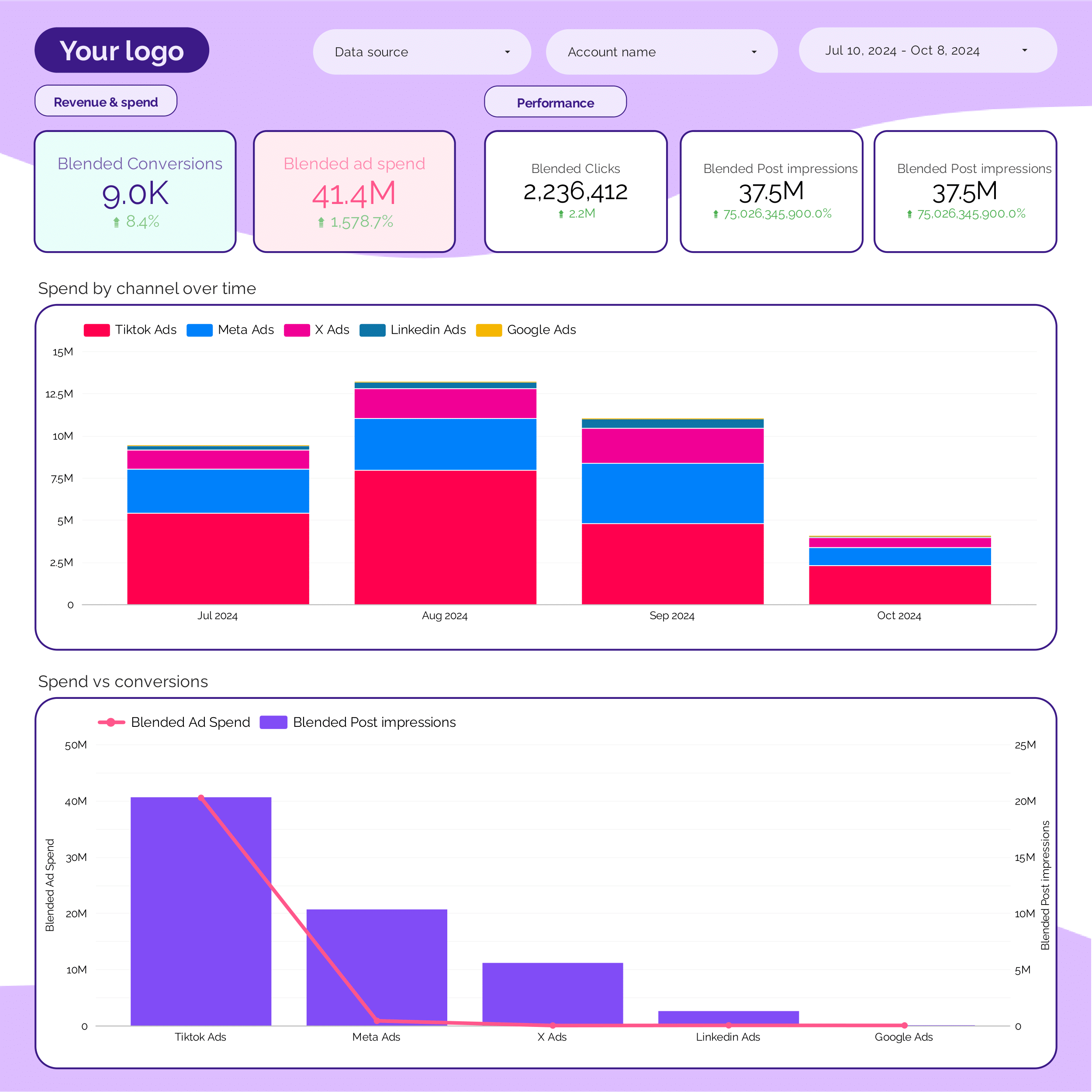
PPC monthly Report template for Data Studio by Porter
Acompanhe monthly impression trends → monthly CTR, CPC trends → monthly ROAS, CPA. Segmente por month, platform, campaign.
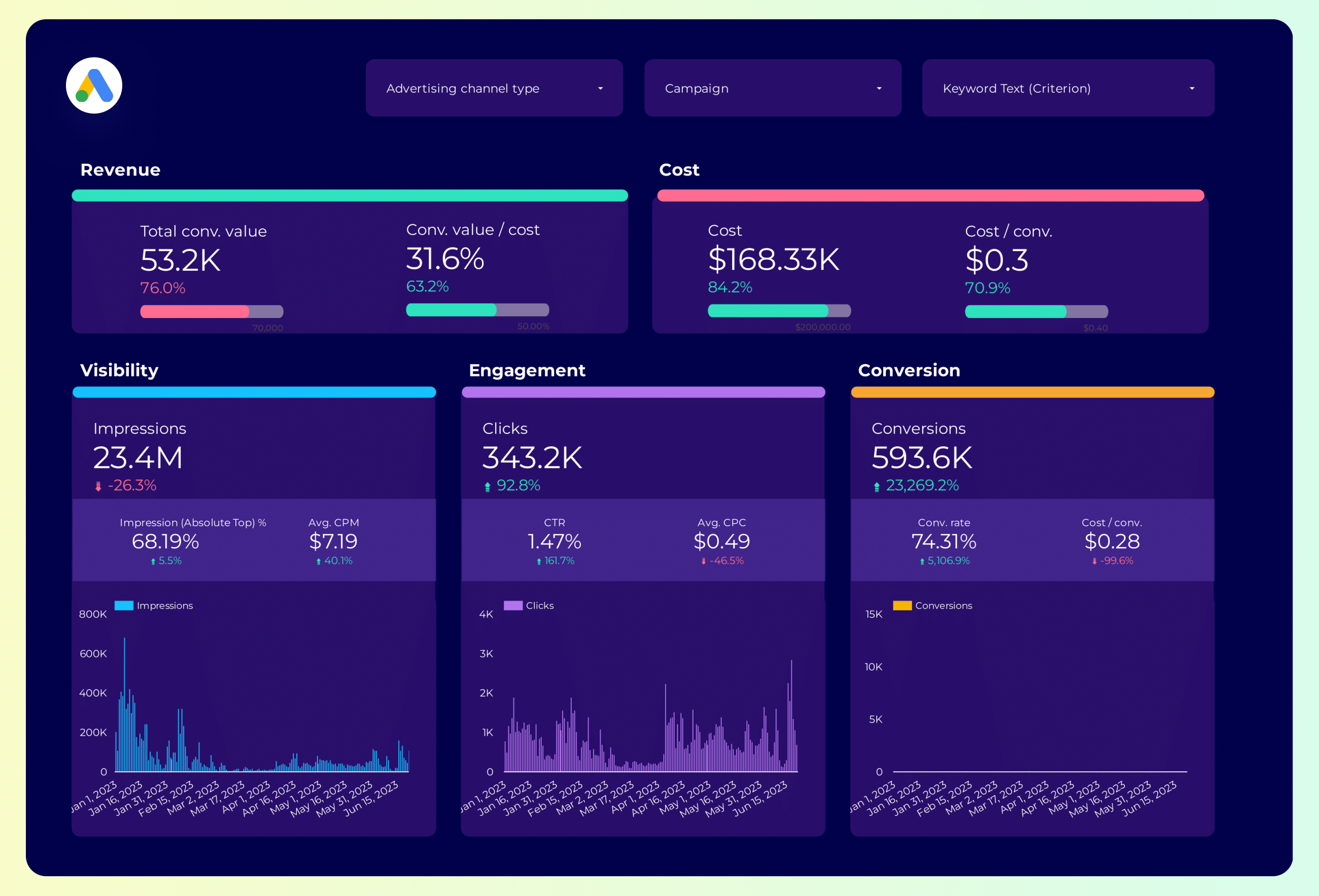
Google Ads Report template for Data Studio by Porter
Acompanhe impression share, search volume → CTR by keyword, CPC trends → conversion rate, ROAS by keyword. Segmente por keyword, match type.
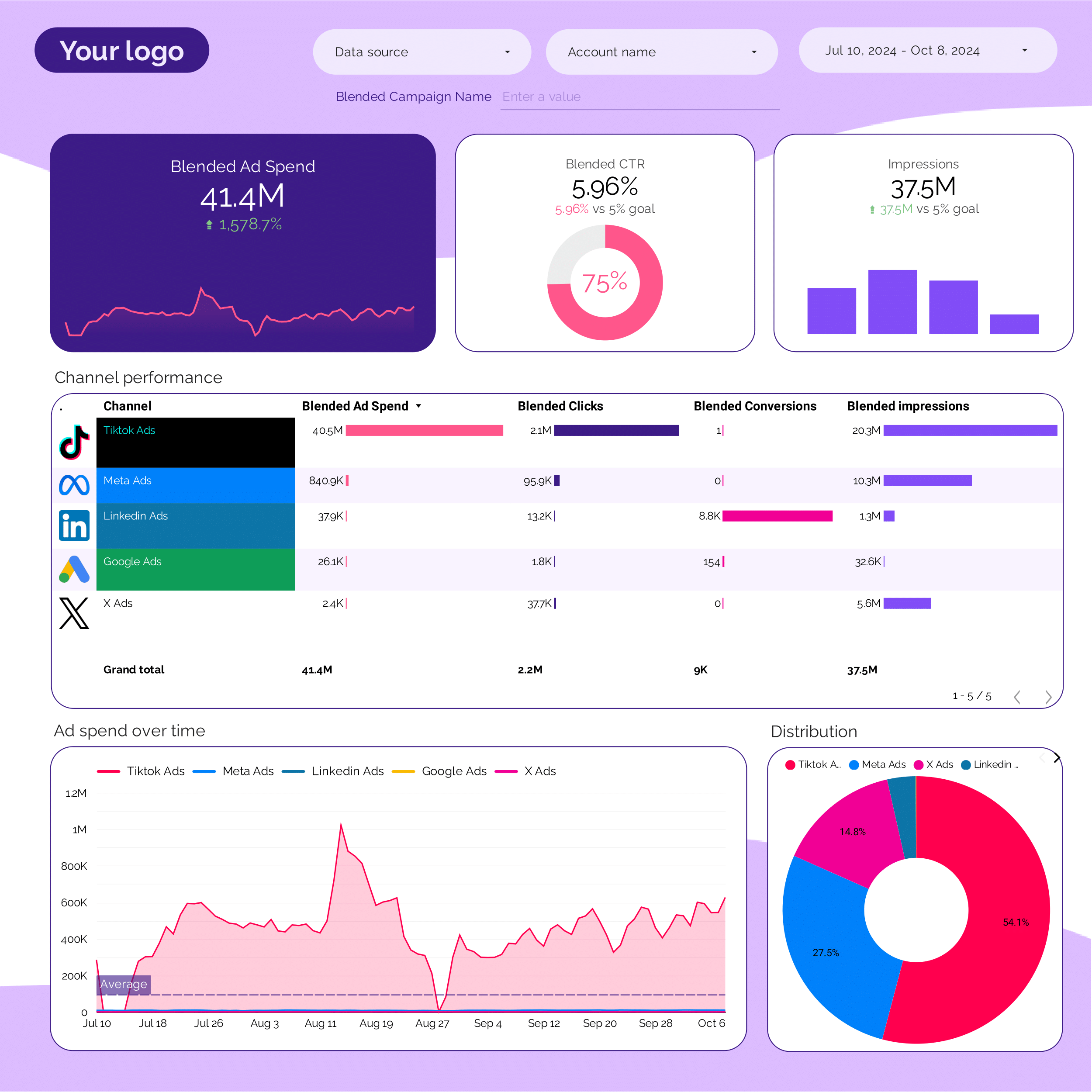
PPC Report template for Data Studio by Porter
Acompanhe impression trends vs target → CTR vs benchmark, CPC tracking → ROAS attainment, CPA vs target. Segmente por KPI, platform, campaign.
Google Ads Report template for Data Studio by Porter
Acompanhe impression share, search volume → CTR by keyword, CPC trends → conversion rate, ROAS by keyword. Segmente por keyword, match type.
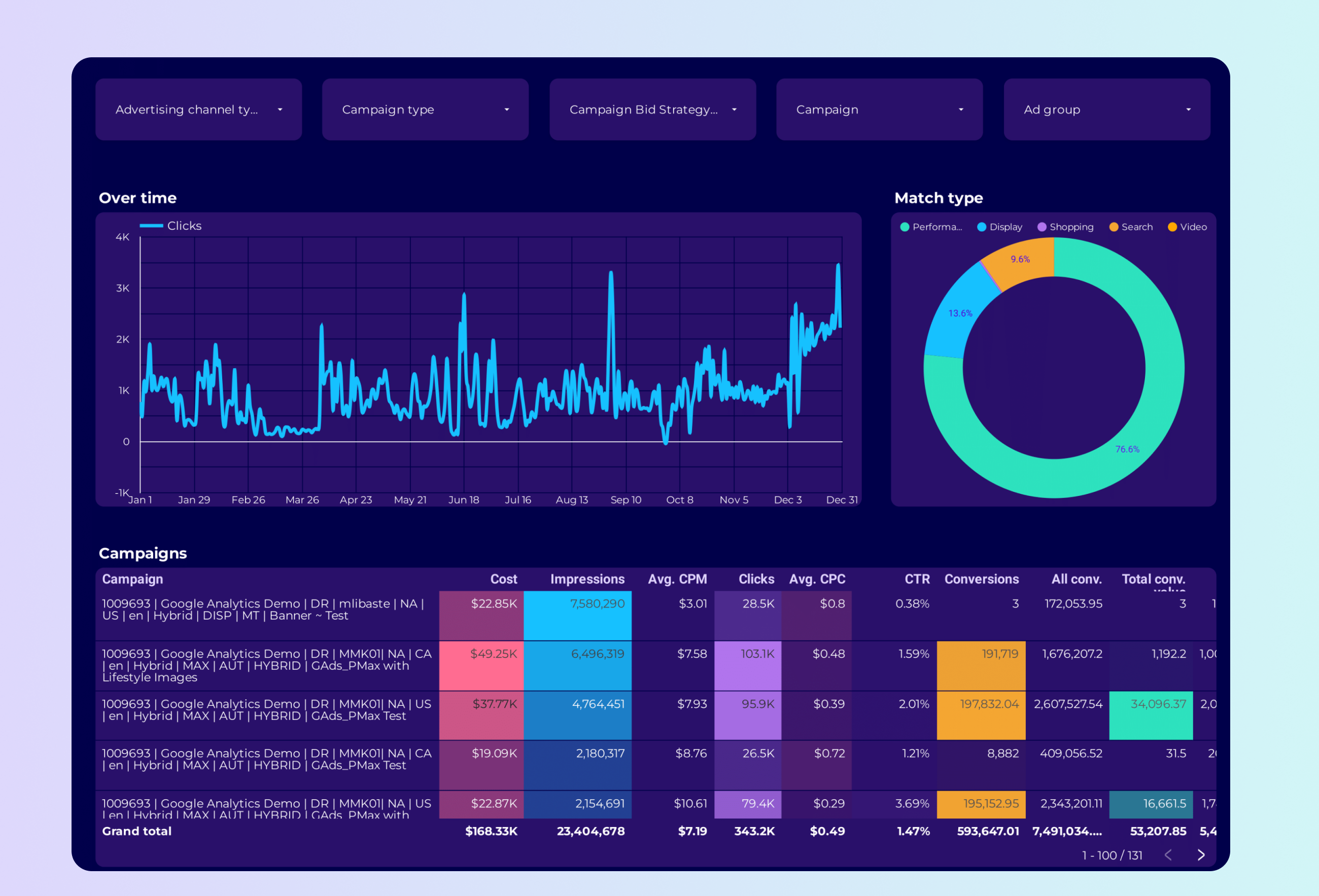
Google Ads PMax Report template for Data Studio by Porter
Acompanhe asset coverage, reach → CTR by asset type → conversions, ROAS by asset group. Segmente por asset group, audience signal.
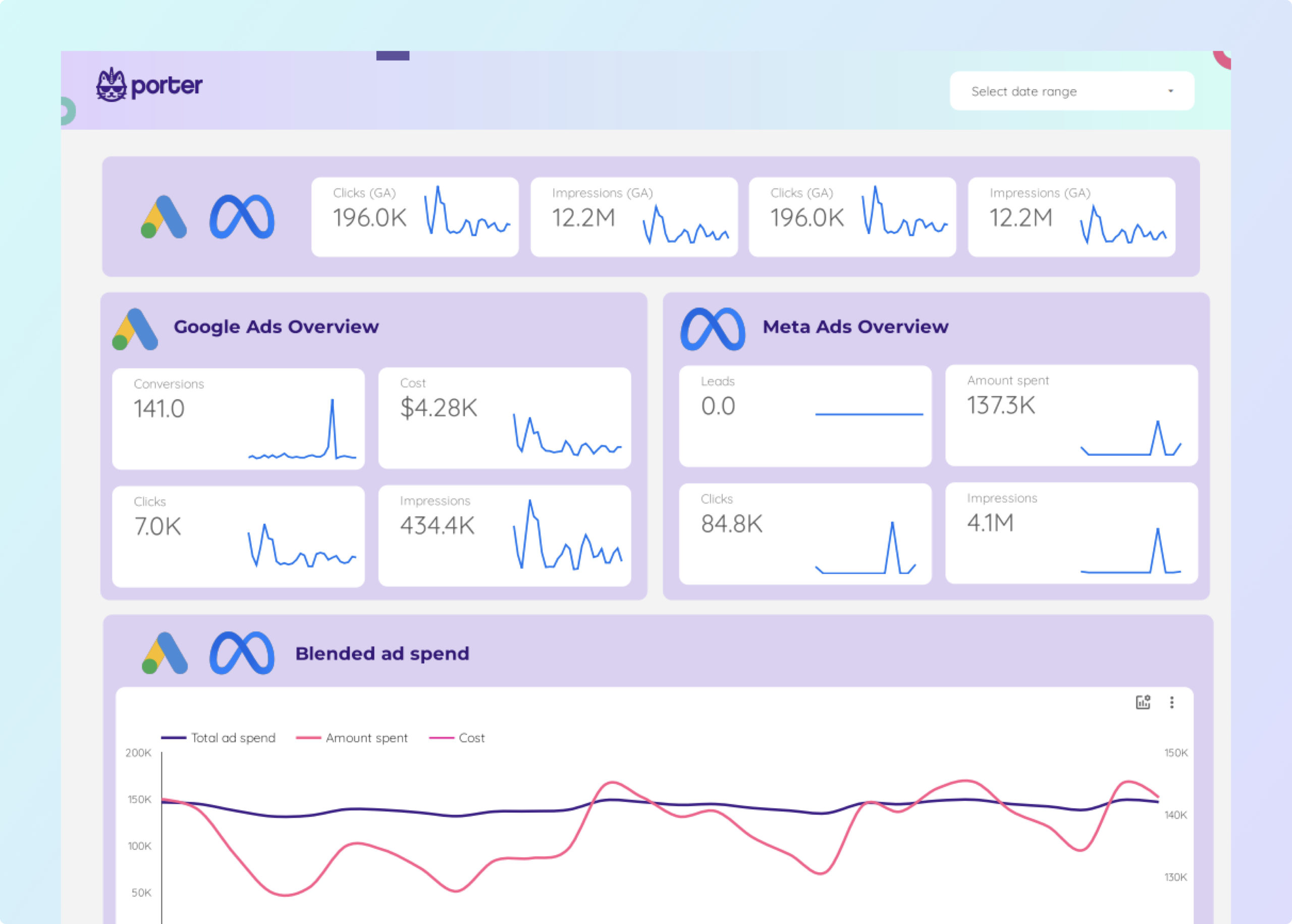
Facebook Ads + Google Ads Report template for Data Studio by Porter
Acompanhe impressions, impression share → CTR, CPC, quality score → conversions, ROAS, CPA. Segmente por campaign, ad group, keyword.
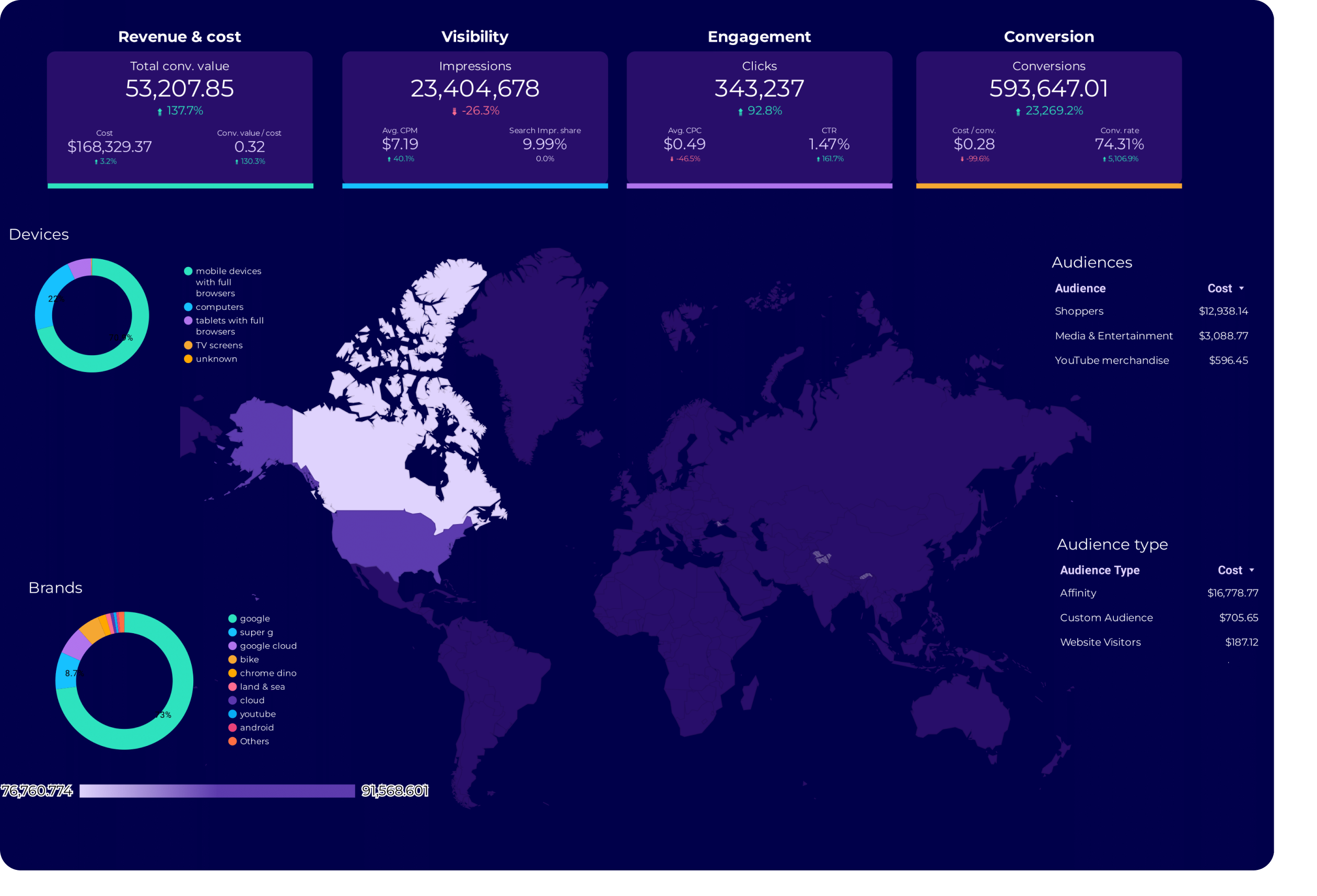
Google Ads Audience Report template for Data Studio by Porter
Acompanhe audience reach, impression share → CTR by audience segment → conversion rate by audience. Segmente por audience type, remarketing.
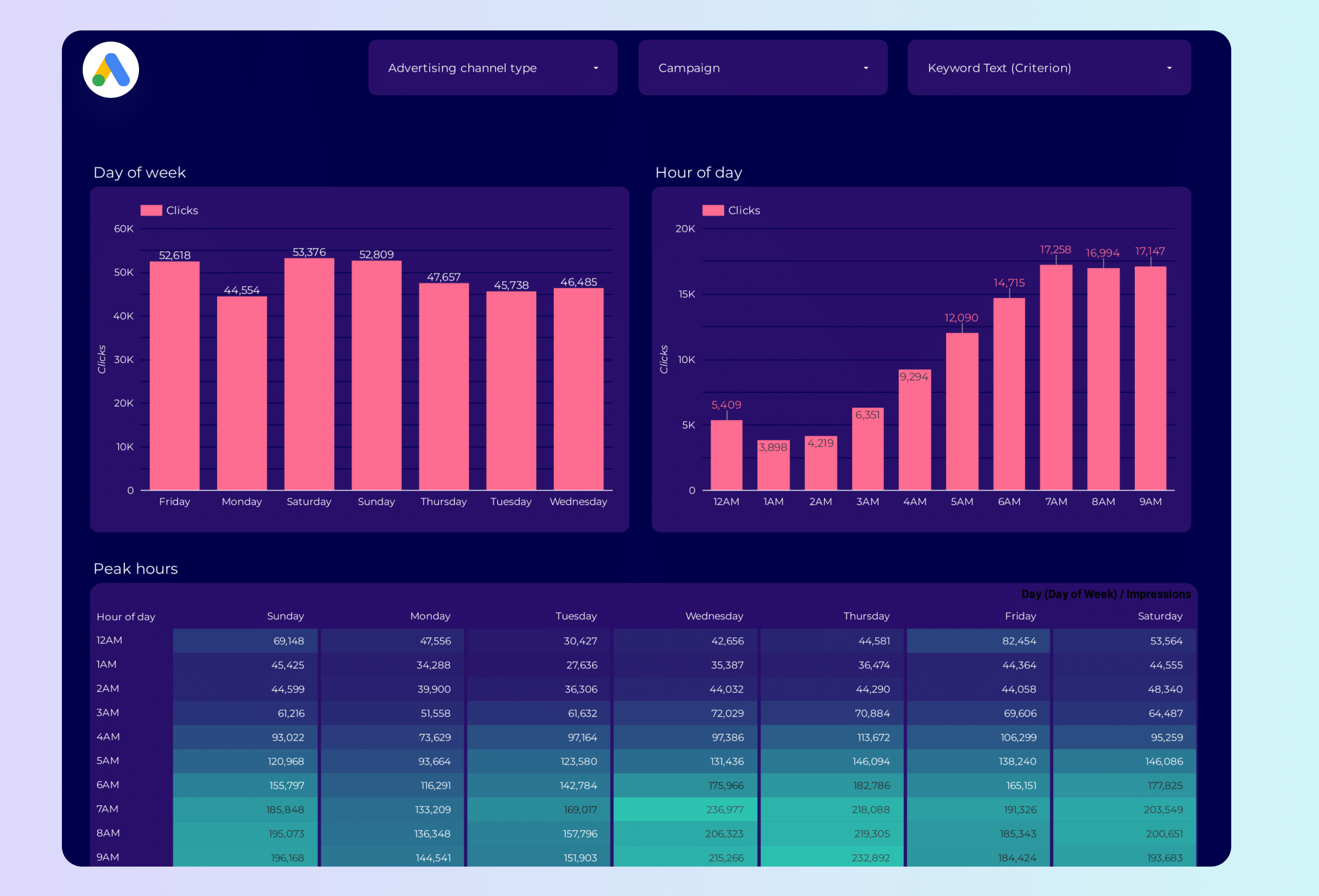
Google Ads Peak hours Report template for Data Studio by Porter
Acompanhe impression volume by hour → CTR by time of day → conversion rate by hour. Segmente por hour, day, device.
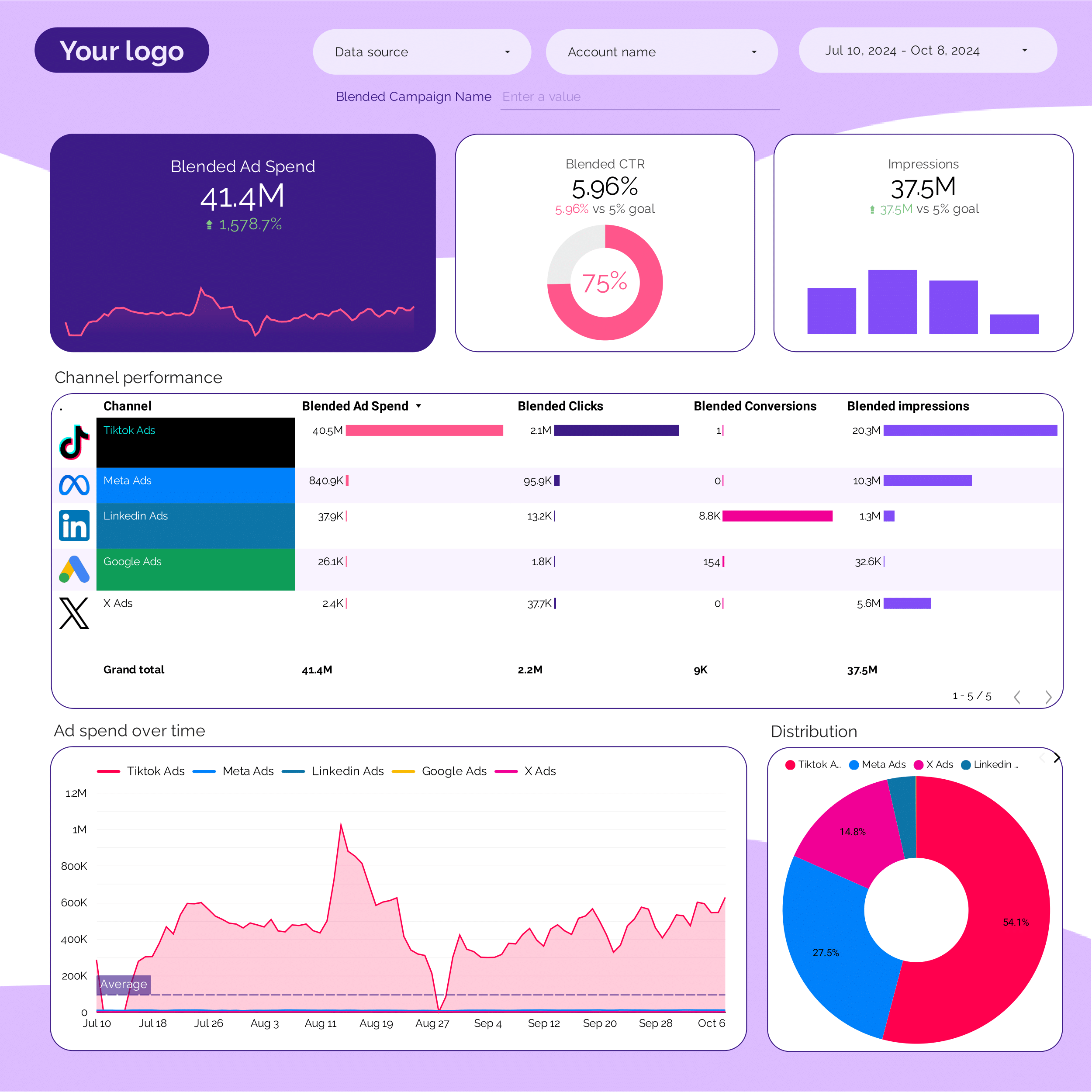
PPC multi-channel Report template for Data Studio by Porter
Acompanhe cross-platform impressions → CTR comparison by platform → blended ROAS, CPA by platform. Segmente por platform, campaign type.
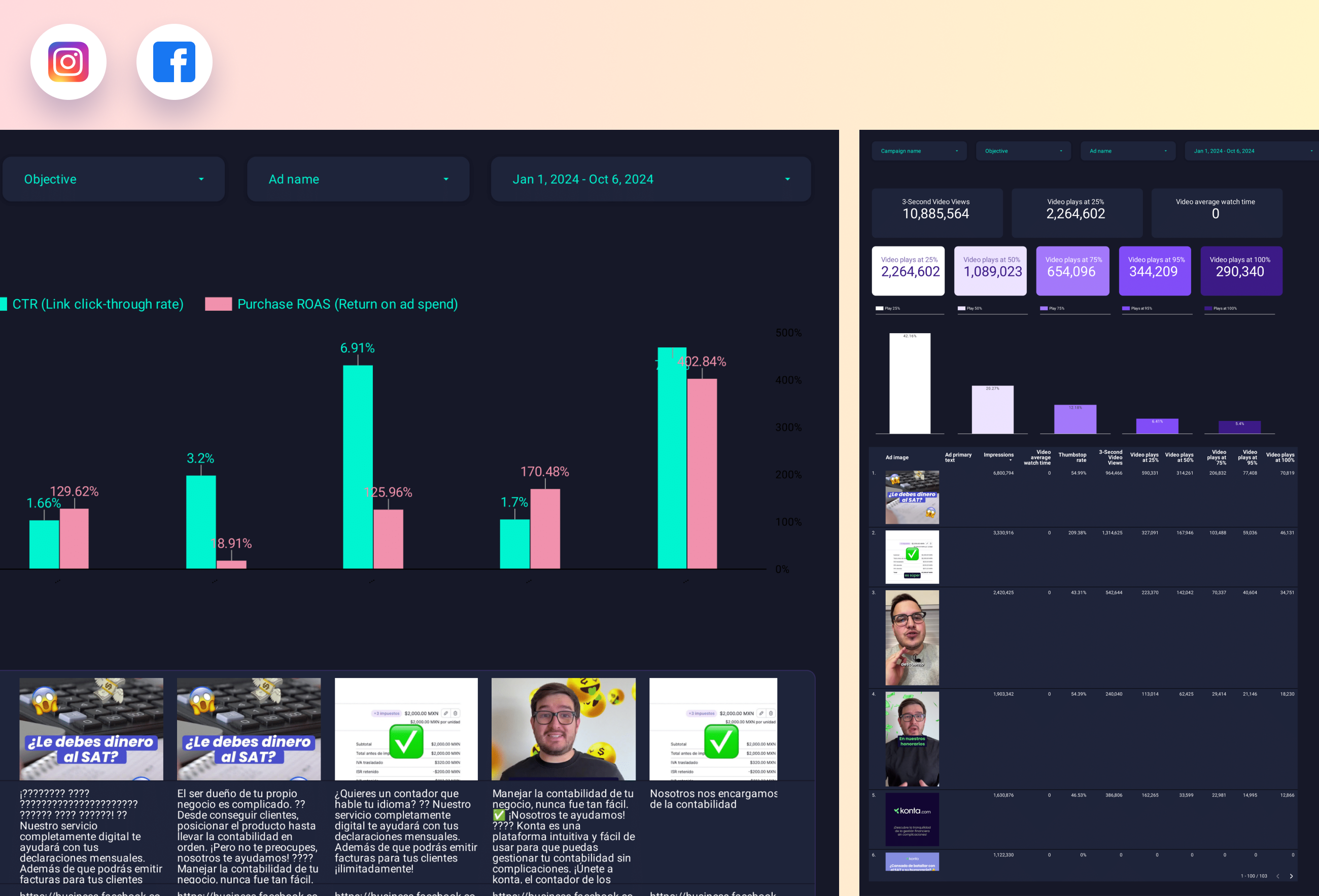
Paid media Creative performance Report template for Data Studio by Porter
Acompanhe creative reach, frequency → CTR, view rate by creative → ROAS per creative, CPA. Segmente por creative format, platform.
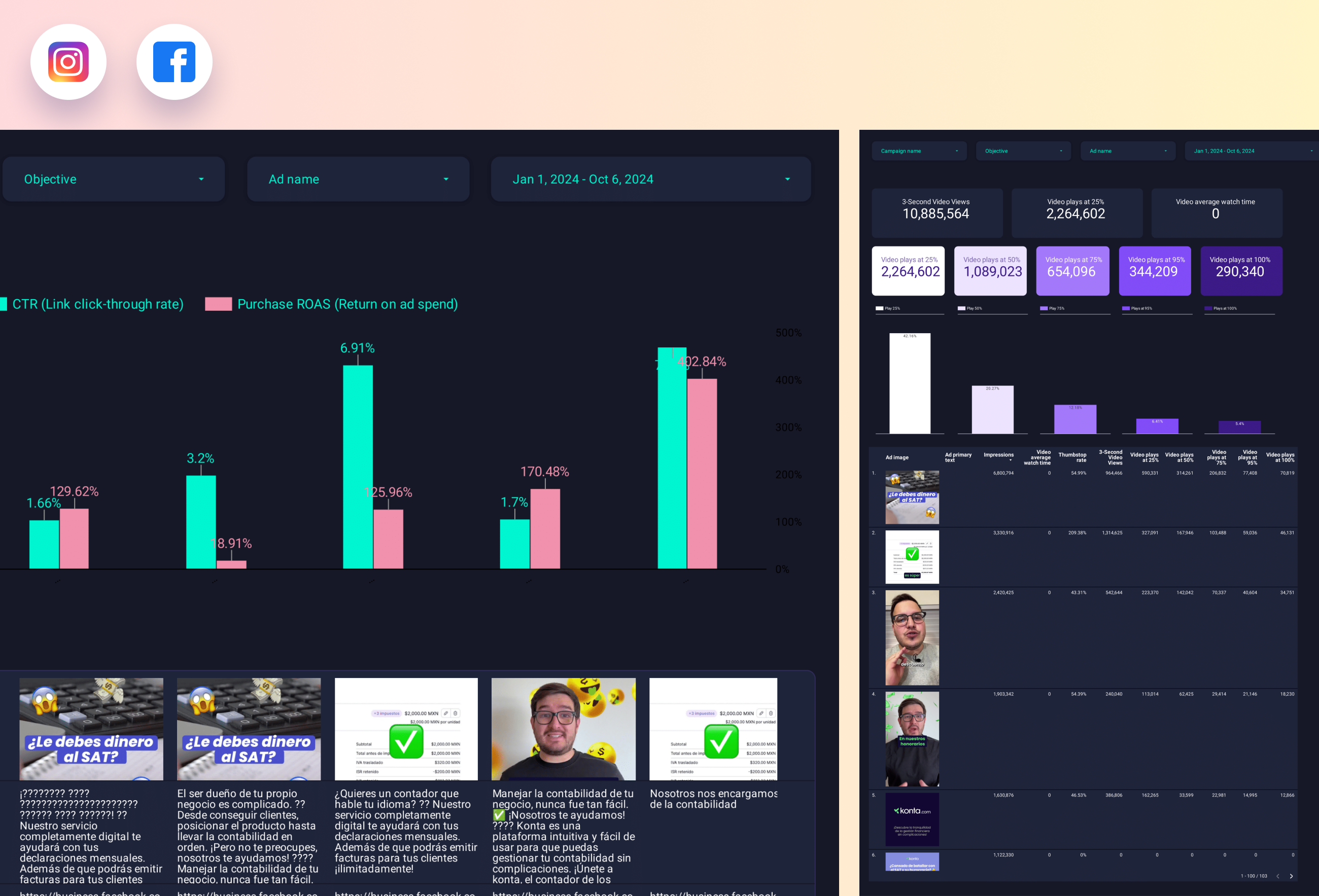
Facebook Ads Creative performance Report template for Data Studio by Porter
Acompanhe ad impressions by creative → CTR, hook rate, hold rate → ROAS per creative, CPA. Segmente por creative format, copy.
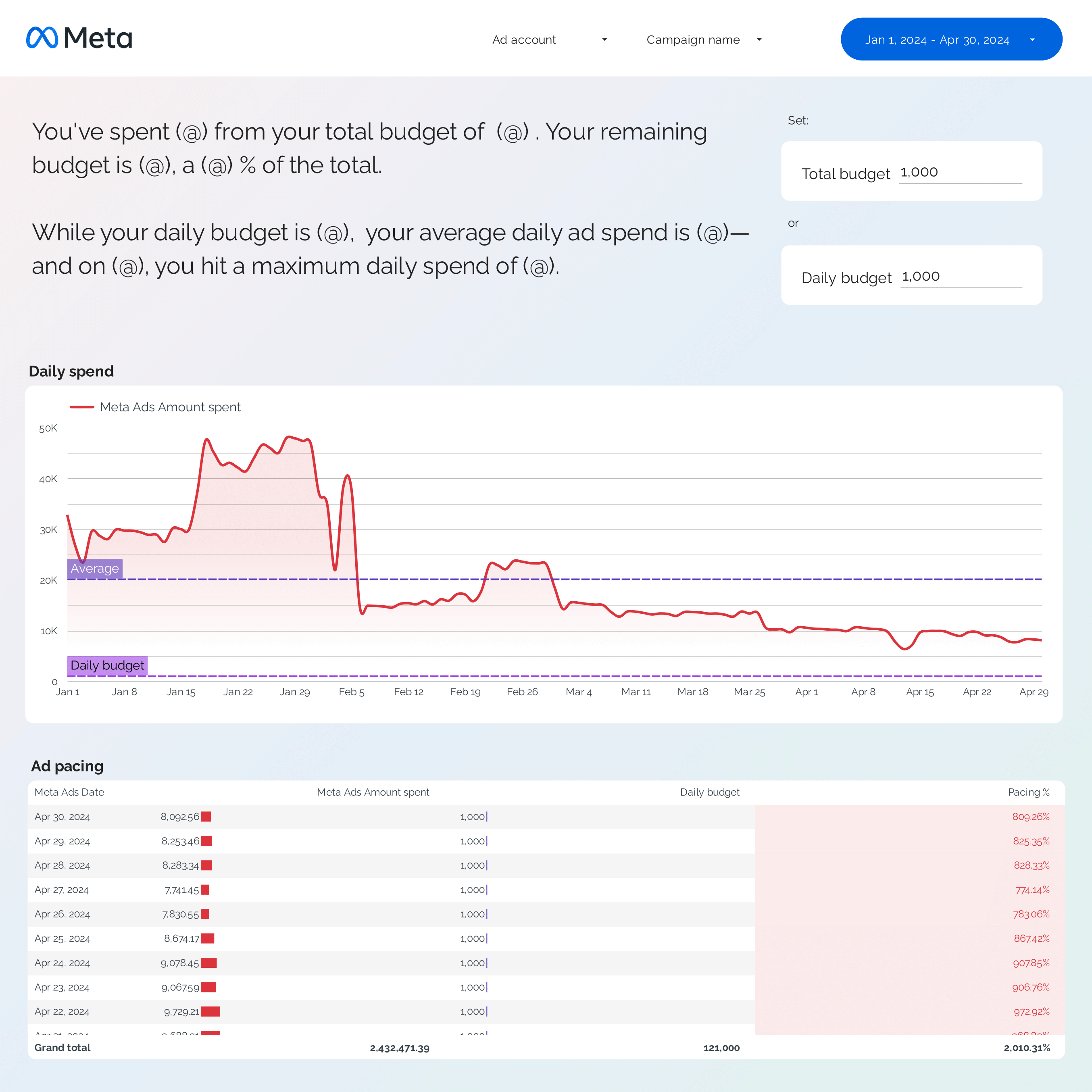
Facebook Ads budget tracking and pacing Report template for Data Studio by Porter
Acompanhe spend pacing, utilization → efficiency (CPC, CPM trends) → ROAS vs target, CPA pacing. Segmente por campaign, ad set, day.
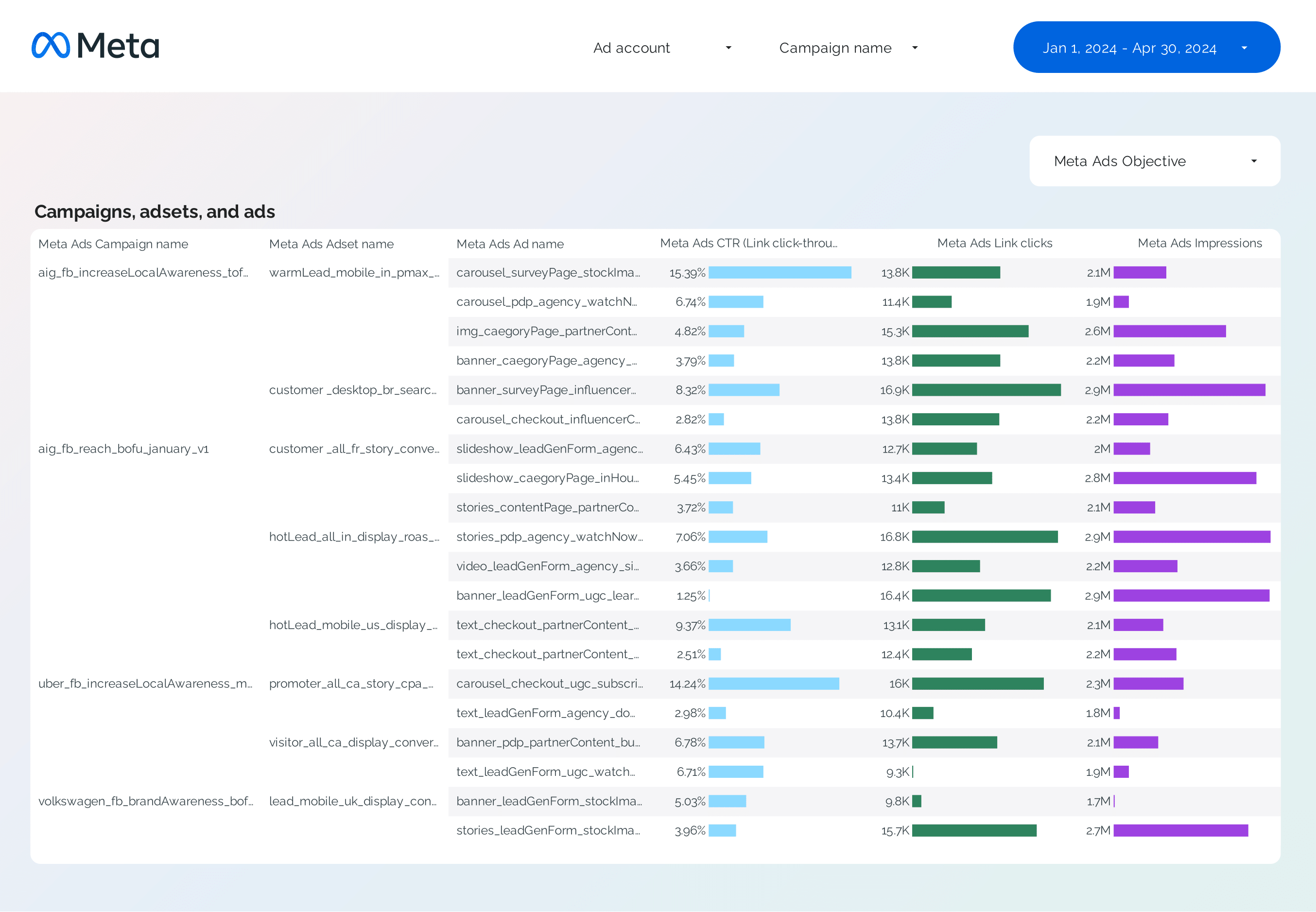
Facebook Ads Campaign performance Report template for Data Studio by Porter
Acompanhe campaign reach, impressions → CTR, CPC by campaign → ROAS, CPA per campaign. Segmente por campaign, objective, audience.
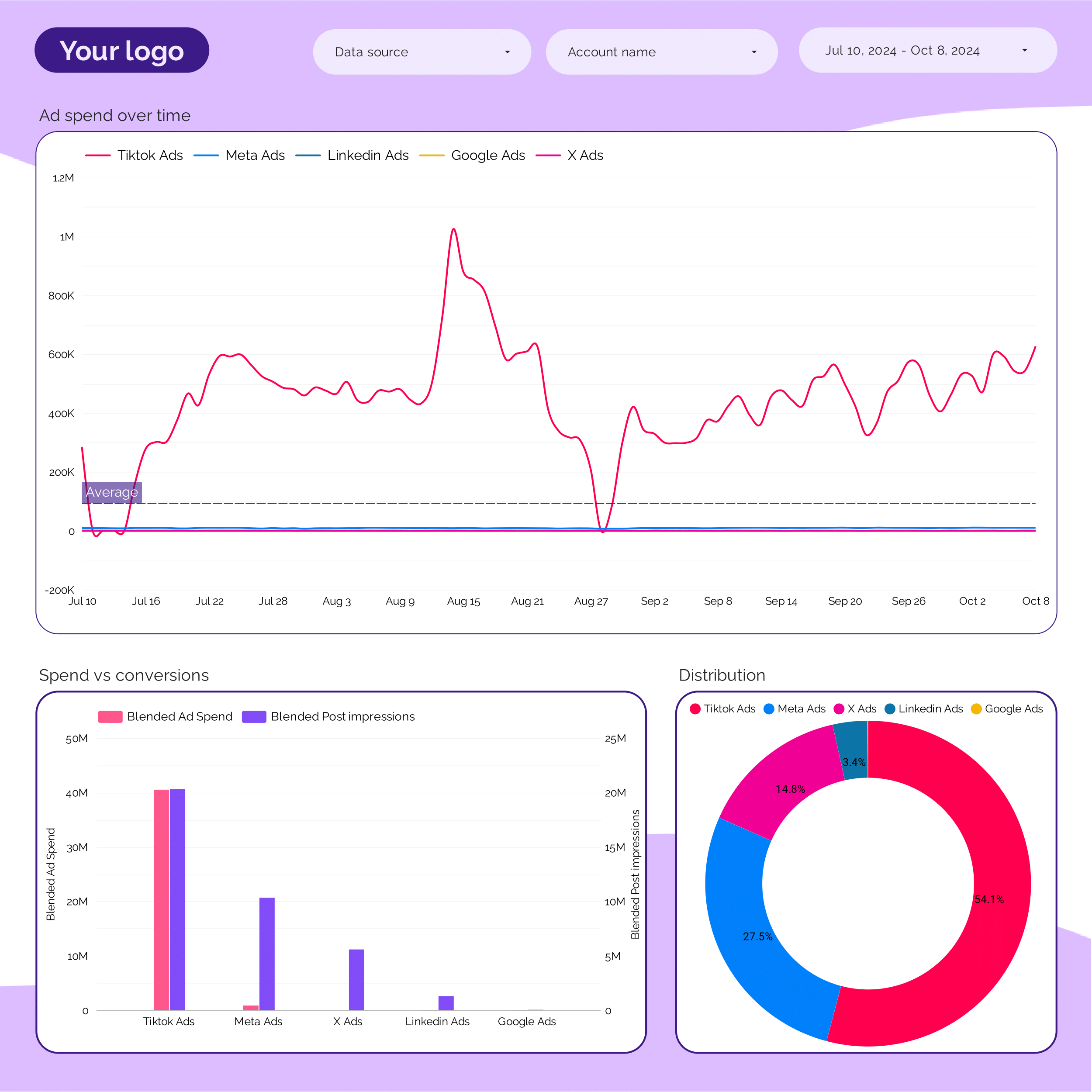
Marketing Ad spend Report template for Data Studio by Porter
Acompanhe spend distribution, budget allocation → efficiency (CPC, CPM by channel) → ROAS by channel, blended CPA. Segmente por channel, campaign, period.
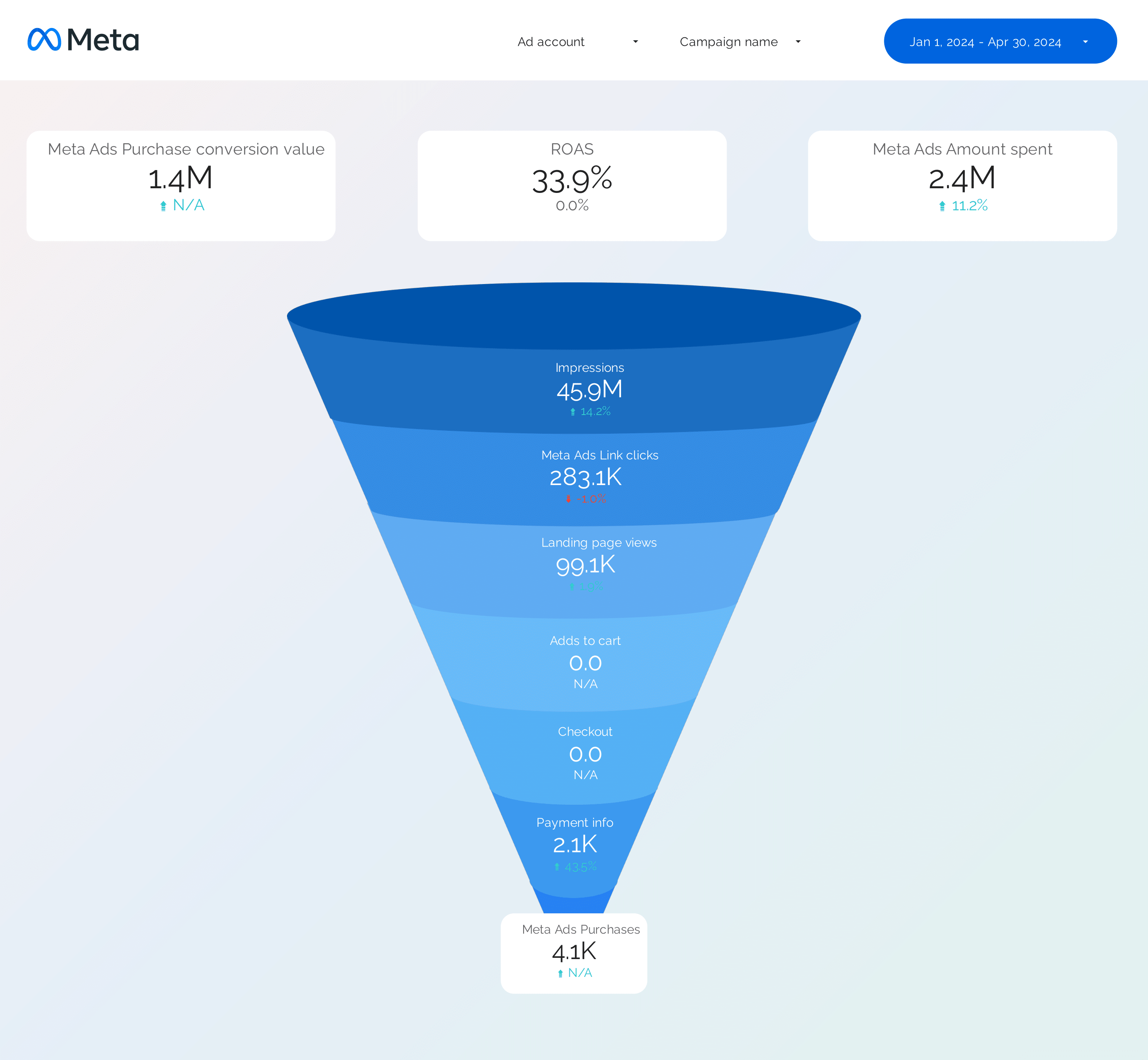
Facebook Ads Funnel Report template for Data Studio by Porter
Acompanhe awareness reach → consideration clicks → conversion ROAS by stage. Segmente por funnel stage, audience.
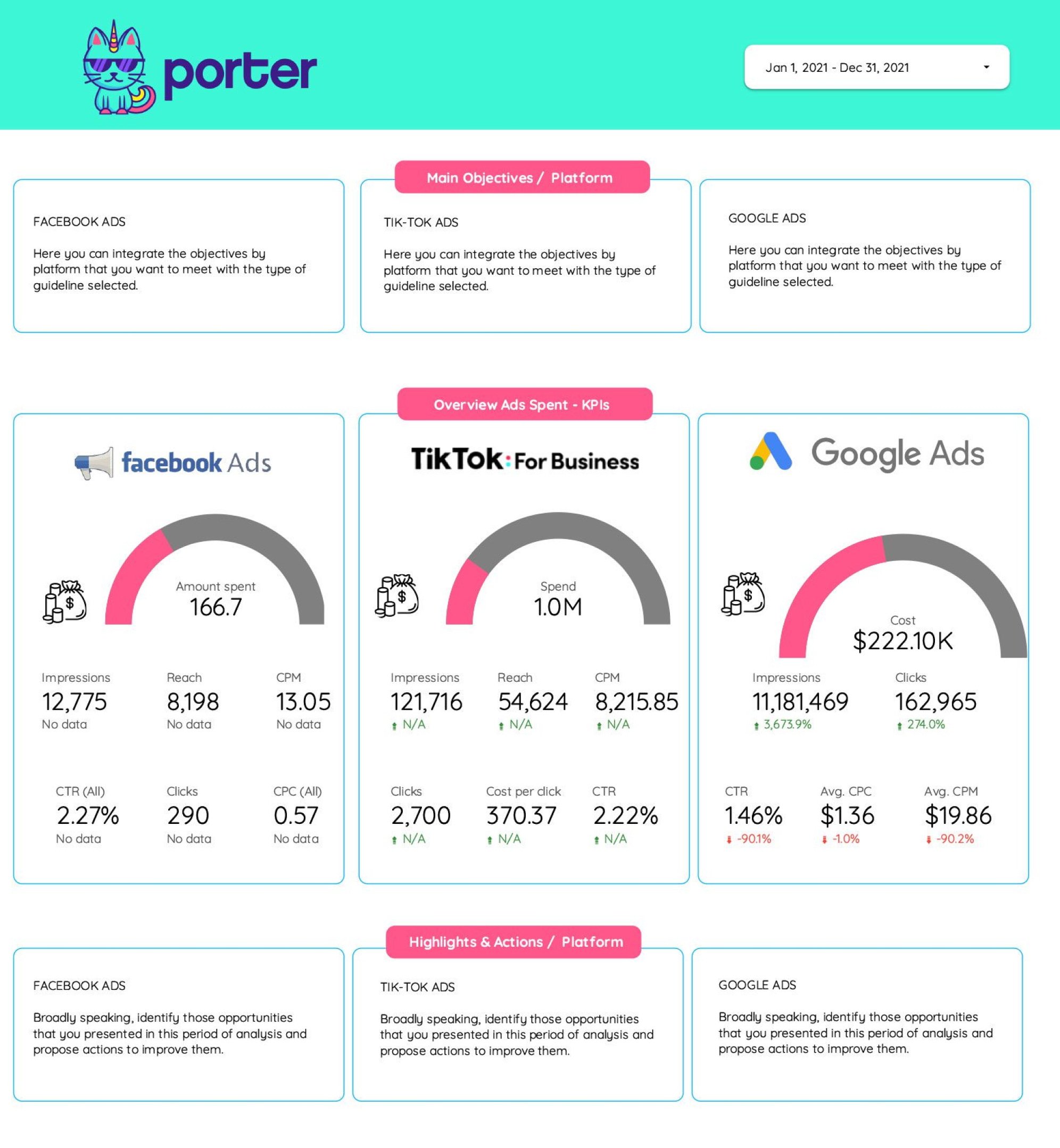
Frequency Report template for Data Studio by Porter
Acompanhe reach, frequency cap utilization → CTR at different frequencies → conversion rate by frequency. Segmente por platform, campaign, frequency.
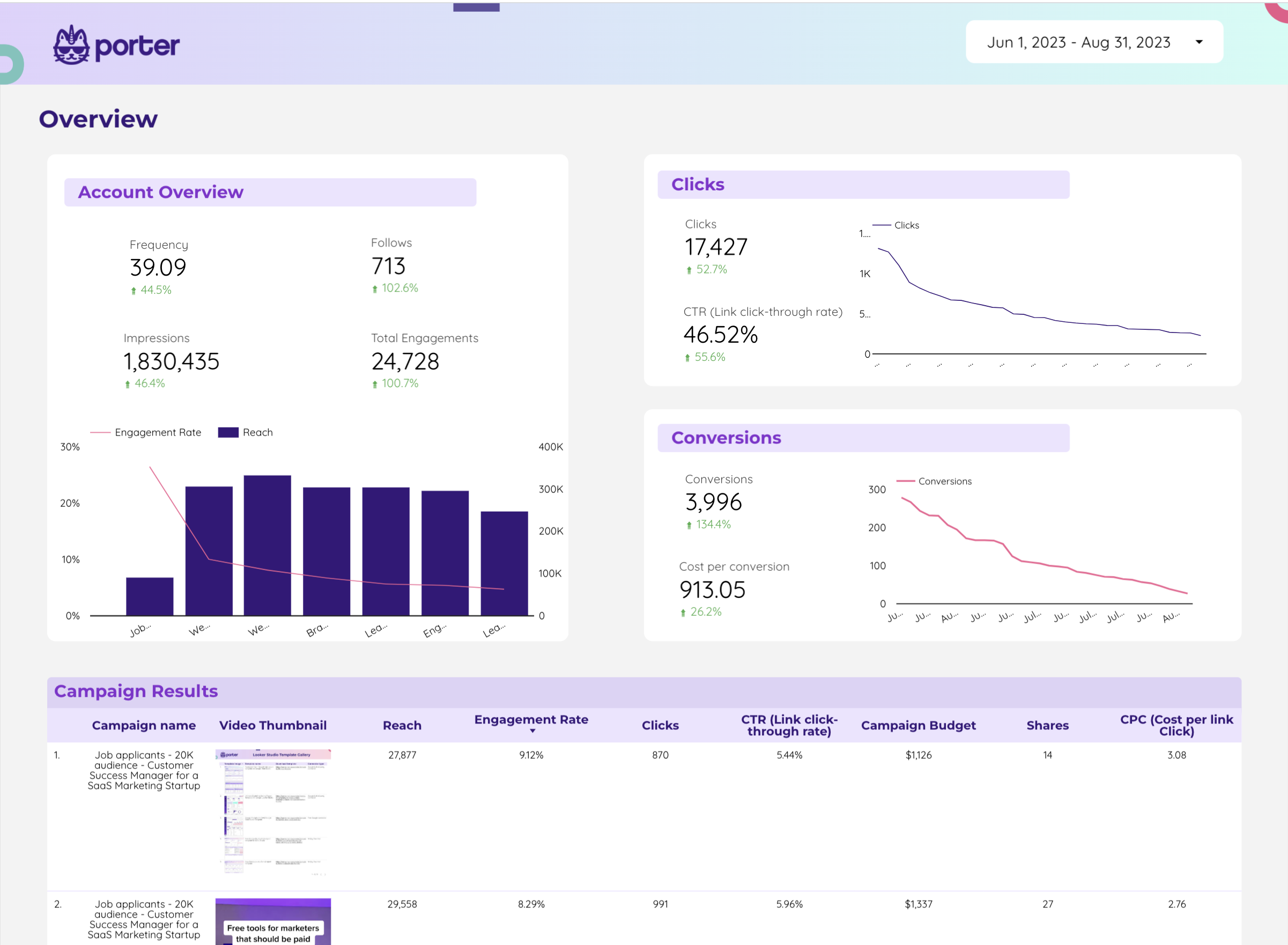
Twitter Ads Report template for Data Studio by Porter
Acompanhe impressions, reach → CTR, engagement rate, CPE → conversions, CPA. Segmente por campaign, creative, audience.
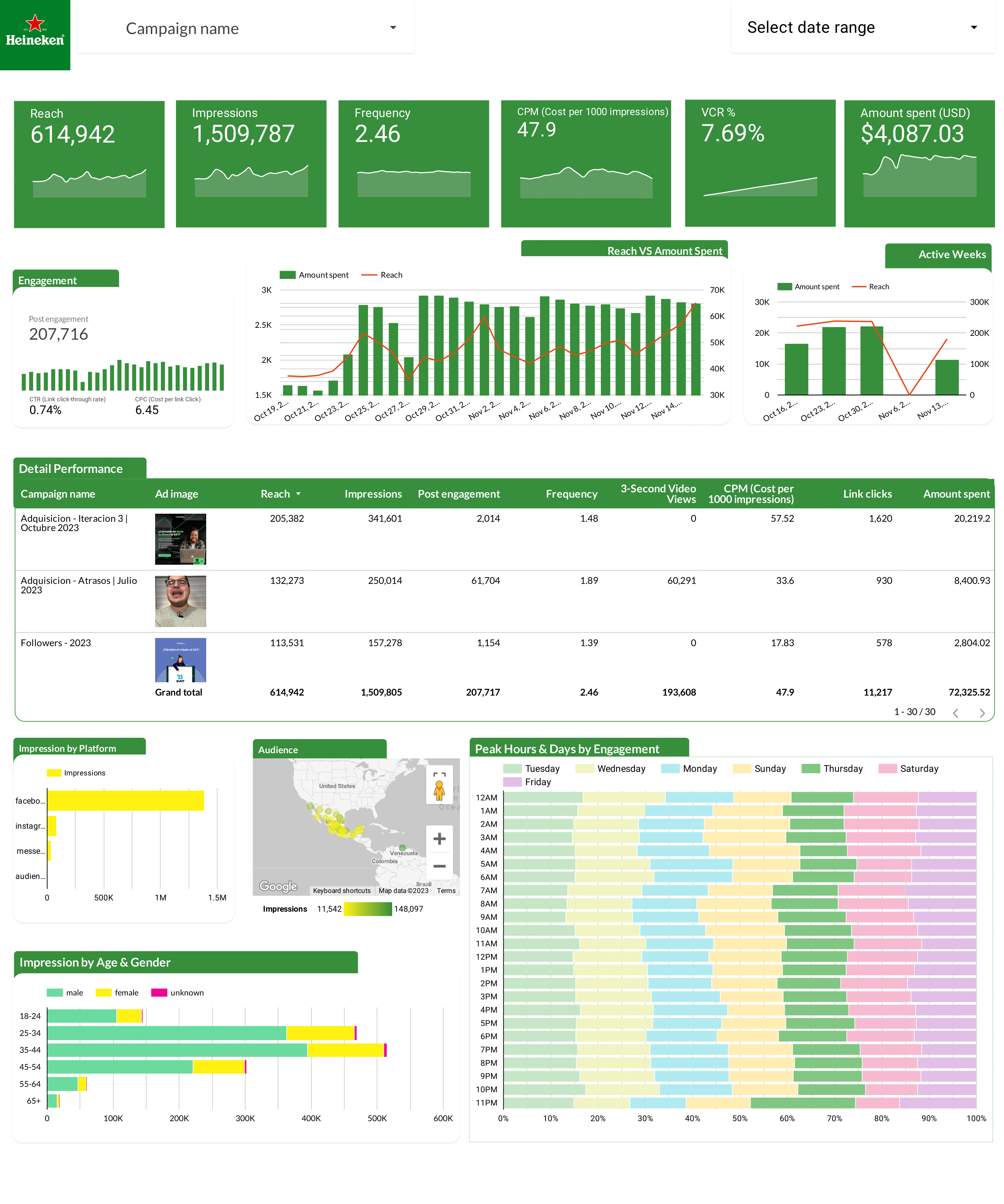
Facebook Ads Report template for Data Studio by Heineken
Acompanhe ad impressions by creative → CTR, hook rate, hold rate → ROAS per creative, CPA. Segmente por creative format, copy.
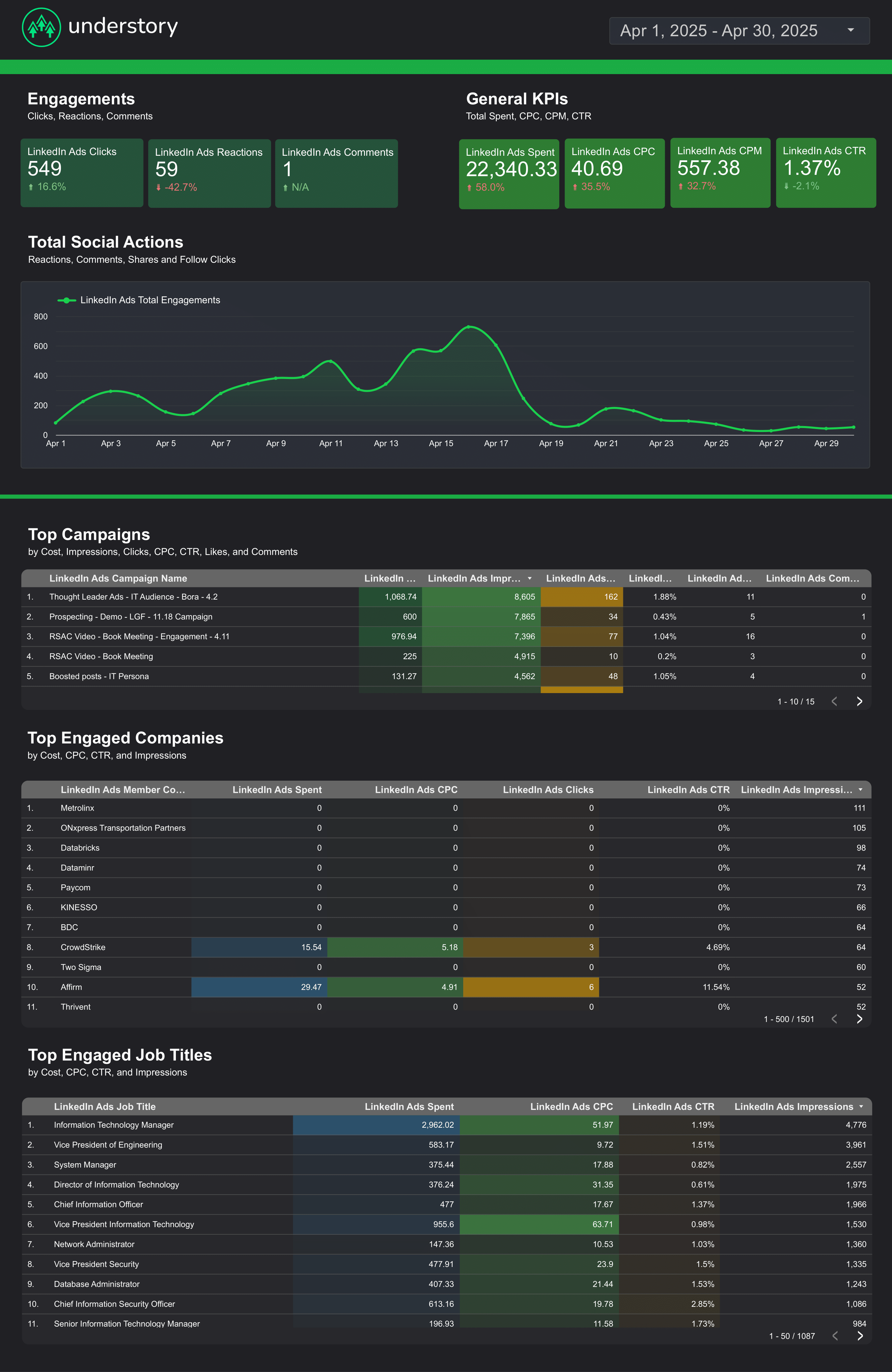
LinkedIn Ads Report template for Data Studio by Understory
Acompanhe impressions, unique reach → CTR, CPC, engagement rate → leads, CPL, conversion rate. Segmente por campaign, job title, company.
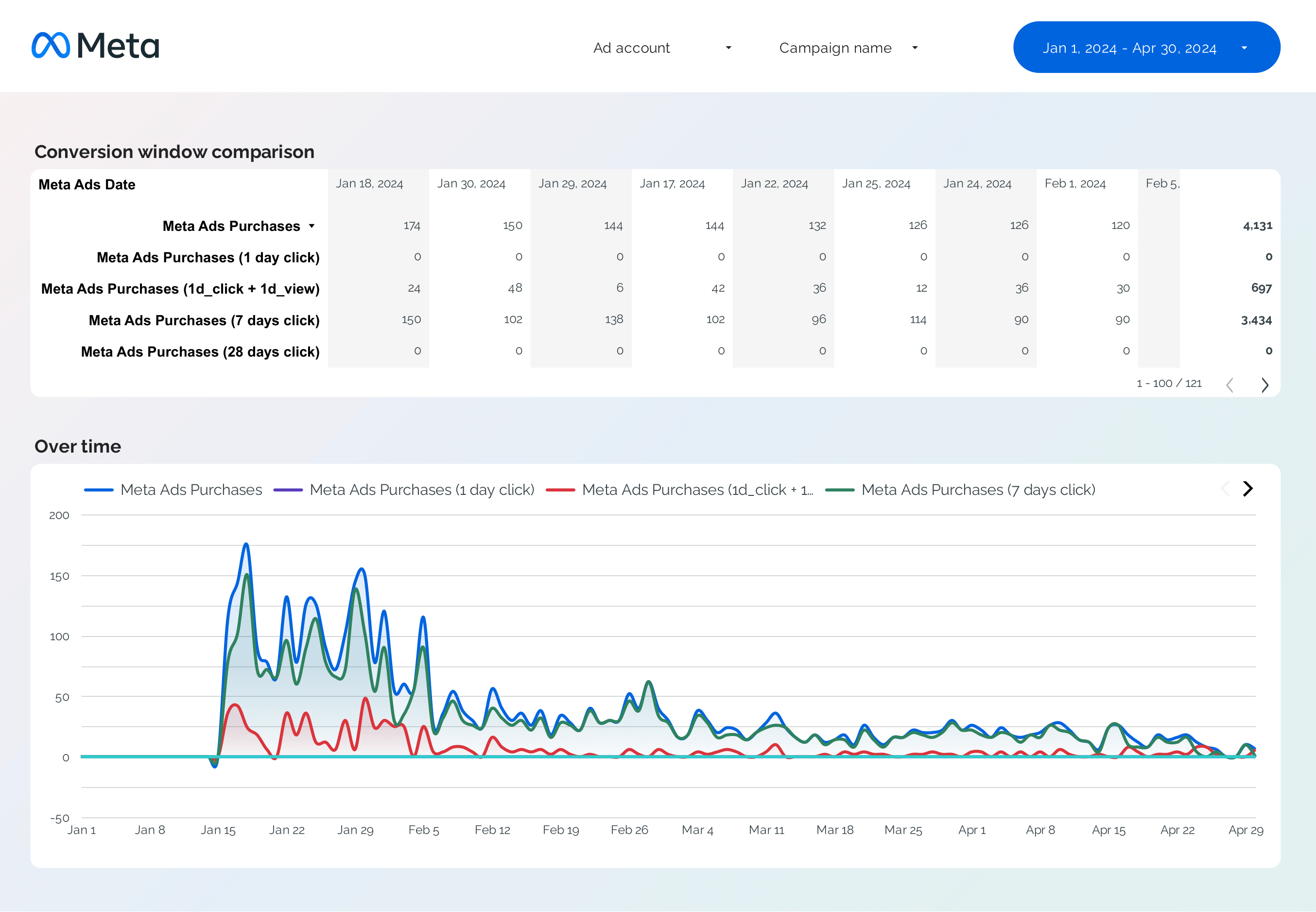
Facebook Ads Attribution Report template for Data Studio by Porter
Acompanhe attributed touchpoints → view-through vs click-through → attributed conversions by window. Segmente por attribution window, campaign.
What is a paid search dashboard on Data Studio?
A paid search dashboard tracks your Google Ads and search engine marketing (SEM) campaigns on Data Studio. Monitor keyword performance, quality scores, ad spend, and conversion metrics from your search campaigns.
These free paid search dashboard templates for Data Studio connect to your data sources and update automatically. These templates cover popular search terms like adwords dashboard template, google adwords, google data studio. Customize any template with your branding, metrics, and filters to create professional paid search reports in minutes.
Connect Google Ads: With Porter Metrics, connect Google Ads to Data Studio and track paid search performance in minutes.
Why use this dashboard?
Keyword tracking
Monitor keyword performance, quality scores, and bid strategies. Our keyword analysis template breaks down metrics by keyword.
ROAS optimization
Acompanhe return on ad spend across campaigns. Use our ROAS template to find top performers.
Campaign management
Monitor campaigns, ad groups, and ads. Our campaign performance template shows all levels.
Automated reporting
Schedule reports to stakeholders automatically.
How to build this dashboard

Connect Meta Ads and Google Ads to Data Studio
Porter Metrics
How To Design Marketing Reports on Data Studio
Porter MetricsKey metrics and KPIs
Search Performance
- Impressions — search appearances
- Clicks — ad clicks
- CTR — click-through rate
- Avg. CPC — cost per click
Keywords
- Quality Score — keyword relevance
- Impression share — market coverage
- Avg. position — ad rank
- Search terms — actual queries
Conversion
- Conversions — completed goals
- Conv. rate — clicks to conversions
- CPA — cost per acquisition
- ROAS — return on ad spend
Budget
- Total spend — campaign investment
- Budget pacing — spend vs. plan
- Cost per campaign — allocation
- Wasted spend — inefficient keywords
Paid search Dashboard Best Practices
Follow these proven practices to get the most from your paid search dashboard on Data Studio:
- Focus on actionable metrics — Acompanhe leading indicators you can influence (like content published, ad spend, engagement rate) alongside lagging indicators (revenue, conversions) that show results.
- Segmente your data — Break down paid search metrics by channel, campaign, audience, or time period. Aggregated data hides insights; segmented data reveals opportunities.
- Set up automated reporting — Schedule weekly or monthly reports to stakeholders. Consistent reporting builds trust and keeps teams aligned on paid search goals.
- Compare time periods — Use month-over-month and year-over-year comparisons to account for seasonality and measure real growth in your paid search performance.
- Keep it visual — Use charts for trends, scorecards for KPIs, and tables for detailed breakdowns. The right visualization makes complex paid search data easy to understand.
Optimize your paid search today
Connect Google Ads in minutes and track keyword performance, ROAS, and conversions. Get started for free →