







SEO dashboards you can build in Claude
14 SEO templates, from a single Search Console view to SEO reported next to paid search. Every preview runs on demo data; open a template for its prompt.
14 templates
 Claude


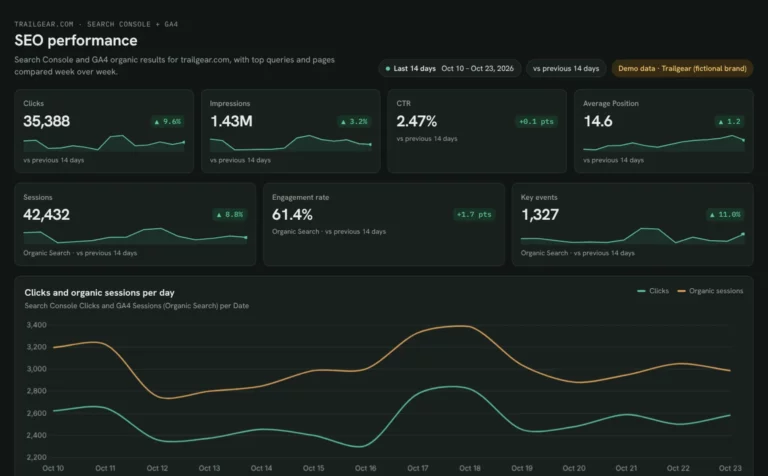
SEO dashboard template
See which Search Console clicks turn into GA4 sessions and key events.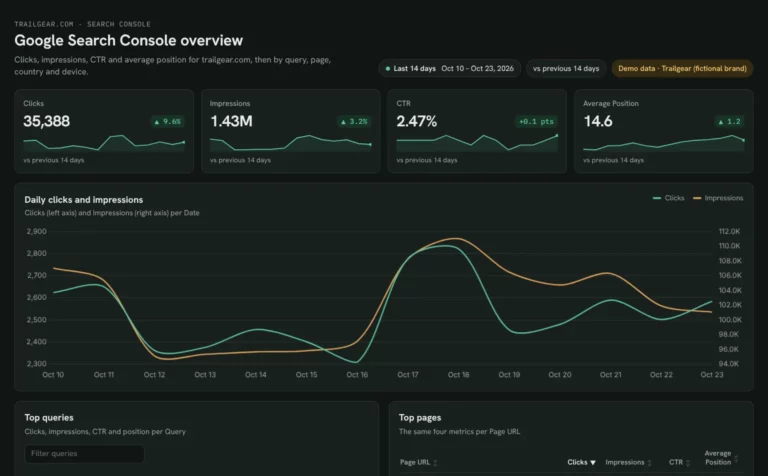 Claude
Google Search Console dashboard template
Find queries close to page one and fix low CTR by page and device.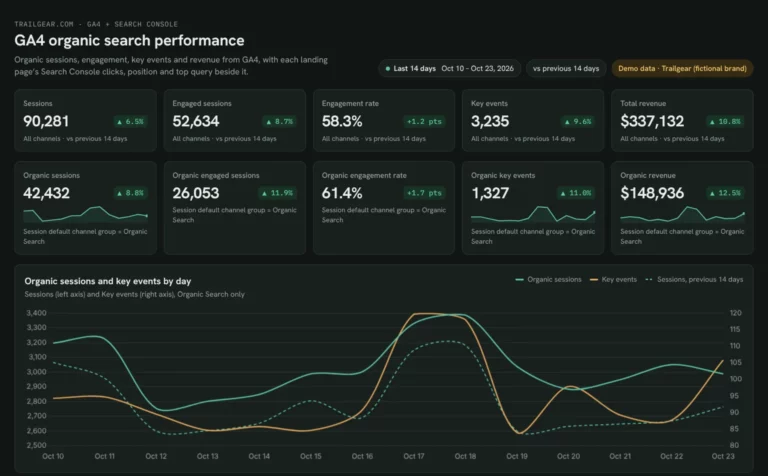 Claude
GA4 SEO dashboard template
See which landing pages bring organic sessions and key events.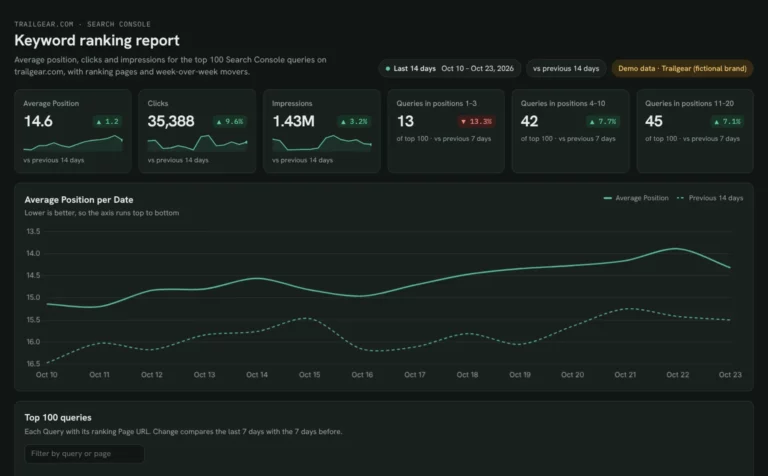 Claude
Keyword ranking dashboard template
Track which keywords reach page one and what moved this week.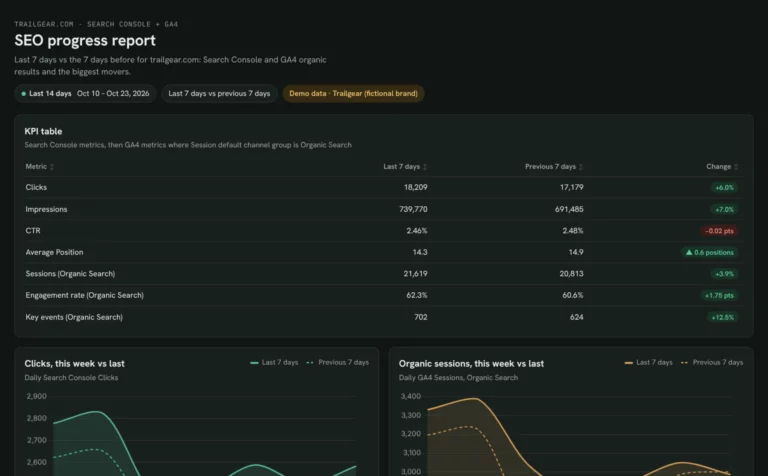 Claude
Monthly SEO dashboard template
Show month-on-month SEO results and the pages that moved them.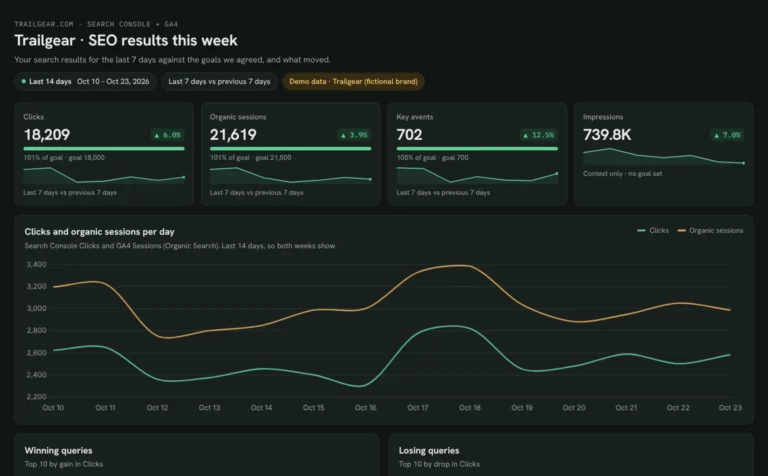 Claude
Client SEO dashboard template
Report clicks, sessions and key events against each client’s goals.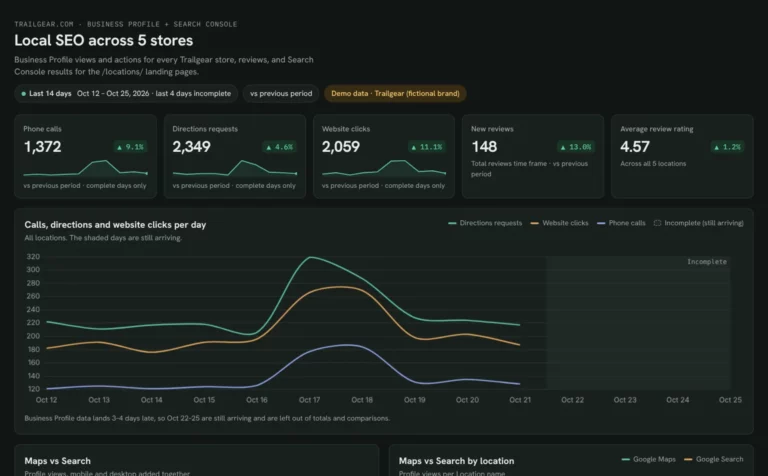 Claude

Local SEO dashboard template
Compare calls, directions and website clicks for every location.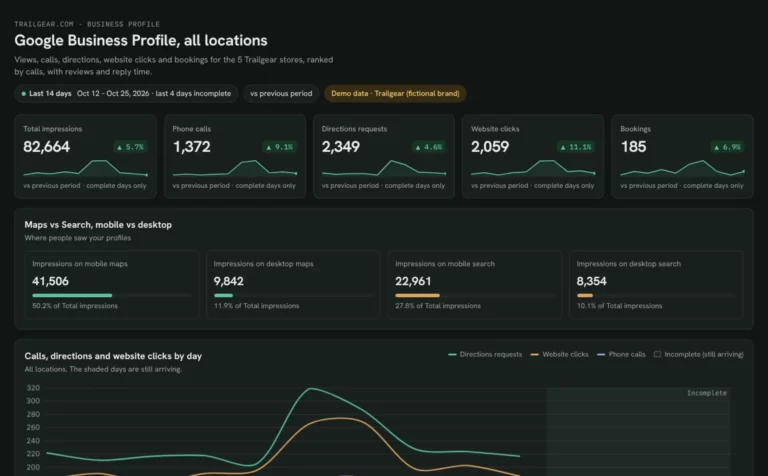 Claude
Google Business Profile dashboard template
See Maps and Search views, calls and reviews for each location.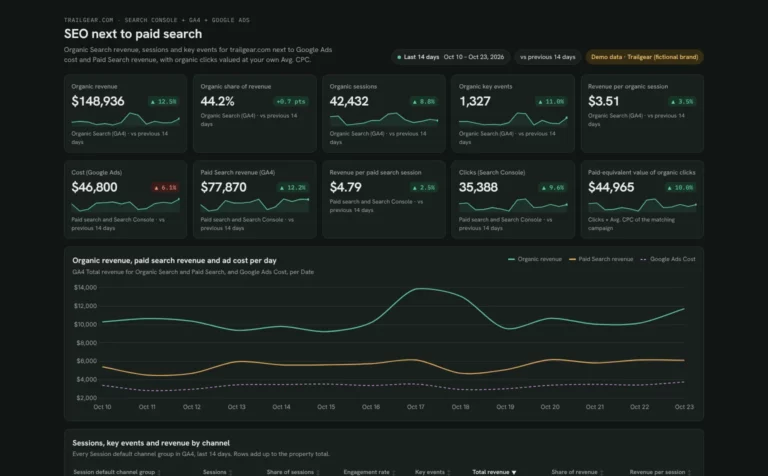 Claude

SEO marketing dashboard template
See what SEO earns next to paid search, from revenue share to the value of organic clicks.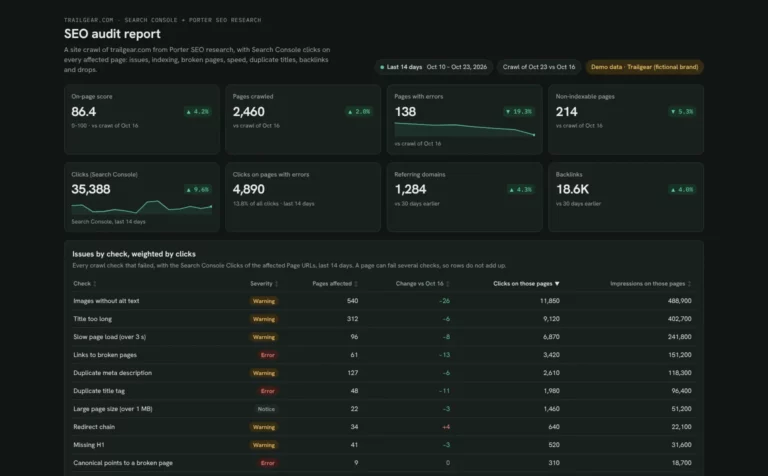 Claude

SEO audit report template
Fix the site issues that cost the most clicks, from broken pages to slow top pages.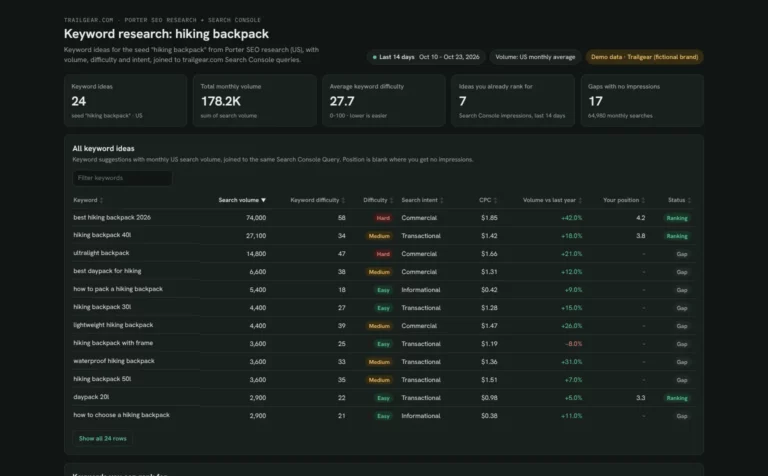 Claude
Keyword research report template
Find keywords you can win, see where you already rank and spot gaps with no page.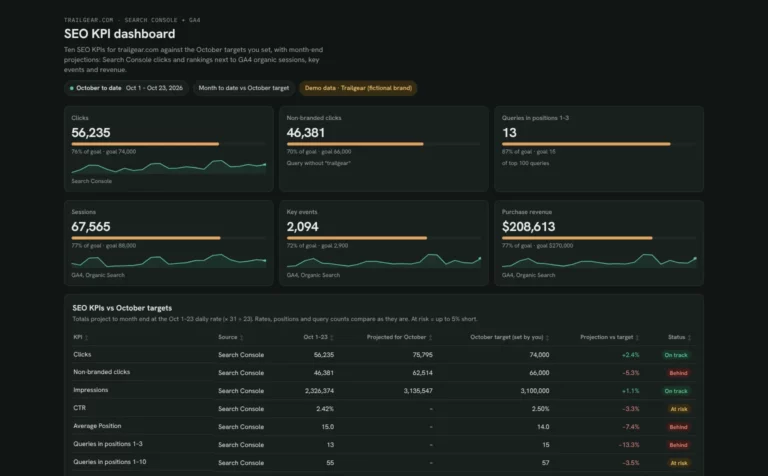 Claude
SEO KPI dashboard template
Track 10 SEO KPIs against your monthly targets and see which ones will miss before month end.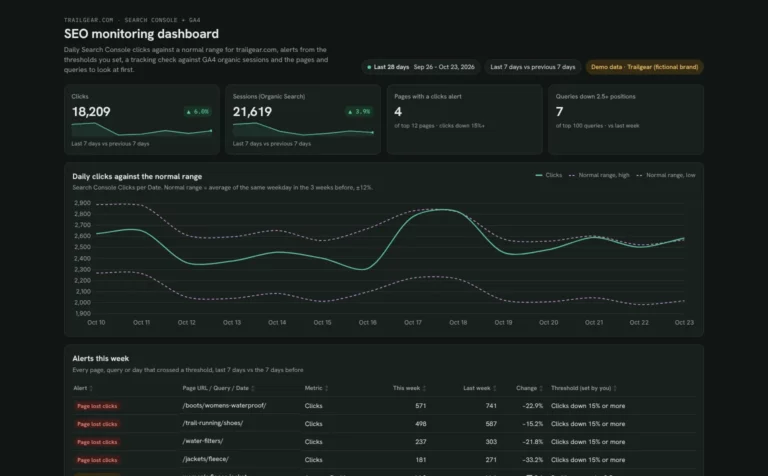 Claude
SEO monitoring dashboard template
Catch SEO drops early with alerts from your own thresholds and a daily check against GA4.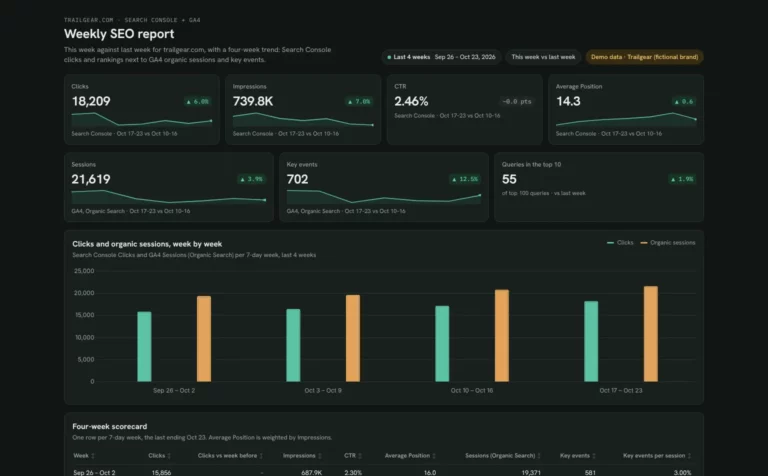 Claude
Weekly SEO report template
Run your Monday SEO check: this week vs last and the queries and pages that moved.How to build an SEO dashboard in Claude
Most SEO templates need Search Console, and many add GA4 so clicks line up with visits and key events. Connect once and every template on this page works.
Connect your data in Porter.
Sign up free and connect the accounts your template reads: Google Analytics 4, Google Ads, Google Search Console or Google Business Profile.
Add Porter to Claude.
In Claude, go to Customize › Connectors › Add custom connector, paste
https://mcp.portermetrics.com/mcpand sign in to Porter. See each screen in the Claude MCP tutorial.Paste the template prompt.
Open the SEO template you picked, copy its prompt into a new Claude chat and swap in your domain. Claude builds the views from your Search Console and GA4 data. Ask it to show the query behind any number before you send it to a client.
Before you start
- Claude plan: Dashboards is in beta on Pro, Max, Team and Enterprise (Anthropic’s Dashboards guide).
- Porter plan: Free reads the last 15 days in Claude; paid plans read full history.
- Previews: every card shows a demo dashboard, not real client data.
Build a Google Search Console dashboard with Claude · 8:12 · Porter Metrics on YouTube ↗
Which SEO template to start with
Start from the question you answer most often. Each template below is built around one.
Where did my clicks go?
The SEO dashboard template shows which pages and queries lost clicks and whether GA4 visits fell with them.
Which keywords can reach page one?
Use the Search Console template for queries close to page one and the keyword ranking template to count your page-one keywords week by week.
I report SEO to clients
The client SEO template tracks each client goal, and the monthly SEO template puts the month in one table.
We have stores or offices
The local SEO template compares calls, directions and website clicks for every location.
Something is broken on the site
The SEO audit template ranks issues by the clicks they cost, and SEO monitoring flags drops against your own thresholds.
What should we write next?
The keyword research template finds keywords you can win and gaps with no page yet.
SEO template FAQ
Picking a template, data history and sharing.
Which Claude SEO dashboard template should I start with?
Start with the SEO dashboard template if you want one view of clicks, visits and key events. Pick the client SEO or monthly SEO template if you report to clients, and the local SEO template if you manage locations.
Do these SEO templates need GA4 as well as Search Console?
Not all of them. The Search Console and keyword ranking templates run on Search Console alone. Most others add GA4 to show visits and key events, the local templates use Google Business Profile, and the audit and keyword research templates add Porter’s SEO research data.
How much SEO history can Claude read?
On Porter’s Free plan Claude reads the last 15 days, so the prompts ask for 14 days. Monthly, KPI and month-on-month views need a paid plan, which reads full history (Porter pricing).
Can I send a Claude SEO dashboard to a client?
Only if the client uses Claude, because a Claude dashboard reads data through the viewer’s own account. Otherwise, ask Claude to publish it as a Porter dashboard and share the link.
More Claude dashboard templates
Browse by use case or by the data source you connect.
 Meta Ads 6
 Microsoft Ads 4