







Marketing dashboards you can build in Claude
4 cross-channel templates for the whole marketing picture. Each preview runs on demo data; open one for its prompt.
4 templates
 Claude


Marketing dashboard template
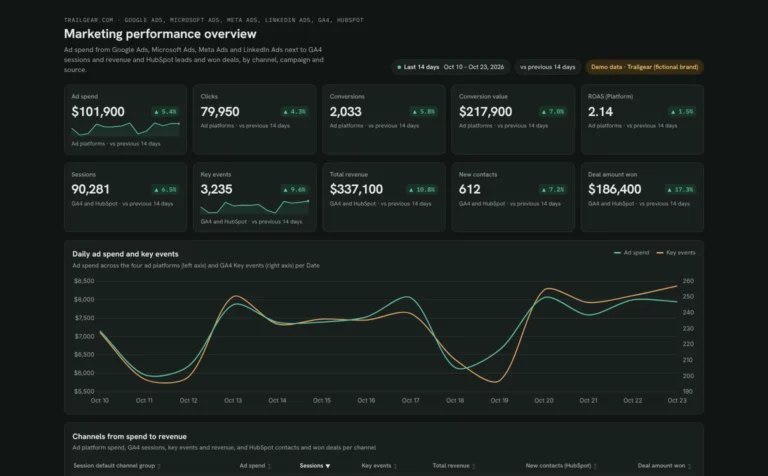
See which channels turn ad spend into leads, won deals and revenue.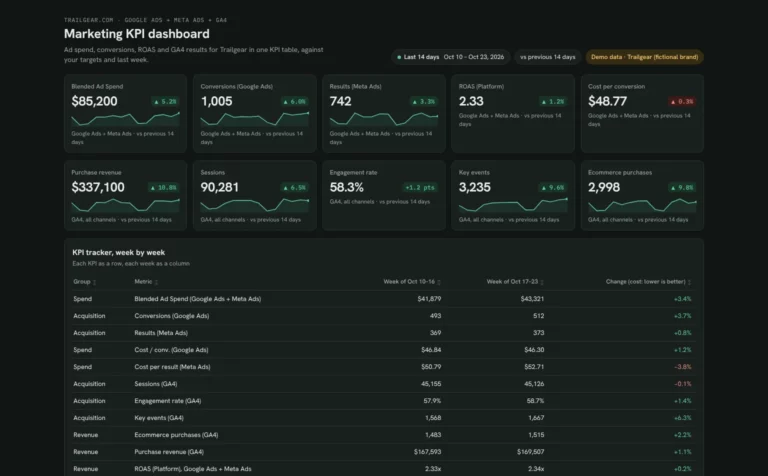 Claude
Marketing KPI dashboard template
Track ad spend, conversions and revenue week by week against your targets.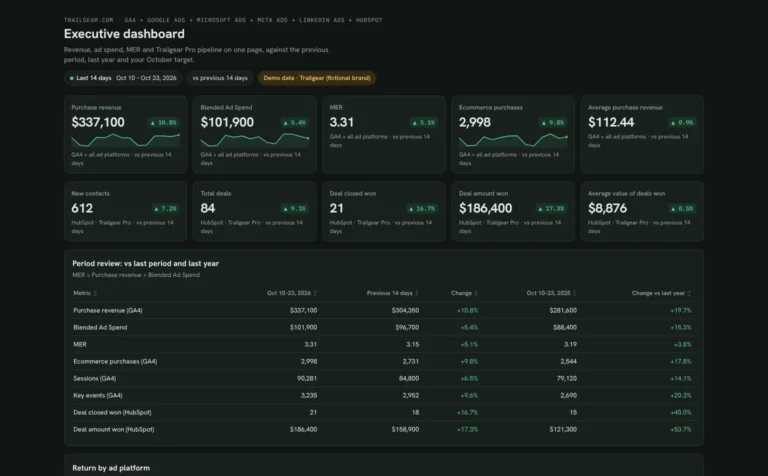 Claude
Executive dashboard template
Show leadership revenue, ad spend, MER and pipeline on one page.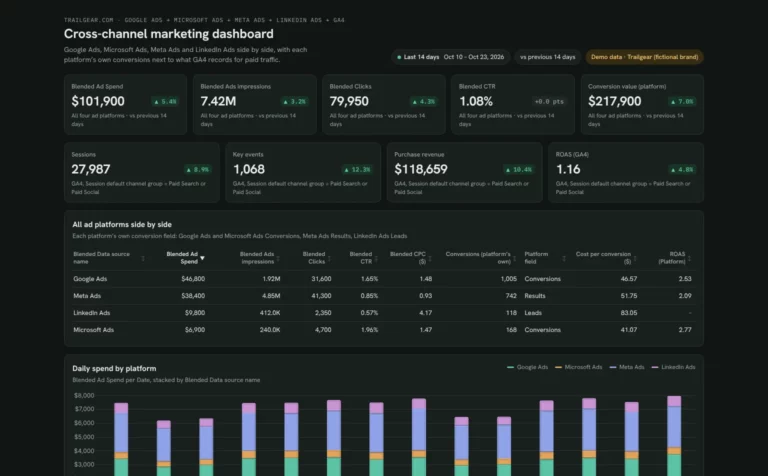 Claude


Cross-channel marketing dashboard template
Compare spend, CPA and ROAS across your ad platforms next to GA4.How to build a marketing dashboard in Claude
These templates read several sources at once, so connect each ad account, GA4 and your CRM in Porter first. Then Claude can pull them into one dashboard.
Connect your data in Porter.
Sign up free and connect the accounts your template reads: Google Analytics 4, Google Ads, Meta Ads or HubSpot.
Add Porter to Claude.
In Claude, go to Customize › Connectors › Add custom connector, paste
https://mcp.portermetrics.com/mcpand sign in to Porter. See each screen in the Claude MCP tutorial.Paste the template prompt.
Open the marketing template you picked and paste its prompt into a new Claude chat. Claude joins your sources into the same views. Check how it matches spend to revenue before the numbers go to leadership.
Before you start
- Claude plan: Dashboards is in beta on Pro, Max, Team and Enterprise (Anthropic’s Dashboards guide).
- Porter plan: Free reads the last 15 days in Claude; paid plans read full history.
- Previews: every card shows a demo dashboard, not real client data.
How to connect HubSpot to Claude (no code) · Video · Porter Metrics on YouTube ↗
Which marketing template to pick
All four read ads and GA4. They differ in who reads them and how often.
The team’s weekly view
The marketing dashboard template shows which channels turn spend into leads, deals and revenue.
Targets and pacing
The marketing KPI template tracks spend, conversions and revenue week by week against your targets.
Where the next dollar goes
The cross-channel template compares spend, CPA and ROAS across ad platforms next to GA4.
Marketing template FAQ
Picking a template, data history and sharing.
What is the difference between the four marketing templates?
The marketing template is the team’s channel view, the KPI template tracks targets week by week, the executive template is a one-page summary for leadership and the cross-channel template compares ad platforms.
Can a Claude marketing dashboard include HubSpot deals?
Yes. The marketing and executive templates read HubSpot through Porter, so leads, pipeline and won deals sit next to ad spend.
What is MER in the executive dashboard?
MER, or marketing efficiency ratio, is total revenue divided by total ad spend. It doesn’t depend on any one platform’s attribution, so leadership can compare periods.
More Claude dashboard templates
Browse by use case or by the data source you connect.
By use case
- SEO 14
- PPC 7
- Social media 7
- Marketing overview 4
 Search Console 15