





Trusted by 1,600+ marketing teams and agencies


What you can do with this Google Search Console dashboard
Eight jobs this dashboard does. Click one to see its view on demo data, then paste its prompt into the same Claude chat.
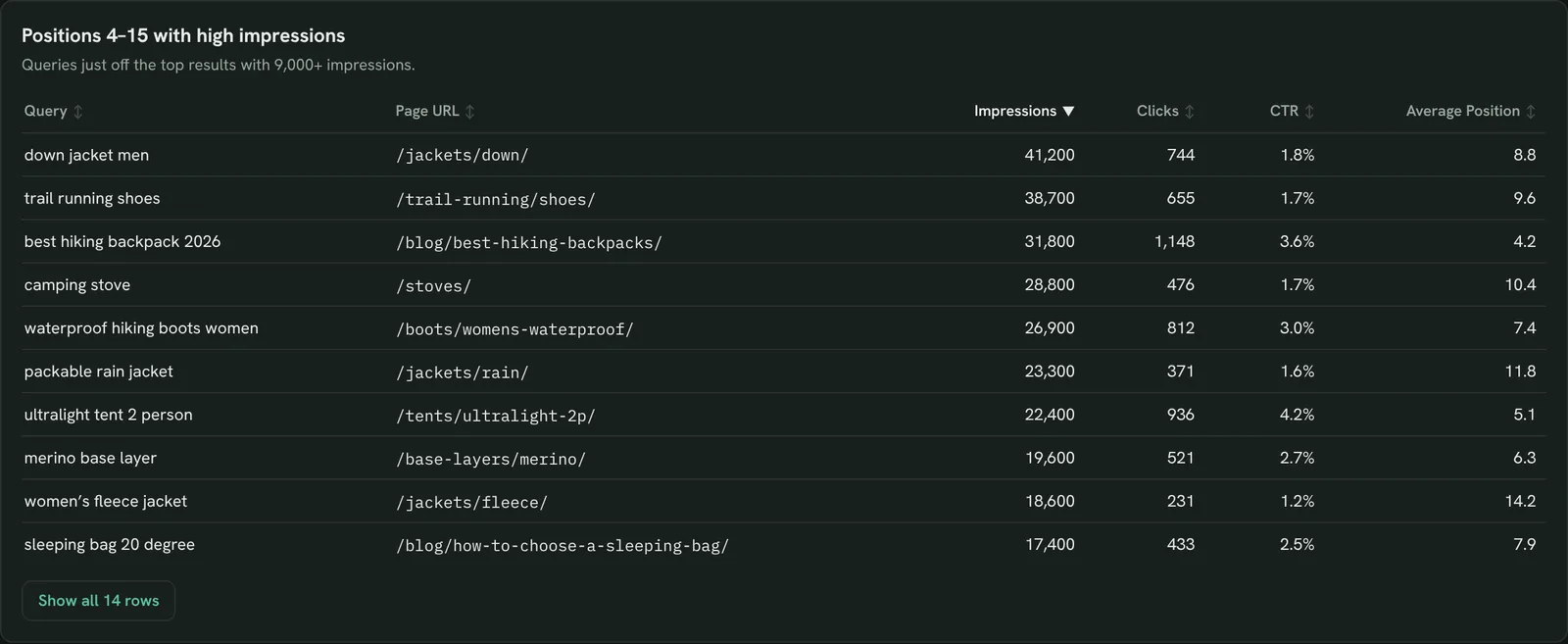
Find queries close to page one
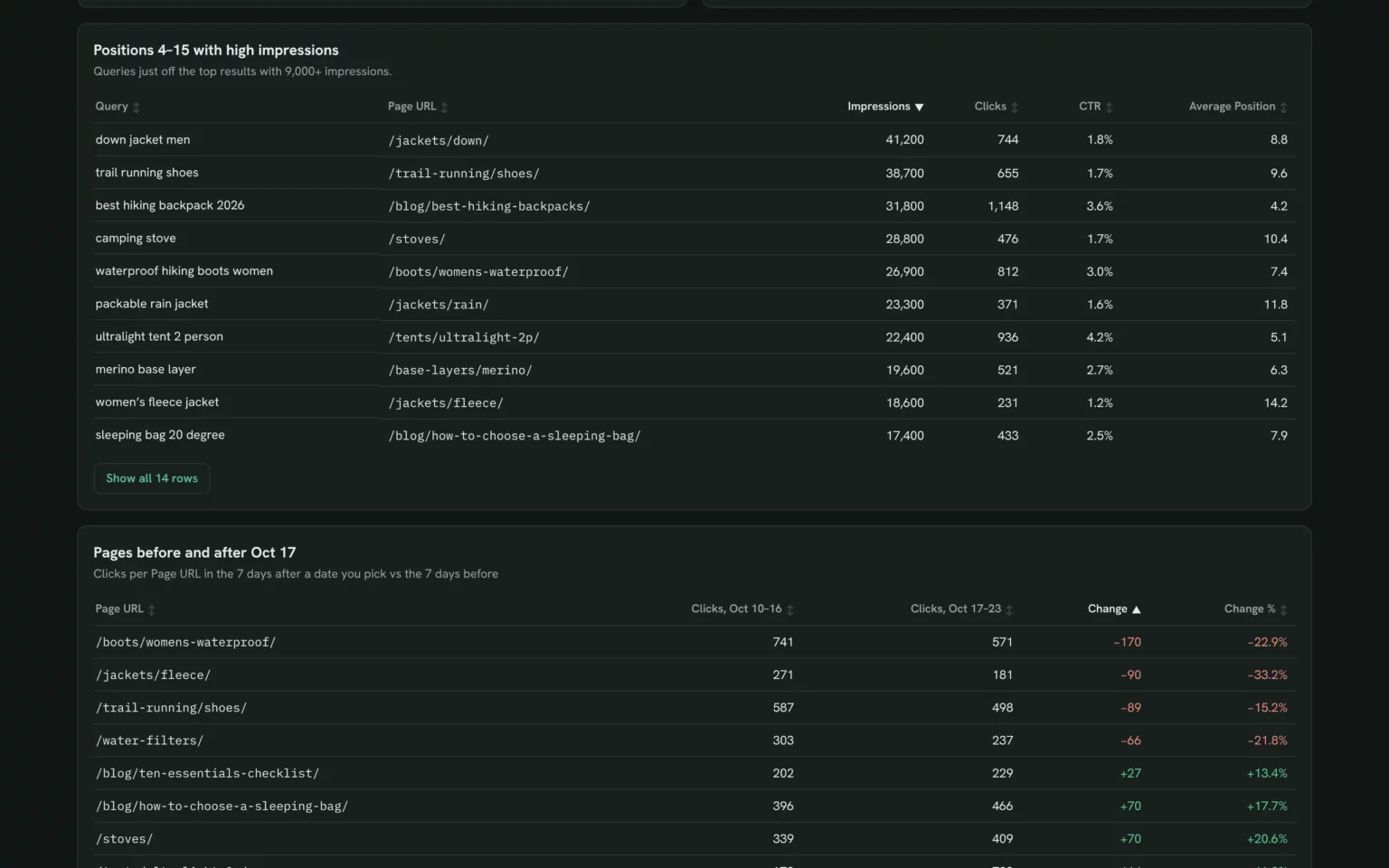
Queries ranking 4–15 with high impressions, and the page behind each, so you know which page to fix first.
- Which queries rank 4–15 with high impressions?
- Which titles should I rewrite first?
List my queries ranking 4–15 with the most impressions, the page behind each and one title fix per page.Also built for this: Keyword ranking dashboard template
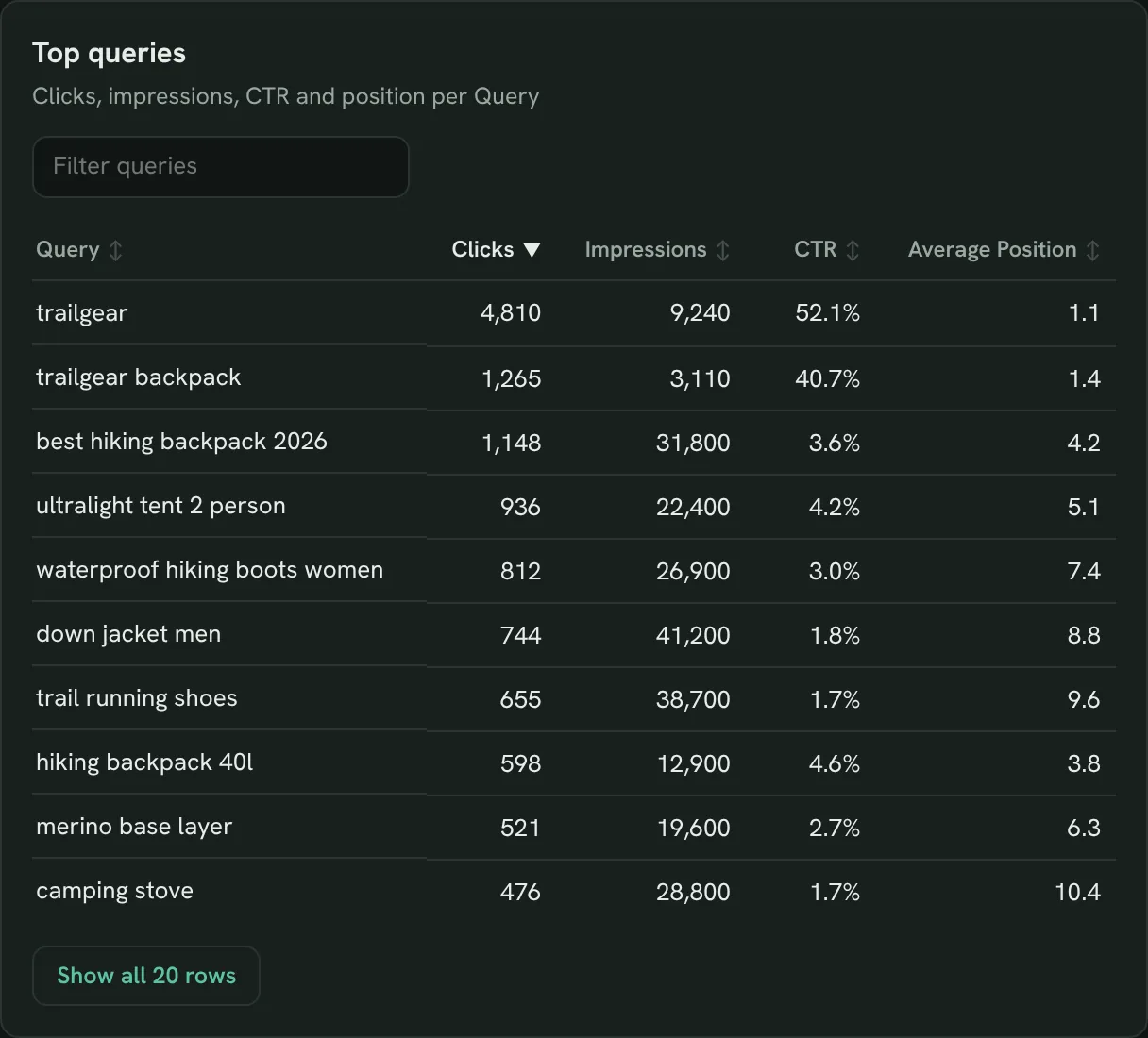
Fix queries with high impressions and low CTR
Page-one queries that get few clicks for their impressions, so you rewrite the title or snippet.
- Which queries get impressions but few clicks?
- Is the problem the title or the content?
Show queries with more than 5,000 impressions and a CTR under 2%, with the page and average position for each.Also built for this: SEO dashboard template
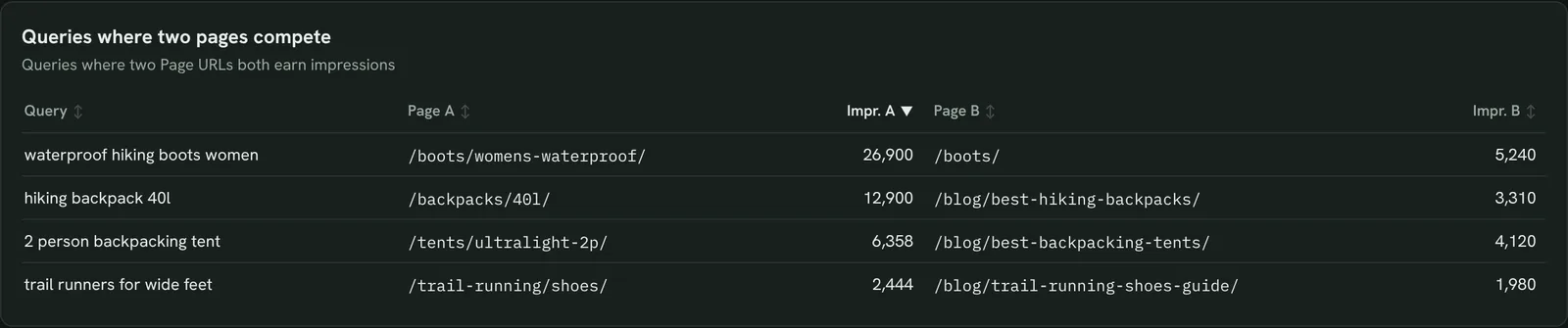
Find pages competing for the same query
Queries where two of your pages earn impressions, so you can merge, redirect or re-target one.
- Do two of my pages compete for one query?
- Which page should keep it?
Find queries where two or more of my pages get impressions in the last 28 days, with each page's impressions, clicks and position.Also built for this: Keyword ranking dashboard template
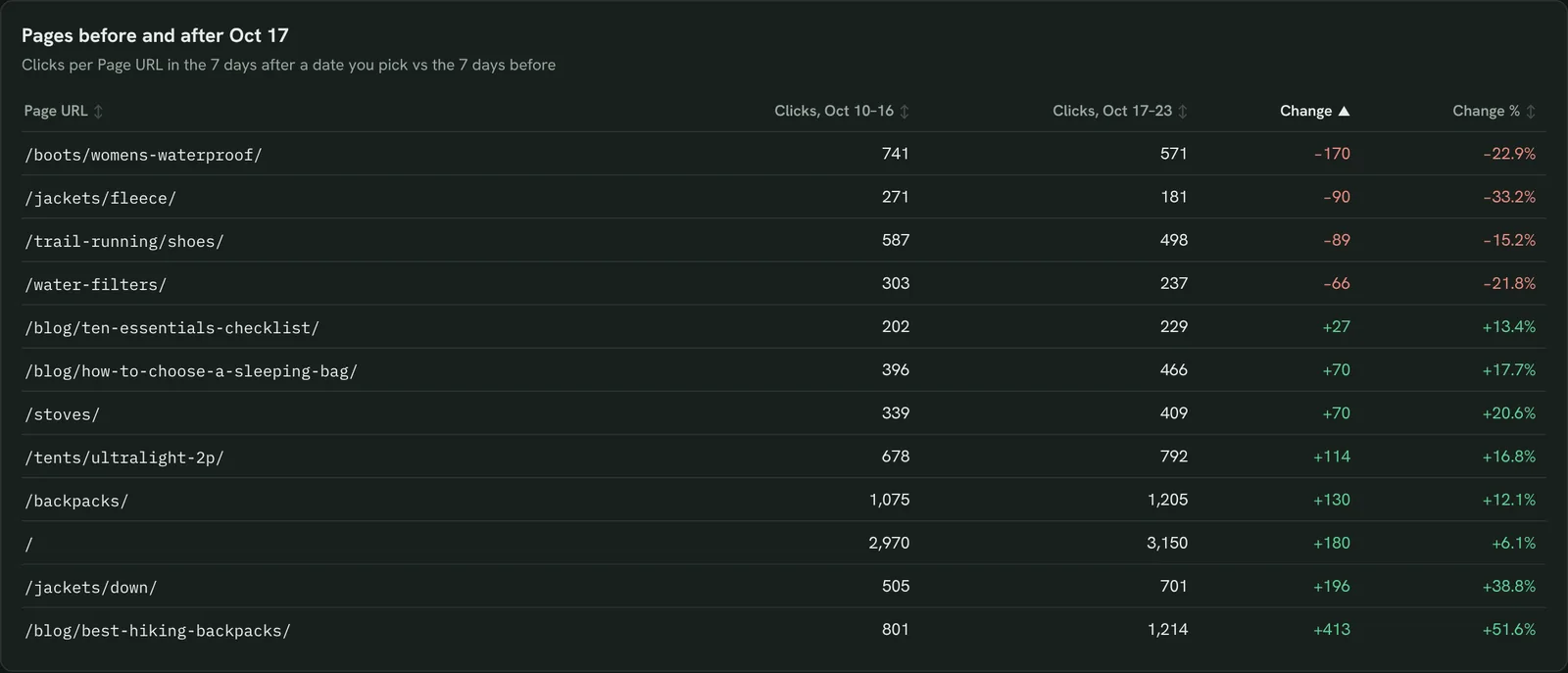
Check if a Google update hit your pages
Clicks per page after a core update against the same days before, so you know which pages to look at first.
- Did clicks change after the update?
- Which pages gained or lost?
Compare clicks, impressions and position per page for the 14 days after [update date] with the 14 days before, sorted by the biggest drop.Also built for this: Monthly SEO dashboard template
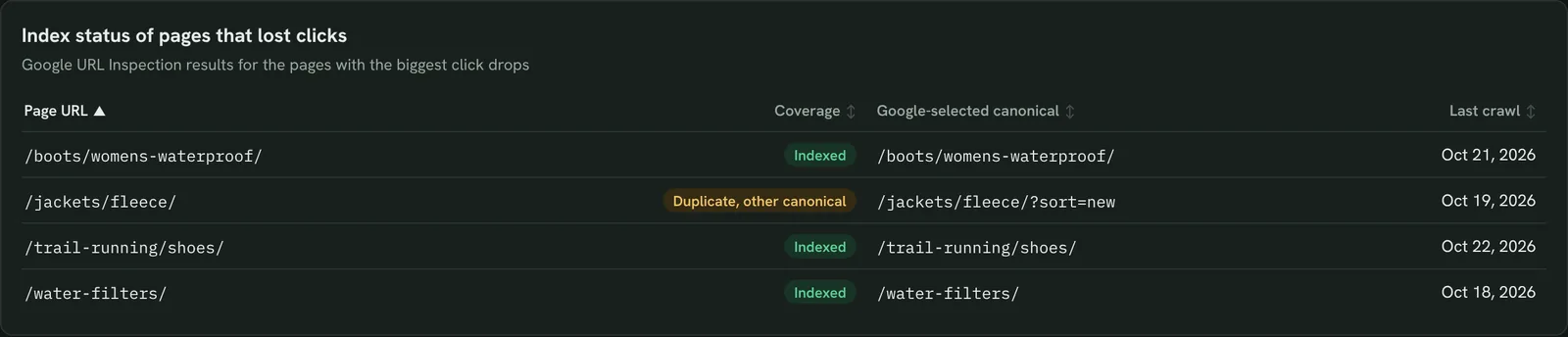
Check whether a dropped page is still indexed
For pages that lost clicks, see if Google still indexes them, which canonical it picked and when it last crawled.
- Is the dropped page still indexed?
- Did Google pick a different canonical?
Inspect my 5 pages with the biggest click drop in Google's index: coverage, Google-selected canonical and last crawl.Also built for this: SEO dashboard template

Split branded and non-branded clicks
Clicks from people searching your brand against everyone else, so you see whether SEO brings in new people.
- How much of my traffic is branded?
- Is growth coming from new searchers?
Split my clicks into branded queries (containing [brand]) and non-branded queries for the last 14 days against the 14 days before.Also built for this: Client SEO dashboard template
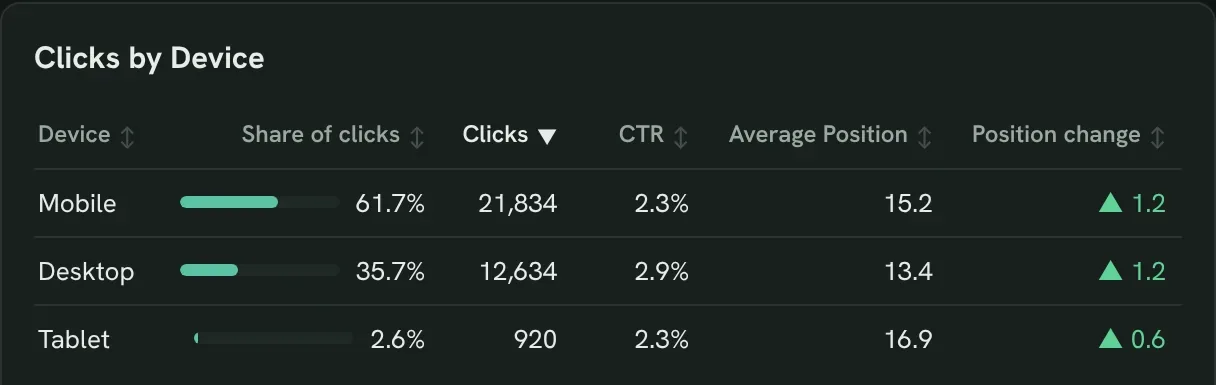
Compare mobile and desktop
CTR and position by device for the same pages, to find where mobile does worse.
- Where does mobile rank or click worse?
- Which pages need a mobile fix?
Compare CTR and position by device for my top 20 pages and list the pages where mobile CTR is under half of desktop.Also built for this: GA4 SEO dashboard template
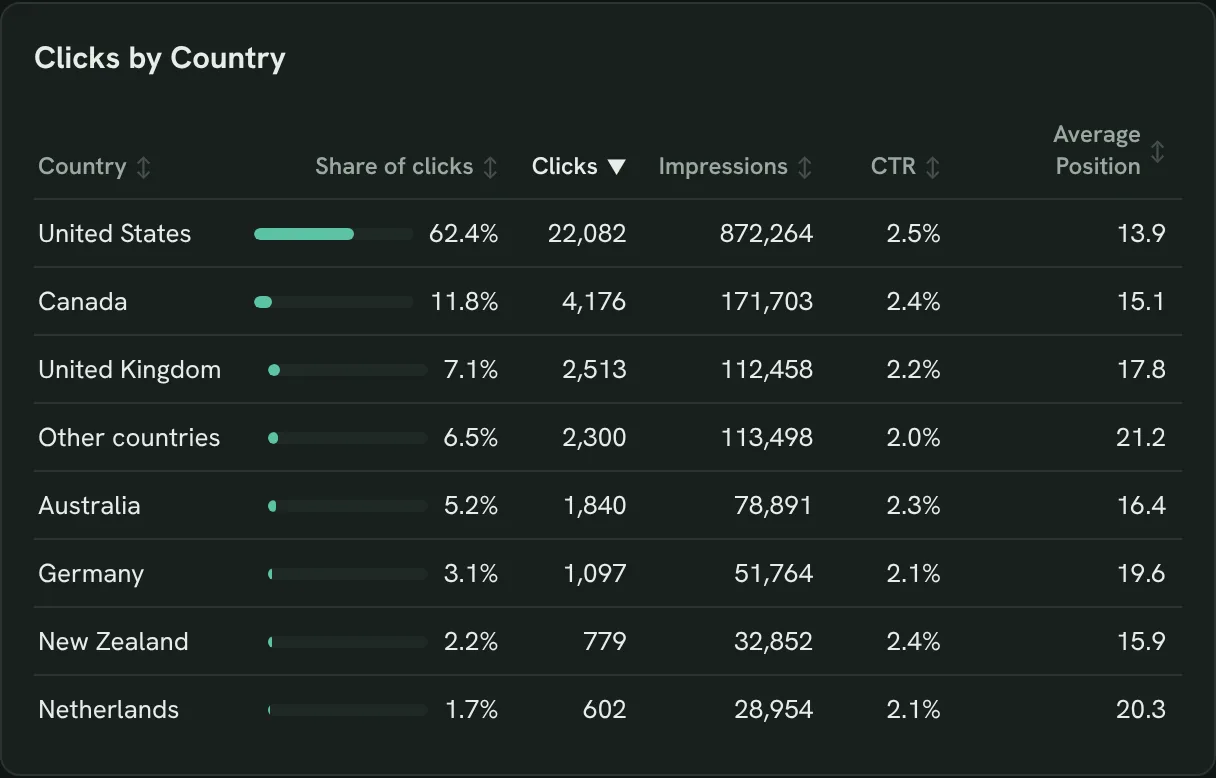
Find the countries that are growing
Clicks and position by country over time, to decide where to localise content.
- Which countries gain clicks?
- Where is it worth localising?
Show clicks, impressions and position by country for the last 14 days against the 14 days before, sorted by click growth.Also built for this: Monthly SEO dashboard template
How to set up the Google Search Console dashboard in Claude
You need a Search Console property your Google account can open, a free Porter account and Claude Pro, Max, Team or Enterprise for Claude Dashboards. The whole setup takes about 8 minutes.
Connect Google Search Console in Porter
Sign up free at Porter, open Data sources, pick Google Search Console and choose your property. The Search Console to Claude tutorial shows each click.
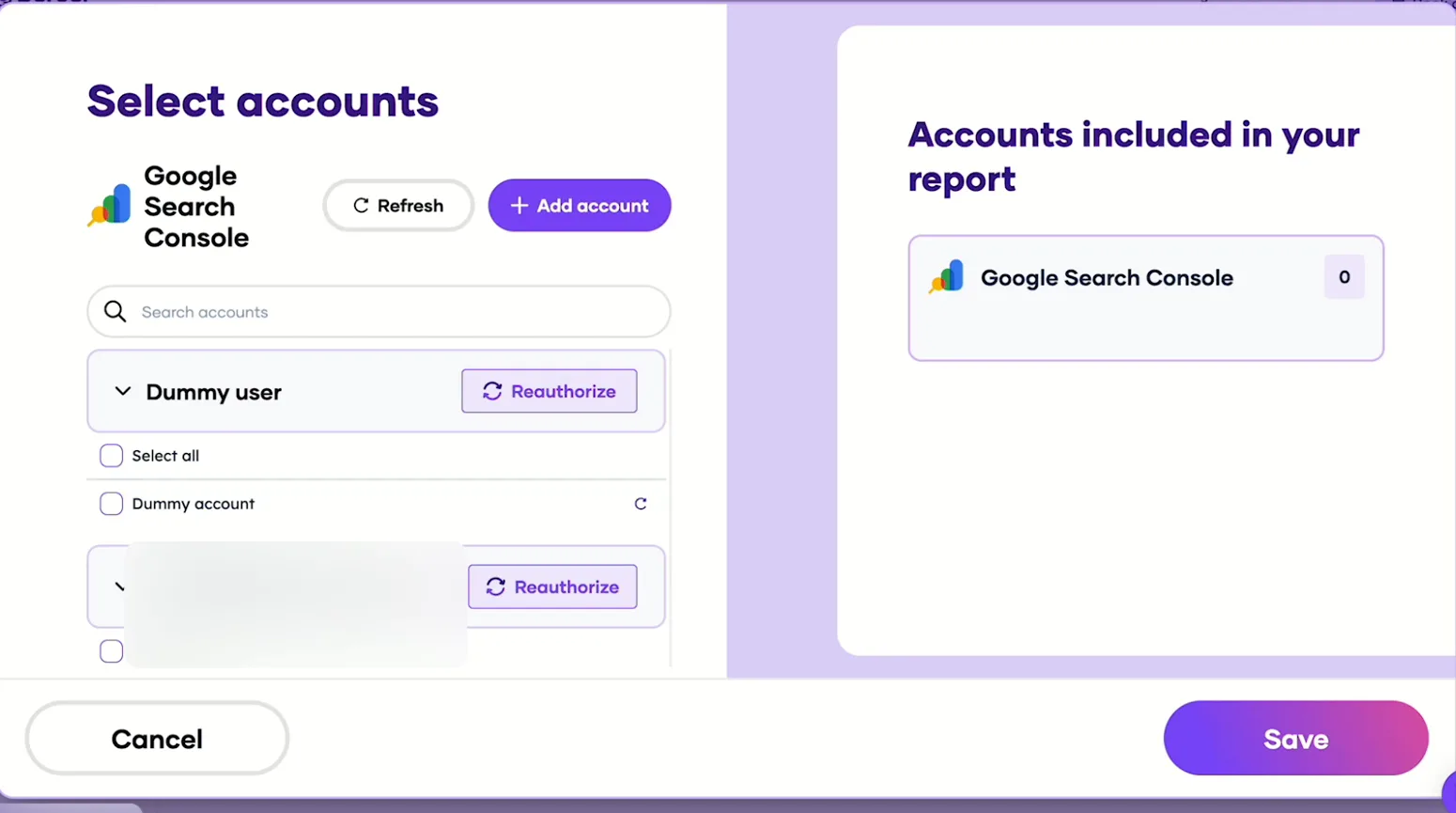
Pick the Search Console sites Claude can read, then save. Add Porter to Claude
In Claude, go to Customize → Connectors → Add custom connector, paste https://mcp.portermetrics.com/mcp and name it Porter Metrics. Click Continue, then sign in to Porter and allow access.
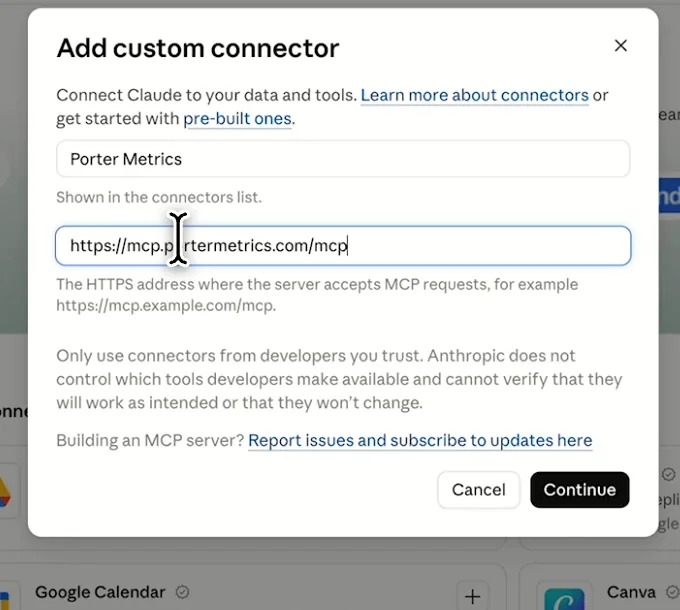
In Claude: Customize, Connectors, Add custom connector, then paste Porter’s MCP URL Paste the install prompt
Open a new chat in Claude, paste this prompt and replace the site in brackets with your property. Claude queries Search Console through Porter and builds the dashboard.
Install promptDuplicate this Claude dashboard template and keep its layout, views and styling: https://claude.ai/artifact/AJAqfv9ibsNN3vY7pYarvg Then rebuild it with my own data through Porter: a Google Search Console dashboard for [site] for the last 14 days: clicks, impressions, CTR and average position, a daily trend, then by query, page, country and device. Highlight queries ranking 4-15 with high impressions. Open in Claude with this prompt

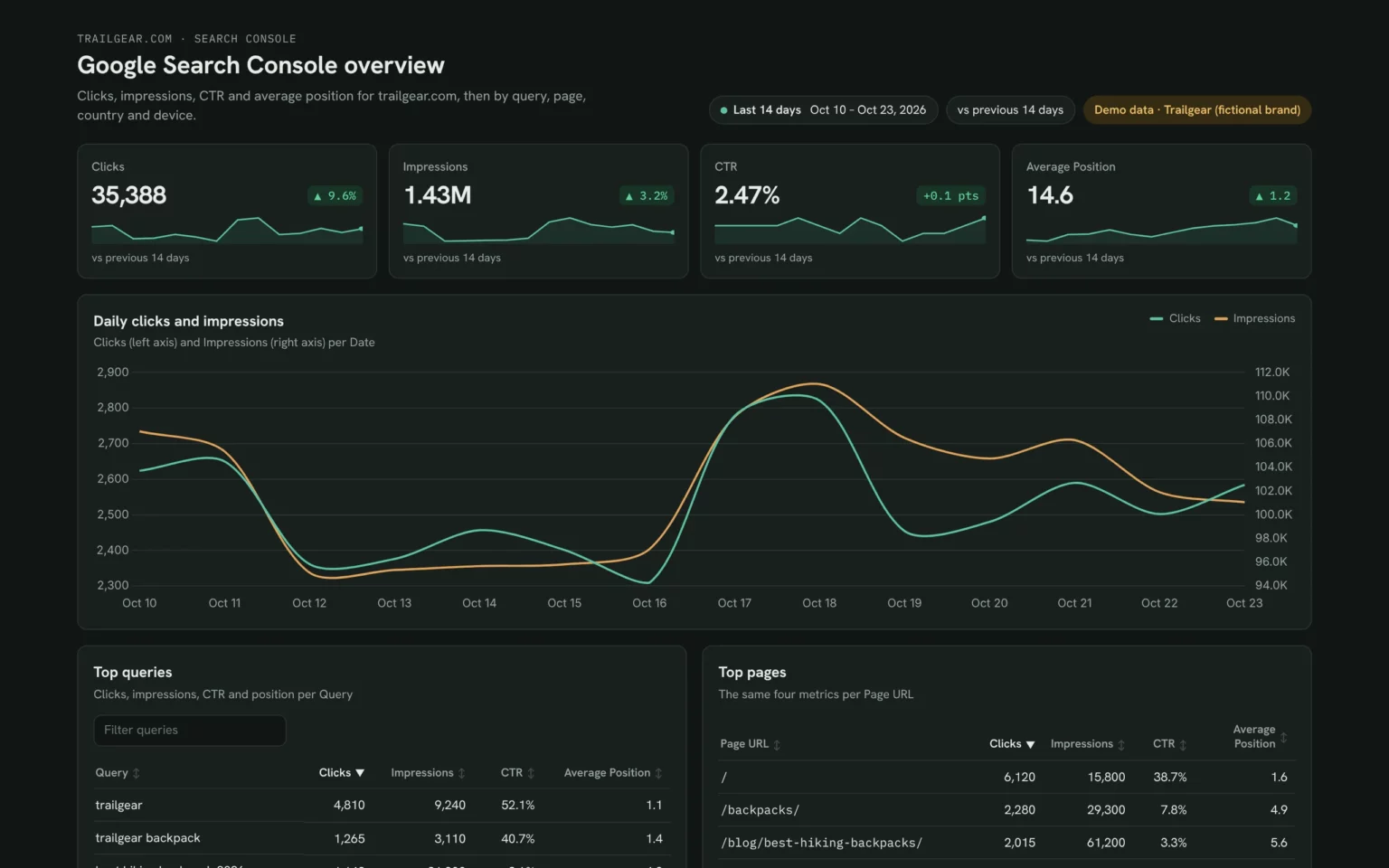
The first thing Claude builds: KPI cards for your own property. Demo data shown.
Build a Google Search Console dashboard with Claude
Search Console fields and data
The template uses the four metrics and five dimensions from Search Console’s Performance report. Porter reads 27 Search Console fields if you need more.
Top 5 Search Console KPIs to watch
Trailgear demo data · last 14 days vs the 14 before
- Clicks35,388+9.6%
The number that pays. Check it first, then open the pages that moved it.
- Impressions1.43M+3.2%
Rising impressions with flat clicks means people see you but your title doesn’t win the click.
- CTR2.47%+0.1 pts
A low CTR at a good position means rewrite the title or meta description, not the content.
- Average Position14.61.2 better
Watch the trend, not one day: a falling number means your pages are moving up.
- Queries in positions 4–15149,000+ impr.
Your fastest wins. They already rank close to the top, so a better title can add clicks quickly.
How the numbers are calculated
- CTR
- Clicks ÷ impressions.
- Average position
- Google’s average top position for your pages on a query, weighted by impressions. Lower is better.
- Change
- (This period − previous period) ÷ previous period. Position change shows as “better” when the number drops.
- Branded share
- Clicks on queries containing your brand terms ÷ all clicks.
- Positions 4–15
- Queries with an average position from 4 to 15 and the most impressions.
Data sources
Metrics
 Clicks
- Impressions
- CTR
- Average Position
Dimensions
- Date
- Query
- Page URL
- Country
- Device
See all fields:Google Search Console · 27 fields
What makes this Search Console dashboard different
What you get that a Search Console export or the Performance report can’t give you.
Ask the next question in the same chat
Spot a drop, then ask Claude which pages and queries caused it, without exporting anything.
Compare any two periods
Put the 14 days after an update next to the 14 before, or this month next to last year.
Find out why a page fell
Claude checks a dropped URL’s index status, Google’s chosen canonical and last crawl for you.
See which clicks bring customers
Add GA4 and each page shows its clicks next to the sessions and key events they brought.
Send clients a report on your logo
Publish it in Porter and email it, with your logo, on the day you choose.
Skip the CSV downloads
A refresh pulls the latest days Google has published, so nobody copies numbers by hand.
What the dashboard includes
- KPI cards for clicks, impressions, CTR and average position against the previous period
- A daily clicks and impressions trend
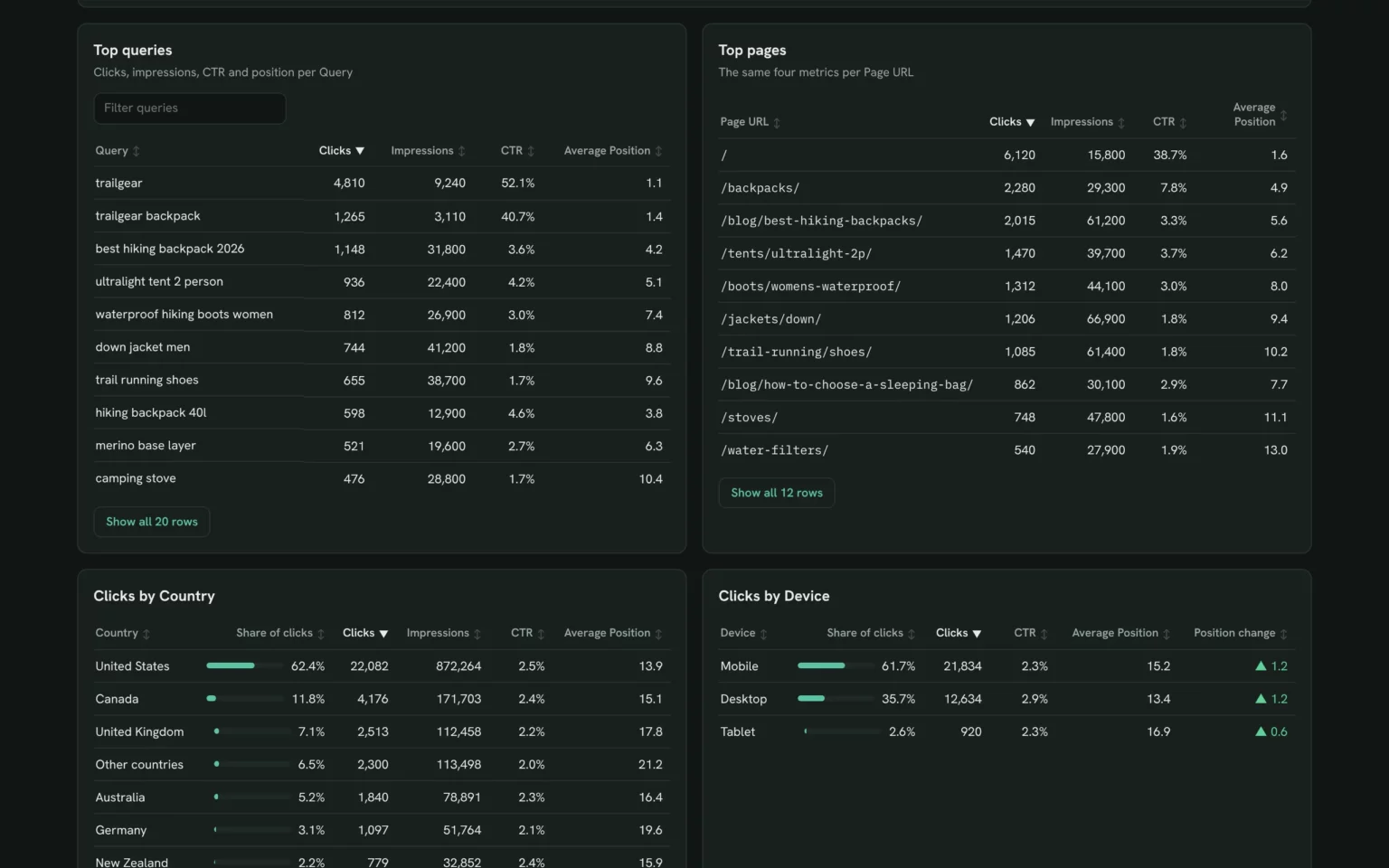
- Sortable top queries and top pages tables
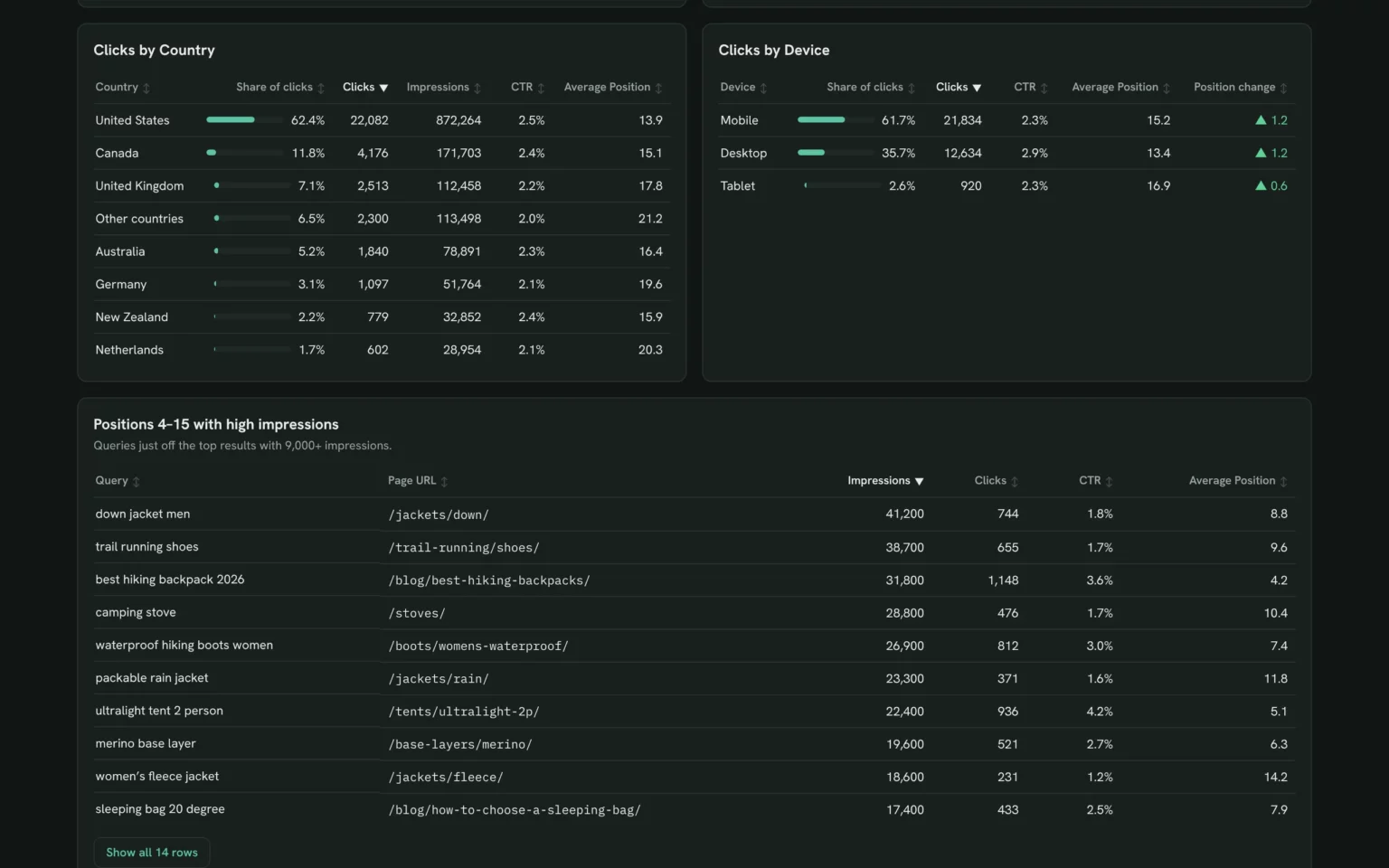
- Clicks by country and device
- A positions 4–15 table with the page behind each query
- Share by link, PDF and scheduled email once published in Porter
Related dashboard templates
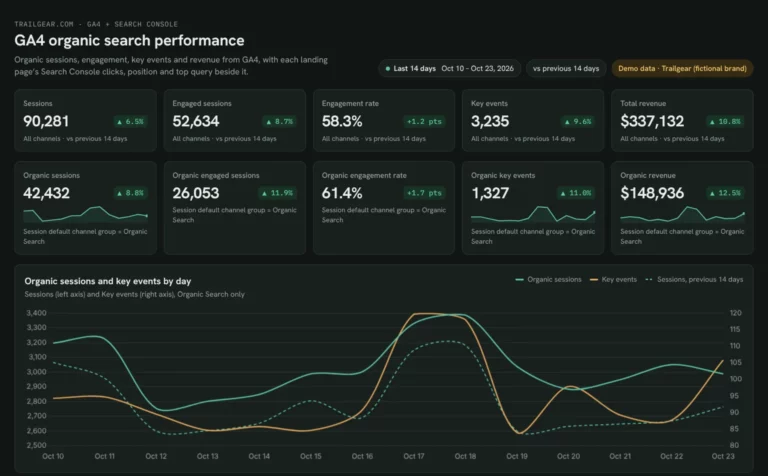 Claude

GA4 SEO dashboard template
See which landing pages bring organic sessions and key events.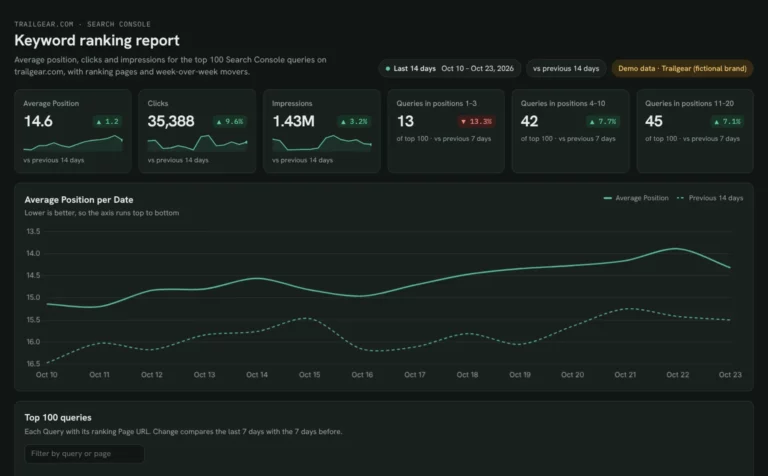 Claude
Keyword ranking dashboard template
Track which keywords reach page one and what moved this week.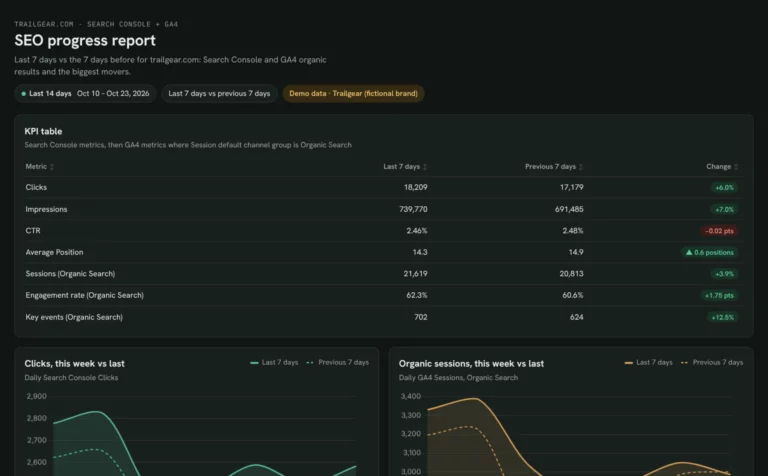 Claude
Monthly SEO dashboard template
Show month-on-month SEO results and the pages that moved them.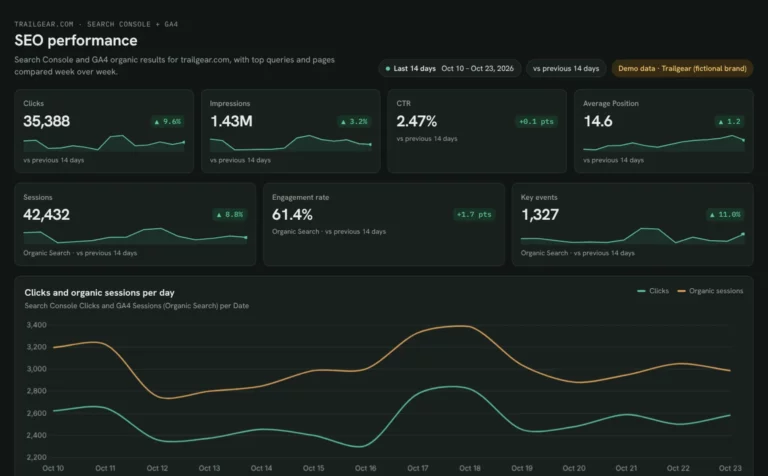 Claude
SEO dashboard template
See which Search Console clicks turn into GA4 sessions and key events.Browse more Claude dashboard templates
 Data Studio
 Google Sheets
 ChatGPT
Get your free Search Console dashboard
Sign up free, connect Search Console and paste the prompt. Your own data fills the same layout as the demo.
Free plan · 14-day trial · No card needed