




Best Free Content Marketing Report Templates for Data Studio (2026)
Free content marketing report templates for Google Data Studio. Acompanhe blog performance, organic traffic, social engagement, and content ROI. Built for content teams and agencies.
Conecte seus dados grátis →Última atualização: Abril 2026
Browse 23 Content Marketing Report Templates for Data Studio
Escolha da nossa biblioteca de modelos gratuitos e white-label de content marketing templates. Cada modelo acompanha o funil completo: visibilidade (impressões, alcance), engajamento (CTR, interações) e conversão (leads, receita). Organizados seguindo o SUMAS framework com segmentação por canal, campanha, audiência e período.
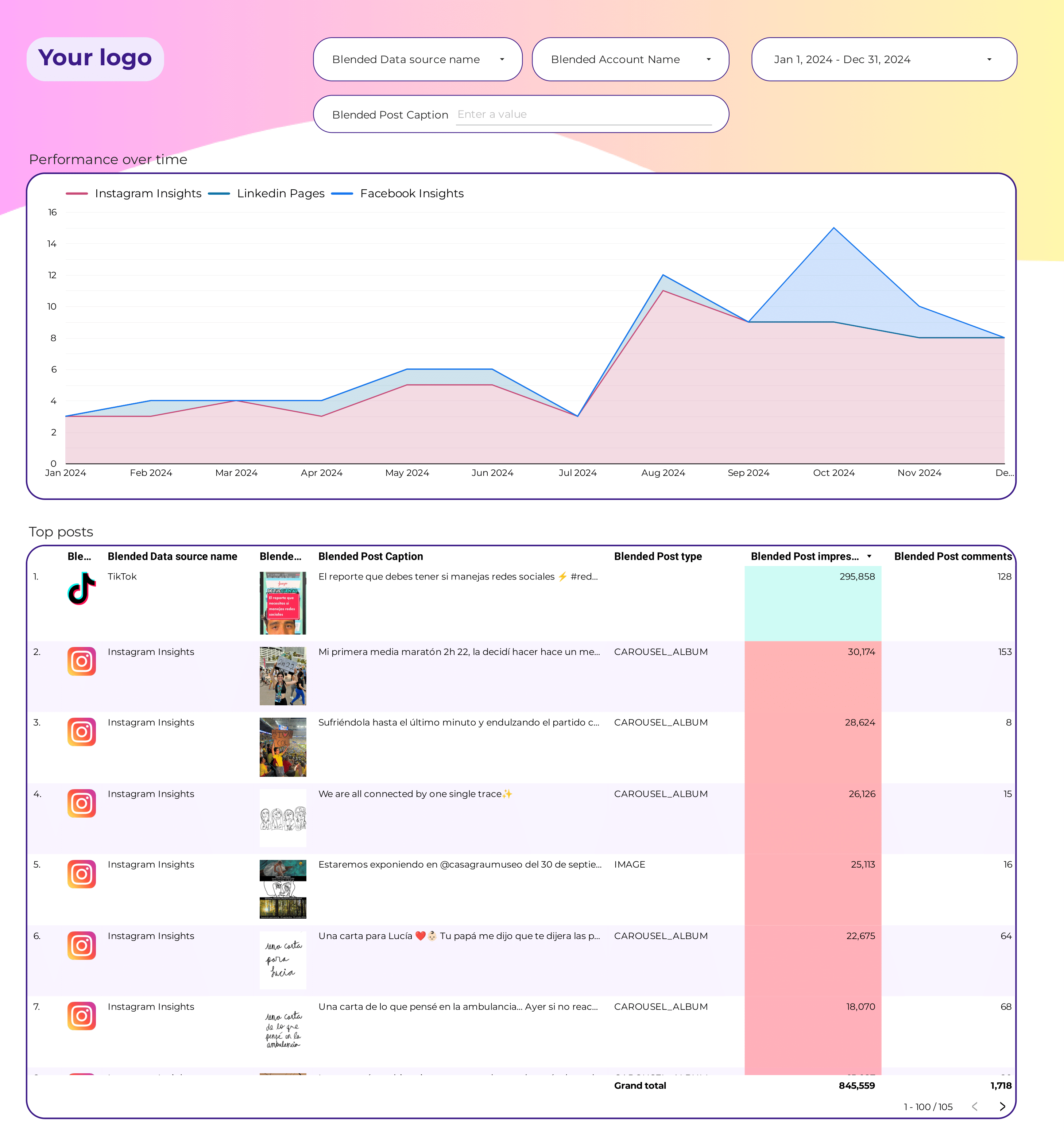
Social Media Engagement Report template for Data Studio by Porter
Acompanhe total reach, impressions → likes, comments, shares, saves → engagement-to-click rate. Segmente por post type, platform, day.

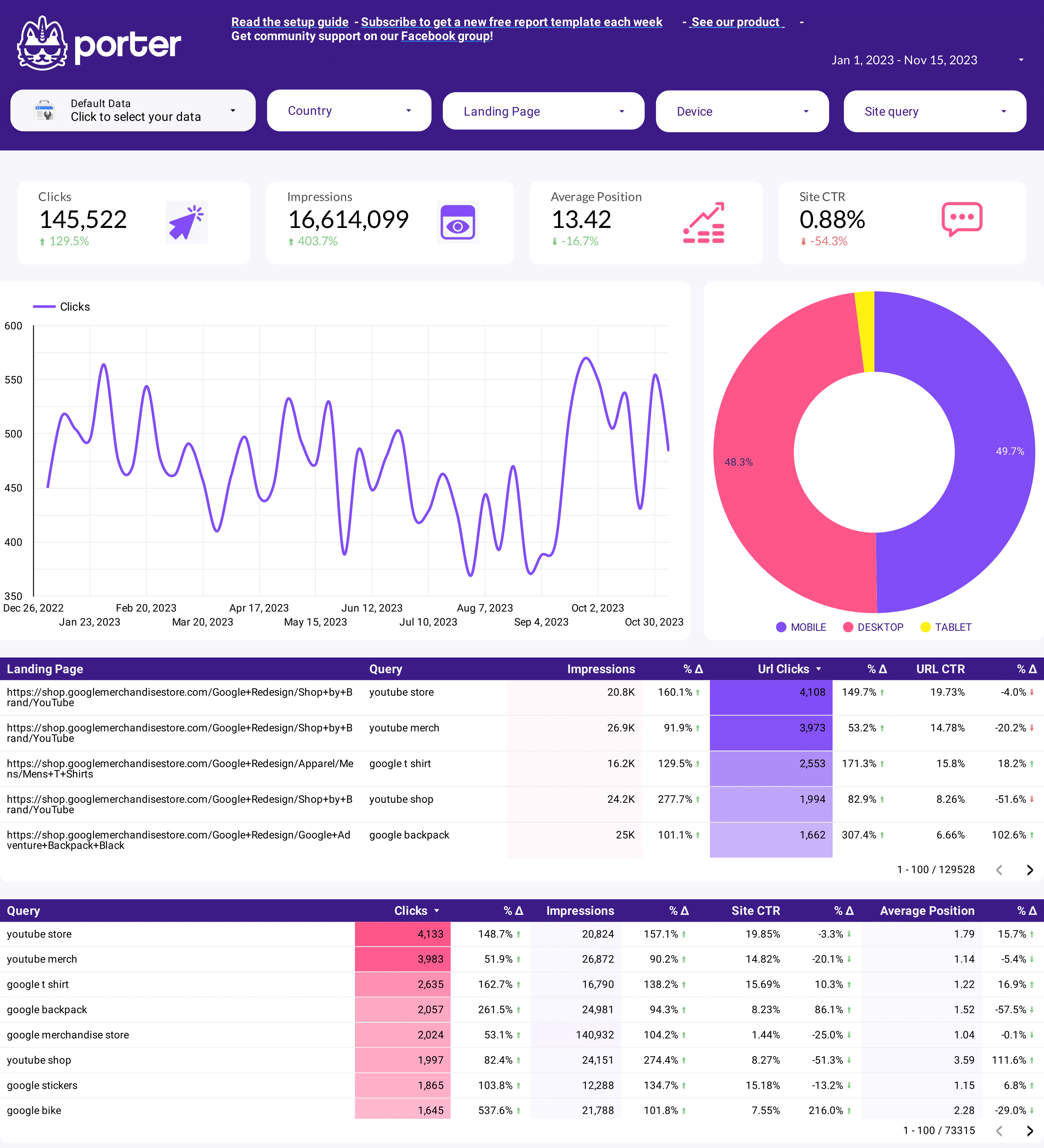
SEO Keyword research Report template for Data Studio by Porter
Acompanhe keyword search volume, SERP visibility → CTR per keyword, position changes → organic traffic, keyword conversions. Segmente por keyword cluster, intent, difficulty.
SEO Keyword ranking tracker Report template for Data Studio by Porter
Acompanhe ranking positions, SERP features → CTR by position, impression trends → traffic from ranked keywords. Segmente por keyword, URL, position change.
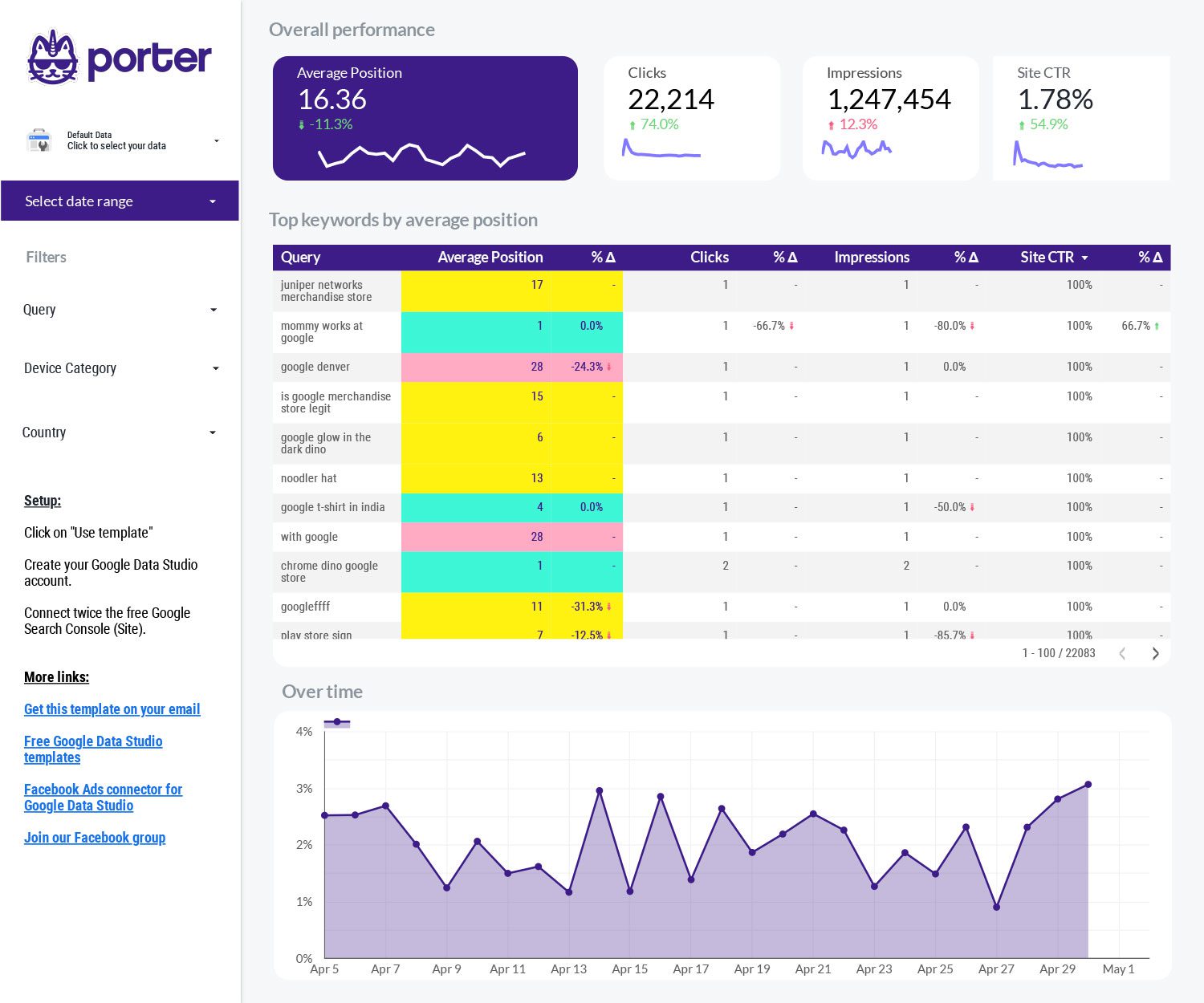
SEO Serp tracking Report template for Data Studio by Porter
Acompanhe SERP positions, featured snippets → CTR trends, position volatility → organic click share, ranking gains. Segmente por keyword, competitor, SERP feature.
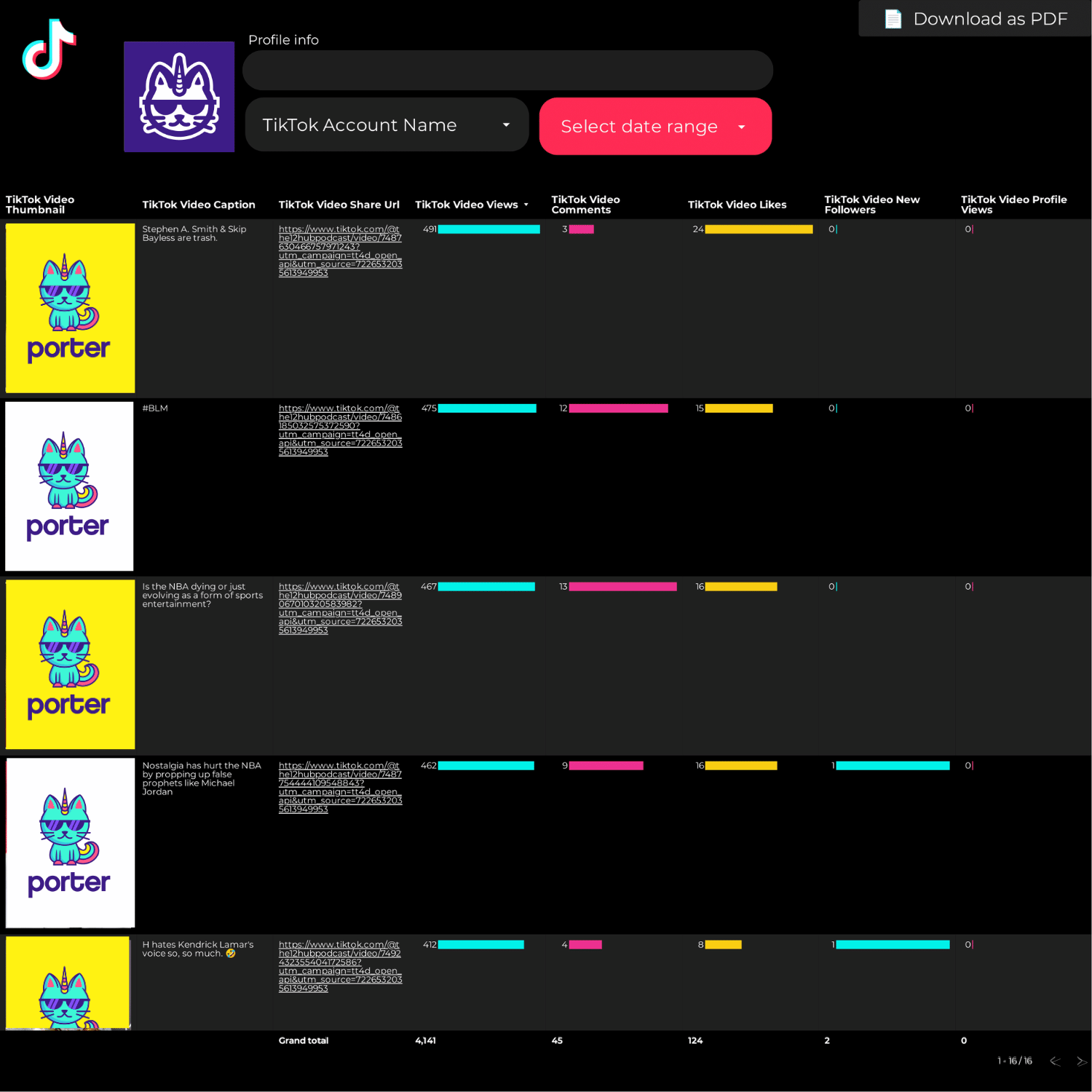
Engagement rate Report template for Data Studio by Porter
Acompanhe total reach, impressions → engagement rate by type → engagement-to-click conversion. Segmente por platform, format, time.
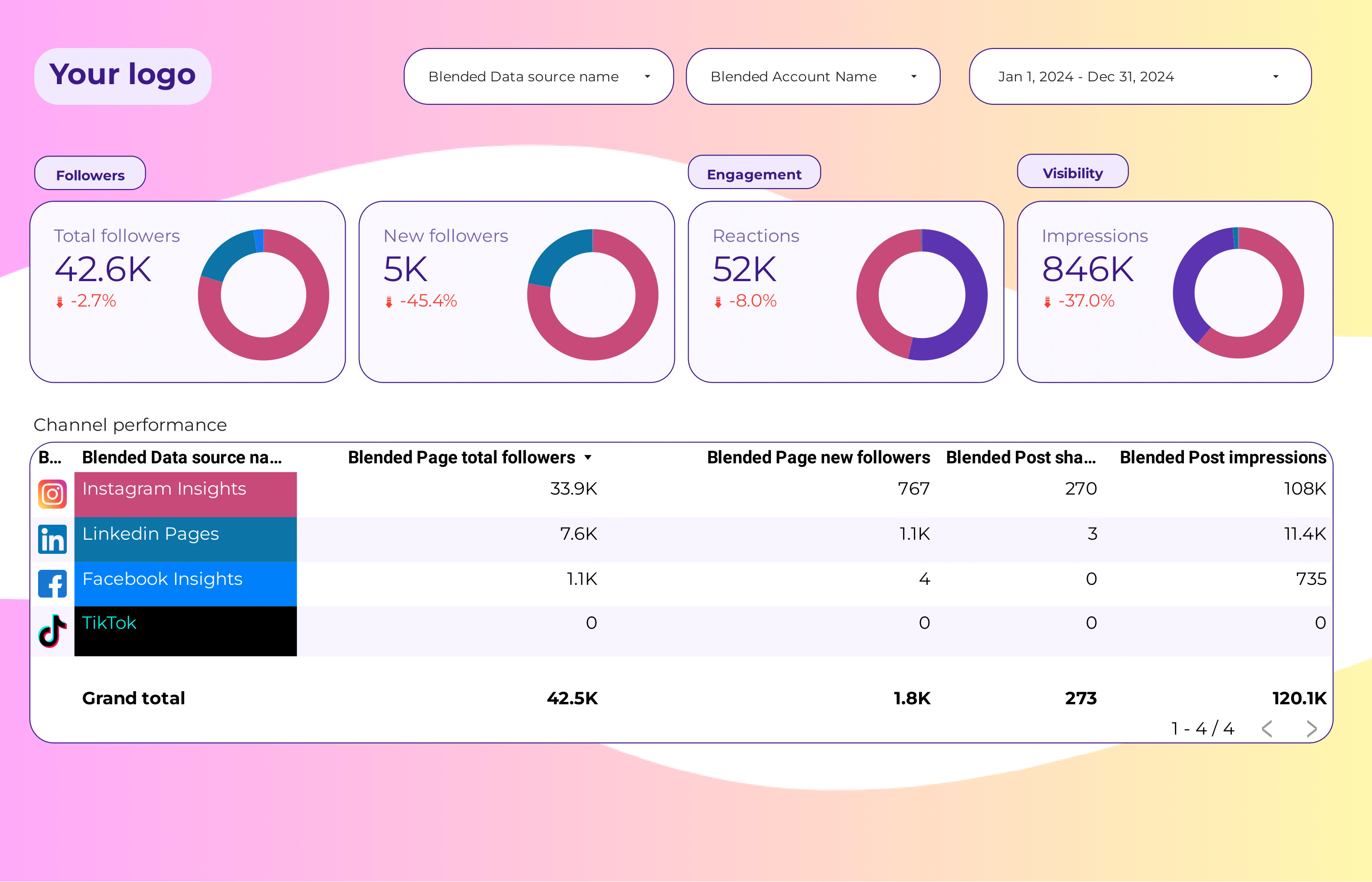
Social Media Report template for Data Studio by Porter
Acompanhe follower growth across platforms → engagement rate per follower → follower-to-customer ratio. Segmente por platform, date.
SEO Report template for Data Studio by Porter
Acompanhe keyword search volume, SERP visibility → CTR per keyword, position changes → organic traffic, keyword conversions. Segmente por keyword cluster, intent, difficulty.
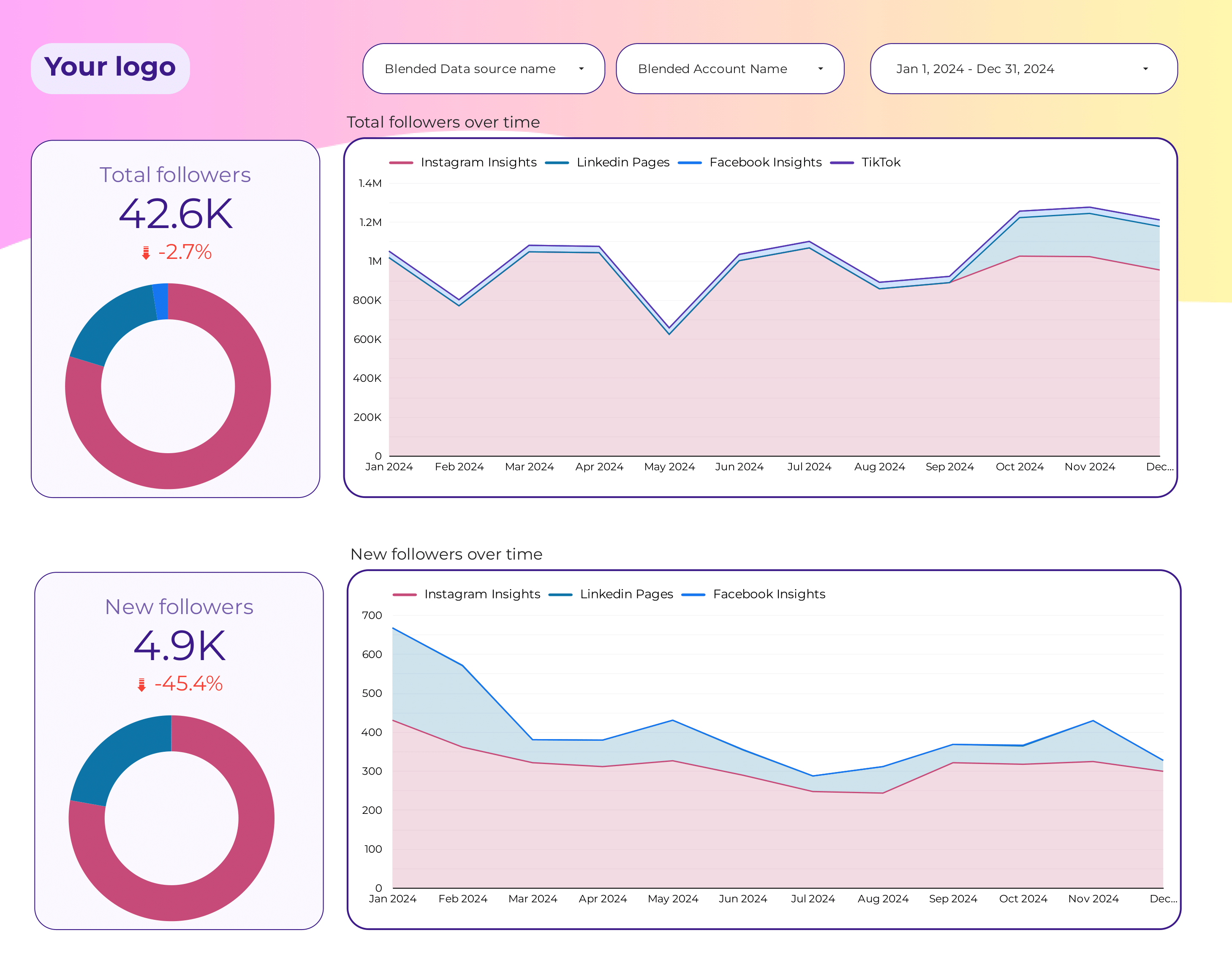
Social Media Followers tracking Report template for Data Studio by Porter
Acompanhe follower growth across platforms → engagement rate per follower → follower-to-customer ratio. Segmente por platform, date.
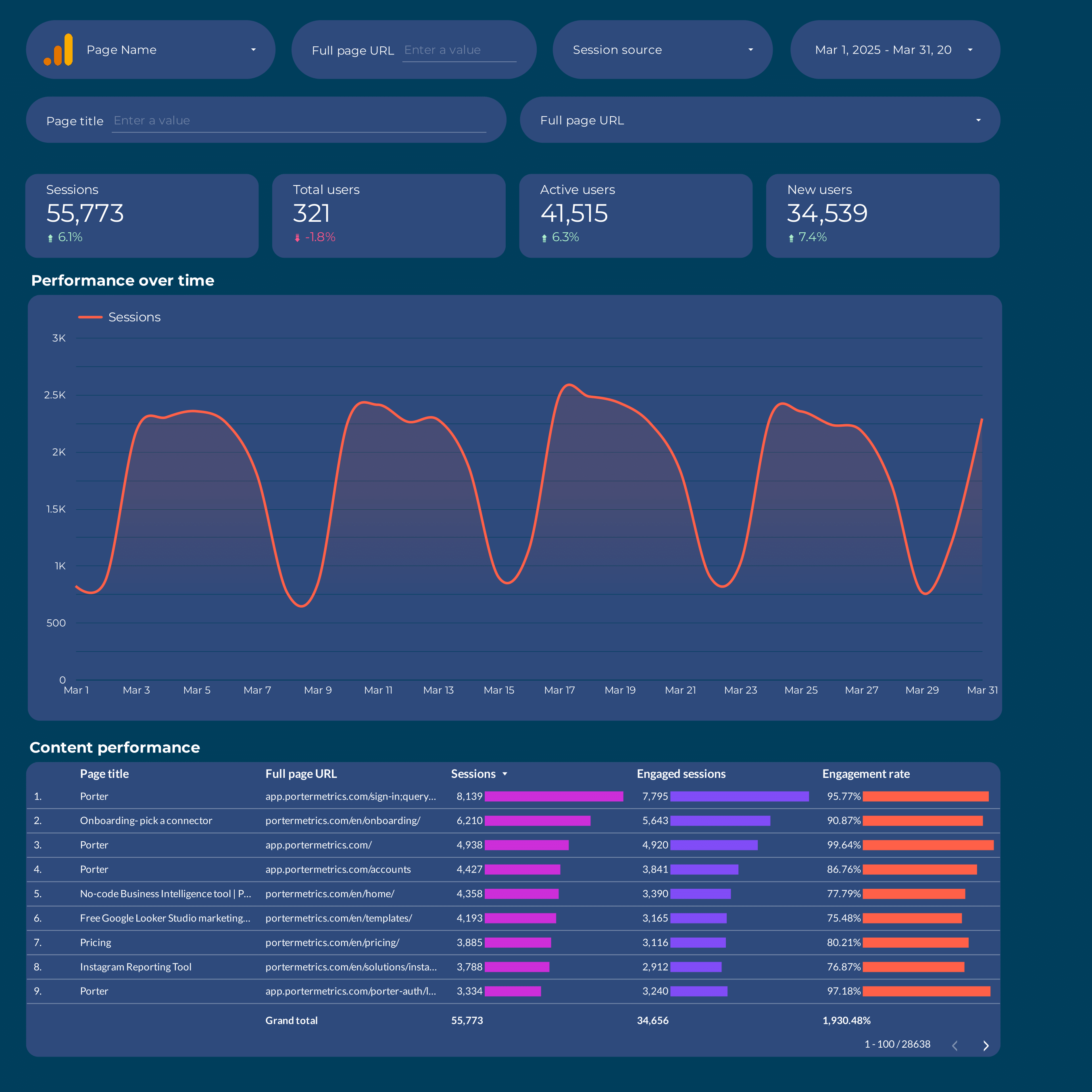
Content marketing Report template for Data Studio by Porter
Acompanhe page views, organic impressions → time on page, scroll depth, shares → content conversions, lead captures. Segmente por content type, topic, channel.
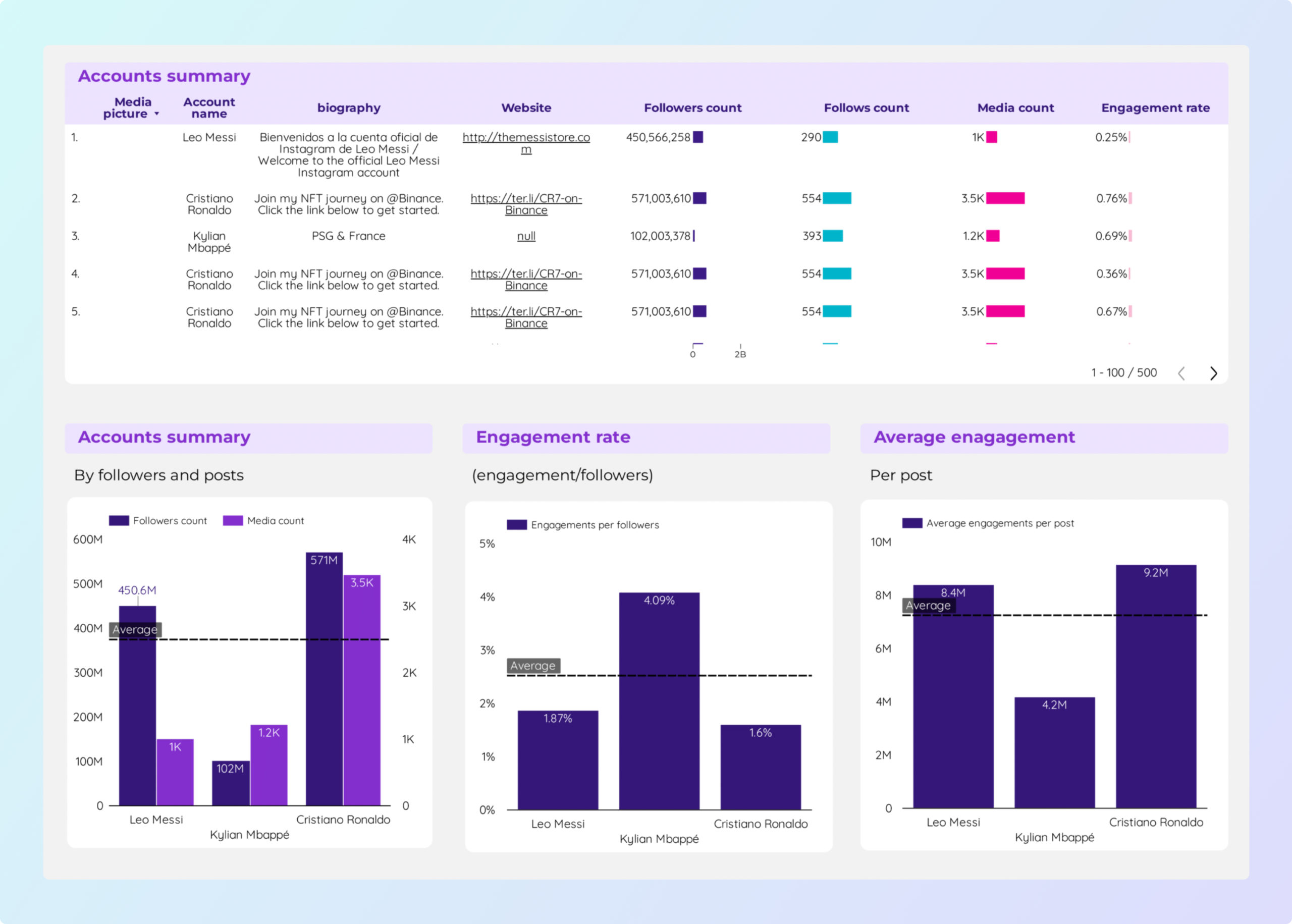
Social Media competitors Report template for Data Studio by Porter
Acompanhe competitor followers, reach → engagement rate benchmarks → share of voice, growth gap. Segmente por competitor, platform.
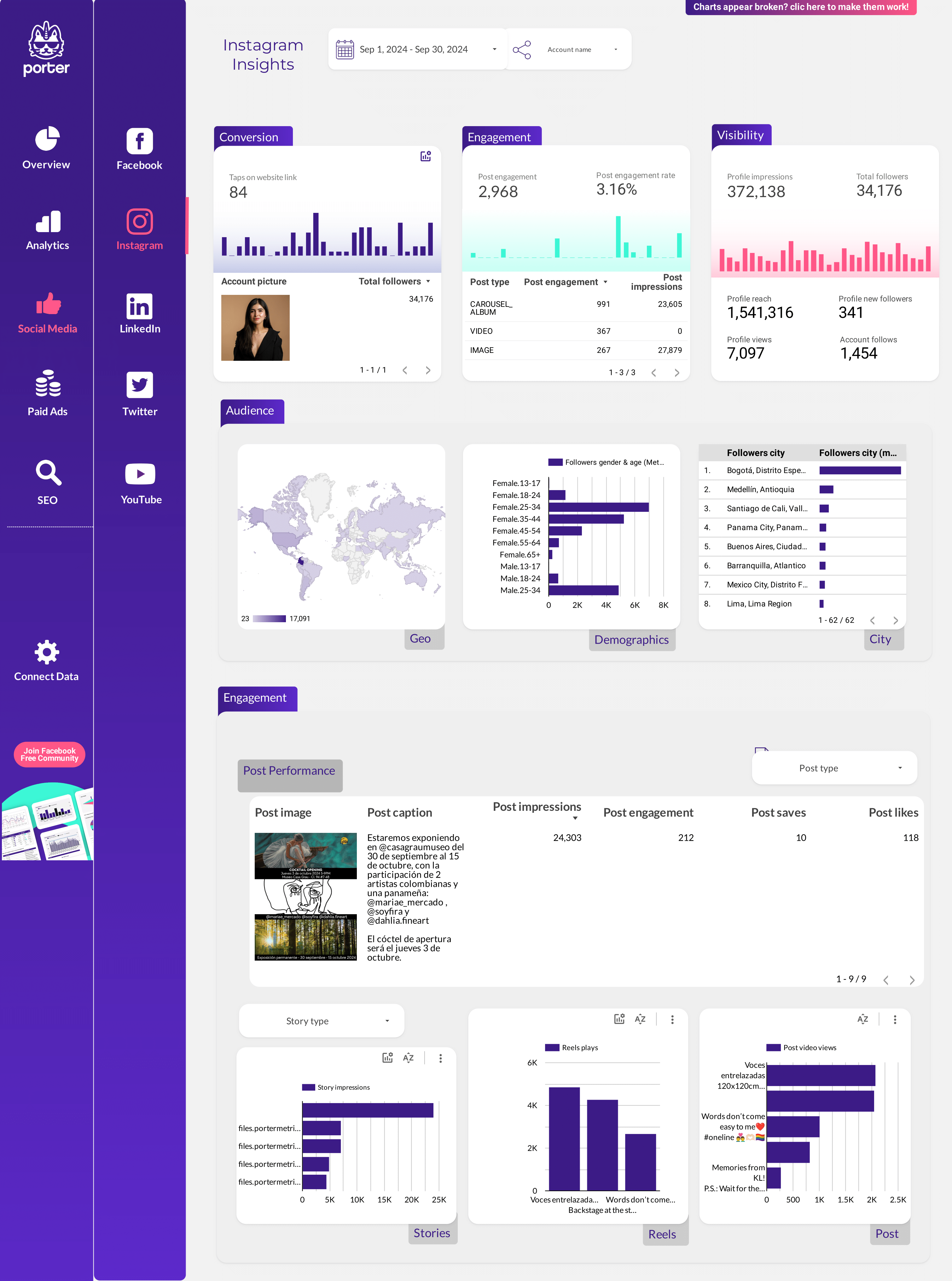
Social Media Client presentation Report template for Data Studio by Porter
Acompanhe client social reach → client engagement benchmarks → social-driven leads. Segmente por client, platform, content.
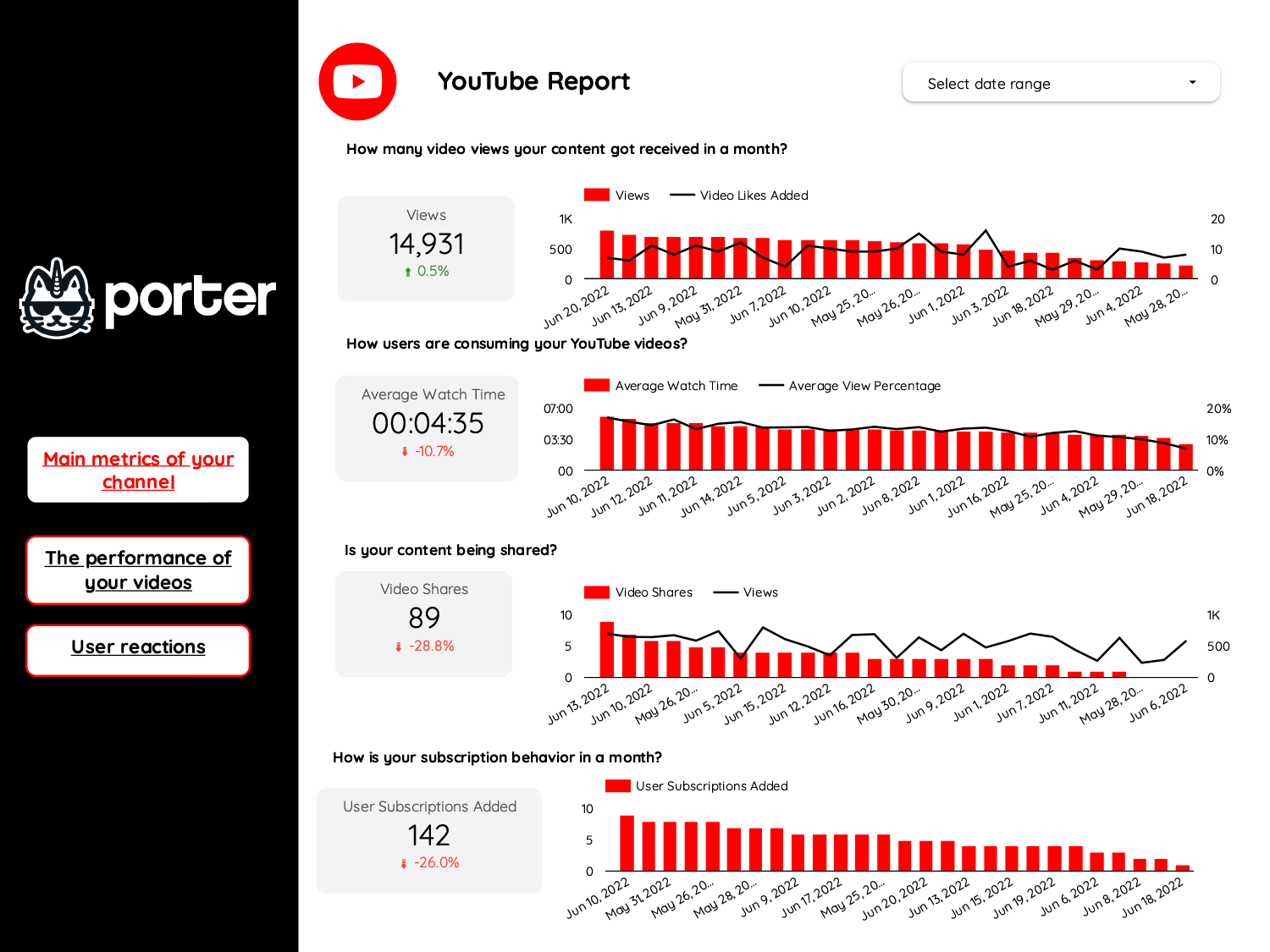
Youtube Report template for Data Studio by Porter
Acompanhe views, impressions, subscribers → watch time, CTR, likes → subscriber growth, end screens. Segmente por video, traffic source.
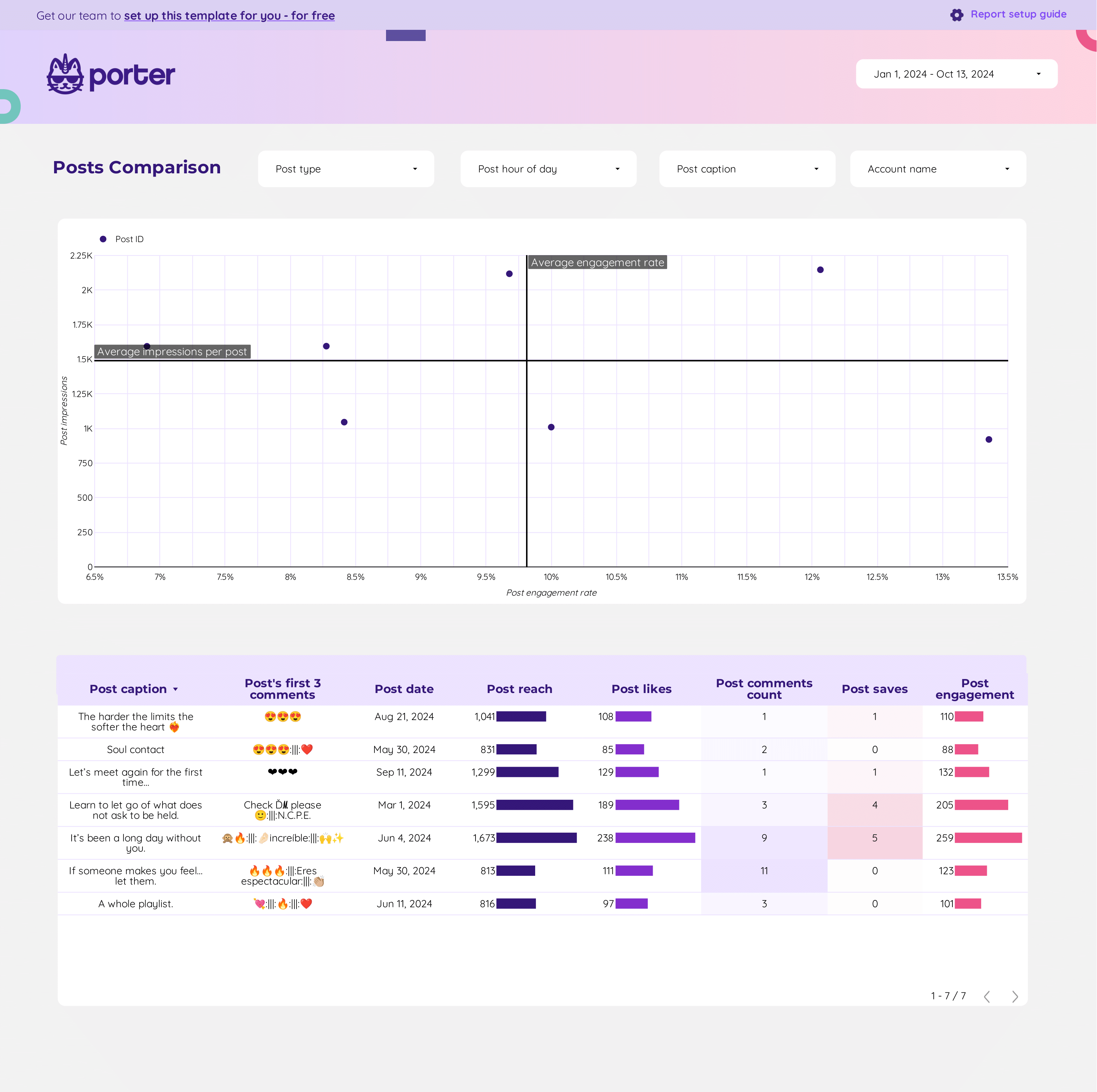
Content performance Report template for Data Studio by Porter
Acompanhe post reach, impressions → engagement rate, shares, saves → click-through rate, content ROI. Segmente por format, topic, platform.
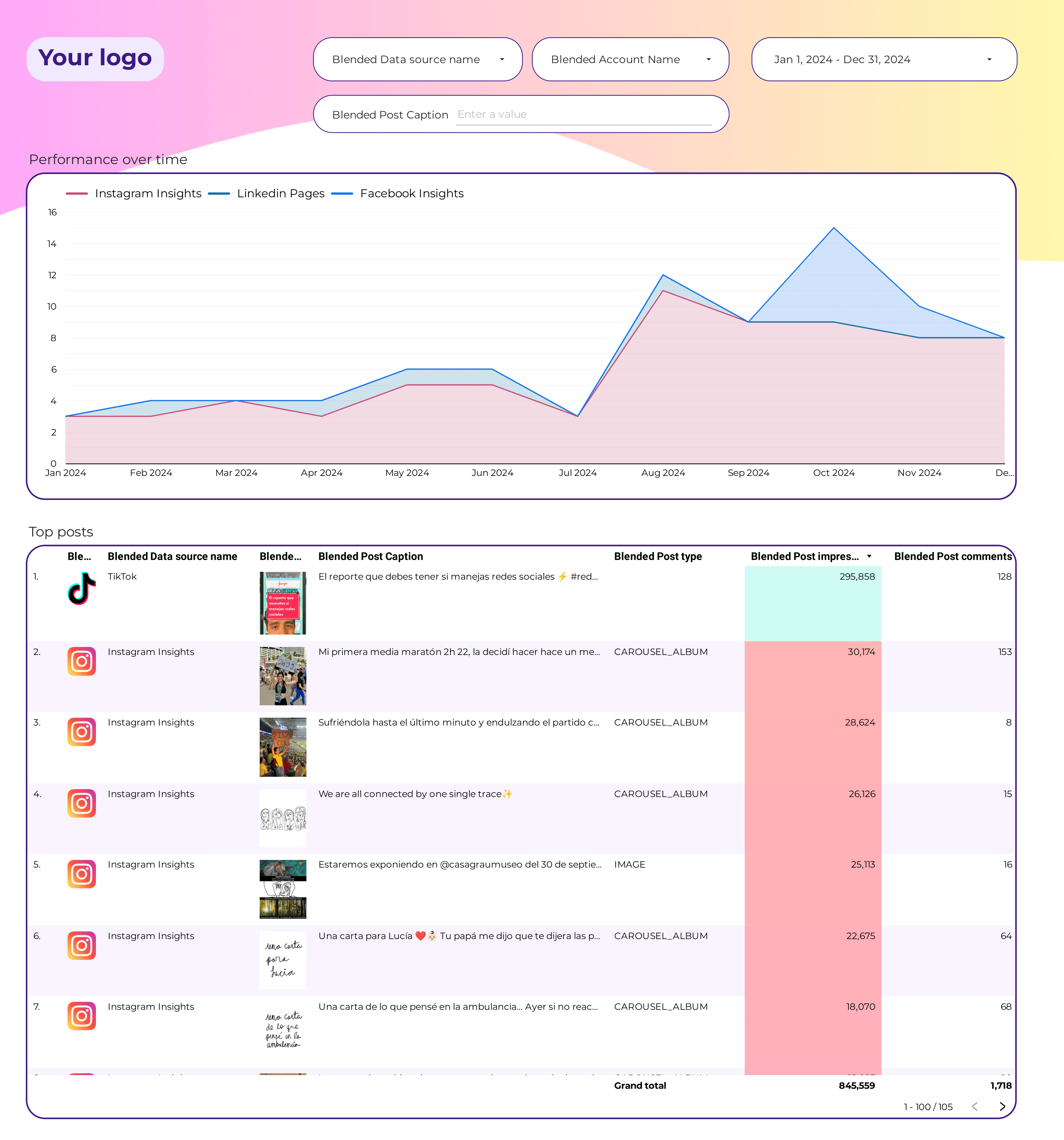
Social Media Post performance Report template for Data Studio by Porter
Acompanhe post reach, impressions → engagement per post → clicks per post, conversions. Segmente por format, topic, time.
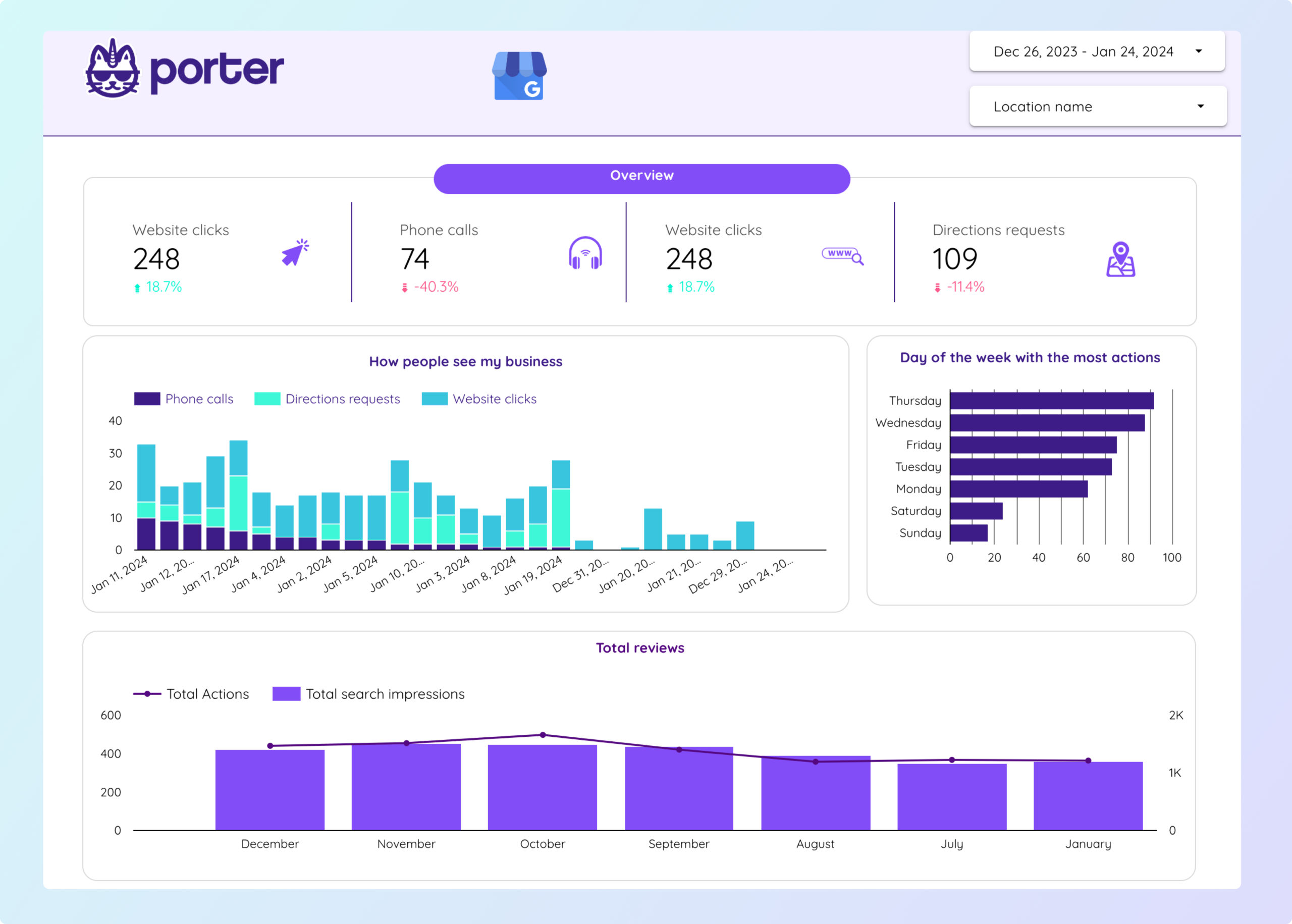
Local SEO Report template for Data Studio by Porter
Acompanhe organic impressions, visibility → organic CTR, average position → organic conversions, goals. Segmente por page, keyword, channel, device.
Video marketing Report template for Data Studio by Porter
Acompanhe video views, reach → watch time, completion rate → CTA clicks, subscriber growth. Segmente por platform, video type.
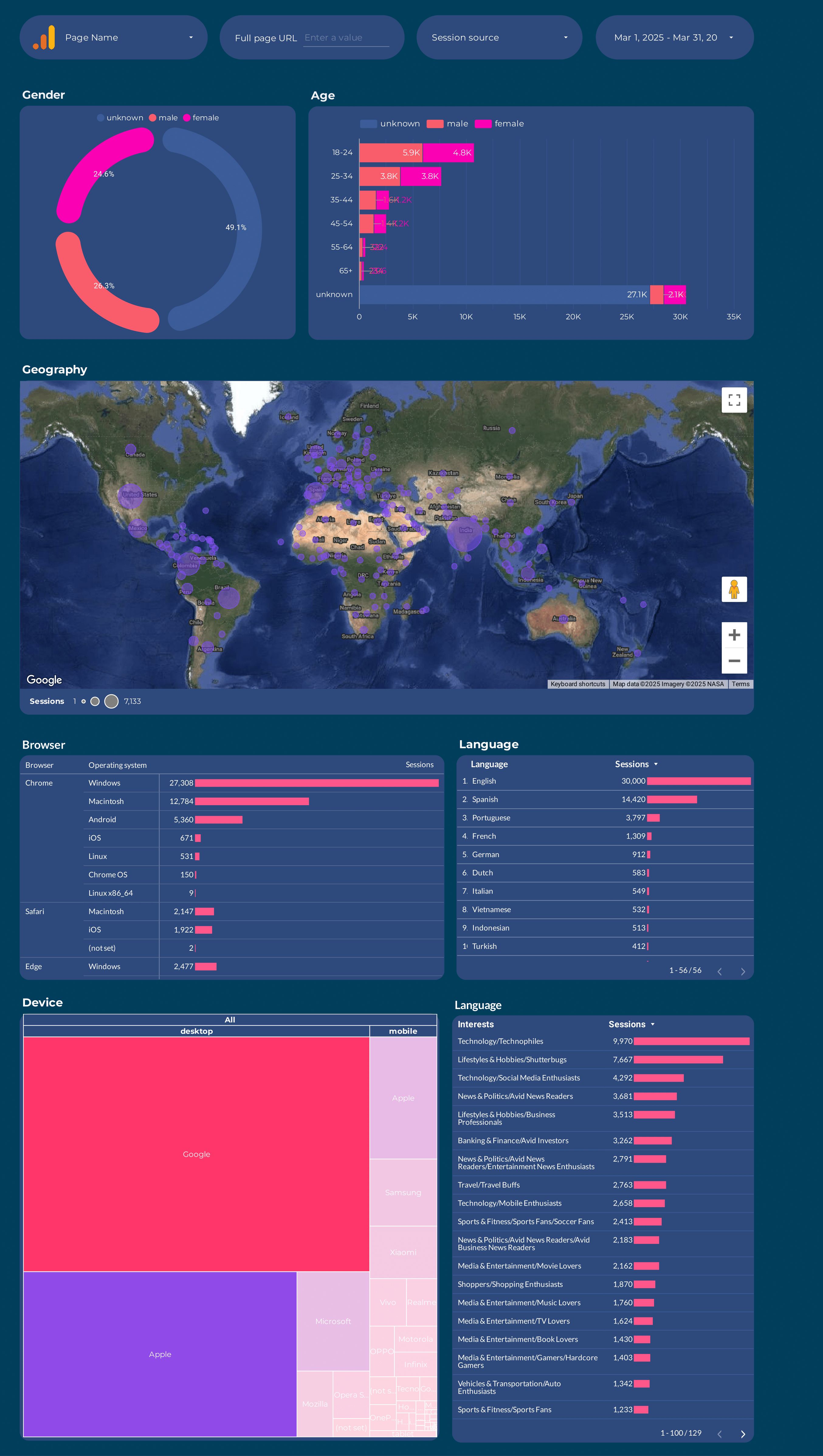
Google Analytics 4 Audience Report template for Data Studio by Porter
Acompanhe users, new vs returning → session duration, pages/session → conversion rate by segment. Segmente por age, gender, interests, geography.
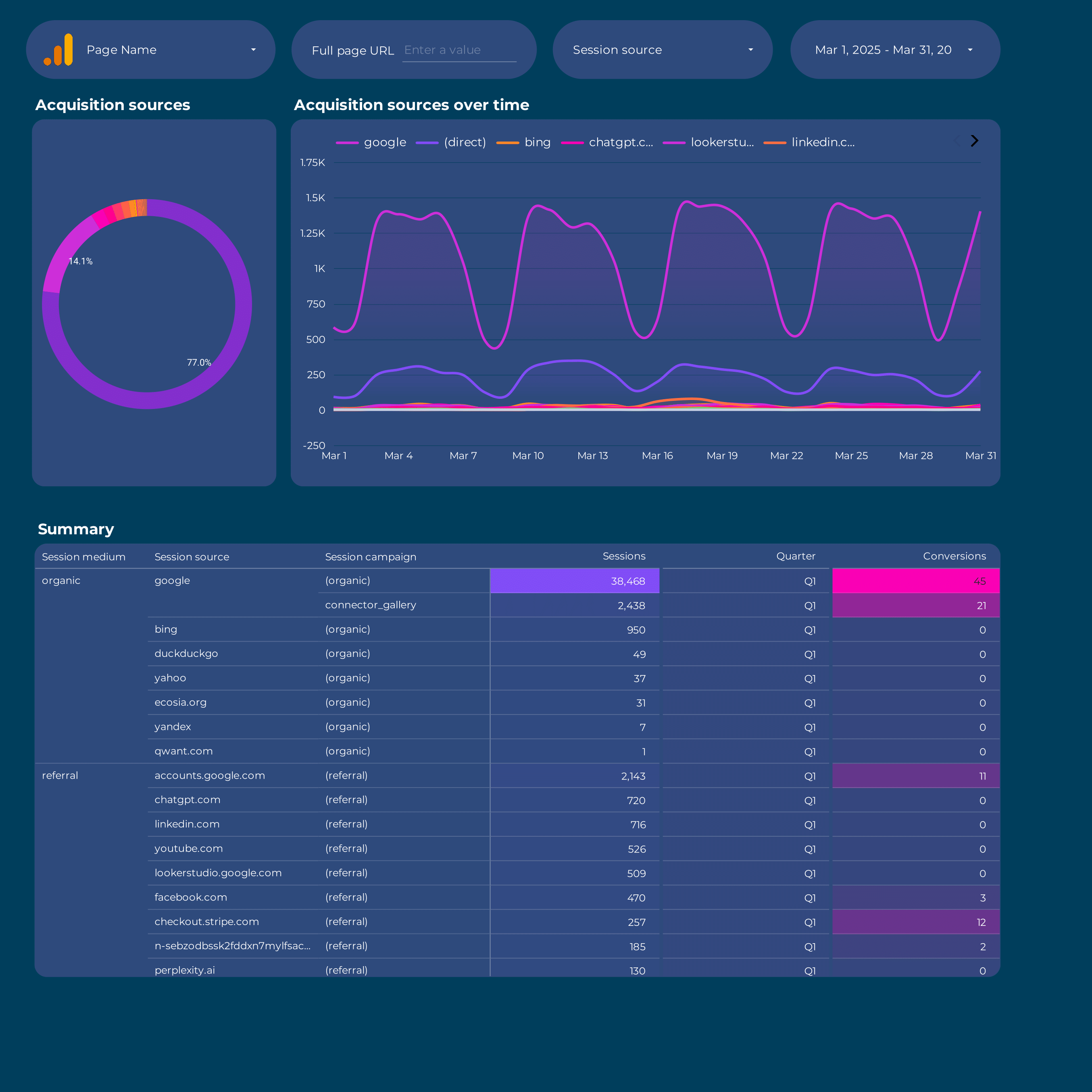
Google Analytics 4 acquisition Report template for Data Studio by Porter
Acompanhe sessions, new users by source → engagement rate, events/session → conversions by channel, revenue. Segmente por source/medium, campaign, landing page.
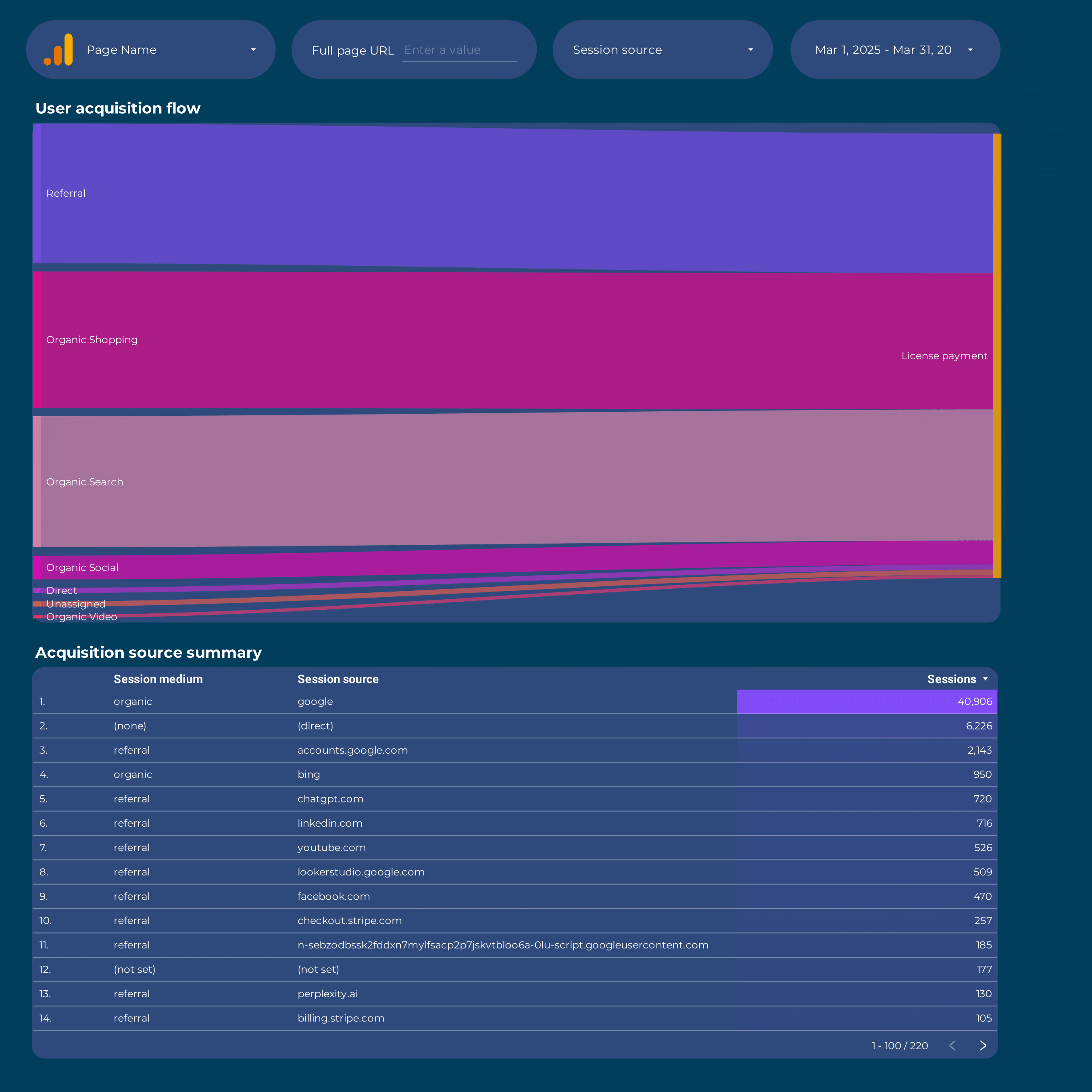
Google Analytics 4 Attribution Report template for Data Studio by Porter
Acompanhe touchpoints, assisted interactions → path length, time to conversion → attributed conversions by model. Segmente por channel, model type.
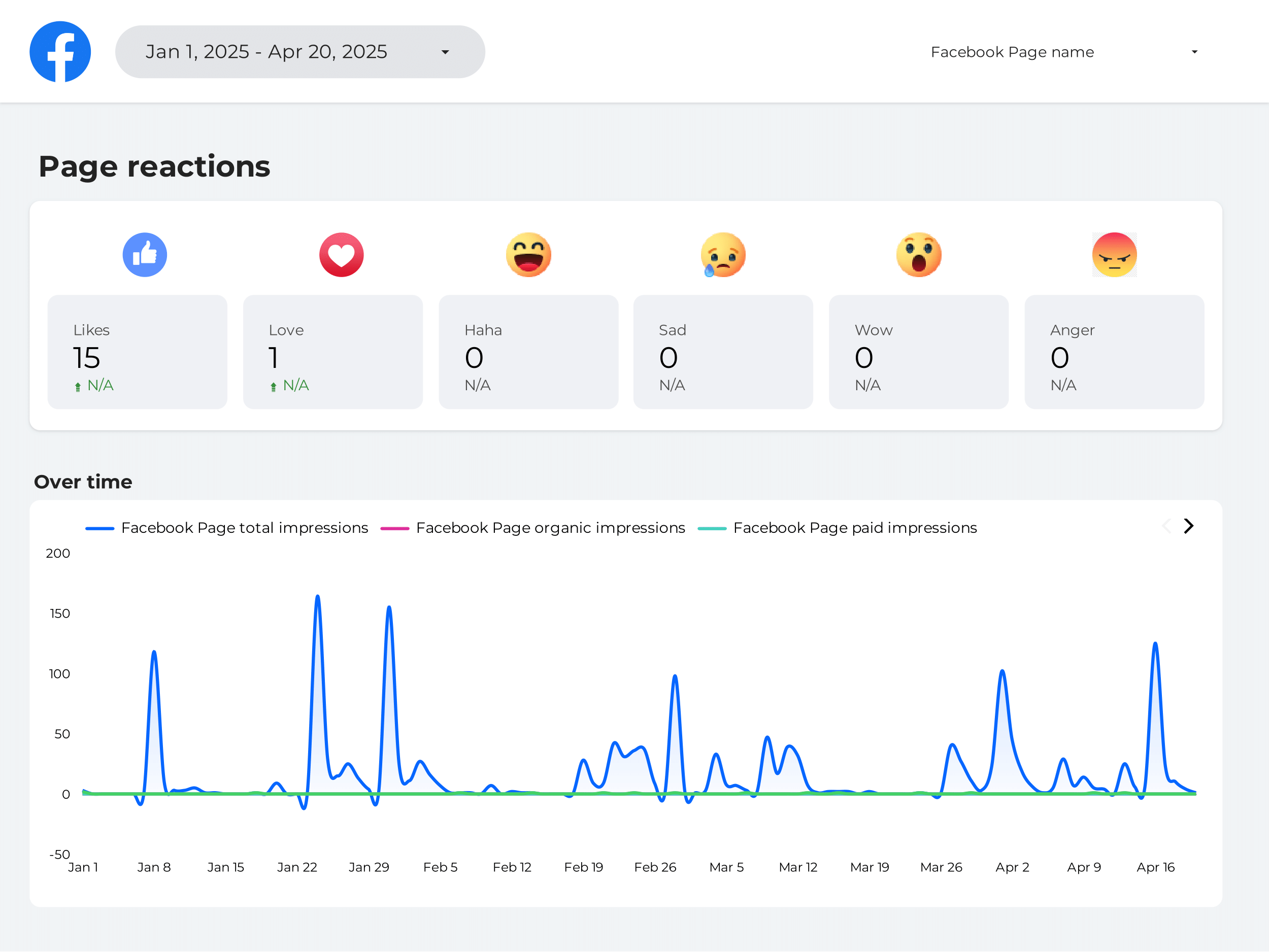
Brand awareness Report template for Data Studio by Porter
Acompanhe brand impressions, reach, SOV → brand mentions, sentiment → branded search, direct traffic. Segmente por channel, competitor.
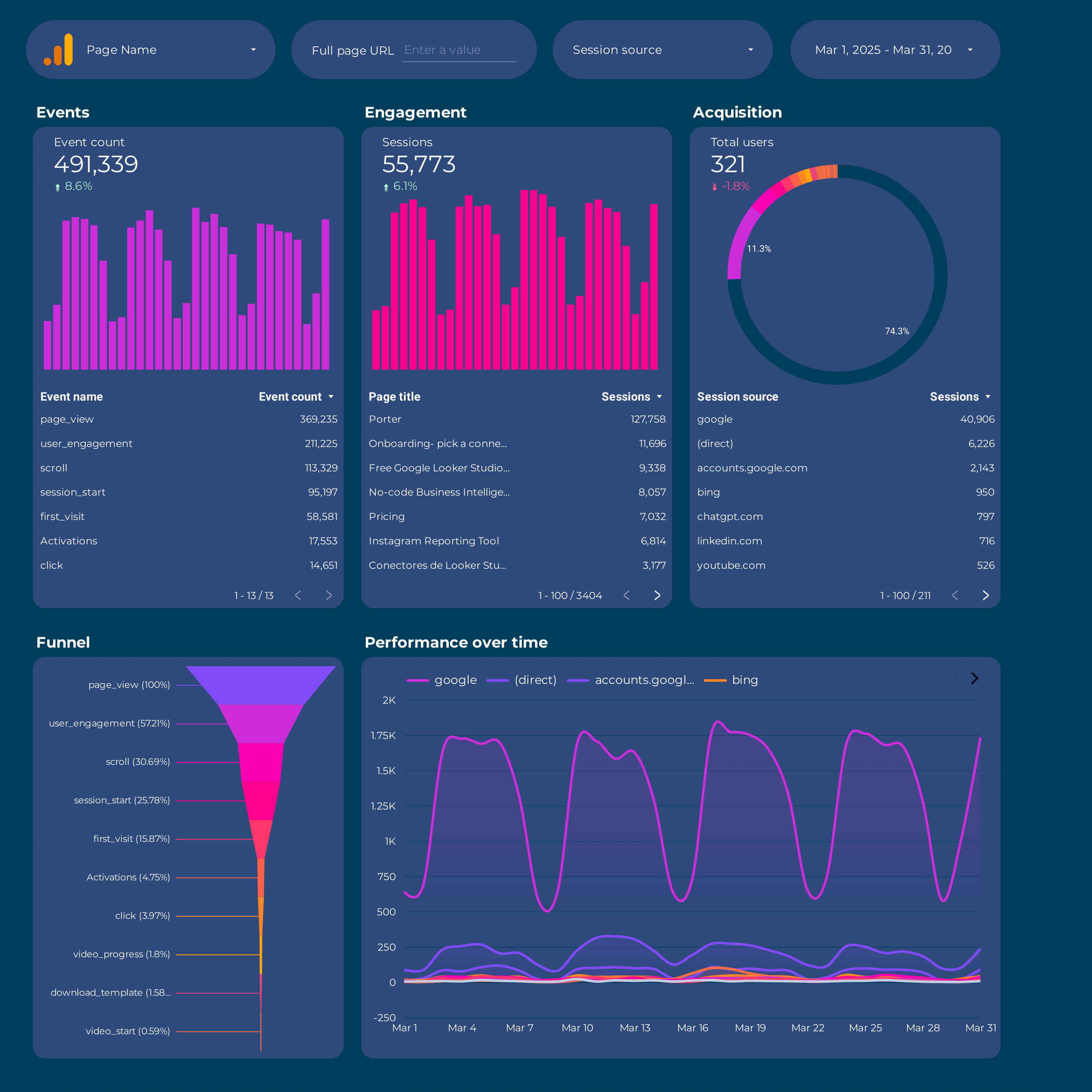
Google Analytics 4 Report template for Data Studio by Porter
Acompanhe sessions, new users by source → engagement rate, events/session → conversions by channel, revenue. Segmente por source/medium, campaign, landing page.
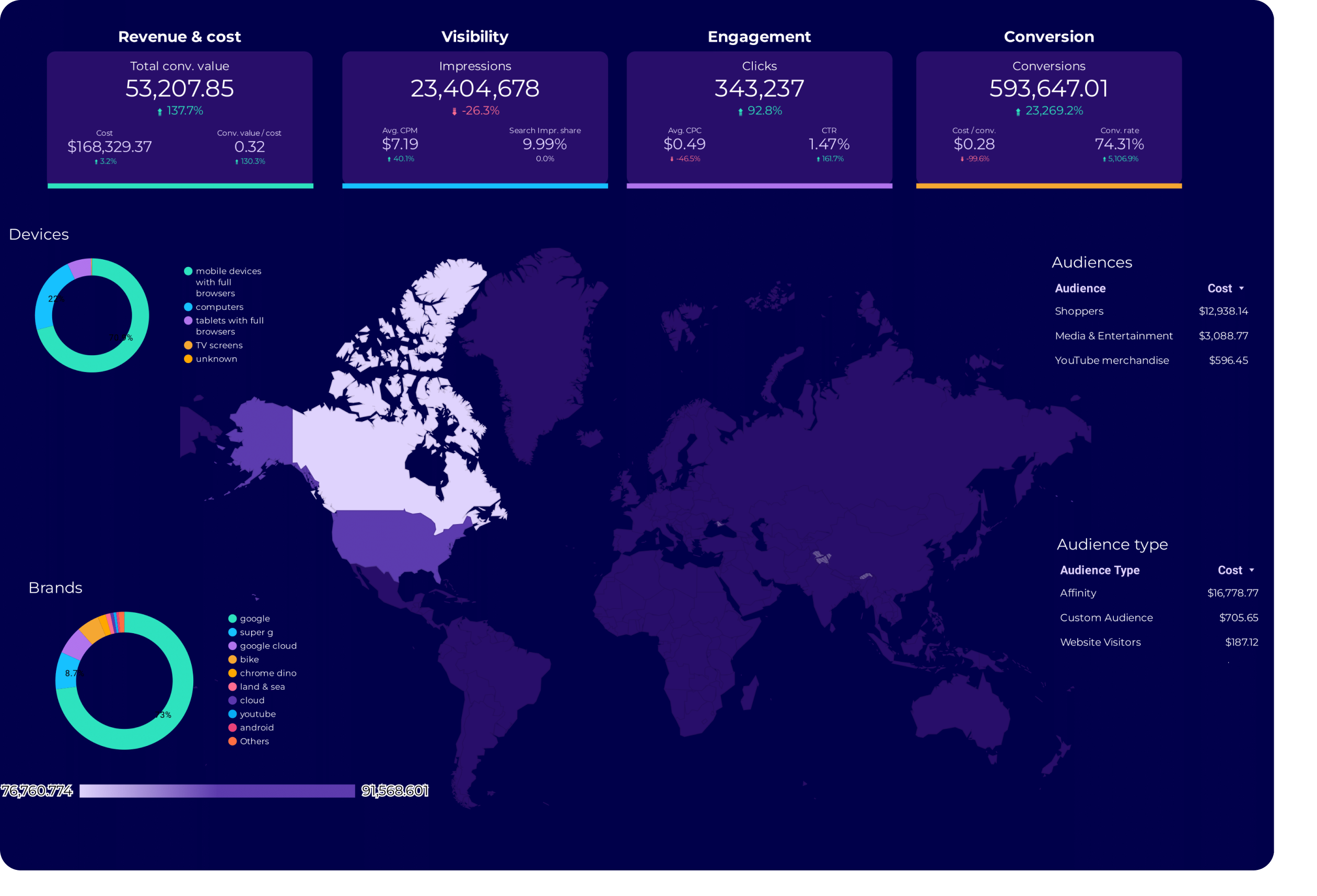
Google Ads Audience Report template for Data Studio by Porter
Acompanhe audience reach, impression share → CTR by audience segment → conversion rate by audience. Segmente por audience type, remarketing.
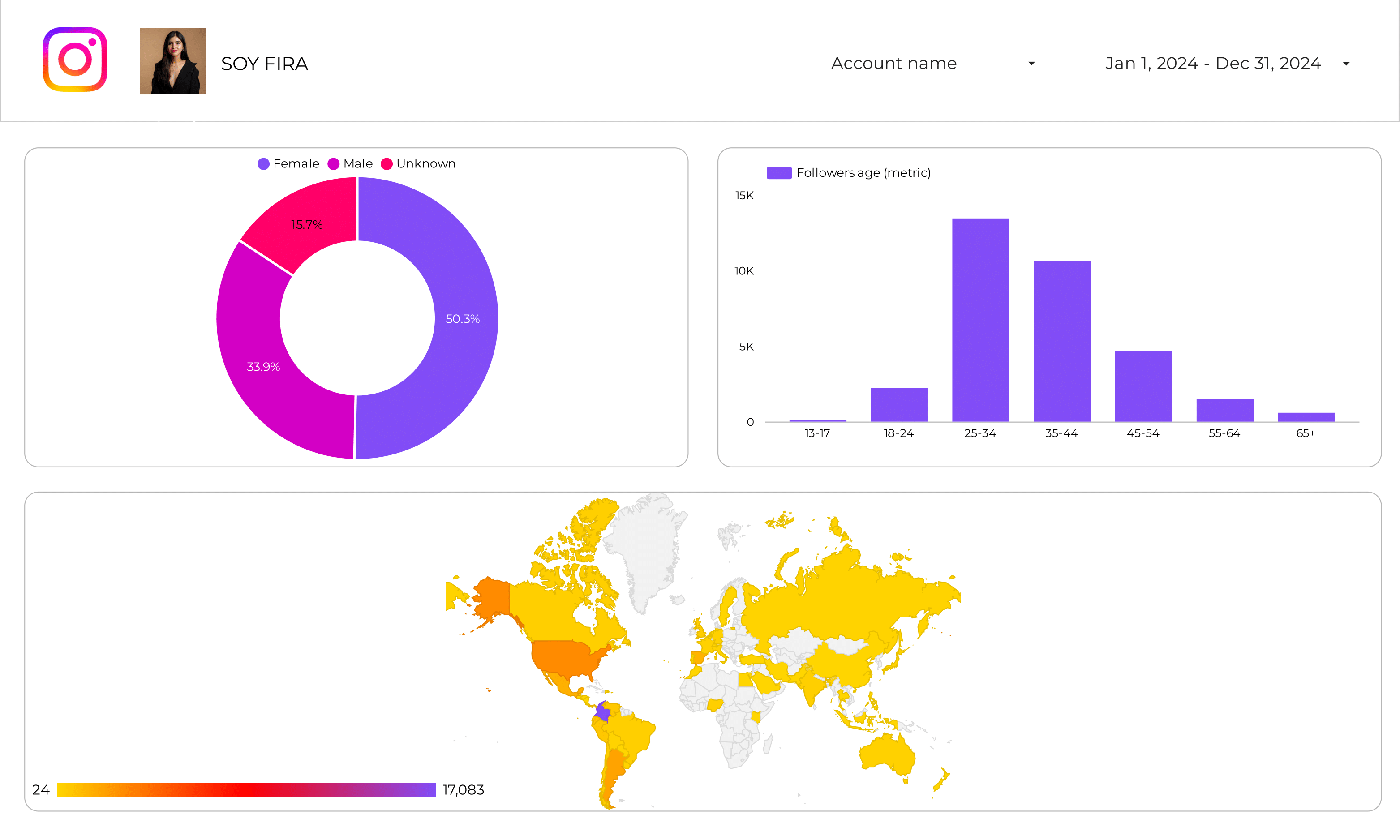
Instagram Insights Audience Report template for Data Studio by Porter
Acompanhe audience size, demographics → engagement by segment → conversion rate by demographic. Segmente por age, gender, city.
What is a content marketing dashboard?
A content marketing dashboard answers the questions that matter most to content teams: which pieces are driving organic traffic? What topics convert visitors into leads? Is your content ROI improving over time? It connects your Google Analytics 4 website data with Google Search Console keyword data and social platform metrics to give you a full picture of how content moves people from visibility to engagement to conversion.
These free content marketing dashboard templates for Data Studio connect to your data sources and update automatically. These templates cover popular search terms like content performance dashboard, content marketing metrics, best google analytics dashboards 2018. Customize any template with your branding, metrics, and filters to create professional content marketing reports in minutes.
Learn more: Follow our SUMAS framework to structure your content marketing analysis around strategy, use cases, metrics, context, and segmentation. With Porter Metrics connectors, connect GA4, Search Console, Instagram, Facebook, LinkedIn, and YouTube in one dashboard.
Why use a content marketing dashboard?
Answer content performance questions
Which blog posts generated the most leads this month? What content topics have the highest engagement rate? Which pages rank but don’t convert? Our content performance template helps you answer these questions with data.
Connect SEO visibility to conversions
Acompanhe which keywords bring visitors to your content, and whether those visitors convert. Blend Search Console data with GA4 to see the full funnel from impressions to leads.
Measure social distribution impact
Compare engagement rates, shares, and referral traffic across social platforms to find which channels amplify your content the most and drive meaningful website visits.
Report to stakeholders with context
Schedule automated reports that compare content performance vs. goals, track trends over time, and show ROI—not just vanity metrics.
How to build a content marketing dashboard
Connect your content data sources
Go to portermetrics.com and connect GA4, Search Console, and social platforms. Tutorial: connect GA4, connect Instagram.
Choose a content template
Browse our content marketing gallery. Learn how to copy a Data Studio template.
Customize your metrics
Add pageviews, organic sessions, engagement rate, social shares. Use calculated fields and regex grouping to tag content by topic.

Connect Google Analytics 4 to Data Studio (2026)
Porter Metrics
How To Design the Best Marketing Reports on Data Studio
Porter MetricsKey metrics for a content marketing dashboard
Visibility
- Organic impressions — how often your content appears in search results
- Pageviews — total views per piece, broken down by source
- Social reach — how many people see your distributed content
- Keyword rankings — which positions your content holds in Google
Engagement
- Avg. time on page — are people actually reading your content?
- Scroll depth — how far users go before leaving
- Social engagement rate — interactions per impression on each platform
- CTR from search — effectiveness of your titles and meta descriptions
Conversion
- Leads from content — form submissions attributed to specific pages
- Email signups — newsletter growth driven by blog content
- Content-assisted conversions — pages that appear in the conversion path
- Download rate — gated content performance
Context & efficiency
- Content ROI — compare production cost vs. leads generated
- Conversion rate by topic — which content categories convert best
- Traffic trend MoM — is your content growing or declining?
- Top pages vs. goals — are your best pages hitting their targets?
Segmente these metrics by content topic, format (blog, video, social post), distribution channel (organic, social, email), and author to find what’s actually working. Learn more about structuring your analysis with our SUMAS framework.
Stop guessing which content works
Connect GA4, Search Console, and social media to see the full funnel—from impressions to leads. Acompanhe content ROI by topic, compare performance month over month, and report to stakeholders with context, not just numbers. Get started for free →