Campaign Performance Dashboard
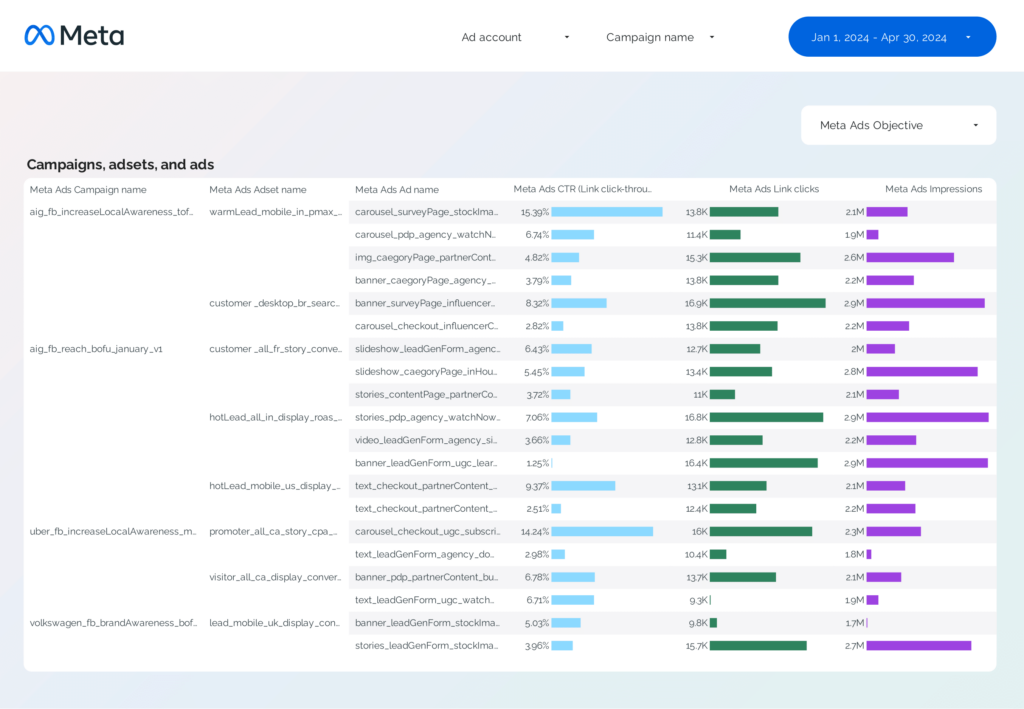
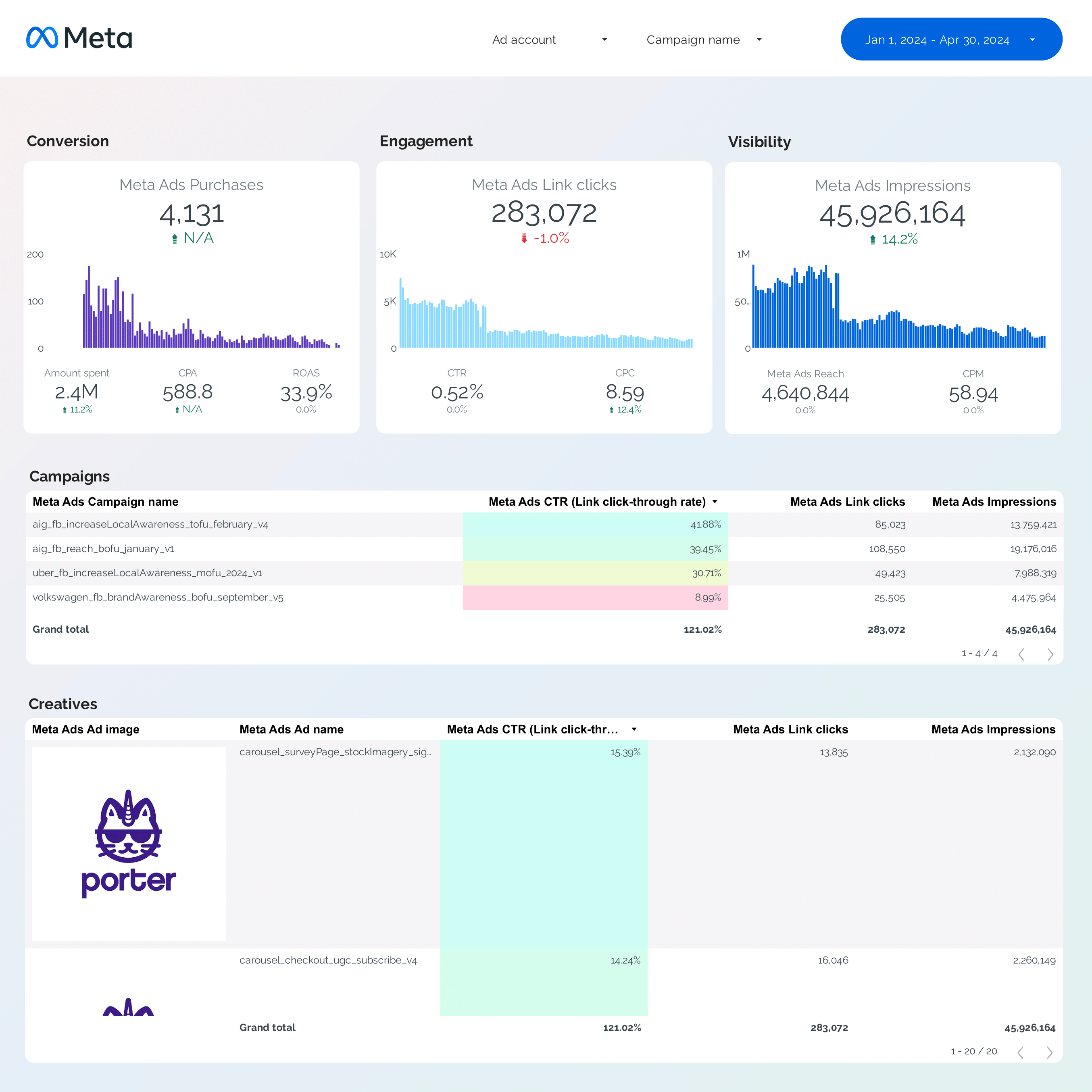
Segment by campaign, objective, and bidding type. Filter your naming conventions to slice by product, hook, or client.
View template → Meta Ads
→
Meta Ads
→
 Google Data Studio
“Connect your Meta Ads data to Google Data Studio (formerly Google Data Studio) for free. Analyse campaign performance, creative analytics, attribution, and funnels — with +1300 fields, all attribution windows in one connection, and every Meta Ads ad account field.”
Free forever plan · No credit card
Start reporting in minutes. Six pre-built templates cover every Meta Ads use case — swap in your accounts and load defaults.
Segment by campaign, objective, and bidding type. Filter your naming conventions to slice by product, hook, or client.
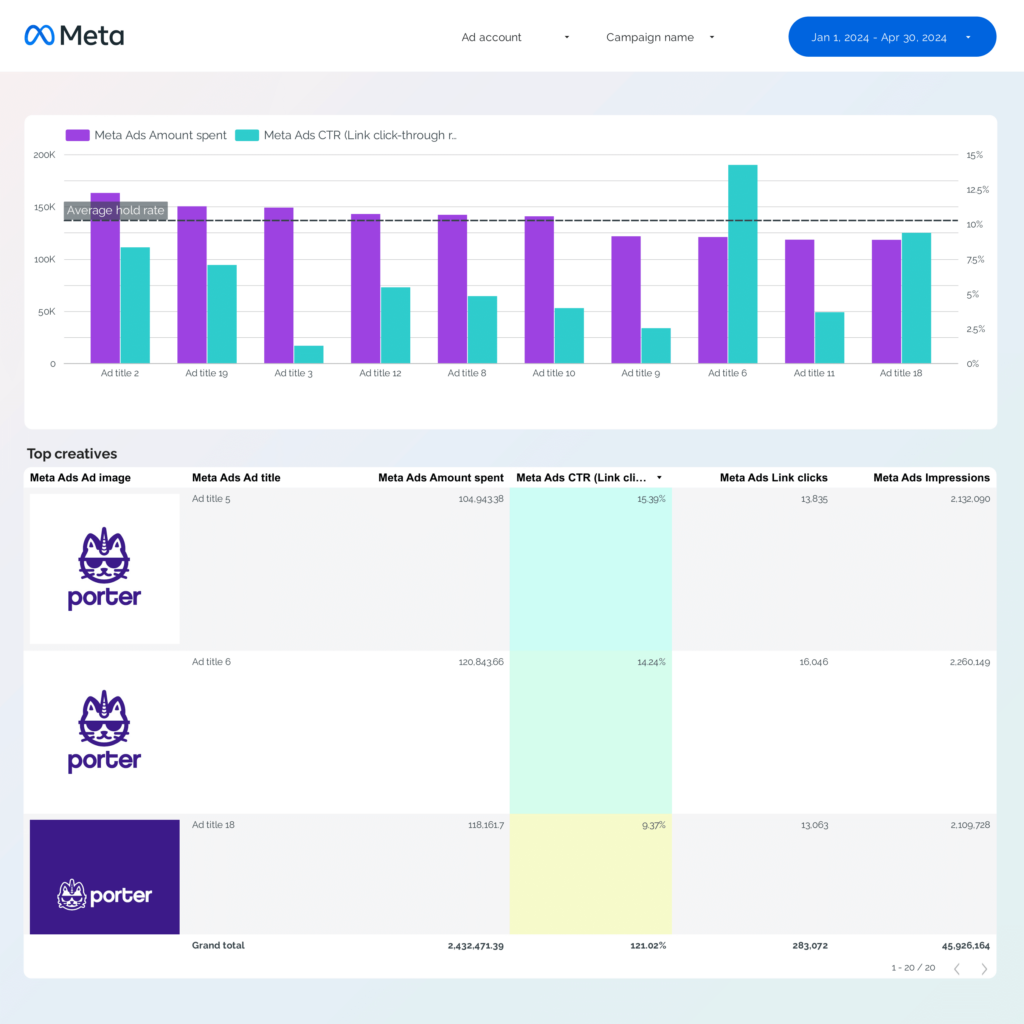
View template →Compare hook rate, hold rate, ROAS, CTR, and conversions with ad images, copy, and permalinks to spot winning creatives.
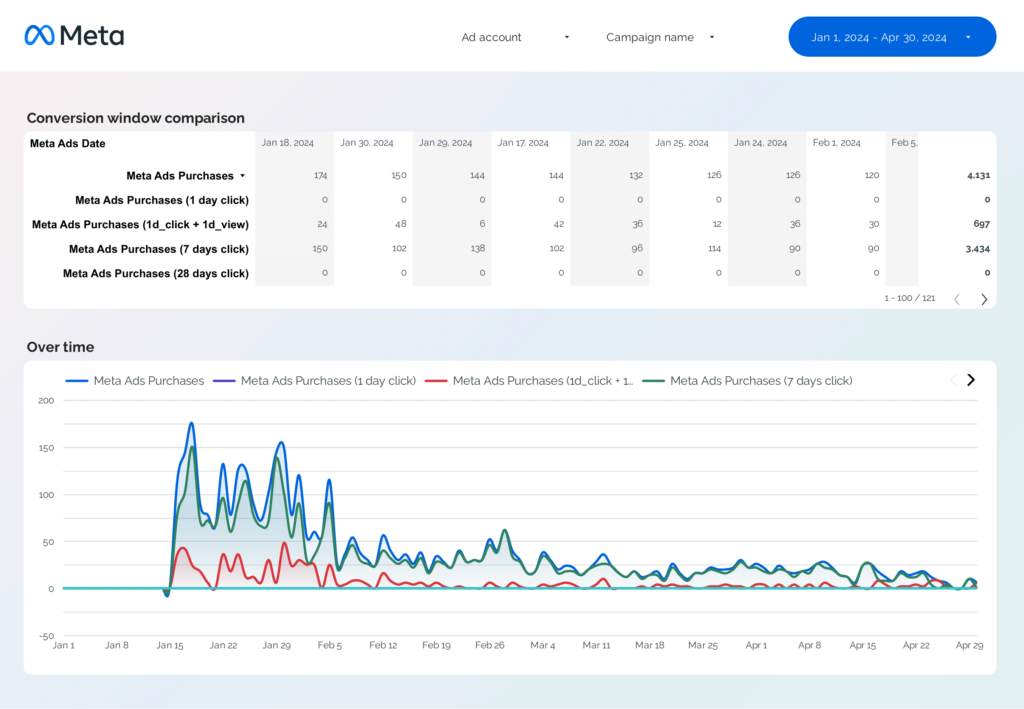
View template →Compare 1-day click, 7-day click, 28-day click, and 1-day view side by side across standard and custom conversions.
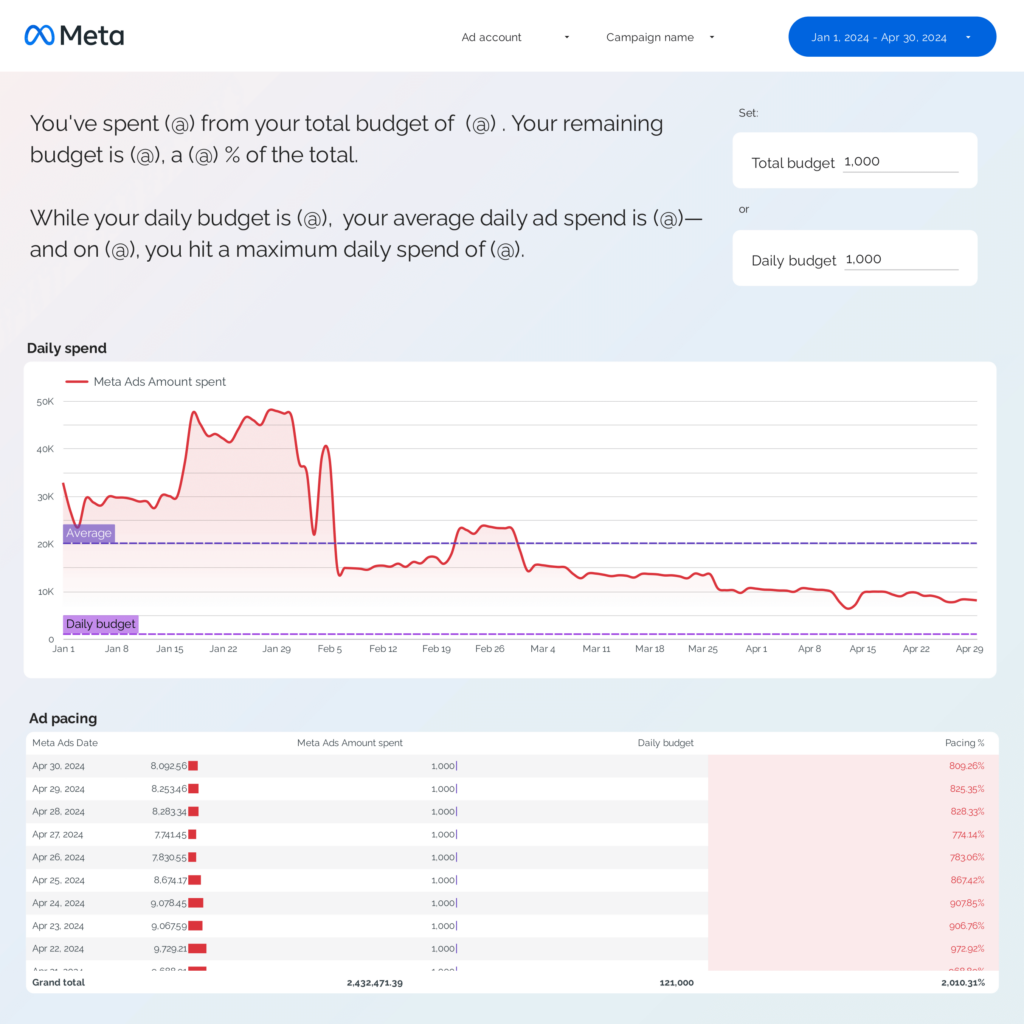
View template →Track daily, weekly, and monthly ad spend vs. campaign or daily budget to detect over- or underspending.
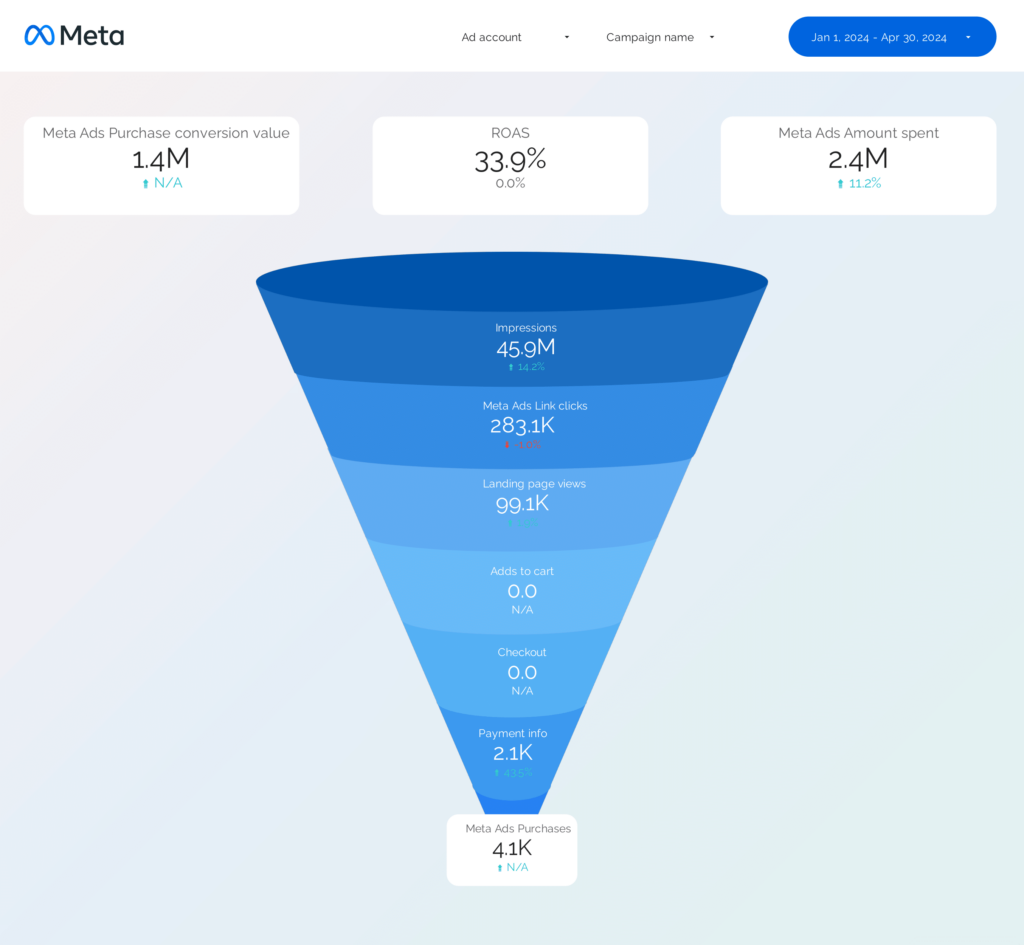
View template →Map events and conversions from impressions to purchase to spot leaks in your Meta Ads funnel.
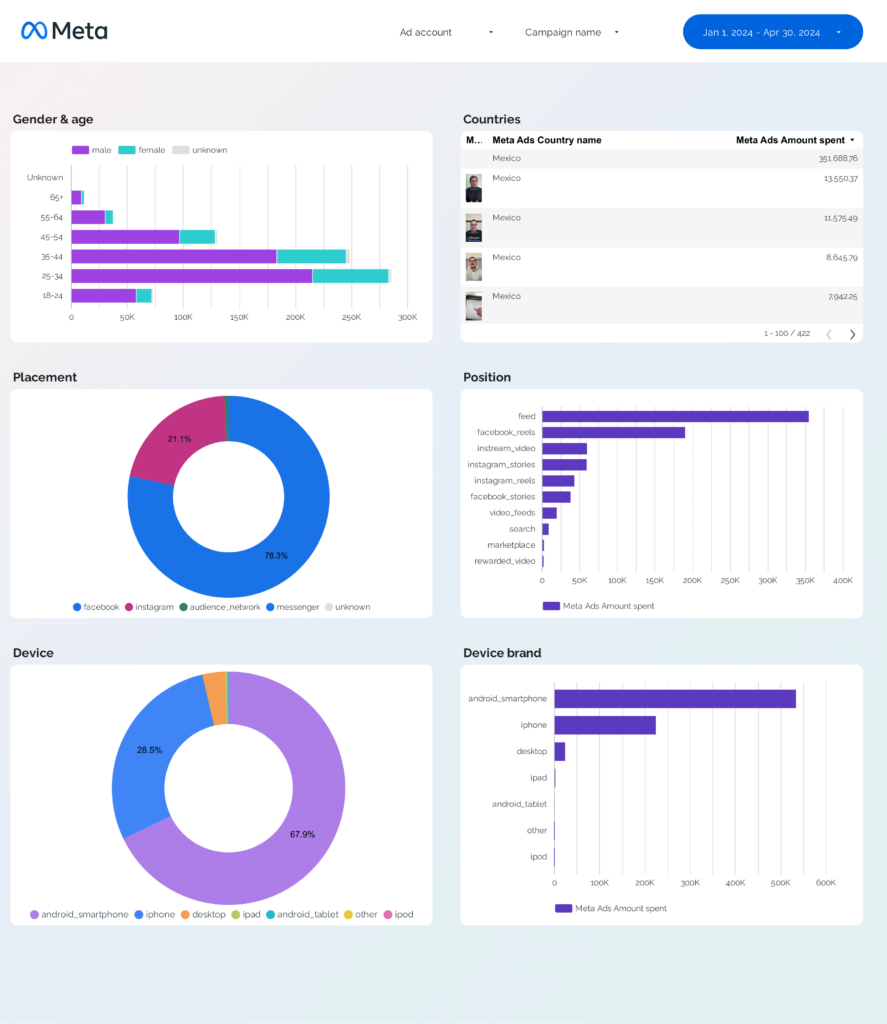
View template →Segment performance by demographics (age, gender), geography (country, region), and tech (device, platform, ad format).
View template →Porter is a no-code marketing data warehouse built for Meta Ads reporting. Other connectors stop at pipes — Porter also handles storage, blending, and destinations.
| Feature | Porter No-code marketing data warehouse | Others Connectors & ETL |
|---|---|---|
| Storage | Built-in, self-managed BigQuery with automated transformations, transfers, and queries — costs included. | Requires your own BigQuery project, plus managing tables, transfers, and costs. |
| Data syncing | Switch between stored BigQuery and real-time API data in the same connection. | Either stored or real-time — not both. |
| Attribution | All conversion windows in one connection (1-day click, 7-day click, 28-day click, 1-day view, combos). | Only one conversion window at a time. |
| Data blending | Automatic cross-platform blending with Google Ads, LinkedIn Ads, GA4, CRM — matching dates, campaigns, UTMs, creatives, demographics. | Manual table selection, field mapping, and join setup. |
| Destinations | Data Studio, Google Sheets, BigQuery, and Claude/ChatGPT (MCP) in one subscription. | Separate price per destination. |
That is what makes the Porter Metrics Data Studio connector for Meta Ads better.
Porter queries Meta’s API directly. Turn on storage for extra speed and stability.
Full Meta Ads history, no cutoffs. Analyze trends over any time period.
Auto-switches to BigQuery backups when Meta rate-limits. Never blocked.
BigQuery storage — lightning-fast loads and zero timeouts.
Blend dozens of accounts into one unified table. Built for agencies.
Numbers match Ads Manager exactly. No transformation, no sampling.
Segment by campaign, ad set, ad, placement, demographics, device and region.
Normalized field names across Meta, Google, LinkedIn, TikTok, GA4 and CRM.
Open Porter and pick Meta Ads from the connector list.
Use the same Google account you use on Data Studio.
Grant read-only access. You can revoke it anytime.
Pick one account or blend dozens in a single data source.
Load one of the six default templates or start from scratch.
Everything inside Ads Manager, plus calculated metrics and marketer-friendly names for cross-channel blending.
Access every field available in Meta Ads Manager—over 800 in total—plus extra calculated metrics like conversion rate, hold rate, and hook rate that aren’t offered natively.
Retrieve every conversion variant with full aggregation options: unique, mobile, offline, and web. For example: purchases, offline purchases, web purchases, and unique purchases.
Get every attribution window supported by Meta—1-day click, 7-day click, 28-day click, 1-day view, and combinations—within a single connection. This lets you compare attribution models side by side.
Along with performance metrics, Porter retrieves links to ad previews and the actual creative assets (images, videos, text) so you can connect reporting directly with creative analysis.
We name fields exactly as in Ads Manager, so campaigns, ad sets, and ads are familiar to marketers. At the same time, we standardize them for blending with PPC platforms, GA4, and CRM data.
Segment data by campaign, ad set, creative, audience, placement, platform, device, region, delivery status, hour, date, week, and every other breakdown supported by Meta.
Porter supports 15+ data sources and 10+ destinations. Mix and match in one subscription, no extra seats or hidden per-destination fees.
Most setups work on the first try. If they don’t, here are the six issues we see most often.
| Issue | Solution |
|---|---|
| Don’t see Meta Ads in Data Studio | Verify you authorized at least one Meta Ads account with active data inside Porter before opening Data Studio. |
| OAuth popup didn’t appear | Disable pop-up blockers, clear cookies, and use a single Google account in Chrome. |
| Only one account’s data showing | Use multi-account selection in step 4 of the setup flow and re-authorize all desired accounts. |
| Bad Request 400 | Confirm the same Google account is active in Chrome and Data Studio. Log out of all others first. |
| Data doesn’t match Ads Manager | Check the attribution window — Porter respects 7-day click by default. Switch to match your Ads Manager setting. |
| Rate limit reached | Porter auto-switches to BigQuery backup — no action required. Reports keep loading. |
Number of data source accounts
Billed annually · $12.5/account







Unlimited 14-day free trial + Free forever plan
Join 1,600+ marketers and agencies reporting Meta Ads in Data Studio with Porter.