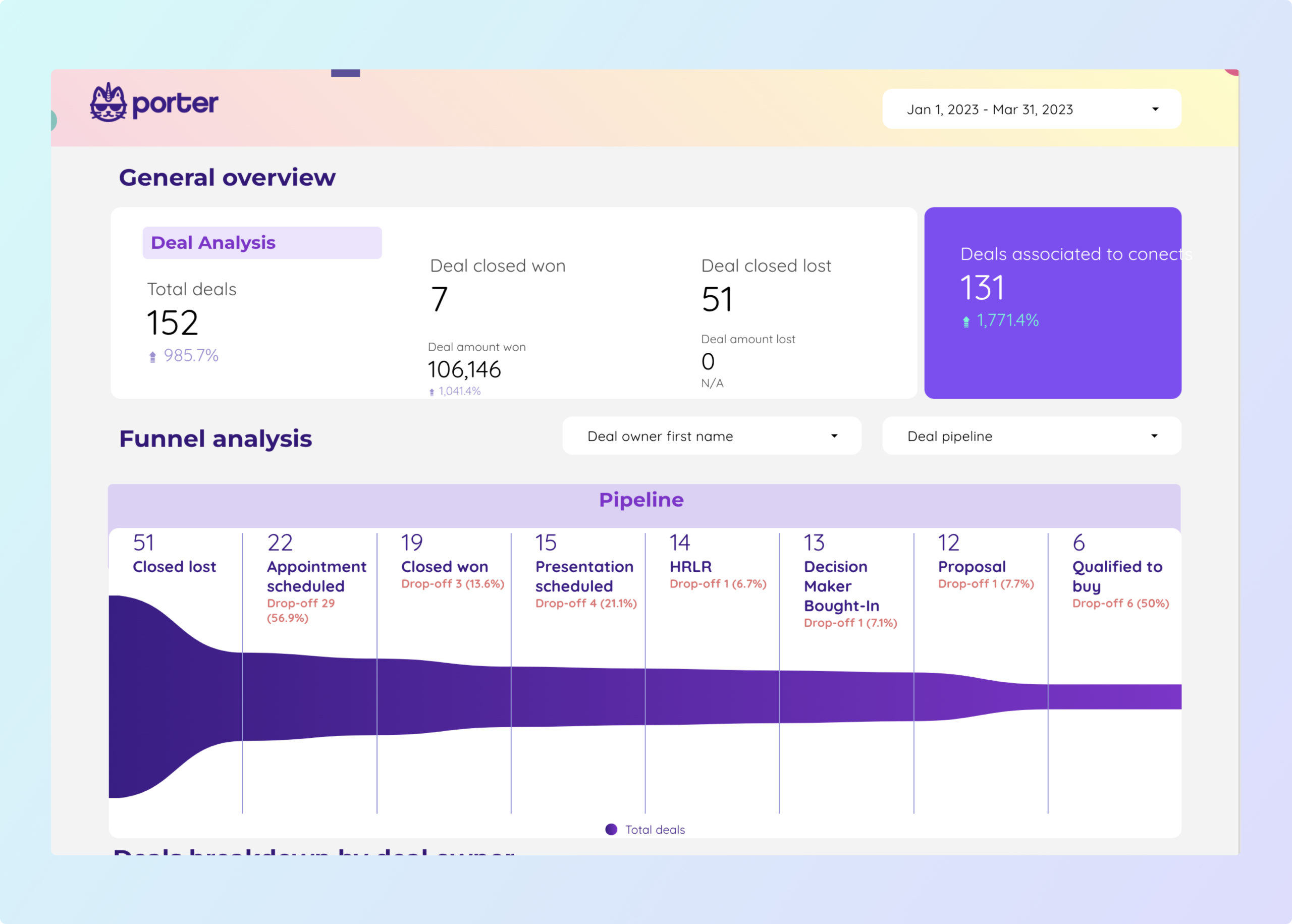
HubSpot CRM Dashboard
Pre-built CRM dashboard for HubSpot with contacts, companies, and deals.
View template → HubSpot
→
HubSpot
→
 Google Data Studio
Connect your HubSpot data to Google Data Studio (formerly Looker Studio) for free. Analyse Deal Amount, Email Open Rate, Contact Number of Form Submissions, and Deal Closed Won Amount, with +510 fields, build marketing and sales dashboards in minutes without SQL, using pre-built templates and a no-code setup, and every HubSpot account field.
No credit card required. 14-day free trial.
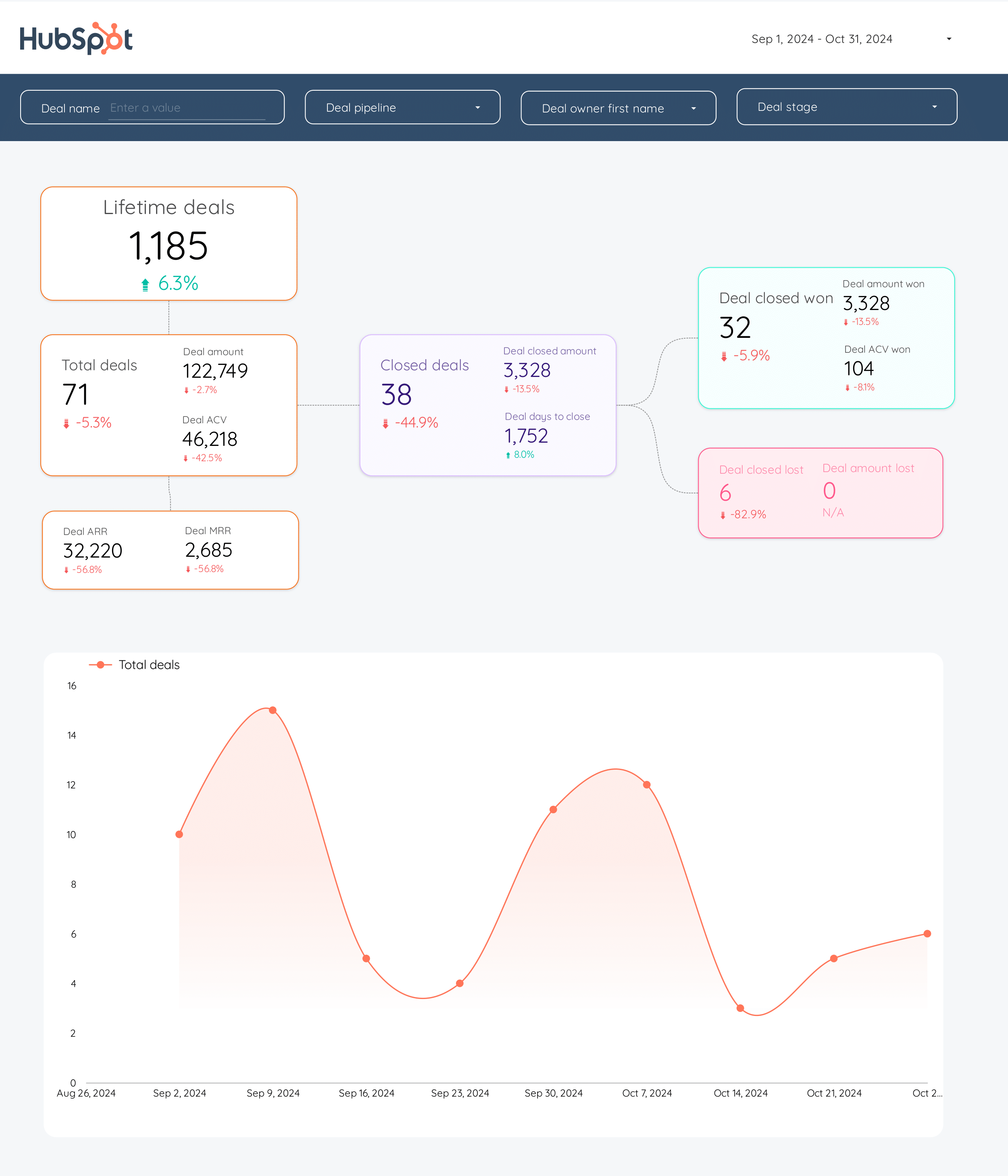
Skip the blank canvas. Start with pre-built HubSpot dashboards for CRM and sales, then customize them in Data Studio.
Pre-built CRM dashboard for HubSpot with contacts, companies, and deals.
View template →Sales-focused dashboard with pipeline, deal amounts, and conversion tracking.
View template →Stop exporting CSVs and writing SQL
| Feature | Porter No-code marketing data warehouse |
Others Connectors & ETL |
|---|---|---|
| Storage | Porter stores, transforms, and serves your HubSpot data directly. No database rental, no SQL wrangling. | Competitors force you to rent a SQL Server or Azure SQL instance as a middleman, then write queries to shape HubSpot data. |
| Data syncing | Porter delivers pre-modeled metrics and dimensions ready to drop into charts. 510 fields, 10 categories, no modeling required. | Most connectors sync raw tables that need manual modeling before they become useful in Data Studio. |
| Attribution | Porter surfaces calculated metrics like Deal Closed Won Amount, Email Open Rate, and Contact Number of Form Submissions out of the box. | Other tools list contacts, companies, and deals as separate tables. You stitch them together. |
| Data blending | Blend HubSpot CRM data with Google Ads, Facebook Ads, Google Analytics, and more inside Porter, then push the unified view to Data Studio. | Blending HubSpot with ad platforms or web analytics usually requires BigQuery or third-party ETL. |
| Destinations | One Porter subscription feeds Data Studio, Google Sheets, Claude, and BigQuery. Share the same metrics everywhere. | Single-purpose connectors only send data to Data Studio. |
Everything you need to build HubSpot dashboards in Data Studio.
Access every standard HubSpot object — contacts, companies, deals, emails, calls, tasks, products, and analytics — plus time dimensions for trend analysis.
Start with the HubSpot CRM Dashboard and HubSpot Sales Dashboard. Customize colors, filters, and date ranges without rebuilding from scratch.
Authorize HubSpot with a standard OAuth flow. No API keys to copy, no IP whitelists, no SQL Server hostnames to configure.
Refresh HubSpot data on demand or on a schedule. Your Data Studio reports stay current without manual CSV uploads.
Use derived metrics like Deal Forecast Amount, Email Click Rate, Analytics Conversion Rate, and Contact Number of Meetings without writing formulas.
Send the same HubSpot dataset to Data Studio, Google Sheets, Claude, and BigQuery from one connector.
Marketing teams, Sales teams, and RevOps professionals who need to visualize HubSpot CRM and marketing data in Data Studio can connect without engineering help.
Pay per HubSpot account, not per row synced. Predictable costs whether you have 1,000 contacts or 1,000,000.
LOVED BY 1,500+ MARKETERS
Sign up at portermetrics.com and choose the HubSpot connector. No credit card required to start.
Click Connect, log into HubSpot, and grant Porter read access to your CRM, marketing, and sales data.
Pick the HubSpot objects you need — contacts, deals, emails, calls, or analytics — and the metrics you want to report.
Porter generates a Data Studio data source. Open it, and your HubSpot fields appear as ready-to-use dimensions and metrics.
Build your own dashboard or open the HubSpot CRM Dashboard template to get live charts in seconds.
Porter exposes 510 dimensions and metrics across 10 HubSpot categories. Every standard object is available, from account structure to time dimensions.
Every standard HubSpot object plus calculated metrics out of the box.
Fields use plain English names you can drop straight into charts.
Drill from account level down to individual contacts, deals, and emails.
Deal Amount, Email Open Rate, and Contact Number of Form Submissions ready to use.
Date, week, month, quarter, and year fields for trend analysis without formulas.
Organized by object type so you find the field you need in seconds.
Porter supports 15+ data sources and 10+ destinations. Mix and match in one subscription, no extra seats or hidden per-destination fees.
Quick fixes for the most common HubSpot + Data Studio problems.
| Issue | Solution |
|---|---|
| My HubSpot data is not showing up in Data Studio | Verify that your Porter data source is connected and the refresh schedule is active. Check that the correct HubSpot account was authorized during OAuth, especially if you manage multiple portals. |
| Deal Amount or Closed Won totals look wrong | Confirm your Data Studio date range matches the Deal Close Date or Deal Create Date you are reporting on. HubSpot stores amounts in the portal currency; make sure Data Studio is not applying an extra conversion. |
| Email Open Rate is higher than expected | Email Open Rate in Porter is calculated as unique opens divided by delivered emails. If you are summing raw open events instead of using the pre-calculated metric, you will double-count. Use the Email Open Rate metric directly. |
| Custom properties are missing from the field list | Porter surfaces standard HubSpot fields. If a custom property is not visible, check whether it is populated on at least one record; empty custom properties may be omitted from the schema. |
| Dashboard refresh is slow or times out | Large HubSpot portals with millions of contacts can exceed Data Studio’s default row limits. Filter by date range or segment in Porter before sending data to Data Studio, or switch to a scheduled extract instead of live queries. |
| Contact counts differ between HubSpot and Data Studio | HubSpot’s native reporting filters out deleted and unsubscribed contacts by default. Porter includes all records. Add a filter in Data Studio for Contact Lifecycle Stage is not empty to align the numbers. |
HubSpot accounts
Billed annually · $12.5/account






Unlimited 14-day free trial + Free forever plan
Build marketing and sales dashboards in minutes without SQL, using pre-built templates and a no-code setup.