







Social media dashboards you can build in Claude
7 social templates: one per network, one that compares them all and one for creator campaigns. Previews run on demo data.
7 templates
 Claude

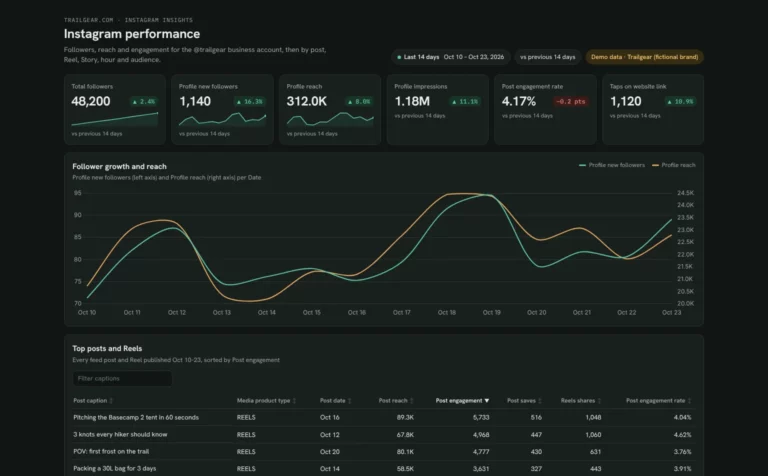
Instagram dashboard template
See which posts, Reels and Stories grow your account and when your followers are online.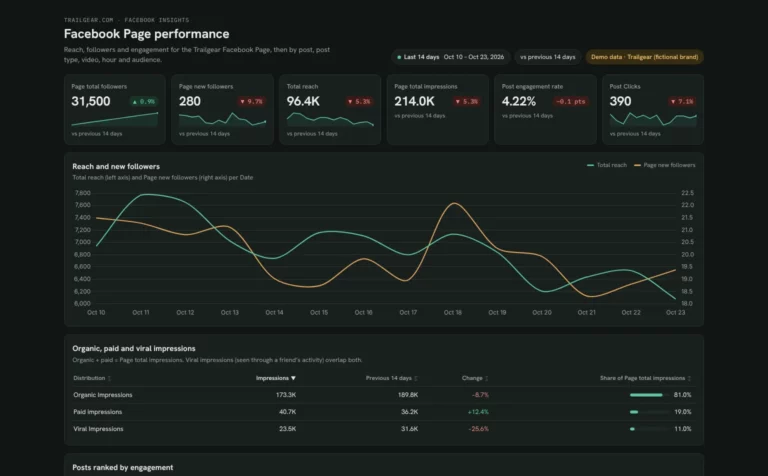 Claude

Facebook Page dashboard template
Find out why your Page reach moves and which posts and videos your followers engage with.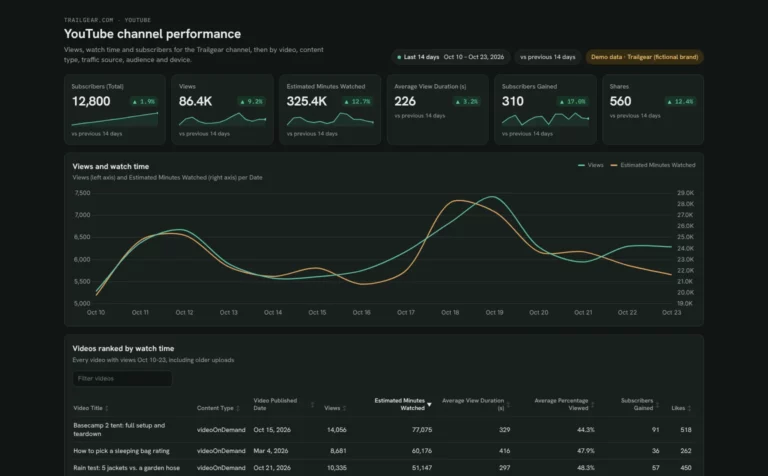 Claude

YouTube dashboard template
See which videos keep people watching and how Shorts compare to long videos.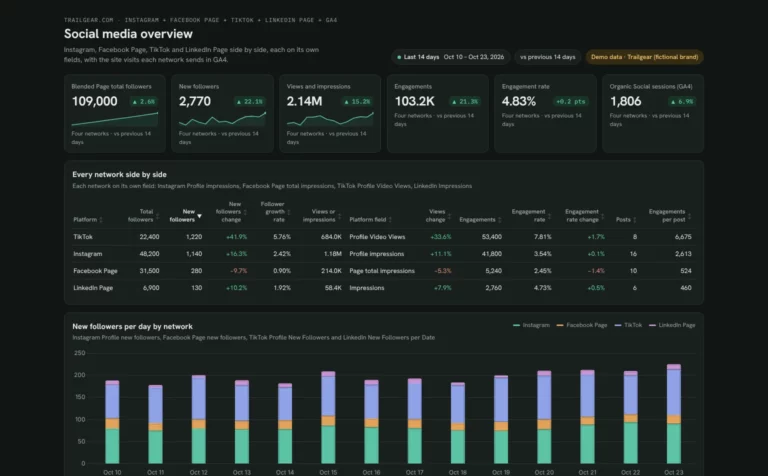 Claude



Social media dashboard template
Compare Instagram, Facebook, TikTok and LinkedIn growth, engagement and top posts.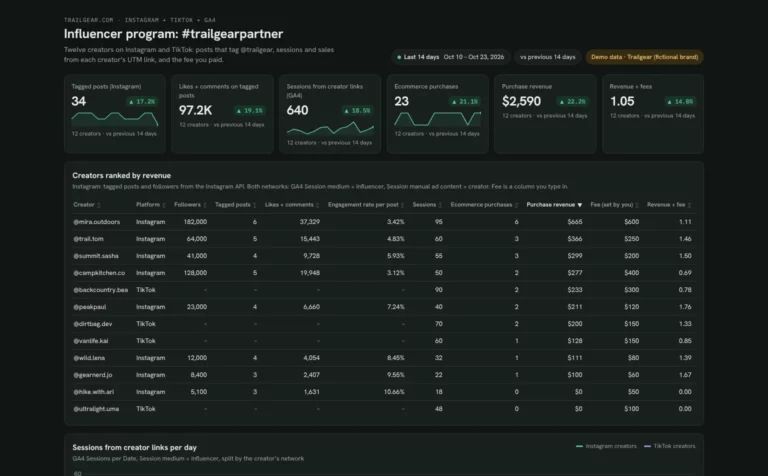 Claude
Influencer dashboard template
See which creators bring sessions and sales, and what each returns on their fee.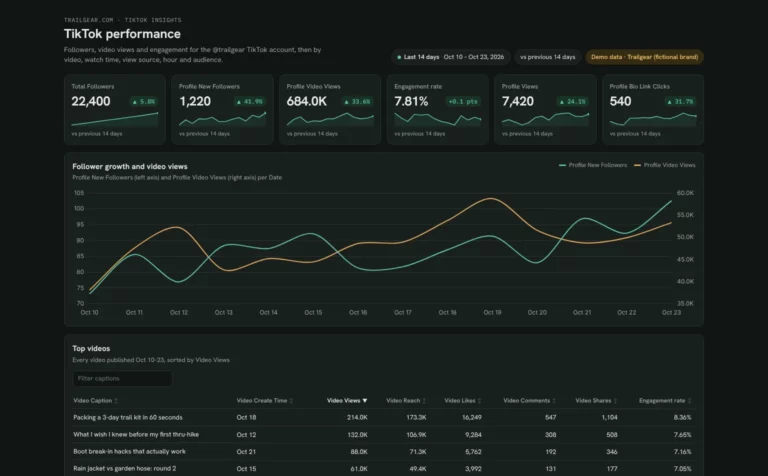 Claude
TikTok dashboard template
See which TikTok videos people finish and follow you for, and when your followers are online.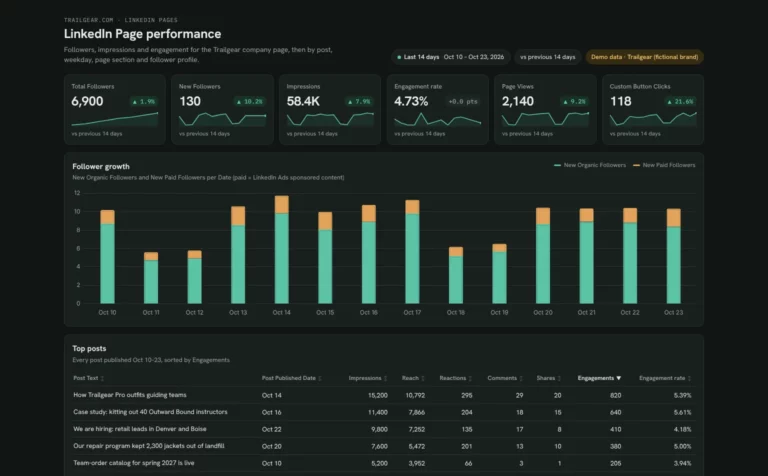 Claude
LinkedIn Page dashboard template
Track company page followers and posts, and see which job titles and industries follow you.How to build a social media dashboard in Claude
Connect your social accounts in Porter, add Porter to Claude and paste a template prompt. Add GA4 if you want to see the visits and sales each network sends.
Connect your data in Porter.
Sign up free and connect the accounts your template reads: Google Analytics 4, Instagram Insights, TikTok Organic or Facebook Insights.
Add Porter to Claude.
In Claude, go to Customize › Connectors › Add custom connector, paste
https://mcp.portermetrics.com/mcpand sign in to Porter. See each screen in the Claude MCP tutorial.Paste the template prompt.
Open the social template you picked and paste its prompt into a new Claude chat. Claude builds the views on your own accounts. Ask it which posts and dates sit behind any number before you share it.
Before you start
- Claude plan: Dashboards is in beta on Pro, Max, Team and Enterprise (Anthropic’s Dashboards guide).
- Porter plan: Free reads the last 15 days in Claude; paid plans read full history.
- Previews: every card shows a demo dashboard, not real client data.
How to connect Instagram to Claude (no code) · Video · Porter Metrics on YouTube ↗
Which social template to start with
One network, every network or creator campaigns: start there.
Every network on one screen
The social media template compares growth, engagement and top posts across Instagram, Facebook, TikTok and LinkedIn.
Creator campaigns
The influencer template shows which creators bring sessions and sales, and what each returns on their fee.
Social media template FAQ
Picking a template, data history and sharing.
Which social media dashboard template should I use?
Use the template for the network you post on most. If you post on several, the social media dashboard template compares Instagram, Facebook, TikTok and LinkedIn on one screen.
Can a Claude dashboard show which posts bring website visits?
Yes, when you connect GA4 as well. The social media and influencer templates read GA4 to show the visits and sales each network or creator sends.
Is there a YouTube dashboard template for Claude?
Yes. The YouTube dashboard template tracks views, watch time and subscribers, and compares Shorts, long videos and live.
How much social history can Claude read?
The Free plan reads the last 15 days in Claude, enough to compare this week’s posts. Paid plans read full history for monthly growth (Porter pricing).
More Claude dashboard templates
Browse by use case or by the data source you connect.
By use case
- SEO 14
- PPC 7
- Social media 7
- Marketing overview 4
 Search Console 15
 Google Ads 9
 Meta Ads 6
 Microsoft Ads 4