Free Growth marketing dashboards on Data Studio (formerly Looker Studio) — organized around the AARRR framework so you can track acquisition, activation, retention, revenue, and referral in one place. Measure CAC, LTV, and funnel drop-offs across paid, organic, and email. Used by +10,000 marketing teams and agencies in 60 countries.
 Get all Growth marketing templates for free →
Full digital marketing overview template. Combines paid, organic, email, and analytics data into one dashboard — perfect as your top-level growth reporting view.
The complete digital marketing report for growth teams. Covers paid channels, SEO, social, email, and analytics with AARRR-style grouping.
Cross-channel marketing performance. Blend Meta Ads, Google Ads, and GA4 to see channel mix, blended CAC, and channel-level ROAS in one place.
Multi-channel performance benchmark. Compare paid, organic, social, and email side-by-side to rebalance growth investment.
Agency-grade complete digital marketing report. White-label, covers all growth channels — ideal for monthly growth reviews.
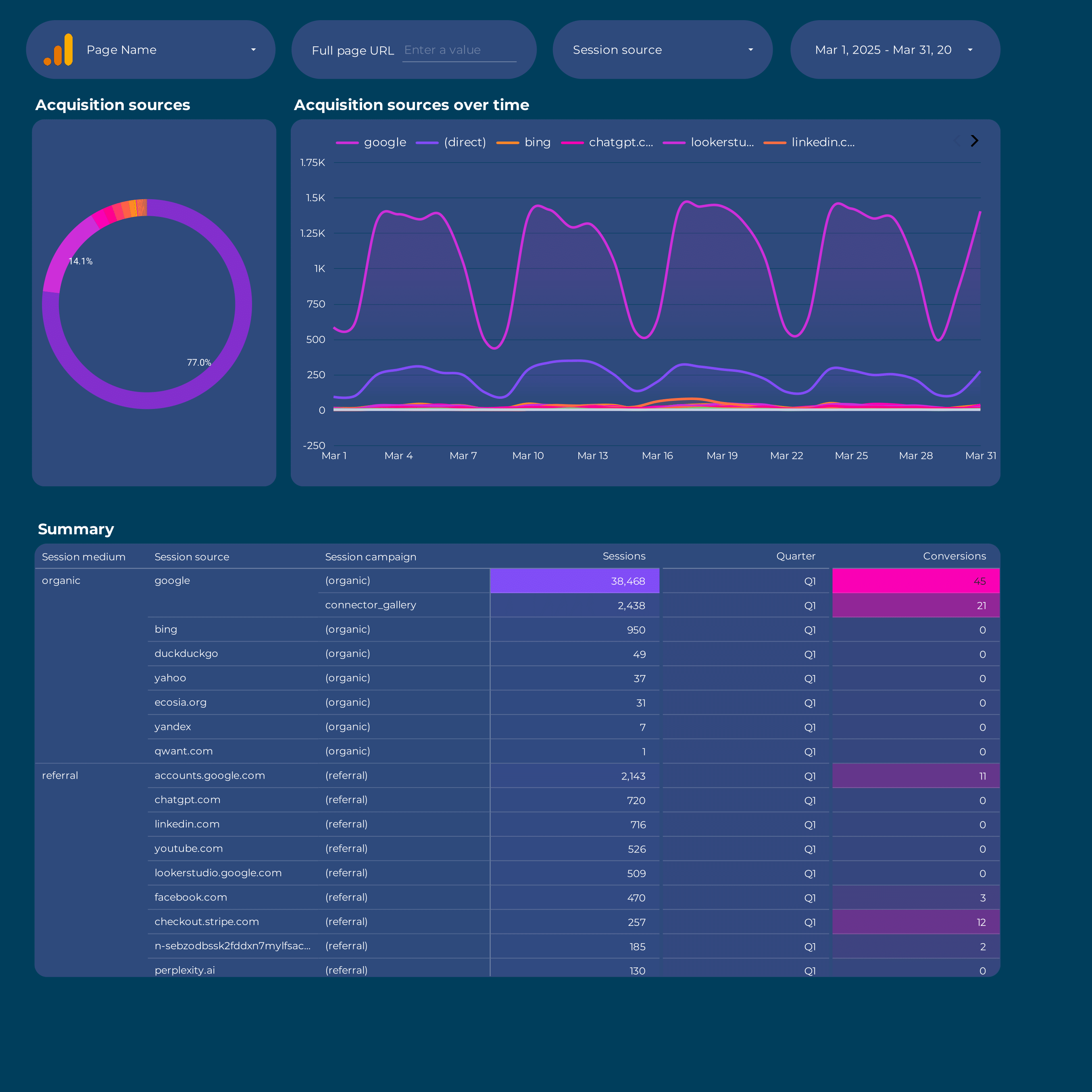
User acquisition dashboard. Track CAC by channel, paid vs organic split, and source/medium breakdowns — the first A in AARRR.
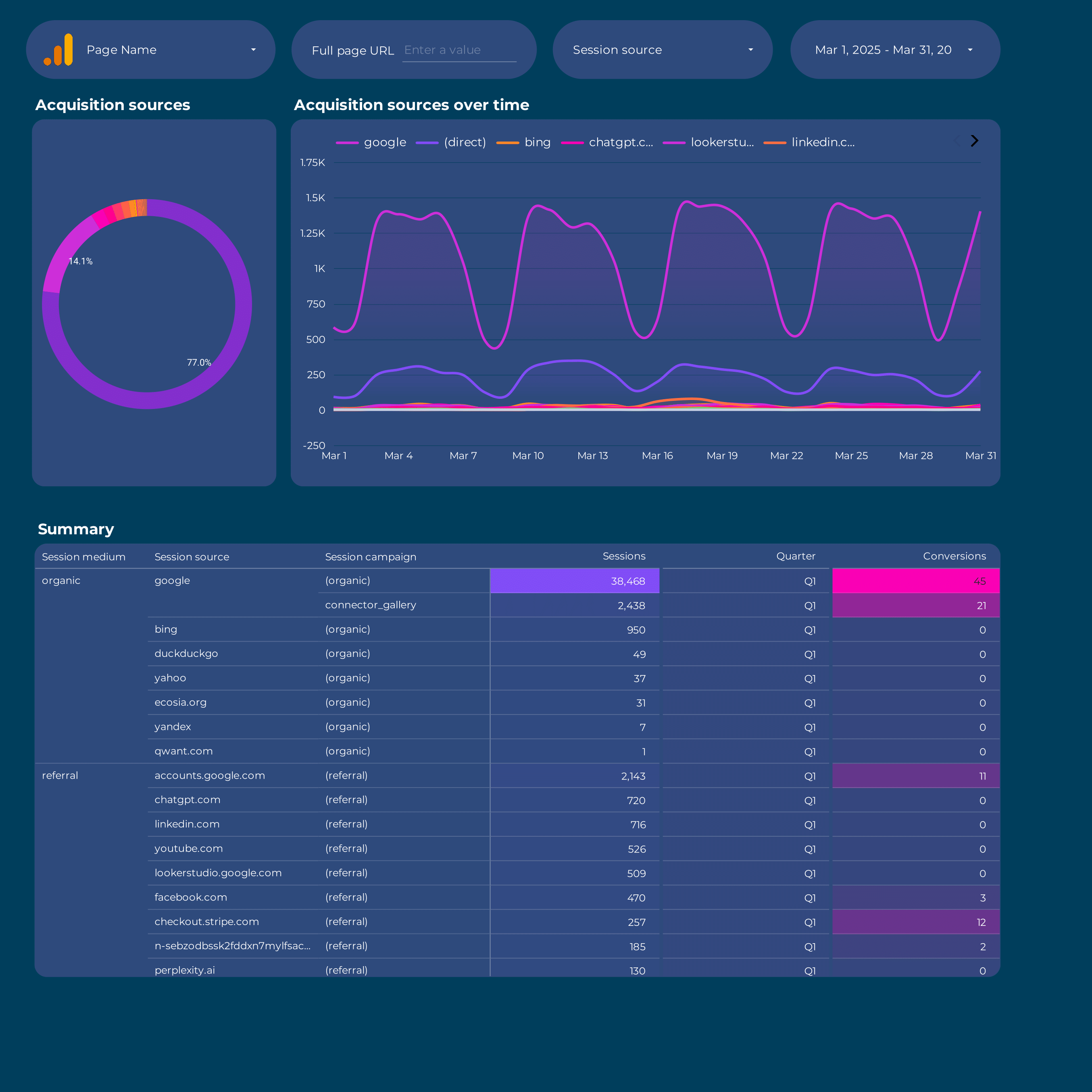
GA4 Acquisition report. New users, sessions, and conversions by source/medium, campaign, and default channel grouping.
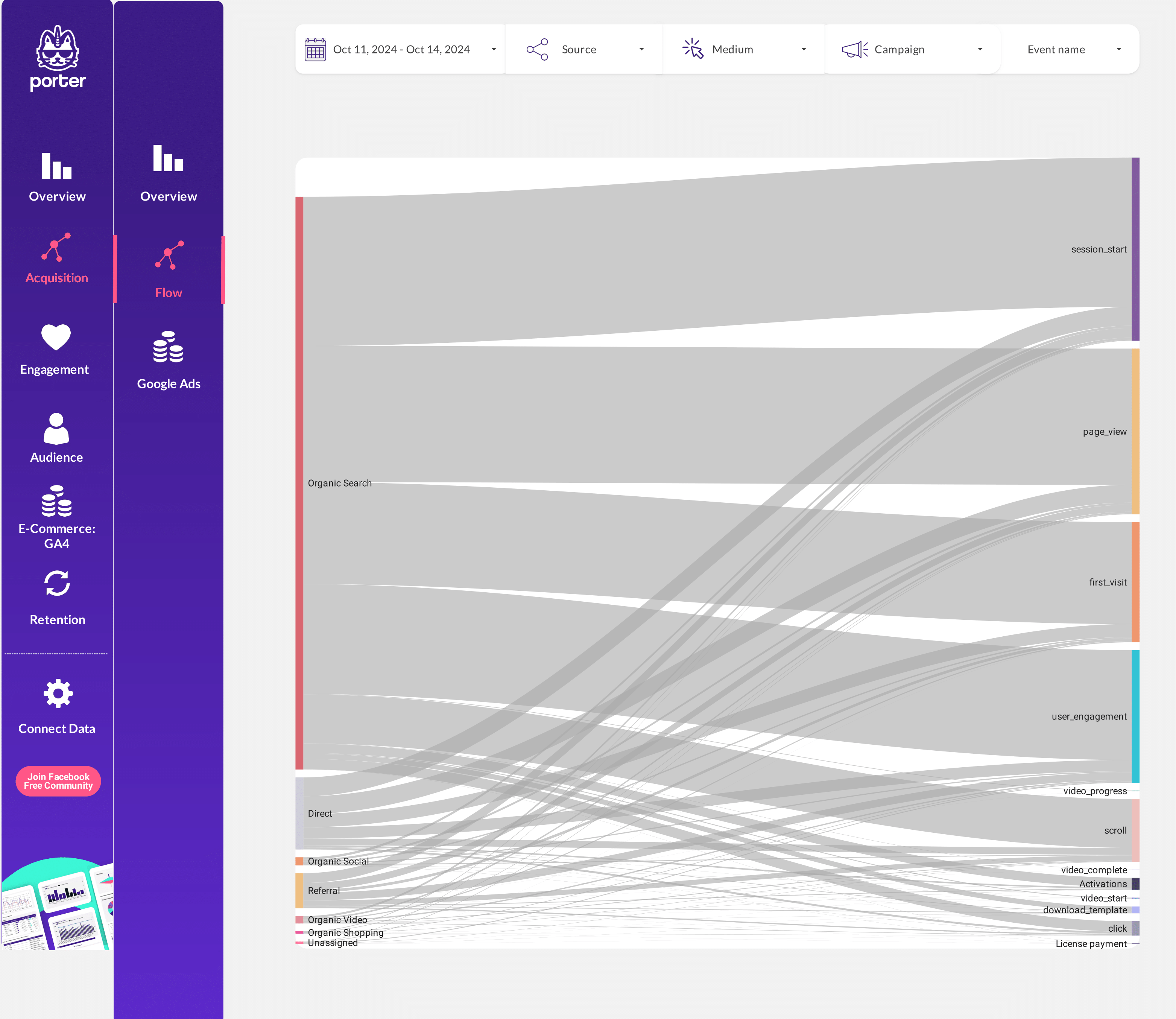
GA4 Acquisition view with traffic-source breakdowns. Understand where your next users come from and which channels scale.
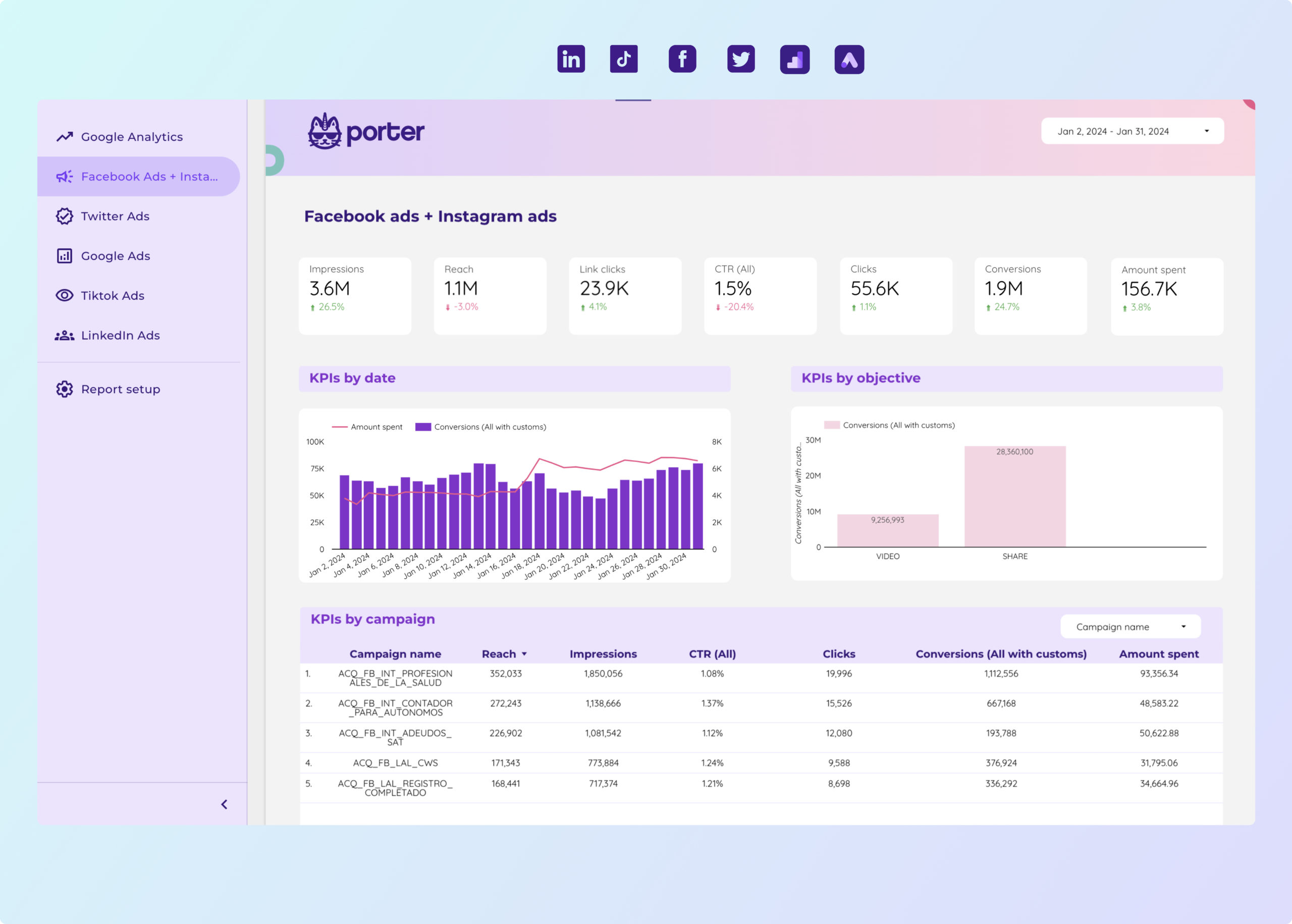
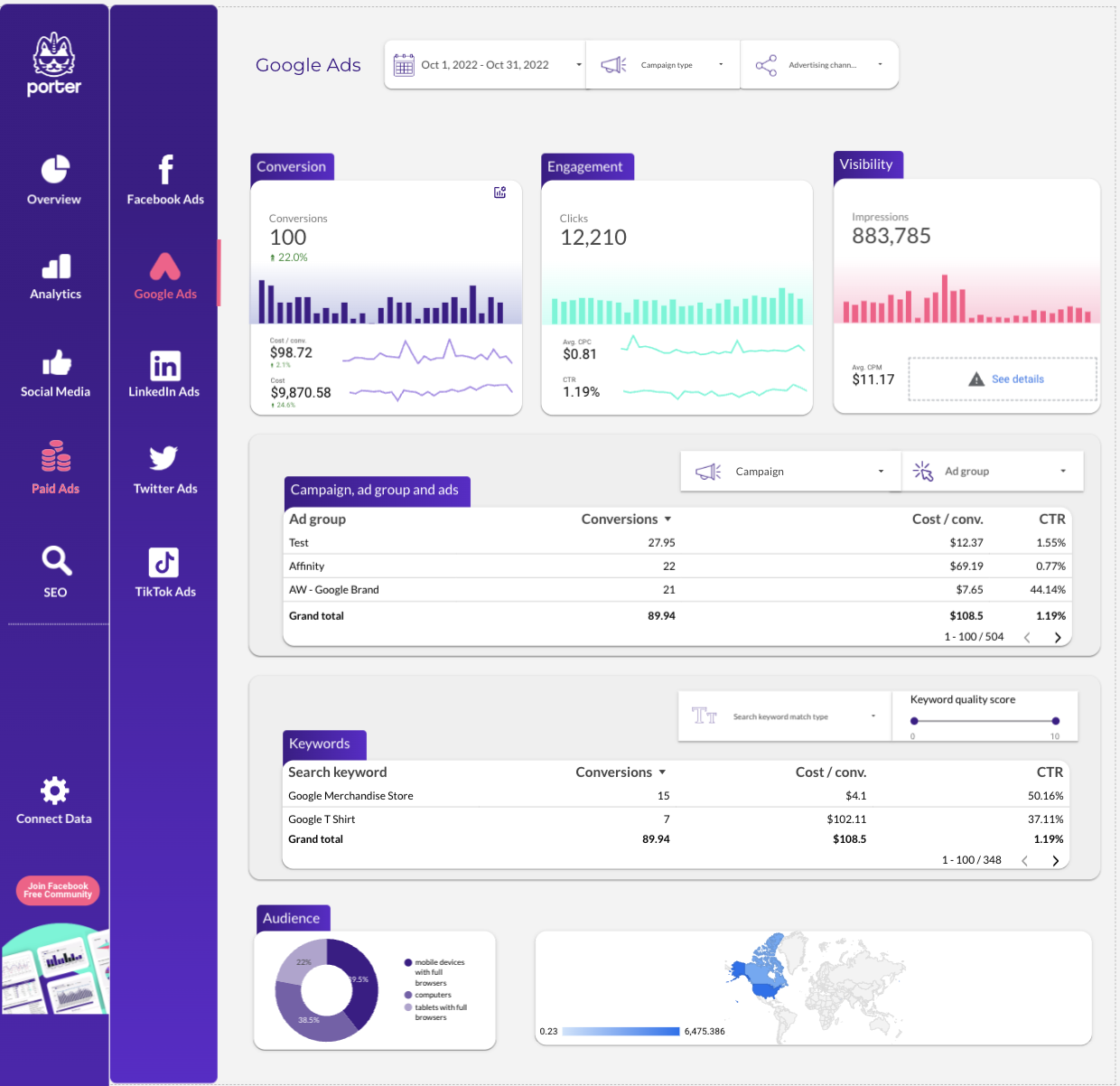
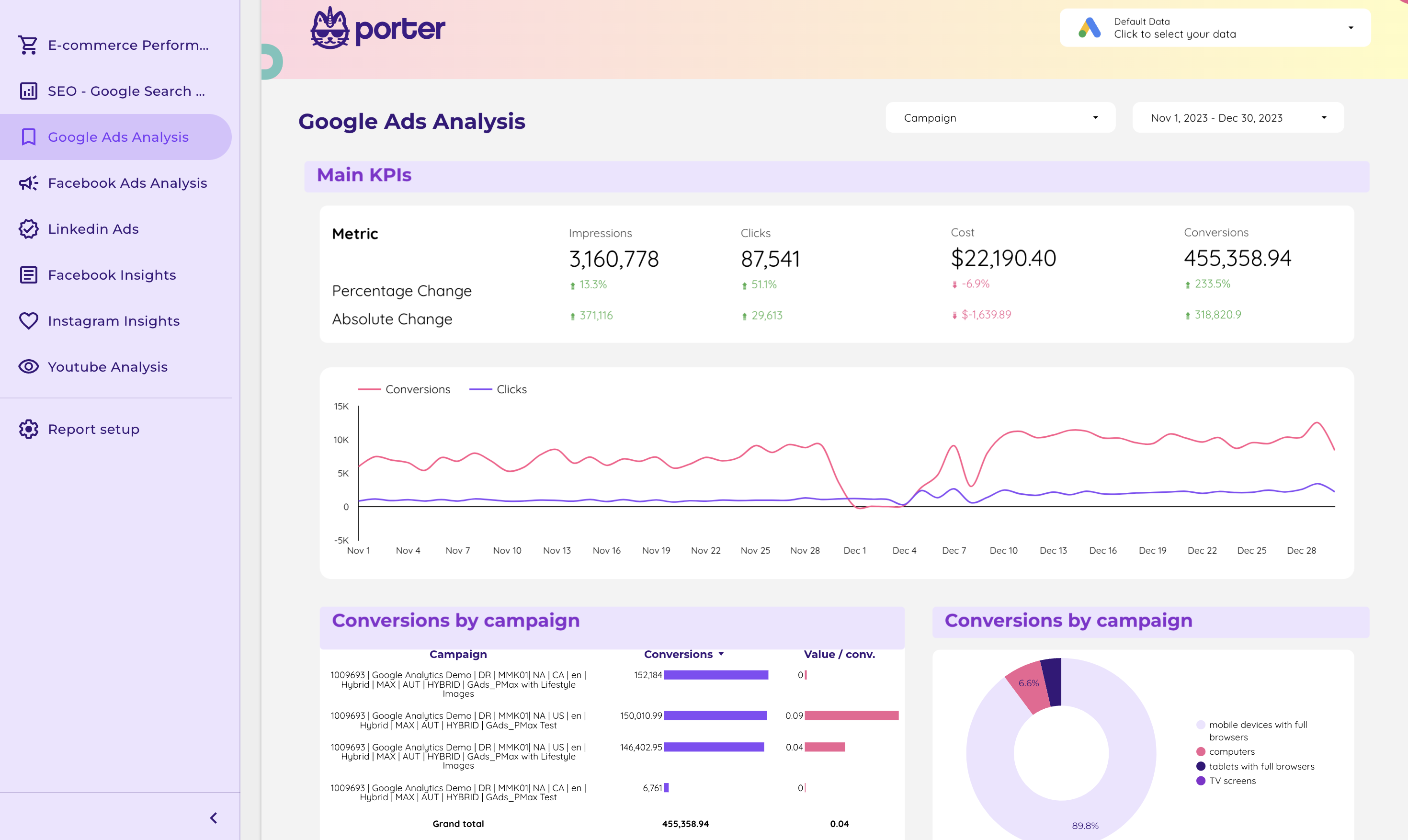
Paid acquisition across Meta Ads, Google Ads, LinkedIn Ads, and TikTok. Spend, CAC, and conversions in a single growth dashboard.
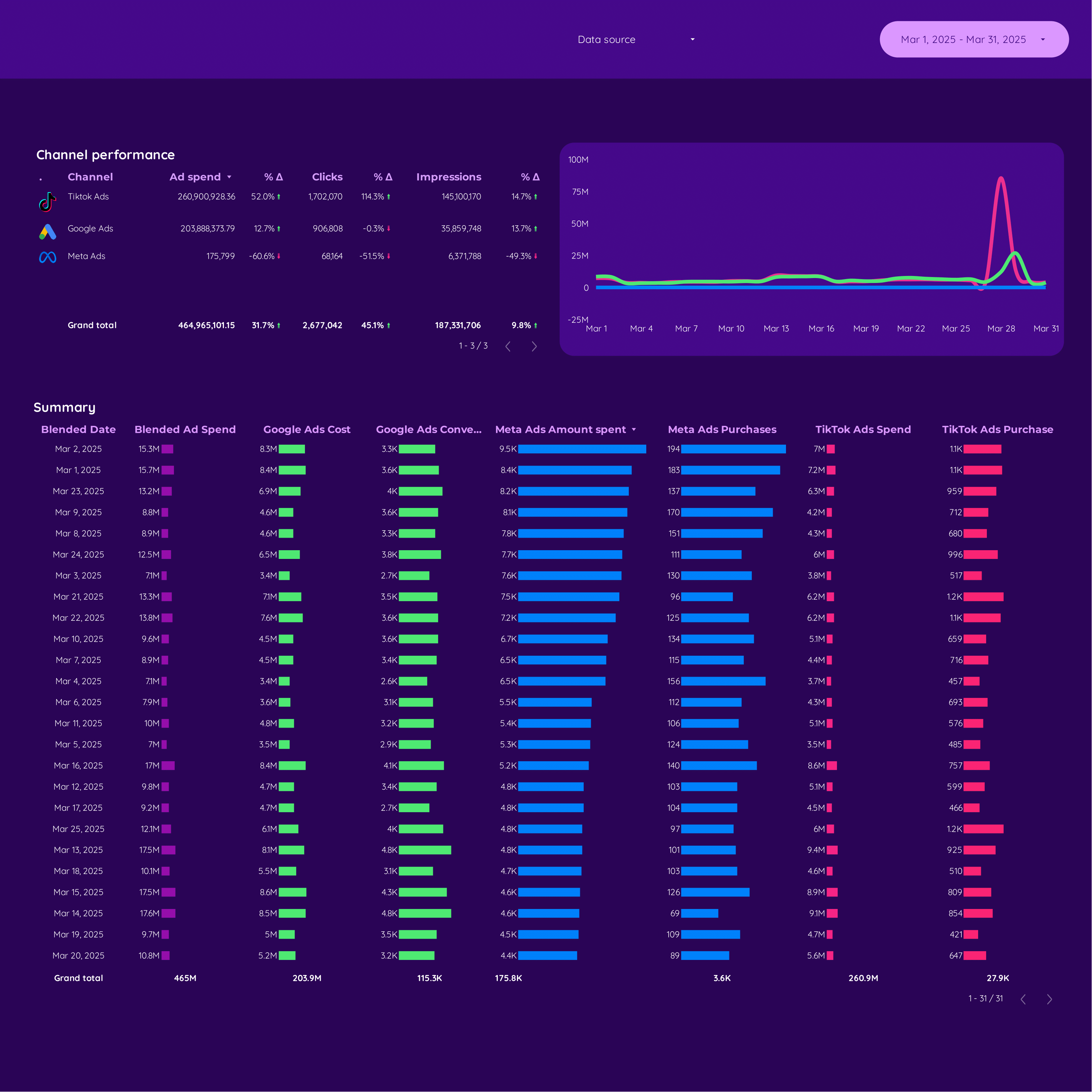
Paid acquisition for e-commerce growth. Revenue, AOV, ROAS, and attributed purchases by paid channel.
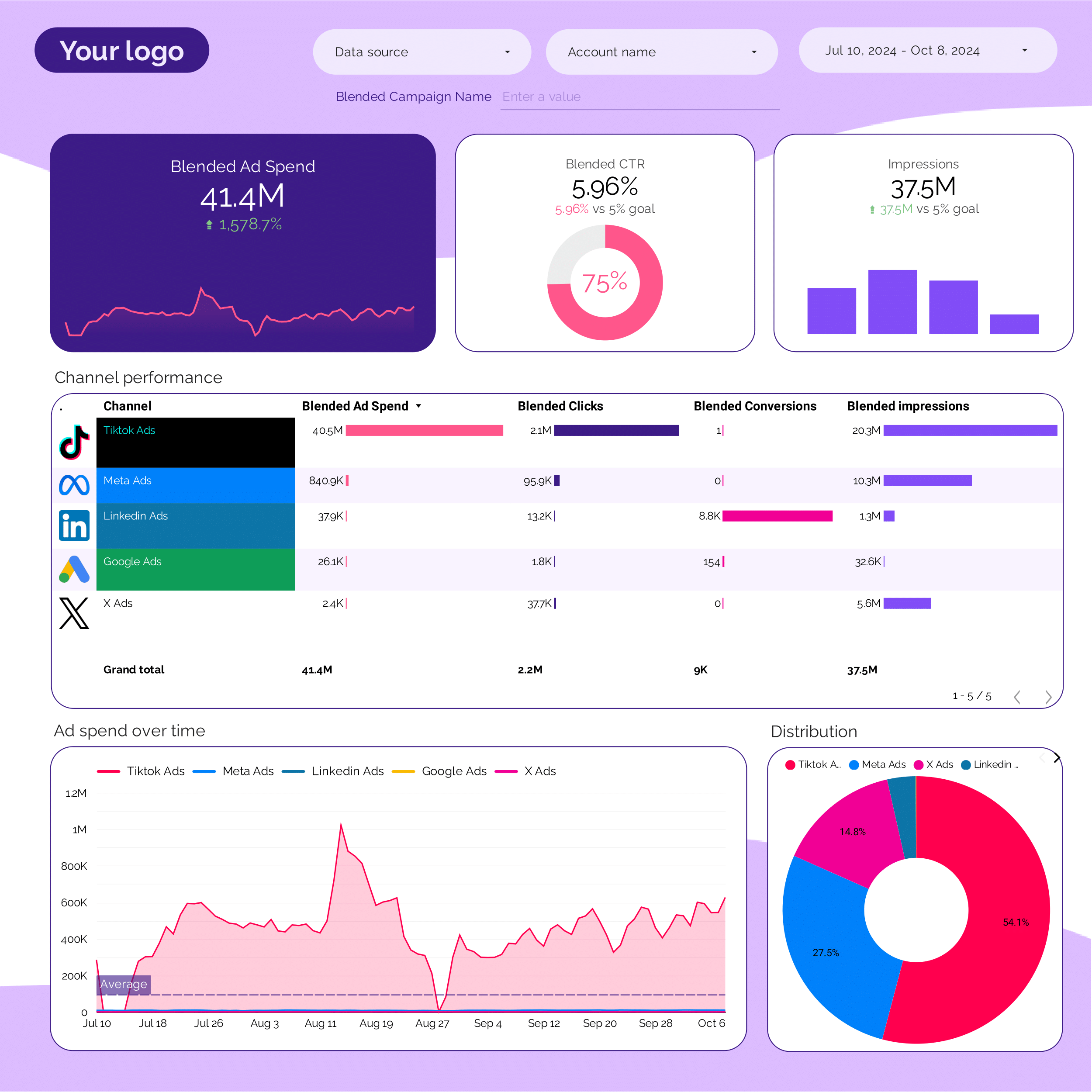
Unified PPC dashboard for growth teams. Core paid acquisition metrics across Google, Meta, LinkedIn, and TikTok.
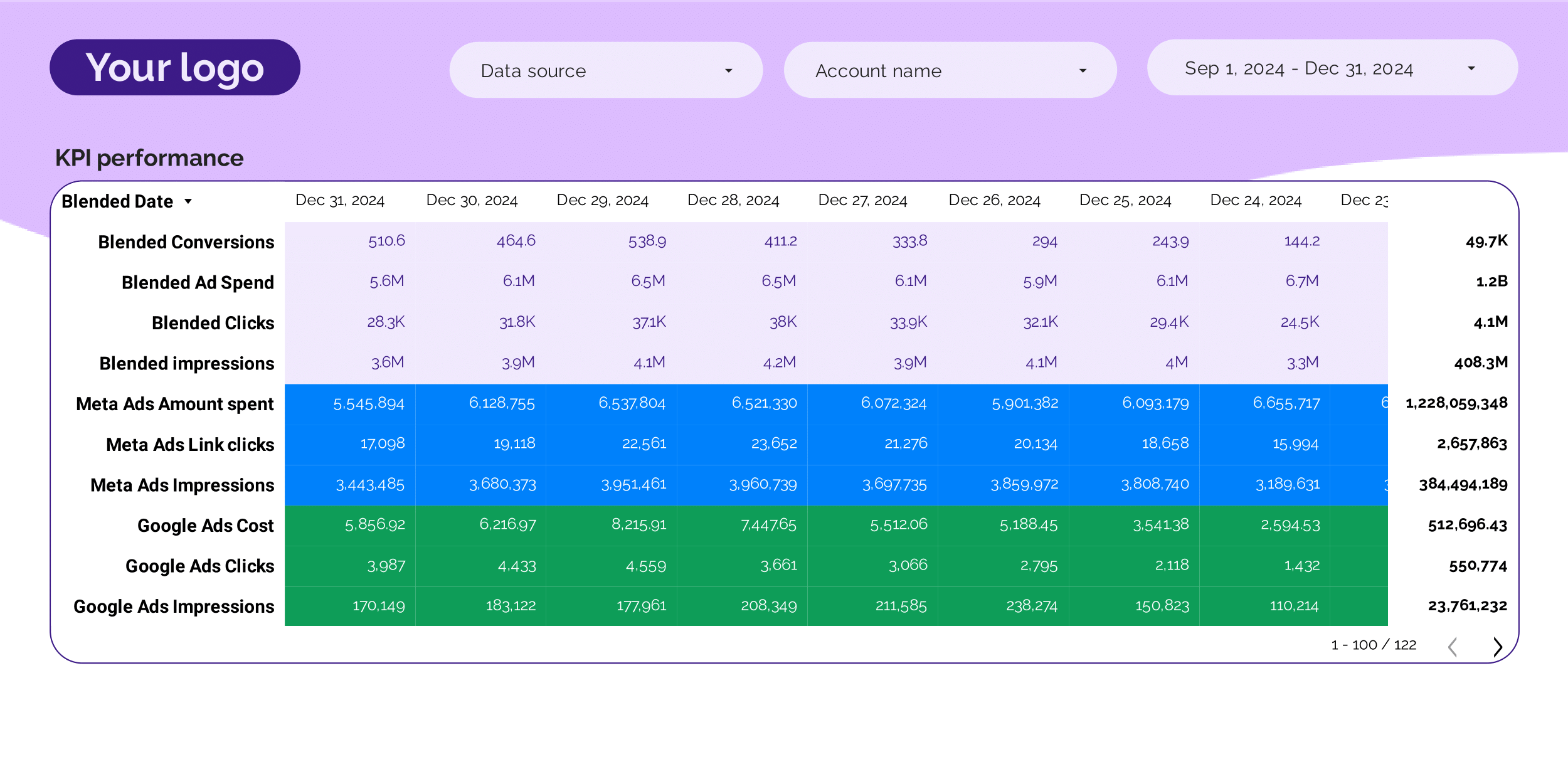
Headline PPC KPIs for stakeholder updates: blended CAC, total paid spend, conversions, ROAS vs target.
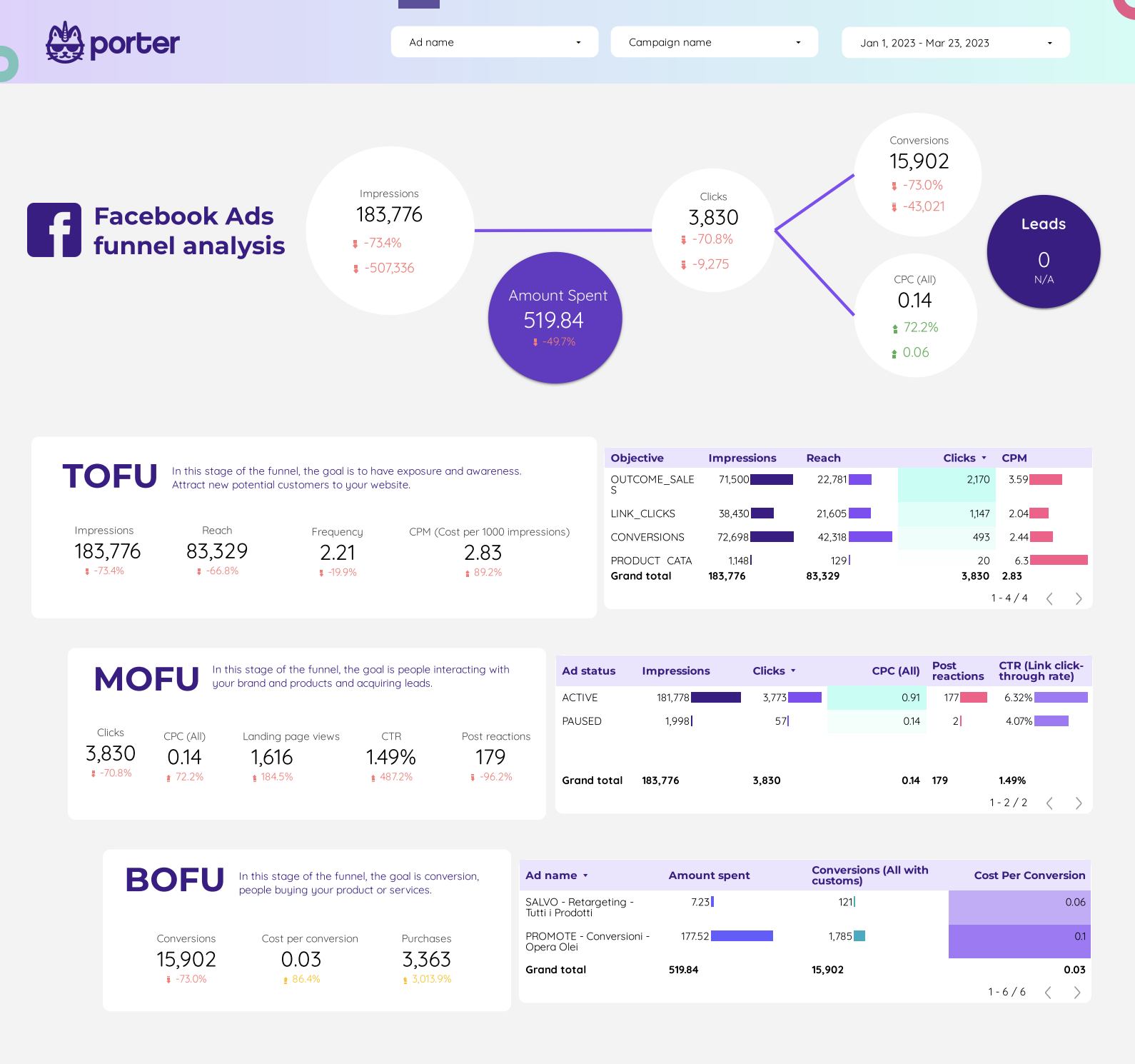
Full marketing funnel from impression to conversion. Spot activation drop-offs and the channels that push users through.
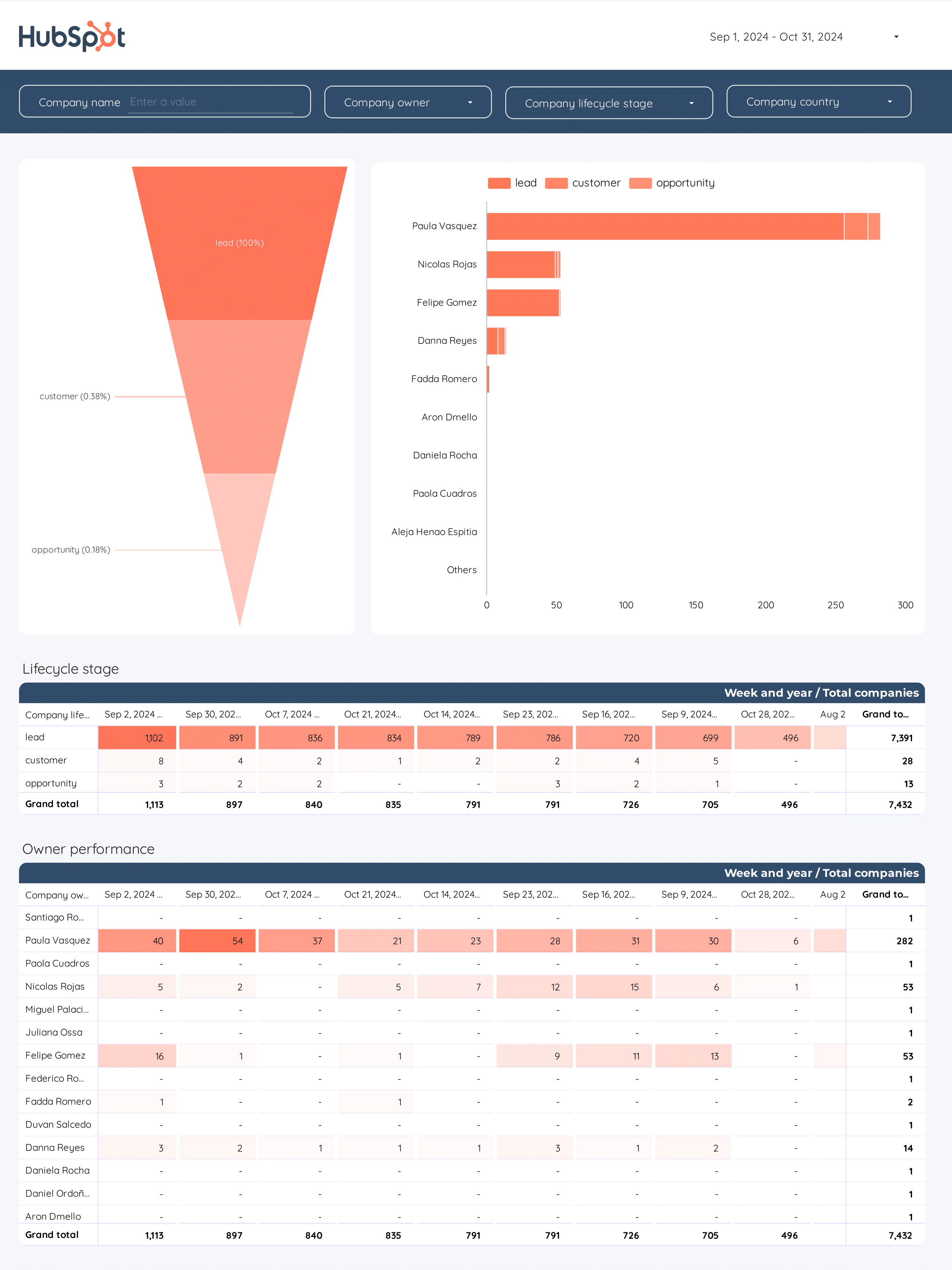
B2B marketing funnel from visitor to MQL to SQL to customer. Cost per stage and conversion rates between steps.
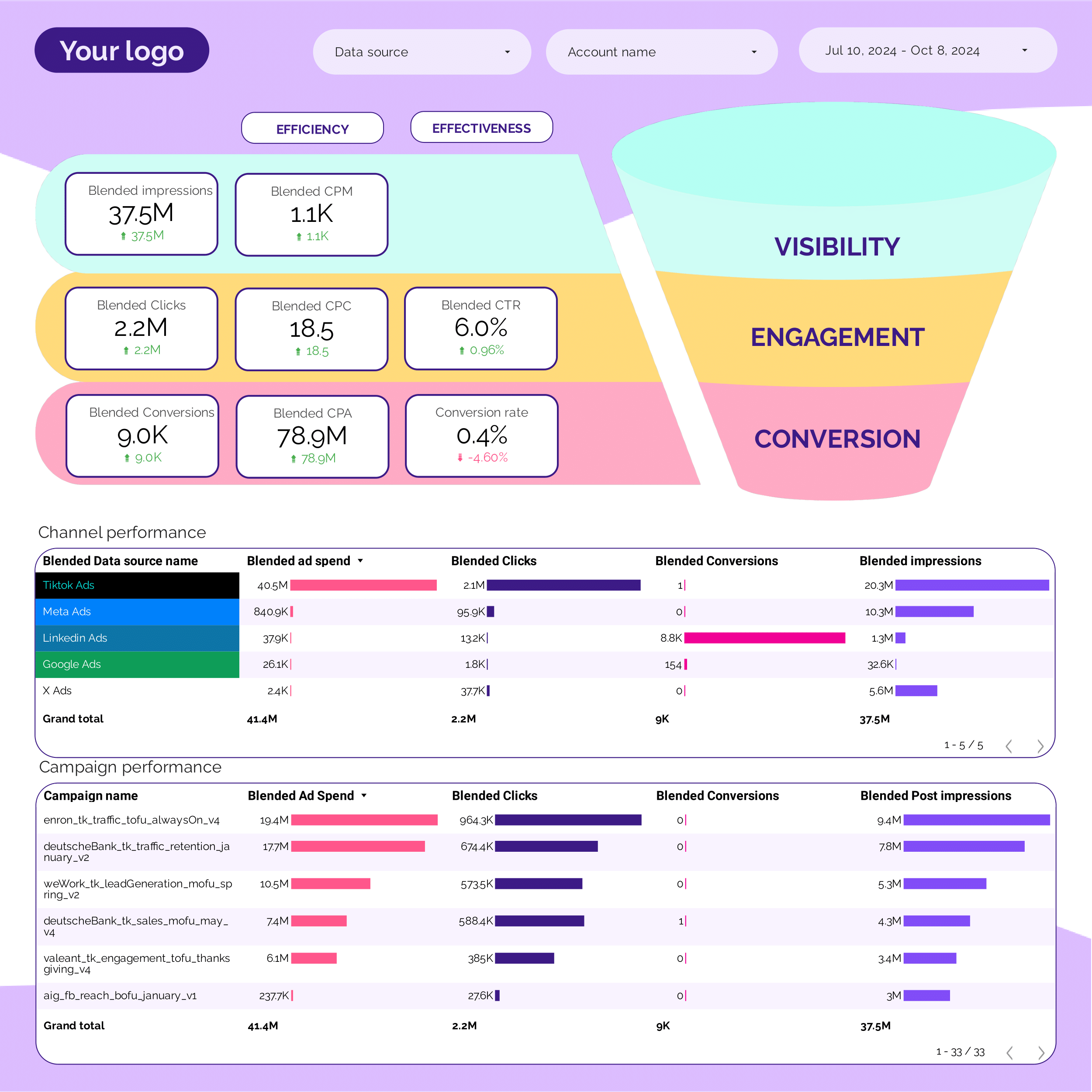
PPC funnel view across channels. Identify the biggest drop-off stage and test creative/audience to close the gap.
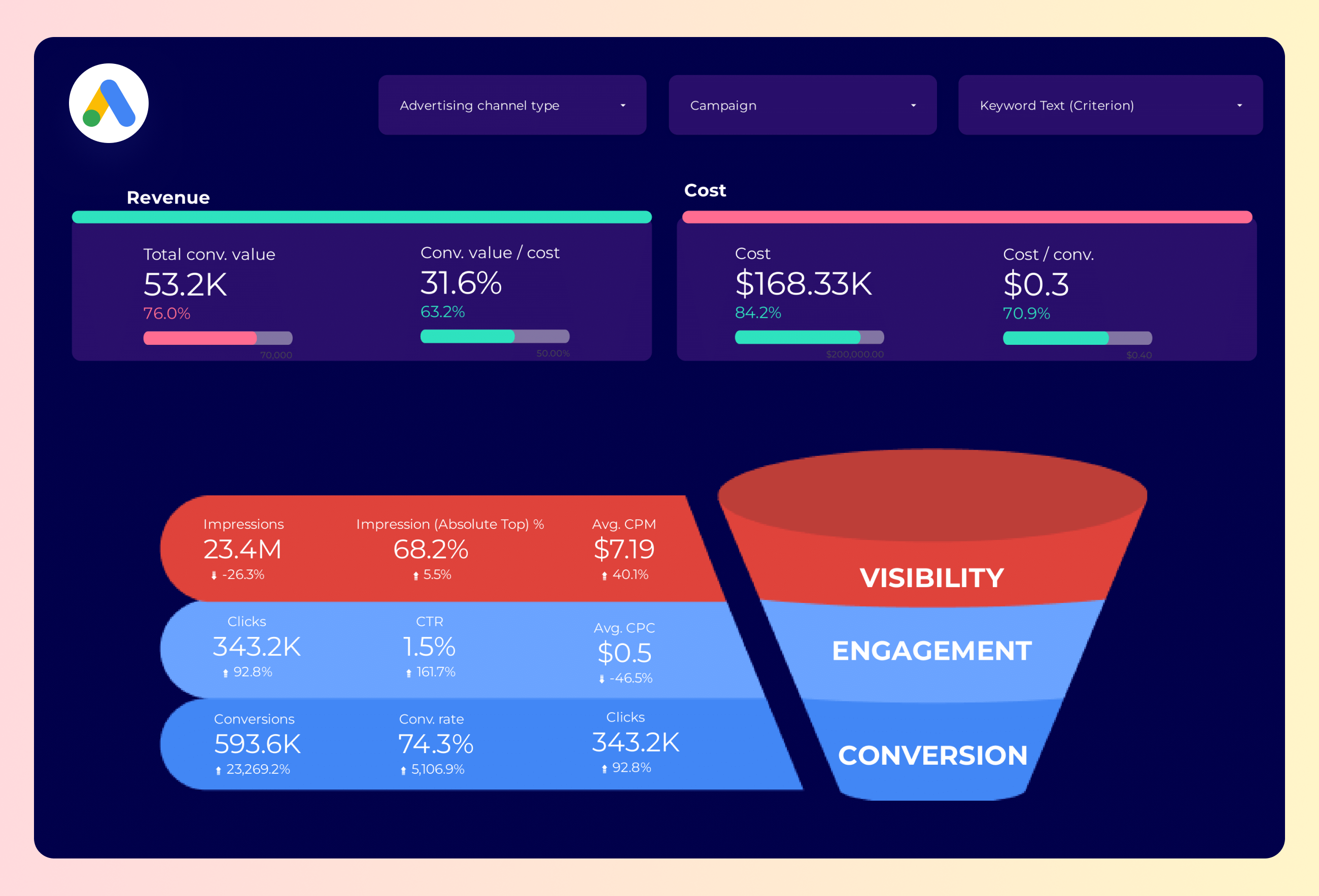
Google Ads funnel from impressions to purchases. Great for activation analysis on paid search growth programs.
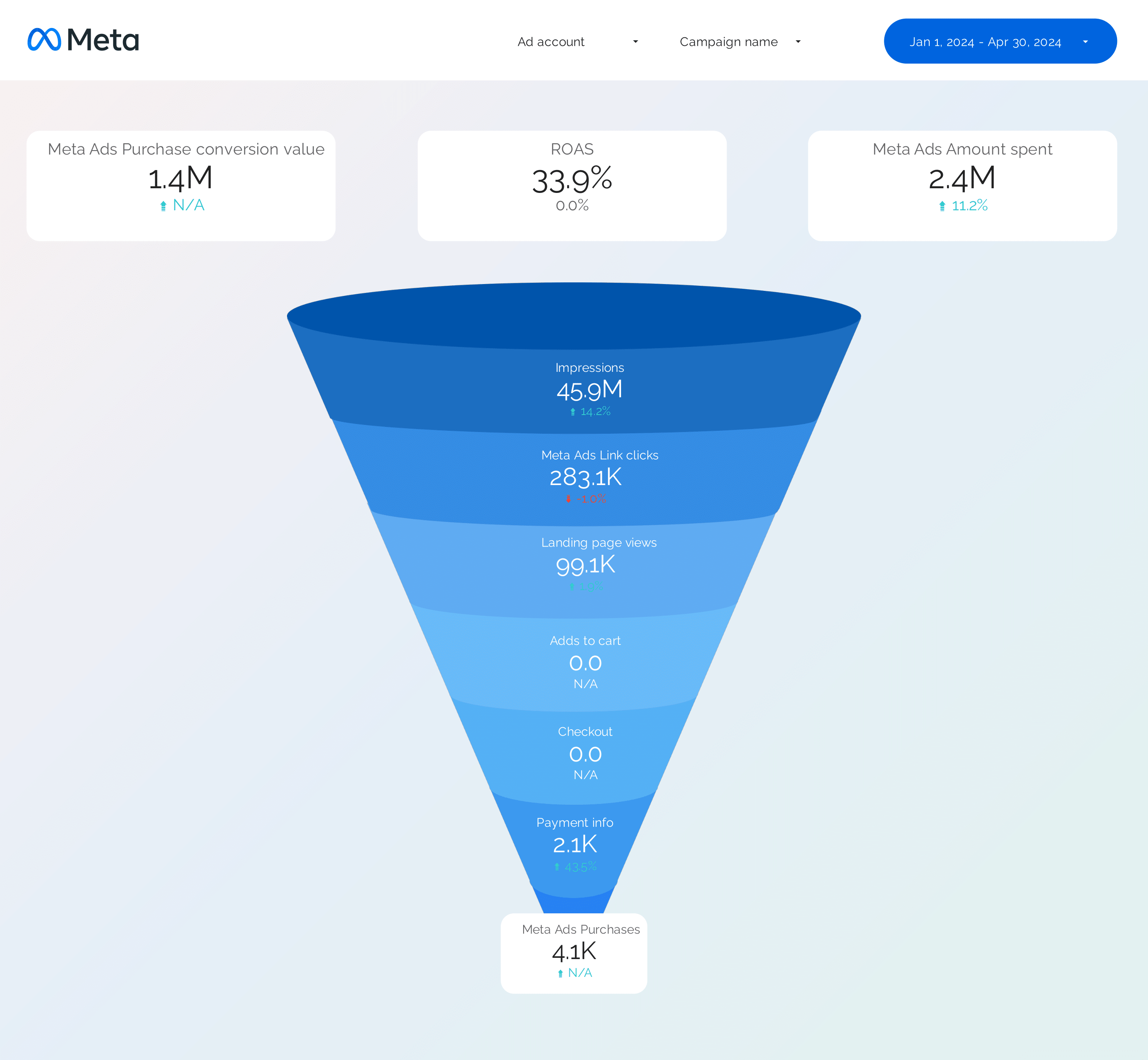
Facebook Ads funnel from impressions to purchases. Diagnose awareness vs conversion-stage problems.
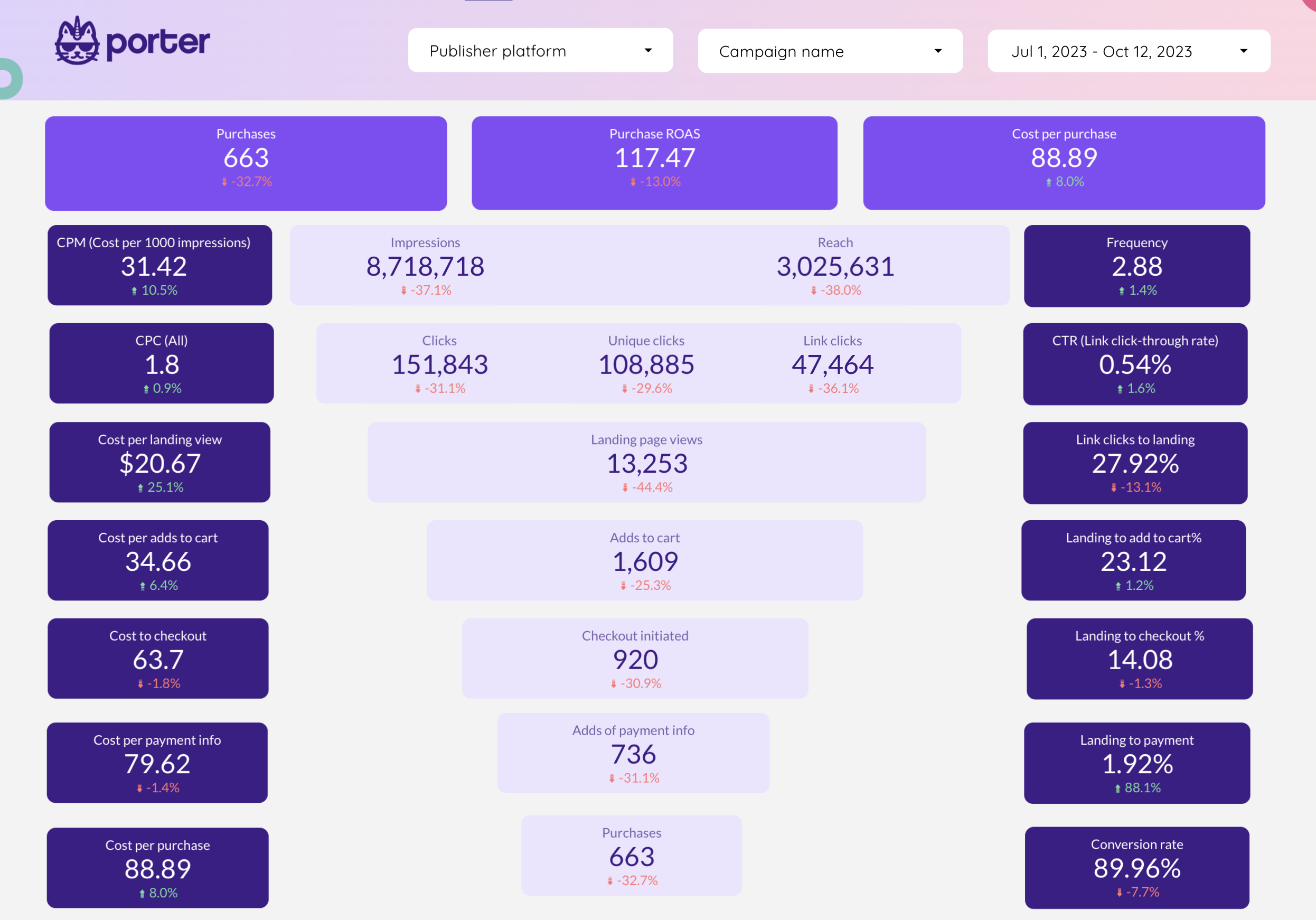
E-commerce funnel focused on Facebook Ads. ATC, IC, purchase conversion, and drop-off rates by campaign.
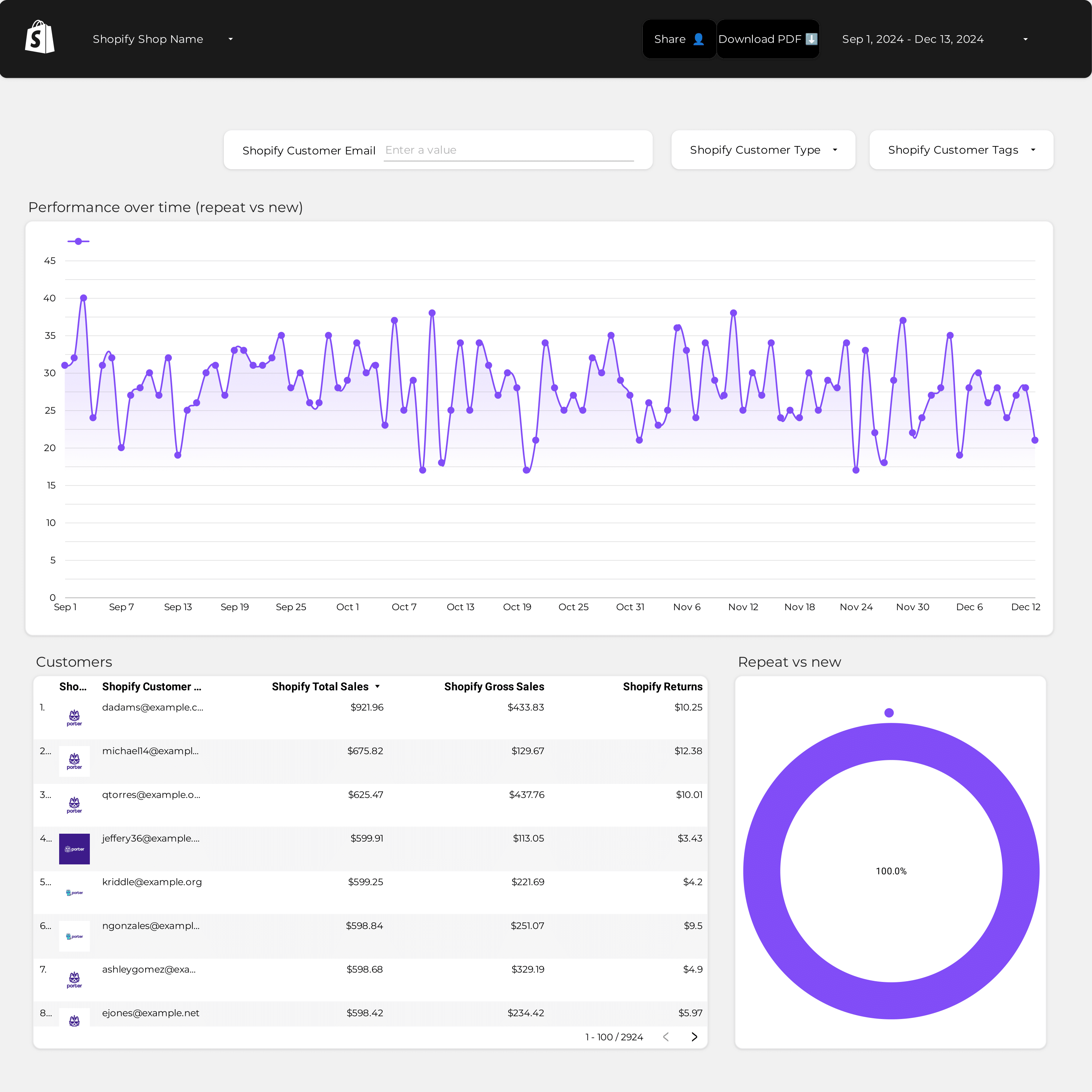
LTV and retention dashboard. Customer lifetime value by cohort, revenue per user, and the LTV:CAC ratio growth teams track.
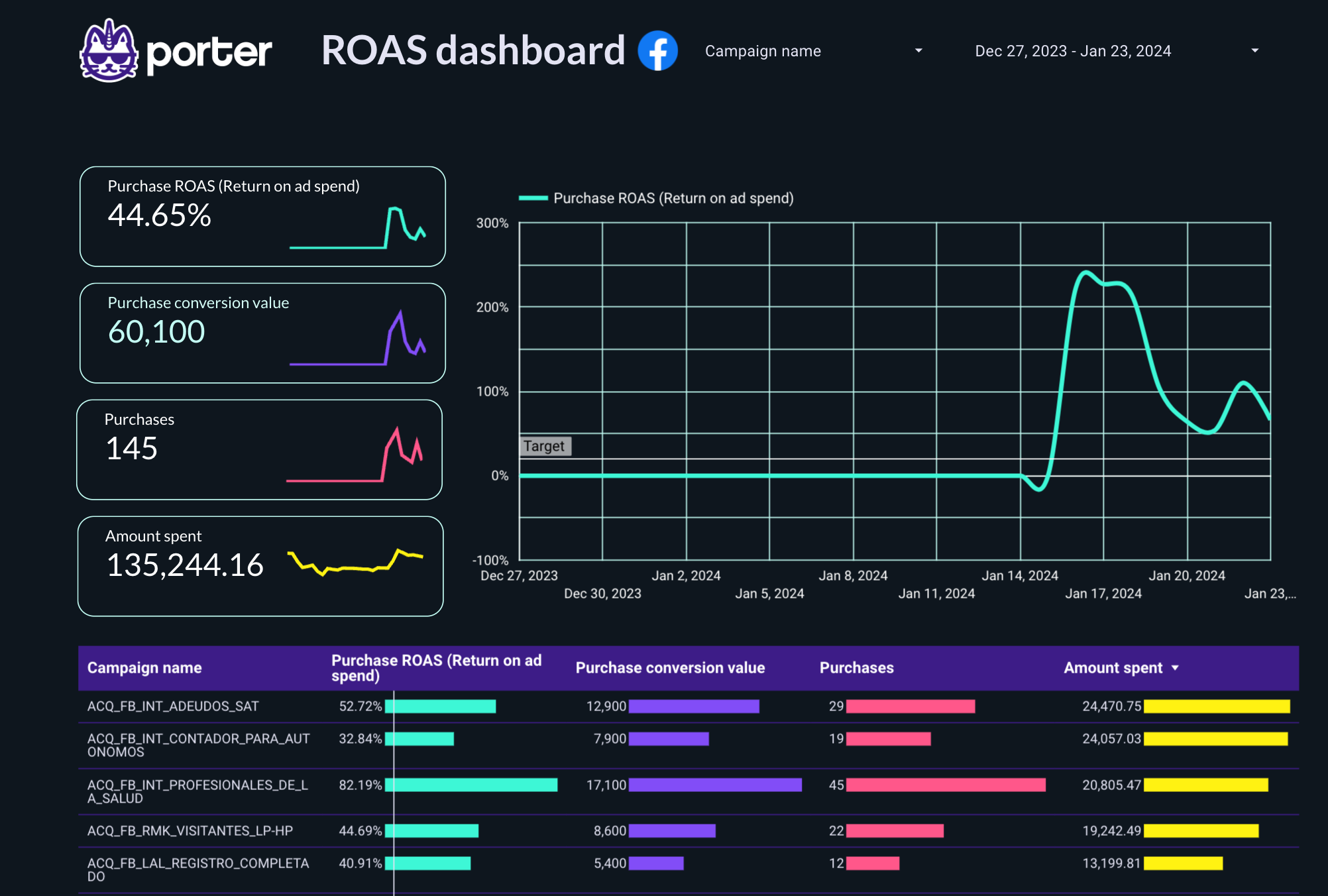
ROAS-focused view across paid channels. Daily, weekly, and monthly — the revenue-side signal in your growth dashboard.
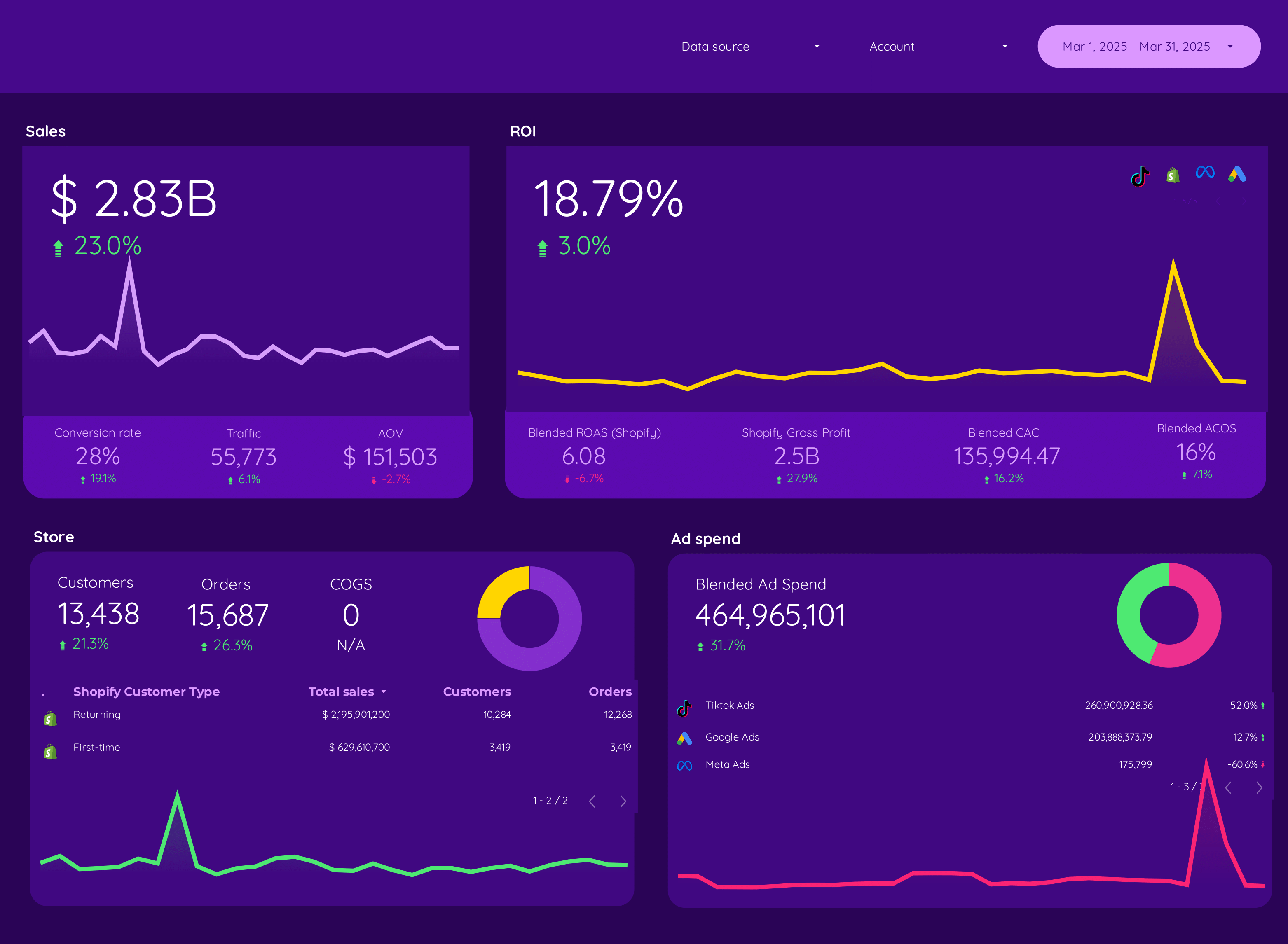
E-commerce growth dashboard. Revenue, AOV, conversion rate, and repeat purchase by source, product, and campaign.
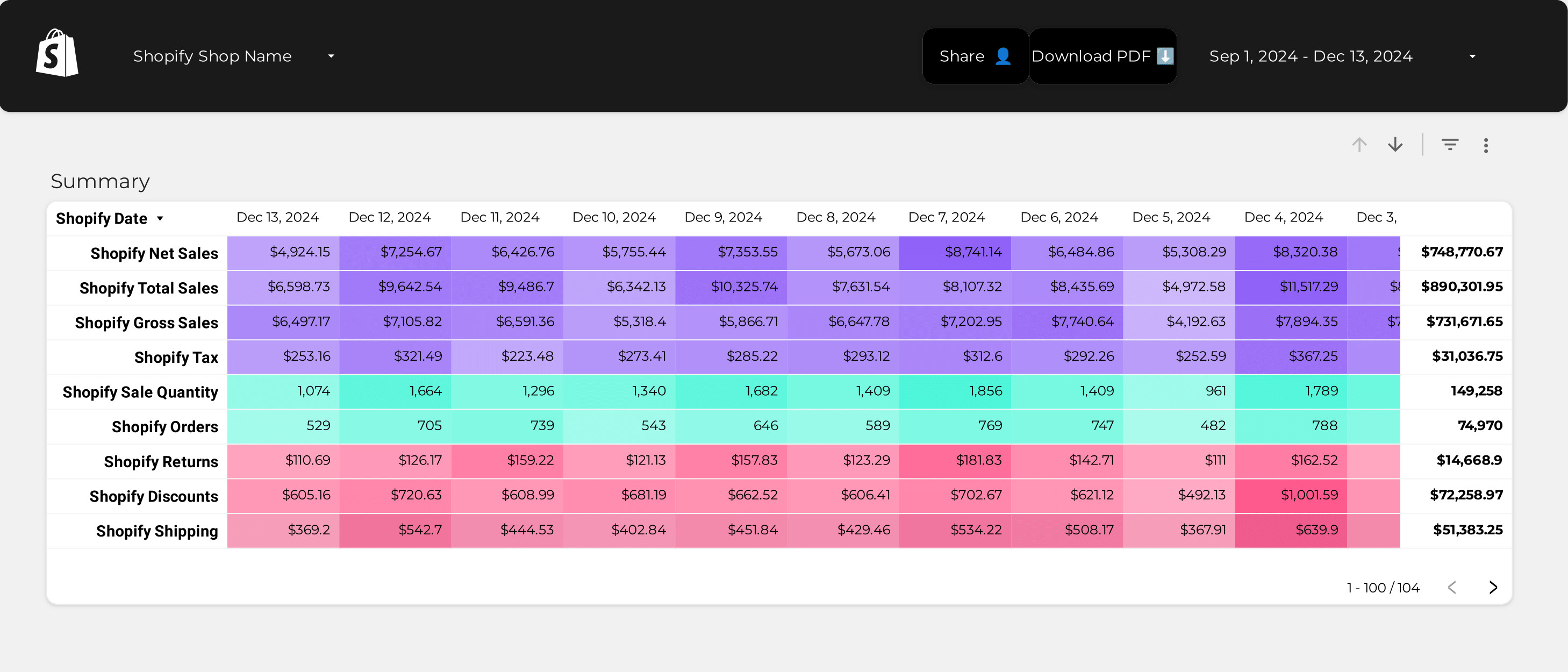
Shopify growth KPIs: revenue, AOV, conversion rate, repeat customer rate, and abandoned cart recovery.
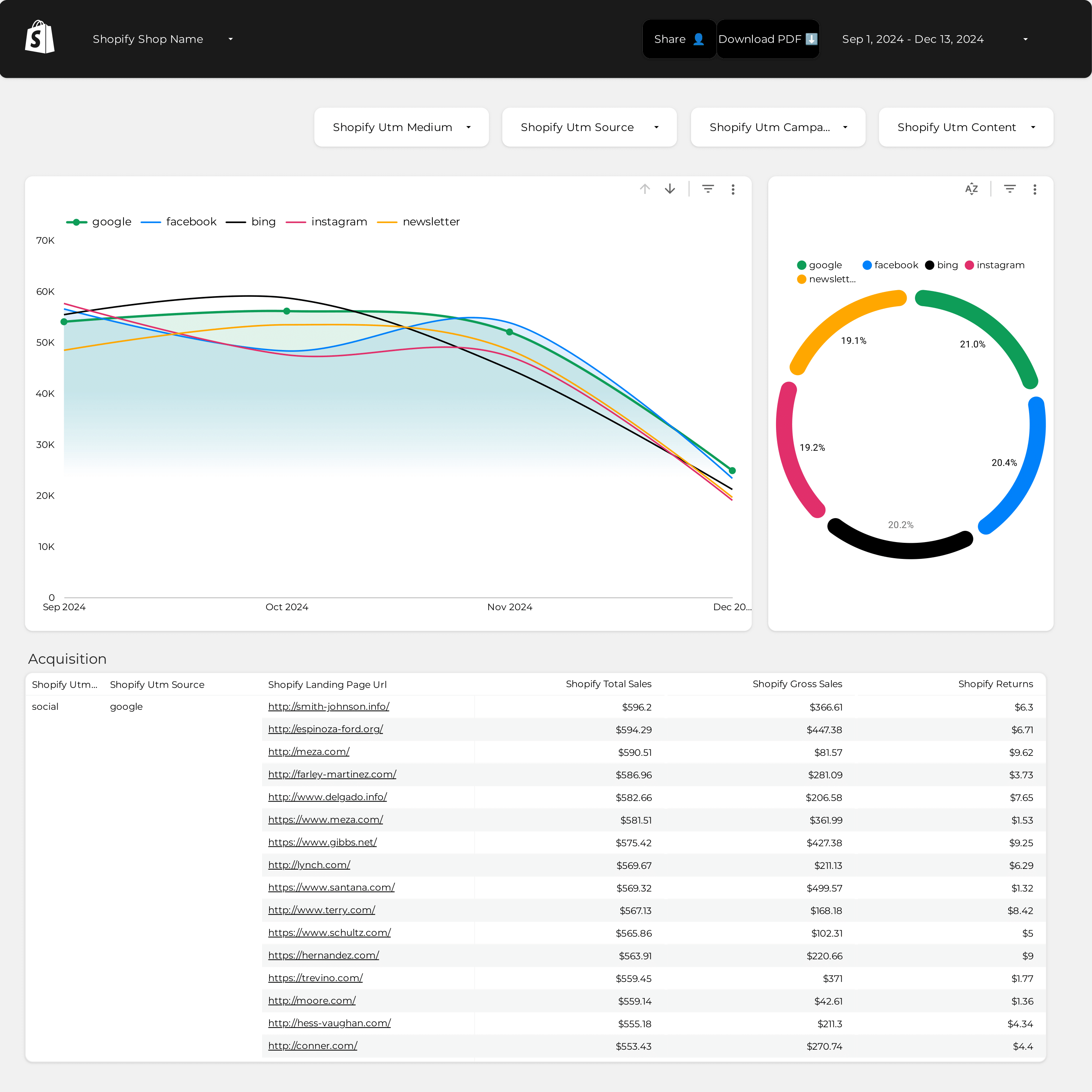
Shopify attribution across paid and organic sources. See which channel actually drives revenue beyond platform reporting.
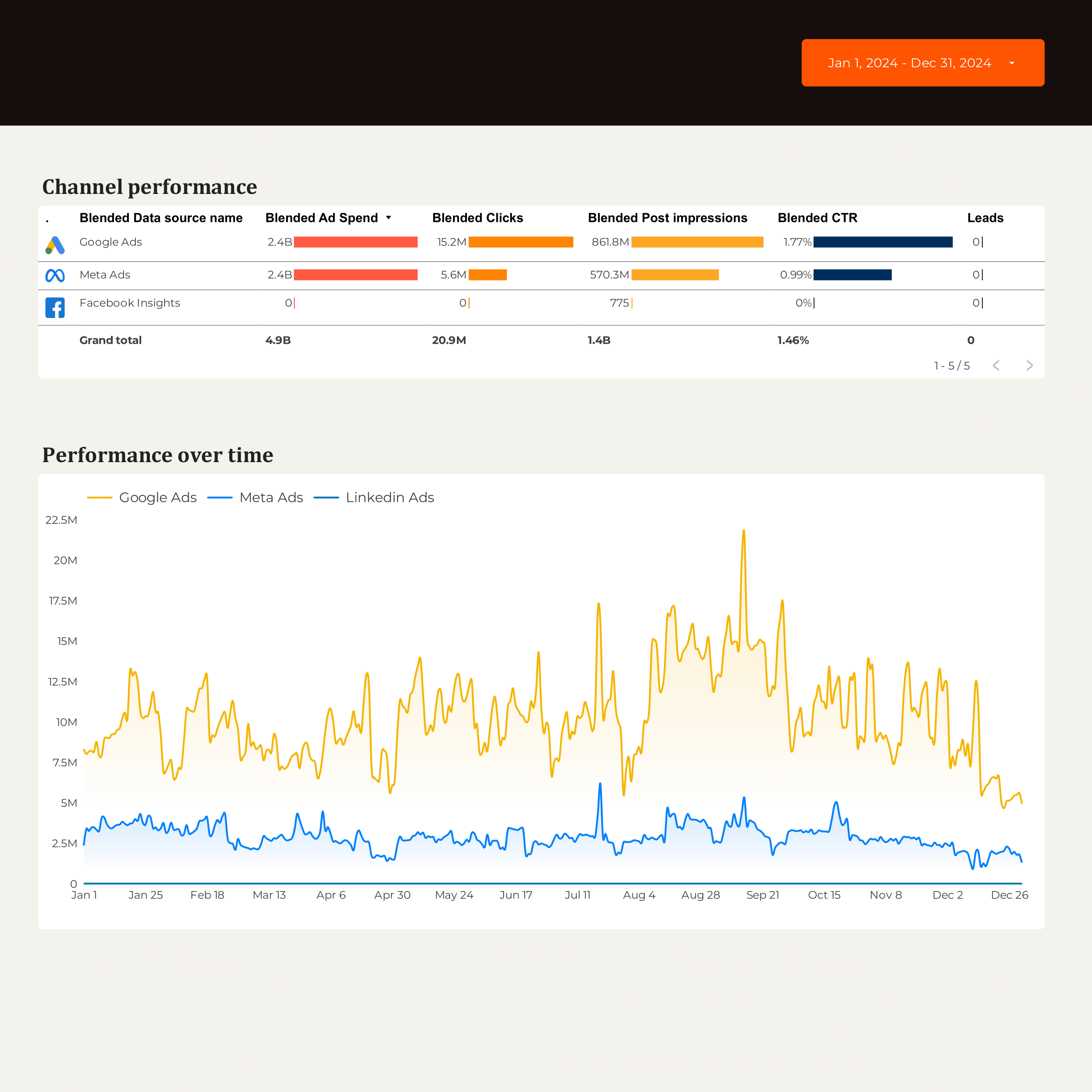
B2B growth performance. Pipeline sourced by channel, MQLs, SQLs, and cost per opportunity — links paid to pipeline.
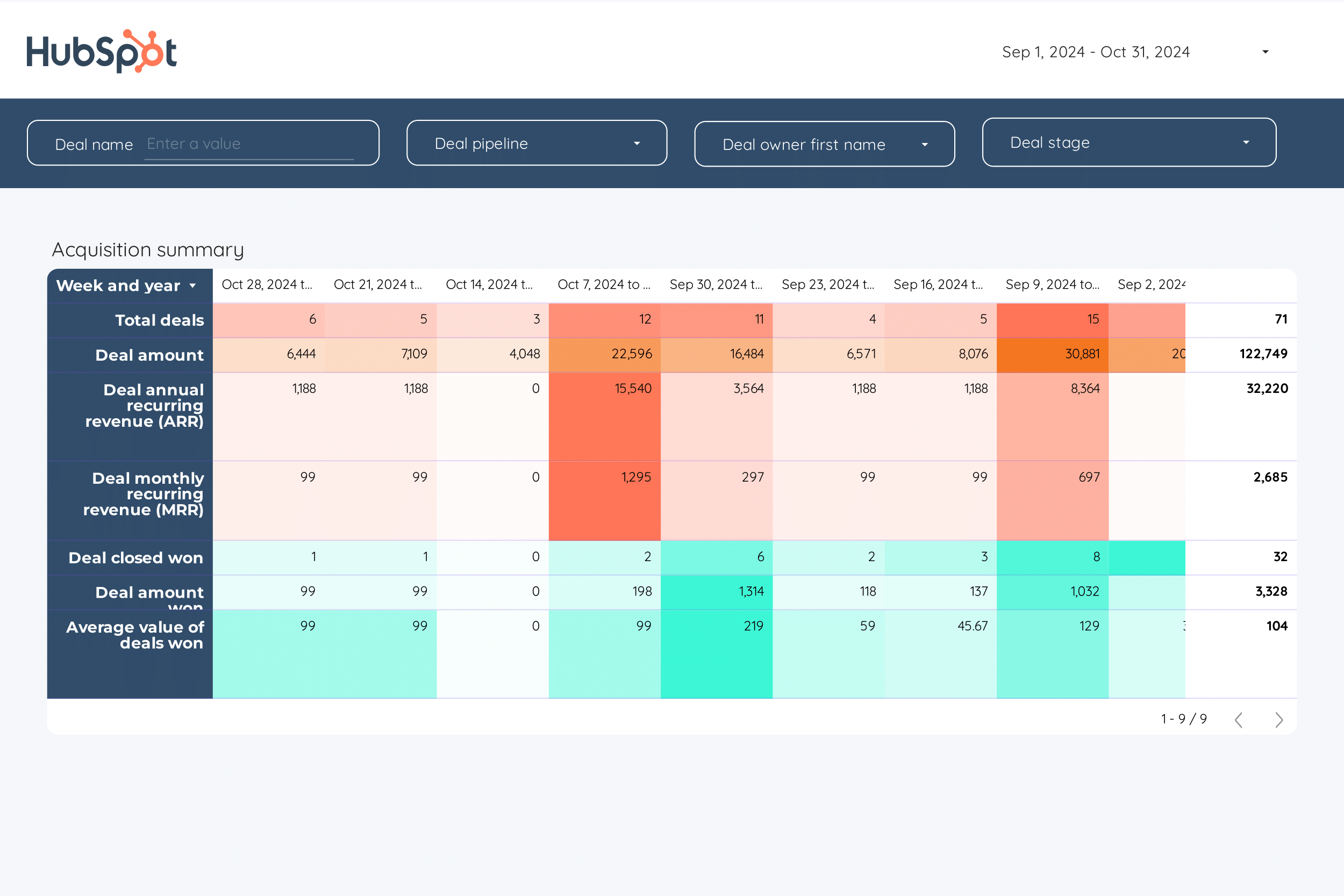
B2B growth KPI tracker. Top-level metrics for quarterly business reviews or board updates.
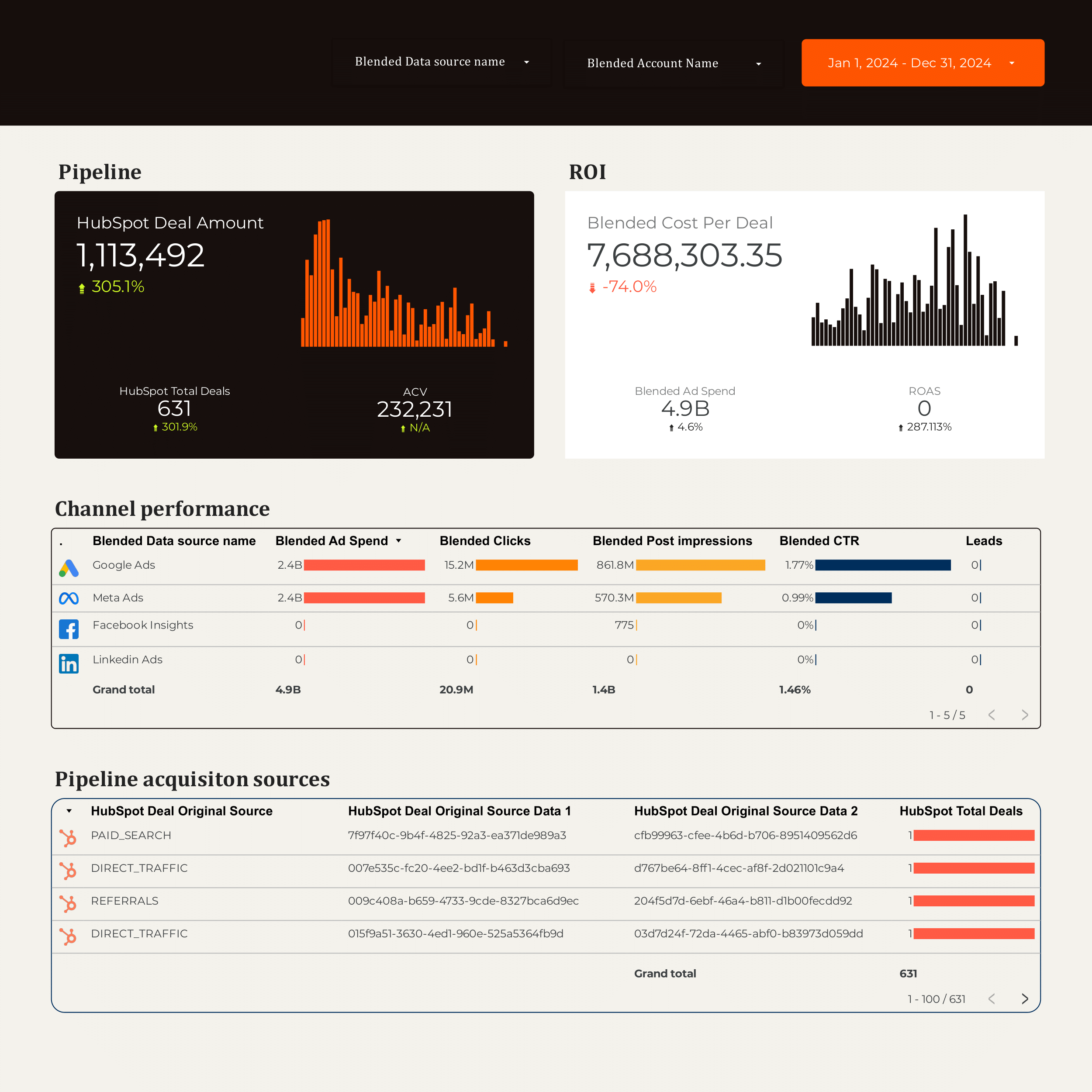
B2B marketing dashboard with lead gen, content, and paid across HubSpot, LinkedIn Ads, and Google Ads.
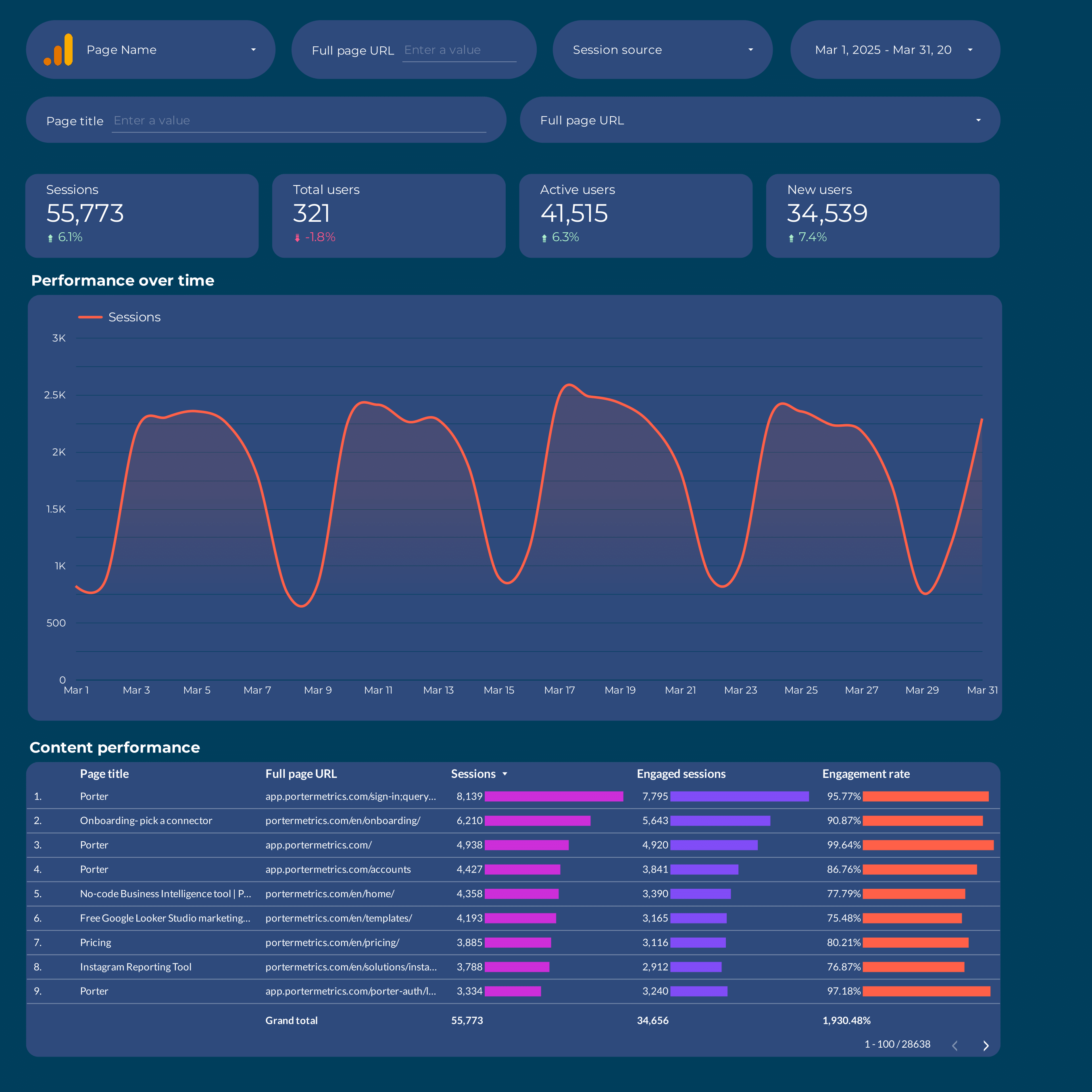
Content marketing performance dashboard. Traffic, engagement, and conversions per content piece and topic.
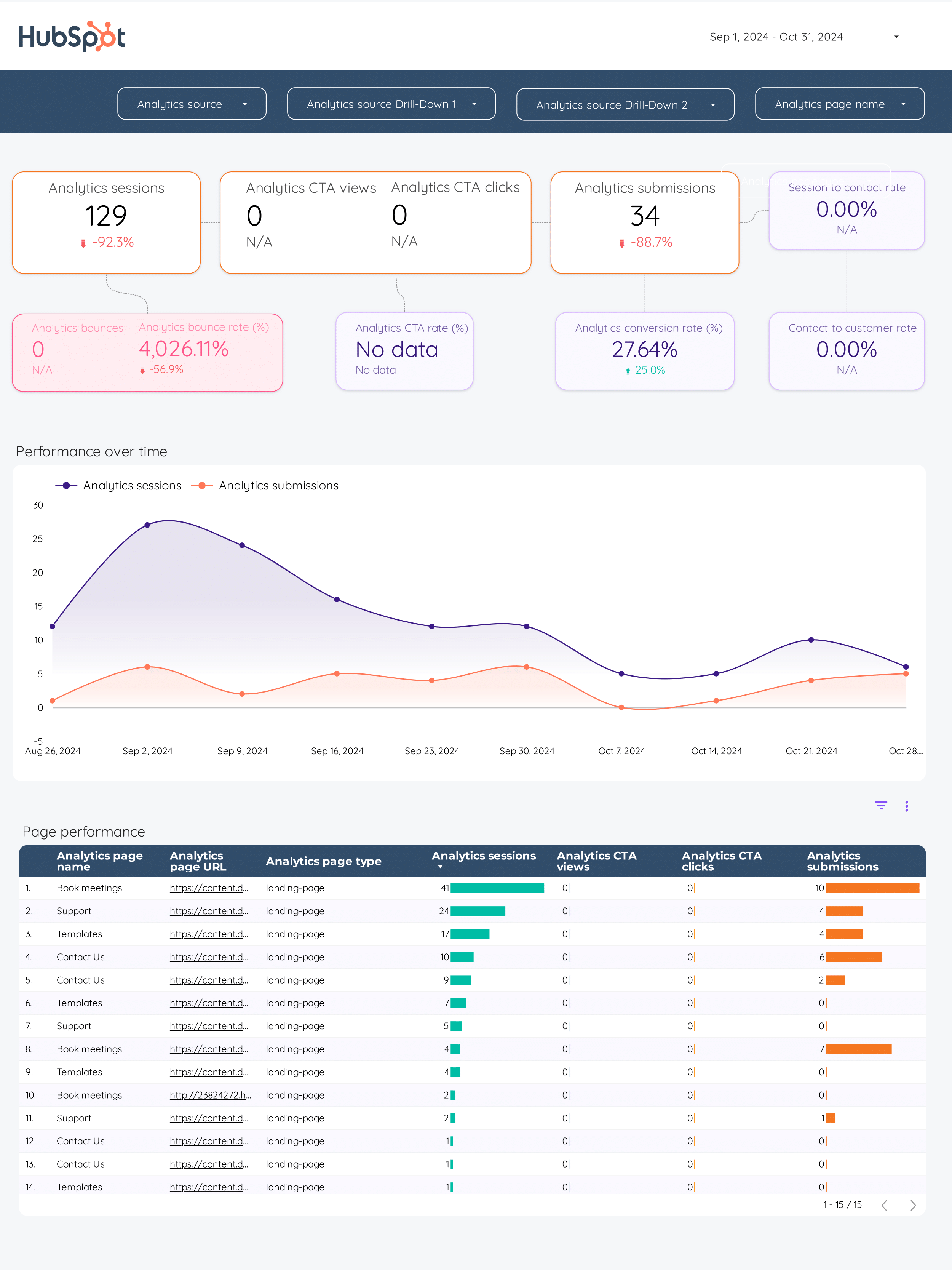
Inbound marketing dashboard. SEO traffic, lead magnets, and content-sourced pipeline in one view.
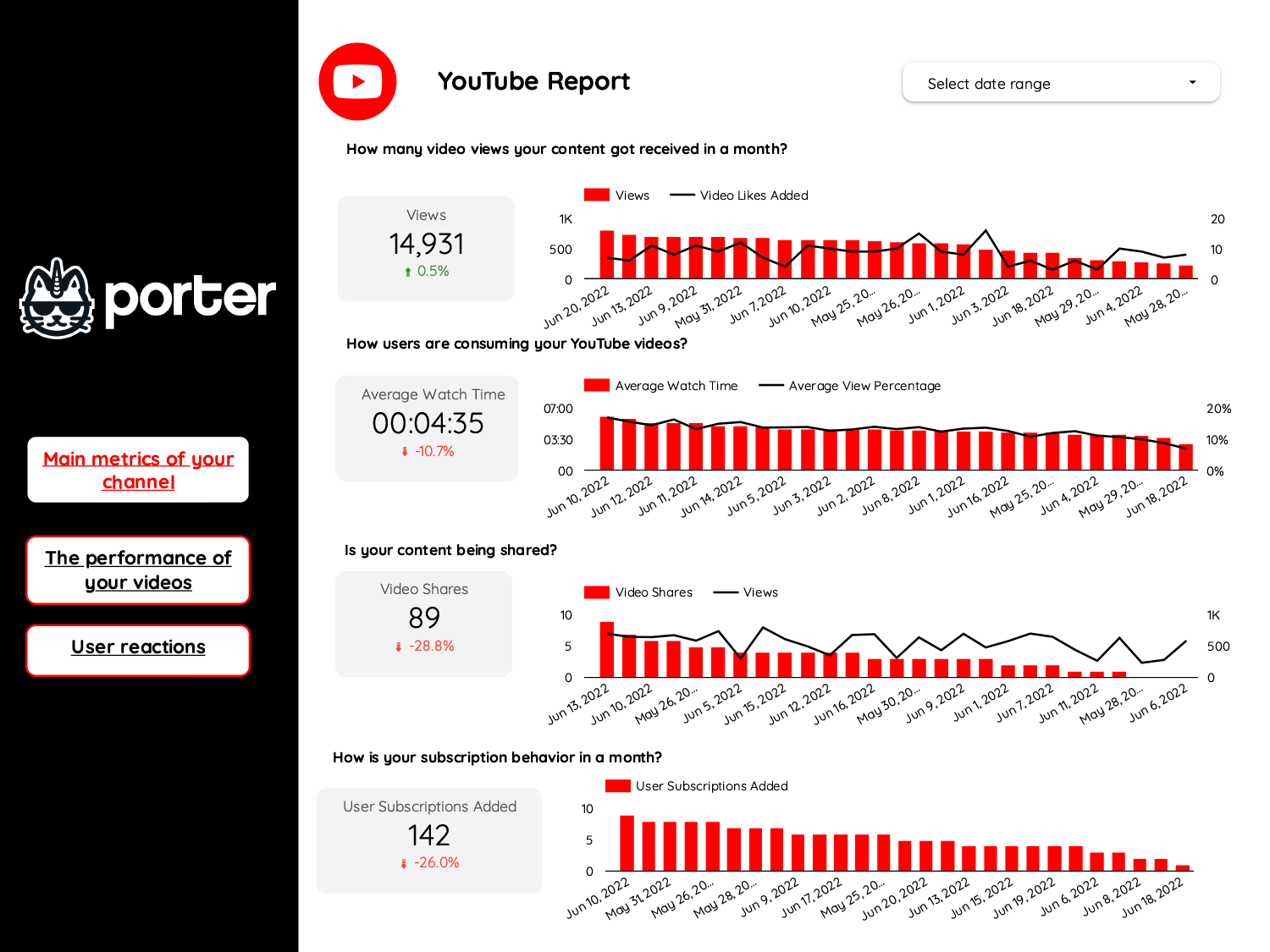
Video marketing performance. YouTube views, watch time, CTR, and conversions from video content.
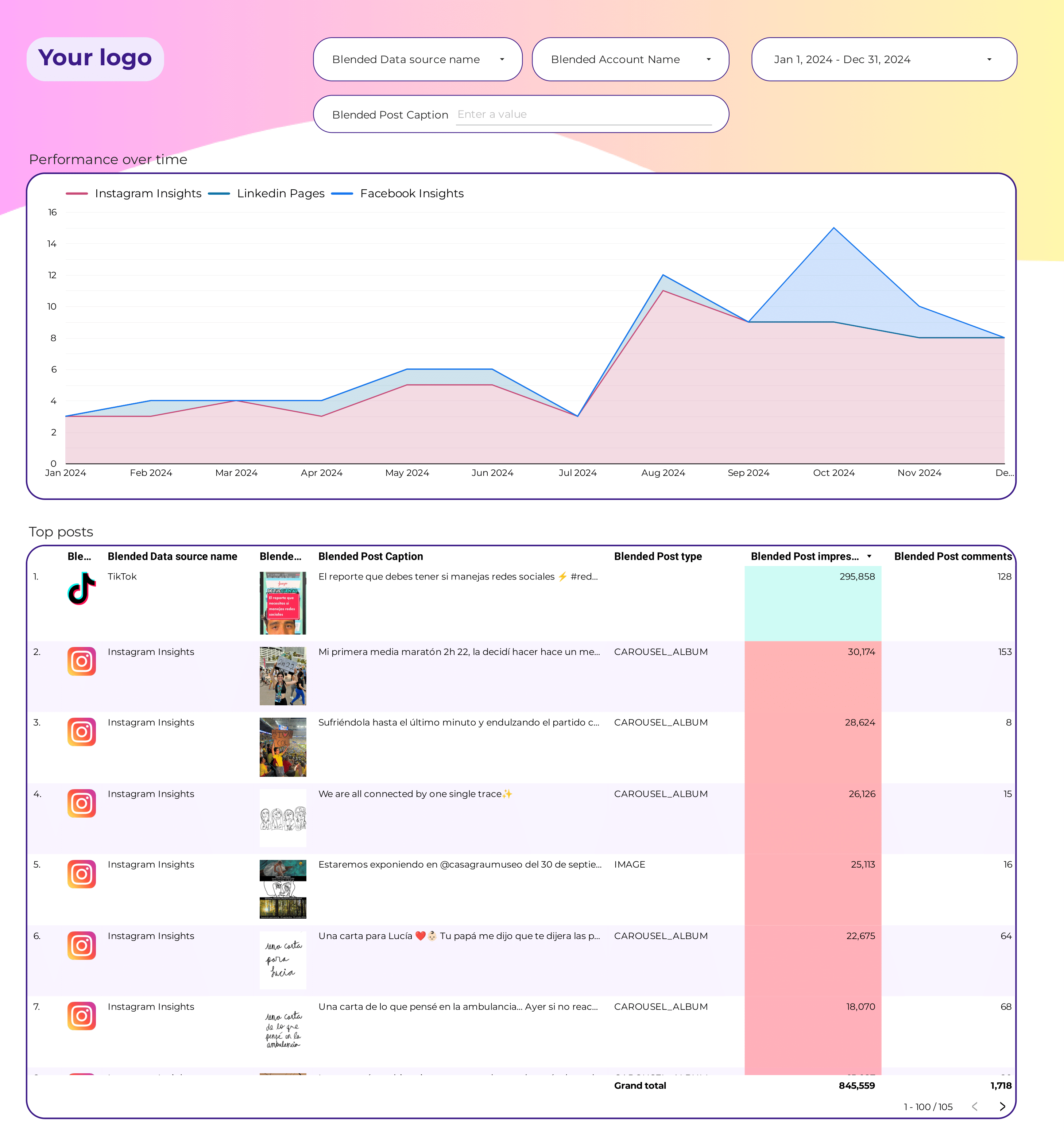
Social engagement across Instagram, Facebook, LinkedIn, and TikTok. Engagement rate, reach, and top posts — referral-stage signal.
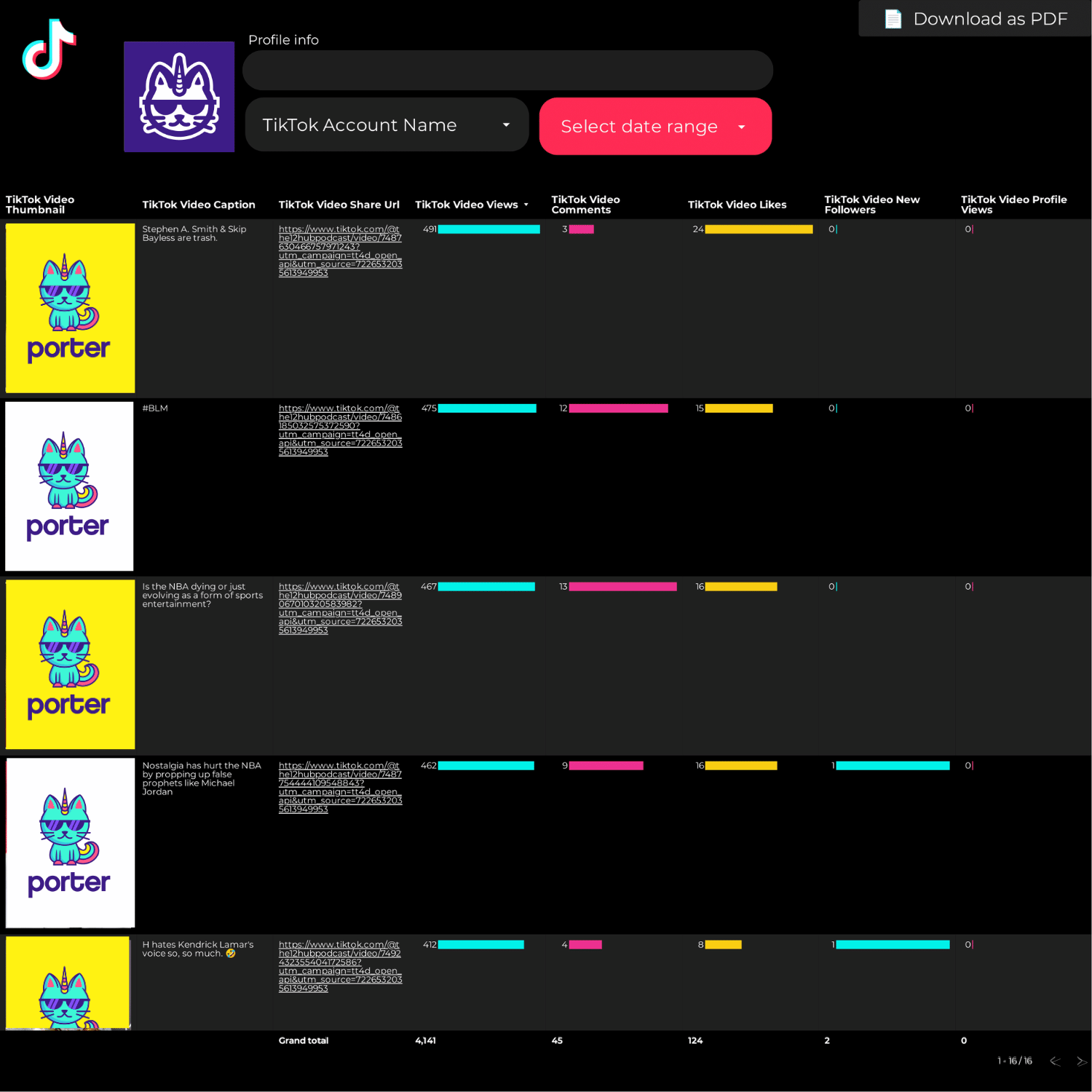
Cross-platform engagement rate dashboard. Useful for retention and community growth tracking.
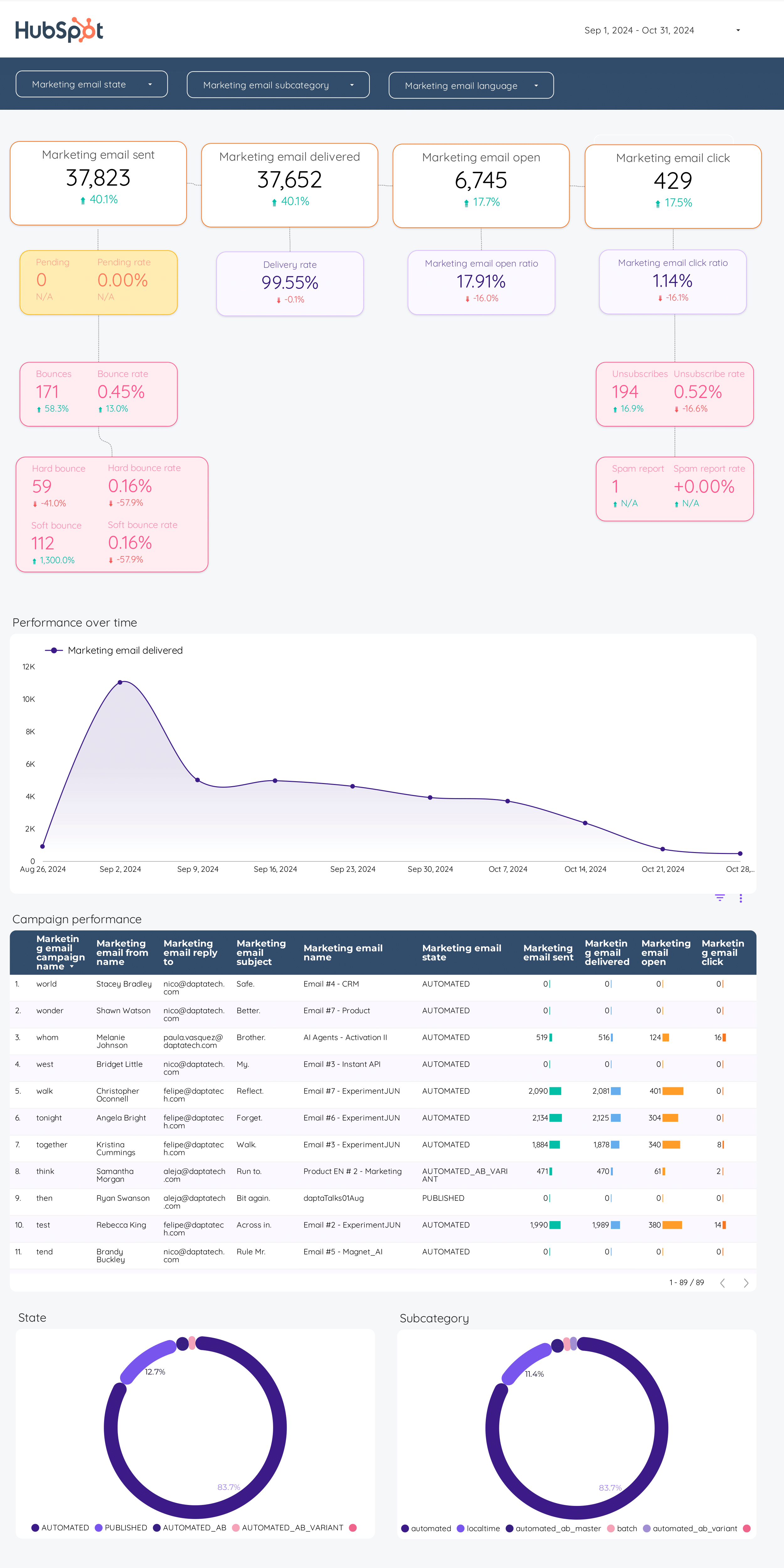
Email marketing dashboard. Delivered, open rate, CTR, and conversions from Mailchimp, Klaviyo, ActiveCampaign.
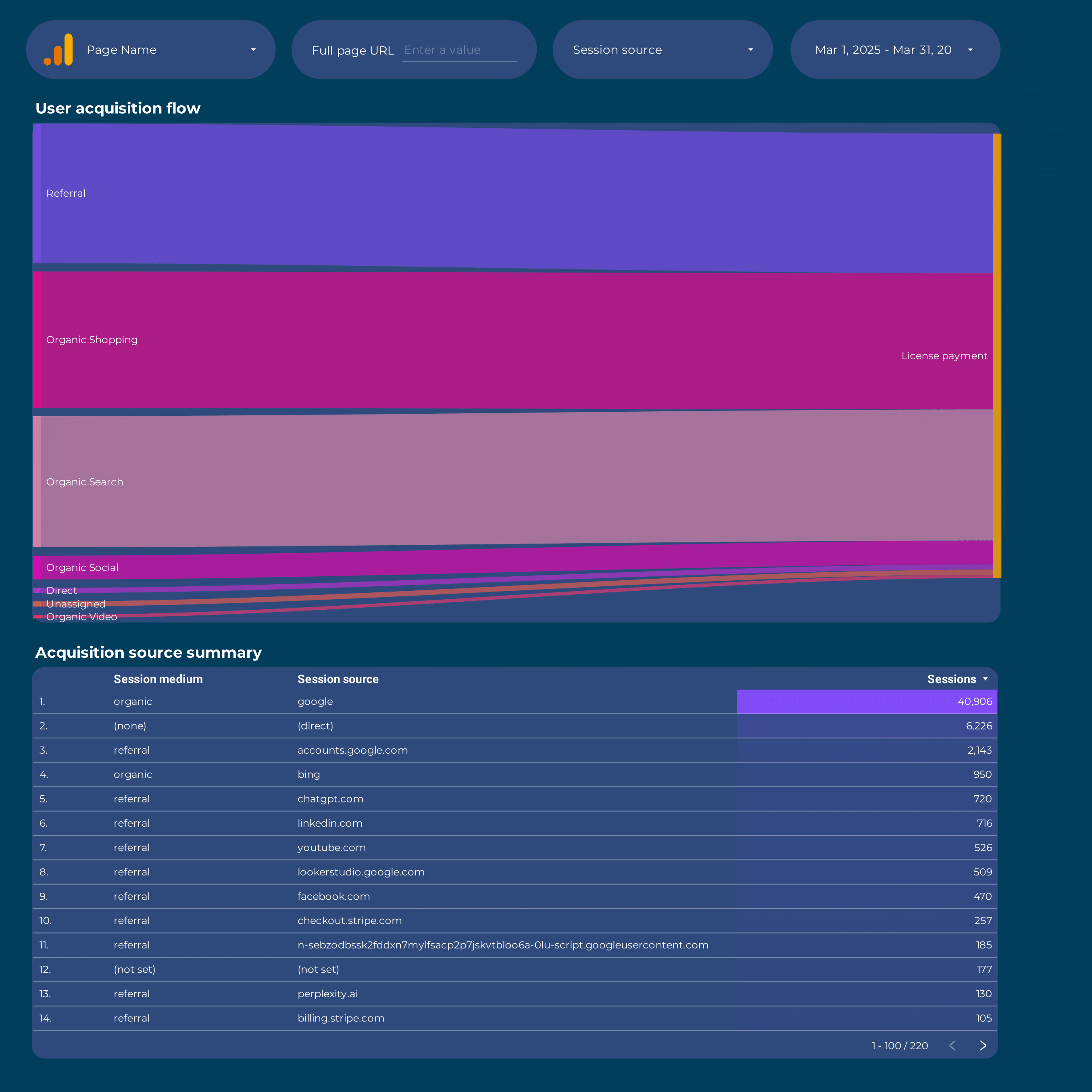
GA4 attribution dashboard. Data-driven, first-touch, and last-touch models to compare channel contribution.
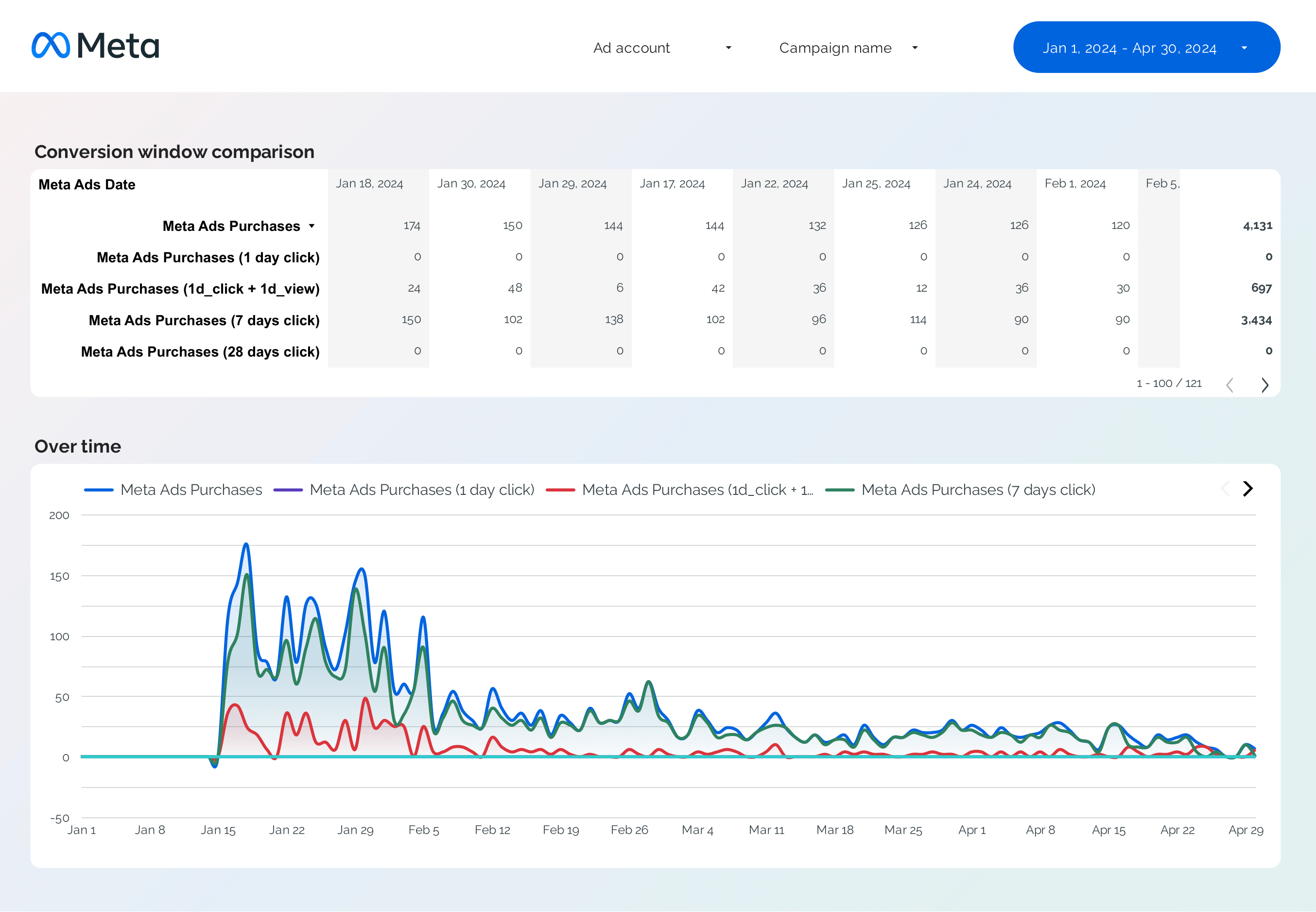
Facebook Ads attribution: first-touch, last-touch, and view-through conversions by campaign.
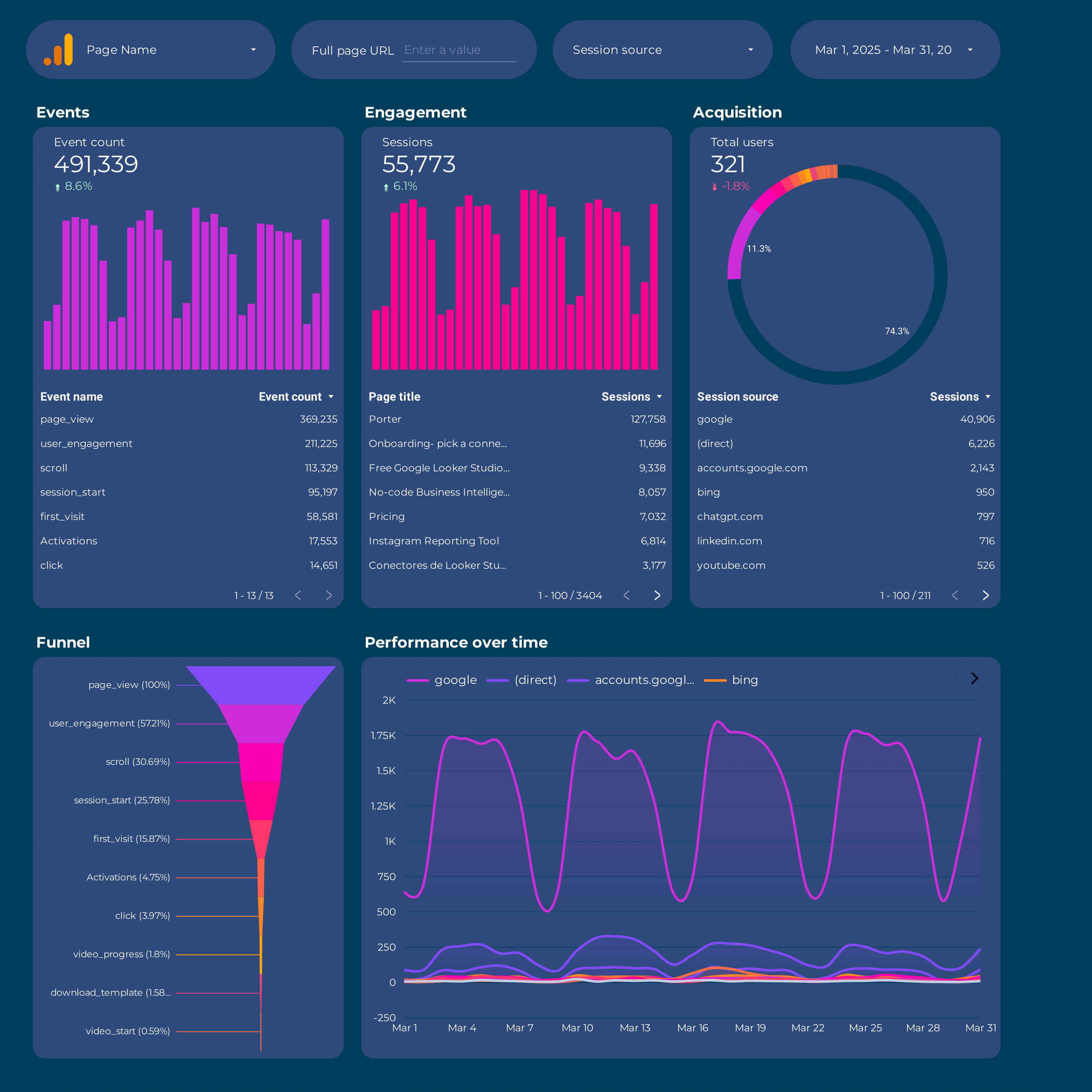
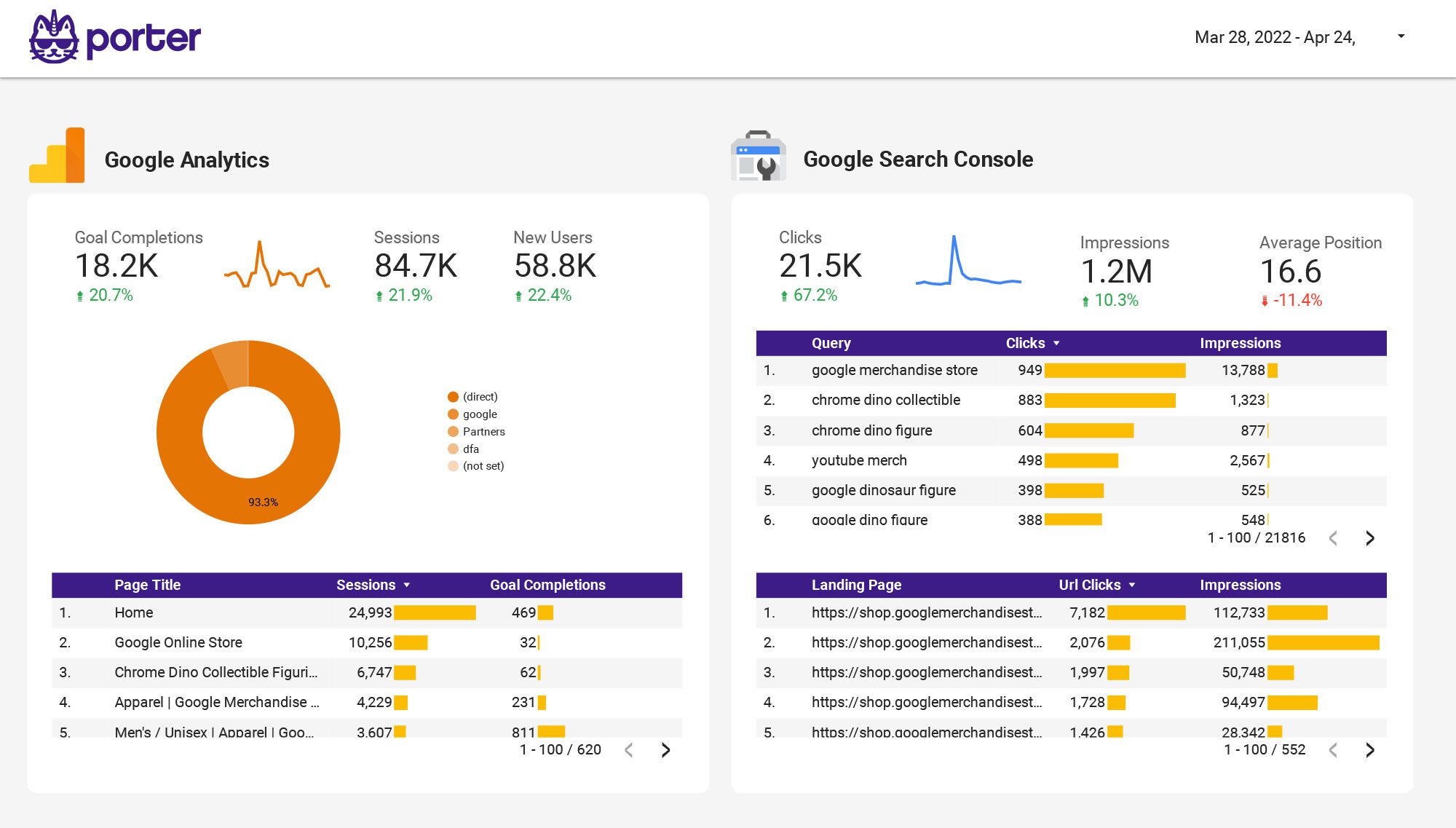
Full GA4 dashboard. Behavior, conversions, and users — the activation and retention backbone of your growth reporting.
From a blank Data Studio to a full AARRR-style growth dashboard in under 15 minutes:
Full tutorial: How to copy a Data Studio report template
Specific guides: GA4 · Facebook Ads · HubSpot · Klaviyo
Total Spend / New CustomersAOV × Purchase Frequency × Avg Customer LifespanAll of these can be built as calculated fields or described in plain English and generated by Porter’s AI field builder.
Full tutorial: How to share Data Studio reports
A solid Growth marketing dashboard organizes metrics around the funnel and the AARRR framework so you can see, at a glance, where you’re winning and where you’re leaking:
New users, sessions by source, CAC by channel. Paid vs organic mix, blended CAC, and channel-level efficiency. Where are the next users coming from, and what do they cost?
Activation rate, time-to-value, funnel drop-offs. Whether users actually use the product or take the key action you care about — the biggest leak most growth teams have.
LTV, LTV:CAC ratio, repeat purchase rate, MRR. The numbers that decide whether growth is a business or a bonfire. Cohorts, churn rate, and expansion revenue round it out.
Viral coefficient, NPS, referral rate, social engagement. Free growth channels compound the paid ones — track them or you’ll miss compounding upside.
Great Growth marketing dashboards also include three cross-cutting views:
Every template in this gallery plugs into one of these layers — start with a top-level overview and add deeper views (funnel, LTV, attribution) as you need them.
These templates are built around the KPIs growth teams actually report on — CAC, LTV, activation rate, retention, and channel mix. Each one is designed for a specific role:
Add your company logo, brand colors, and fonts. Remove Porter branding. Present growth reports to investors, clients, or leadership as your own work.
Once connected, Meta Ads, Google Ads, GA4, and Shopify refresh automatically. Schedule weekly PDFs — no more manual screenshots on Monday mornings.
Meta Ads, Google Ads, LinkedIn Ads, TikTok, GA4, Search Console, Shopify, Mailchimp, Klaviyo, HubSpot — via Porter connectors. Blended CAC and ROAS work out of the box.
Acquisition, activation, retention, revenue, referral — every template is pre-wired. Calculated fields for CAC, LTV, and LTV:CAC ready to customize.
Step-by-step walkthroughs for connecting the data sources every growth team uses:

Connect Google Analytics 4 to Data Studio
Porter Metrics

Connect Meta Ads + Google Ads to Data Studio
Porter Metrics

Connect Meta Ads to Data Studio
Porter Metrics

Connect Shopify to Data Studio
Porter Metrics

Connect HubSpot to Data Studio
Porter Metrics

Connect Klaviyo to Data Studio
Porter Metrics

Design marketing reports on Data Studio
Porter Metrics

How to share Data Studio reports
Porter Metrics
More tutorials: Data Studio tutorial hub.
The core growth marketing KPIs organized by the AARRR framework:
On top of those, pick one north-star metric (DAU, weekly active customers, MRR, etc.) and keep it visible on every page of the dashboard.
AARRR (also called “pirate metrics”) is a framework coined by Dave McClure that groups growth metrics into five stages: Acquisition, Activation, Retention, Revenue, Referral. It maps the user journey from “first heard about you” to “tells friends about you” and forces growth teams to measure every stage, not just the ones they’re good at.
Most growth dashboards — including the templates in this gallery — are structured around AARRR so you can see where budget goes (Acquisition), where users drop off (Activation), whether they stick (Retention), whether they pay (Revenue), and whether they bring friends (Referral).
Both are calculated fields:
Total Marketing Spend / New Customers — use a blended spend across Meta Ads, Google Ads, and other paid channels divided by new paying customersAOV × Purchase Frequency × Avg Customer Lifespan for e-commerce, or ARPU × Gross Margin / Churn Rate for SaaSLTV / CAC — healthy growth businesses aim for 3:1 or higherWith Porter’s AI field builder you can describe what you want in plain English — for example “blended CAC excluding brand search campaigns” — and the formula gets generated automatically.
Yes. Cohort analysis in Data Studio works by grouping users by their acquisition date (first session, first purchase) and then measuring retention at each subsequent period. You can build it with a pivot table chart where rows are cohorts and columns are time periods. For e-commerce retention, combine Shopify data (first purchase date) with repeat purchase events.
The LTV template already includes cohort views pre-built.
Traditional marketing focuses on top-of-funnel awareness — brand, reach, impressions. Growth marketing focuses on the full funnel — acquisition, activation, retention, revenue, referral — and treats everything as a measurable experiment.
The dashboards in this gallery reflect that: instead of just “impressions and reach”, you get CAC, LTV, activation rate, cohort retention, and channel attribution side-by-side. The goal is to make the numbers that drive the business decisions visible on one screen.
Yes, 100% free. Every template on this page is free to copy, use, and customize — no credit card required.
For data connectors, Porter offers a 14-day unlimited free trial followed by a Free Forever plan (3 connected accounts, 30 days of historical data, all destinations). See pricing details.
A marketing dashboard typically shows paid performance and top-of-funnel metrics — spend, ROAS, impressions, clicks. A growth dashboard goes further: it ties paid acquisition to product activation, retention cohorts, and revenue per user. Same data sources, different framing.
If you’re reporting on “did the ads convert”, you want a marketing dashboard. If you’re reporting on “is the growth engine actually compounding”, you want a growth dashboard. The templates in this gallery include both layers.
ChatGPT is great for brainstorming which metrics to track but can’t pull live data from your ad accounts, analytics, or CRM — those connections still need to happen inside a BI tool like Data Studio.
The shortcut: use these pre-built templates as the layout, plug in your data via Porter connectors, and use Porter’s AI field builder when you need custom metrics in plain English — “cost per activated signup excluding branded paid search” gets turned into a working formula automatically.
Amplitude and Mixpanel are product analytics tools — they’re where you track in-product events like activation, retention, and cohorts. Porter Metrics is complementary: it pulls marketing data (Meta Ads, Google Ads, LinkedIn Ads, TikTok, email, GA4) into Data Studio so you can combine acquisition spend with the outcomes Amplitude/Mixpanel measure.
Many growth teams use both: Amplitude/Mixpanel for product analytics, Porter Metrics for marketing data, joined in Data Studio for a full AARRR view. See: Porter Metrics overview.




