







Google Ads dashboards you can build in Claude
9 templates that read Google Ads, on its own or with other ad platforms, Search Console, GA4 and HubSpot.
9 templates
 Claude

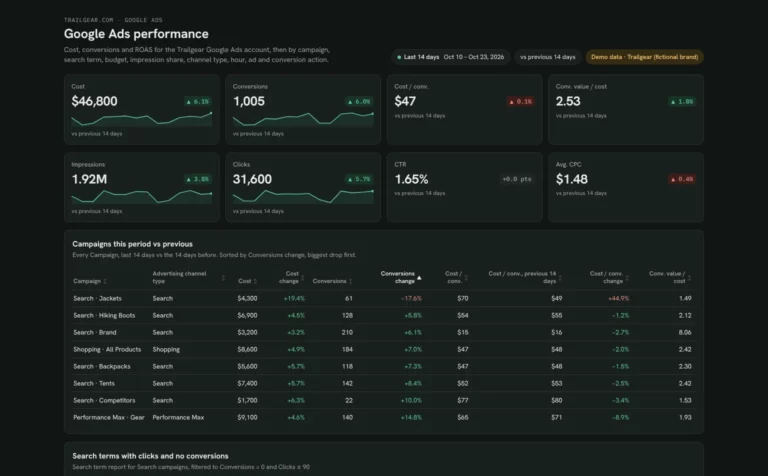
Google Ads dashboard template
Find search terms that waste spend and see which campaigns are limited by budget.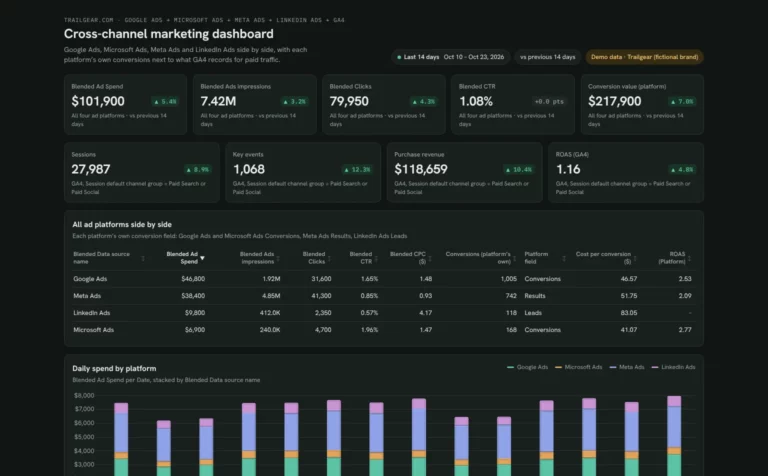 Claude


Cross-channel marketing dashboard template
Compare spend, CPA and ROAS across your ad platforms next to GA4.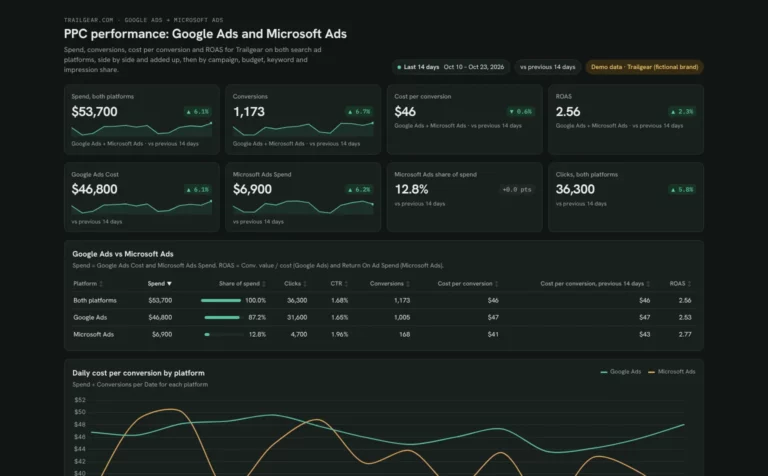 Claude
PPC dashboard template
Compare Google Ads and Microsoft Ads spend and cost per conversion side by side.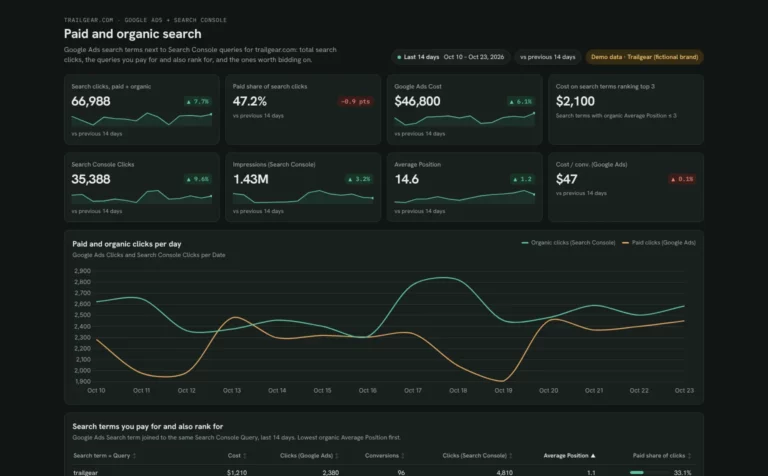 Claude

SEM dashboard template
Find search terms you pay for but already rank for, and queries worth bidding on.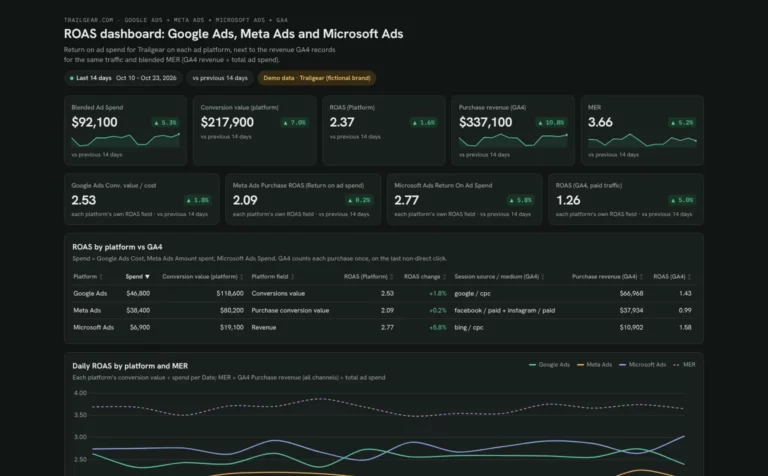 Claude
ROAS dashboard template
Check each ad platform's ROAS against GA4 revenue and find campaigns below break-even.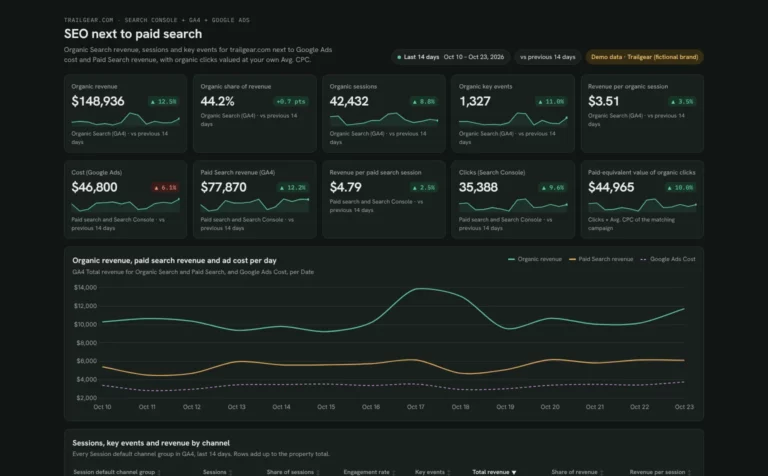 Claude
SEO marketing dashboard template
See what SEO earns next to paid search, from revenue share to the value of organic clicks.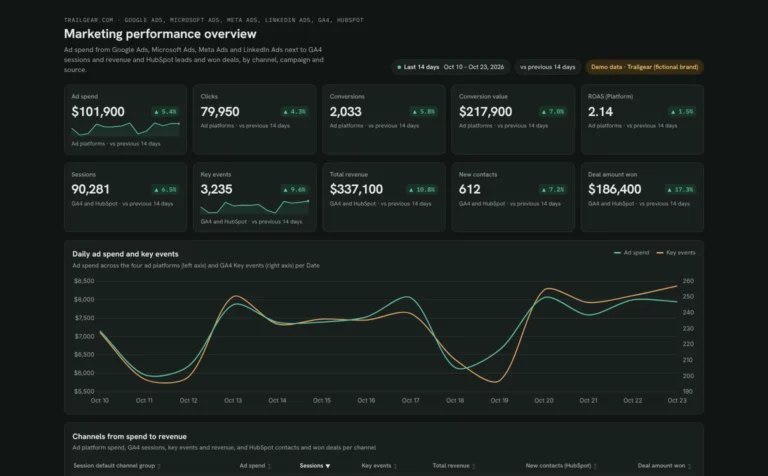 Claude

Marketing dashboard template
See which channels turn ad spend into leads, won deals and revenue.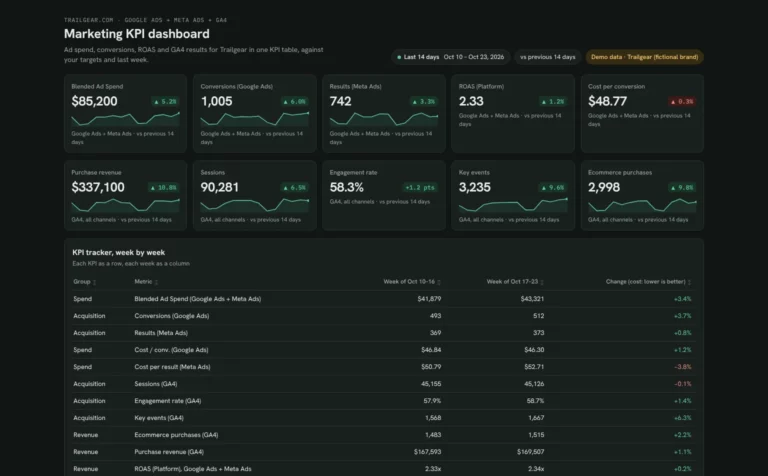 Claude
Marketing KPI dashboard template
Track ad spend, conversions and revenue week by week against your targets.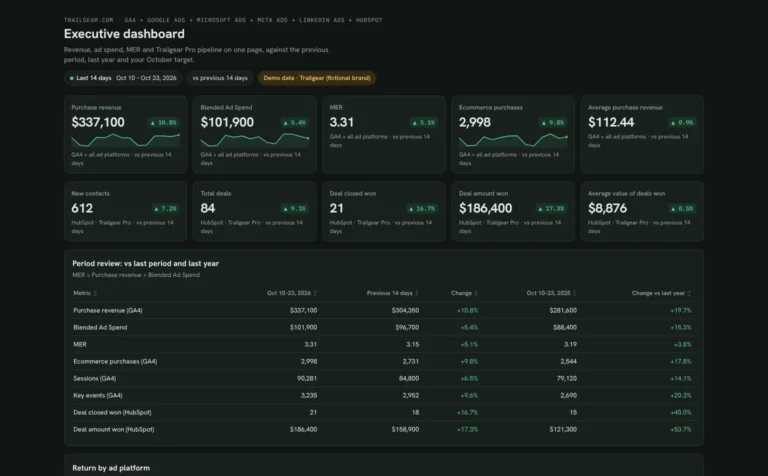 Claude
Executive dashboard template
Show leadership revenue, ad spend, MER and pipeline on one page.How to build a Google Ads dashboard in Claude
Connect your Google Ads accounts in Porter, add Porter to Claude and paste a template prompt. One connection covers every Google Ads account you manage.
Connect your data in Porter.
Sign up free and connect Google Ads, plus any source your template pairs with it, such as Google Analytics 4, Google Search Console, Meta Ads.
Add Porter to Claude.
In Claude, go to Customize › Connectors › Add custom connector, paste
https://mcp.portermetrics.com/mcpand sign in to Porter. See each screen in the Claude MCP tutorial.Paste the template prompt.
Open the Google Ads template you picked and paste its prompt into a new Claude chat. Claude builds the views on your account. Ask for the query behind a number before you pause anything.
Before you start
- Claude plan: Dashboards is in beta on Pro, Max, Team and Enterprise (Anthropic’s Dashboards guide).
- Porter plan: Free reads the last 15 days in Claude; paid plans read full history.
- Previews: every card shows a demo dashboard, not real client data.
How to use the Google Ads MCP in Claude (no code) · Video · Porter Metrics on YouTube ↗
Which Google Ads template to start with
Google Ads alone, with other platforms or next to organic search.
Waste and budget
The Google Ads template finds search terms that waste spend and campaigns limited by budget or rank.
Google Ads template FAQ
Picking a template, data history and sharing.
Which Google Ads dashboard template should I start with?
Start with the Google Ads dashboard template for one account. Use the PPC template if you also run Microsoft Ads, and the SEM template to compare paid and organic search.
Can Claude find wasted spend in Google Ads?
Yes. The Google Ads template has a view of search terms that spend without converting, so you can review them for negatives.
How much Google Ads history can Claude read?
The Free plan reads the last 15 days in Claude, which covers a weekly check. Paid plans read full history for budget pacing and month-on-month views (Porter pricing).
Which Google Ads fields can Claude use?
Porter’s Google Ads connector exposes 1,042 metrics and dimensions, listed on the Google Ads fields page.
More Claude dashboard templates
Browse by use case or by the data source you connect.