Google Business ProfileGoogle Business Profile Data StudioGoogle Data Studio

Free Google Business Profile connector for Data Studio

Connect your Google Business Profile data to Google Data Studio (formerly Looker Studio) for free. Analyse Total Impressions, Phone Calls, Website Clicks, and Driving Directions alongside +145 fields. Connect Google Business Profile with GA4, Google Ads, and other marketing channels in the same Data Studio dashboard — only Porter unifies local presence with paid and organic channels — and access every Google Business Profile location field.

  • +145 fields — every Google Business Profile field plus calculated metrics including Total Impressions, Phone Calls, and Website Clicks.
  • Connect Google Business Profile with GA4, Google Ads, and other marketing channels in the same Data Studio dashboard — only Porter unifies local presence with paid and organic channels.
  • Send to Data Studio, Google Sheets, Claude, and BigQuery in one subscription.

No credit card required. 14-day free trial.

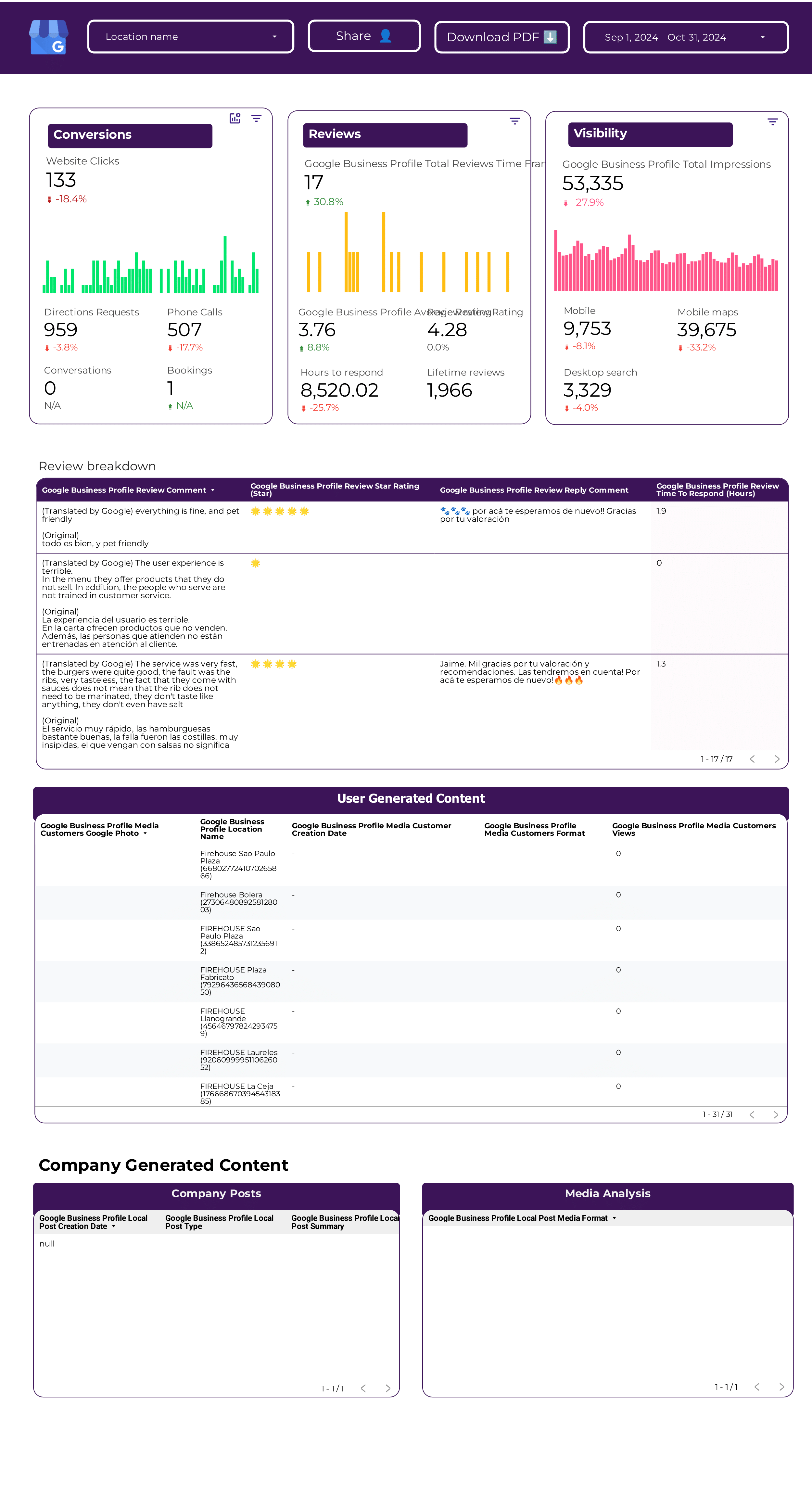
Google Business Profile dashboard

Trusted by 1,600+ marketers and agencies in 60+ countries

G2 Momentum Leader badge G2 Best Estimated ROI badge G2 Best Relationship badge
Ogilvy Google Partner Loop Dapper Ture Vaulted
★★★★★   4.6 / 5 · 200+ reviews on G2
READY-MADE REPORTS

Launch a Google Business Profile dashboard in minutes

Skip the blank canvas. Porter’s Google Business Profile templates give you pre-built dashboards for reviews, performance tracking, and multi-location reporting in minutes.

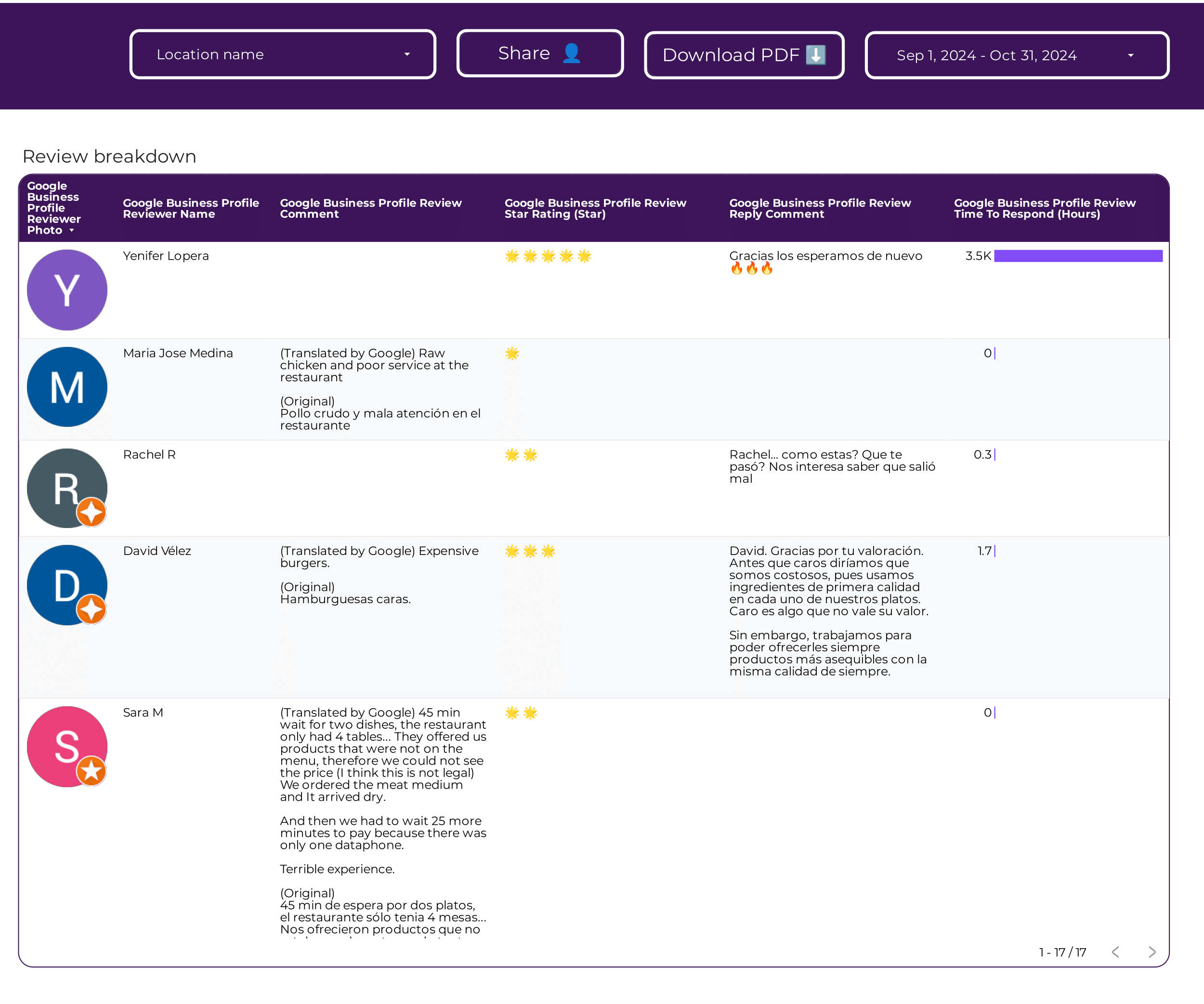
Google Business Profile Reviews Dashboard Example

Google Business Profile Reviews Dashboard Example

Pre-built reviews tracking dashboard for Google Business Profile.

View template →
Google Business Profile Dashboard Example

Google Business Profile Dashboard Example

Complete performance dashboard for Google Business Profile metrics.

View template →
Google Business Profile Reviews Dashboard

Google Business Profile Reviews Dashboard

Dedicated reviews dashboard template for tracking customer feedback.

View template →
Google Business Profile Dashboard

Google Business Profile Dashboard

Full-featured dashboard template for all GBP metrics and dimensions.

View template →
Google Business Profile Reviews Tracking

Google Business Profile Reviews Tracking

Track and analyze customer reviews over time with this template.

View template →
Google Business Profile Tracking

Google Business Profile Tracking

General tracking template for monitoring location performance.

View template →
Browse all Google Business Profile templates →
Porter vs Others

Why marketers choose Porter

Porter unifies local presence with paid and organic channels — competitors treat Google Business Profile as a silo

Feature Porter
No-code marketing data warehouse
Others
Connectors & ETL
StorageStore Google Business Profile data alongside GA4, Google Ads, and other channels in the same normalized warehouseStore Google Business Profile data in isolated silos with no native path to paid or organic channel data
Data syncingAutomated real-time sync with scheduled refresh that keeps local SEO metrics current without manual exportsRequire manual CSV uploads or offer basic daily refresh with no automation
AttributionConnect search impressions to store visits and phone calls across channels in a single Data Studio reportTrack GBP metrics in isolation with no connection to website visits, ad clicks, or store conversions
Data blendingBlend multi-source data automatically so GBP, GA4, Google Ads, and other channels share the same date and location dimensionsForce manual JOINs across connectors or require separate dashboards for each marketing channel
DestinationsSend data to Data Studio, Google Sheets, Claude, and BigQuery in one subscriptionExport only to Data Studio with no native path to spreadsheets, AI analysis, or data warehouses
FEATURE CHECKLIST

Google Business Profile connector feature checklist

Everything you need to build professional local SEO reports in Data Studio.

01

145+ GBP Fields

Every Google Business Profile dimension and metric including reviews, posts, media, and location attributes.

02

Multi-Location Management

Roll up dozens or hundreds of locations into a single Data Studio dashboard with normalized location dimensions.

03

Real-Time Data Sync

Automated refresh keeps your local SEO metrics current without manual CSV exports or copy-paste.

04

No-Code OAuth Setup

Connect your Google Business Profile account securely in under three minutes with read-only access.

05

Cross-Channel Blending

Combine GBP with GA4, Google Ads, and other channels in the same report using shared date and location keys.

06

Pre-Built Templates

Eight ready-made dashboard templates for reviews, performance tracking, and multi-location reporting.

07

Multi-Destination Export

Send data to Data Studio, Google Sheets, Claude, and BigQuery without reconfiguring the source.

08

Read-Only Security

OAuth 2.0 authorization with zero write access to your profiles or customer data.

LOVED BY 1,500+ MARKETERS

Trusted by marketers worldwide

Tutorial

How to connect Google Business Profile to Data Studio

  1. Authorize Your Account

    Sign in with Google and grant Porter read-only access to your Google Business Profile locations.

  2. Select Locations and Dates

    Choose which business locations and time range to include in your report.

  3. Pick Metrics and Dimensions

    Select from 145+ fields including impressions, calls, reviews, and posts.

  4. Connect to Data Studio

    Link your Porter data source to Google Data Studio with one click.

  5. Build Your Dashboard

    Use a pre-built template or create a custom local SEO report.

Full tutorial: How to connect Google Business Profile to Data Studio →
EVERY FIELD YOU NEED

+145 Google Business Profile fields in Data Studio

Porter exposes every core Google Business Profile dimension and metric through a clean, normalized schema. Browse by category or view the complete 145-field reference.

All 145+ Fields

Every Google Business Profile dimension and metric available through Porter’s normalized schema.

Marketer-Friendly Naming

Clean, readable field names that make sense in reports without technical decoding.

Full Granularity

Drill down to individual location, review, post, or media item level.

Multi-Location Rollup

Aggregate across dozens or hundreds of locations with normalized dimensions.

Cross-Channel Blending

Share date and location keys with GA4, Google Ads, and other channels automatically.

Real-Time Sync

Scheduled refresh keeps field data current without manual exports.

Account & Location Structure
  • Account ID
  • Account Name
  • Account State
  • Location ID
  • Location Name
Performance Metrics
  • Bookings
  • Conversations
  • Food Orders
  • Impressions on Desktop Maps
  • Impressions on Desktop Search
  • Impressions on Mobile Maps
  • Impressions on Mobile Search
  • Phone Calls
  • Website Clicks
  • Driving Directions
  • Total Impressions
Time & Attribution
  • Date
  • Day
  • Day of Week
  • Month
  • Month of Year
  • Quarter
  • Week
  • Year
  • Year Month
  • Year Quarter
  • Year Week
  • Hour
Location Information
  • Address
  • City
  • Country
  • Country Code
  • Postal Code
  • Region
  • Region Code
  • Latitude
  • Longitude
  • Business Type
  • Business Type ID
  • Primary Phone
  • Website URL
  • Profile URL
  • Map URL
  • Description
  • Language
  • Service Area
  • Store Code
  • Opening Date
  • Closing Date
  • AdWords Location Extension
  • Is Verified
  • Is Published
  • Is Closed
  • Is Duplicate
  • Has Videos
  • Has Photos
  • Has Menu
  • Has Products
  • Has Services
  • Has Appointments
  • Has Messaging
  • Has Website
  • Has Phone
  • Attributes
Reviews
  • Review ID
  • Reviewer Name
  • Reviewer Photo URL
  • Review Text
  • Review Rating
  • Review Reply
  • Review Reply Date
  • Review Create Date
  • Review Update Date
  • Review Star Count
  • Review Reply Count
  • Review Reply Status
  • Review Reply Update Date
  • Review Language
  • Review Source
  • Review Count
Local Posts
  • Post ID
  • Post Language
  • Post Summary
  • Post Title
  • Post Topic Type
  • Post Search URL
  • Post Create Date
  • Post Update Date
  • Post Event Start Date
  • Post Event End Date
  • Post Offer Coupon Code
  • Post Offer Redeem Online URL
  • Post Offer Terms
  • Post Media Count
  • Post Media Type
  • Post Media URL
  • Post Media Height
  • Post Media Width
  • Post Media Format
  • Post Media Source URL
  • Post Media Thumbnail URL
Media
  • Media ID
  • Media Name
  • Media Type
  • Media Format
  • Media URL
  • Media Thumbnail URL
  • Media Width
  • Media Height
Media Customers
  • Media Customer ID
  • Media Customer Name
  • Media Customer Type
  • Media Customer Format
  • Media Customer URL
  • Media Customer Thumbnail URL
  • Media Customer Width
  • Media Customer Height
Followers
  • Follower Count
See all 145+ Google Business Profile fields documentation →
Explore more

Other connectors & destinations

Porter supports 15+ data sources and 10+ destinations. Mix and match in one subscription, no extra seats or hidden per-destination fees.

Troubleshooting

Common Google Business Profile connector issues

Quick fixes for the most common setup and data issues.

IssueSolution
Location Not FoundEnsure your Google account has Manager access to the Business Profile and that the location is verified and published.
Missing Data in Data StudioCheck that the date range includes data and that the location has customer activity during that period. Empty date ranges return empty tables.
OAuth Authorization FailedClear browser cookies, disable pop-up blockers, and re-authorize with a Google account that owns or manages the profile.
Multi-Account Access ProblemsUse a Google account with Manager permissions across all locations. Individual owner accounts may see only one location.
Reviews Not AppearingVerify that the location has public reviews and that your connector includes the Reviews category in the field selection.
Data Refresh StoppedRe-authenticate the connector if your Google OAuth token expired. Tokens refresh automatically but may require re-consent after 90 days.
Pricing

Start free. Pay per Google Business Profile location

  • Unlimited 14-day free trialConnect any number of data source accounts — no credit card.
  • Free forever planPer account: up to 3 connected accounts with 30-day history.
  • Other destinations includedYour subscription sends data to Data Studio, Google Sheets, BigQuery, Slack and Claude/ChatGPT.
  • Unlimited usersNo extra cost per team member or seat.
Monthly Annual Save 17%

Google Business Profile locations

$12.5 /mo

Billed annually · /account

Destinations included
Claude
ChatGPT
Data Studio
Google Sheets
Slack
Zapier
Power BI
Start for free →

Unlimited 14-day free trial + Free forever plan

FAQ

Common questions.

How to connect Google Business Profile to Data Studio?
Sign up for Porter, authorize your Google Business Profile account through OAuth, select your locations and metrics, then connect the data source to Data Studio. The whole process takes under three minutes and requires no code.
How do I link to a Google Business Profile?
You need a Google account with Manager or Owner access to the Business Profile. In Porter, click Add Source, choose Google Business Profile, and sign in with that Google account to link it automatically.
Is Google Data Studio still a thing?
Yes. Google rebranded it back to Data Studio in 2024. It remains Google’s free business intelligence and reporting platform.
Does Google Business Profile still exist?
Yes. Google Business Profile is the current name for what was previously Google My Business. It is the primary tool for managing how local businesses appear on Google Search and Maps.
How to set up Google Data Studio?
Create a free Google account, open Data Studio, and add Porter as a data source. Porter handles the schema and field mapping so you can start building reports immediately.
Can I combine Google Business Profile data with Google Analytics 4?
Yes. Porter lets you blend Google Business Profile with GA4, Google Ads, and other channels in the same Data Studio dashboard using shared date and location dimensions.
How often does the Google Business Profile data refresh?
Porter refreshes Google Business Profile data automatically on a scheduled basis. You can also trigger manual refreshes from the Porter dashboard at any time.
Do I need a Google account to view a Data Studio dashboard?
Viewers do not need a Google account to view a public Data Studio dashboard. Only the report editor needs a Google account to build or modify the report.
Start in under 5 minutes

Connect your Google Business Profile to Data Studio

Build local SEO dashboards with 145+ fields. No credit card required.
No credit card · Cancel anytime · Used by 1,600+ marketers