





Trusted by 1,600+ marketing teams and agencies


Social media dashboard templates
Porter’s 32 social media dashboard templates cover every network together, one network at a time, or your competitors. Filter by tool or use case.
32 templates
Cross-network social media dashboards
 Claude





Social media dashboard template
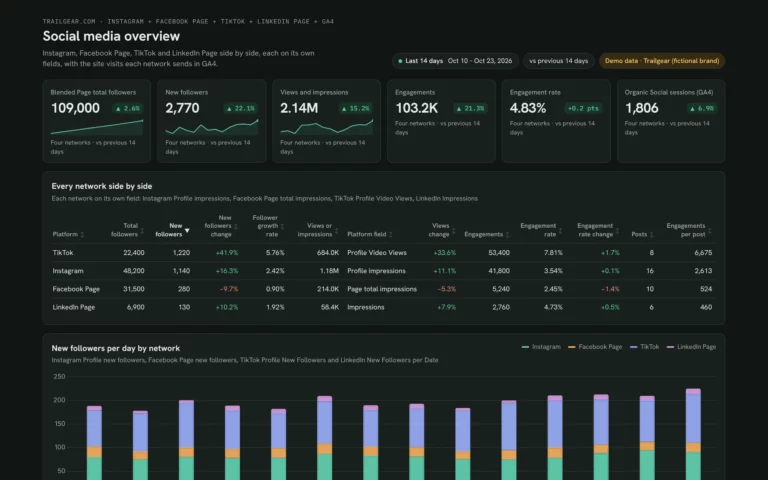
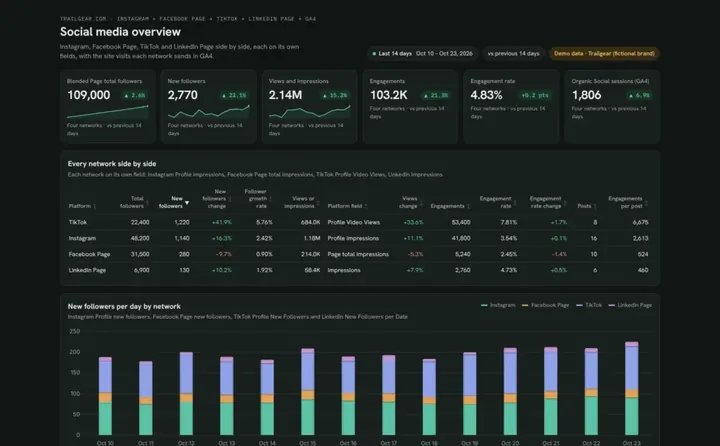
Compare Instagram, Facebook, TikTok and LinkedIn growth, engagement and top posts.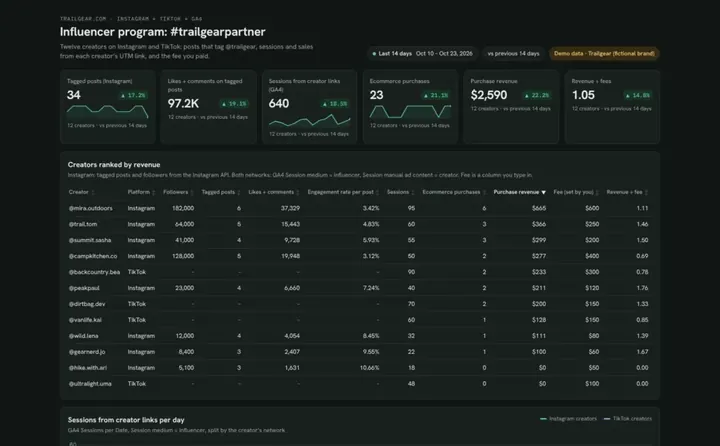 Claude
Influencer dashboard template
See which creators bring sessions and sales, and what each returns on their fee.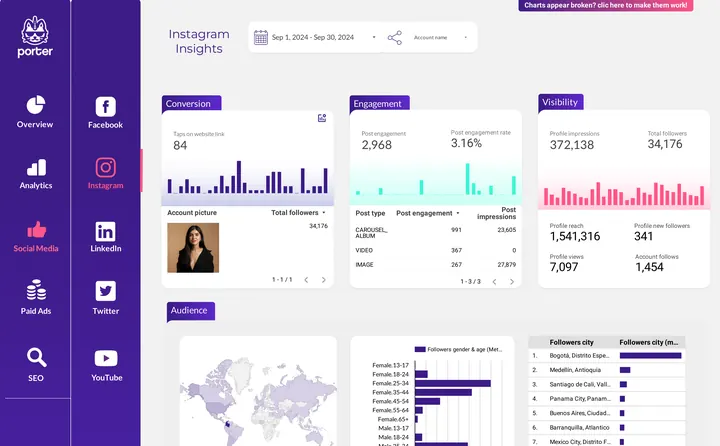
 Porter dashboard
Social media client presentation
Walk a client through Facebook and Instagram results, section by section.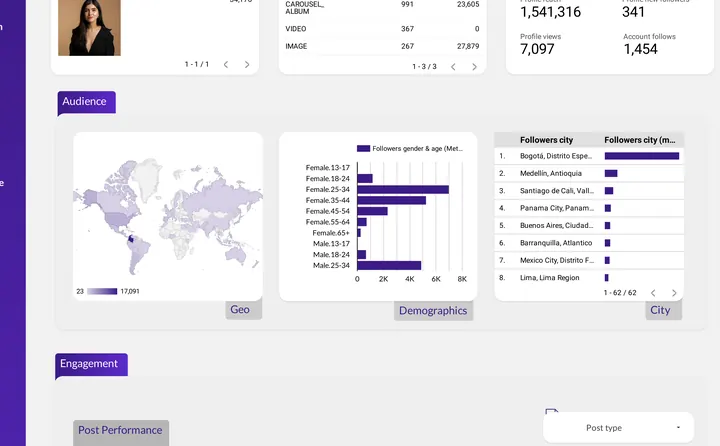
 Data Studio
Social media client presentation
Present audience, engagement and top posts for each network to a client.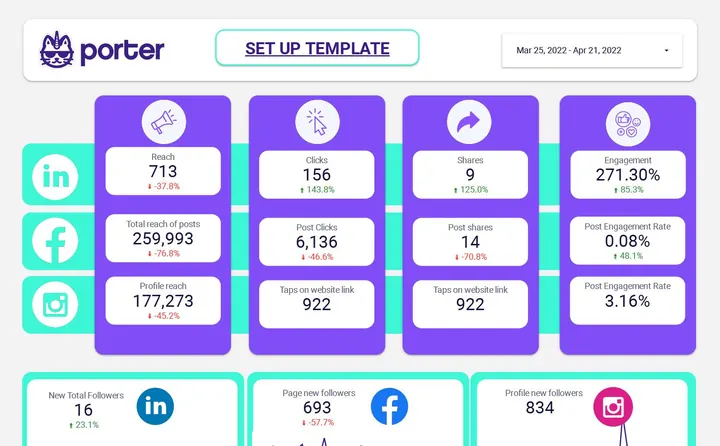 Data Studio
Social media insights report template
Compare reach, clicks, shares and engagement for LinkedIn, Facebook and Instagram.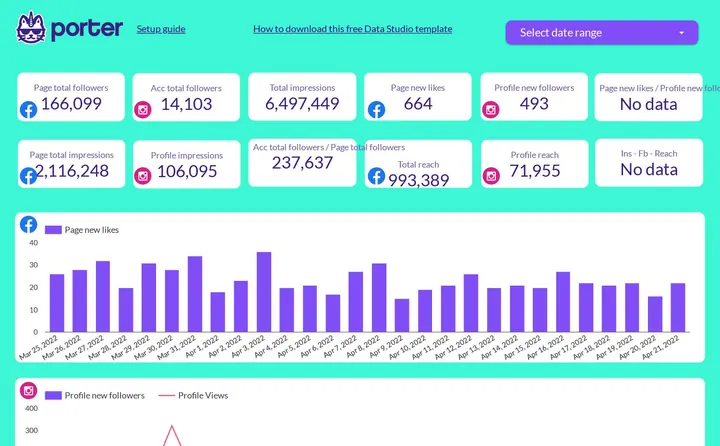 Data Studio
Facebook and Instagram report template
Put Page and Instagram followers, impressions and reach in one Data Studio report.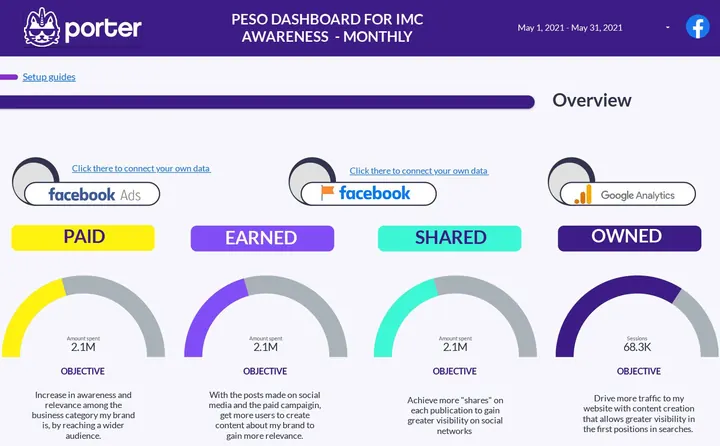 Porter dashboard

PESO model dashboard
Split results into paid, earned, shared and owned media with one objective each. Data Studio
PESO model report template
Report paid, earned, shared and owned media month by month in Data Studio.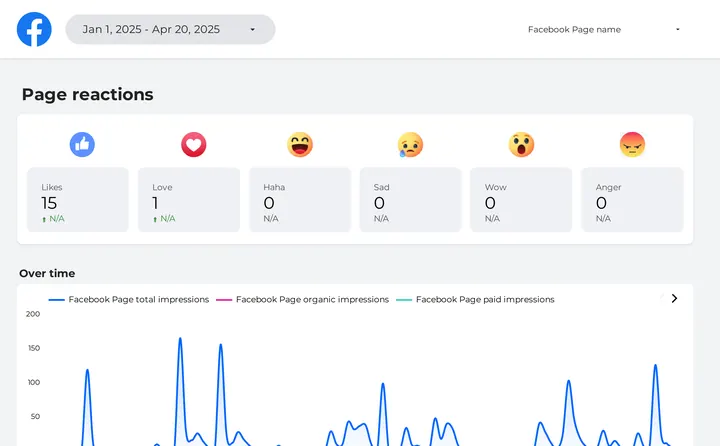 Porter dashboard
Brand awareness dashboard
Track Page reactions and organic and paid impressions over time.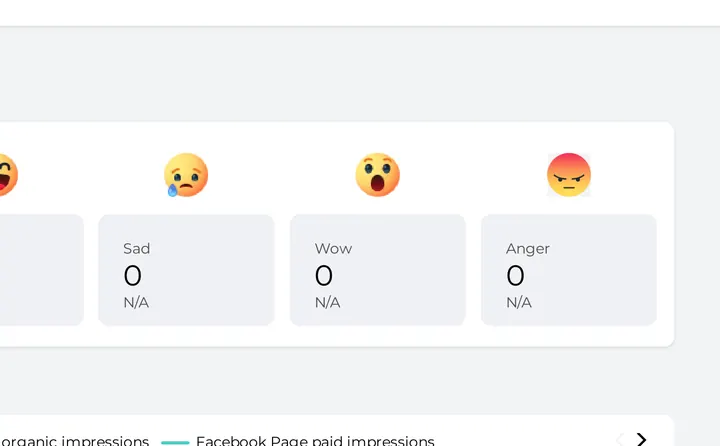 Data Studio
Brand awareness report template
Follow reactions and impressions by type for any Facebook Page.Dashboards for one network
 Claude
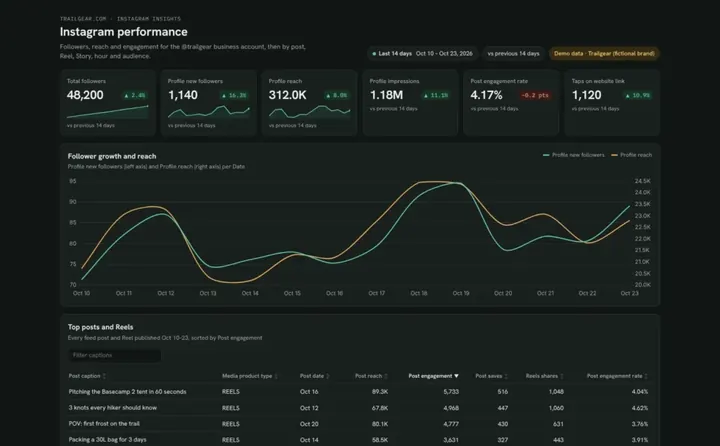
Instagram dashboard template
See which posts, Reels and Stories grow your account and when your followers are online.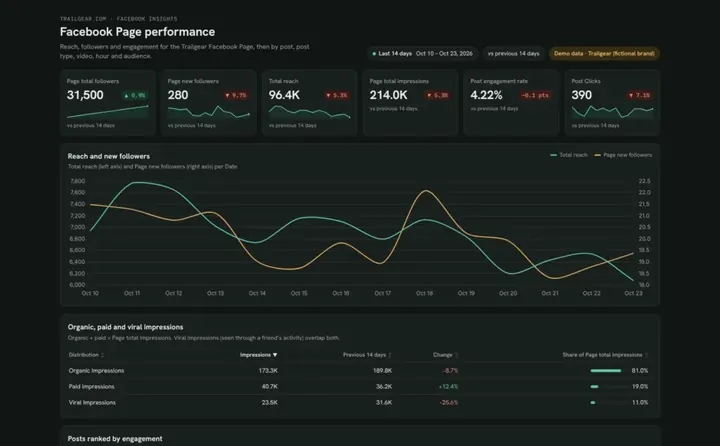 Claude
Facebook Page dashboard template
Find out why your Page reach moves and which posts and videos your followers engage with.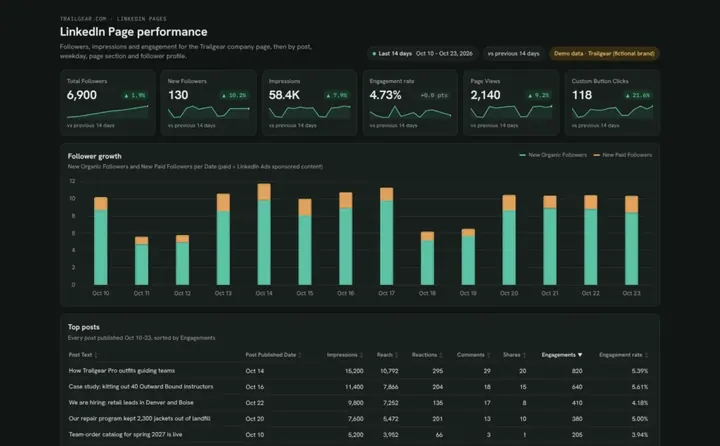 Claude
LinkedIn Page dashboard template
Track company page followers and posts, and see which job titles and industries follow you.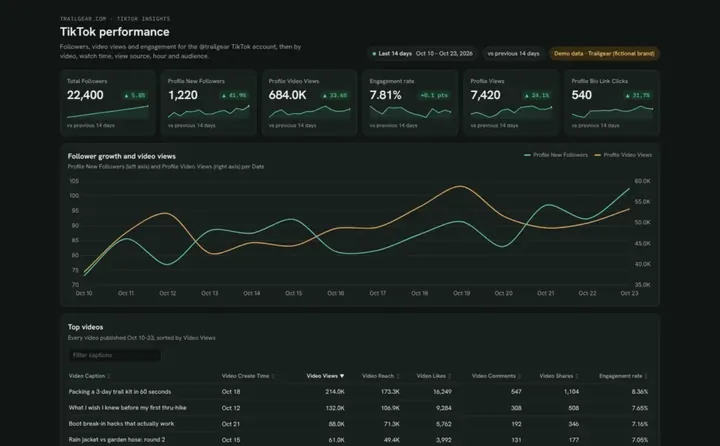 Claude
TikTok dashboard template
See which TikTok videos people finish and follow you for, and when your followers are online.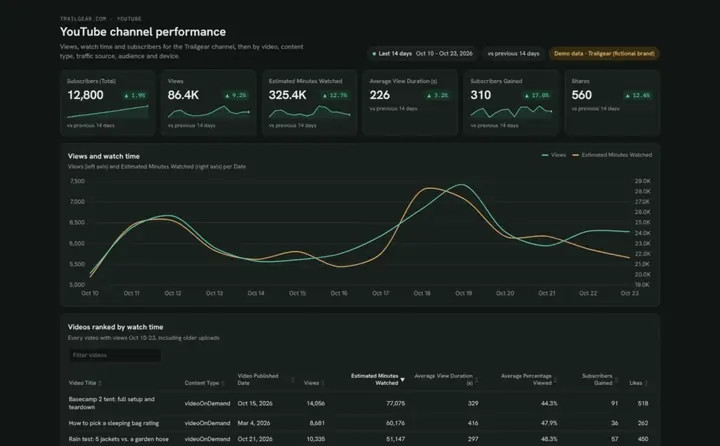 Claude

YouTube dashboard template
See which videos keep people watching and how Shorts compare to long videos.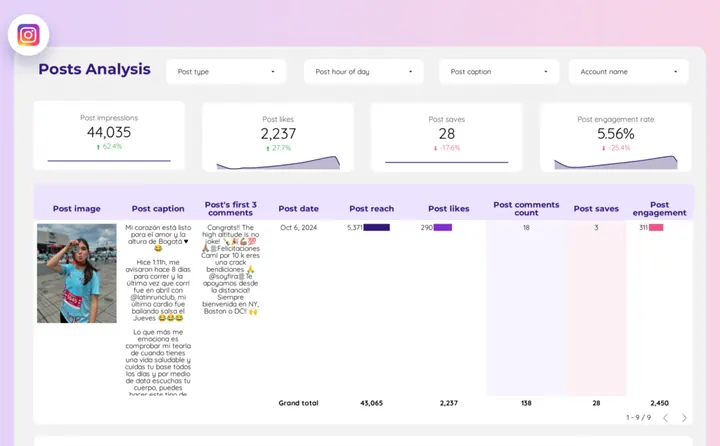 Porter dashboard
Instagram Insights dashboard
Share one link with the reach, likes, saves and engagement rate of every post.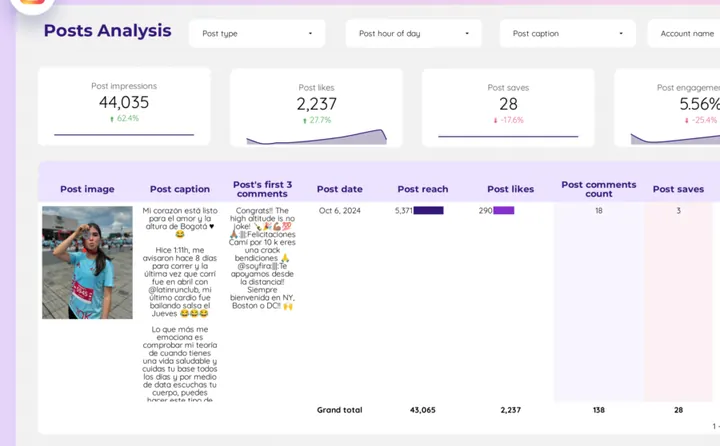 Data Studio
Instagram Insights report template
Filter posts by type, hour and caption to see what earned reach this month.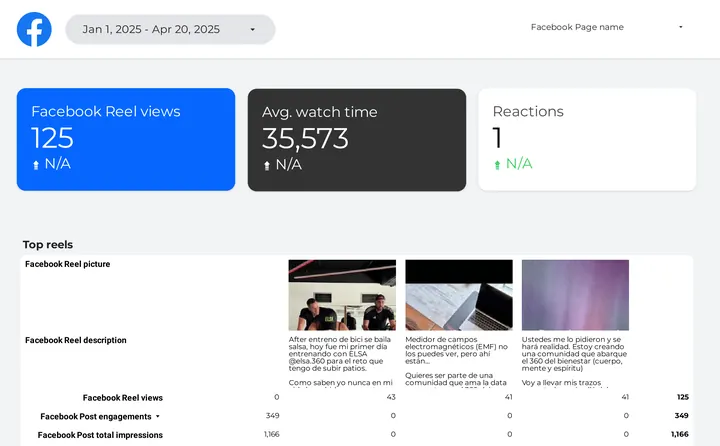 Porter dashboard
Facebook Insights dashboard
Give clients one live link to Page reach, reel views and reactions.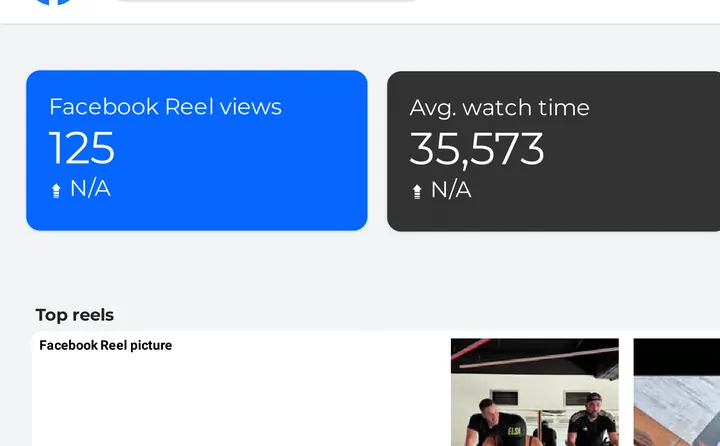 Data Studio
Facebook Insights report template
Report reel views, watch time and reactions for any Page and date range.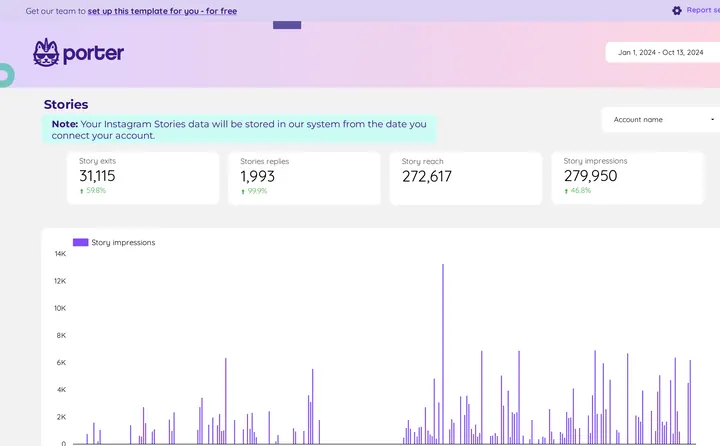 Porter dashboard
Community manager dashboard
Give community managers the reach, replies and exits of every Story in one place.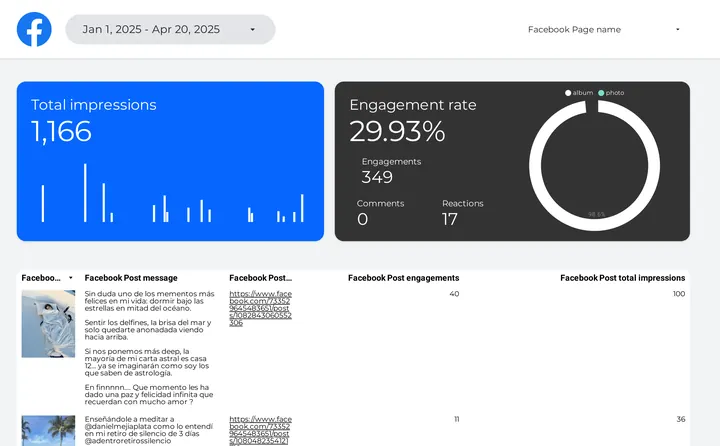 Porter dashboard
Creator marketing dashboard
See a creator's impressions, engagement rate and top Reels on one page.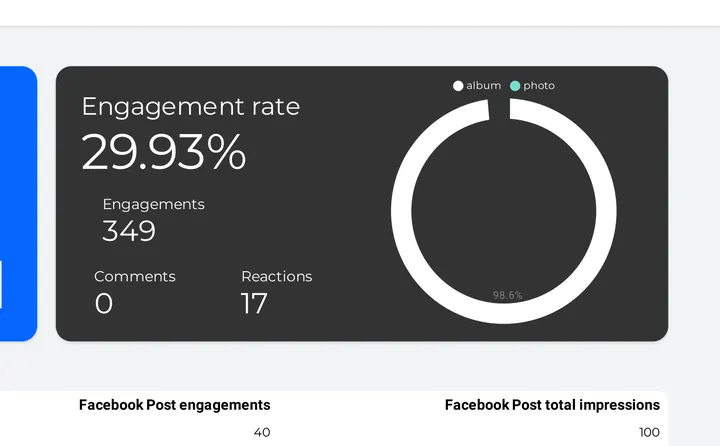 Data Studio
Creator marketing report template
Rank a creator's Reels by views, engagement and reactions in Data Studio.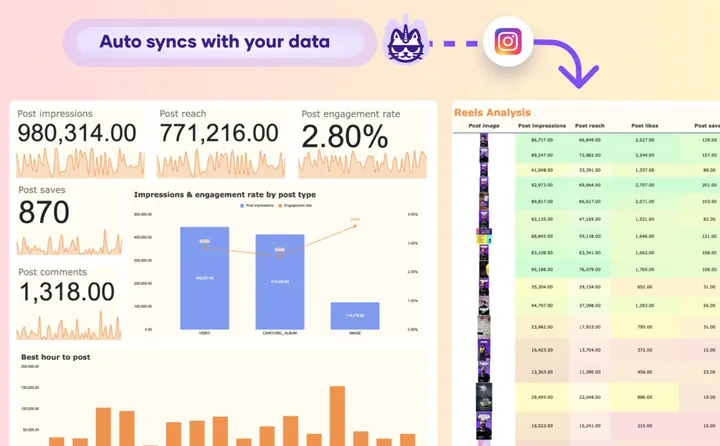
 Google Sheets
Instagram post analytics
Pull post and Reels reach, engagement and best hour to post into a sheet.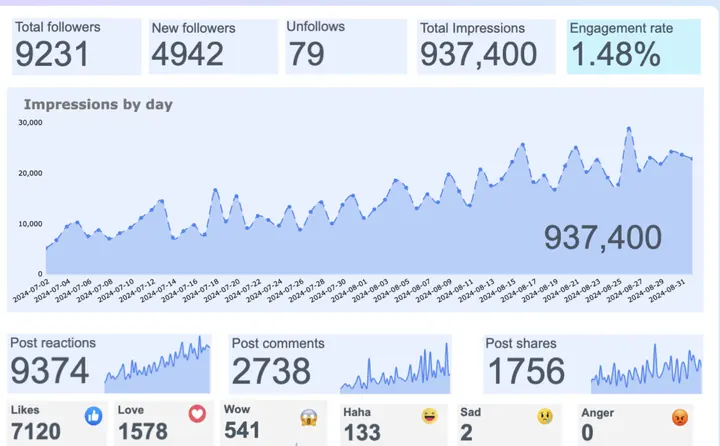 Google Sheets
Facebook post analytics
Pull Page followers, impressions and post reactions into a Google Sheet.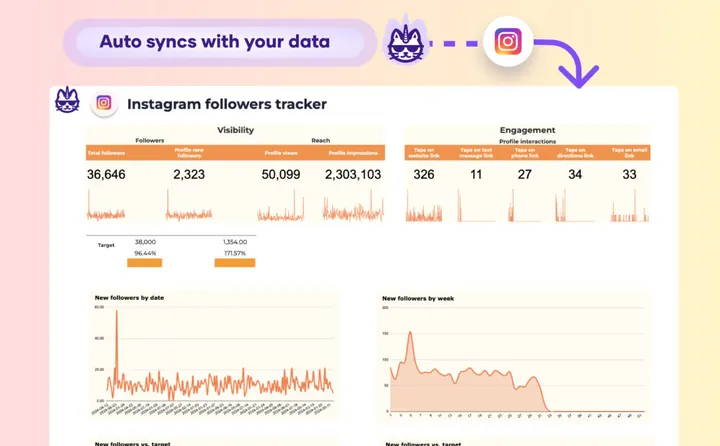 Google Sheets
Instagram follower tracker
Track followers, profile visits and link taps against a monthly target in Google Sheets.Social media competitor dashboards
 Porter dashboard
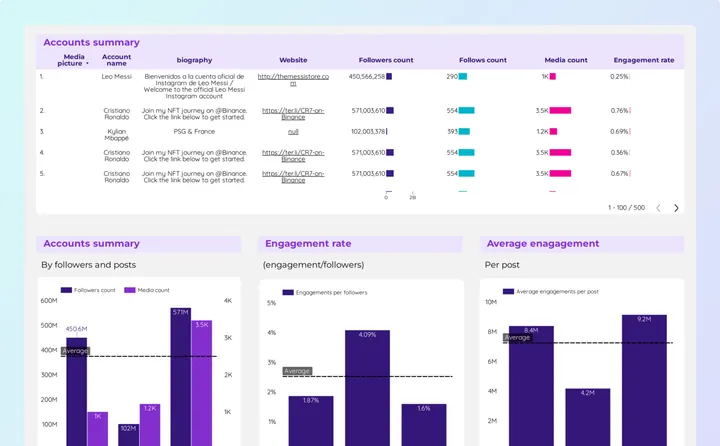
Social media competitors dashboard
Benchmark your followers and engagement rate against rival Instagram accounts.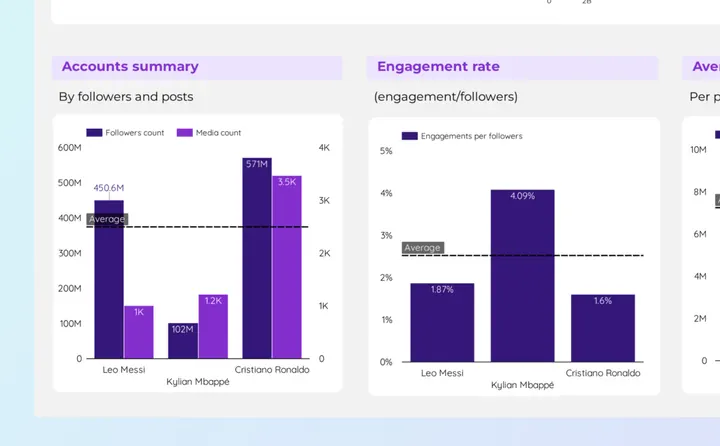 Data Studio
Social media competitors report template
Compare competitor accounts by followers, posts and engagement.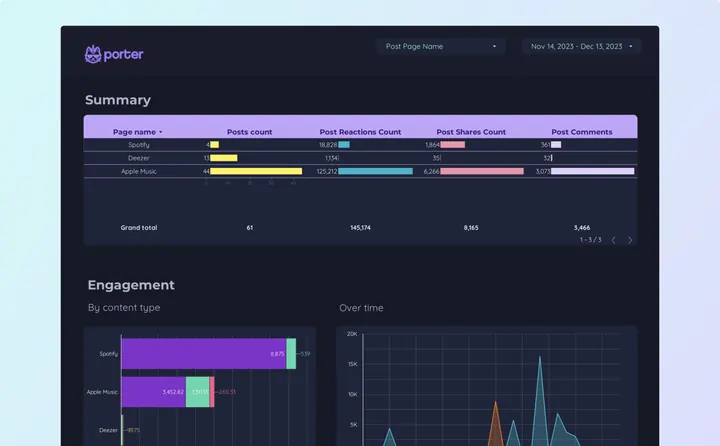 Porter dashboard
Facebook competitors dashboard
Compare your Page with competitors by posts, reactions, shares and comments.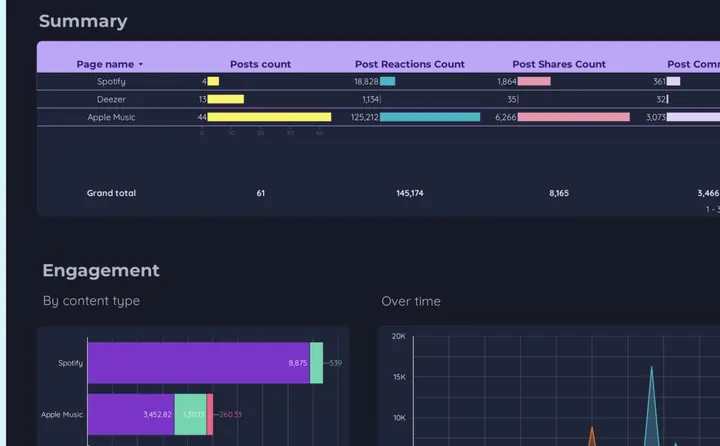 Data Studio
Facebook competitors report template
See which content type wins engagement for each competitor Page over time.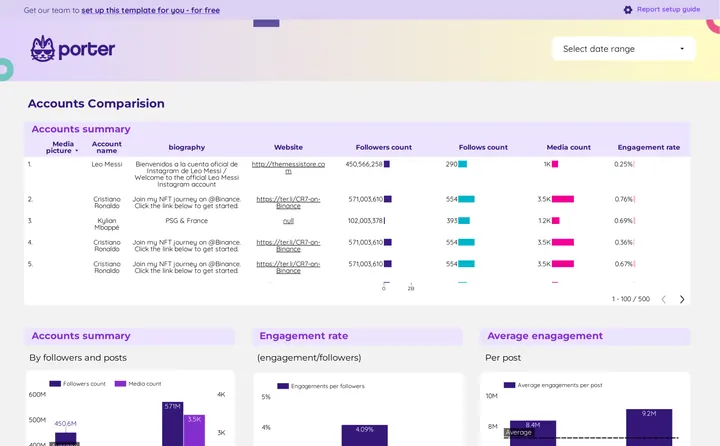 Porter dashboard
Instagram competitors dashboard
Benchmark followers, posts and engagement rate against any public Instagram account.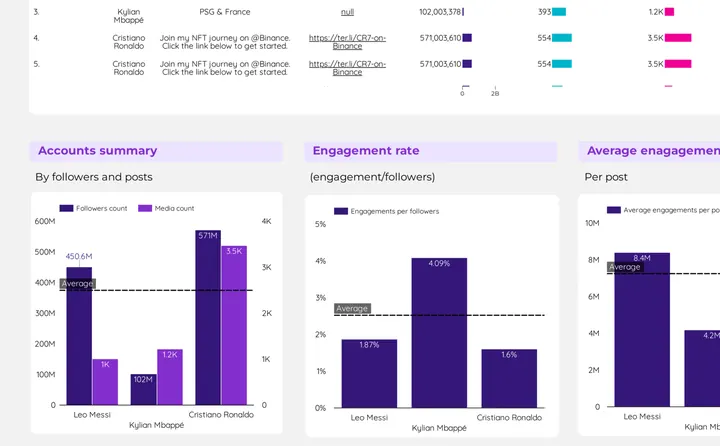 Data Studio
Instagram competitors report template
Compare public Instagram accounts by followers, media count and engagement.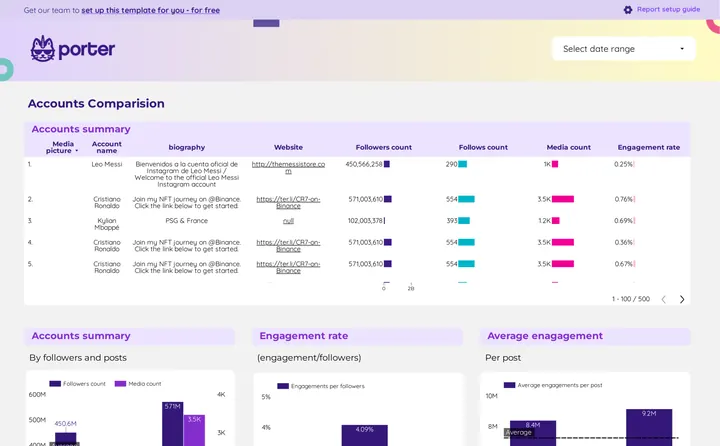 Porter dashboard
Competitors analysis dashboard
Compare public accounts by followers, posts and average engagement.Social media dashboard example
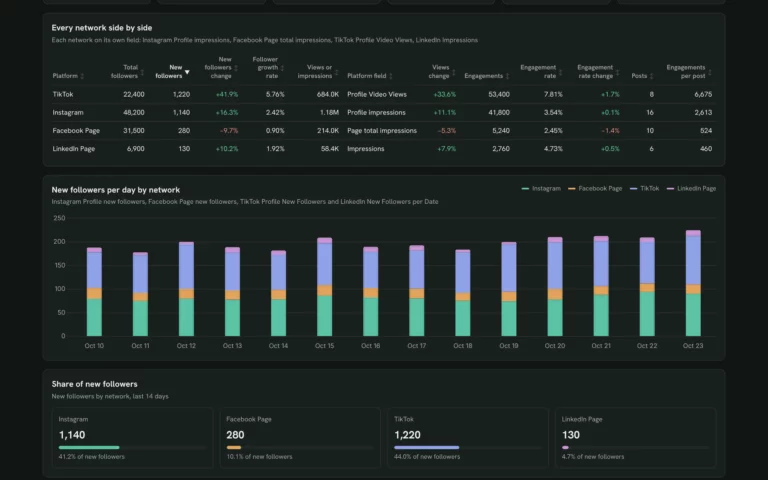
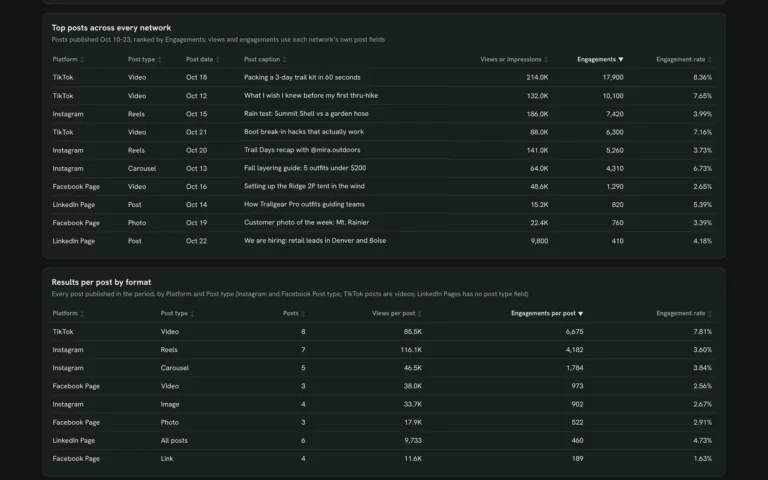
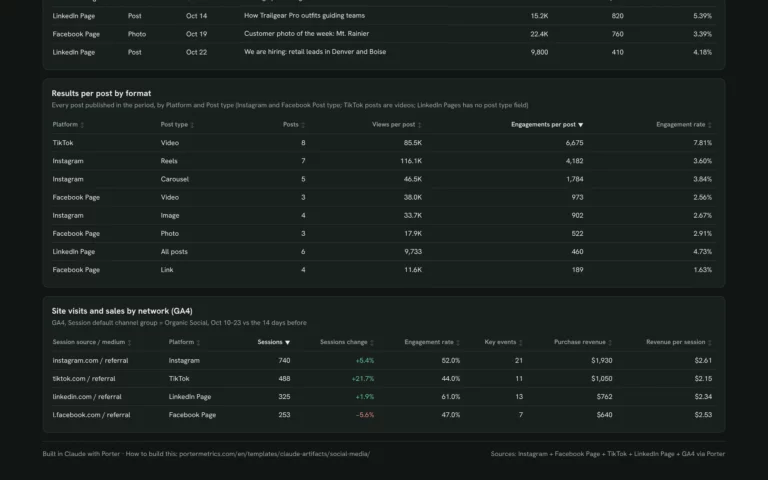
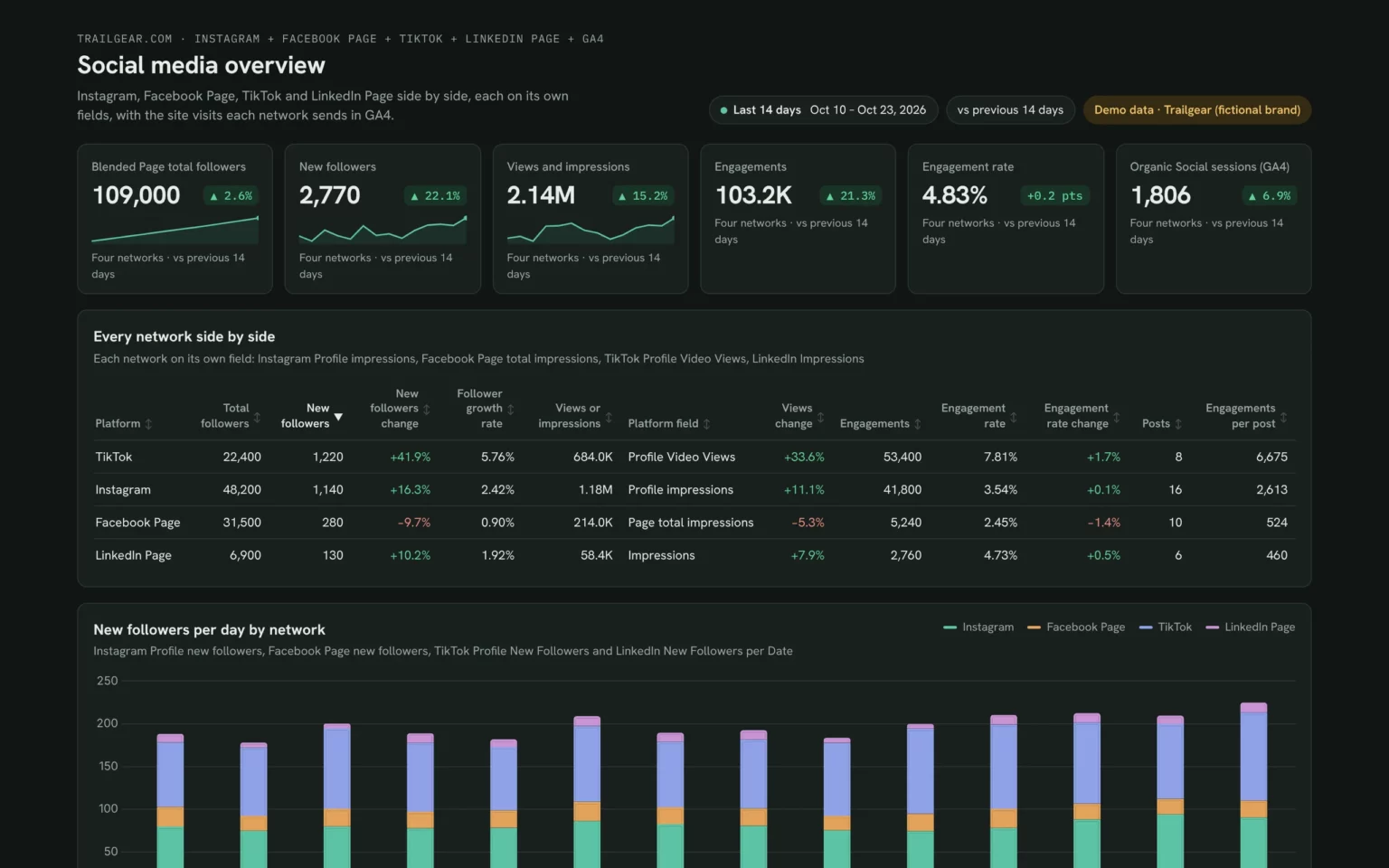
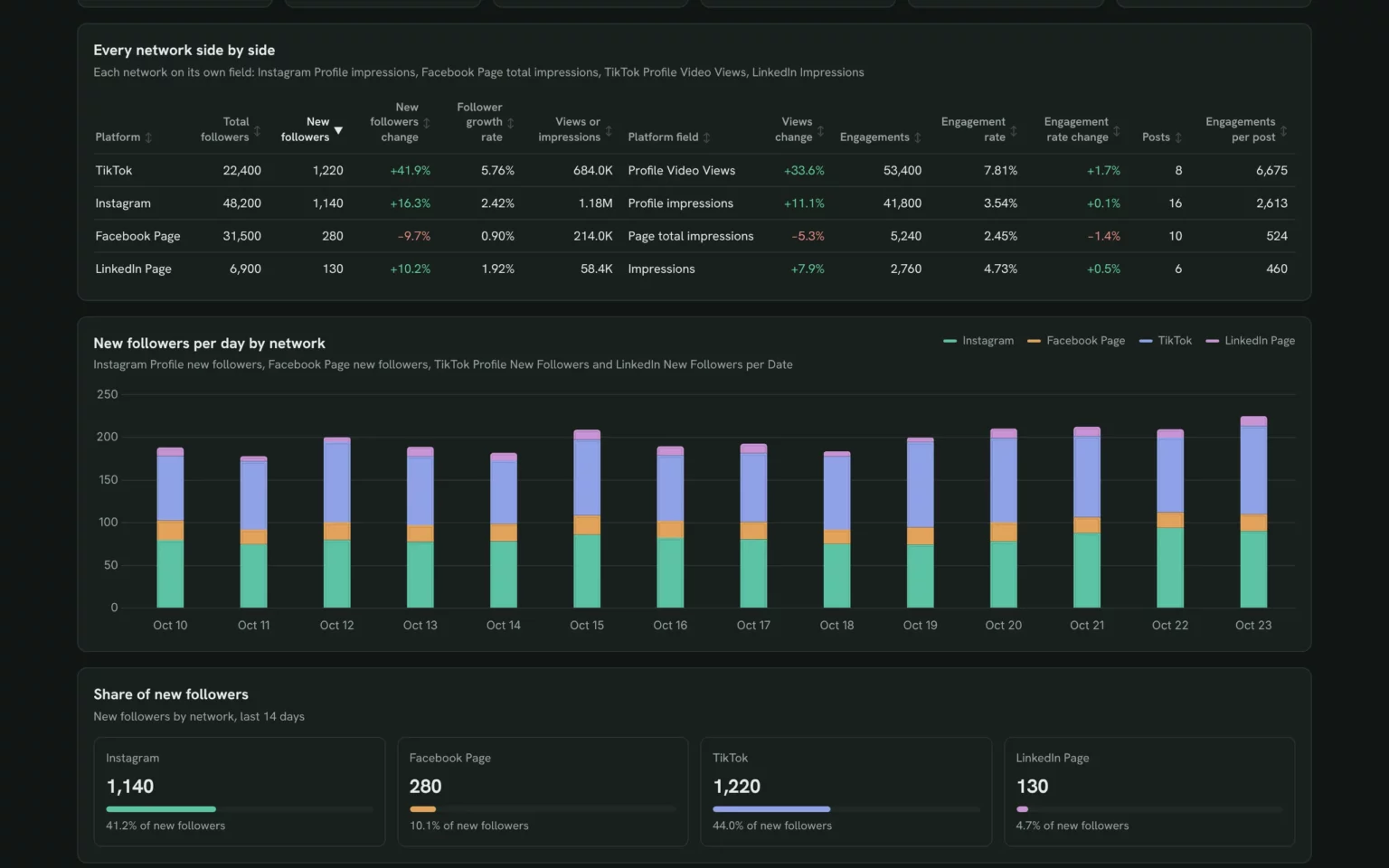
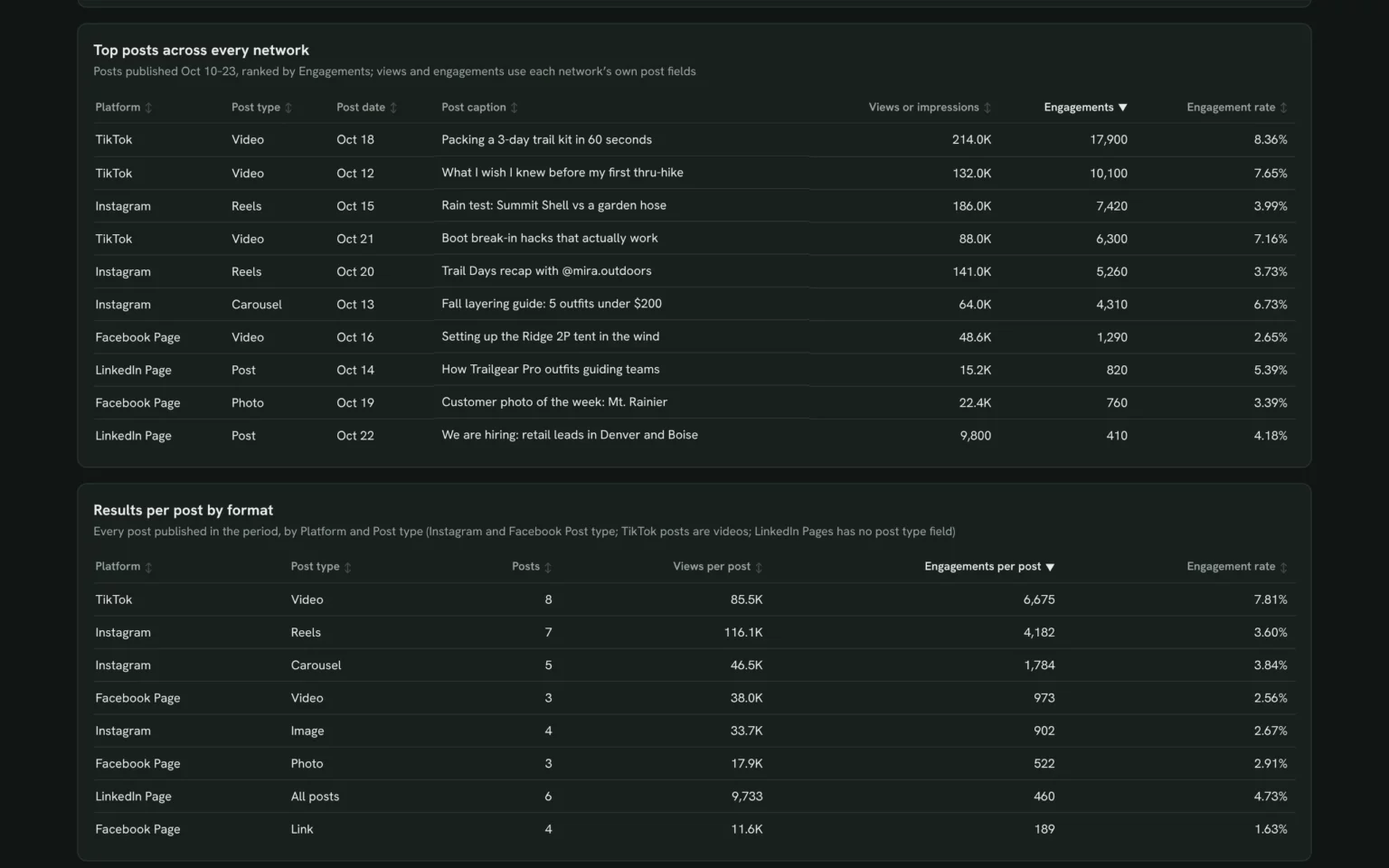
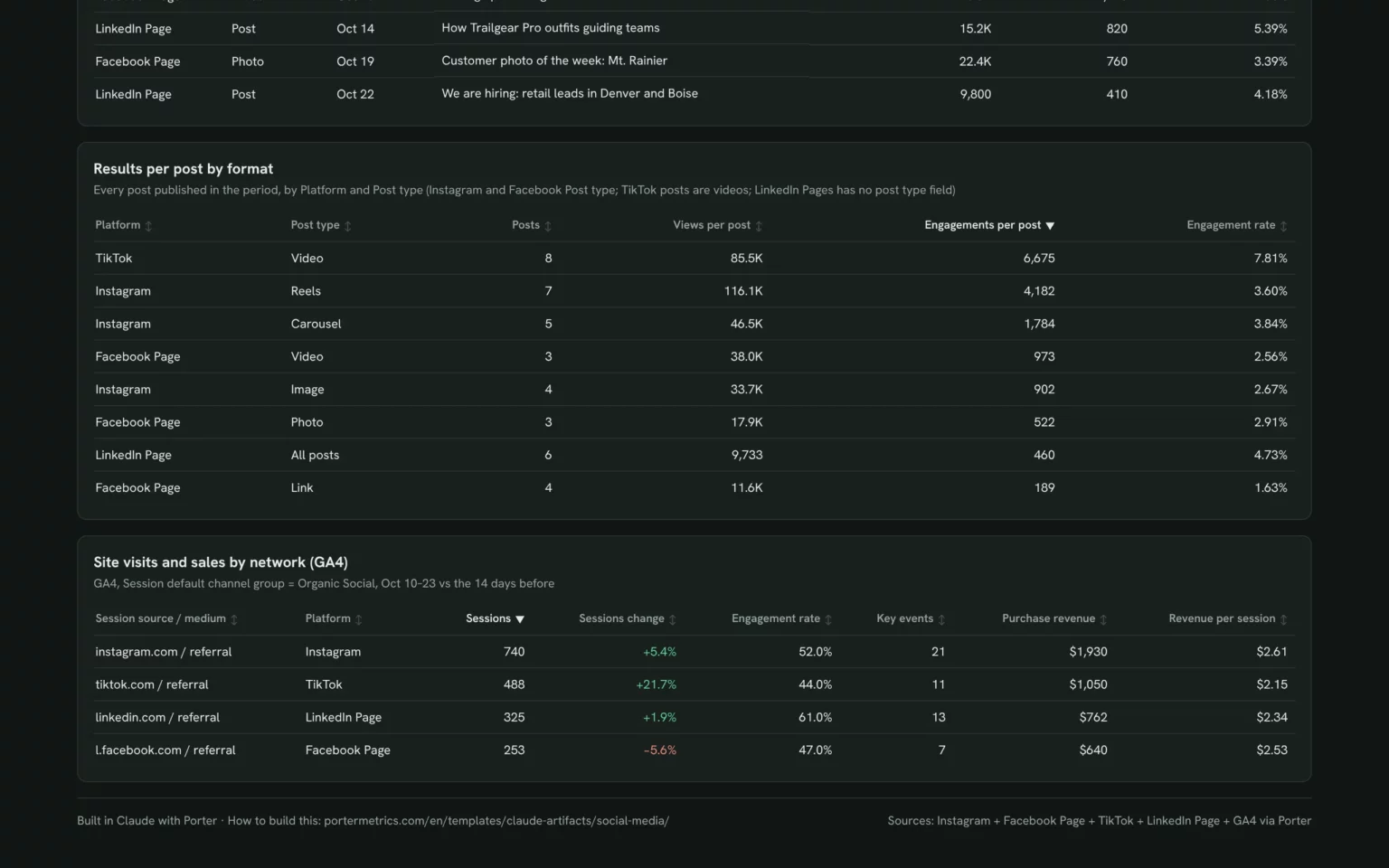
Porter’s social media dashboard example is the Claude social media dashboard on Trailgear demo data, with Instagram, Facebook, TikTok and LinkedIn side by side.
What to include in a social media dashboard
A social media dashboard should let you compare networks in one look. These six parts cover it.
Reach and engagement
Impressions, reach and engagement rate against the previous period, network by network.
Site visits
Sessions and key events each network sends to your website, from GA4.
Next steps
Which network and format to put more time into next month.
For one network in depth, use the Instagram dashboard templates or the Facebook Insights dashboard templates.
How to set up a social media dashboard template
Every Porter social media dashboard template starts with one free step: connect your social accounts in Porter. Then open it in your tool.
On Porter’s Free plan, Claude reads the last 15 days and Porter dashboards, Data Studio and Google Sheets up to 30 days. The 14-day trial has full access and needs no card (Porter pricing).
In Claude
Sign up free at Porter, open Data sources and connect the networks you post on, for example Instagram, your Facebook Page and LinkedIn Pages.
In Claude, go to Customize → Connectors → Add custom connector, paste
https://mcp.portermetrics.com/mcpand name it Porter Metrics. Click Continue, sign in to Porter and allow access.Open a new chat, paste the install prompt and put your accounts in place of the one in brackets (Instagram to Claude tutorial). Claude reads your data through Porter’s MCP (Model Context Protocol), an open standard that lets Claude read data from other tools.
Duplicate this Claude dashboard template and keep its layout, views and styling: https://claude.ai/artifact/B8X4we9mpF95GJj8HFPcYb
Then rebuild it with my own data through Porter: a social media dashboard for [brand] for the last 14 days across Instagram, Facebook Page, TikTok and LinkedIn Page, each on its own fields: KPI cards for followers, new followers, views or impressions, engagements and engagement rate; every network side by side; new followers and views per day by network; top posts across every network; engagements per post by post type; and GA4 Organic Social sessions, key events and purchase revenue by session source.
Claude Dashboards is in beta on Pro, Max, Team and Enterprise (Anthropic’s guide to Claude Dashboards).
As a Porter dashboard
Open a Porter dashboard card and click Download template.
Sign in to Porter and pick your accounts.
Share it with viewer or editor access, or schedule it by email.
In Data Studio
Open a Data Studio card and click Download template.
Click the three-dot menu (⋮) in the top-right corner and select Make a copy.
Choose your Porter data sources, click Copy Report and set the date range you want to track.
In Google Sheets
Open a Google Sheets card and make a copy.
Install the Porter extension, authorize it and choose your accounts.
Run the prebuilt queries and set the refresh to daily or weekly.
Need Excel? In Google Sheets, choose File → Download → Microsoft Excel (.xlsx).
What makes these social media dashboard templates different
Each network has its own analytics tab with its own metric names. These templates put them on one page.
See a live example first
Click through the Claude social media dashboard on demo data without an account.
Every network side by side
Compare Instagram, Facebook, LinkedIn and TikTok followers and engagement in one table.
One dashboard, four tools
Explore it in Claude, share it as a Porter link, or keep it in Data Studio or Google Sheets.
Unlimited accounts
Connect every brand or client account you manage, on any plan.
Scheduled by email
Send a Porter dashboard to your team or client by email every week or month.
More dashboard template galleries
Porter has a gallery for each channel, data source and tool.
Social media dashboard FAQ
What is a social media dashboard?
A social media dashboard is one page that shows followers, reach, engagement and top posts for every network you run, so you can compare them without opening each app.
Are these social media dashboard templates free?
Yes. All 32 templates on this page are free to download, and Porter’s Free plan never expires and connects unlimited accounts. Longer date ranges need the 14-day trial (no card) or a paid plan, with Reporting from $12.50 per account a month, billed annually (Porter pricing).
Which networks can I put on one social media dashboard?
Instagram, Facebook, LinkedIn Pages, TikTok and YouTube. The Claude social media dashboard also adds the website visits each network sends, from GA4.
What should a social media dashboard include?
Followers and new followers by network, reach, engagement rate, your top posts and the site visits social brings, compared with the previous period.
Can I build one dashboard per client?
Yes. Porter connects unlimited accounts on every plan, so you can copy a template for each client and pick their accounts.
Claude, Porter dashboard, Data Studio or Google Sheets: which should I use?
Use Claude to build the dashboard and ask follow-up questions, but anyone opening a shared Claude dashboard needs their own Claude access (Anthropic’s guide to sharing artifacts). Use a Porter dashboard to share a live link or send it by scheduled email, Data Studio if your reports already live there, and Google Sheets for formulas or Excel.
Get your free social media dashboard template
Pick a template, connect your networks for free and compare them on one dashboard today.
Free plan · 14-day trial · No card needed