LinkedIn Pages Audience Dashboard
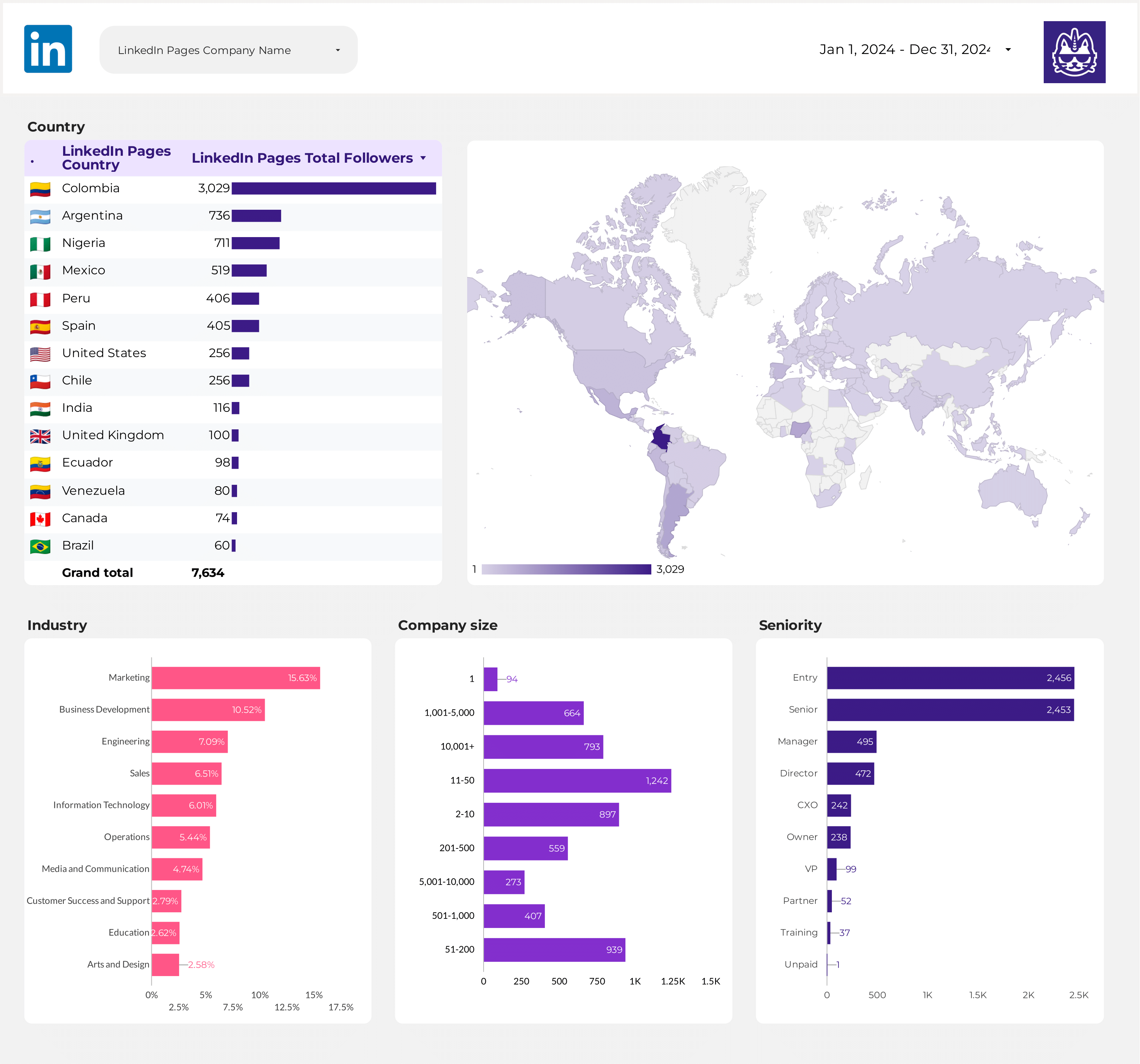
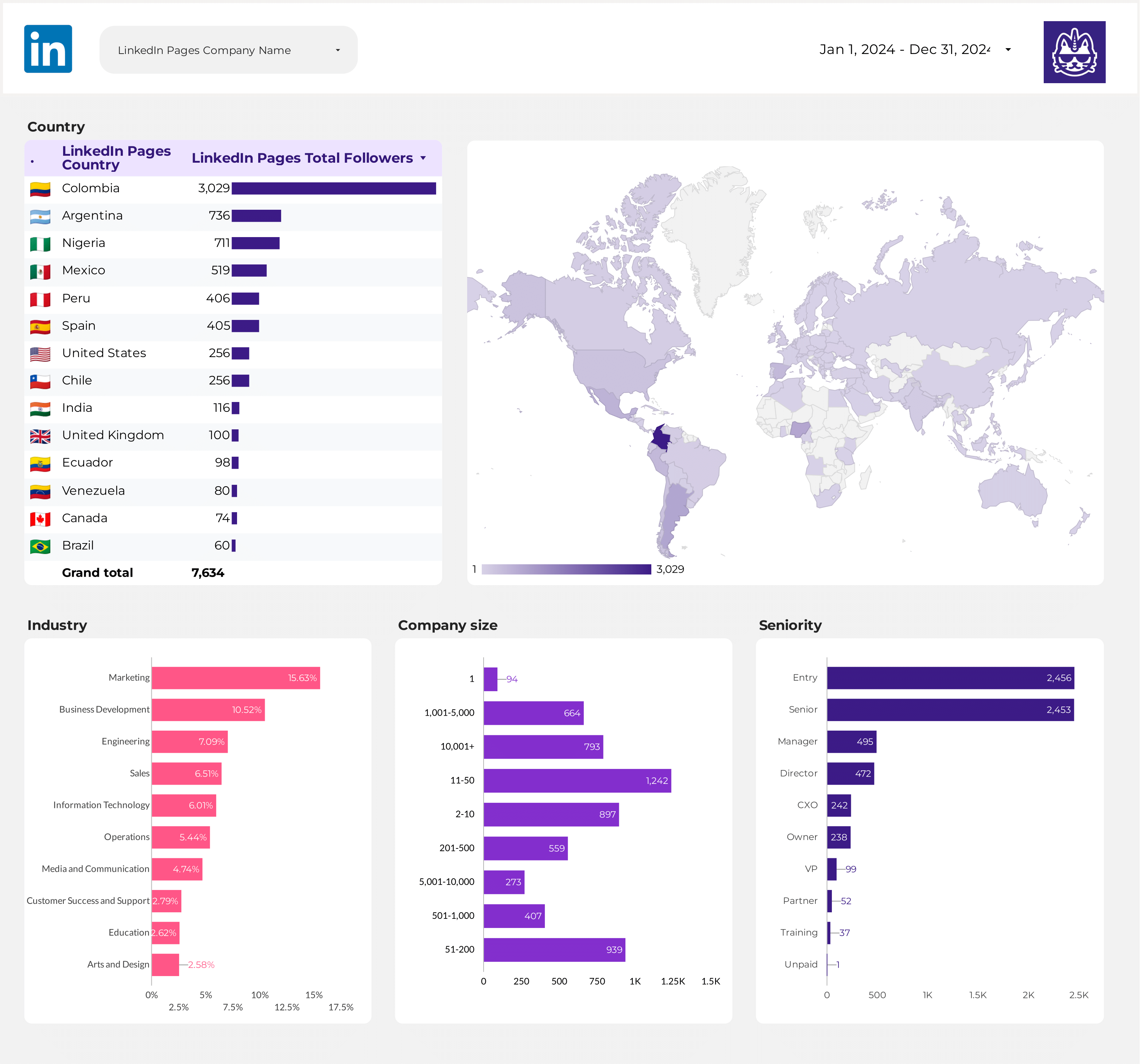
Track follower growth, demographics, and audience insights for your LinkedIn company page.
View template → LinkedIn Pages
→
LinkedIn Pages
→
 Google Data Studio
Connect your LinkedIn Pages data to Google Data Studio (formerly Looker Studio) for free. Analyse Followers, Post Impressions, Post Engagement Rate, Page Views, with +159 fields, Porter is the only LinkedIn Pages connector that lets you blend organic page data with LinkedIn Ads and Google Analytics 4 in a single Data Studio report, with transparent free-tier limits and pre-built templates., and every LinkedIn Pages page field.
Free forever plan · No credit card
Skip the blank canvas. Porter ships three pre-built LinkedIn Pages dashboards you can clone into Data Studio in one click, then customize with your branding and extra data sources.
Track follower growth, demographics, and audience insights for your LinkedIn company page.
View template →Deep-dive into audience segmentation with advanced demographic and engagement breakdowns.
View template →Comprehensive analytics covering posts, page views, engagement rates, and traffic sources.
View template →Porter is a no-code marketing data warehouse built for LinkedIn Pages reporting. Other connectors stop at pipes — Porter also handles storage, blending, and destinations.
| Feature | Porter No-code marketing data warehouse | Others Connectors & ETL |
|---|---|---|
| Storage | Porter uses short-lived, revocable tokens with no long-term credential storage. Your LinkedIn admin permissions stay under your control. | Most connectors store your LinkedIn OAuth tokens in their own databases, creating a single point of failure and compliance risk. |
| Data syncing | Porter refreshes LinkedIn Pages data on a schedule tied to your plan, with transparent rate-limit handling so you know exactly when metrics update. | Competitors often batch data once per day or require manual CSV refreshes, leaving you with stale follower counts and yesterday’s engagement numbers. |
| Attribution | Porter lets you blend LinkedIn Pages organic data with LinkedIn Ads and Google Analytics 4 in the same Data Studio report, so you can attribute pipeline impact across channels. | Standalone LinkedIn Pages connectors show organic metrics in isolation, forcing you to stitch paid and web data together by hand. |
| Data blending | Porter’s multi-connector architecture is built for cross-source blending inside Data Studio. Add LinkedIn Ads, Facebook Pages, or GA4 without leaving the report editor. | Other tools treat each connector as a separate silo; blending requires SQL knowledge or a data warehouse layer. |
| Destinations | One Porter subscription sends LinkedIn Pages data to Data Studio, Google Sheets, BigQuery, and Claude. No middleware, no extra connectors, no per-destination pricing. | Most competitors only push to Data Studio, forcing you to buy a second tool if your team also uses Sheets, BigQuery, or Claude. |
That is what makes the Porter Metrics Data Studio connector for LinkedIn Pages better.
Pull every metric and dimension Porter exposes for LinkedIn Pages — from follower demographics to post-level video completion rates — without writing a single API query.
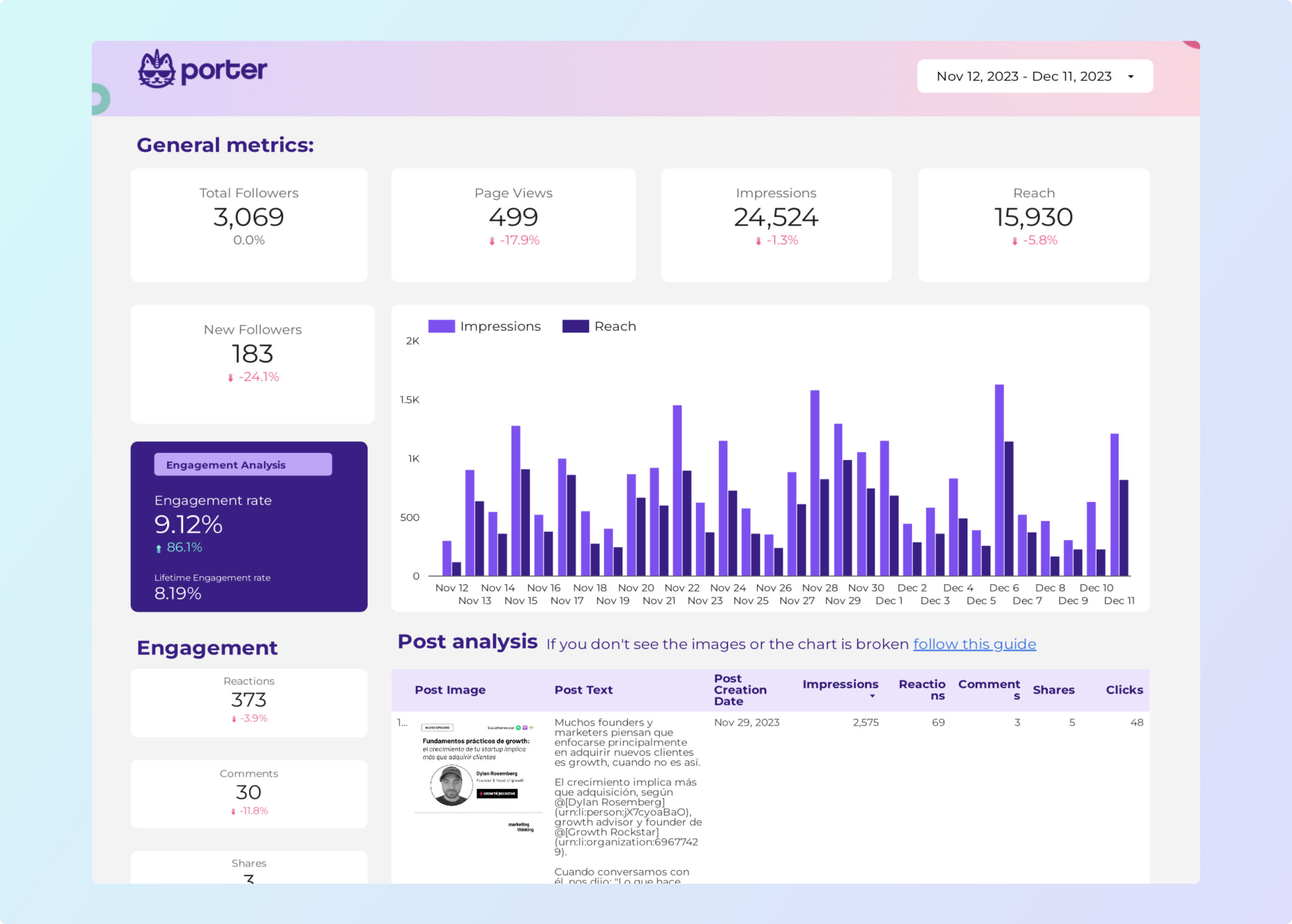
Track Post Impressions, Post Clicks, Post Likes, Post Comments, Post Shares, Post Engagement Rate, and video watch-time funnels (25%, 50%, 75%, 100%) for every update.
Break down Followers, Organic Followers, Paid Followers, and Follower Gains by industry, seniority, job function, company size, country, and city.
See Page Views and Unique Page Views split by organic, paid, referral, direct, search, social, email, display, and by page section — Careers, Products, Services, About, Home, Posts, Articles, Videos.
Authenticate with LinkedIn using standard OAuth. Porter never stores your password and requests read-only access to page analytics.
Your Data Studio report refreshes automatically on the schedule you set. No manual CSV uploads, no copy-paste, no stale dashboards.
Connect multiple LinkedIn company pages under one Porter account. Ideal for agencies and B2B brands managing employer branding across regions or subsidiaries.
Combine LinkedIn Pages with LinkedIn Ads, Google Analytics 4, Facebook Pages, and other Porter connectors in a single Data Studio report for unified channel performance.
LOVED BY 1,500+ MARKETERS
Open Porter Metrics and sign in with the same Google account you use for Data Studio. This keeps authentication simple and avoids permission mismatches.
Choose single data source, pick LinkedIn Pages from the connector list, and click authorize. Porter will request read-only access to your page analytics.
Log into LinkedIn with an admin account, select the company page you want to report on, and grant the OAuth permissions. Porter does not store your credentials.
Select from 159 fields across 11 categories — followers, posts, demographics, page views, and more. Porter pre-selects the most common reporting set so you can start immediately.
Clone one of Porter’s three pre-built LinkedIn Pages dashboards, or connect the data source directly in Data Studio and design your own layout. Your report refreshes automatically.
Porter exposes 159 fields for LinkedIn Pages — 74 dimensions and 85 metrics — organized into 11 reporting categories. Every field below is available inside Data Studio without custom SQL or API coding.
Access every metric and dimension available for LinkedIn Pages — from follower demographics to post-level video completion rates — without writing a single API query.
Track Post Impressions, Post Clicks, Post Likes, Post Comments, Post Shares, Post Engagement Rate, and video watch-time funnels for every update.
Break down Followers, Organic Followers, Paid Followers, and Follower Gains by industry, seniority, job function, company size, country, and city.
See Page Views and Unique Page Views split by organic, paid, referral, direct, search, social, email, display, and by page section.
Field names match what you see in LinkedIn analytics, so your reports are instantly familiar to social media managers and B2B marketers.
Segment data by post, date, demographic dimension, traffic source, page section, device, and every other breakdown supported by LinkedIn’s API.
Porter supports 15+ data sources and 10+ destinations. Mix and match in one subscription, no extra seats or hidden per-destination fees.
Most setups work on the first try. If they don’t, here are the six issues we see most often.
| Issue | Solution |
|---|---|
| My LinkedIn company page does not appear in the connector dropdown | You must be an admin of the LinkedIn company page to authorize Porter. If you are only a content admin or analyst, ask a super admin to grant you analytics access or to connect the page themselves. |
| No data is showing after I connect the page | Verify the page has published at least one post and has some follower activity. Brand-new pages with zero engagement may return empty result sets until LinkedIn’s API accumulates metrics. |
| The OAuth popup is blocked and I cannot authorize the connector | Disable your browser’s pop-up blocker for portermetrics.com, or hold the Shift key while clicking Authorize to force a new tab instead of a popup window. |
| My report shows ‘Rate limit exceeded’ or stops refreshing | LinkedIn’s API enforces daily quotas. Reduce your Data Studio refresh frequency or upgrade to a Porter plan with higher API call allocation. Contact support if you need a custom limit. |
| Demographic data looks incomplete or outdated | LinkedIn only returns demographic breakdowns once a threshold of followers or engagement is met. If your page is small or new, demographic fields may return null until the sample size is sufficient. |
| Post-level metrics do not match what I see in LinkedIn Campaign Manager | LinkedIn Pages organic post data and LinkedIn Ads paid post data are separate APIs. Use Porter’s LinkedIn Ads connector for paid metrics and the LinkedIn Pages connector for organic metrics, then blend both in Data Studio. |
LinkedIn Pages pages
Billed annually · $12.5/account







Unlimited 14-day free trial + Free forever plan
Join 1,600+ marketers and agencies reporting LinkedIn Pages in Data Studio with Porter.