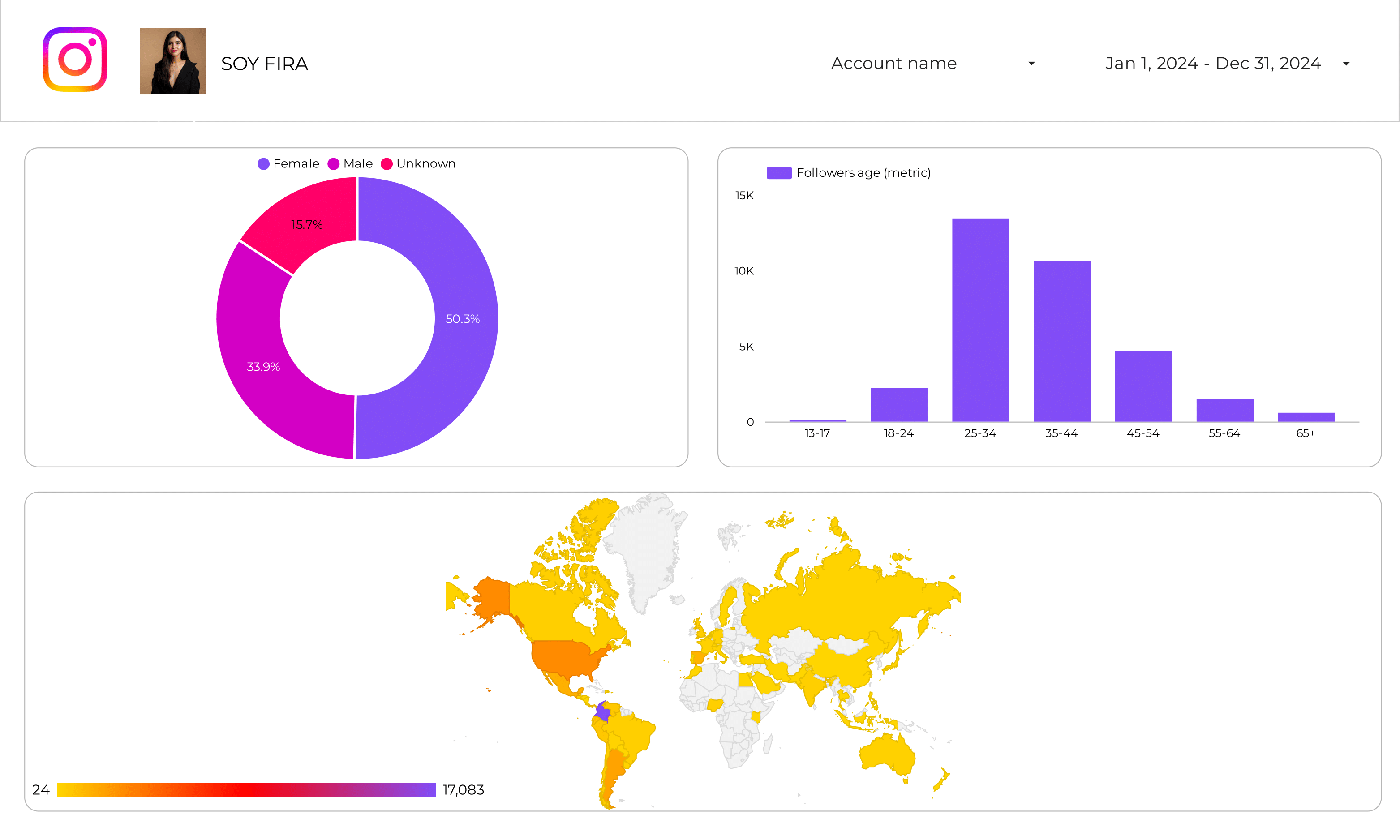
Instagram Insights Audience Dashboard
Track follower growth, demographics, and online activity patterns.
View template → Instagram
→
Instagram
→
 Google Data Studio
Connect your Instagram data to Google Data Studio (formerly Looker Studio) for free. Analyse Total Followers, Engagement Rate, Post Reach, and Profile Views, with +104 fields, native data blending with 100+ connectors for cross-platform dashboards, transparent pricing with no hidden refresh limits, and built-for-agencies multi-account sharing — none of which competitors offer together, and every Instagram account field.
No credit card required · 14-day free trial · Cancel anytime
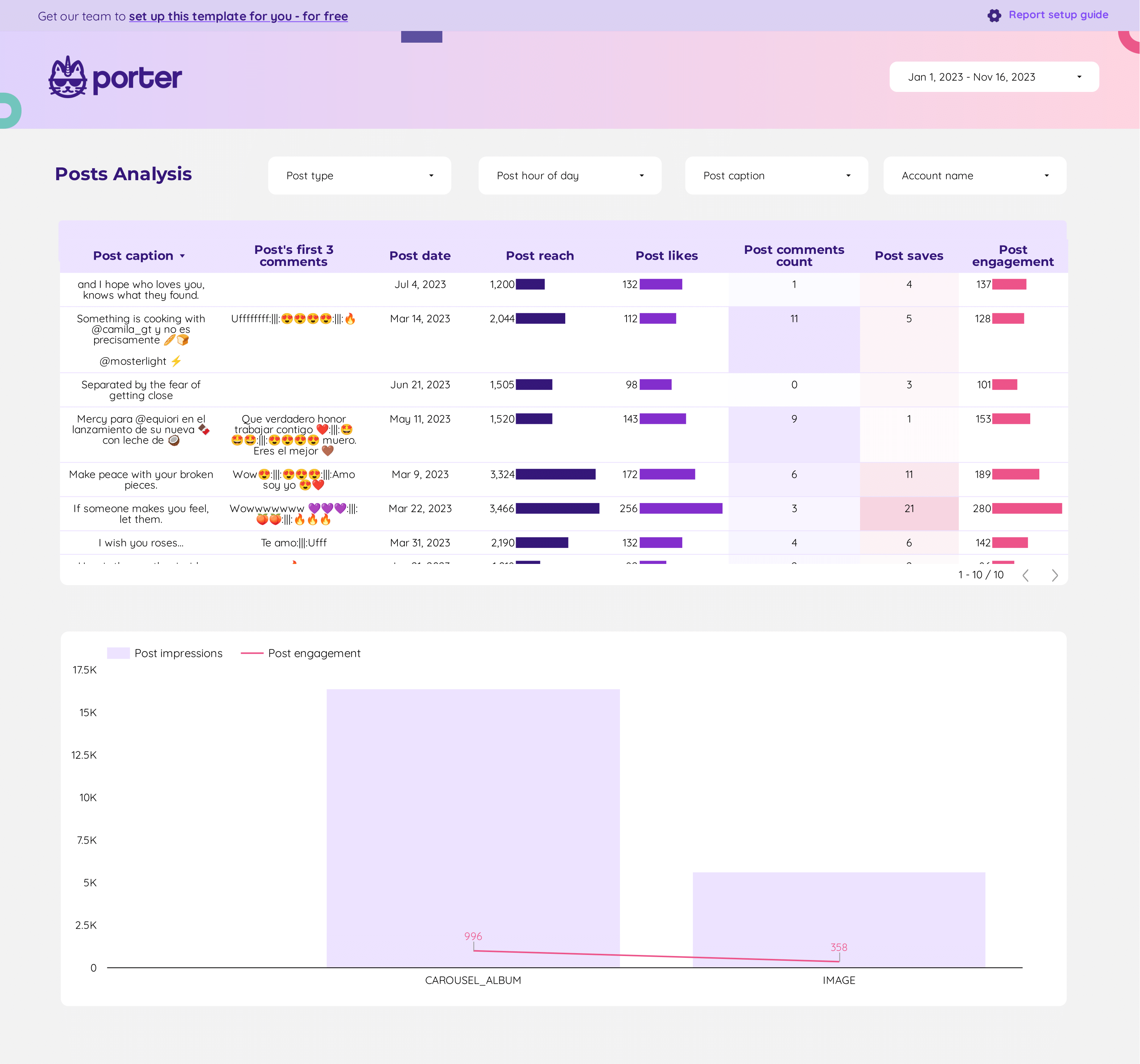
Choose from 6 pre-built Instagram dashboard templates and start reporting in minutes, not hours.
Track follower growth, demographics, and online activity patterns.
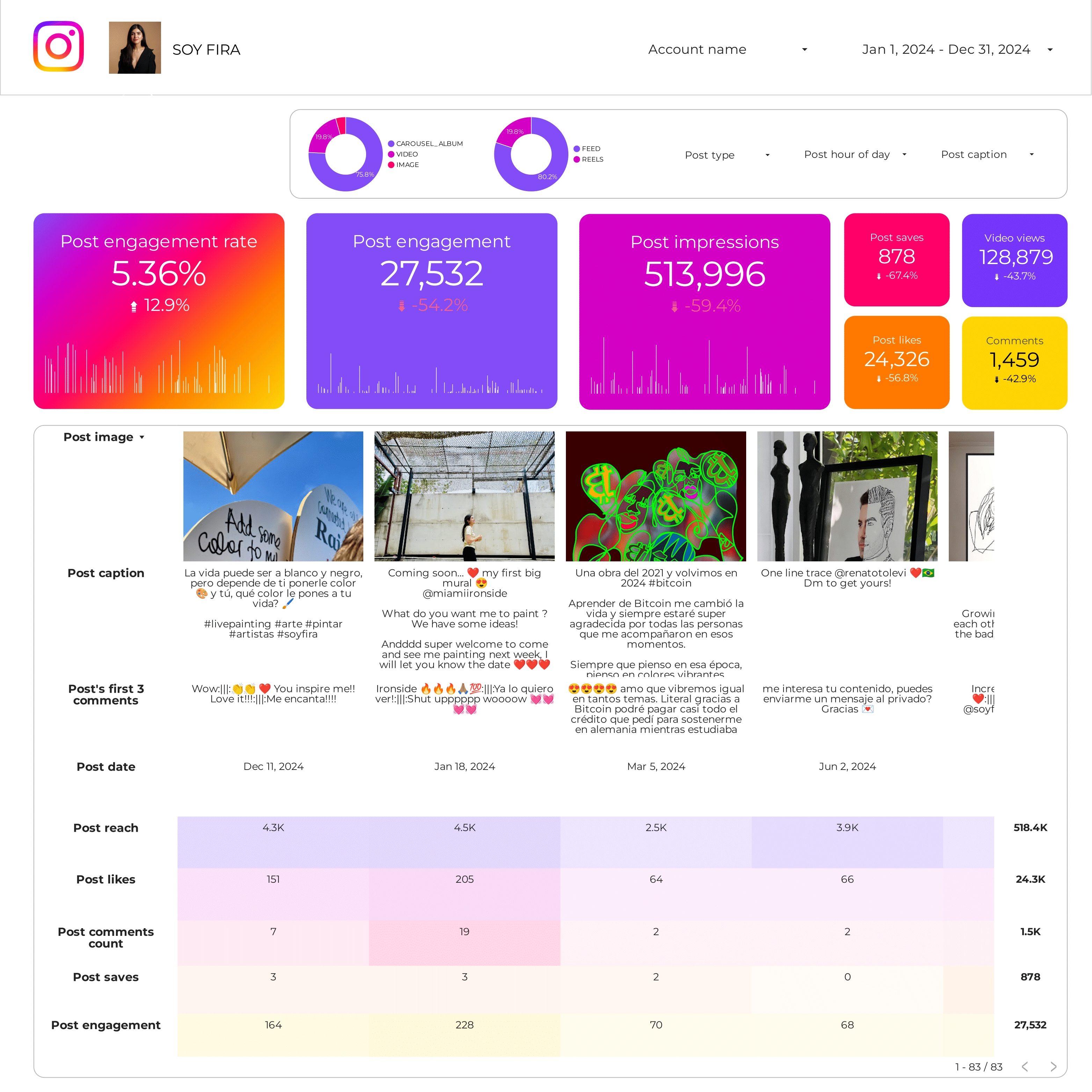
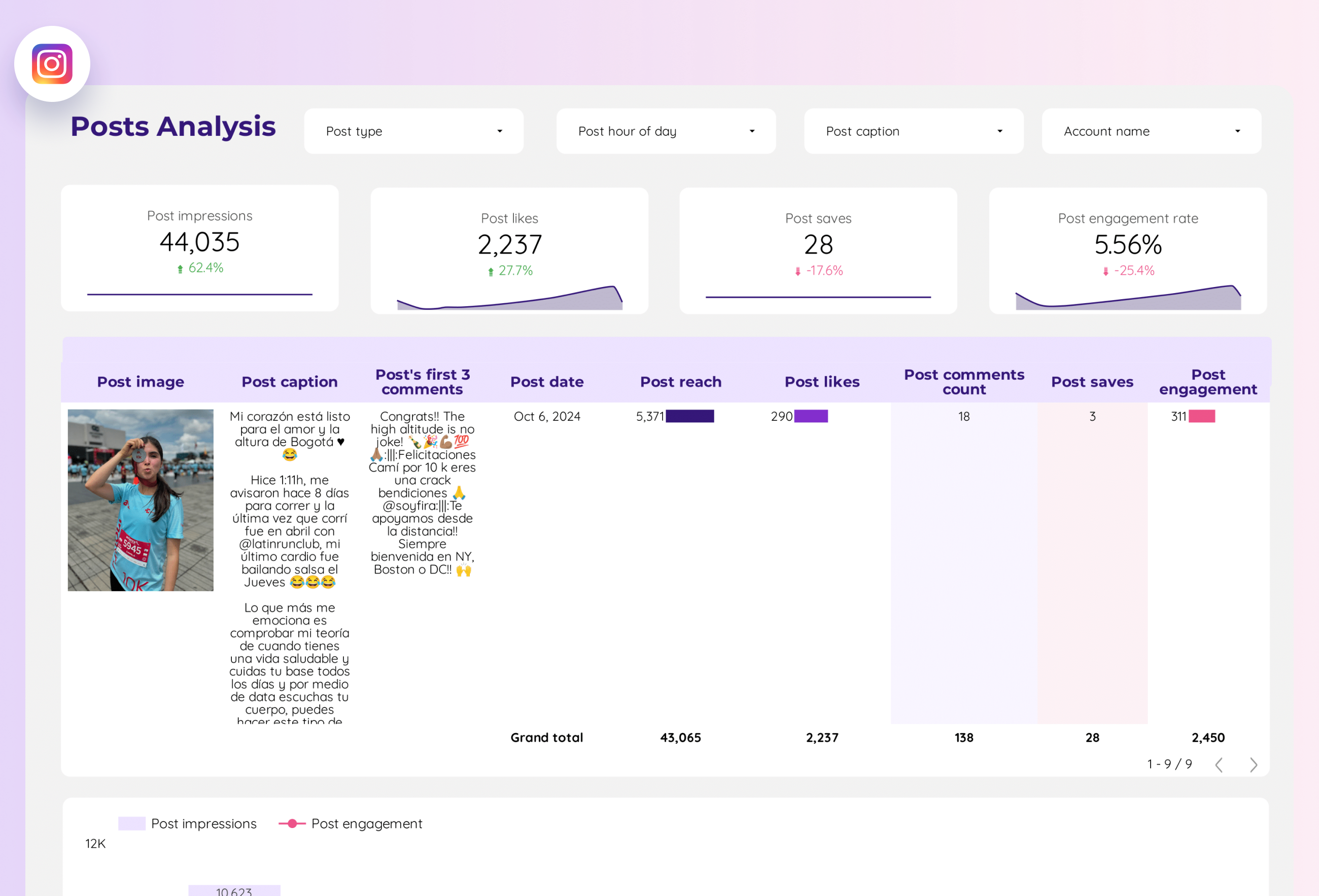
View template →Analyse likes, comments, saves, and engagement rate per post.
View template →Measure Reel Plays, Shares, and Comments with trend analysis.
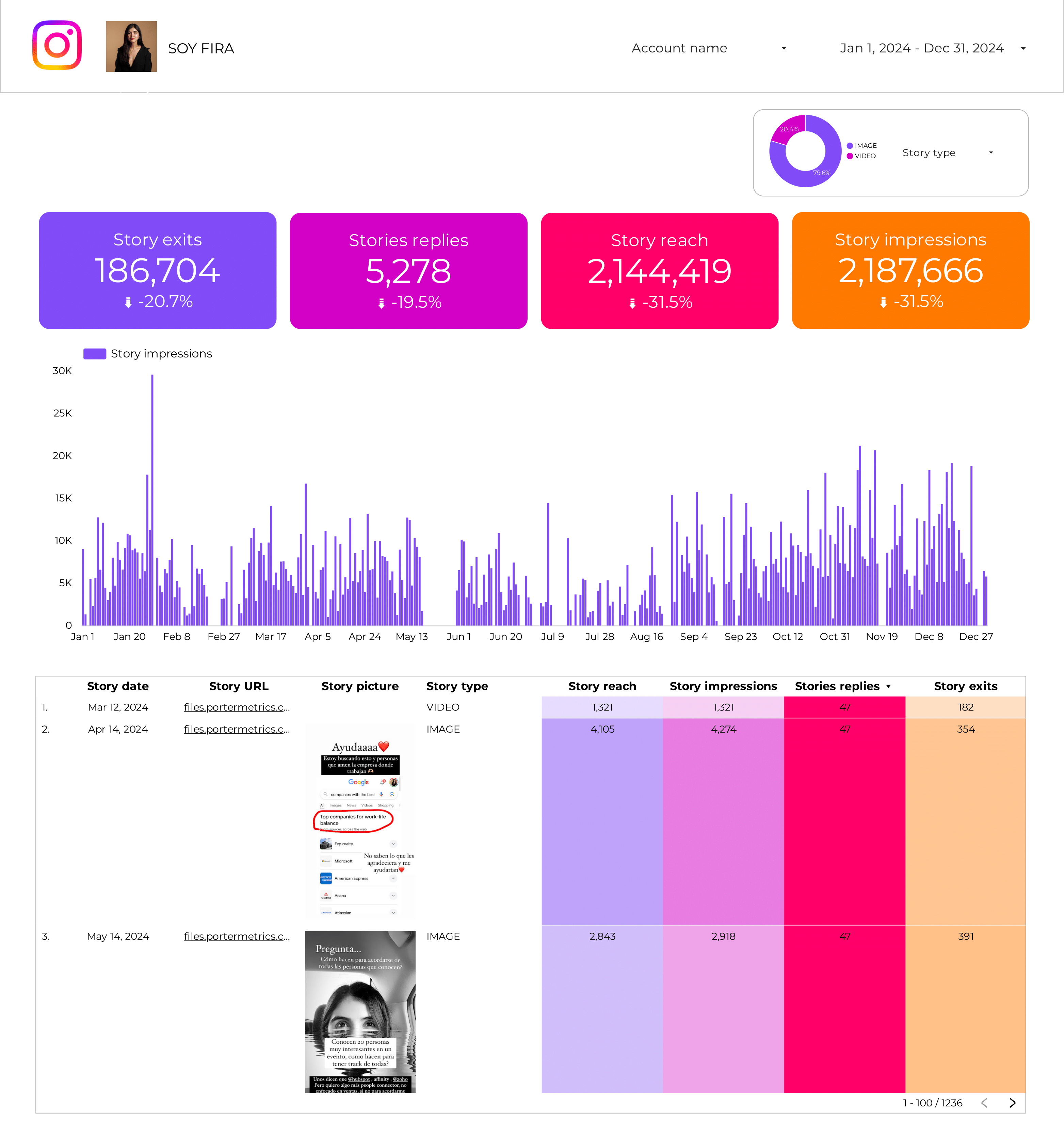
View template →Monitor Story Impressions, Reach, Exits, and Replies in real time.
View template →Discover which hashtags drive the most reach and engagement.
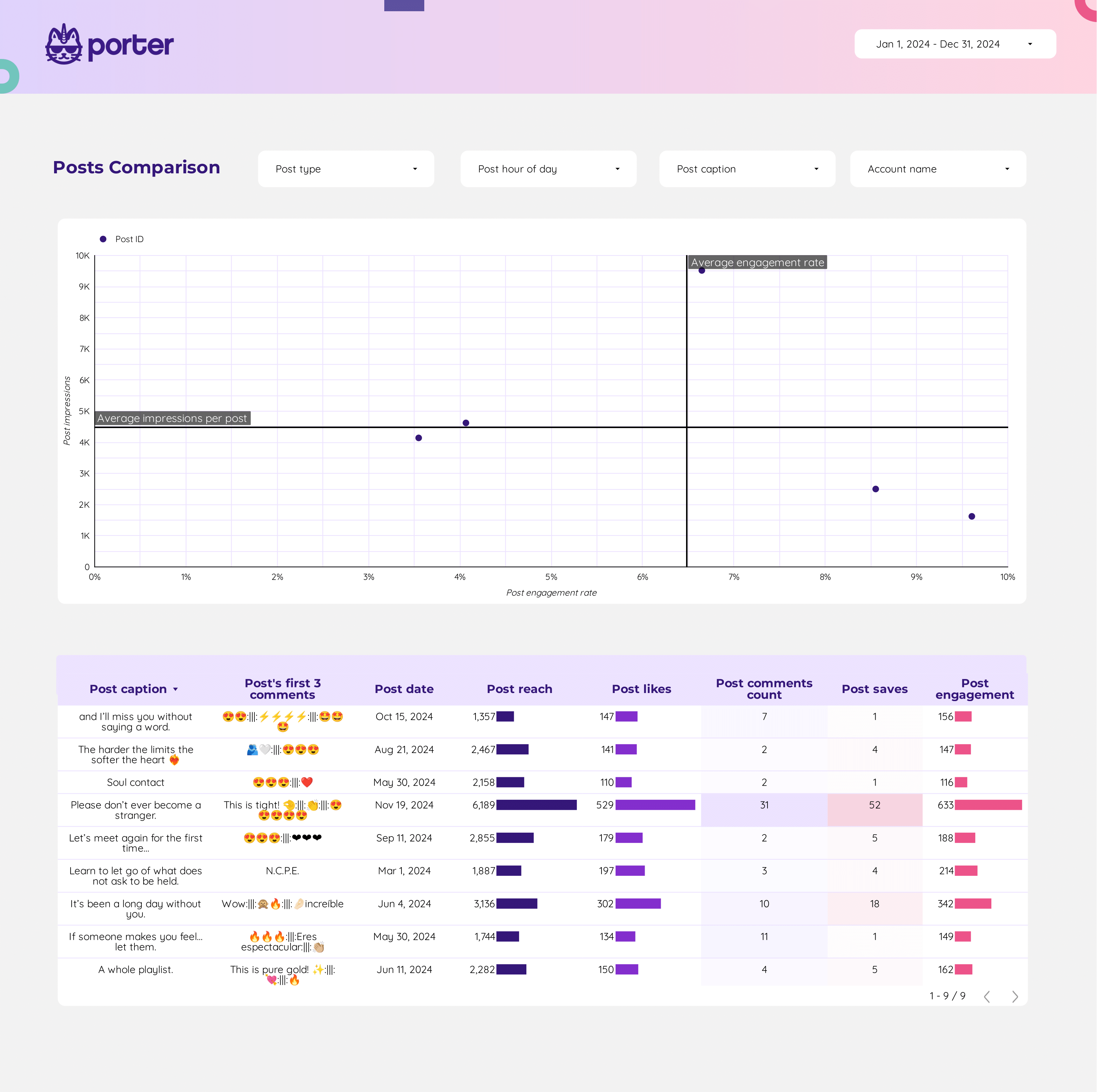
View template →All-in-one post analytics with cross-content type comparison.
View template →See how Porter’s Instagram connector stacks up against generic ETL tools and limited alternatives.
| Feature | Porter No-code marketing data warehouse |
Others Connectors & ETL |
|---|---|---|
| Storage | Read-only OAuth connection — Porter never stores your Instagram data; all processing happens inside Data Studio | Stores your Instagram data in external databases or warehouses you must manage |
| Data syncing | Automatic refreshes with flexible scheduling — hourly to monthly, configurable per report | Manual CSV uploads or rigid daily schedules with no control |
| Attribution | Native cross-platform attribution — blend Instagram with Facebook Ads, GA4, Shopify, and 100+ sources in one dashboard | Instagram isolated from other channels; no cross-platform view |
| Data blending | No-code data blending — drag-and-drop Instagram alongside any other Porter connector | Requires database middleware or SQL knowledge to merge data |
| Destinations | One subscription sends Instagram data to Data Studio, Google Sheets, Claude, and BigQuery | Locked to a single destination — Data Studio only |
Everything you need to turn Instagram Insights into actionable marketing intelligence.
Access every Instagram Insights field — from Total Followers and Engagement Rate to Reel Plays and Story Exits — with no field hidden behind paywalls.
Track Reel Plays, Shares, and Comments alongside Story Impressions, Reach, and Exits. All ephemeral content metrics flow into Data Studio automatically.
Break down followers by age, gender, city, country, and locale. Know exactly who your audience is and when they are online.
Measure Likes, Comments, Saves, Shares, and Engagement Rate per post. Compare photo, video, and carousel performance side by side.
Authenticate through Facebook’s official OAuth flow with read-only permissions. Porter never stores your password or private media.
Schedule refreshes from hourly to monthly. Your Instagram dashboards stay current without manual CSV exports or copy-paste.
Connect multiple Instagram accounts to one dashboard and share reports with clients without exposing source credentials.
Combine Instagram with Facebook Ads, Google Analytics 4, TikTok Ads, Shopify, and 100+ other connectors for unified marketing reports.
LOVED BY 1,500+ MARKETERS
Log in to Porter Metrics, click Create Report, and select Data Studio as your destination.
Choose Instagram Insights from the connector list and click Add Profile to start OAuth authentication.
Log in with your Facebook profile, opt in to all current and future pages, and grant read-only permissions.
Select the Instagram Business or Creator account linked to your Facebook Page from the dropdown.
Choose metrics and dimensions, or load a pre-built Instagram template. Your dashboard refreshes automatically.
Access 104 Instagram metrics and dimensions across 7 categories — from audience demographics to Reels performance — all normalized for easy visualization.
Every metric and dimension from the Instagram Insights API — no field hidden behind paywalls.
Fields are renamed for clarity so anyone on your team can build reports without memorising API names.
Break down by post, Reel, Story, date, hour, and demographic segment for deep-dive analysis.
Engagement Rate and other computed fields are built in — no manual spreadsheet formulas needed.
Blend Instagram fields with Facebook Ads, GA4, and 100+ other connectors in the same dashboard.
All fields stay current with scheduled refreshes — hourly to monthly, your choice.
Porter supports 15+ data sources and 10+ destinations. Mix and match in one subscription, no extra seats or hidden per-destination fees.
Quick fixes for the most common Instagram connector setup and refresh issues.
| Issue | Solution |
|---|---|
| Instagram account not found during setup | Ensure you are using an Instagram Business or Creator account linked to a Facebook Page. Personal accounts cannot access the Instagram Insights API. |
| No data showing after connection | Verify you have Admin or Editor role on the linked Facebook Page. Also confirm the Instagram account has published content in the last 30 days. |
| OAuth token expired or disconnected | Re-authenticate in Porter by clicking Reconnect on your Instagram data source. The Facebook OAuth token refreshes automatically. |
| Metrics missing or incomplete | Instagram Insights API has a 24–48 hour delay for some metrics. For Stories data, check that the story is still within the 24-hour visibility window. |
| API rate limits causing refresh failures | Reduce refresh frequency to daily instead of hourly. If you manage many accounts, upgrade to an Agency plan for higher API quotas. |
| Cannot see Instagram Ads data | Instagram Ads requires a separate Facebook Ads connector. Instagram Insights covers organic metrics only — paid data lives in the Ads API. |
Instagram accounts
Billed annually · $12.5/account







Unlimited 14-day free trial + Free forever plan
Build your first Instagram dashboard in minutes. No credit card, no setup fees, no hidden limits.