Amazon SellerAmazon Seller Data StudioGoogle Data Studio

Free Amazon Seller connector for Data Studio

Connect your Amazon Seller data to Google Data Studio (formerly Looker Studio) for free. Analyse Total Sales, Order Count, Units Shipped, and Inventory Level, with +133 fields, the only Data Studio connector that blends Amazon Seller Central with Amazon Ads and Amazon DSP in a single dashboard for unified profitability reporting, and every Amazon Seller store field.

  • +133 fields — every Amazon Seller field plus calculated metrics like Total Sales, Order Count, and Units Shipped.
  • The only Data Studio connector that blends Amazon Seller Central with Amazon Ads and Amazon DSP in a single dashboard for unified profitability reporting.
  • Send to Data Studio, Google Sheets, Claude, and BigQuery in one subscription.

No credit card required. Cancel anytime.

Amazon Seller dashboard

Trusted by 1,600+ marketers and agencies in 60+ countries

G2 Momentum Leader badge G2 Best Estimated ROI badge G2 Best Relationship badge
Ogilvy Google Partner Loop Dapper Ture Vaulted
★★★★★   4.6 / 5 · 200+ reviews on G2
READY-MADE REPORTS

Launch a Amazon Seller dashboard in minutes

Start with pre-built dashboards designed for Amazon Seller Central. Copy any template, connect your store, and start analyzing sales, inventory, and orders in minutes.

Amazon Seller Central Dashboard Example

Amazon Seller Central Dashboard Example

Pre-built dashboard for Amazon Seller Central analytics.

View template →
Amazon Seller Central Report

Amazon Seller Central Report

Comprehensive report template for Amazon Seller Central.

View template →
Amazon Seller Central Dashboard

Amazon Seller Central Dashboard

Dashboard template for tracking Amazon Seller Central metrics.

View template →
Browse all Amazon Seller templates →
Porter vs Others

Why marketers choose Porter

The only Data Studio connector built for unified Amazon profitability

Feature Porter
No-code marketing data warehouse
Others
Connectors & ETL
StoragePorter hosts your Amazon Seller data automatically — no Snowflake, BigQuery, or middleware setup requiredCompetitors force you to manage external databases or data warehouses to store historical Amazon Seller data
Data syncingPredictable sync schedule with documented refresh frequency for every Amazon marketplaceVague refresh windows like ‘real-time or scheduled’ with no guaranteed frequency or transparency
AttributionNative blending of Amazon Seller Central, Amazon Ads, and Amazon DSP for net-margin reportingAmazon Seller Central isolated from advertising spend — no view of true profitability across channels
Data blendingOne subscription blends multiple Amazon marketplaces and ad accounts into a single Data Studio dashboardManual CSV exports or separate connectors for each marketplace and ad platform
DestinationsSend Amazon Seller data to Data Studio, Google Sheets, BigQuery, and Claude from one connectorLocked into a single destination — Data Studio only or Sheets only

Amazon Seller connector feature checklist

Everything you need to analyze Amazon Seller Central in Data Studio.

01

133 Seller Central Fields

Access every order, item, inventory, and sales dimension including Order Total Amount, Fulfillment Channel, and FBA fulfillable quantity.

02

Multi-Marketplace Support

Connect US, CA, MX, EU, UK, JP, and AU marketplaces. Report across all your stores from one dashboard or filter by individual marketplace.

03

FBA Inventory Tracking

Monitor fulfillable quantity, inbound shipments, reserved units, and damaged inventory without logging into Seller Central.

04

Order-Level Detail

Drill down to individual Amazon Order IDs, SKU-level prices, shipping addresses, and buyer information in Data Studio.

05

OAuth Authentication

Secure one-click login with Amazon Seller Central. No API keys to copy, no credentials to manage manually, no engineering help needed.

06

Live Data Sync

Automated refresh keeps your Data Studio dashboards current without manual CSV uploads or spreadsheet maintenance.

07

Unified Profitability View

The only connector that blends Amazon Seller Central with Amazon Ads and Amazon DSP for true net profitability reporting.

08

Cross-Connector Blending

Combine Amazon Seller data with Shopify, WooCommerce, or Walmart marketplace metrics in a single Data Studio report.

LOVED BY 1,500+ MARKETERS

Trusted by marketers worldwide

Tutorial

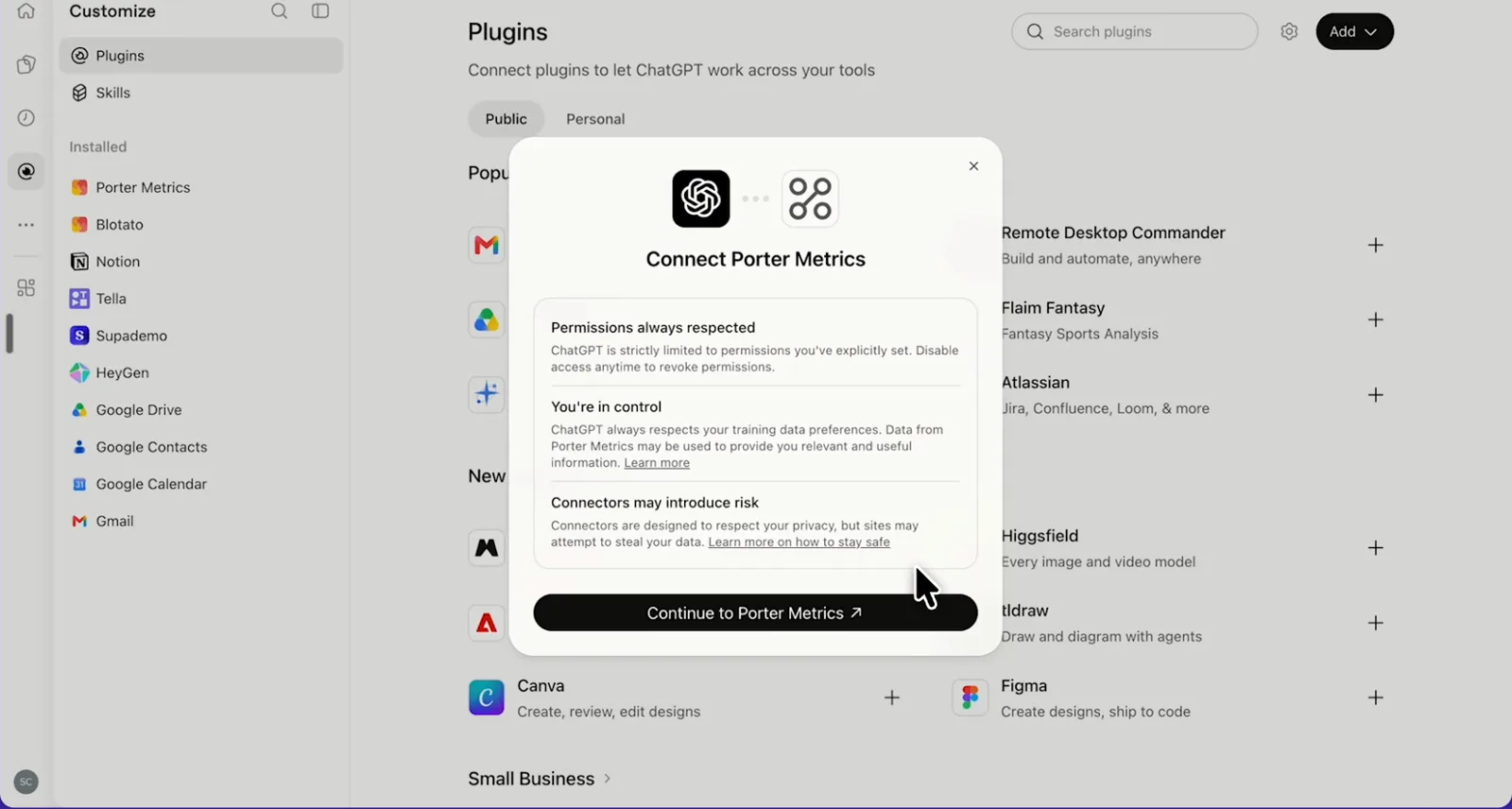
How to connect Amazon Seller to Data Studio

  1. Create your Porter account

    Sign up free at portermetrics.com and select Amazon Seller Central from the connector library.

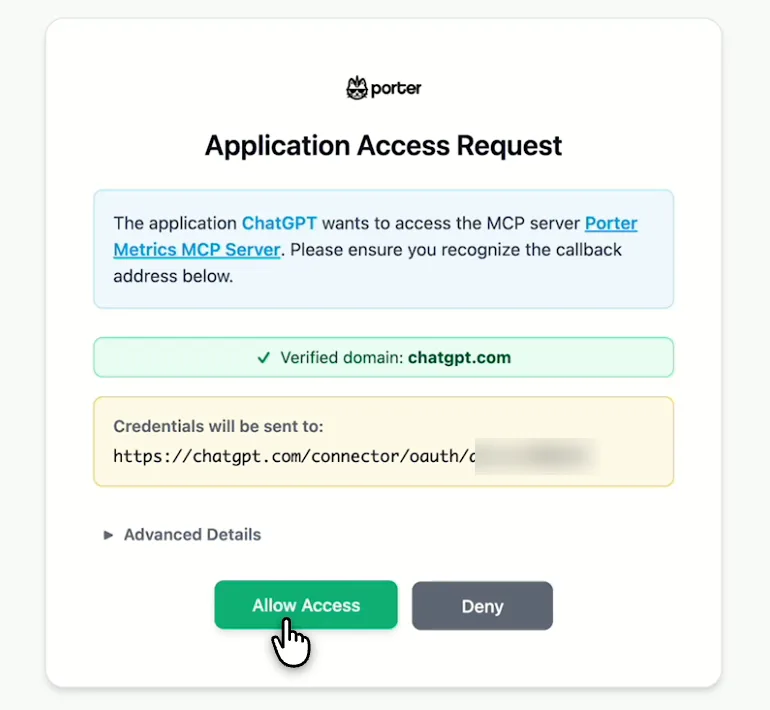
  2. Authenticate your store

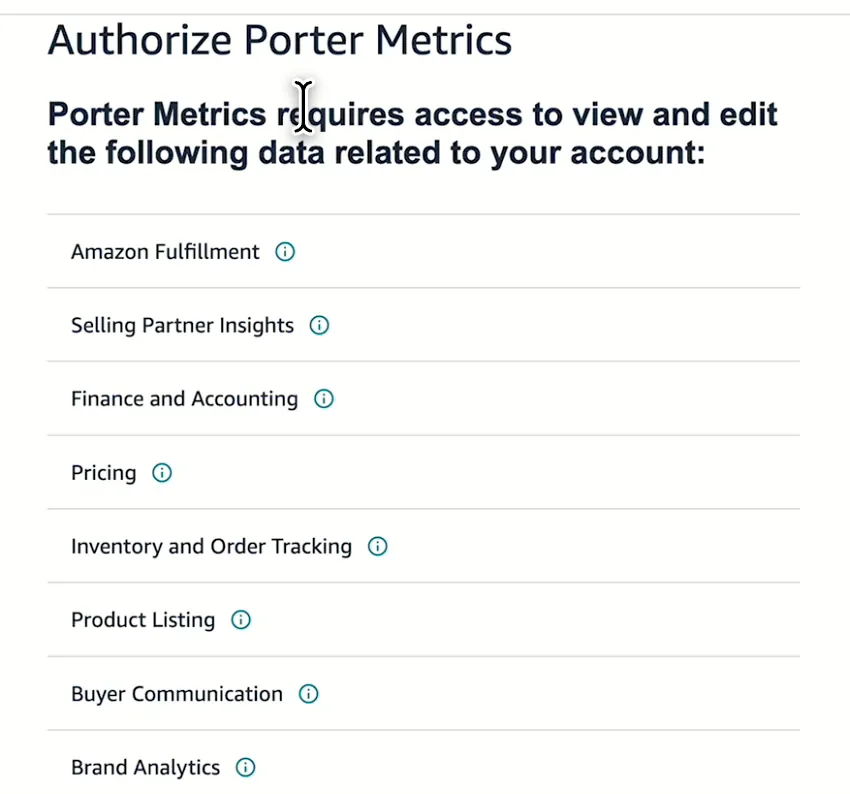
    Log in with your Amazon Seller Central credentials via secure OAuth. No API keys or manual configuration needed.

  3. Choose your marketplaces

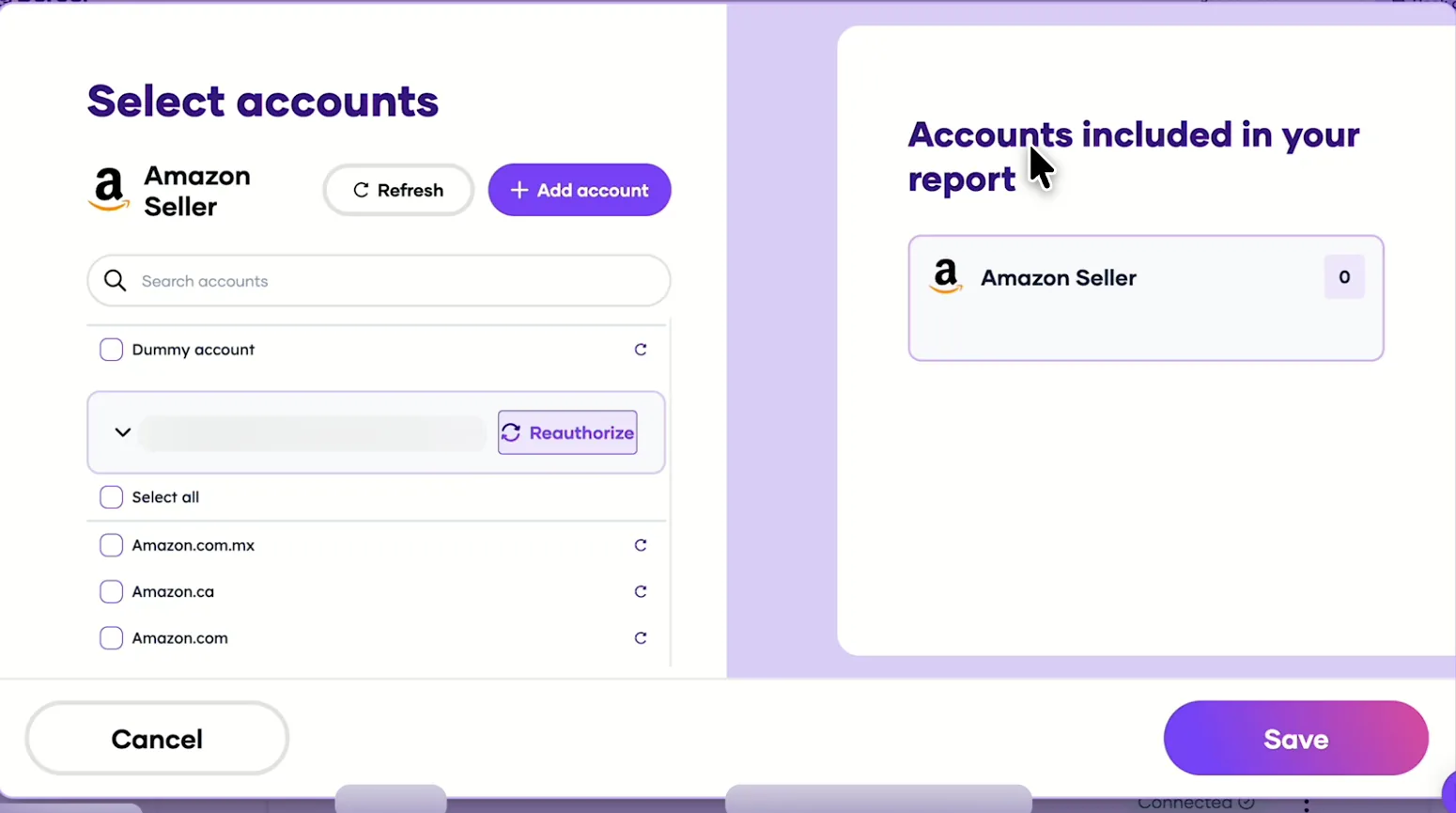
    Select one or more Amazon marketplaces — US, CA, EU, UK, JP, AU — to include in your data source.

  4. Open Data Studio and select Porter

    In Google Data Studio, add a new data source and choose the Porter Metrics Amazon Seller connector.

  5. Build your first report

    Drag and drop 133 fields into charts, apply filters, and share your dashboard with your team or clients.

Full tutorial: How to connect Amazon Seller to Data Studio →
EVERY FIELD YOU NEED

+133 Amazon Seller fields in Data Studio

Porter exposes 133 dimensions and metrics across 9 categories from Amazon Seller Central. Every field is ready to use in Data Studio without writing code or managing APIs.

All 133 Amazon Seller fields

Every order, item, inventory, and sales dimension available out of the box.

Marketer-friendly naming

Field names match Seller Central terminology — no translation layer needed.

Full granularity

Drill from marketplace totals down to individual order IDs and SKUs.

Multi-marketplace support

US, CA, MX, EU, UK, JP, and AU fields all in one schema.

FBA inventory breakdown

Fulfillable, inbound, reserved, and damaged quantities as separate fields.

Date dimensions included

Day, week, month, quarter, year, and custom date groupings ready to chart.

Orders
  • Amazon Order Id
  • Buyer Invoice Preference
  • Cba Displayable Shipping Label
  • Currency code
  • Earliest Delivery Date
  • Earliest Ship Date
  • Easy Ship Shipment Status
  • Electronic Invoice Status
  • Fulfillment Channel
  • Has Regulated Items
  • Is Access Point Order
  • Is Business Order
  • Is Estimated Ship Date Set
  • Is Global Express Enabled
  • Is IBA
  • Is ISPU
  • Is Premium Order
  • Is Prime
  • Is Replacement Order
  • Is Sold By AB
  • Last Update Date
  • Latest Delivery Date
  • Latest Ship Date
  • Marketplace Id
  • Number Of Items Shipped
  • Number Of Items Unshipped
  • Order Channel
  • Order Status
  • Order Total Amount
  • Order Type
  • Promise Response Due Date
  • Purchase Date
  • Replaced Order Id
  • Sales Channel
  • Seller Order Id
  • Ship Service Level
  • Shipment Service Level Category
Items
  • ASIN
  • COD Fee
  • COD Fee Discount
  • Condition Id
  • Condition Note
  • Condition Subtype Id
  • Deemed Reseller Category
  • Ioss Number
  • Is Gift
  • Is Transparency
  • Item Price
  • Item Tax
  • Monetary Value Of Points Granted
  • Number Of Items
  • Numbers Of Points Granted
  • Order Item Id
  • Price Designation
  • Promotion Discount
  • Promotion Discount Tax
  • Promotion Ids
  • Quantity Ordered
  • Quantity Shipped
  • Scheduled Delivery End Date
  • Scheduled Delivery Start Date
  • Seller SKU
  • Serial Number Required
  • Serial Numbers
  • Shipping Discount
  • Shipping Discount Tax
  • Shipping Price
  • Shipping Tax
  • Store Chain Store Id
  • Tax Collection Model
  • Tax Collection Responsible Party
  • Title
FBA Inventory
  • Inventory Last Updated Time
  • Carrier Damaged Quantity
  • Customer Damaged Quantity
  • Defective Quantity
  • Distributor Damaged Quantity
  • Expired Quantity
  • FC Processing Quantity
  • Fulfillment Network SKU
  • Fulfillable Quantity
  • Inbound Receiving Quantity
  • Inbound Shipped Quantity
  • Inbound Working Quantity
  • Pending Customer Order Quantity
  • pending Transshipment Quantity
  • Product Name
  • Product Type
  • Total Quantity
  • Total Researching Quantity
  • Total Reserved Quantity
  • Total Unfulfillable Quantity
  • Warehouse Damaged Quantity
Shipping Addresses
  • Shipping Address Line 1
  • Shipping Address Line 2
  • Shipping Address Line 3
  • Shipping Address Address Type
  • Shipping Address City
  • Shipping Address Country Code
  • Shipping Address Country Name
  • Shipping Address County
  • Shipping Address District
  • Shipping Address Municipality
  • Shipping Address Name
  • Shipping Address Phone
  • Shipping Address Postal Code
  • Shipping Address State Or Region
Date
  • Date
  • Day of week (Mon – Sun)
  • Hour of day
  • Month
  • Quarter
  • Week
  • Year
  • Month and year
  • Quarter and year
  • Week and year
Buyers
  • Buyer County
  • Buyer Email
  • Buyer Name
  • Buyer Purchase Order Number
  • Buyer Tax Company Legal Name
  • Buyer Taxing Region
Sales
  • Average Unit Price
  • Order Count
  • Order Item Count
  • Total Sales
  • Unit Count
Listing Items
  • Listing Created Date
  • Listing Item Status
  • Main Image
  • Main Image URL
Sellers
  • Seller Display Name
See all 133+ Amazon Seller fields documentation →
Explore more

Other connectors & destinations

Porter supports 15+ data sources and 10+ destinations. Mix and match in one subscription, no extra seats or hidden per-destination fees.

Troubleshooting

Common Amazon Seller connector issues

Quick fixes for the most common Amazon Seller + Data Studio problems.

IssueSolution
My Data Studio dashboard shows fewer orders than Seller CentralCheck your date range and marketplace filters. Porter reports per marketplace by default — aggregate across marketplaces or match the exact date window in Seller Central for an apples-to-apples comparison.
Amazon Seller Central authentication keeps expiringRe-authenticate through Porter’s OAuth flow. Amazon tokens refresh automatically, but manual re-auth may be required after password changes or security updates in Seller Central.
Inventory levels in Data Studio do not match FBA inventoryFBA inventory updates on a different cycle than orders. Verify you are viewing the same snapshot date, and remember that inbound, reserved, and damaged quantities are broken out separately in Porter.
Data Studio times out when loading large date rangesReduce the date range in your report or add a date control filter. For historical backfill, request data in 90-day chunks rather than multi-year spans.
Currency values look wrong for EU or UK marketplacesPorter returns the native currency per marketplace. Use Data Studio’s calculated fields or blend with a currency conversion table to standardize to USD or your reporting currency.
I cannot find Amazon Ads or DSP metrics in my Seller dashboardAmazon Ads and DSP require separate Porter connectors. Add them as additional data sources in Data Studio, then blend the data using Porter’s cross-connector functionality.
Pricing

Start free. Pay per Amazon Seller store

  • Unlimited 14-day free trialConnect any number of data source accounts — no credit card.
  • Free forever planPer account: up to 3 connected accounts with 30-day history.
  • Other destinations includedYour subscription sends data to Data Studio, Google Sheets, BigQuery, Slack and Claude/ChatGPT.
  • Unlimited usersNo extra cost per team member or seat.
Monthly Annual Save 17%

Amazon Seller stores

$12.5 /mo

Billed annually · /account

Destinations included
Claude
ChatGPT
Data Studio
Google Sheets
Slack
Zapier
Power BI
Start for free →

Unlimited 14-day free trial + Free forever plan

FAQ

Common questions.

How do I connect Amazon Seller Central to Data Studio?
Create a free Porter account, select Amazon Seller Central, authenticate via OAuth, choose your marketplaces, then add the Porter connector in Google Data Studio. Your first dashboard can be live in under 10 minutes.
What metrics can I pull from Amazon Seller Central into Data Studio?
Porter exposes 133 fields across 9 categories: Orders, Items, FBA Inventory, Shipping Addresses, Buyers, Sales, Listing Items, Sellers, and Date dimensions. Key metrics include Total Sales, Order Count, Units Shipped, and Inventory Level.
How often does Amazon Seller Central data refresh in Data Studio?
Porter syncs Amazon Seller Central data on a predictable schedule with transparent refresh frequency. Your Data Studio dashboards update automatically without manual CSV exports.
Can I combine Amazon Seller Central data with Amazon Ads in one dashboard?
Yes. Porter is the only Data Studio connector that blends Amazon Seller Central, Amazon Ads, and Amazon DSP data in a single dashboard for unified profitability reporting.
Does Porter support multiple Amazon marketplaces in the same report?
Yes. Connect US, CA, MX, EU, UK, JP, and AU marketplaces. You can report across all stores in one dashboard or filter by individual marketplace.
How much historical data can I backfill from Amazon Seller Central?
Porter backfills historical data on first connect. Exact depth depends on Amazon API limits, but you can typically retrieve multi-year order and sales history.
Is there a free trial for the Amazon Seller Central Data Studio connector?
Yes. Porter offers a free trial with no credit card required. Connect your store, build reports, and evaluate the full 133-field schema before subscribing.
Why do my Data Studio numbers differ from Amazon Seller Central?
Differences usually come from timezone handling, marketplace filtering, or date-range alignment. Porter documents known API discrepancies and recommends date-range settings for accurate comparisons.
Start in under 5 minutes

Connect your Amazon Seller to Data Studio

Start your free Amazon Data Studio dashboard

No credit card · Cancel anytime · Used by 1,600+ marketers