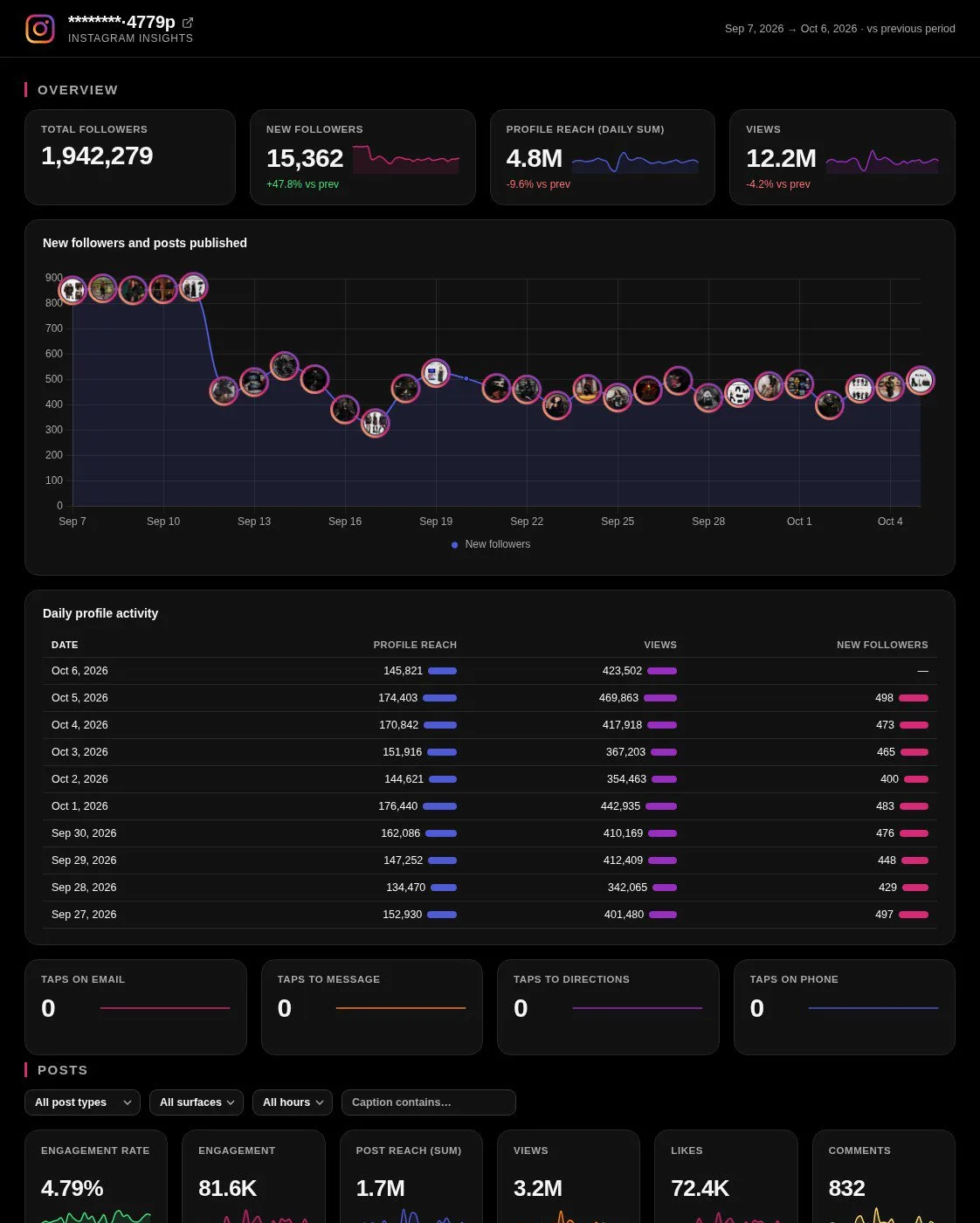



Claude can do far more with Instagram than write captions. Once your account is connected through Porter’s free MCP connector, Claude reads your real posts, Reels and followers, compares formats, suggests ideas from what your audience saved, and replies to comments or publishes posts after you approve. Here are 10 ways, each with a prompt you can paste.
Before you start
- An Instagram Business or Creator account linked to a Facebook Page.
- Instagram connected to Claude through Porter. It takes about 5 minutes and is free: follow how to connect Instagram to Claude, or paste this URL in Claude under Customize, Connectors, Add custom connector.
- On Porter’s Free plan Claude sees the last 15 days, so every prompt below asks for 14 days.
https://mcp.portermetrics.com/mcp1. Find your best posts
Start with the question you answer every month: which posts worked. Claude pulls each post with its reach, saves and comments and tells you what the winners share, so you stop sorting exports by hand.
List my Instagram posts from the last 14 days sorted by reach, with saves and comments in the same table. Tell me which 3 did best and what they have in common.Look at saves, not just likes. A save is someone telling you the post was useful.
2. Compare Reels, carousels and images
Before you plan next month, check which format earns its effort. Claude groups your posts by type and compares averages, so one viral Reel doesn’t hide that carousels get saved more.
Group my Instagram posts from the last 14 days by type (Reel, carousel, image) and compare average reach, saves and comments. For Reels add plays and shares. Which format should I post more?Shares exist only for Reels on Instagram, so ask for them only there.
3. Track new followers day by day
Follower totals hide what happened. Ask for new followers per day and Claude lines the spikes up with what you posted that day.
Show my new Instagram followers day by day for the last 14 days, mark the spikes and tell me what I posted on those days.4. Find the best time to post
Instagram records when your followers are online. Claude reads it by hour and gives you the best slots, instead of a generic chart from a blog.
At what hours of the day are my Instagram followers most online? Give me the 3 best hours.Instagram gives these hours without a time zone, so check them against what you know about your audience before you change your calendar.
5. Get content ideas from your own saves
Generic AI ideas sound like everyone else. Ideas built on the posts your audience already saved and commented on sound like you.
Review my Instagram posts from the last 14 days. Which topics and formats got the most saves and comments? Give me 5 ideas for next week, each with a hook, a format and the post it is based on.6. Turn your best post into a carousel
Claude can design the slides too. Start from the post your audience saved most and ask for a carousel at Instagram’s portrait size, then export the slides as images.
Take my most-saved Instagram post from the last 14 days and turn it into a 7-slide carousel at 1080 x 1350: a hook on slide 1, one idea per slide and a call to action at the end. Show it as a design, then export it as 7 PNG images.To export images, turn on Settings, Capabilities, Create and edit files in Claude. Full walkthrough: how to create an Instagram carousel with Claude.
7. Check competitors and creators
Before you copy a competitor or pay a creator, compare their public numbers. Claude looks up public Business and Creator accounts by username, using your own connected account.
Compare these public Instagram accounts: @account1, @account2 and @account3. Show followers, posts per week and average likes and comments on their last 12 posts. Which one has the best engagement for its size?Only public Business or Creator accounts return data. For a full walkthrough, see how to analyze public Instagram accounts in Claude.
8. Reply to comments
Claude reads the comments on your posts, drafts replies in your tone and posts each one only after you approve it. It can also hide a comment when you ask.
Show the comments on my last 5 Instagram posts that I haven't replied to yet, and draft a short, friendly reply for each in my usual tone. Don't post anything until I approve.Each reply Claude posts counts as one AI credit in Porter. The Free plan includes 100 credits a month, and reads are free.
9. Publish a post or carousel
Claude can publish a photo, a Reel or a carousel to your account through Instagram’s official API, after you approve the caption and the media. The images need a public link, such as a file you host on your site.
Publish this image to my Instagram with the caption below. Show me the final caption and the image before you post, and wait for my OK: (image link) (caption)Instagram allows up to 50 API posts per account every 24 hours. Claude publishes when you approve; it doesn’t schedule posts for later.
10. Build a dashboard that updates itself
When the same report goes to your boss or client every week, ask for a dashboard instead of a chat answer. It lives at its own link and refreshes on its own.
Build an Instagram dashboard with reach, new followers, saves, a daily trend and a table of my posts from the last 14 days.Prefer a ready-made layout? Start from the free Instagram dashboard template.
Want some of these to run on their own? See how to automate Instagram with Claude.
Two more: edit Reels and save your report as a skill
Edit Reels with Instagram Edits
Instagram’s Edits app for Mac has an automation server that Claude Code can control. Turn it on under Settings, Automation, copy the Claude Code line into Terminal, and ask Claude to cut silences, add captions and export. It needs a Mac with Apple silicon and Claude Code, which runs on a paid Claude plan. It edits only; you still publish the Reel yourself.
Turn your weekly report into a skill
If you send Claude the same report request every week, save it as a skill under Customize, Skills. Then “do my weekly Instagram report” is enough, and Claude knows which metrics to pull and how to compare them with the week before.
What Claude can’t do with Instagram
- Direct messages: Porter doesn’t read or answer Instagram DMs.
- Scheduling: Claude publishes when you approve; it doesn’t queue posts for later.
- Personal accounts: your account must be Business or Creator, and so must any public account you look up.
- Impressions: Meta retired impressions for Instagram, so Claude reports reach and views instead.
Is it safe? Can my account get banned?
Porter connects through Instagram’s official API, the same one scheduling and analytics tools use. It doesn’t scrape Instagram or sign in as you, and it posts or replies only when you approve. You can remove access at any time from Porter or from your Meta settings.
Frequently asked questions
Can I use Claude to post on Instagram?
Yes. With Porter connected, Claude can publish a photo, Reel or carousel to your Business or Creator account after you approve the caption and the media. Instagram allows up to 50 API posts per account every 24 hours.
Can Claude make Instagram Reels?
Claude can write the script and hook, and with Instagram’s Edits app for Mac, Claude Code can edit the video: cut silences, add captions and export. You publish the Reel yourself.
Can Claude access my Instagram account?
Only after you connect it. Claude has no Instagram access of its own; Porter’s connector gives it your posts, Reels, Stories and follower data through Instagram’s official API, and you can remove access any time.
Can Claude analyze Instagram?
Yes. Once connected, Claude reads reach, saves, comments, plays and new followers for your posts and compares them by format, day or hour. On the Free plan it sees the last 15 days.
Is using Claude with Instagram free?
Porter’s Free plan never expires and covers the last 15 days of Instagram data in Claude, plus 100 AI credits a month for changes like replies and posts. Claude’s Free plan lets you add one custom connector.