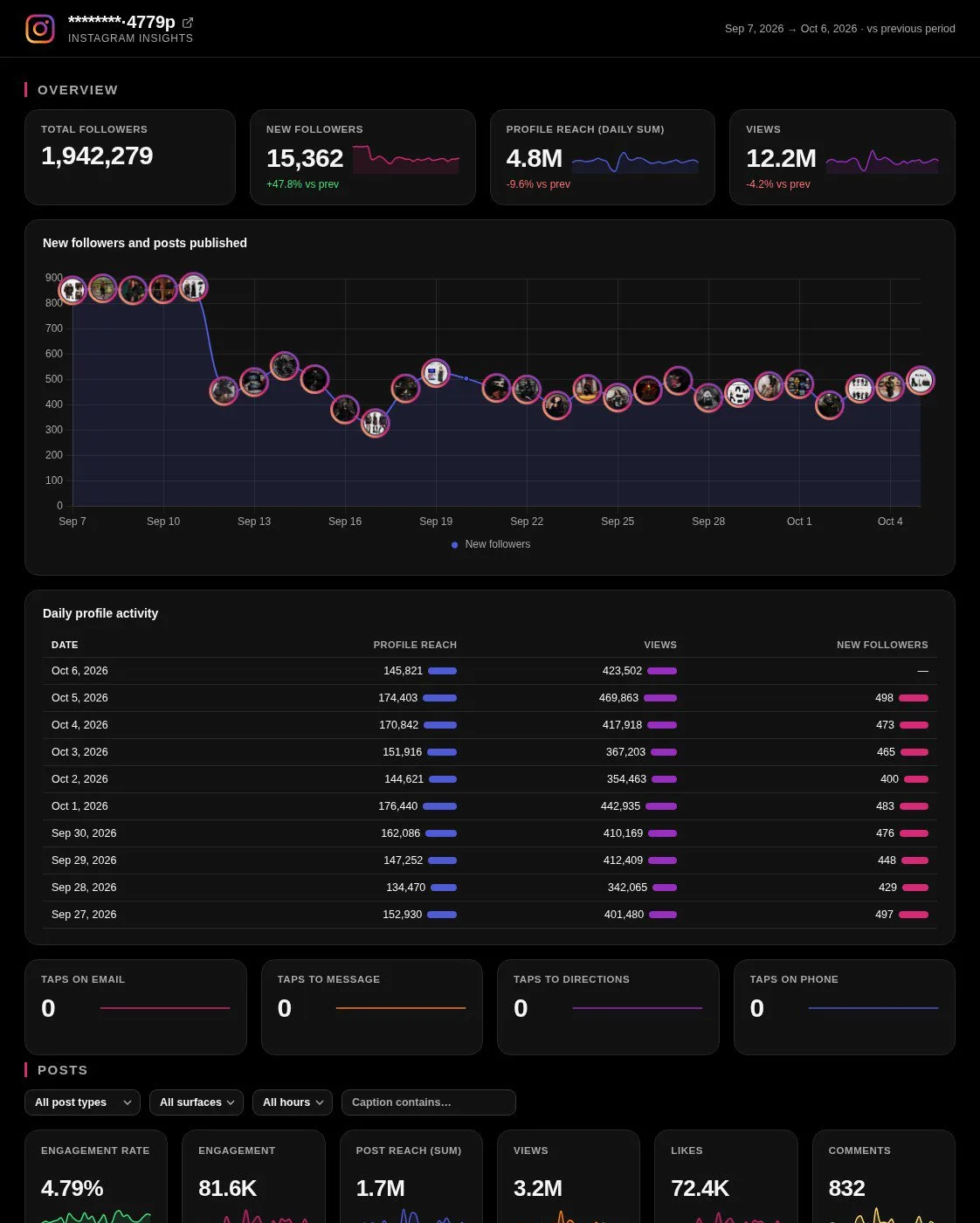



- Email yourself a weekly Instagram report
- Get a morning digest of yesterday’s posts
- Keep a dashboard that updates itself
- Clear your comments in one pass
- Publish a week of posts in one sitting
- Turn your weekly report into a skill
- Repurpose your best post every week
- Watch your competitors monthly
- Send your Instagram data to Sheets or BigQuery on a schedule
- Edit Reels with Instagram Edits and Claude Code
Claude doesn’t run in the background on its own, but with Porter connected it can set up work that does: reports that email themselves, a morning digest, dashboards that refresh and exports that fill a sheet. Other tasks become one-sentence jobs you run in a minute, like clearing comments or publishing a week of posts. Here are 10, each with a prompt.
Before you start
- An Instagram Business or Creator account linked to a Facebook Page.
- Instagram connected to Claude through Porter, free and about 5 minutes: how to connect Instagram to Claude.
- New to it? Start with the 10 ways to use Claude for Instagram, then automate the ones you repeat.
https://mcp.portermetrics.com/mcpWhat “automate” means here
| Type | Runs | Examples below |
|---|---|---|
| On a schedule | On its own, at the day and hour you set | Weekly email report, morning digest, Sheets export |
| Always on | Refreshes by itself | Live dashboard |
| One prompt | When you ask, in about a minute | Comments, publishing, skill, repurposing, competitors, Reels |
1. Email yourself a weekly Instagram report
Build the report once in Claude, then have Porter email it every Monday at 8. Nobody has to remember to pull the numbers, and the client or your boss gets the same view every week.
Build an Instagram report with reach, new followers, saves and my top posts for the last 7 days compared with the 7 before. Then email it to me every Monday at 8 am, my time zone.Scheduled delivery is by email. Slack and Teams aren’t supported yet.
2. Get a morning digest of yesterday’s posts
A routine is Porter doing a small piece of work on its own every morning: check yesterday’s posts against your usual numbers and flag anything unusual. You set the days, the hour and the time zone.
Every weekday at 9 am, my time zone, check my Instagram posts from yesterday against my 14-day average for reach and saves, and email me the ones that were well above or below it.You can pause or delete a routine at any time. Ask Claude to show you its past runs to check it worked.
3. Keep a dashboard that updates itself
Instead of rebuilding the same view, publish it once. The dashboard lives at its own link and refreshes with new data, so the team always opens the current numbers.
Build an Instagram dashboard with reach, new followers, saves, a daily trend and a table of my posts from the last 14 days, and give me a link I can share.Starting from a layout? Use the free Instagram dashboard template.
4. Clear your comments in one pass
Claude gathers the comments you haven’t answered across your recent posts and drafts every reply in your tone. You approve them in one go, and it can hide spam when you ask.
Find the comments on my last 10 Instagram posts that I haven't replied to. Draft a short reply for each in my usual tone and list any that look like spam. Don't post or hide anything until I approve.Each reply posted uses one AI credit. Porter’s Free plan includes 100 credits a month; reading comments is free.
5. Publish a week of posts in one sitting
Prepare the captions and media for the week, review them together, then let Claude publish each one when you say go. It publishes now, after your OK; it doesn’t queue posts for later.
Here are 3 posts with their image links and captions. Show me each one as it will appear, then publish them one by one after I approve each.Instagram allows up to 50 posts through its API per account every 24 hours. Images need a public link.
6. Turn your weekly report into a skill
A skill saves the instructions for a task you repeat. Once your weekly report is a skill, “do my weekly Instagram report” is enough: Claude knows which metrics to pull, what to compare and how to lay it out.
Do my weekly Instagram report.Create or upload skills in Claude under Customize, Skills.
7. Repurpose your best post every week
Every Monday, ask Claude to take last week’s most-saved post and turn it into new formats: a carousel, a Reel script and a caption for another angle. One prompt gives you three pieces built on proven content.
Take my most-saved Instagram post from the last 7 days and turn it into a 7-slide carousel outline, a 30-second Reel script with a hook in the first 2 seconds, and a new caption from a different angle.8. Watch your competitors monthly
Claude can pull the public profile of any Business or Creator account through your own connected account: followers, posting rhythm, format mix and likes and comments per post. Turn it into a report you refresh once a month.
Analyze the public Instagram account @competitor: followers, posts per week over its last 50 posts, format mix, and its top 5 posts by likes and comments. Build it as a report I can share.Instagram doesn’t publish a competitor’s reach, saves or follower history, so Claude compares likes and comments. See how to analyze public Instagram accounts in Claude.
9. Send your Instagram data to Sheets or BigQuery on a schedule
If your team works in spreadsheets or a warehouse, save the query once and export it on a schedule, so the sheet fills itself every day.
Save my daily Instagram reach, new followers and post saves as a recurring export to Google Sheets, updated every day.10. Edit Reels with Instagram Edits and Claude Code
On a Mac, Instagram’s Edits app has an automation server Claude Code can control. Turn it on under Settings, Automation, paste the Claude Code line into Terminal, and ask Claude to cut silences, add captions and export.
In the project open in Edits, remove silences and filler words, add automatic captions and a title in the first 2 seconds, and export it vertically.It needs a Mac with Apple silicon and Claude Code, which runs on a paid Claude plan. It edits only; you publish the Reel yourself.
What you can’t automate yet
- Scheduling posts for later: Claude publishes when you approve, not at a future time.
- Direct messages: Porter doesn’t read or answer Instagram DMs.
- Replies without approval: every reply or post waits for your OK.
- Slack or Teams delivery: scheduled reports go by email.
Can automating Instagram get my account banned?
The risk comes from tools that scrape Instagram or log in as you. Porter uses Instagram’s official API, the same one scheduling and analytics tools use, stays within Instagram’s limits (such as 50 API posts every 24 hours) and changes nothing without your approval. You can remove access at any time from Porter or from your Meta settings.
Frequently asked questions
Can Claude automate Instagram?
Yes, with Porter connected. It can set up reports that email themselves, a daily digest, dashboards that refresh and scheduled exports, and it turns tasks like replying to comments or publishing into one prompt you approve.
Can Claude schedule Instagram posts?
Not for a future time. Claude publishes a post, Reel or carousel when you approve it. To publish several, review them together and approve each one.
Can Claude reply to Instagram comments automatically?
Claude drafts replies to your unanswered comments in your tone, and posts each one only after you approve it. It can also hide spam comments when you ask.
Can Claude manage Instagram DMs?
No. Porter’s Instagram connector doesn’t read or answer direct messages.
Is Instagram automation with Claude free?
Porter’s Free plan never expires and covers the last 15 days of Instagram data in Claude, plus 100 AI credits a month for changes such as replies and posts. Editing Reels with Claude Code needs a paid Claude plan.