Google Sheets logo GOOGLE SHEETS BigQuery logo BIGQUERY

Connect Google Sheets to BigQuery .
100% no-code.

The AI-native connector for marketers, not engineers.

  • Prompt your queries and custom fields in natural language

  • Auto-blend Google Sheets with 20+ sources

  • Create, preview, and publish in 15 minutes

  • 14-day free trial + free-forever plan

Book a demo

We’ll set up your first sync, free

14-day free trial

No credit card required

1,500+ marketing teams and agencies

Connect Google Sheets to Google BigQuery

How It Works

1

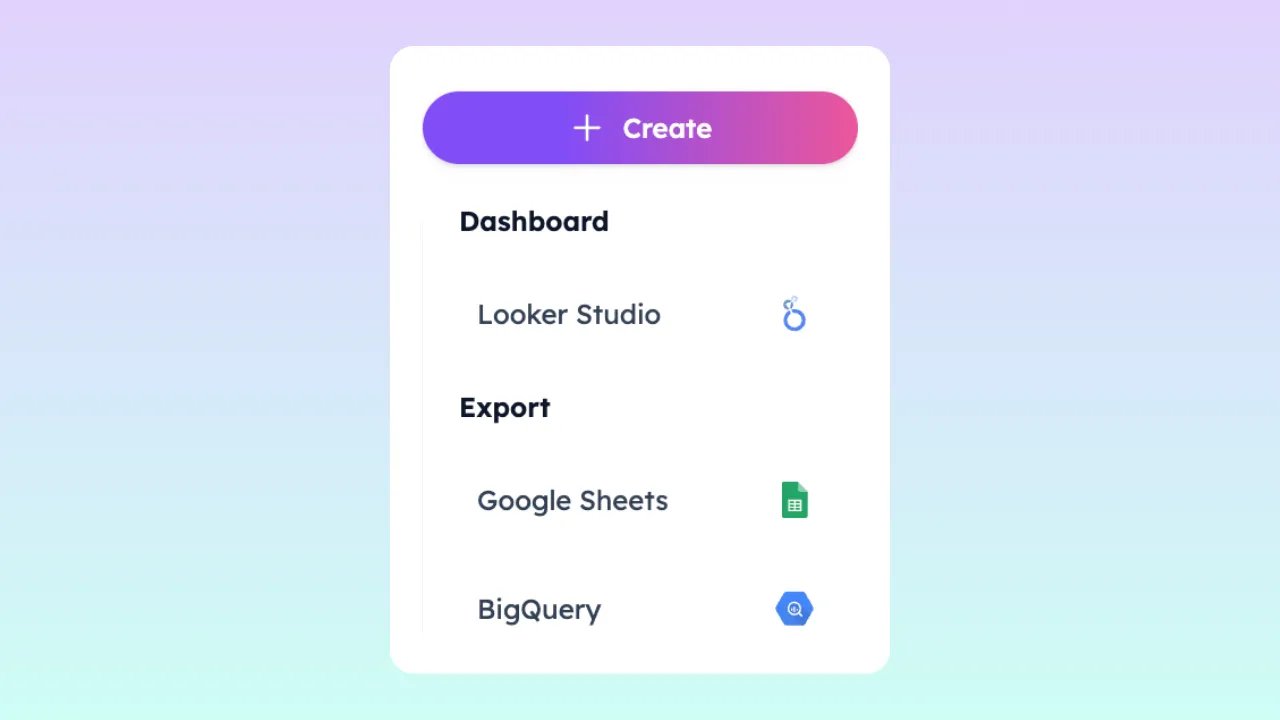
Export Google Sheets to BigQuery—or anywhere

Under one subscription, send Google Sheets data to BigQuery, Looker Studio, Google Sheets, Slack, or Zapier. Build dashboards, reports, alerts, notifications, and AI workflows.

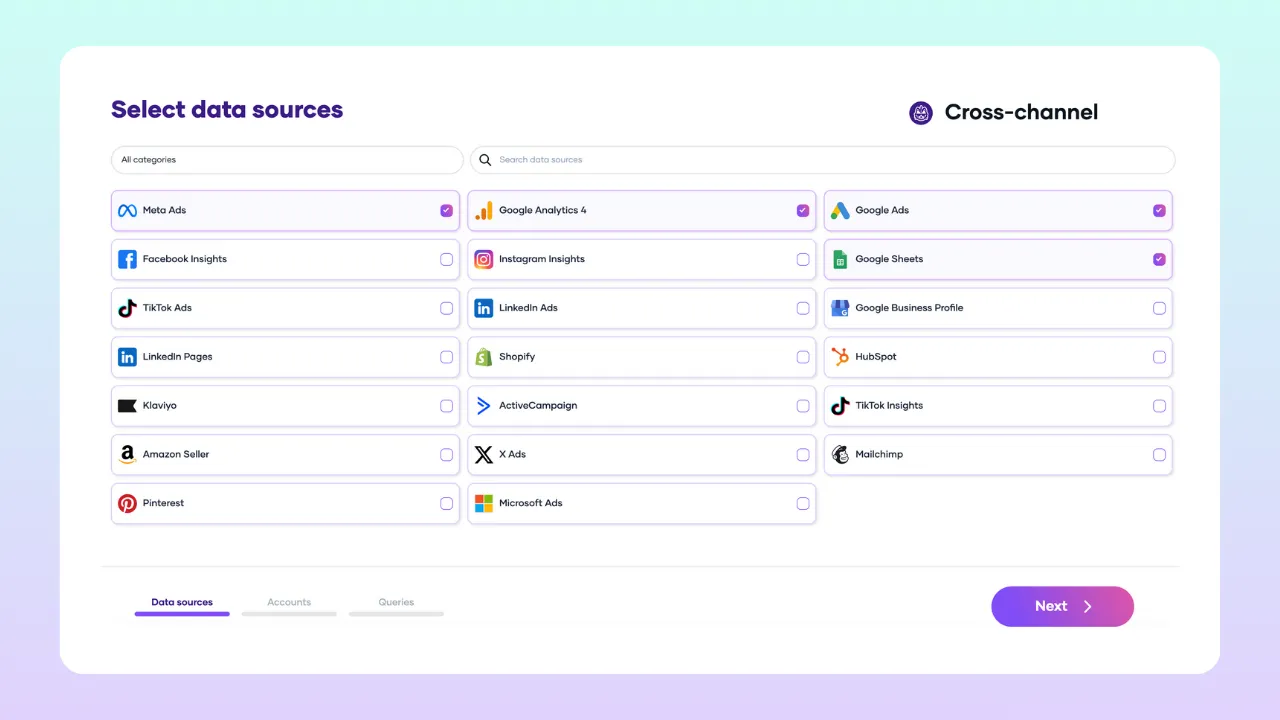
Select data sources interface
2

Connect multiple data sources

Select from 22 data sources: Google Ads, GA4, LinkedIn Ads, TikTok Ads, HubSpot, and more. Porter maps UTMs, campaign names, and performance metrics across channels automatically. No SQL joins.

Connect multiple data sources dashboard
3

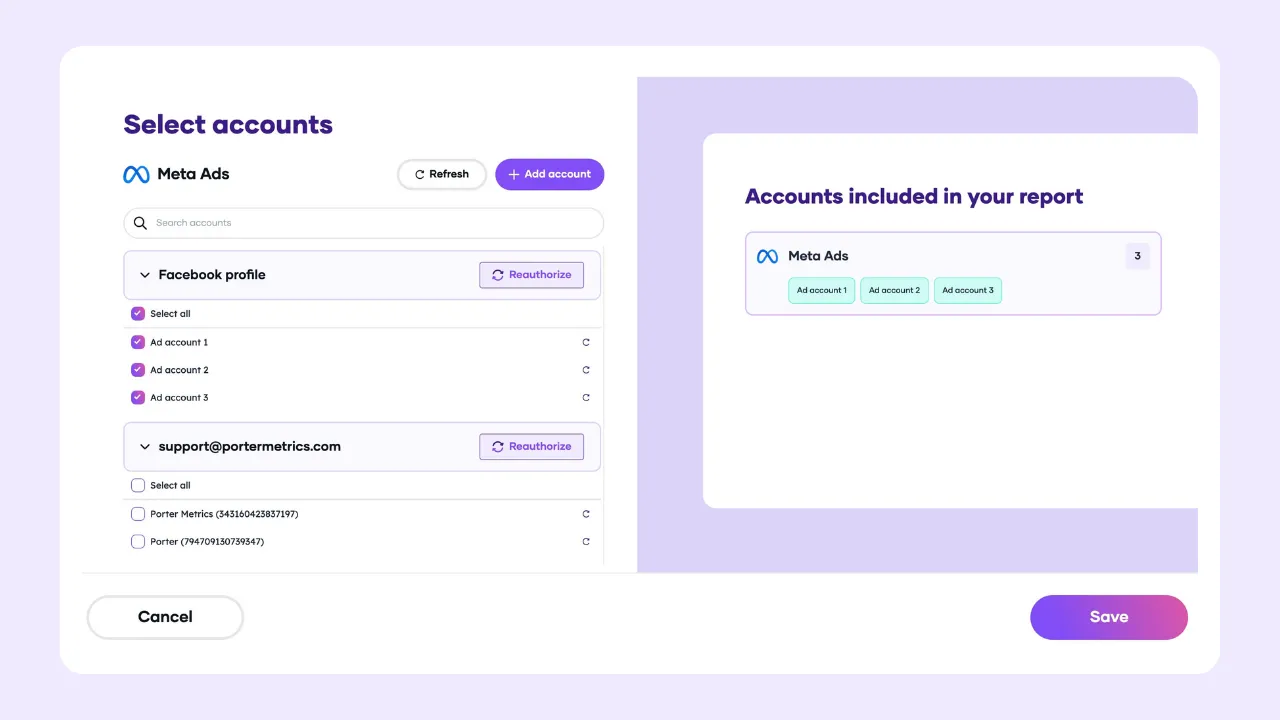
Consolidate multiple Google Sheets accounts

Connect multiple Google Sheets from your Drive. Consolidate dozens of accounts across brands, regions, or clients into one BigQuery table. Built for agencies and enterprise teams at scale.

Select multiple Google Sheets accounts interface
4

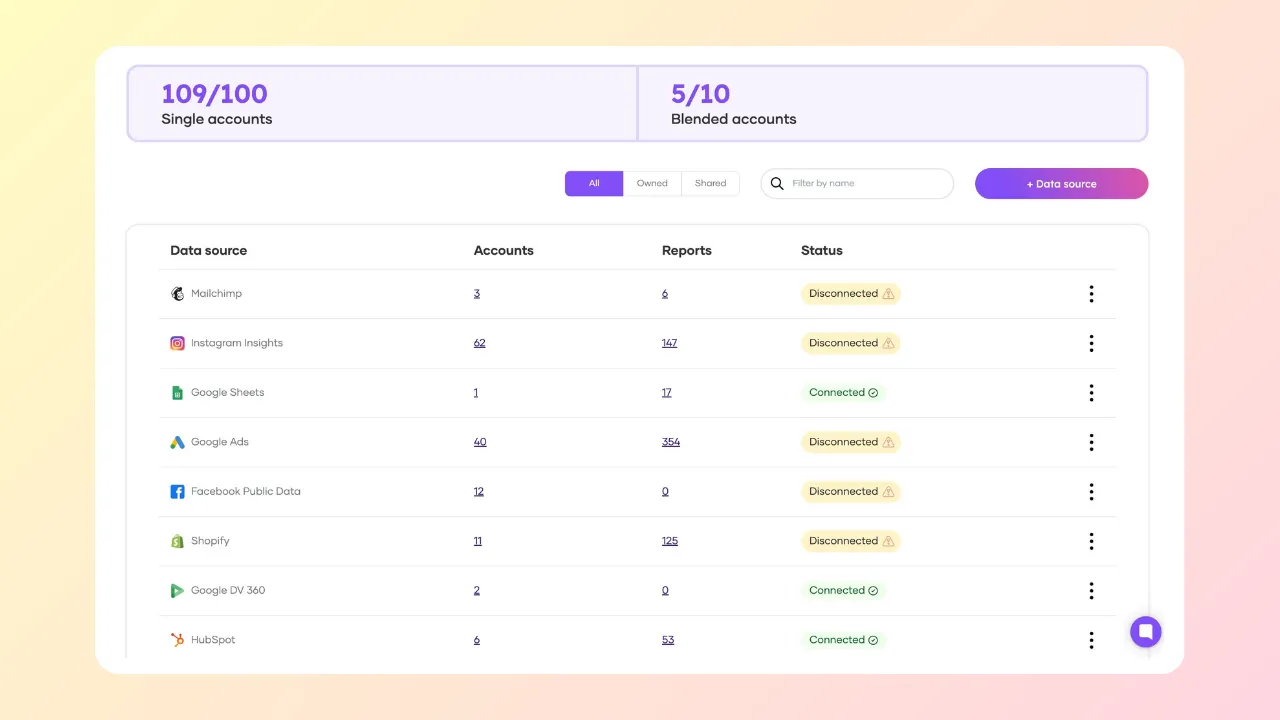
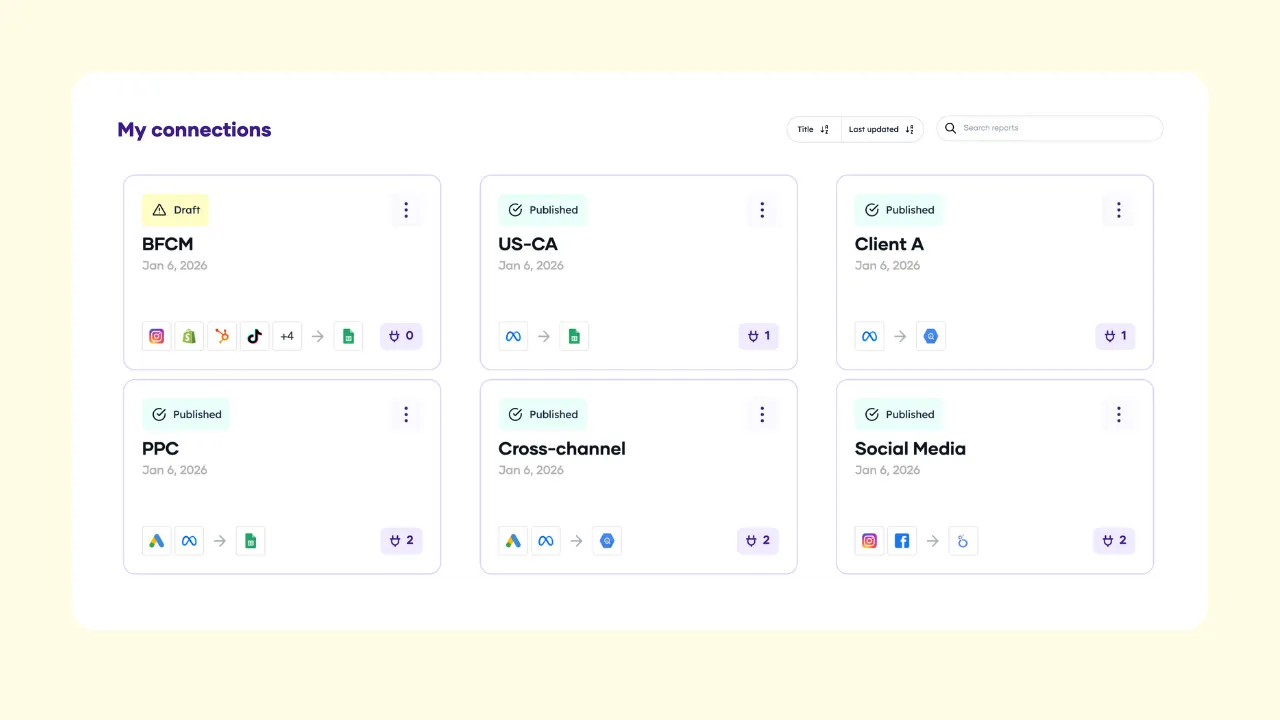
Manage your data sources

Name, duplicate, delete connections, accounts, queries, and custom fields to manage multiple clients, brands, campaigns, or regions.

Manage data sources dashboard
5

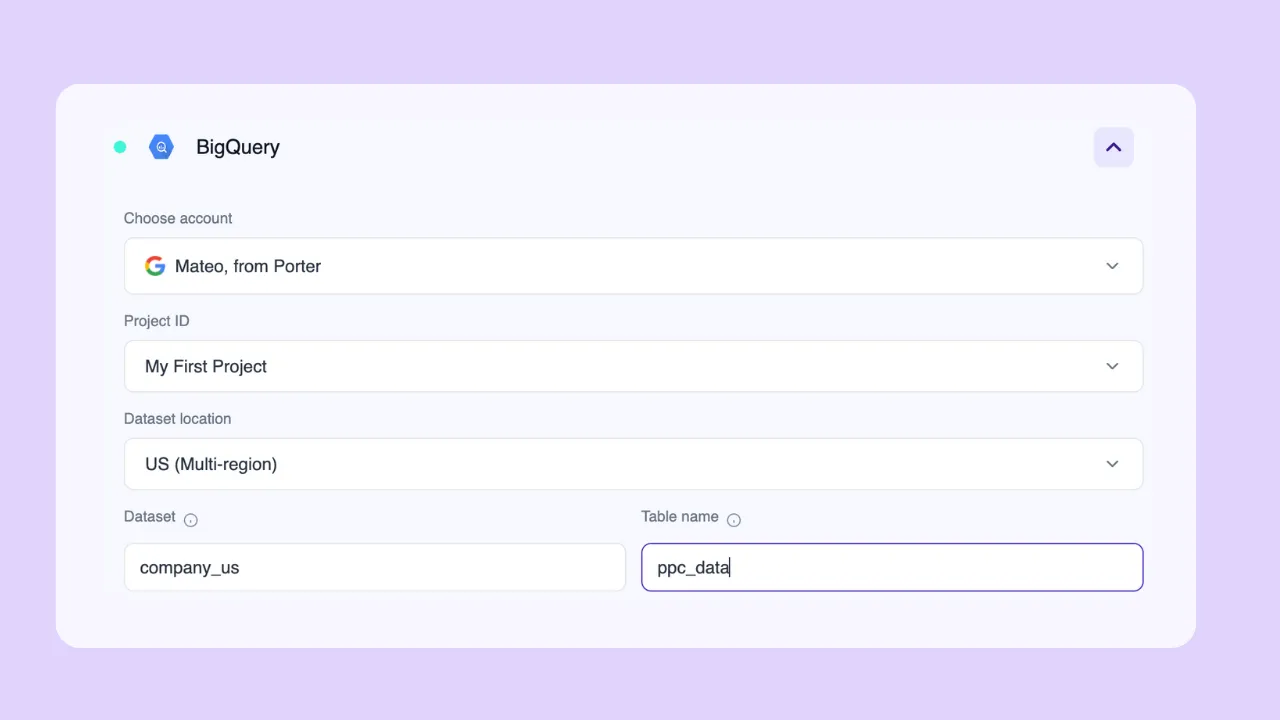
Three ways to connect to BigQuery

  • Google login: Sign in with Google and Porter auto-lists your BigQuery Project IDs. Select project, dataset location (US, EU, US-Central), name your dataset and table.

  • Service account (JSON): Upload your credentials. No Workspace admin approval needed.

  • New to BigQuery? Set up your first project automatically—no Google Cloud console, no billing, no technical setup. Create your report in Looker Studio directly.

BigQuery connection options interface
6

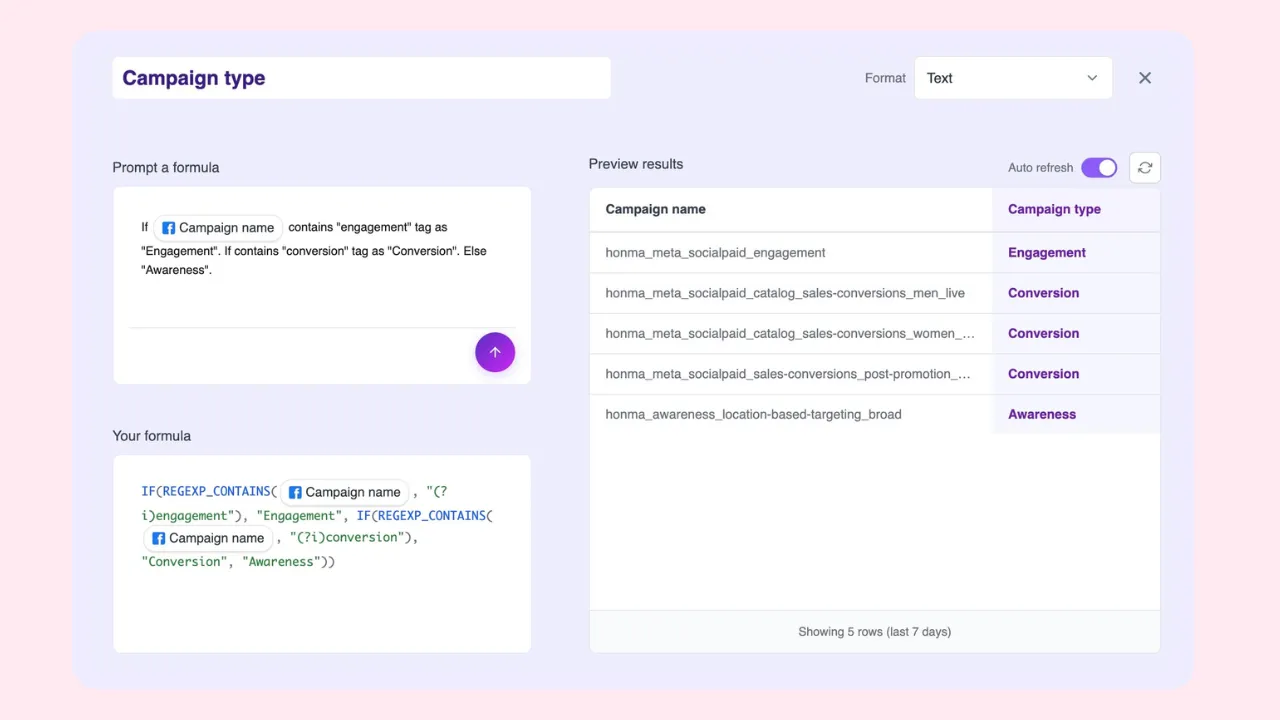
Build your query with AI in natural language

The AI-native query builder. Describe what you need. No SQL, no complex forms.

  • Cross-channel fields: Select metrics and dimensions from Google Sheets and any data source. No data mapping or joins needed.

  • Custom fields: Use AI prompts to create custom metrics (e.g., blended ROAS, cost per lead) and dimensions (e.g., brand, region, creative hook). Segment data using naming conventions from campaigns, ad sets, or ads.

  • Filters: Include or exclude by any field. Combine with AND/OR logic.

  • Date ranges: Dynamic (Month-to-date, Last quarter) or fixed (custom start and end).

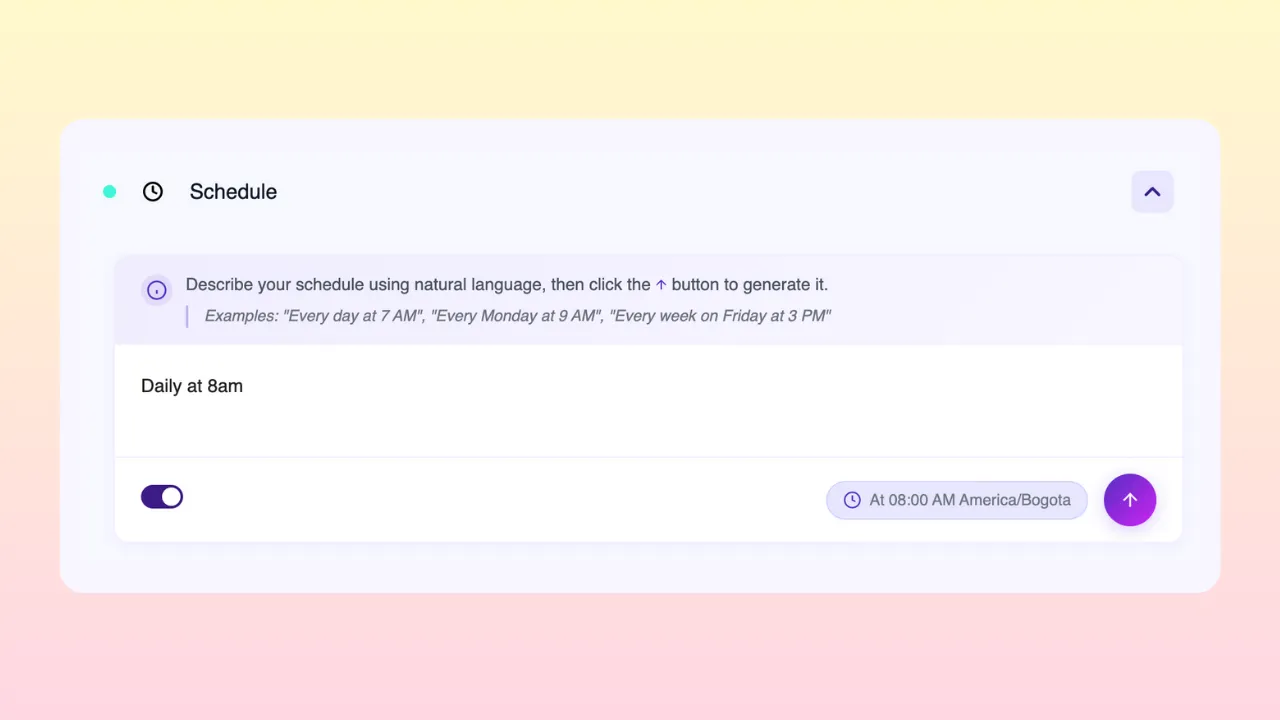
  • Schedule: Prompt refreshes like “Every day at 5am except weekends.” Freely schedule by hour, day, week, weekday, or month.

  • Refresh mode: Append (add rows), Update (match and refresh), or Overwrite (replace table).

  • Live preview: Preview your data before syncing to BigQuery. Catch errors before they cost you.

AI query builder interface with custom fields
7

Scale data refreshes in natural language

Schedule refreshes in minutes, not hours. Real-time API data or stored BigQuery data—switch between both in the same connection. Refresh as frequently as Google’s API allows. If you hit Meta’s rate limits, Porter automatically switches to BigQuery backups. Never blocked from accessing your data.

Schedule data refreshes interface in natural language
8

Monitor every Google Sheets sync to BigQuery

Track all queries in the Query Manager: name, data sources, last run at a glance. Open execution history—timestamp, success or failure. Toggle pipelines on/off anytime. Fix issues before they reach your reports, team, or clients.

Query monitoring dashboard for Google Sheets syncs

Why Marketers Choose Porter

Area
Other marketing ETL tools
Porter Metrics
Integrations
300+ general purpose
22 focused: Ads, CRM, Social, GA4, Commerce
Setup
Separate screens for queries, tables, joins, schemas, transfers
One flow: connect → prompt → preview → publish
Data model
Export raw datasets. Transform in BigQuery after.
Export finished queries. Connect table to report. Done.
No-code
No-code transfer, but SQL required in BigQuery to transform, join, or filter.
No-code from source to report. Zero SQL, zero BigQuery management.
Custom fields
Formula builders, functions, lookups, conditions
Prompt any metric or dimension in natural language
Data blending
SQL joins or configure data mapping
Auto-mapped: UTMs, campaign names, metrics
Scheduling
Fixed intervals. Faster rates on higher tiers.
Natural language. Any rate, any plan.
BigQuery auth
Google login or service account. Manual setup.
Google login, service account, or auto-create project
Refresh frequency
Hourly or daily depending on tier
Minutes. Real-time or storage.
Best for
Teams with devs, analysts, or ETL infrastructure
Marketers with no dev support

What Google Sheets Data Can You Export

Access over 500 fields from Google Sheets plus extra calculated metrics. Your data matches Ads Manager exactly.

Custom fields

Import any Google Sheets data with custom fields you define. Bring offline data, budgets, targets, product costs, or any manual data into your BigQuery warehouse.

See all Google Sheets fields documentation

All aggregations

Define your own aggregation logic. Google Sheets serves as a bridge for any data not available through standard connectors—costs, budgets, offline sales, and more.

Full granularity

Define your own segmentation with custom columns. Google Sheets acts as a universal data bridge for blending offline data with your marketing warehouse.

Custom data

Google Sheets is a utility connector for manual data. Use it to bring offline metrics, budgets, and custom calculations into your BigQuery analysis.

Marketer-friendly naming

Fields named exactly as in Ads Manager. Campaigns, ad sets, and ads are familiar to marketers. Standardized for blending with PPC platforms, GA4, and CRM data.

Unlimited historical data

Access your entire Google Sheets history without limitations. Porter stores all your historical data for trends and performance analysis over any time period.

Transparent accuracy

Your data matches Ads Manager exactly. Porter doesn’t manipulate or transform your data—what you see is exactly what Meta reports.

Revenue

Custom Sum
Revenue Column
Cost Column
Profit
Budget
ROI Formula
Sales Value

Conversions

Lead Count
Conversion ID
Goal Column
Status
Progress %
Success Rate
Result Count

Engagement

Interaction Score
View Count
Click Count
Comments
Ratings
Response Time
Engagement Calc

Visibility

Row Count
Impression Sum
Reach Metric
Visibility Index
Rank
Traffic Source
Unique Count

Campaign

Sheet Name
Campaign Title
Source Ref
Medium Ref
Campaign ID
Spreadsheet ID
Tab ID

Creative

Image URL
Text Content
Link
Headline Ref
File Name
Range
Asset Mapping

Audience

Email List
Name Ref
Country
ID Column
Segment
Contact Info
Demographic

Time

Date
Timestamp
Last Edit
Week
Month
Year
Custom Time

Custom

Spreadsheet ID
Sheet ID
Cell Reference
Grid ID
Developer Metadata
Script ID
Named Range
See all fields

Complete field documentation

Why Marketers Move Google Sheets Data to BigQuery

Faster Looker Studio reports

Direct connectors take 10+ seconds to load, time out, and break. BigQuery loads in 2 seconds, every time. No more broken dashboards before client calls.

Data blending

Combine Google Sheets with CRM, GA4, Shopify, Google Ads in one warehouse. Measure real profit, not platform ROAS. Calculate blended CAC across all channels.

Connect BigQuery to any BI tool

Connect to Looker Studio for instant dashboards. Or plug into Power BI, Tableau, any BI tool. Unlock multi-touch attribution with raw GA4 data.

Multi-touch attribution

Join Google Sheets with raw GA4 event data. Trace the full user path from ad click to conversion.

Source of truth

Define what “conversion” means for your company. Compare Meta vs. GA4 vs. HubSpot. Pick one source for CAC, ROAS, and CPA. End the “which number is right” debate.

Company-wide access without platform permissions

Managing permissions across platforms is a pain. With BigQuery, anyone can access marketing data without accounts or roles in each platform. One permission model, all data.

Make data available for AI

AI needs clean, structured data with context. Every AI tool feels siloed. Integrating sources is complicated. With BigQuery as your universal warehouse, any AI tool can access your marketing data. No custom integrations. No complicated setup.

Scale across accounts, clients, and brands

Reports break when you connect too many accounts. BigQuery has no limits. Agencies with dozens of clients, franchises with dozens of Google Sheets accounts, chains with multiple brands and locations—consolidate everything into one table. One report, one connection.

Testimonials

Frequently Asked Questions

How does the free trial work? +

Full proof of concept. Includes tool access, support, and migration assistance. No day limit—ends when you validate Porter meets your needs.

How much does Porter cost? +

Start with a 14-day free trial with full access. Free-forever plan available: up to 3 ad accounts, unlimited reports, 30-day historical data. For larger implementations, pricing starts at $500-$1,000/month based on support needed. Get a quote on a call.

Can I cancel anytime? +

Yes. Monthly or annual billing (2 months free with annual). Cancel anytime, no paperwork, immediate cancellation.

How much does BigQuery cost? +

Most clients operate within Google’s free tier. High-volume clients: $20-$30/month. See Google BigQuery pricing for details.

Can I use my own BigQuery or does Porter manage it? +

Both. Use your own project or Porter manages one for you. Your data is always yours.

How fresh is the data? +

Automatic refresh every 12 hours by default. Configurable to hours or minutes depending on Google’s API limits. Direct API access available for real-time data.

Are there limits on rows, queries, or accounts? +

Porter has no limits. Limits depend on BigQuery and Meta.

Do you help migrate from another provider? +

Yes. 100% assisted migration by implementation and development team. Typical time: within the same week.

What support is included? +

Direct Slack access to support team, developers, and founders. Chat, scheduled video calls, email. Response in minutes or hours (Americas timezone).

How do you handle security? +

Google-only login (OAuth 2.0). No passwords stored. Data goes directly to your BigQuery.

Security

  • Google-only login (OAuth 2.0). No passwords to create or store.

  • Your existing Google security applies: 2FA, suspicious login detection, session management.

  • One identity for BigQuery, Looker Studio, Sheets, and Porter.

Ready to connect Google Sheets to BigQuery?

We’ll set up your first sync, free

14 days, no credit card required