







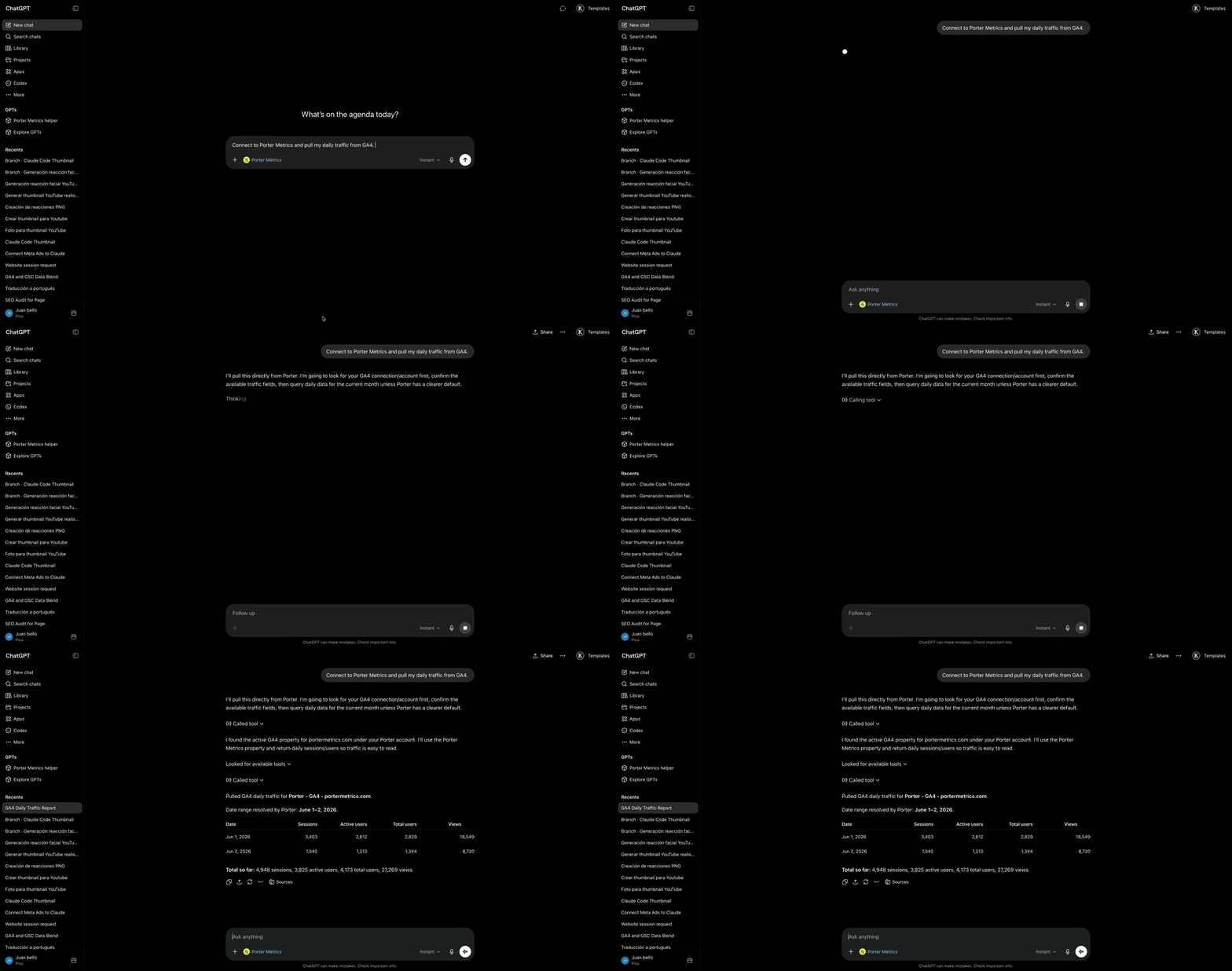
To connect Pinterest Ads to ChatGPT:
- Sign up free at portermetrics.com and connect your Pinterest Ads account with your Pinterest account.
- In ChatGPT, click + → Connectors → Manage connectors → Add custom connector, name it Porter, paste
https://mcp.portermetrics.com/mcp, then click Add and authenticate with Google.
That’s it, you’re connected. Porter’s free plan covers up to 3 Pinterest Ads ad accounts with no usage limits on ChatGPT’s free plan. No credit card required.
What makes Porter different:
- 338+ Pinterest Ads metrics and dimensions, and the only MCP that includes attribution coverage in the same connection.
- Universal Pinterest Ads MCP. Hosted white-label dashboards and client portals, competitor tracking with creative analysis, idea validation with Google Trends and keyword data. Your whole Pinterest Ads operation runs from one chat.
Prerequisites
- A Porter Metrics account with your Pinterest Ads account connected (free tier is enough to try it end-to-end)
- A ChatGPT account — the free plan works for ChatGPT Web; a Pro subscription is needed for Codex and Desktop MCP features
- Admin or standard access to the Pinterest Ads ad accounts you want to connect
Connect Pinterest Ads to ChatGPT with MCP
For this tutorial we’re going with the MCP method. Here’s a quick explainer of what MCP is and why it’s the best path for Pinterest Ads.
MCP (Model Context Protocol) is the open standard that lets AI tools like Claude, ChatGPT, Codex and others access and use external APIs — the things that make tools like Pinterest Ads work under the hood. Instead of building a custom integration for every AI tool you use, you install one MCP and every compatible AI gets access to the same data.
The full setup takes under 5 minutes and breaks into three moves: connect Pinterest Ads to Porter, point ChatGPT at the Porter MCP, and ask your first question.
1. Connect your Pinterest Ads data to Porter
Porter sits between Pinterest’s Ads API (v5) and ChatGPT. It handles OAuth, rate limiting, pagination and all the plumbing so ChatGPT only ever sees clean, structured data.
Sign up for Porter. Create a free account at portermetrics.com. The free tier is enough to run this full workflow end-to-end.
Connect your Pinterest. In Porter, click Create → pick ChatGPT as the destination → select Pinterest Ads as the source → sign in with Pinterest to grant access to your ad accounts.
Select your ad accounts. Choose the Pinterest Ads ad accounts you want ChatGPT to query. When you select multiple ad accounts under a single connection, Porter automatically blends their data together so you can query them as one.
Optional: enable automatic BigQuery storage if you’re connecting multiple ad accounts with large data volumes. This keeps ChatGPT’s responses fast even at scale.
2. Connect the MCP to ChatGPT
Porter’s MCP URL is what you paste into ChatGPT. Once added, ChatGPT can query Pinterest Ads data on demand in any conversation.
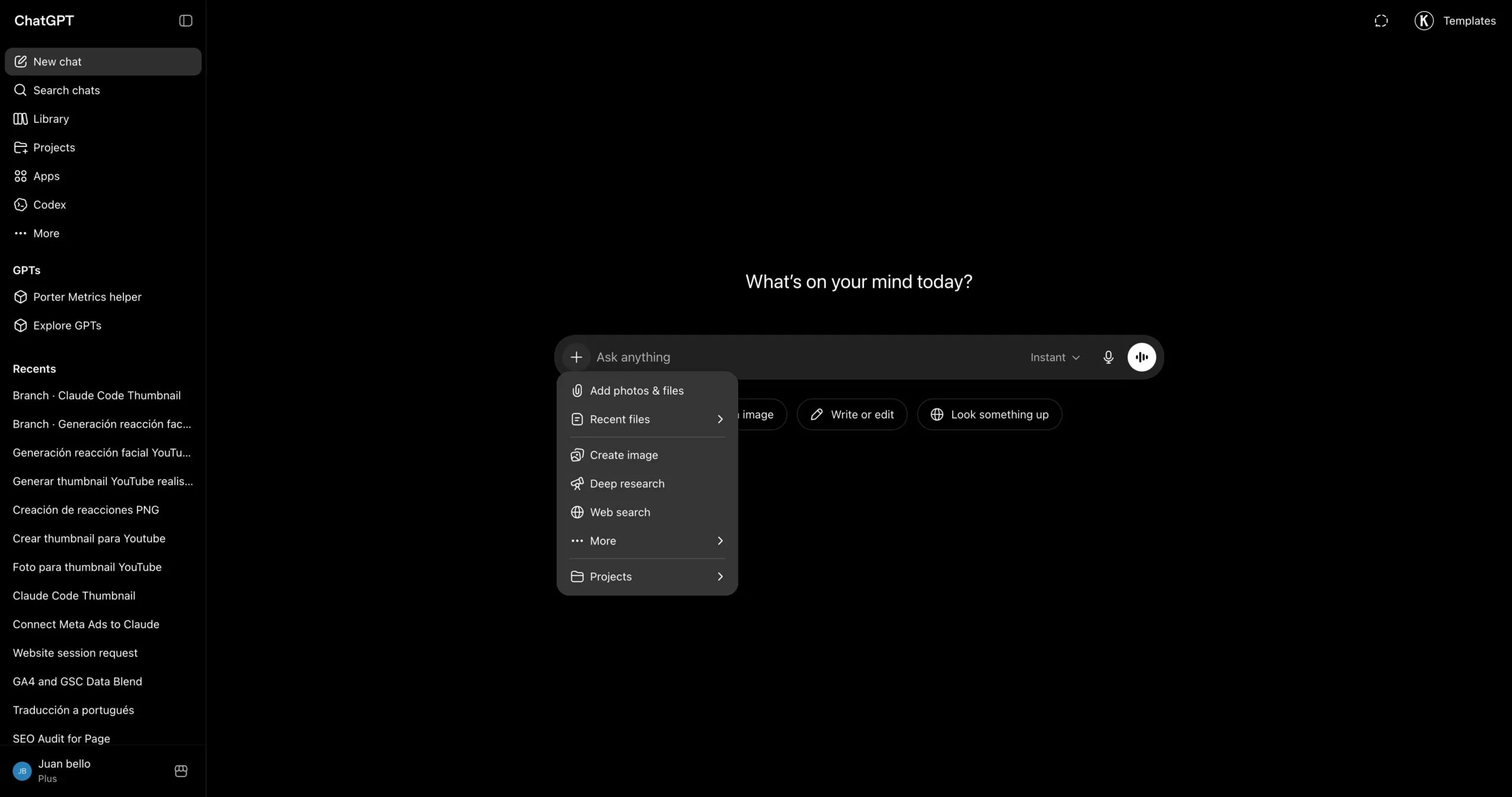
Go to chatgpt.com and click the + icon in the chat input to open the tools menu.
In the menu that opens, hover over Connectors and click Manage connectors.
In the Connectors panel, click the + button at the top of the list to start adding a new connector.
Pick Add custom connector from the dropdown that appears.
A dialog opens with the name and URL fields. Type Porter in the first field to name the connector.
In the second field, paste https://mcp.portermetrics.com/mcp. Leave the advanced settings alone.
Click Add at the bottom right of the dialog. ChatGPT opens a sign-in window — use the same Google account linked to your Porter workspace and approve access.
Once the authorization finishes, you’ll see Porter’s tools appear in the connectors panel. You’re ready to start asking questions.
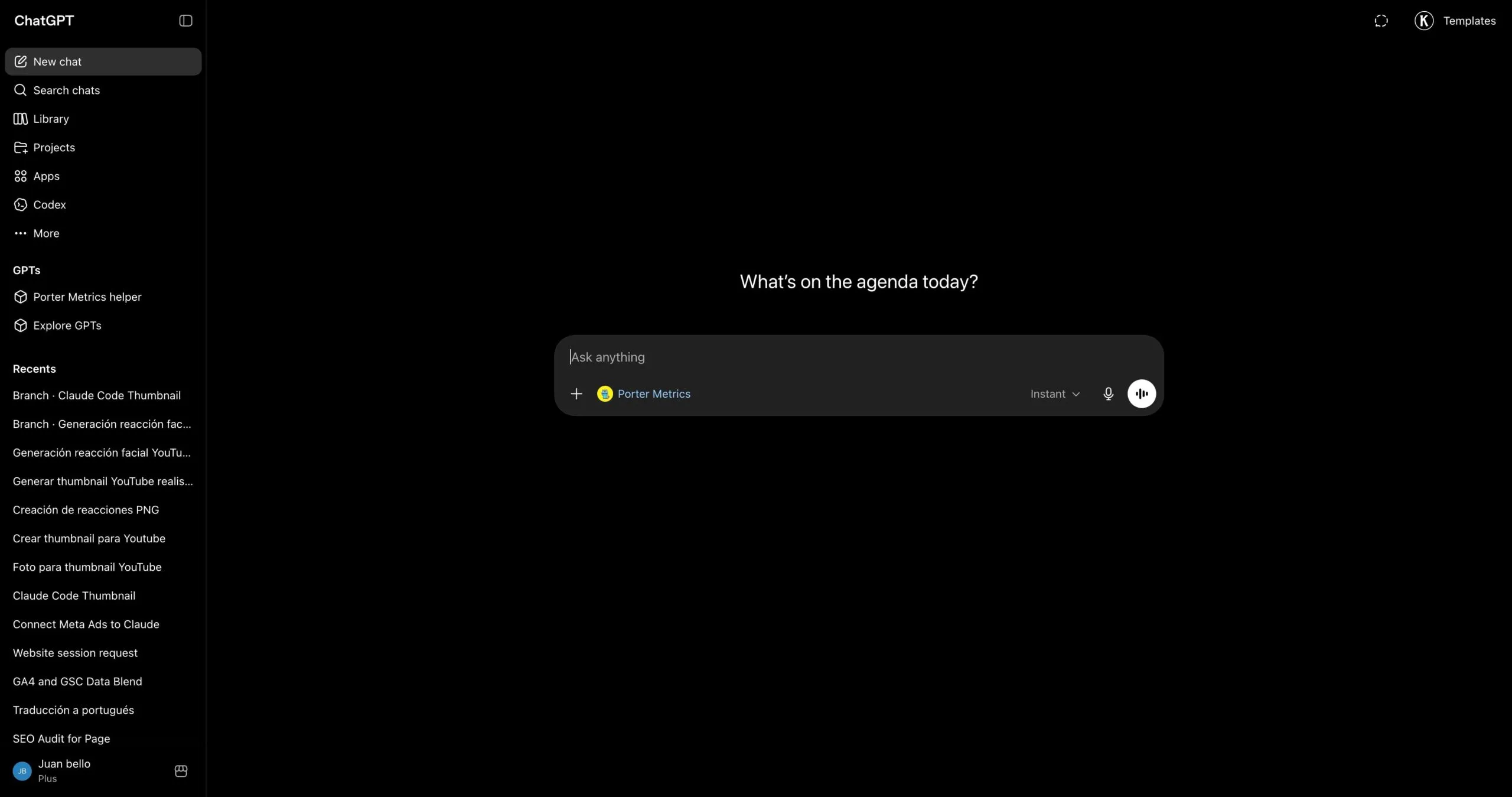
For a fuller walkthrough with screenshots at every step, see the Porter MCP tutorial.
3. Start building questions and dashboards
With Porter connected, open a new ChatGPT chat and ask anything about your Pinterest Ads in plain English. ChatGPT calls Porter behind the scenes, pulls live data from Pinterest, and answers with tables, charts, or summaries.
Try one of these to verify the setup is working:
For a full catalogue of copy-paste prompts organized by use case (performance, creative fatigue, budget, agency, e-commerce, cross-channel), jump to the prompts section below.
Alternative ways to connect Pinterest Ads to ChatGPT
Porter MCP is the path we just walked through and the one we recommend for most marketers. It is not the only way to get Pinterest Ads data in front of ChatGPT, though. The most common alternatives are Pinterest Ads’s direct API, a live Google Sheets bridge or CSV upload, and BigQuery for scale. Each has trade-offs, so pick the one that fits how your team already works.
- 🔌 Pinterest Ads’s direct API — Talk to Pinterest’s Ads API (v5) yourself. Maximum control, but you handle auth, rate limits and pagination — and you only get one source. (Pinterest doesn’t ship an official MCP yet.)
- 📊 Google Sheets — Live Sheet or one-off CSV upload. Auditable, familiar, faster for big exports — but aggregation happens in the Sheet, not the API.
- 🗄️ Google BigQuery — For large ad accounts or agencies running multi-ad account analysis. BigQuery aggregates; ChatGPT only queries pre-built summaries.
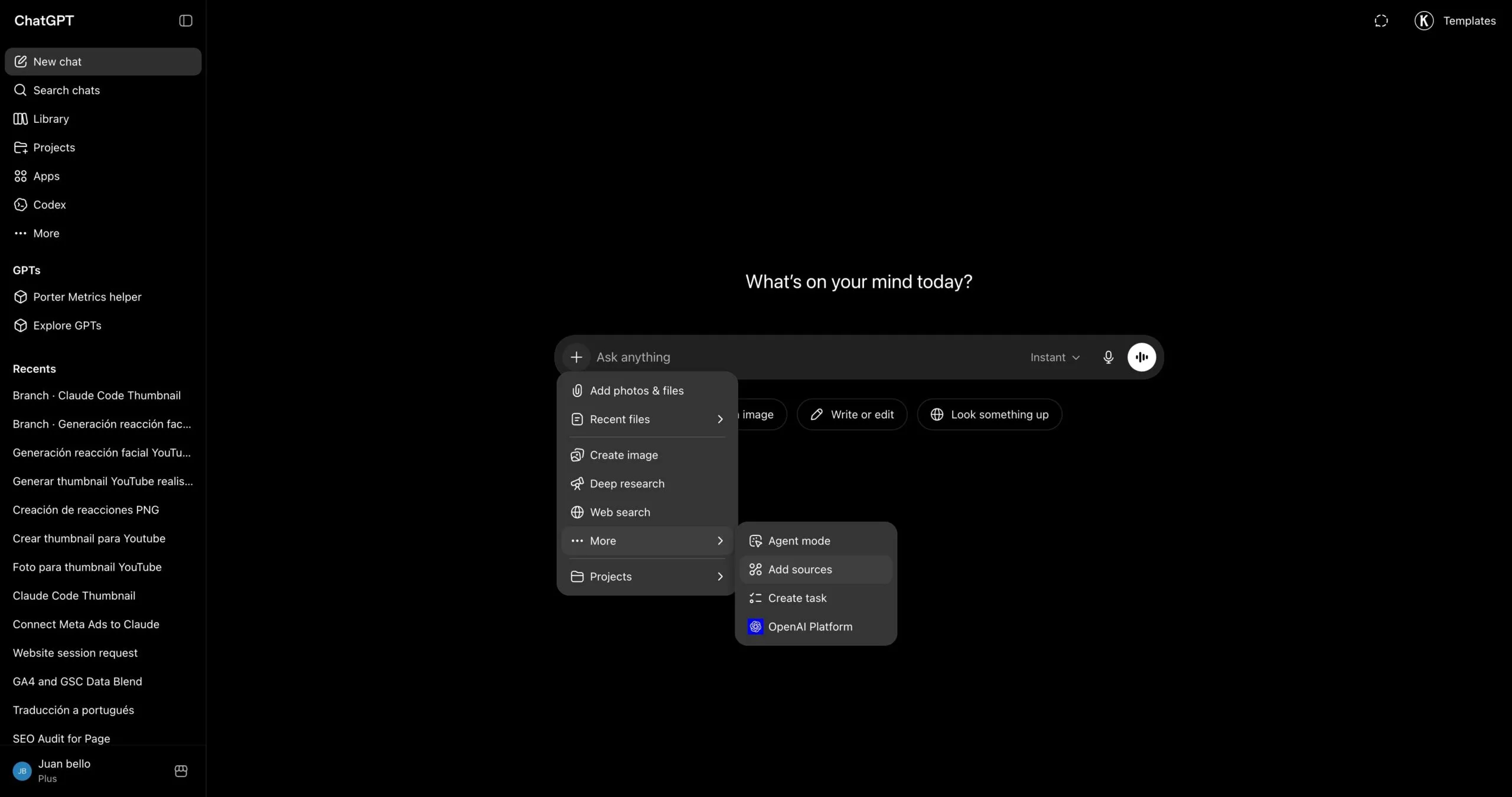
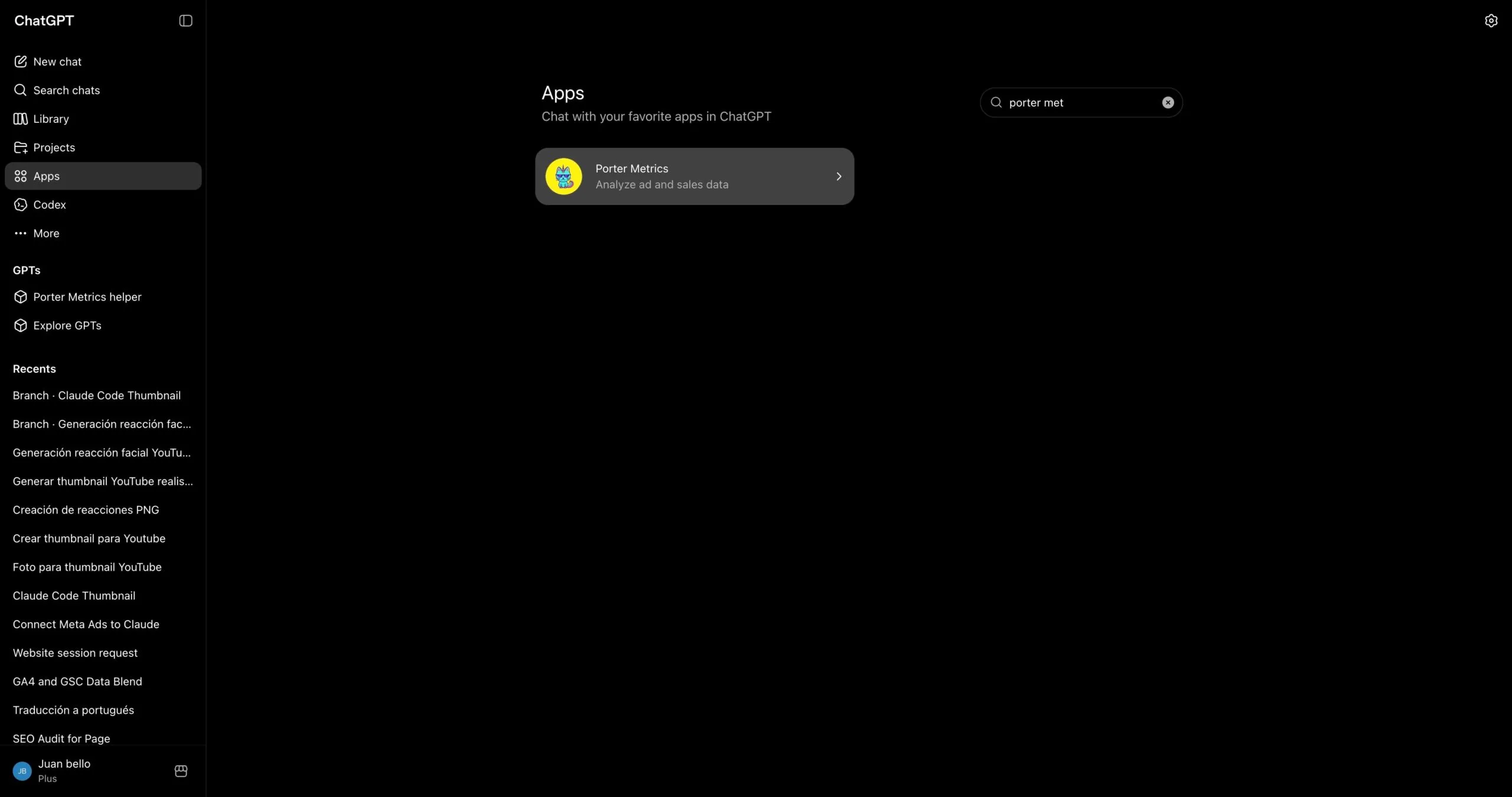
Via the Porter Metrics app in the ChatGPT marketplace
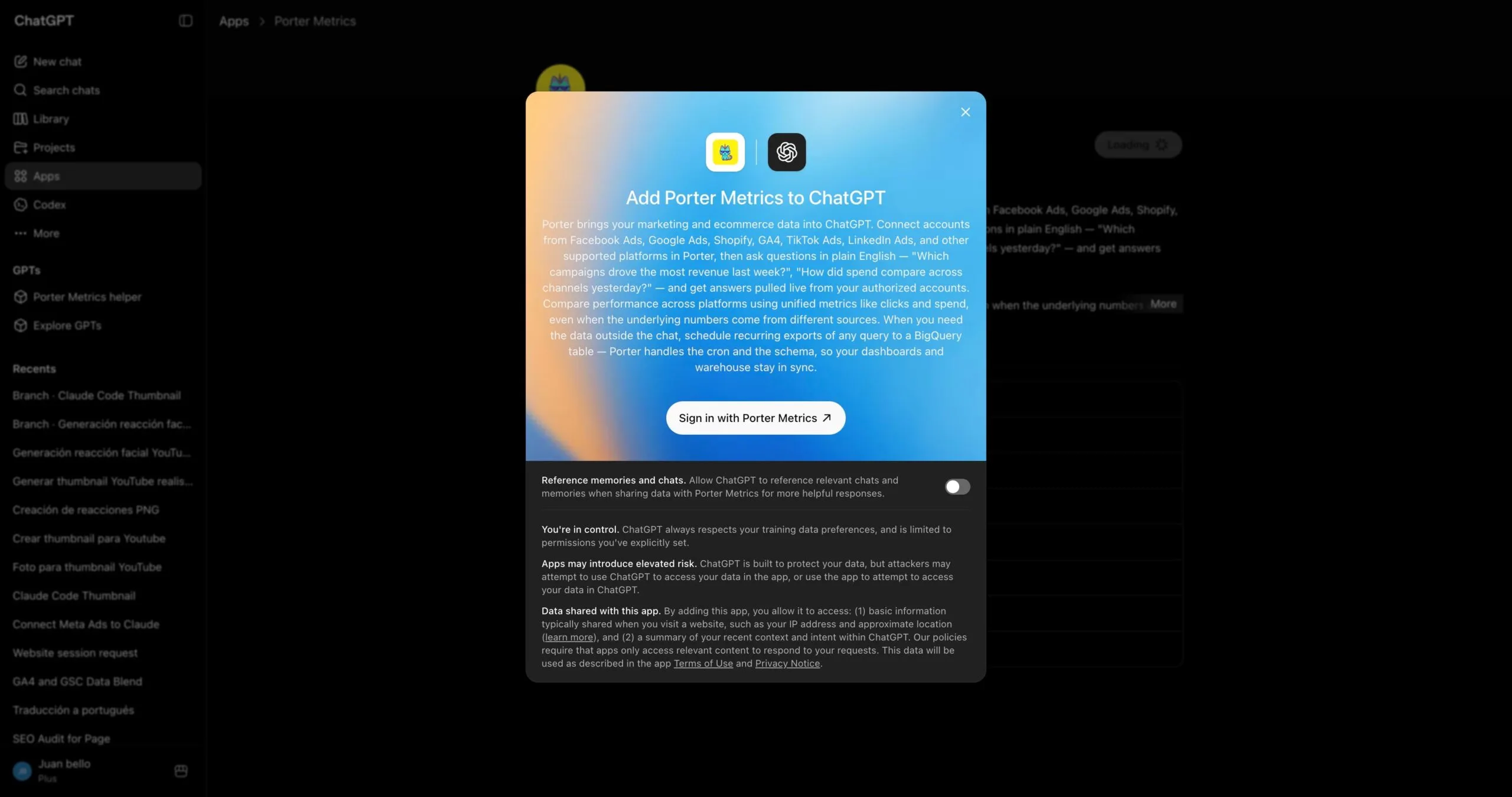
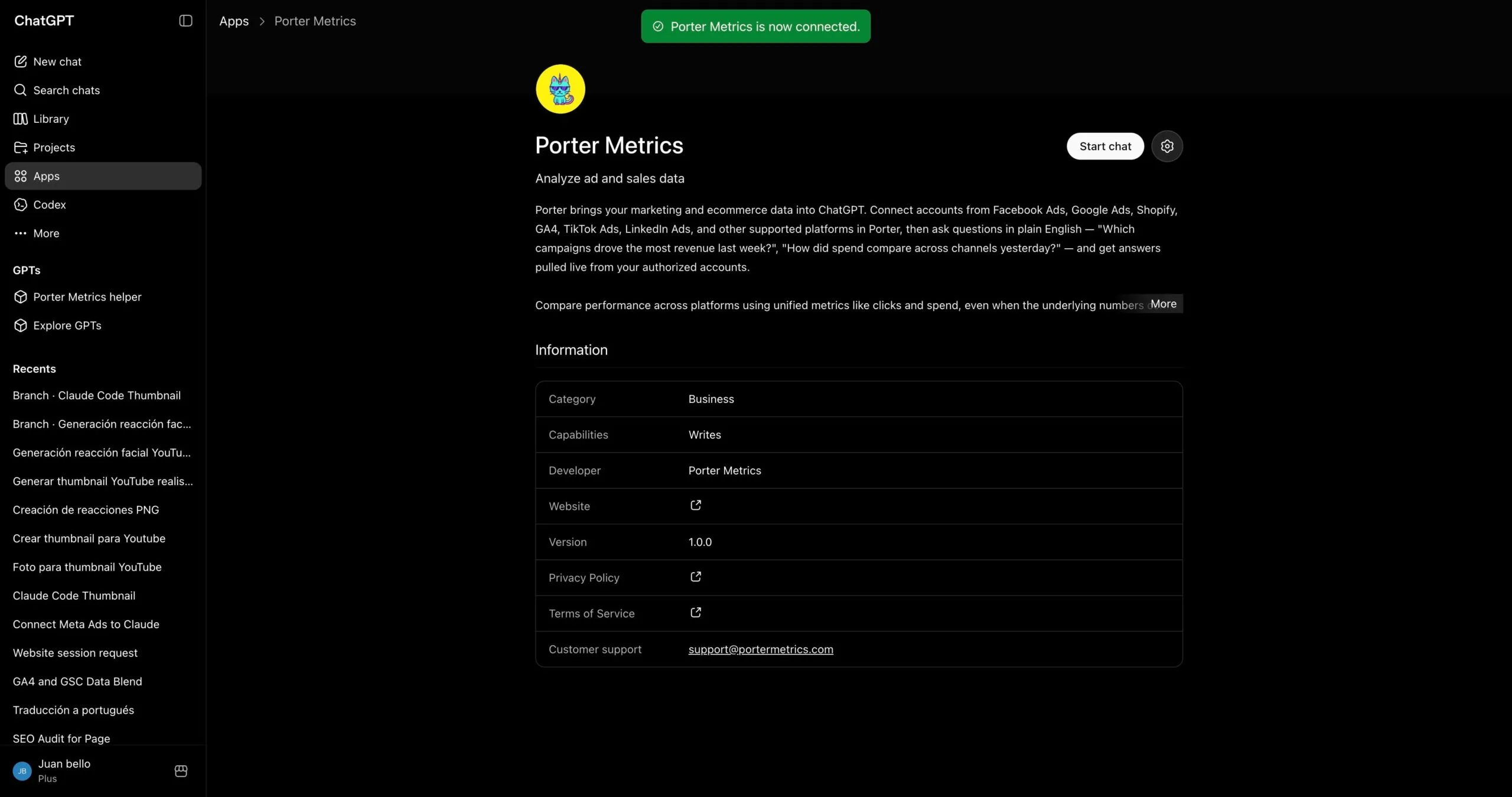
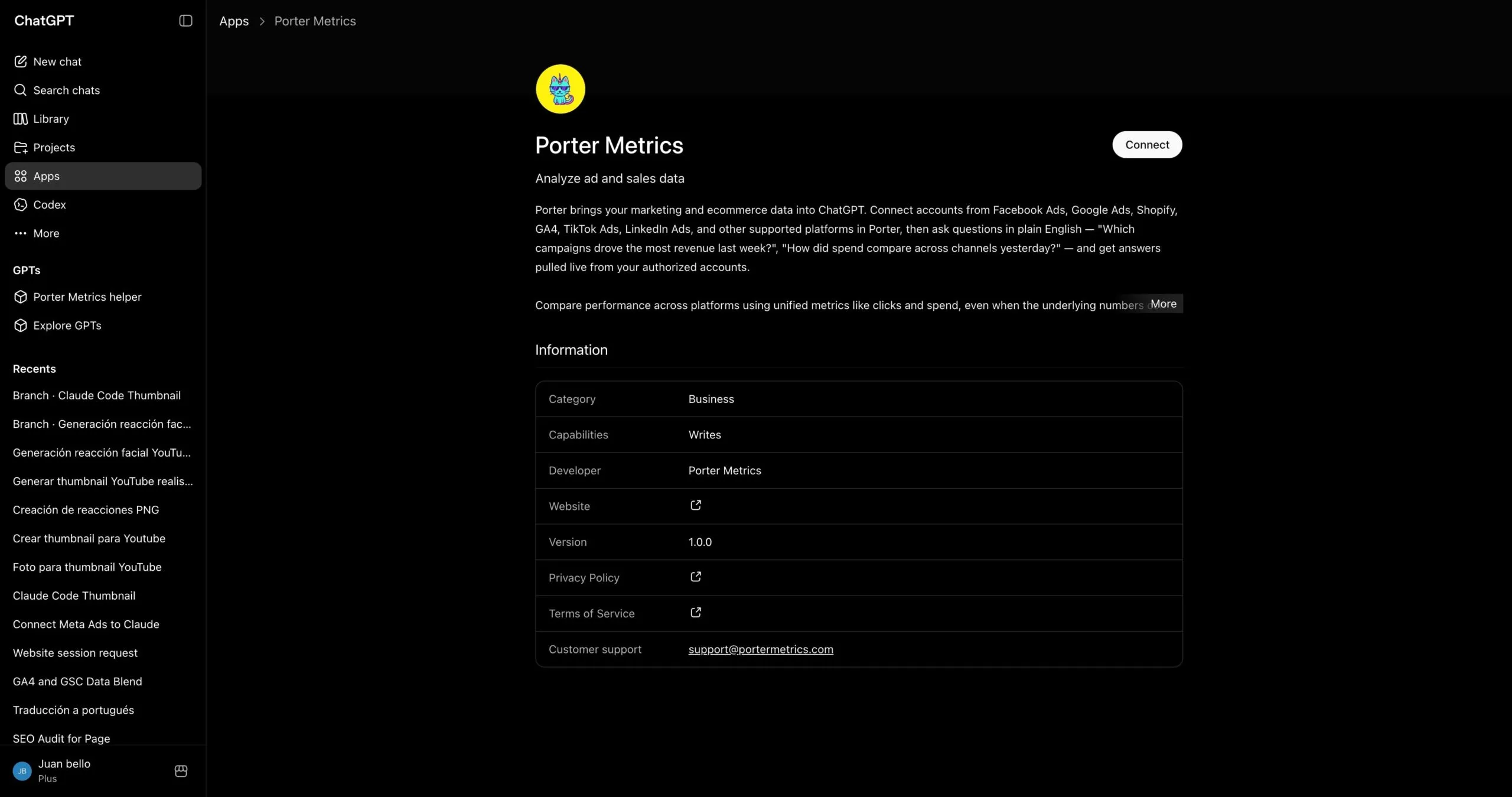
If you’d rather not paste a connector URL, install Porter straight from ChatGPT’s app gallery — it’s the same Porter connection behind the scenes, published as an approved ChatGPT app:
- Open the Porter Metrics app page in ChatGPT (or search “Porter Metrics” in the apps gallery).
- Click Connect and sign in with the same account you use in Porter.
- Authorize it and ask your first Pinterest Ads question — same live data as the MCP.
The trade-off to know: the marketplace app only updates after each ChatGPT review cycle, while the MCP updates the moment Porter ships. If you want every new tool and data source immediately, use the MCP; if you want the one-click install and don’t mind waiting for new features, the marketplace app is the shortest path — including write actions through your connected Porter account.
Via Pinterest Ads’s direct API
If you’re building a product around Pinterest Ads — or you’re a developer who’d rather own every layer of the integration — the most direct path is talking to Pinterest’s Ads API (v5) yourself, or — where it exists — Pinterest Ads’s own official MCP. Pinterest doesn’t ship an official MCP as of June 2026. Whichever route you pick, you still follow Pinterest’s rate limits & quotas. Either way you skip Porter and call Pinterest from your own code, from Codex, or from Pinterest Ads’s own connector.
The trade-off to know. Going direct gives you maximum control and the freshest possible data — every endpoint, every parameter, no abstraction layer in between. But you’re now responsible for OAuth flows, refresh tokens, rate limits, pagination, schema changes, and error retries. And critically, you only get one source. The moment you also want Google Ads, GA4 or Shopify in the same conversation, you’re back to building (or stitching together) more integrations.
When this makes sense: engineering teams that need a single source with full control, products that ship Pinterest Ads data as a feature (where you own the integration anyway), or one-off scripts where you don’t mind writing the auth and pagination code yourself. For marketers who want to ask questions in plain English and blend Pinterest Ads with the rest of their stack in a single conversation, the Porter MCP path is dramatically less work.
Via Google Sheets (live Sheet or manual CSV)
If your team already lives in Google Sheets — or you want a paper trail before ChatGPT touches anything — feed Pinterest Ads into a Sheet, then let ChatGPT read the Sheet. You can automate the Pinterest Ads → Sheets pipeline with Porter so it refreshes daily, or do one-off CSV exports from Pinterest Ads Manager for static analysis.
The trade-off to know. With the MCP path, ChatGPT calls Pinterest’s API directly and Pinterest does the filtering and aggregation on its side — clean and deterministic. With the Sheets path, ChatGPT aggregates inside the Sheet itself, which can introduce hallucinations on totals, averages, and joins when you have thousands of rows. The upside is speed: for very large date ranges or historical analysis, a pre-built Sheet is dramatically faster than live API calls.
When this makes sense: finance teams that want to review numbers before ChatGPT acts on them, agencies already delivering client reports in Sheets, historical analysis across years of data, or any case where you care more about speed than real-time freshness.
Via Google BigQuery (for scale)
This is the path most people overlook — and it’s the one that saves you when your Pinterest Ads advertiser gets serious. A single large advertiser or an agency managing 10+ ad accounts will hit API rate limits and latency problems querying ChatGPT directly. ChatGPT will literally tell you it’s taking too long or timing out on big pulls.
BigQuery fixes that. You load Pinterest Ads data into BigQuery tables on a schedule, then connect BigQuery to ChatGPT — either through a BigQuery MCP or via Codex with SQL queries. Instead of asking ChatGPT to pull raw Pinterest Ads data, you let BigQuery aggregate into small, optimized tables, and ChatGPT only queries the summarized output. Scale problem solved.
When this makes sense: enterprise ad accounts with millions of impressions, agencies running multi-ad account analysis across 10+ clients, or any team already using BigQuery as a data warehouse. Porter loads Pinterest Ads (and 25+ other sources) directly into BigQuery so you don’t have to build your own ETL.
Connecting Pinterest Ads to Codex
Most marketers lump ChatGPT and Codex together and miss the biggest advantage of the entire MCP ecosystem. They’re not the same tool — and the difference matters enormously once you start working with Pinterest Ads data seriously.
ChatGPT is a chat interface. You ask a question, ChatGPT pulls live data through the MCP, answers, maybe builds a quick dashboard inside the conversation. Great for one-off analysis. The problem: everything is ephemeral. Want to refresh the dashboard tomorrow? You regenerate it from scratch. Want the same report every Monday? You re-ask the question every Monday.
Codex is ChatGPT running inside your computer’s terminal. Because it has access to your filesystem, runtime, and other developer tools, it doesn’t just answer questions — it can build real software. Persistent scripts, scheduled routines, HTML apps, internal dashboards, integrations that run 24/7 without your input. Once it’s connected to Porter’s MCP for Pinterest Ads, a whole category of work becomes possible.
What Codex unlocks that ChatGPT alone cannot
This is where the MCP ecosystem pays off most. Because Codex can combine Porter’s MCP with other MCPs — Firecrawl for web scraping, Airtable for structured data, Notion for wikis, Vercel for deployment, Slack and Gmail for delivery — you’re no longer querying data. You’re building tools.
Feed Codex your Pinterest Ads targets and goals — ROAS targets, daily budgets, CPA goals — and ask it to generate a custom ROAS dashboard for each client. It builds the HTML, pulls live data, deploys to a URL. No Data Studio embed to break when the vendor changes pricing, no template constraints. The dashboard updates automatically because it queries Porter’s MCP on every page load.
Best for:agencies that want white-label client dashboards without Looker or Data Studio dependencies.
Combine your own Pinterest Ads performance from Porter with competitor Pins and ad creatives from Pinterest’s ad library scraped via Firecrawl. Codex stitches both into a weekly competitive intelligence report — your numbers next to their visual angles and product positioning, with an LLM summary on top of what changed week over week. Runs on cron, lands in your inbox every Monday morning.
Best for:in-house teams that need market context, not just internal numbers.
Use Airtable or Notion as the schema, Porter as the data source. Codex keeps every page populated with current ROAS, CPC, and Save rate for every ad account — no stale screenshots, no copy-paste from Excel. New hires read one wiki entry and have full context on a client’s account.
Best for:agencies and ops teams onboarding analysts or rotating account managers frequently.
A Codex routine on cron pulls Pinterest Ads via Porter, evaluates thresholds — CTR drops below 1%, daily spend spikes 2× the trailing average, save rate falls 20% week-over-week — and pushes Slack or Gmail alerts the moment something crosses the line. You stop checking dashboards reactively; the dashboard checks itself and tells you when to look.
Best for:any team that’s ever discovered a problem 48 hours too late because nobody opened the report.
Bottom line: ChatGPT is for quick questions and ad-hoc dashboards. Codex is for building apps, live dashboards, alerts, and actual tools — anything you want to run on its own without re-asking. Same Porter MCP URL works in both, so you don’t pick once and lock in.
Use cases: what you can actually do once Pinterest Ads is connected to ChatGPT
Getting the connection right is half the battle. The real value shows up in what you do next. Here are the use cases Porter users build around their Pinterest Ads data — from simple Q&A to full client-facing workflows.
1. Chat and ask questions directly
The simplest use case — and still the one 80% of marketers start with. Open ChatGPT, ask a question, get an answer grounded in live data.
It’s the fastest way to replace a daily Pinterest Ads Manager check-in. But chat is table stakes — the interesting use cases come next.
2. Blend Pinterest Ads with your revenue data (Shopify, HubSpot, Stripe)
This is where a 360° view gets real. When you connect Pinterest Ads and your revenue source (Shopify for e-commerce, HubSpot for B2B leads, Stripe for revenue reconciliation), ChatGPT can map ad campaigns to actual purchases and checkouts — using campaign names, UTMs, and timestamps — and give you attribution that no platform-side number can.
ChatGPT handles the campaign names, UTMs, and timestamps mapping and joins. You get a client-ready attribution report that no single platform can generate on its own.
3. Automated alerts and notifications on Slack or Gmail
With Codex you can turn Pinterest Ads monitoring into a routine that runs on its own. Hook Porter’s MCP (for the data) together with a Slack or Gmail MCP (for delivery), then write a Codex scheduled task that pulls performance every morning and pings you only when something actually needs attention.
No dashboards, no daily check-ins. The report comes to you — and only when it matters.
4. Client-ready presentations with live data (Gamma, HTML, PDF)
A common agency pain: you send clients a Pinterest Ads Manager export, Excel pivot table — and you spend an hour explaining a broken dashboard. With ChatGPT you can build the presentation itself — as a Gamma deck, a custom HTML page, or a PDF — populated with live numbers each time.
The presentation becomes a delivery artifact you send to the client, not a dashboard that depends on another tool staying up. No broken iframe, no login prompts, just the content.
Pinterest Ads fields and metrics you can query with ChatGPT
Before you start writing prompts, it helps to know what data is actually available. Porter MCP gives ChatGPT access to 338 Pinterest Ads fields and metrics across every reporting level, plus breakdowns by audience, interest, device, and geography. And the same MCP URL also unlocks 25+ other sources — so ChatGPT can blend Pinterest Ads with Google Ads, GA4, Shopify, HubSpot and more in a single prompt.
Prompts you can copy-paste today
…organized by job: Performance checks, Saves & creative performance, Client reporting, Agencies managing multiple clients, E-commerce teams, and Cross-channel analysis.
1. Performance checks
Quick health checks and trend questions you can ask any morning.
2. Saves & creative performance
Pinterest-specific: saves signal purchase intent more than likes. Use these to spot creative fatigue and winning visual themes.
3. Client reporting
Draft-ready outputs for weekly or monthly client reviews.
4. Agencies managing multiple clients
Multi-account questions and white-label-ready outputs.
5. E-commerce teams
Catalog, checkout, and shopping-focused prompts for DTC brands.
6. Cross-channel prompts (Pinterest Ads + Google + GA4 + Shopify)
Blend Pinterest Ads with the rest of your marketing stack in one conversation.
Limits, safety, and best practices for Pinterest Ads via ChatGPT
Pinterest’s API is not a “ban first” ecosystem. The most common real-world pain point marketers report is not account suspension—it’s quiet data degradation. As ad blockers, iOS privacy restrictions, and cookie deprecation reduce signal fidelity, conversion metrics in the API drift from ground truth. A marketer running Pinterest Shopping campaigns may see ROAS figures in the API that under-report actual checkout value by 15–30% compared to their Shopify backend, not because the API is broken, but because the signal path (pixel → server → API) is incomplete. The cost is not a banned account; it’s mis-allocated budget based on incomplete data.
Pinterest’s rate limiting is quota-based and category-specific, not tool-based. Pinterest does not ban or throttle accounts because you used Claude or an MCP connector. It throttles because of how the API was used: exceeding the 100 requests per second per user per app ceiling for standard API requests, or hitting category-specific write limits (e.g., ads_write scope for promotion updates). Read-only analytics access via OAuth is safe and expected. Bursty, high-frequency conversion event uploads and unbatched write operations are not. Staying within the standard request quota and using read-only scopes is handled gracefully. Parallel, unthrottled bursts across multiple apps or accounts are not.
The two patterns that lead to inaccurate Pinterest Ads reports
After reviewing official docs and community threads, two patterns come up again and again.
1. Unbatched, high-frequency conversion data sends. Sending conversion events in real-time or near-real-time without batching can trigger Pinterest’s Conversions API rate limits. When throttled, events are dropped or delayed, which silently degrades attribution accuracy. What to do instead: batch conversion events and implement exponential backoff when receiving HTTP 429 responses.
2. Relying on API-reported conversion data as ground truth without cross-checking. Pinterest Ads API conversion metrics are subject to signal loss from ad blockers, iOS 14.5+ privacy restrictions, and cookie deprecation. A campaign showing a 2.5x ROAS in the API may actually be at 1.8x when measured against first-party checkout data. This is not an API ban risk—it is a decision-quality risk. What to do instead: always reconcile Pinterest API conversion values with your e-commerce platform (Shopify, WooCommerce) or first-party analytics within a 24–48 hour window.
Both behaviors trigger rate throttling and data quality degradation. If you want to use ChatGPT for Pinterest Ads safely, stay within quota, batch your conversion sends, and cross-check your revenue numbers against first-party data.
The 5-rule accuracy protocol
Based on Pinterest’s documented rate limits and data policies and the behaviors that have actually caused inaccurate reports — not guesswork:
-
Stay under the 100 req/s ceiling. Pinterest enforces a rate limit of 100 requests per second per user per app for standard API requests. [1] Bursting above this threshold triggers HTTP 429 throttling, which delays or drops analytics requests. If you manage multiple ad accounts, the limit applies per app per user—not per account, so concurrent queries across accounts count toward the same quota. Consequence if ignored: incomplete metric pulls, stale dashboards, and missed optimization windows. How Porter enforces this: Porter MCP batches API requests and implements client-side rate limiting with automatic backoff.
-
Batch conversion events; don’t stream them. Sending individual conversion events as they happen consumes quota rapidly and increases throttling risk. Consequence if ignored: dropped conversion events, degraded attribution, and inaccurate ROAS reporting. How Porter enforces this: Porter’s Pinterest connector uses read-only analytics scopes by default and does not send conversion events, eliminating this risk entirely for reporting use cases.
-
Reconcile conversion data within 24–48 hours. Pinterest Ads API conversion metrics have a 24–48 hour latency for final attribution. Making budget decisions on same-day API data leads to over- or under-investment in campaigns. Consequence if ignored: budget misallocation based on incomplete attribution, especially for multi-touch conversion paths common in Pinterest’s discovery-driven funnel. How Porter enforces this: Porter surfaces data freshness timestamps in query responses so users know when metrics are provisional.
-
Use read-only OAuth scopes by default. Pinterest’s API requires OAuth 2.0 authentication with scope-specific permissions. Granting write access (
ads_write) when only reporting is needed increases the blast radius of any credential compromise. Consequence if ignored: accidental campaign modifications, budget changes, or ad pauses if tokens are mishandled. How Porter enforces this: Porter MCP requests minimum viable scopes—read-only analytics access by default. No write permissions are requested or stored. -
Never pass raw PII through third-party connectors. Pinterest’s brand safety and data policies require hashed or encrypted identifiers for audience data. [2] Uploading unhashed email lists or customer data through intermediary tools violates platform policy. Consequence if ignored: access review, connector suspension, or advertiser account flagging for data handling violations. How Porter enforces this: Porter MCP does not store, cache, or train on customer data. All OAuth tokens are encrypted at rest and queries are ephemeral—no data persists in Porter’s infrastructure after the response is delivered.
What Porter MCP does differently: it enforces these safeguards at the platform level. Porter’s Pinterest Ads connector operates with read-only OAuth scopes by default, requests are client-side rate-limited with automatic backoff to stay within Pinterest’s 100 req/s quota, and no customer data is stored, cached, or used for model training. That’s the behavior Pinterest’s automated systems handle gracefully: predictable, read-only, within-quota traffic from a verified OAuth app.
Frequently asked questions

Ready to chat with your Pinterest Ads?
Open ChatGPT, add the Porter connector, and ask your first question. If you don’t have Porter yet, start a free trial and connect your Pinterest Ads account — you’ll be chatting with your campaigns in under five minutes.
rocket_launchStart free Porter trialopen_in_newOpen ChatGPT