







To connect LinkedIn Pages to ChatGPT:
- Sign up free at portermetrics.com and connect your LinkedIn Pages account with your LinkedIn account.
- In ChatGPT, click + → Connectors → Manage connectors → Add custom connector, name it Porter, paste
https://mcp.portermetrics.com/mcp, then click Add and authenticate with Google.
That’s it, you’re connected. Porter’s free plan covers up to 3 LinkedIn Pages company pages with no usage limits on ChatGPT’s free plan. No credit card required.
What makes Porter different:
- Read + write, safely. Porter’s MCP lets you create, update, and delete page posts, comment, and upload images and videos from inside ChatGPT, through deterministic code components. Nothing hallucinates, and built-in rate limiting keeps your company pages safe from bans.
- 159+ LinkedIn Pages metrics and dimensions, across every reporting level in one connection.
- Universal LinkedIn Pages MCP. Query your page data alongside 25+ other sources in a single conversation, build live dashboards for stakeholders, and automate alerts when engagement drops. Your whole LinkedIn Pages operation runs from one chat.
Prerequisites
- A Porter Metrics account with your LinkedIn Pages account connected (free tier is enough to try it end-to-end)
- A ChatGPT account — the free plan works for ChatGPT Web; a Pro subscription is needed for Codex and Desktop MCP features
- Admin or standard access to the LinkedIn Pages company pages you want to connect
Connect LinkedIn Pages to ChatGPT with MCP
For this tutorial we’re going with the MCP method. Here’s a quick explainer of what MCP is and why it’s the best path for LinkedIn Pages.
MCP (Model Context Protocol) is the open standard that lets AI tools like Claude, ChatGPT, Codex and others access and use external APIs — the things that make tools like LinkedIn Pages work under the hood. Instead of building a custom integration for every AI tool you use, you install one MCP and every compatible AI gets access to the same data.
The full setup takes under 5 minutes and breaks into three moves: connect LinkedIn Pages to Porter, point ChatGPT at the Porter MCP, and ask your first question.
1. Connect your LinkedIn Pages data to Porter
Porter sits between LinkedIn’s Marketing API and ChatGPT. It handles OAuth, rate limiting, pagination and all the plumbing so ChatGPT only ever sees clean, structured data.
Sign up for Porter. Create a free account at portermetrics.com. The free tier is enough to run this full workflow end-to-end.
Connect your LinkedIn. In Porter, click Create → pick ChatGPT as the destination → select LinkedIn Pages as the source → sign in with LinkedIn to grant access to your company pages.
Select your company pages. Choose the LinkedIn Pages company pages you want ChatGPT to query. When you select multiple company pages under a single connection, Porter automatically blends their data together so you can query them as one.
Optional: enable automatic BigQuery storage if you’re connecting multiple company pages with large data volumes. This keeps ChatGPT’s responses fast even at scale.
2. Connect the MCP to ChatGPT
Porter’s MCP URL is what you paste into ChatGPT. Once added, ChatGPT can query LinkedIn Pages data on demand in any conversation.
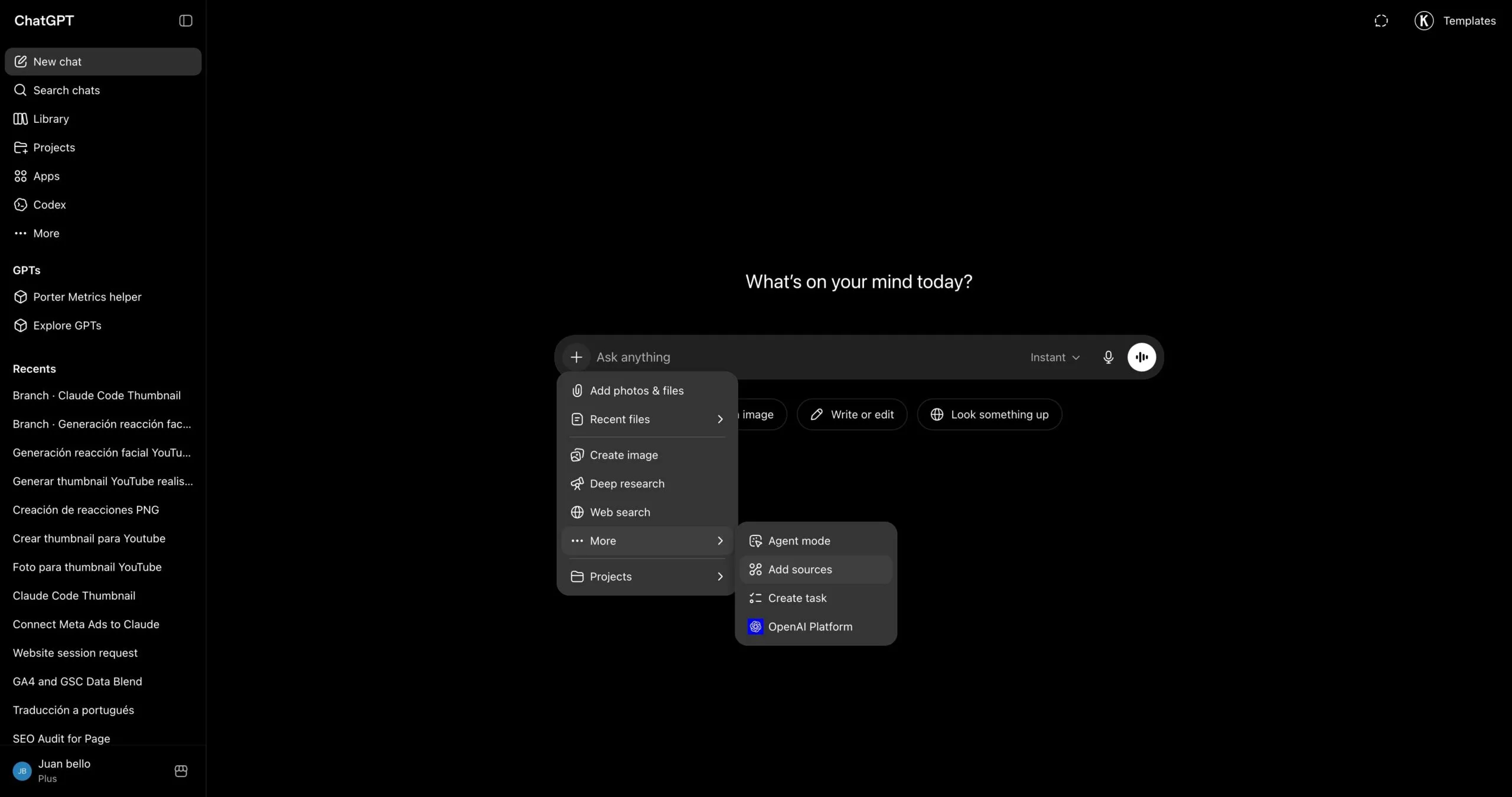
Go to chatgpt.com and click the + icon in the chat input to open the tools menu.
In the menu that opens, hover over Connectors and click Manage connectors.
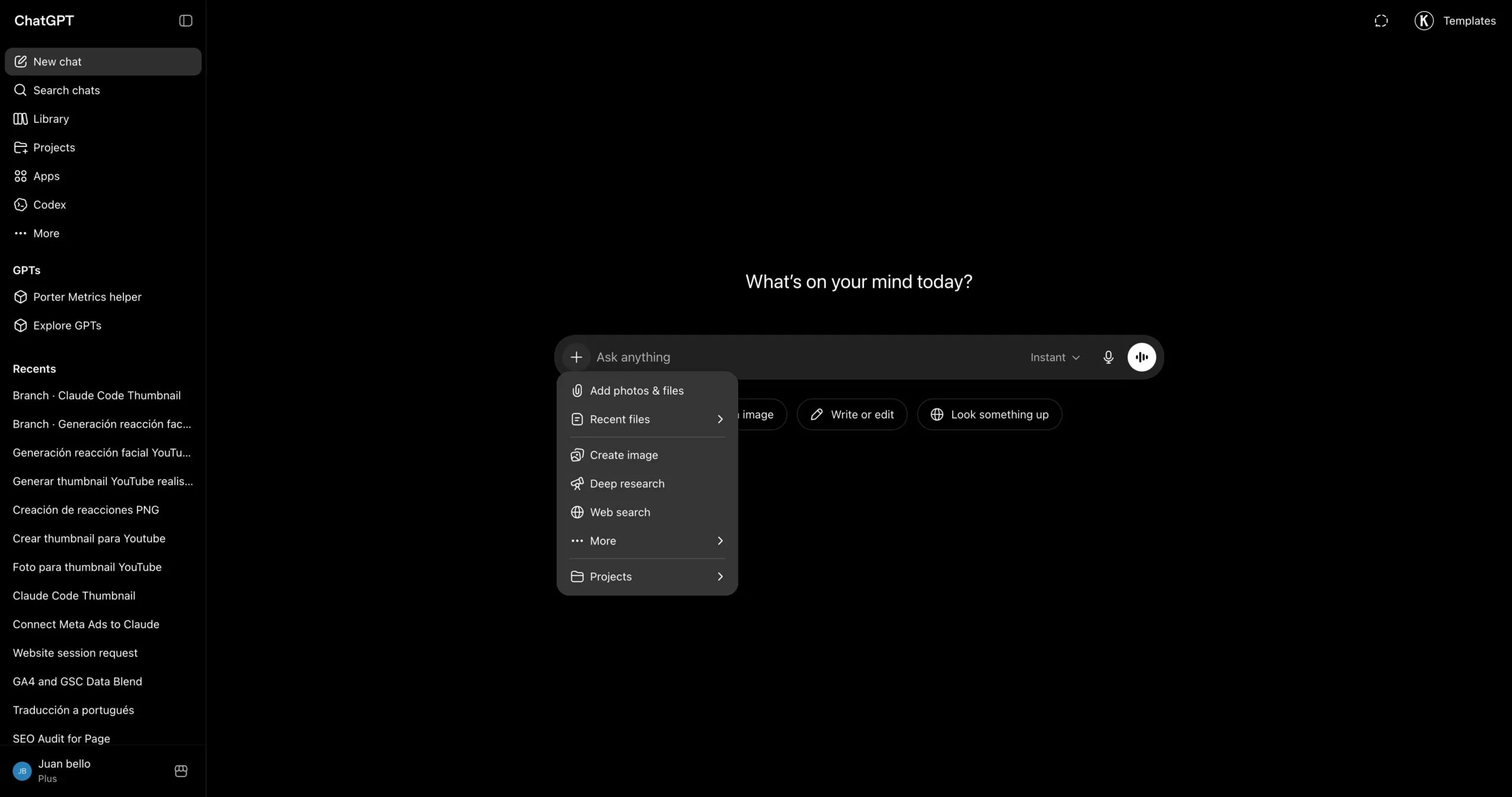
In the Connectors panel, click the + button at the top of the list to start adding a new connector.
Pick Add custom connector from the dropdown that appears.
A dialog opens with the name and URL fields. Type Porter in the first field to name the connector.
In the second field, paste https://mcp.portermetrics.com/mcp. Leave the advanced settings alone.
Click Add at the bottom right of the dialog. ChatGPT opens a sign-in window — use the same Google account linked to your Porter workspace and approve access.
Once the authorization finishes, you’ll see Porter’s tools appear in the connectors panel. You’re ready to start asking questions (and, for connectors that support it, running actions).
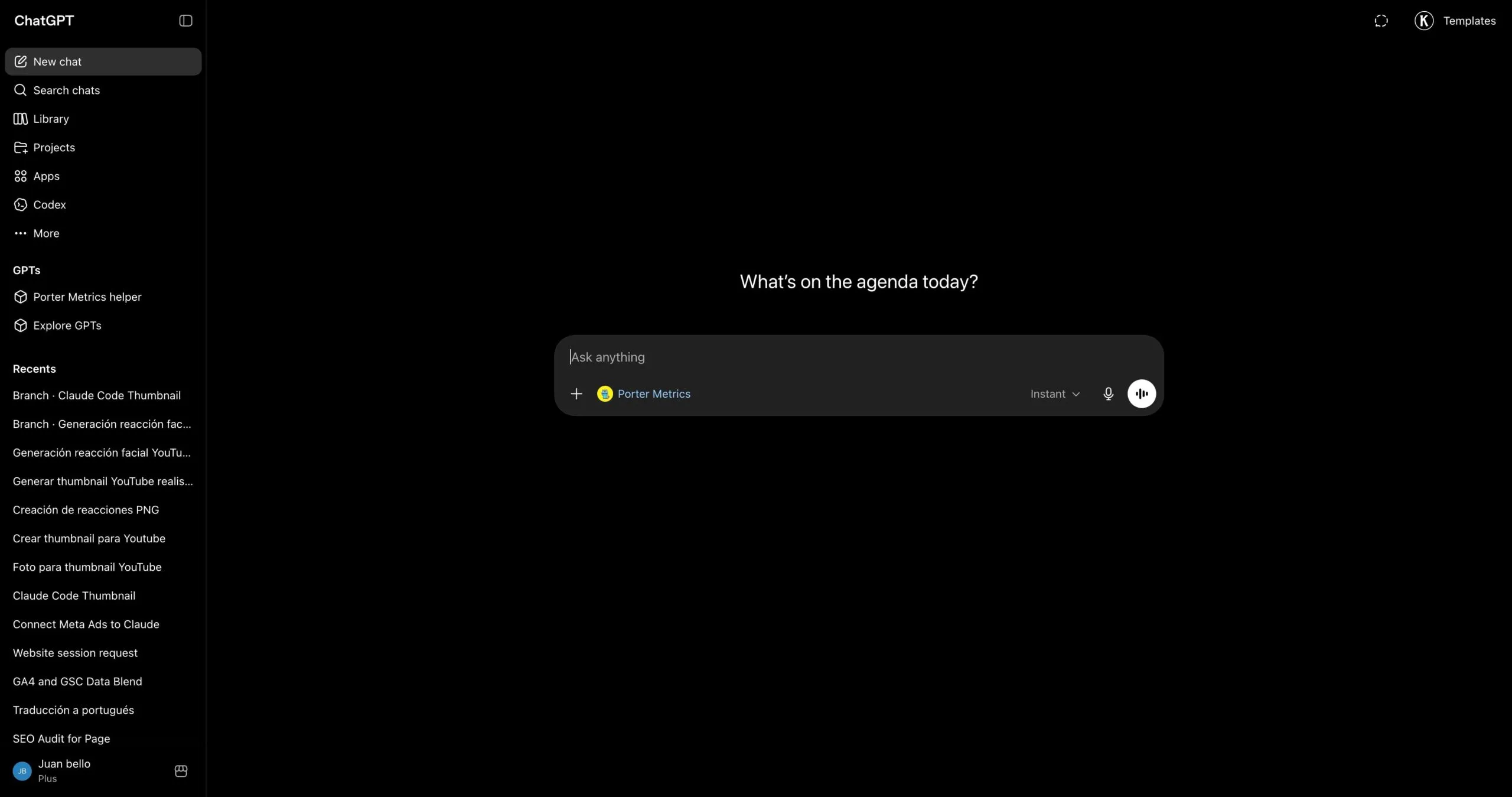
For a fuller walkthrough with screenshots at every step, see the Porter MCP tutorial.
3. Start building questions and dashboards
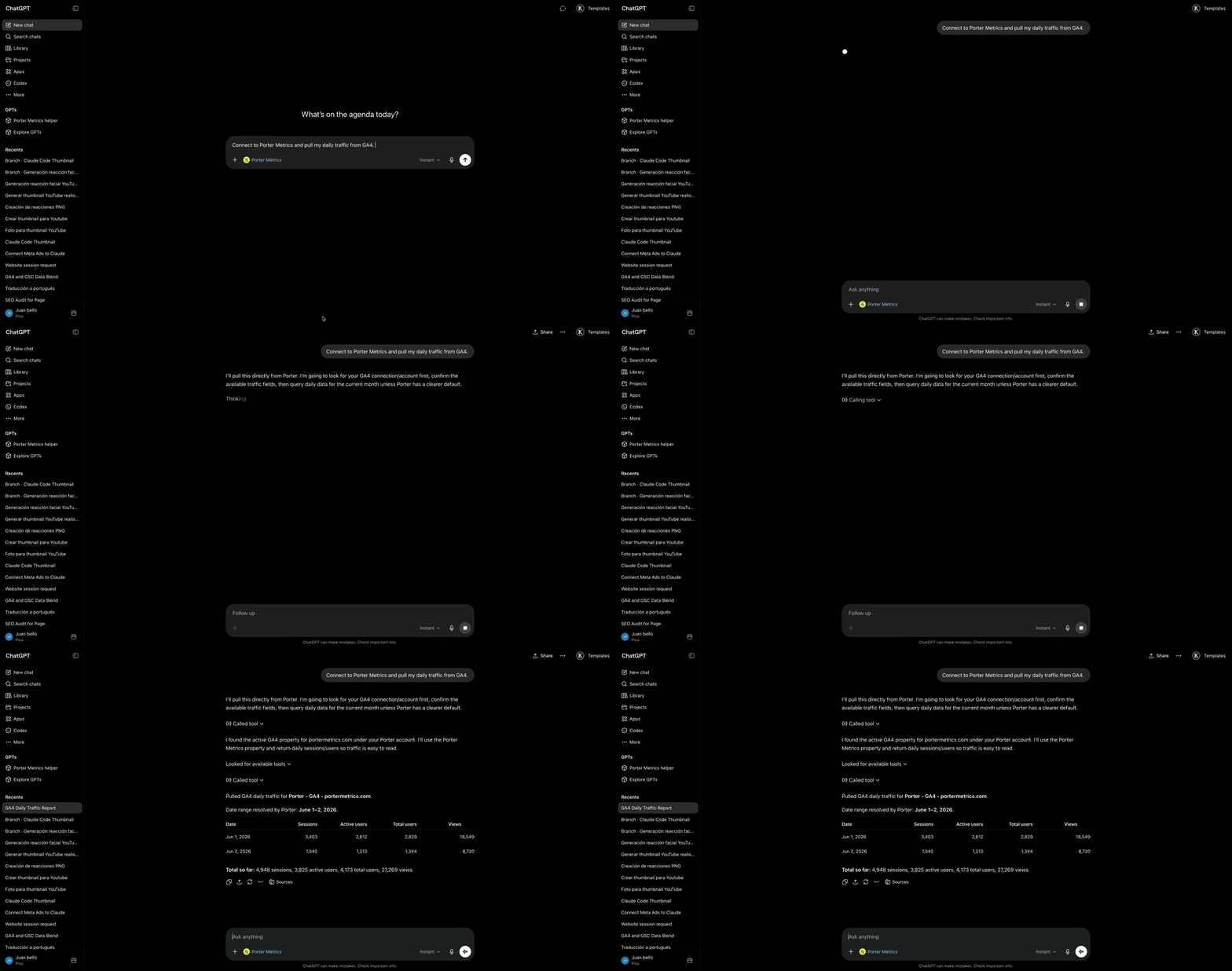
With Porter connected, open a new ChatGPT chat and ask anything about your LinkedIn Pages in plain English. ChatGPT calls Porter behind the scenes, pulls live data from LinkedIn, and answers with tables, charts, or summaries.
Try one of these to verify the setup is working:
For a full catalogue of copy-paste prompts organized by use case (post management, performance, audience analysis, content strategy, cross-channel), jump to the prompts section below.
Alternative ways to connect LinkedIn Pages to ChatGPT
Porter MCP is the path we just walked through and the one we recommend for most marketers. It is not the only way to get LinkedIn Pages data in front of ChatGPT, though. The most common alternatives are LinkedIn Pages’ direct API, a live Google Sheets bridge or CSV upload, and BigQuery for scale. Each has trade-offs, so pick the one that fits how your team already works.
- 🔌 LinkedIn Pages’ direct API — Talk to LinkedIn’s Marketing API yourself. Maximum control, but you handle auth, rate limits and pagination — and you only get one source. (LinkedIn doesn’t ship an official MCP yet.)
- 📊 Google Sheets — Live Sheet or one-off CSV upload. Auditable, familiar, faster for big exports — but aggregation happens in the Sheet, not the API.
- 🗄️ Google BigQuery — For large company pages or agencies running multi-page analysis. BigQuery aggregates; ChatGPT only queries pre-built summaries.
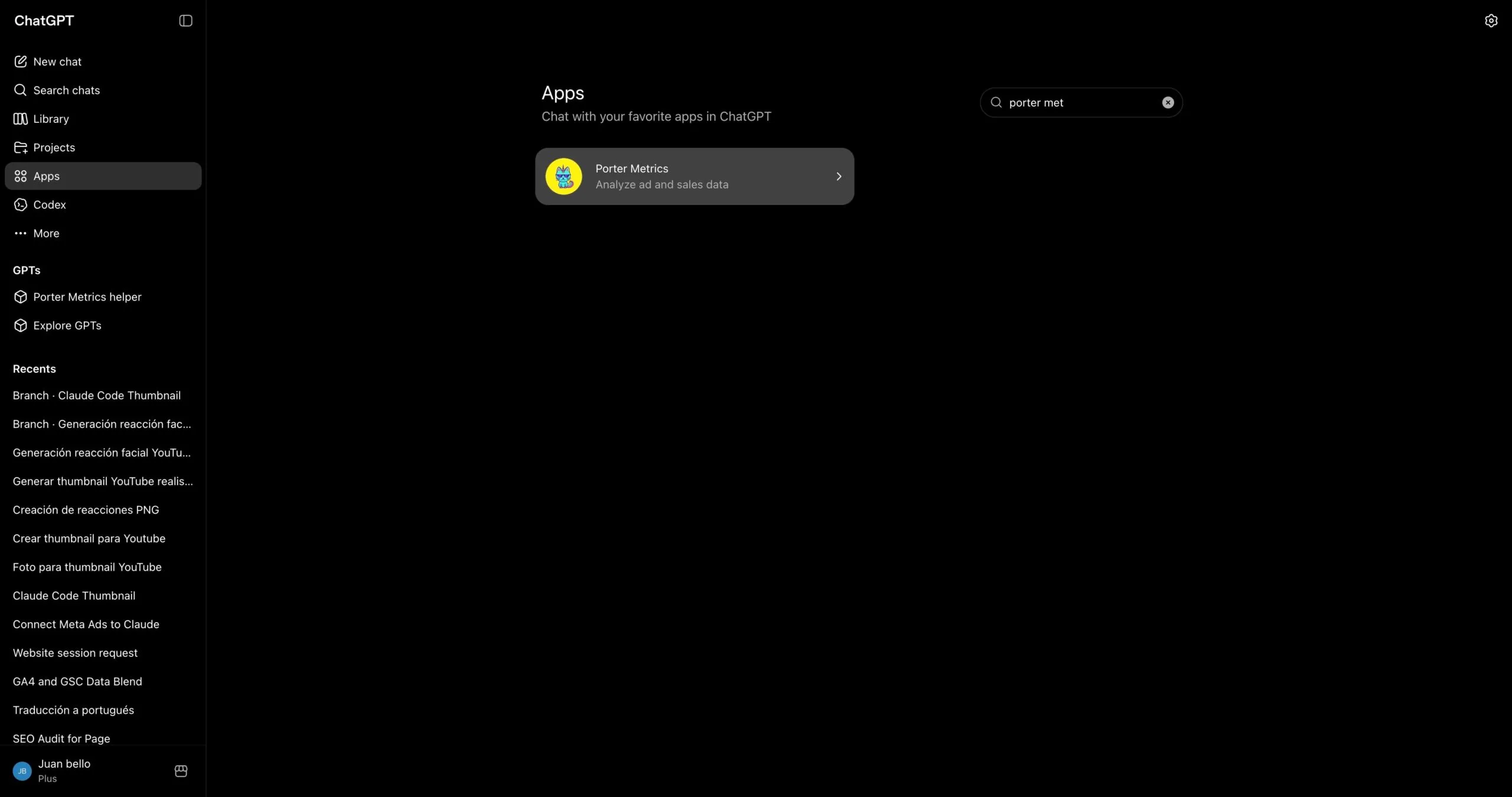
Via the Porter Metrics app in the ChatGPT marketplace
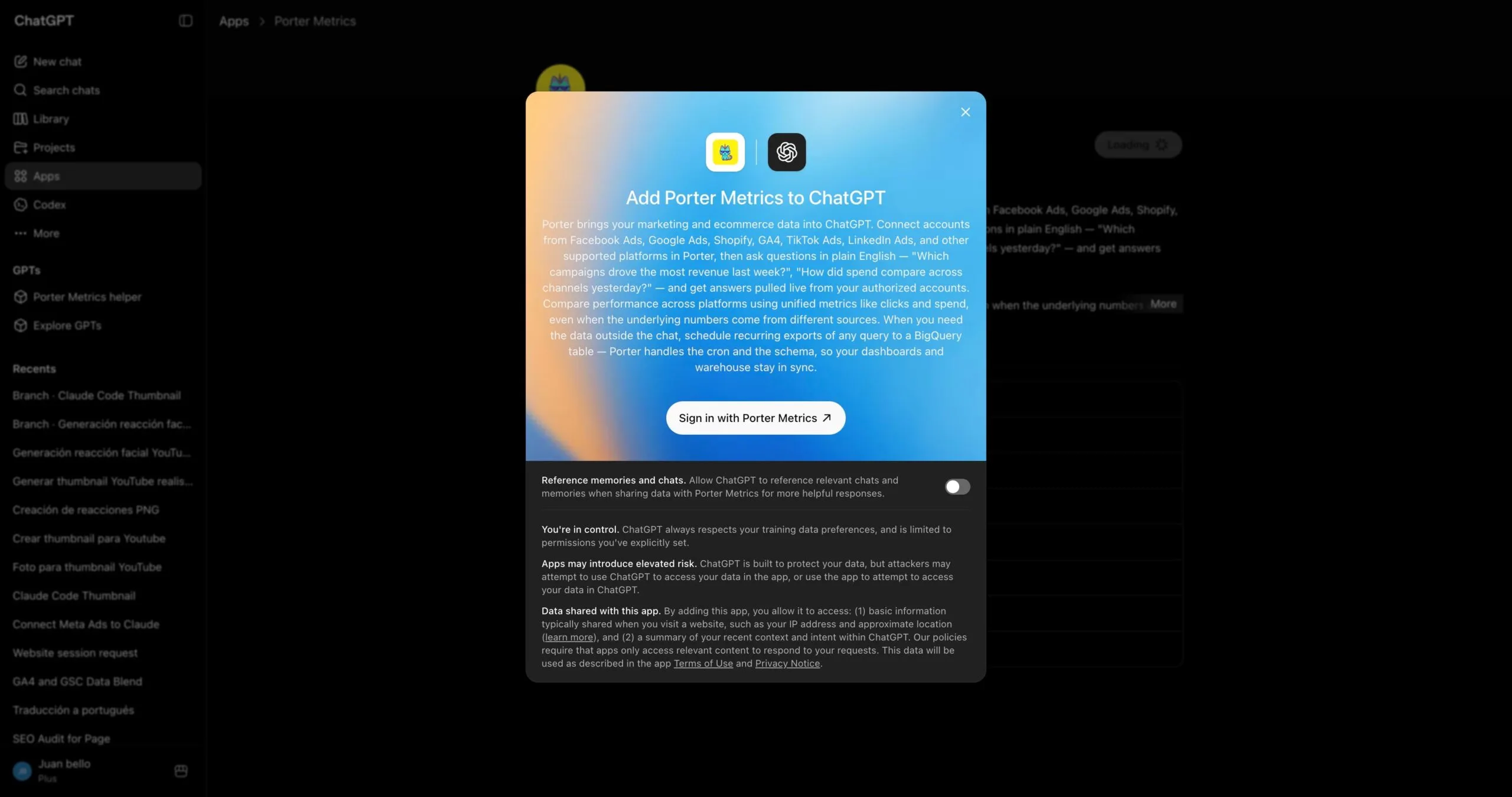
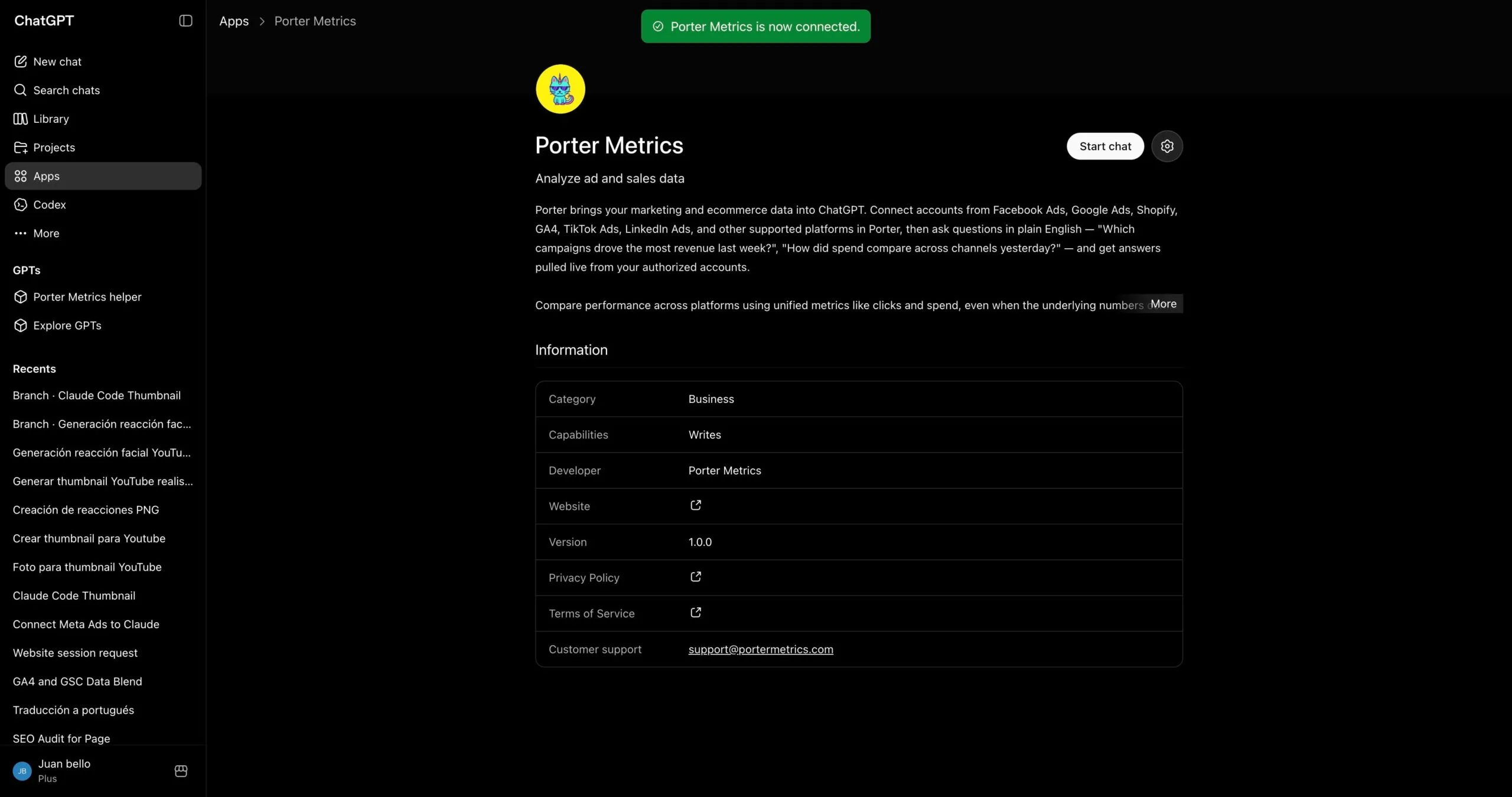
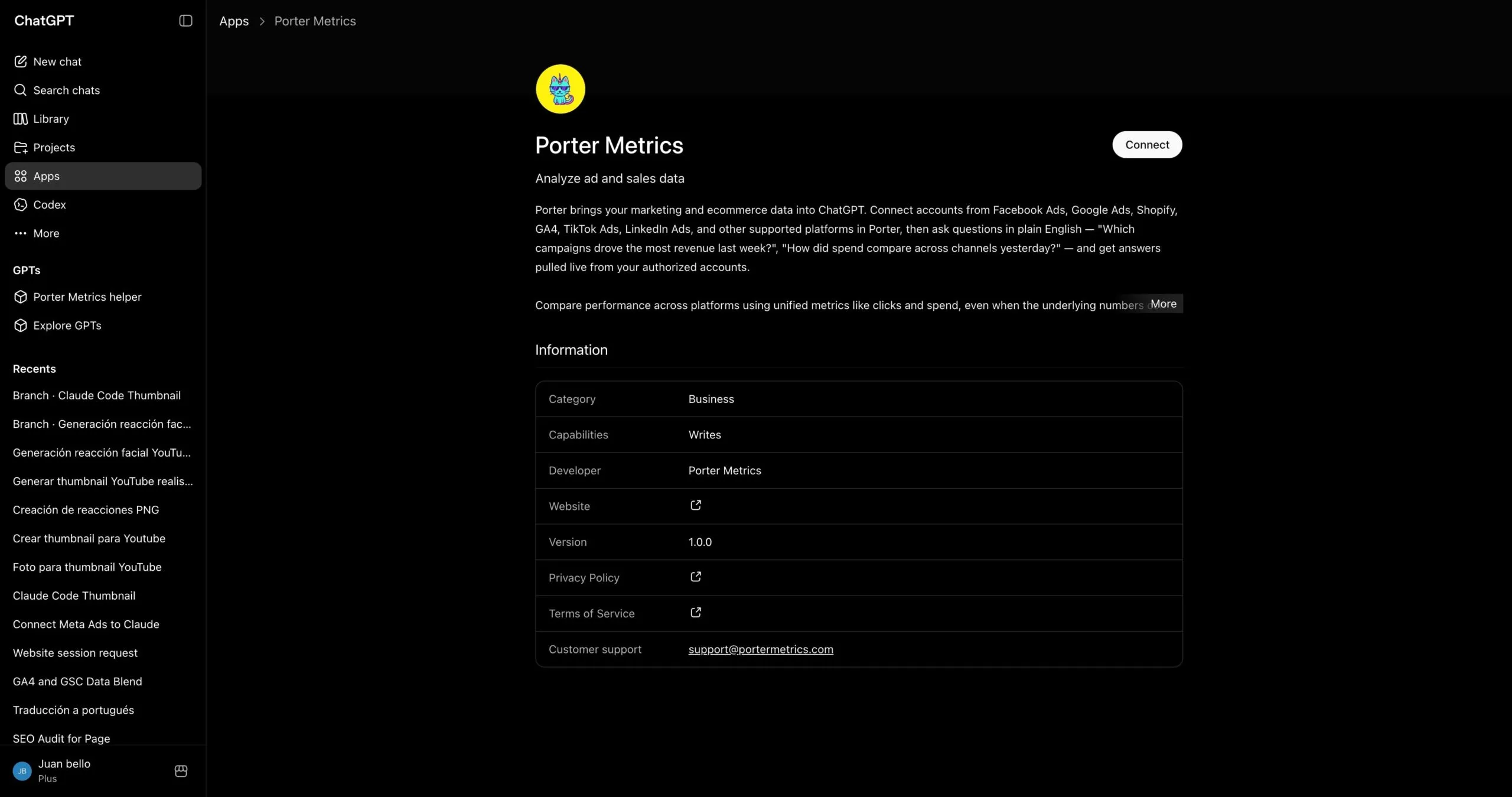
If you’d rather not paste a connector URL, install Porter straight from ChatGPT’s app gallery — it’s the same Porter connection behind the scenes, published as an approved ChatGPT app:
- Open the Porter Metrics app page in ChatGPT (or search “Porter Metrics” in the apps gallery).
- Click Connect and sign in with the same account you use in Porter.
- Authorize it and ask your first LinkedIn Pages question — same live data as the MCP.
The trade-off to know: the marketplace app only updates after each ChatGPT review cycle, while the MCP updates the moment Porter ships. If you want every new tool and data source immediately, use the MCP; if you want the one-click install and don’t mind waiting for new features, the marketplace app is the shortest path — including write actions through your connected Porter account.
Via LinkedIn Pages’ direct API
LinkedIn doesn’t ship an official MCP as of June 2026. LinkedIn’s own developer documentation and API docs contain no mention of MCP support, no LinkedIn-authored MCP endpoint, and no first-party tool catalog. All available MCP connectivity for LinkedIn Pages data is provided by third-party/community implementations.
If you’re building a product around LinkedIn Pages — or you’re a developer who’d rather own every layer of the integration — the most direct path is talking to LinkedIn’s Marketing API yourself. Whichever route you pick, you still follow LinkedIn’s rate limits & quotas. Either way you skip Porter and call LinkedIn from your own code, from Codex, or from LinkedIn Pages’ own connector.
The trade-off to know. Going direct gives you maximum control and the freshest possible data — every endpoint, every parameter, no abstraction layer in between. But you’re now responsible for OAuth flows, refresh tokens, rate limits, pagination, schema changes, and error retries. And critically, you only get one source. The moment you also want Google Ads, GA4 or Shopify in the same conversation, you’re back to building (or stitching together) more integrations.
When this makes sense: engineering teams that need a single source with full control, products that ship LinkedIn Pages data as a feature (where you own the integration anyway), or one-off scripts where you don’t mind writing the auth and pagination code yourself. For marketers who want to ask questions in plain English and blend LinkedIn Pages with the rest of their stack in a single conversation, the Porter MCP path is dramatically less work.
Via Google Sheets (live Sheet or manual CSV)
If your team already lives in Google Sheets — or you want a paper trail before ChatGPT touches anything — feed LinkedIn Pages into a Sheet, then let ChatGPT read the Sheet. You can automate the LinkedIn Pages → Sheets pipeline with Porter so it refreshes daily, or do one-off CSV exports from LinkedIn Page Analytics for static analysis.
The trade-off to know. With the MCP path, ChatGPT calls LinkedIn’s API directly and LinkedIn does the filtering and aggregation on its side — clean and deterministic. With the Sheets path, ChatGPT aggregates inside the Sheet itself, which can introduce hallucinations on totals, averages, and joins when you have thousands of rows. The upside is speed: for very large date ranges or historical analysis, a pre-built Sheet is dramatically faster than live API calls.
When this makes sense: finance teams that want to review numbers before ChatGPT acts on them, agencies already delivering client reports in Sheets, historical analysis across years of data, or any case where you care more about speed than real-time freshness.
Read the full Sheets tutorial →
Via Google BigQuery (for scale)
This is the path most people overlook — and it’s the one that saves you when your LinkedIn Pages company page gets serious. A single large company page or an agency managing 10+ company pages will hit API rate limits and latency problems querying ChatGPT directly. ChatGPT will literally tell you it’s taking too long or timing out on big pulls.
BigQuery fixes that. You load LinkedIn Pages data into BigQuery tables on a schedule, then connect BigQuery to ChatGPT — either through a BigQuery MCP or via Codex with SQL queries. Instead of asking ChatGPT to pull raw LinkedIn Pages data, you let BigQuery aggregate into small, optimized tables, and ChatGPT only queries the summarized output. Scale problem solved.
When this makes sense: enterprise company pages with millions of page views, agencies running multi-page analysis across 10+ clients, or any team already using BigQuery as a data warehouse. Porter loads LinkedIn Pages (and 25+ other sources) directly into BigQuery so you don’t have to build your own ETL.
Read the full BigQuery tutorial →
Connecting LinkedIn Pages to Codex
Most marketers lump ChatGPT and Codex together and miss the biggest advantage of the entire MCP ecosystem. They’re not the same tool — and the difference matters enormously once you start working with LinkedIn Pages data seriously.
ChatGPT is a chat interface. You ask a question, ChatGPT pulls live data through the MCP, answers, maybe builds a quick dashboard inside the conversation. Great for one-off analysis. The problem: everything is ephemeral. Want to refresh the dashboard tomorrow? You regenerate it from scratch. Want the same report every Monday? You re-ask the question every Monday.
Codex is ChatGPT running inside your computer’s terminal. Because it has access to your filesystem, runtime, and other developer tools, it doesn’t just answer questions — it can build real software. Persistent scripts, scheduled routines, HTML apps, internal dashboards, integrations that run 24/7 without your input. Once it’s connected to Porter’s MCP for LinkedIn Pages, a whole category of work becomes possible.
What Codex unlocks that ChatGPT alone cannot
This is where the MCP ecosystem pays off most. Because Codex can combine Porter’s MCP with other MCPs — Firecrawl for web scraping, Airtable for structured data, Notion for wikis, Vercel for deployment, Slack and Gmail for delivery — you’re no longer querying data. You’re building tools.
Feed Codex your LinkedIn Pages targets and goals — engagement rate goals, follower growth targets, page view benchmarks — and ask it to generate a custom performance dashboard for each client. It builds the HTML, pulls live data, deploys to a URL. No Data Studio embed to break when the vendor changes pricing, no template constraints. The dashboard updates automatically because it queries Porter’s MCP on every page load.
Best for:agencies that want white-label client dashboards without Looker or Data Studio dependencies.
Combine your own LinkedIn Pages performance from Porter with competitor company pages and content strategies scraped via Firecrawl. Codex stitches both into a weekly competitive intelligence report — your numbers next to their posting frequency and engagement rates, with an LLM summary on top of what changed week over week. Runs on cron, lands in your inbox every Monday morning.
Best for:in-house teams that need market context, not just internal numbers.
Use Airtable or Notion as the schema, Porter as the data source. Codex keeps every page populated with current Page Views, Engagement Rate, and New Followers for every company page — no stale screenshots, no copy-paste from Excel. New hires read one wiki entry and have full context on a client’s account.
Best for:agencies and ops teams onboarding analysts or rotating account managers frequently.
A Codex routine on cron pulls LinkedIn Pages via Porter, evaluates thresholds — Engagement Rate drops below 2%, daily Page Views drop 30% below the trailing average — and pushes Slack or Gmail alerts the moment something crosses the line. You stop checking dashboards reactively; the dashboard checks itself and tells you when to look.
Best for:any team that’s ever discovered a problem 48 hours too late because nobody opened the report.
Bottom line: ChatGPT is for quick questions and ad-hoc dashboards. Codex is for building apps, live dashboards, alerts, and actual tools — anything you want to run on its own without re-asking. Same Porter MCP URL works in both, so you don’t pick once and lock in.
Use cases: what you can actually do once LinkedIn Pages is connected to ChatGPT
1. Manage posts and engagement from the chat
The biggest shift from a dashboard: ChatGPT does not just read your account, it operates it. Create, update, and delete page posts, comment on follower posts, and upload images and videos through Porter’s deterministic components, with built-in rate limiting so your account stays safe. One habit to keep for every prompt that changes the account: ask ChatGPT to show the change and wait for your confirmation.
Every prompt that changes the account has the safety habit built in: review first, then apply.
2. Reporting: questions, dashboards, alerts and client decks
Chat and ask questions directly. The simplest use case — and still the one 80% of marketers start with. Open ChatGPT, ask a question, get an answer grounded in live data.
It’s the fastest way to replace a daily LinkedIn Page Analytics check-in. But chat is table stakes — the interesting use cases come next.
Blend LinkedIn Pages with your revenue data (Meta Ads, Shopify, HubSpot). This is where a 360° view gets real. When you connect LinkedIn Pages and your revenue source (Meta Ads for paid social amplification, Shopify for e-commerce, HubSpot for B2B lead tracking), ChatGPT can map company page posts to actual qualified leads or website conversions — using UTMs, campaign names, and timestamps — and give you attribution that no platform-side number can.
ChatGPT handles the UTMs, campaign names, and timestamps mapping and joins. You get a client-ready attribution report that no single platform can generate on its own.
Automated alerts and notifications on Slack or Gmail. With Codex you can turn LinkedIn Pages monitoring into a routine that runs on its own. Hook Porter’s MCP (for the data) together with a Slack or Gmail MCP (for delivery), then write a Codex scheduled task that pulls performance every morning and pings you only when something actually needs attention.
No dashboards, no daily check-ins. The report comes to you — and only when it matters.
Client-ready presentations with live data (Gamma, HTML, PDF). A common agency pain: you send clients a Data Studio link — and you spend an hour explaining a broken dashboard. With ChatGPT you can build the presentation itself — as a Gamma deck, a custom HTML page, or a PDF — populated with live numbers each time.
The presentation becomes a delivery artifact you send to the client, not a dashboard that depends on another tool staying up. No broken iframe, no login prompts, just the content.
LinkedIn Pages fields and metrics you can query with ChatGPT
Before you start writing prompts, it helps to know what data is actually available. Porter MCP gives ChatGPT access to 159 LinkedIn Pages fields and metrics across every reporting level, plus breakdowns by audience, device, geography, and content type. And the same MCP URL also unlocks 25+ other sources — so ChatGPT can blend LinkedIn Pages with Google Ads, GA4, Shopify, HubSpot and more in a single prompt.
Prompts you can copy-paste today
…organized by job: post management, performance checks, audience analysis, content strategy, and cross-channel blending.
1. Post and content management
For social media managers and content leads who need to create, update, and publish directly from ChatGPT.
2. Performance checks
For agencies and brand teams tracking organic performance week over week.
3. Audience and engagement analysis
For brand teams diagnosing engagement patterns and optimizing content for their ICP.
4. Content strategy for creators
For solopreneurs, consultants, and thought leaders using Company Pages as professional authority amplifiers.
5. Cross-channel
For analysts connecting LinkedIn activity to downstream business outcomes.
How to use Codex for LinkedIn Pages without getting banned
This is the cautionary tale that matters for LinkedIn Pages users: the risk isn’t using the official API — it’s using unofficial tools that scrape or automate the platform. LinkedIn’s enforcement is aggressive against scraping (they’ve sued multiple providers and deployed “BrowserGate” to scan 6,000+ browser extensions for scraping behavior), but the official Marketing API for Company Pages analytics is read-only and explicitly permitted. The real cost of getting this wrong isn’t a slap on the wrist — it’s litigation, permanent account termination, and loss of access to your own company page data. Marketers using Porter’s official LinkedIn Marketing API connector are on the safe side of this line by design.
LinkedIn’s enforcement is behavior-based and tool-based, not intent-based. LinkedIn doesn’t ban accounts because you used an MCP or connected to Claude. It bans, throttles, or sues because of how the data was accessed: scraping via fake accounts, browser extensions, or unauthorized automation triggers their legal and technical enforcement systems. Using the official LinkedIn Marketing API with read-only scopes is safe and explicitly supported. Parallel API bursts, programmatic writes at scale, and browser automation are not. LinkedIn does not publish exact rate limit numbers publicly — limits vary by application, endpoint, and access level — but they do send email alerts at 75% of your application-level quota and return HTTP 429 “Too Many Requests” when you’re approaching the ceiling.
The two behaviors that actually get accounts banned
After reviewing official docs and community threads, two patterns come up again and again.
1. Using unofficial scraping tools or browser extensions. LinkedIn actively detects and blocks scraping tools through its “BrowserGate” system, which scans over 6,000 browser extensions for scraping behavior. If your “LinkedIn connector” requires a browser extension, installs a Chrome plugin, or asks for your LinkedIn password directly, you’re in the danger zone. LinkedIn has sued companies like Nubela/Proxycurl for extracting data from 500M+ profiles using fake accounts. What happens: Account termination, legal exposure, permanent loss of data access. Use the official Marketing API instead. — MediaPost, “LinkedIn Hit With Privacy Suits Over Browser Scans”
2. Parallel API bursts or excessive polling frequency. Even with the official API, hitting LinkedIn with concurrent requests or polling every minute can trigger throttling. LinkedIn’s rate limits are not published as fixed numbers — they vary by endpoint and application — but the platform returns HTTP 429 when exceeded and resets quotas on a 24-hour window at midnight UTC. What happens: Temporary data unavailability, broken dashboards, “missing data” complaints from stakeholders. Use a connector that implements server-side rate limiting and backoff. — Microsoft Learn, “Rate Limits”
Both behaviors trigger LinkedIn’s legal and technical enforcement systems. If you want to use ChatGPT for LinkedIn Pages safely, stick to official API connections with read-only scopes and reasonable polling intervals.
The 5-rule safety protocol
Based on LinkedIn’s documented rate limits and policies and the behaviors that have actually caused account termination — not guesswork:
-
Use only the official LinkedIn Marketing API, never scraping tools. . LinkedIn’s legal team actively sues scraping providers; using unofficial tools exposes your company to litigation and permanent account loss. Porter connects exclusively through LinkedIn’s official OAuth and Marketing API endpoints.
-
Respect rate-limit signals and implement backoff. LinkedIn returns HTTP 429 when approaching limits and sends email alerts at 75% of your quota. . Ignoring 429 responses can result in temporary suspension of API access. Porter handles rate limiting server-side with automatic backoff and retry logic.
-
Never share LinkedIn credentials with third-party tools. . Official connectors use OAuth 2.0 — you authorize the app, you never type your password into a third-party site. If a tool asks for your LinkedIn password or asks you to install a browser extension, stop immediately. Porter uses standard OAuth flows with minimal scope requests.
-
Poll data at reasonable intervals, not continuously. . LinkedIn analytics data is not real-time — it has processing delays. Polling every minute wastes quota and doesn’t improve data freshness. Porter syncs on a schedule optimized for LinkedIn’s data processing windows.
-
Require Super Admin or Content Admin role for Company Page access. . Not every LinkedIn user can authorize analytics access — you need administrative privileges on the Company Page. Attempting to connect without proper role assignment results in authorization failures, not security risks, but it’s a setup friction point. Porter’s onboarding checklist verifies role requirements before starting OAuth.
What Porter MCP does differently: it enforces these safeguards at the platform level. Porter’s LinkedIn Pages connector is read-only by default for analytics — it uses official LinkedIn Marketing API endpoints with OAuth 2.0, never scraping or browser automation. Rate limiting is handled server-side with automatic backoff and retry logic, so you never see 429 errors or broken dashboards. Data scopes are minimized — Porter requests only the permissions needed for analytics, nothing more. That’s the behavior LinkedIn’s automated systems reward and never flag.
Frequently asked questions

Ready to chat with your LinkedIn Pages?
Open ChatGPT, add the Porter connector, and ask your first question. If you don’t have Porter yet, start a free trial and connect your LinkedIn Pages account — you’ll be chatting with your campaigns in under five minutes.
rocket_launchStart free Porter trialopen_in_newOpen ChatGPT